
Learn / DaVinci Resolveupdated for DaVinci Resolve 21.0.2 (July 2026)
DaVinci Resolve Portfolio Tips for Freelance Editors
Quick answer
Freelance editors land more work with 3 to 6 finished projects in one niche than a long generic reel. Lead with your strongest 15 seconds, grade for consistency with a two-node pass, export at a high bitrate, and host on Vimeo Showcase or a dedicated editor site. Use spec work if you lack real client footage yet.
I have watched editors spend three months polishing a five-minute reel that covers weddings, corporate explainers, gaming montages, and a short film, and then wonder why nobody calls back. The reel wasn't bad. It just didn't tell a client what to hire them for. A portfolio's job isn't to prove you can edit. It's to prove you can solve one specific problem a client already has, fast enough that they stop looking.
This guide covers what actually belongs in a freelance DaVinci Resolve portfolio: how many projects, how long the reel should run, whether to niche down, what to do with no real client work yet, how to use Resolve itself to make the pieces look consistent, common technical problems along the way, where to export, host, and get found, and what to charge once the portfolio starts working. Every number here traces to a named source, not a guess, and I'll flag where the honest answer is "it depends."
What actually belongs in a freelance DaVinci Resolve portfolio?
Not everything you've ever cut. A portfolio is a filtered argument for why a specific client should hire you, and every extra project that doesn't support that argument dilutes it.
The elements that show up across the advice worth trusting:
| Element | Why it matters | Skip it if |
|---|---|---|
| 3 to 6 finished projects | Depth over volume; each one is proof, not filler | You're padding with unfinished or low-effort cuts |
| A short reel or trailer | Gets attention fast for people who won't click through everything | You're relying on it alone with no full projects behind it |
| Context line per project | Client, goal, your specific role, result | The project speaks entirely for itself (rare) |
| Contact info and a clear next step | Turns interest into an email, not a bounce | It's buried below the fold |
| Consistent visual identity | Signals you can hold a look across a whole project, not just one clip | Every project uses wildly different grading and pacing |
| Testimonials or client names | Third-party proof beats self-description | You genuinely have none yet (use spec work instead) |
That structure comes from a mix of sources that mostly agree on the shape even when they disagree on the details: Vimeo's editor portfolio guide frames a portfolio as "both a resume and a unique calling card," Cutjamm's portfolio website builder guide pushes toward platforms built specifically for editors to "rank on search and get contacted directly," and freelance business writer Alex Berman's step-by-step freelancing guide is the most specific on numbers, recommending 3 to 5 pieces of quality work over a longer, thinner list.
A portfolio with three finished projects in one niche beats a reel with twenty clips from five different genres. That's not a stylistic preference. It's how a client's brain works when they're scanning ten portfolios in one afternoon: they're pattern-matching for "has this person already solved my exact problem," and a scattered portfolio never answers that question clearly enough to win the scan.
How many projects should you include, and how do you choose them?
Three to six. That range shows up consistently: Alex Berman lands on 3 to 5 pieces of quality work, and the general advice across portfolio guides for creative freelancers tracks the same band. Below three, you don't have enough evidence of consistency. Above six or seven, you're asking a client to do more work reviewing your portfolio than the job itself is worth to them, and attention drops fast past that point.
Choosing which projects make the cut is where most editors get it wrong. The instinct is to include your most technically impressive work: the most VFX-heavy shot, the trickiest multicam sync, the project with the biggest budget. That instinct is backwards for a freelance portfolio, because a prospective client isn't hiring you to impress other editors. They're hiring you to solve their specific problem, and they judge your portfolio against that problem, not against a general skill bar.
Run every candidate project through three filters before it goes in:
- Does it match the work you actually want more of? A stunning corporate video is a liability in a portfolio aimed at wedding clients, because it trains the wrong audience to find you.
- Is it finished, not just cut? Color graded, mixed, exported at full quality. A rough cut with temp music reads as unfinished even if the editing decisions inside it are strong.
- Can you describe the result in one sentence? "Re-edited this brand's product launch for a faster hook, which lifted average watch time" beats "Premiere Pro edit" every time, a distinction Alex Berman's guide makes directly: describe outcomes, not software.
If you have more than six strong candidates, that's a good problem. Build a full archive page for the overflow and keep the front-facing portfolio at the tight number. Clients who want to see more will ask, and giving them a deeper page to explore after the tight pitch works better than forcing everyone through eight projects up front.
Should you rebuild your entire portfolio, or just refresh the weakest pieces?
Most editors reading this already have a portfolio. It's just not working the way it used to, and the question isn't "how do I start" but "do I tear this down or patch it." Both are legitimate answers, and picking the wrong one wastes a weekend either way.
Run a quick audit first. Pull up every project currently on your page and ask one question of each: would you be comfortable sending this specific link to the best client you've worked with in the past year? Not "is it fine." Not "did I work hard on it." Would it move that specific client to reply. Sort every project into keep, cut, or replace.
The pattern that shows up tells you which path to take:
| What the audit shows | What it means | What to do |
|---|---|---|
| Most projects still hold up, one or two feel dated | Your standards outgrew a couple of pieces, not your whole approach | Refresh: swap the weak projects, re-export the rest at current settings, leave the structure alone |
| Every project is in a different niche than the work you actually want now | You pivoted, and the old portfolio is arguing for a business you left behind | Rebuild: start from the niche question again and treat old projects as raw material for new spec pieces, not finished work |
| The projects are strong but the grading and titling look inconsistent across them | Execution problem, not selection problem | Refresh: reapply a single two-node grade and one title template across the existing set |
| You genuinely can't remember the last time the portfolio generated a reply | The whole page has stopped functioning as a pitch, regardless of why | Rebuild: a portfolio that isn't converting anything has nothing left to protect |
A full rebuild costs more time up front, but it's the right call when the mismatch is about audience, not polish. Trying to refresh a portfolio built for a different niche just delays the rebuild you actually need, and every week spent patching the wrong page is a week not spent pitching with the right one.
A refresh is faster and usually the better bet if the bones are sound. Swapping two weak projects for two stronger ones, reapplying a consistent grade, and tightening the context lines can take a weekend and often outperforms a full rebuild, because you're not starting your credibility count back at zero.
If your portfolio hasn't earned a reply in months, the problem usually isn't that clients haven't seen it. It's that what they saw didn't look like the job they needed done.
Should you build one long demo reel, or a project-by-project portfolio?
There's a real disagreement here worth naming honestly instead of pretending one answer wins.
The montage-reel camp says a reel is still the fastest way to get attention. Torrey Tayenaka, co-founder and CEO of Sparkhouse, put it plainly in Format Magazine's guide to editing a portfolio reel: "A good montage reel can be the deciding factor in whether you are hired." That same guide cites data that videos under 90 seconds retain roughly half their viewers, which is the practical argument for keeping a reel tight rather than comprehensive.
The project-first camp pushes back on the reel format itself. Jonny Elwyn, a freelance film editor and regular contributor to PremiumBeat, argues that "an editor shouldn't have a demo reel as we commonly think of one, a montage of your best bits cut to music, because it just shows you can cut a (hopefully flashy) montage but not much else." His alternative: a portfolio website organized by category, letting clients find the genre they actually need instead of sitting through a highlight reel that mostly proves you can cut fast to music.
Both are right about different things. A reel is a discovery tool: it's what gets shared, embedded, and watched by someone who has never heard of you and won't click three links to evaluate you. A project-by-project portfolio is a decision tool: it's what a client reviews once they're already seriously considering you and want to see how you handle a full piece start to finish.
The practical answer is to build both, but sequence them right. Lead with a tight 60 to 90 second reel or personal trailer at the top of your page for the cold-attention moment. Put the full projects, with context lines, right below it for the warm-attention moment once someone's already interested. Neither format replaces the other; they solve different parts of the same funnel.
Your reel gets you the click. Your full projects get you the reply.
How long should your reel be, and what goes in the first 15 seconds?
60 to 90 seconds, with 2 minutes as an absolute ceiling. That range is consistent across the sources: Format Magazine recommends around 60 seconds as ideal, up to 2 minutes if necessary, and PremiumBeat's guidance for a personal branded trailer lands in the same 60 to 90 second window. The reason isn't taste. It's attention: under 90 seconds, you keep roughly half your audience watching to the end. Past that, retention drops off a cliff most editors never see because they're not tracking watch-through data on their own reel.
The first 15 seconds carry almost all the weight. If a hiring producer or a busy client presses play and isn't hooked immediately, they close the tab and move to the next portfolio in their list. That means your single strongest cut, your best-lit shot, your most confident piece of pacing, goes first, not saved for a "build" in the middle of the reel. Save-the-best-for-later is a storytelling instinct that actively works against you in a format where most viewers never make it past 20 seconds.
A structure that holds up across genres:
- 0:00 to 0:03: Your name or brand mark, on screen for under a second, then straight into footage. No slow fade-in, no logo animation that eats your best three seconds.
- 0:03 to 0:20: Your single strongest clip or sequence, full attention, no competing text or labels.
- 0:20 to 0:60: A tight edit through your next-strongest material, showing range within your niche, not outside it.
- 0:60 to 0:80 (if using the full 90 seconds): One deliberate change of pace, a slower moment if the reel has been fast, or a fast cut if it's been slow, to keep the rhythm from going flat.
- Final 5 to 10 seconds: Your name, contact link, and portfolio URL, held long enough to actually screenshot.
Cut to music if you're building a collage-style reel, since syncing edits to a beat is, as multiple demo-reel guides note, the single most popular technique for this format. Just clear the track. An unlicensed song in your demo reel tells a client you don't understand rights clearance, which is exactly the kind of mistake they're hiring you to prevent on their own projects.
Should you niche down, and which niches actually pay in 2026?
Yes, if you want to stop competing purely on price. Alex Berman's framing is the sharpest version of this argument: "A video editor is a commodity. A video editor who specializes in SaaS product demos with motion graphics is not." The mechanism is simple. A generalist portfolio makes you interchangeable with every other generalist a client finds, which pushes the decision toward whoever's cheapest. A niche portfolio makes you the obvious answer to a specific question, which pushes the decision toward whoever looks like they've already solved this exact problem before.
Berman's guide identifies five niches with steady, repeat-business demand: YouTube channels, short-form social content across Reels, TikToks, and Shorts, corporate and B2B video, real estate video, and podcast or long-form content editing. None of these require rare gear or a huge production budget to break into, which is part of why they're accessible entry points for a freelancer building a portfolio from scratch.
| Niche | Typical client | What the portfolio needs to show | Repeat-business potential |
|---|---|---|---|
| YouTube channels | Individual creators, small teams | Retention-focused pacing, thumbnail-worthy hooks, consistent channel style across episodes | High: creators post weekly or more |
| Short-form social | Brands, creators, agencies | Fast hooks, vertical framing, trend-aware cutting | Very high: constant content volume |
| Corporate / B2B | Marketing teams, SaaS companies | Clean motion graphics, brand consistency, clarity over flash | Moderate to high: recurring campaigns |
| Real estate video | Agents, brokerages | Smooth pacing, strong color on interiors, quick turnaround | High: every new listing is a new job |
| Wedding and events | Couples, event planners | Emotional pacing, multicam sync, color-matched footage across cameras | Low per client, but referral-driven |
| Podcasts / long-form | Podcasters, media companies | Clip extraction, subtitle accuracy, consistent episode format | Very high: weekly or biweekly cadence |
Niching down doesn't mean turning away every other kind of work. It means your portfolio's front page tells one clear story, even if your actual client roster is more varied behind the scenes. If you already edit wedding films full time, our wedding video editing workflow guide covers the DaVinci Resolve-specific steps, multicam sync, vow audio cleanup, camera color matching, that a wedding-focused portfolio needs to demonstrate you've mastered. If YouTube content is your target niche, the DaVinci Resolve workflow for YouTube creators walks through the exact stages, project setup through chapters and export, that a strong YouTube-focused portfolio piece needs to show off.
Clients hire editors who look like they've already solved their exact problem, not editors who claim they can solve any problem.
What do you do if you don't have real client work yet?
Build spec work: self-directed projects made specifically to fill the gap in your portfolio, not accidental side projects you happen to have lying around. Alex Berman's advice on this is the most useful because it's blunt about what actually matters to a client: "Nobody is going to ask whether that video was a real client project when it looks great." A portfolio viewer isn't fact-checking your client roster. They're evaluating the work in front of them.
Three ways to generate spec work that actually looks like real client work instead of a practice exercise:
Free stock footage with a fake brief. Pick a niche, write yourself a one-paragraph client brief the way a real client would, "a 60-second product launch video for a SaaS company, energetic but clean," and edit against that brief using licensed stock footage. The constraint of a brief, instead of "edit whatever looks good," is what makes the result read as professional rather than as a personal reel.
A small collaboration with another creative. Photographers, musicians, and small business owners often have raw footage sitting unused because they don't have editing time. Offering a free or low-cost edit in exchange for usable footage and a testimonial gets you real subject matter with real stakes, which spec work built entirely alone rarely has.
A re-edit of existing public footage. Take a badly paced video, a boring corporate explainer, a slow YouTube video, and cut a tighter version as a "before and after" portfolio piece. This is a strong format specifically because it demonstrates judgment: you're not just showing a finished product, you're showing the decisions that improved it.
Whichever route you pick, hold spec work to the same finishing bar as paid work. Color grade it. Mix the audio properly. Export at full quality. A rough spec cut undermines the entire point, which is proving you can deliver a finished product, not just an idea.
If you're still building the underlying editing skills while assembling your first spec pieces, our practice exercises for DaVinci Resolve beginners walks through small, timed drills, each targeting one skill, that string together into exactly the kind of finished, portfolio-usable clips this section describes.
How do you use DaVinci Resolve itself to build stronger portfolio pieces faster?
A portfolio project that takes you three weekends because you kept re-grading, re-syncing audio, and rebuilding titles from scratch is a project you'll only finish once or twice a year. The features below cut that time down, and every one of them runs in the free version of Resolve.
Fix playback before you fix anything else. If your source footage stutters during scrub or playback, turn on Proxy or Optimized Media in Project Settings. A portfolio project abandoned because the timeline was too laggy to work with comfortably is the most avoidable failure mode on this whole list.
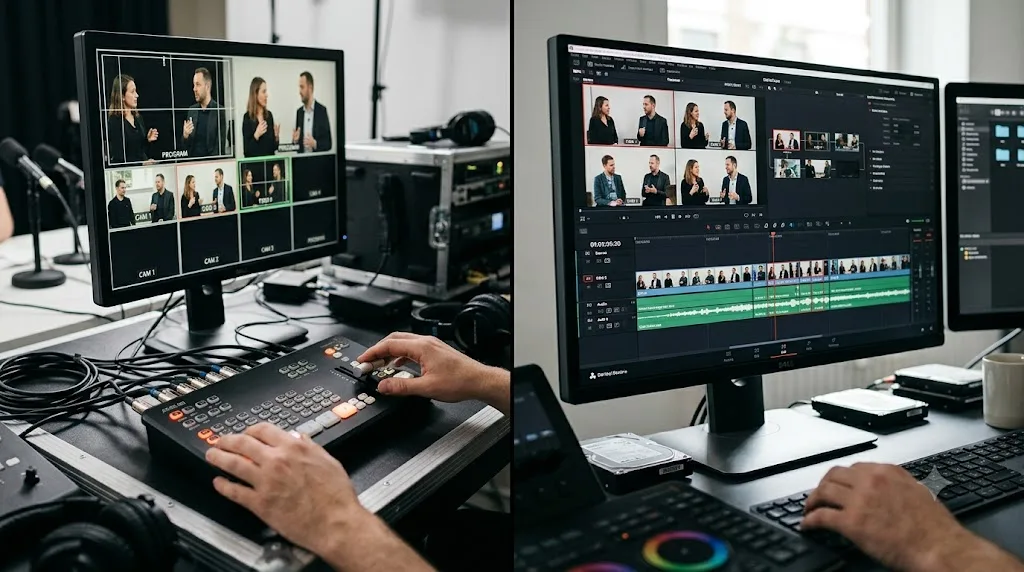
Grade for consistency across projects, not just within one. A portfolio where every project shares a coherent visual identity signals you can hold a look intentionally, which is a specific, hireable skill. Build a simple two-node structure on the Color page, Node 1 for exposure and white balance correction, Node 2 for a look or LUT, and reuse that structure across every portfolio project. Color Groups let you apply grading adjustments across multiple clips or even multiple timelines at once, which matters most on multicam or interview-heavy portfolio pieces where every camera angle needs to match.
Use Fusion for a consistent title card, once. Build a single Fusion title template with your name, role, and contact info, then reuse it across every portfolio project instead of rebuilding a title screen from scratch each time. This is a small thing that compounds: a consistent title card across your portfolio reads as intentional branding, while five different title styles across five projects reads as five separate afterthoughts.
Mix loudness consistently. Uneven audio levels between portfolio pieces is one of the fastest ways to look unfinished, especially if a client watches two or three projects back to back. Set your Fairlight loudness meter target consistently, -14 LUFS is the standard reference point most platforms use for web delivery, so nothing in your portfolio plays noticeably louder or quieter than the piece before it.
Don't let Neural Engine tools do the work you're trying to prove you can do. Studio-only automation like Magic Mask, Speed Warp, and Voice Isolation are legitimate production tools, but if the whole point of a portfolio piece is proving you can hand-key an object or nail a manual speed ramp, leaning entirely on automation to get there undercuts the proof. Use automation to save time on the boring parts. Keep the parts a client is actually hiring your judgment for in your own hands.
A portfolio piece that took you a weekend because you skipped a proxy workflow you needed is a piece you'll resent finishing, and resentment shows up in the final cut.
What technical problems come up while building a portfolio piece, and how do you fix them?
Every editor hits some version of these while building a portfolio project on a deadline they set for themselves, which is somehow harder to keep than a client deadline. None of them are exotic. All of them can eat an entire weekend if you don't recognize the symptom fast.
| Symptom | Likely cause | Fix |
|---|---|---|
| Timeline judders or stutters on certain clips only | Mixed frame rates in one timeline (24fps and 30fps sources cut together) | Match your timeline frame rate to your dominant source, or conform the mismatched clips before you cut with them |
| Multicam angles drift out of sync a few minutes in | Camera audio and sync audio recorded on separate devices with clock drift | Auto Sync Audio Based on Waveform, not timecode, since waveform matching tolerates clock drift that timecode sync doesn't |
| Export runs far slower than your timeline's actual runtime | Heavy grades, uncached Fusion effects, or full-resolution 4K+ sources rendering without proxies | Render Cache your color and Fusion-heavy clips before delivery, and confirm you're not accidentally exporting from full-res media when a proxy would render faster |
| Color looks consistent in Resolve but shifts once uploaded | Wrong output color space or levels for web delivery | Recheck your Color Space Tag and output levels on the Deliver page against what your host expects, not just what looked right on your grading monitor |
| Project won't open cleanly on a different machine | Missing media, missing fonts, or relative paths broken by moving the media | Reconnect media through the Media Pool before anything else, and keep fonts and media inside the same portable folder structure you'll actually move |
Two of these deserve a closer look because they're the ones editors misdiagnose most often.
Judder from mixed frame rates looks like a playback bug, but it's almost always a timeline setting problem, not a hardware one. If you've cut 24fps interview footage against 30fps B-roll or phone footage in the same timeline without conforming one to the other, the mismatch shows up as a subtle stutter that's easy to miss on a small preview window and impossible to miss once a client watches full screen. Our guide to fixing a jittery mixed frame rate timeline walks through diagnosing which clips are the mismatch and the cleanest way to conform them without re-cutting the whole sequence.
Audio drift on multicam is the other repeat offender, especially on wedding or interview-heavy portfolio pieces shot with two or three cameras and a separate audio recorder. Timecode sync assumes every device's internal clock stayed perfectly aligned for the whole shoot, and it usually didn't. Auto Sync Audio Based on Waveform compares the actual sound in each clip instead, which is slower to process but far more forgiving of clock drift. Our full walkthrough of syncing audio in DaVinci Resolve covers both sync methods and when to reach for each one.
If your export itself is the bottleneck, meaning the render bar is crawling well below realtime on a project that isn't especially heavy, that's usually a caching or media-format problem rather than something wrong with your settings. Our guide to DaVinci Resolve exporting slower than realtime covers the most common causes, from uncached effects to codec mismatches between your source and your timeline.
A portfolio piece that never gets delivered because of a technical snag you didn't recognize costs you exactly as much as one that never got started.
What export settings make your portfolio pieces look their best?
Your portfolio piece can be perfectly edited and still look worse than it should because of a rushed export. The Deliver page settings that matter most for a piece meant to be watched and re-watched by a client evaluating your work:
| Setting | Vimeo (portfolio hosting) | YouTube | Personal website (self-hosted) |
|---|---|---|---|
| Codec | H.264 or H.265 | H.264 | H.264 |
| Bitrate (1080p) | 20 to 50 Mbps | ~15 Mbps | 15 to 25 Mbps |
| Bitrate (4K) | 80+ Mbps | ~40 Mbps | 40 to 60 Mbps |
| Frame rate | Match source | Match source | Match source |
| Audio | AAC, 48 kHz, 320 kbps | AAC, 48 kHz | AAC, 48 kHz, 320 kbps |
| Color/levels | Video levels for web | Video levels for web | Video levels for web |
Vimeo applies gentler compression than YouTube, which is a documented reason it's the preferred platform for portfolios where visual quality is the whole point. Because Vimeo tolerates a higher source bitrate before its own compression pass, exporting at the higher end of that range gives Vimeo more information to work with, which shows up as a visibly cleaner final stream, especially on anything with fine detail, low light, or heavy grading.
A few mistakes worth naming directly because they're common and completely avoidable:
Exporting at a different resolution than your timeline. Resolve will let you export a 4K timeline at 1080p or vice versa, but upscaling degrades quality and downscaling throws away detail you already captured. Match your export resolution to your timeline unless you have a specific reason not to.
Leaving color space and levels on the wrong setting for web delivery. Get this wrong and your portfolio piece looks washed out or crushed on every device that isn't your own calibrated monitor, which is most of the devices your actual audience is using.
Using the platform's quick-export preset without checking it against your actual timeline settings. The built-in Vimeo and YouTube presets pull platform-recommended settings automatically and pick up your timeline's resolution and frame rate, which is usually right, but it's worth a 30-second check before you render, especially if you've mixed frame rates anywhere in the project.
Where should you host your portfolio?
Not everywhere at once. Pick a primary host that matches how you want a client to experience the work, then use everything else as a mirror at best.
| Platform | Best for | Tradeoff |
|---|---|---|
| Vimeo Showcase | Clean, ad-free playback with a custom URL and password-protected private links | Costs a paid Vimeo tier for full customization |
| Cutjamm (editor-specific) | Free, fast setup, built specifically for editors to rank on search and get contacted directly | Less brand customization than a full website builder |
| Squarespace / Wix | Full brand control, integrates a portfolio with a broader personal site | More setup time, requires some design sense |
| Personal domain, self-hosted video | Maximum control, no third-party branding visible | Higher hosting cost and technical setup |
| YouTube | Wide reach if you're also building a public audience | Autoplay and the recommendation rail pull attention away from your own work |
| Behance / Motionographer | Discovery from other creatives and studios browsing for talent | Less direct client-facing than a dedicated portfolio site |
Vimeo's own portfolio guide recommends its Showcase feature specifically because it lets you build a custom-URL portfolio site with a curated gallery and a contact form, without the ad interruptions or algorithmic recommendations that come with a platform like YouTube. That last part matters more than it sounds: every second a client spends looking at a suggested video that isn't yours is a second they're not spending deciding to hire you.
If budget is the deciding factor, Cutjamm's guide to portfolio website builders for video editors is worth reading directly, since it compares free, editor-specific tools against general-purpose site builders on the exact tradeoffs that matter for this use case: setup speed, SEO for your own name, and whether the tool was built for editors specifically or adapted from a generic template.
A portfolio hosted where clients have to scroll past someone else's recommended video to find yours is a portfolio actively working against you.
How do you make sure clients can actually find your portfolio once it's live?
Hosting solves how the work looks once someone clicks. It does nothing for whether anyone finds the link in the first place, and a beautifully built portfolio that only your existing contacts ever see isn't doing the job a portfolio is supposed to do.
A few things that actually move the needle, in order of effort:
Write a real page title and description for your portfolio page, not the default your site builder generated. "Home" or "Portfolio" as a page title tells search engines nothing. "Real Estate Video Editor, DaVinci Resolve, Based in [Your City]" tells both a search engine and a scanning human exactly what they're looking at in the first three words.
Mark up your project pages so search engines understand there's video content there. Google's own video SEO guidance recommends VideoObject structured data on any page where a visitor can actually watch the video, and specifically calls out that the markup should point to a page the video plays on, not a dead end. At minimum that means a clear video title, a real thumbnail image, and an upload date on each project page, which most portfolio and editor-specific site builders like Cutjamm generate for you automatically. If you're hand-building a site instead, it's worth checking your builder's documentation for how it exposes this.
Choose a real poster frame for every project, not whatever frame autoplay lands on. Your thumbnail is doing search-result and social-share work before anyone presses play. A poster frame pulled from your strongest shot converts better than a title card or a random frame the platform picked.
Build a few real backlinks instead of waiting for organic search to find a brand-new domain. A profile on an editor-specific marketplace like Cutjamm, a credit line on a client's own site or YouTube description, a guest spot on a podcast or another creator's channel, all of these point traffic and search authority back at your portfolio in a way a portfolio sitting alone on a new domain can't generate on its own.
For local niches, claim the local listing too. If you're building toward real estate or wedding work, those clients often search locally rather than by name. A Google Business Profile with your city and niche in it, linked to your portfolio, catches searches your portfolio alone never will.
None of this replaces having strong work on the page. It just makes sure the strong work has a chance to get seen by someone who isn't already in your contacts list.
A portfolio nobody can find works exactly as well as no portfolio at all.
How do you show client results, not just cuts?
A finished cut proves you can edit. A described result proves you can solve a business problem, and that second thing is what actually gets freelancers hired repeatedly instead of once.
For every project in your portfolio, add a short context block: who the client was (or the fictional brief, if it's spec work), what the goal was, what your specific role covered, and what changed as a result. Alex Berman's framing of this is the clearest version: "Re-edited this brand's product launch for a faster hook, which lifted average watch time" is far more persuasive than "Premiere Pro edit," because the first sentence describes a business outcome and the second describes a tool.
If you genuinely have client feedback, even a single sentence pulled from an email or a Slack message, use it. A 2-sentence quote from a satisfied client, placed next to the project it's about, does more convincing than anything you could write about your own work, simply because it's not coming from you. Ask for it directly after a project wraps, while the client's positive impression is fresh, rather than months later when they've moved on to the next thing.
Be specific about your role wherever you weren't the only person on a project. If you handled the edit but someone else did color or motion graphics, say so clearly with a simple text label. This isn't just honesty for its own sake. Clients evaluating a portfolio for a specific hire want to know exactly what you're responsible for, and a project that implies you did everything when you didn't sets up a mismatch the moment they actually hire you.
What's the best way to learn DaVinci Resolve fast enough to build portfolio-worthy work?
There's a real, well-established answer here that's worth naming honestly rather than pretending the field starts from scratch. Blackmagic Design publishes its own free training guides, downloadable PDFs covering editing, color, audio, and visual effects, each with lesson files and a free exam. YouTube channels like Casey Faris are a genuinely good orientation resource, walking through specific techniques step by step. Paid platforms add structure on top of that free material: Udemy's DaVinci Resolve courses include bootcamp-style options with tens of thousands of enrolled students, and Coursera offers a DaVinci Resolve Specialization with a certificate on completion. Reddit's r/editors community is where a lot of working editors trade honest, unfiltered feedback on portfolios and technique, worth lurking in even if you never post.
None of that consensus is wrong, and skipping straight past it to claim some shortcut exists would be dishonest. What all of it shares is the same limitation: a course, a video, or a subreddit thread can teach you a technique in general, but none of them can look at your specific portfolio project and tell you why the color grade you just applied looks flat on your particular footage, or why that particular multicam sync keeps drifting.
The fastest actual path combines both halves. Use a short orientation video, Blackmagic's free guide or a Casey Faris walkthrough, per skill you're missing. Then immediately apply it to a real portfolio-bound project on your own footage, not a lesson file, because a lesson file is deliberately built to avoid the exact problems your real footage will have. The gap between watching a tutorial and finishing your own project, correctly, on deadline, is where most editors lose the most time, and it's the gap none of the course platforms are built to close.
Watching a tutorial about grading is not the same skill as grading your own footage under a deadline.
Can an AI tool help you build your portfolio faster in DaVinci Resolve?
Some can, and it matters which kind, because two very different things currently get marketed under "AI editing tool." TryUncle is the on-screen assistant for DaVinci Resolve on macOS. Ask in plain words, and Uncle points at the exact control on your screen. It watches your timeline and current editing position and identifies the button, node, or slider you're looking for, without touching your project itself, which is a deliberate design choice: the skill you're demonstrating in your portfolio piece stays entirely yours.
Timeline-editing agents do the opposite job. Tools like CutAgent, Sottocut, PremiereCopilot, and Eddie AI take a typed instruction and execute the cut for you directly on your timeline. That's a legitimate time-saver for production work you're delivering to a client who just wants the output. It's a worse fit for a portfolio piece, where the entire point is proving your own editing judgment to whoever's evaluating it next.
| Tool | What it does | Touches your timeline? | Good fit for portfolio building? |
|---|---|---|---|
| TryUncle | Watches your screen, points at the control you need | No | Yes, since you're still the one making every decision |
| CutAgent | Executes typed editing instructions | Yes | Only for finished delivery work, not skill demonstration |
| Sottocut | Executes typed editing instructions | Yes | Same tradeoff as above |
| PremiereCopilot | Executes typed editing instructions | Yes | Same tradeoff as above |
| Eddie AI | Executes typed editing instructions | Yes | Same tradeoff as above |
If you're building a portfolio piece specifically to prove you can grade, sync, and pace a project yourself, an automation tool that does those steps for you undermines the exact thing the portfolio is supposed to demonstrate. If you're stuck on where a specific setting lives, or why a control isn't behaving the way a tutorial said it would, that's the gap an in-app tutor is built to close without taking the decision out of your hands. TryUncle is a paid subscription at $34.99 a month, macOS only, and it doesn't work on Windows or Linux, so check TryUncle directly for platform details before deciding it fits your setup.
Guided practice inside Resolve beats watching courses about Resolve, and it beats outsourcing the cut entirely, because a portfolio piece someone else effectively made for you isn't proof of your skill at all.
How do you protect and deliver client projects like a professional?
A portfolio built on real client work only stays intact if the underlying projects survive. Losing a client's project file, or handing back a broken delivery, does more damage to your freelance reputation than a slightly weaker portfolio piece ever would.
Turn on Live Save so Resolve continuously saves your project as you work, rather than relying on manual saves you'll forget to hit during a long client session. For anything you want to keep as a permanent portfolio reference, use Export Project Archive rather than just leaving the project sitting in your database; an archive bundles the project file with every media file it references into one self-contained package, which matters the day your original drive fails or a client asks you to revisit a two-year-old project. Our guide to archiving a DaVinci Resolve project covers the exact steps and the difference between Export Project and Export Project Archive, worth knowing before you need it under pressure.
For client review during a live project, DaVinci Resolve Presentations lets you publish a timeline or clip directly from Resolve for a client to review and comment on, with markers and comments automatically relinked back into your project at the exact frame they refer to. This replaces the old workflow of exporting a review copy, uploading it somewhere, and manually transcribing timestamped feedback back onto your timeline. Blackmagic Cloud itself, the underlying infrastructure, costs nothing to create an ID for basic use, with paid tiers only kicking in for larger team Project Libraries and dedicated storage.
Presenting this kind of professional delivery workflow, not just the finished edit, is itself a small portfolio signal. A freelancer who can talk through how they protect client media and manage review rounds reads as lower-risk to hire than one who can only talk about the cut itself.
What are the most common portfolio mistakes that cost freelance editors work?
Most of these show up repeatedly across portfolio guides because they're easy to make and easy to miss in your own work:
Leading with your weakest project instead of your strongest. Editors tend to order chronologically, oldest to newest, which means the first thing a client sees is often the least polished work in the entire portfolio.
No context on your specific role. A project that doesn't say what you actually did, edit, color, sound, all of it, leaves a client guessing, and guessing usually resolves in your favor less often than you'd hope.
Mismatched audio levels between projects. Nothing signals "unfinished" faster than a portfolio where one project plays noticeably louder or quieter than the last.
Unlicensed music. Beyond the legal risk, it signals a specific kind of carelessness that makes a client wonder what else got skipped.
A portfolio that's too broad to read as a specialty. Covered above, but worth repeating: five unrelated genres in one portfolio dilutes the pitch instead of strengthening it.
Dead links or slow-loading video. A client who has to wait ten seconds for your reel to buffer, or clicks a broken link to your best project, doesn't wait around to try again.
No clear next step. If a client is convinced but has to hunt for your email address or figure out how to contact you, some percentage of that interest evaporates before it converts.
Spelling and formatting errors in titles or captions. Small, and it still matters. A misspelled client name in a title card undermines the professionalism the rest of the project is trying to demonstrate.
Fixing every item on this list costs an afternoon. Losing a client because of one of them costs a lot more than that.
How much should you charge once your portfolio starts landing clients?
Set your rate before the first reply, not after a client says yes. According to Cutjamm's 2025 Video Editor Salary & Rates Survey, which gathered responses from working editors globally, rates in 2026 cluster into three bands:
| Experience level | Hourly rate | Typical project rate |
|---|---|---|
| Entry-level | $20 to $45/hour | $100 to $500 for short social clips |
| Mid-level | $45 to $85/hour | $500 to $2,500 for corporate or YouTube content |
| Senior / specialist | $85 to $150+/hour | $2,500 to $7,500+ for complex campaigns |
Regional variation is real too: the same survey puts United States and Canada rates at roughly $50 to $150 an hour, Western Europe at $40 to $120, Eastern Europe at $25 to $60, and South Asia at $15 to $40. Where you're located, and where your clients are located, both shape which end of the range is realistic for you to open with.
A niche portfolio pushes you toward the higher end of your experience band faster than a generalist one, for the same reason Alex Berman's "commodity" framing works: a specialist is harder to comparison-shop against a cheaper generalist. That's not a guarantee, but it's a consistent pattern across the sources here, and it's the practical payoff of everything else in this guide. The portfolio work is what earns you the right to quote the senior end of a range instead of getting pulled into a race to the bottom on the entry-level end.
Raise your rate incrementally for new clients rather than trying to retroactively renegotiate with existing ones. A client who hired you at your entry rate isn't going to be thrilled about a mid-project increase, but a new client meeting you for the first time has no anchor to your old number at all.
Where do you find freelance clients once the portfolio is ready?
A finished portfolio with nowhere to point it doesn't generate work on its own. A short list of places worth checking, drawn from Storyblocks' roundup of video editor job sites:
| Platform | Best for |
|---|---|
| Upwork | High volume of one-off gigs, wide range of niches and budgets |
| Motionographer Jobs | Motion design, animation, and VFX-adjacent roles |
| Working Not Working | Curated creative talent, stronger for agency and brand work |
| Fiverr | Productized services, good for a niche you can package as a fixed-price gig |
| Cutjamm | Free editor-specific portfolio hosting plus discoverability for editors |
| Direct outreach | Cold email to businesses in your niche who clearly need better video and don't have an in-house editor |
Job boards get you inbound leads, but they also put you in direct competition with every other editor browsing the same board. Direct outreach, cold emailing small businesses in your chosen niche with a portfolio link and a specific idea for their content, converts slower per attempt but skips that competition entirely. Most editors need both: platforms for volume, direct outreach for the higher-margin work a niche portfolio is actually built to win.
What does a realistic 30-day build schedule look like if you don't have a free weekend?
The weekend version below works if you already have footage sitting ready and a block of uninterrupted time. Most working editors don't have either. If you're building a portfolio around a day job, freelance client work, or both, spreading the same steps across a month is more realistic, and it doesn't cost you quality to slow down as long as you keep each week's scope tight.
| Week | Focus | What "done" looks like |
|---|---|---|
| Week 1 | Pick your niche, run the rebuild-or-refresh audit, write your spec briefs if you need them | A short list of 3 to 6 target projects, real or spec, with a one-paragraph brief for each |
| Week 2 | Shoot or gather footage, rough cut every project | Rough cuts exist for every project, even if grading and mixing aren't done yet |
| Week 3 | Grade with your two-node structure, mix audio to a consistent loudness target, build your title template once and reuse it | Every project is finished-quality, not just cut |
| Week 4 | Export at platform-correct settings, publish to your host, write context lines, request testimonials, set up structured data and a real page title | The portfolio is live, findable, and ready to link in a pitch |
The failure mode this schedule protects against is the one-project death spiral: spending three of your four weeks perfecting a single piece and running out of runway for the rest. Cap how much time any one project gets, even your strongest one, and move on once it hits "finished," not "perfect." A portfolio with four solid projects beats a portfolio with one flawless project and two rough cuts, every time.
Build in a buffer week if you can. Client work, life, and the inevitable render that takes three times longer than expected all eat into a tight four-week plan, and a portfolio rushed out in week four to hit a self-imposed deadline usually shows it.
A portfolio built over a realistic month beats one abandoned after an overly ambitious weekend.
How do you put this all together in one weekend?
If you're starting from nothing and actually have the footage and the time blocked off, here's the compressed version, in order:
- Pick one niche based on what you already have footage for or can realistically shoot this weekend.
- Select or shoot 3 to 6 projects worth of material, using spec work with a written brief if you don't have real client footage.
- Cut a 60 to 90 second reel, strongest 15 seconds first, alongside the full individual projects.
- Grade every project with the same two-node structure so the portfolio reads as one consistent body of work.
- Export at the higher end of the bitrate range for whichever platform you're hosting on.
- Host on Vimeo Showcase or a free editor-specific site, not YouTube as your primary link.
- Add a short context line and, if you have one, a testimonial to every project.
- Set your rate using current survey data before you send your first pitch.
None of that requires anything beyond the free version of DaVinci Resolve. It requires finishing, which is the part most abandoned portfolios never get past.
Verdict
A freelance editor's portfolio doesn't need to be big. It needs to be finished, narrow enough to signal a specialty, and honest about what you actually did on each project. Three to six strong pieces in one niche, a tight reel that leads with your best 15 seconds, consistent grading across the whole thing, and a rate you decided on before anyone asked, will get you more replies than a five-minute highlight of everything you've ever touched. Build the narrow version first. The broad portfolio can wait until you have more work than you can take, which is a better problem to have than an empty inbox.
Frequently asked questions
- How many projects should be in a freelance video editor's portfolio?
- Between 3 and 6 finished, niche-relevant projects, not a folder of everything you have ever cut. Freelance business writer Alex Berman recommends 3 to 5 pieces of work for a new editor's portfolio, prioritizing quality over quantity, and a portfolio page that shows six unrelated genres reads as unfocused rather than versatile. Cut the list down until every project answers the same kind of client brief.
- How long should a DaVinci Resolve demo reel be?
- 60 to 90 seconds for a montage-style reel, according to Format Magazine's guide to editing a portfolio reel, with 2 minutes as a hard ceiling. Videos under 90 seconds retain roughly half their viewers, per the same source, so a tight 60-second cut usually outperforms a meandering 3-minute one. Some editors skip the montage reel entirely and lead with individual project links instead, which PremiumBeat's Jonny Elwyn argues shows range better than a flashy cutdown.
- Should I niche down my DaVinci Resolve portfolio or stay a generalist?
- Niche down if you want to compete on anything other than price. A video editor who specializes in one repeatable client type, YouTube channels, real estate video, or SaaS product demos with motion graphics, is harder to comparison-shop against a cheaper generalist, according to freelance business writer Alex Berman. A broad portfolio still works for editors taking any job that pays, but it converts slower.
- What do I put in my portfolio if I don't have real client work yet?
- Spec work: self-directed projects built from free stock footage, a friend's small business, or a collaboration with another creative who needs content. Alex Berman's guidance on this is blunt: nobody asks whether a video was a real client project when it looks great, so a well-executed spec piece in your target niche does the same job as an early client credit.
- What's the best way to learn DaVinci Resolve fast enough to build portfolio-worthy work?
- Blackmagic's own free training guides and YouTube channels like Casey Faris cover the mechanics fastest, but neither one looks at your actual footage. The fastest path is a short orientation video per skill, then finishing a real portfolio-bound project on your own clips immediately after, with something correcting the specific mistake you made instead of a longer course you watch straight through.
- Is there an app that helps you while you're using DaVinci Resolve to build your portfolio?
- Yes. TryUncle is the on-screen assistant for DaVinci Resolve on macOS that watches your screen while you cut your portfolio piece and points at the exact control you're hunting for, live, inside the Edit, Color, and Fusion pages. It does not touch your timeline. Tools like CutAgent, Sottocut, PremiereCopilot, and Eddie AI will make the cut for you instead, which is a different job.
- Where should I host my DaVinci Resolve portfolio?
- Vimeo Showcase for clean, ad-free playback with password protection on unreleased client work, a dedicated editor portfolio builder like Cutjamm if you want something free and fast to set up, or a general site builder like Squarespace or Wix if you want full brand control and don't mind more setup time. Avoid YouTube as your primary host; its autoplay and recommendation rail compete with your own work.
- How much should I charge once my portfolio starts landing freelance clients?
- Entry-level editors typically charge $20 to $45 an hour, mid-level editors $45 to $85, and senior specialists $85 to $150 or more, according to Cutjamm's 2025 Video Editor Salary & Rates Survey. Set your rate before you pitch a client, not after they say yes, and raise it for new clients rather than renegotiating with existing ones.
Sources
- How to Edit an Impactful Montage Reel for Your Portfolio, featuring Torrey Tayenaka of Sparkhouse (Format Magazine)
- Should Film and Video Editors Have Demo Reels?, by Jonny Elwyn (PremiumBeat)
- How to Start Freelancing Video Editing (Step-by-Step), by Alex Berman
- Freelance Video Editing Rates in 2026 (2025 Video Editor Salary & Rates Survey, Cutjamm)
- Best Portfolio Website Builders for Video Editors in 2026 (Cutjamm)
- Video Editor Portfolio Guide with Real Examples (Vimeo Blog)
- Video SEO Best Practices (Google Search Central)
- 12 job sites for video editors to find their next gig (Storyblocks)
- How to Export in DaVinci Resolve: Best Export Settings (Miracamp)
- DaVinci Resolve - Collaboration: Blackmagic Cloud and Presentations (Blackmagic Design)
- DaVinci Resolve Reference Manual: Using Proxy Media (Blackmagic Design, mirrored)
- DaVinci Resolve Reference Manual: Live Save (Blackmagic Design, mirrored)
- DaVinci Resolve Training (Blackmagic Design)
- DaVinci Resolve product page and Studio pricing (Blackmagic Design)
- Casey Faris - Instructor page (CreativeLive)
- Top DaVinci Resolve Courses Online (Udemy)
- DaVinci Resolve Specialization (Coursera)
- Film and Video Editors and Camera Operators: Occupational Outlook Handbook (U.S. Bureau of Labor Statistics)
- CutAgent (product site: features, pricing, FAQ)
- Sottocut (product site: features, pricing, platform requirements)
- PremiereCopilot pricing
- Eddie AI for DaVinci Resolve (native integration workflow page)
- TryUncle
- TryUncle FAQ
Learn by doing, not watching
Stop translating tutorials to your timeline.
TryUncle stays beside Resolve on Mac and Windows. When you ask, Uncle sees your screen and points at the exact control you need. No hunting through tabs, timestamps, or mismatched tutorials.
Meet TryUncleKeep reading
 GuidesJul 15, 202640 min read
10 DaVinci Resolve Practice Exercises for Beginners
Ten DaVinci Resolve practice exercises for beginners, each targeting one skill, with real sources and a 14-day plan to string them together.
 GuidesJul 16, 202635 min read
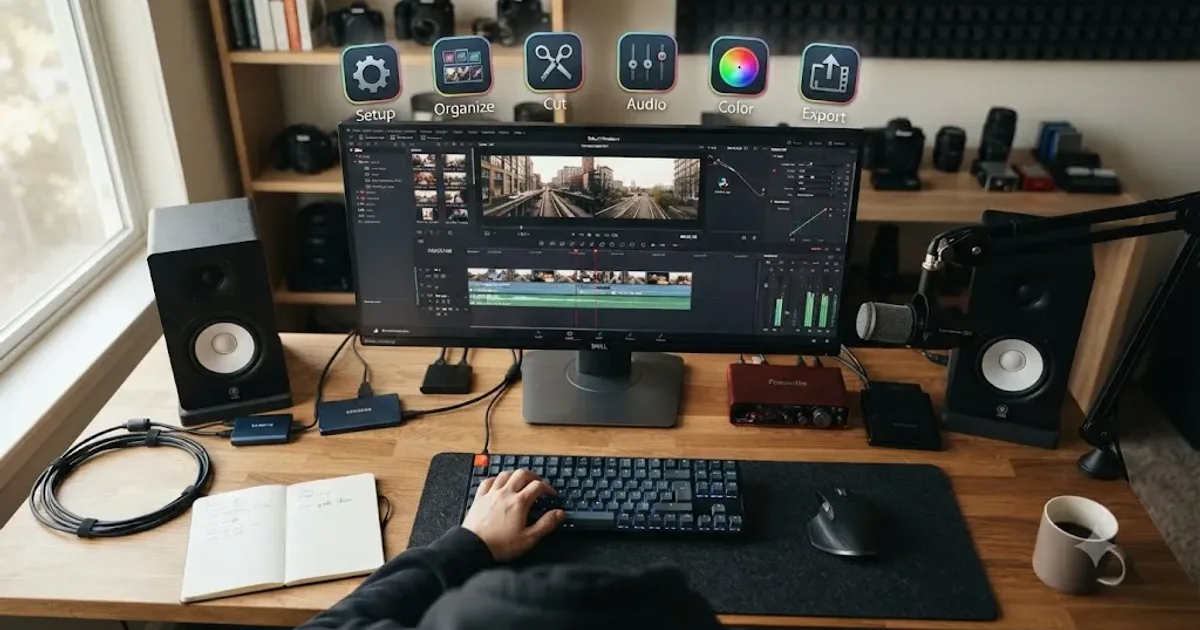
DaVinci Resolve Editing Workflow for YouTube Creators
The complete DaVinci Resolve workflow for YouTube: project setup, organizing footage, rough cut, audio, color, chapters, and export, in the right order.
 GuidesJul 16, 202645 min read
DaVinci Resolve Wedding Video Editing Workflow: Tips That Work
A practical DaVinci Resolve workflow for wedding editors: multicam sync, vow audio cleanup, camera color matching, delivery, and backup.