
Learn / Learning in the Age of AIupdated for OpenAI, Zoom, Adobe, and Otter.ai data-training policies as of July 2026
How to Use AI Tools Without Violating Client NDA Agreements
Quick answer
Check an AI tool's training and retention policy before using it on NDA-protected work: paid business tiers like ChatGPT Enterprise, Fireflies, and Zoom AI Companion default to no training, but free consumer tiers often don't. Your NDA covers AI even if it predates ChatGPT, since confidentiality attaches to the information, not the software. Get written client permission for anything ambiguous.

We've spent seven-plus years cutting commercial work and running a 100,000-member DaVinci Resolve editing community, and this exact question comes up on repeat: a client hands over drives marked confidential, and someone asks whether it's fine to run the dailies through an AI transcription tool. As of July 2026, the honest answer is that it depends entirely on which tool, which tier, and which sentence in your NDA, and almost nobody actually checks before they paste.
This guide is the checking. It covers what actually happens to your data inside the AI tools editors and freelancers reach for most, the real lawsuits and court rulings already testing this exact question, a full decision matrix rating the common tools by NDA risk, and the specific language worth adding to your own contracts before the next client asks you to sign one.
What Counts as Violating an NDA When You Use an AI Tool?
You violate an NDA the moment confidential information leaves your control and reaches a party your agreement didn't authorize, and typing that information into an AI tool counts, whether or not a human ever reads it. An NDA doesn't protect information from being read. It protects information from being disclosed to anyone outside the parties named in the agreement, and most AI tools are legally a third party the moment your keystrokes hit their servers.
That distinction trips people up because it feels different from handing a USB drive to a stranger. It isn't, legally. When you paste a client's script into ChatGPT, upload their raw interview footage to a cloud transcription service, or let a notetaker bot join a confidential production call, you're sending that information to a company you have no contract with, running on infrastructure you don't control, under terms of service you probably never read closely. The disclosure happens the instant the data leaves your machine, regardless of whether the AI's output ever resembles your original file.
Three separate things can go wrong once that data leaves, and they're worth naming separately because the fix for each is different:
- The tool trains on your input. Some AI products use what you type or upload to improve their models. If your client's confidential financials, unreleased footage, or trade secrets become part of a training set, that data has been meaningfully "used" by a third party in a way no reasonable NDA permits.
- The tool retains your input. Even a tool that never trains on your data might store it for days, months, or indefinitely, which creates a copy sitting on servers you don't control, discoverable in a data breach, a subpoena, or a support ticket gone wrong.
- The tool exposes your input to other users or staff. Some products route your input through human reviewers for quality control, or surface it to other accounts through a bug, a misconfigured permission, or a shared workspace.
Any one of those three is enough to breach a standard confidentiality clause. All three happening at once, which is common on free consumer AI tiers, is the worst case, and it's also the default a lot of editors are on without realizing it.

Does Your NDA Even Cover AI Tools If It Was Signed Before ChatGPT Existed?
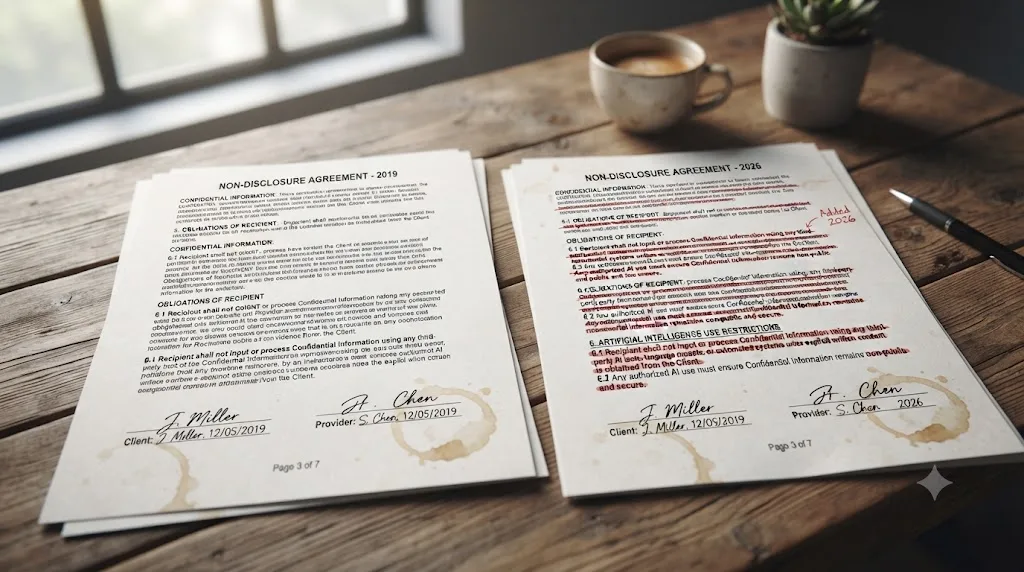
Yes, by implication, even though it almost certainly doesn't say so by name. A confidentiality obligation attaches to the information itself, not to a specific list of banned software, so an NDA written in 2019 already forbids you from disclosing a client's confidential material to any unauthorized third party, and an AI vendor is an unauthorized third party whether the contract anticipated large language models or not.
What an older NDA genuinely doesn't do is address the specific mechanics that make AI different from a leak to a competitor or a careless email. Chad J. Gottlieb, an attorney at Darrow Everett LLP, put the core problem plainly in a June 2026 analysis of this exact gap: most NDAs "predate generative AI and were designed with human recipients in mind," and traditional confidentiality language restricting disclosure to "third parties" was never written with a training pipeline in mind, per his analysis in the National Law Review. His warning about what makes AI training uniquely risky compared to a normal leak is worth reading in full: once confidential data enters a model's training pipeline, "it cannot be 'untrained.'" A leaked document can theoretically be recovered, deleted, or contained. Data absorbed into a model's weights during training has no equivalent undo button, which is why lawyers increasingly treat AI disclosure as a different, harder-to-reverse category of breach than a normal confidentiality lapse.
A confidentiality clause that never mentions artificial intelligence still covers artificial intelligence, because the obligation is about the information, not the method you used to expose it. Silence in an old NDA isn't permission. It's a gap nobody closed yet, and you're the one holding the liability until someone does.
The practical test worth running on your own NDA: does it define "Confidential Information" broadly, covering any non-public information disclosed under the agreement, or narrowly, listing specific categories? Broad definitions almost always sweep in AI disclosure automatically. Narrow, itemized definitions occasionally leave a genuine gap, which is exactly the kind of ambiguity worth resolving with your client directly rather than guessing in your own favor.
Why Does Using an AI Tool Risk Breaching an NDA in the First Place?
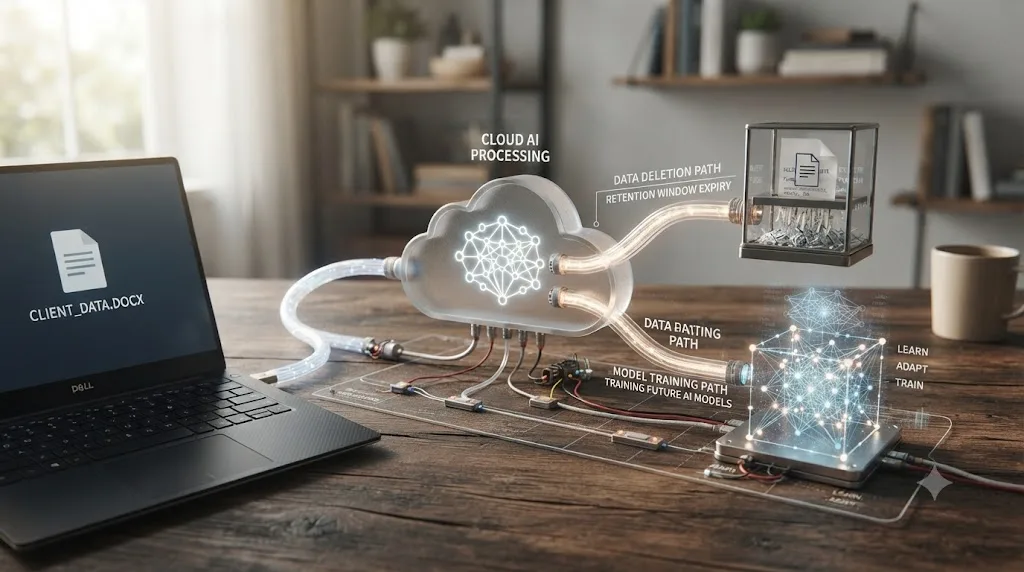
It comes down to where your data actually goes once you hit enter, and that path is invisible in a way that handing someone a printout never is. When you email a client's confidential brief to a colleague, you can picture exactly one inbox receiving it. When you paste that same brief into an AI chat window, the honest answer to "where did that go" is: through the vendor's servers, possibly stored for a set retention window, possibly reviewed by a contractor for quality control, possibly folded into a future model's training data, depending on account tier and settings you may never have looked at.
The scale of this is not theoretical. LayerX Security's Enterprise AI and SaaS Data Security Report 2025 found that 77% of employees share sensitive company data through ChatGPT and other AI tools, with generative AI tools now accounting for 32% of all unauthorized data movement inside the organizations it studied, according to eSecurity Planet's coverage of the report. Or Eshed, CEO of LayerX Security, frames the downstream risk of that behavior directly: "having enterprise data leak via AI tools can raise geopolitical issues, regulatory and compliance concerns, and lead to corporate data being inappropriately used for training if exposed through personal AI tool usage," per the same report. Separately, Harmonic Security's analysis of enterprise AI usage found sensitive information present in a meaningful share of both prompts and file uploads sent to generative AI tools across the organizations it monitors, per Harmonic's own research summary. None of these numbers come from freelance video editors specifically. They come from the same workforce editors are part of, using the same tools, under the same default settings.
Free consumer AI tiers are usually built to learn from you. Paid business tiers are usually built not to. That single sentence is the mechanism behind almost every case in this guide, and it's worth remembering before you open any tool, not after you've already pasted something you shouldn't have.
What Actually Happens to Your Data on the AI Tools Editors Reach For Most?
This is the part worth reading slowly, because the answer changes tool by tool, and sometimes tier by tier within the same product. Here's what each vendor's own stated policy says, as of July 2026.
ChatGPT. OpenAI runs two different defaults depending on which product you're on. Free and Plus consumer accounts are, by default, eligible to have conversations used to improve OpenAI's models, unless you manually disable "Improve the model for everyone" in Settings > Data Controls. Business-tier accounts flip that default entirely: OpenAI states plainly that "by default, we do not train on any inputs or outputs from our products for business users, including ChatGPT Team, ChatGPT Enterprise, and the API," per OpenAI's enterprise privacy page. API inputs and outputs are also removed from OpenAI's systems after 30 days unless there's a legal reason to retain them, and eligible use cases can request zero data retention entirely.
Claude. Anthropic's consumer terms permit data collection, use of inputs and outputs to train the model, and disclosure to third parties including regulators, a detail that became directly relevant in a federal court case covered in the next section. Claude for Work and enterprise agreements carry different, more restrictive terms, though the practical lesson from that court case is that the free or personal-tier terms of service are the ones that matter if that's the account you're actually using.
Zoom AI Companion. Off by default, and a meeting host has to manually enable it. Zoom's own stated policy is direct: it "does not use any customer audio, video, chat, screen sharing, attachments, or other communications-like customer content...to train Zoom's or its third-party artificial intelligence models," per Zoom's AI Companion security and privacy page. Meeting summaries are visible only to the host by default and auto-delete after 30 days, with a zero-retention option available for the transcript and chat content behind a summary.
Adobe Creative Cloud and Firefly. Adobe clarified its terms in 2024 after a public backlash over vague AI-training language, and its current position is that Firefly's generative models train on licensed Adobe Stock content and public domain material, not customer content, per coverage from Broadcast and No Film School. Adobe does reserve a broader license to analyze content characteristics for non-generative machine learning features, like masking and background removal, which is a narrower use than training a generative model but still worth knowing about if "no AI touches this footage at all" is your actual requirement.
Otter.ai. Trains its proprietary speech models on de-identified user recordings and transcripts by default, a setting that applies automatically unless your account is on Otter's Enterprise tier with different terms, per Otter's own privacy policy. In August 2025, a class action lawsuit, Brewer v. Otter.ai, was filed in California federal court alleging Otter's Notetaker and OtterPilot products record and analyze the conversations of meeting participants who never consented and never subscribed to Otter's service, and that Otter fails to disclose that those recordings train its speech recognition models, per coverage from Top Class Actions and the National Law Review.
Fireflies.ai. Takes the opposite position by design. Fireflies states meeting content, audio, video, transcripts, and summaries, is never used to train any AI models, and runs a zero data retention policy where meeting content isn't stored, accessed by a third-party vendor, or used for training once the session is processed, per Fireflies' privacy policy and an independent roundup of notetakers by data policy.
| Tool | Default policy on your data | Safer setting available |
|---|---|---|
| ChatGPT Free / Plus | Eligible for training unless you opt out | Yes, disable "Improve the model" in settings |
| ChatGPT Team / Enterprise / API | Not used for training by default | Zero data retention available for eligible use cases |
| Claude (consumer) | Terms permit training and third-party disclosure | Claude for Work / Enterprise carries different terms |
| Zoom AI Companion | Off by default; no training on customer content | Meeting Summary Zero Data Retention option |
| Adobe Firefly / Creative Cloud | Does not train generative models on customer content | Content characteristics still used for some ML features |
| Otter.ai (Free / Pro) | Trains on de-identified recordings by default | Enterprise tier carries separate terms |
| Fireflies.ai | Never trains on meeting content; zero data retention | Default policy already the safer one |
The tool that writes your show notes and the tool that trains on your show notes are often the same tool, running on two different settings. Checking which setting you're actually on takes less time than reading this table did.
Has Anyone Actually Been Sued or Fired for Using AI Tools With Confidential Material?
Yes, and these aren't hypothetical warnings dressed up as a scare tactic. Real incidents, real lawsuits, and one real federal court ruling have already tested this exact question, and each one maps directly onto a mistake an editor could make on a normal Tuesday.
Samsung's engineers, 2023. Within twenty days of Samsung allowing ChatGPT use internally, engineers leaked sensitive information three separate times: one pasted proprietary semiconductor source code into ChatGPT to check for errors, another uploaded code meant to identify defects in manufacturing equipment seeking optimization help, and a third converted internal meeting recordings to text and fed the transcript to ChatGPT to generate meeting minutes, per Forbes' reporting. Samsung banned generative AI tools company-wide within weeks. Nobody involved intended to leak anything. Every one of them was just trying to get a task done faster.
West Technology Group v. Sundstrom, filed February 2024. A former sales specialist allegedly used Otter.ai to record and transcribe confidential business meetings, including consumer data, pricing information, and proprietary manufacturing processes, then retained access to that information after his employer terminated him, per case filings covered by Law.com Radar and Justia's docket for case 3:24-cv-00178. The detail that makes this case genuinely strange: four days after his termination, during a sales managers' call, Otter's bot attempted to join the meeting under his name, revealing to the whole team that he still had live access to the company's confidential calls through the tool. His former employer's own case was partly built on an AI notetaker outing his continued access in real time.
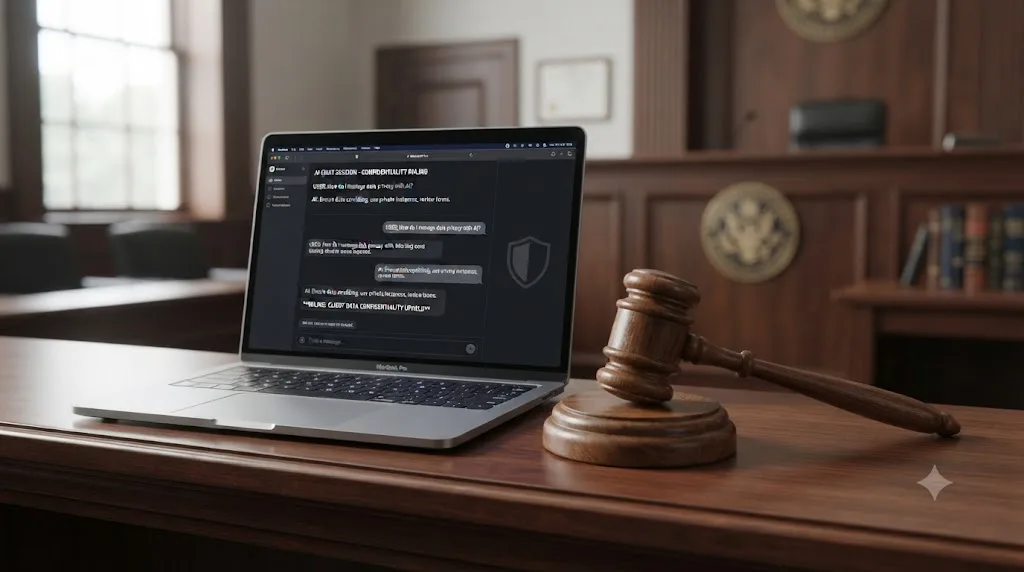
United States v. Heppner, ruling reported February 2026. A federal judge in the Southern District of New York, Judge Rakoff, found that a defendant's conversations with Anthropic's Claude about his legal exposure stripped away both attorney-client privilege and work-product protection. The court's reasoning turned specifically on Anthropic's terms of service and privacy policy, which permit collecting user inputs and outputs, using them to train the model, and disclosing them to third parties including regulators, per analysis from Fox Rothschild and Husch Blackwell. By clicking "accept" on a consumer terms of service that permits that kind of disclosure, the court held, the defendant had already accepted a framework incompatible with confidentiality. The parallel for an editor is direct: whatever consumer AI tool's terms of service you clicked through without reading, a court can and will read them for you later.
Trinidad v. OpenAI, dismissed January 2026. A plaintiff's trade secret claim under the Defend Trade Secrets Act was dismissed in federal court in the Northern District of California specifically because the plaintiff had developed the alleged trade secret through ChatGPT, which counted as voluntary disclosure to OpenAI and meant she couldn't satisfy the legal requirement that a trade secret actually stay secret, per Troutman Pepper Locke's summary of the case. Trade secret law has always required "reasonable measures" to protect secrecy. Feeding the secret into a consumer AI tool with training-eligible terms is, in the eyes of at least one federal court, the opposite of a reasonable measure.
None of these four cases involve a video editor by name. All four involve the exact behavior a working editor performs constantly: transcribing a meeting, pasting text into a chatbot for a quick rewrite, asking an AI tool to help think through a problem using real project details. The riskiest moment for an NDA is not the contract you signed. It's the browser tab you opened without thinking about it.
What Does "Reasonable Measures to Protect Confidentiality" Actually Mean in an NDA?
Most NDAs don't just ask you to keep a secret. They ask you to protect it with a specific, legally defined standard of care, and that standard is exactly what an AI tool with training-eligible terms tends to violate without you noticing.
The common legal formulation requires the recipient to protect confidential information "using the same degree of care used to protect its own confidential information, but not less than a reasonable degree of care," per a plain-language breakdown of NDA enforceability standards. Courts examine whether the disclosing party, and often the receiving party, actually took reasonable steps to maintain secrecy, and a failure to do so can undermine a confidentiality claim entirely, which is the exact mechanism behind the Trinidad v. OpenAI dismissal above.
Translate "reasonable degree of care" into an editor's actual workflow and it lands on a simple test: would you hand this same footage, script, or financial detail to a stranger on the street if they promised to keep it secret, with no contract, no accountability, and no way to verify what they'd do with it afterward? That's structurally close to what pasting confidential material into a free consumer AI tool actually is. You have no contract with OpenAI, Anthropic, or Otter on behalf of your client. You're relying entirely on a general terms of service document written for the vendor's benefit, not your client's, and in the case of a free tier, that document often permits exactly the use your NDA forbids.
A secret protected with "reasonable care" and a secret pasted into a tool with training-eligible terms of service are not the same standard, and a court has already ruled on which one it treats as reasonable. The fix isn't avoiding AI tools. It's matching the tool's actual data policy to the care standard your contract already requires.

Which AI Tools Are Safe to Use on NDA-Protected Client Work, and Which Aren't?
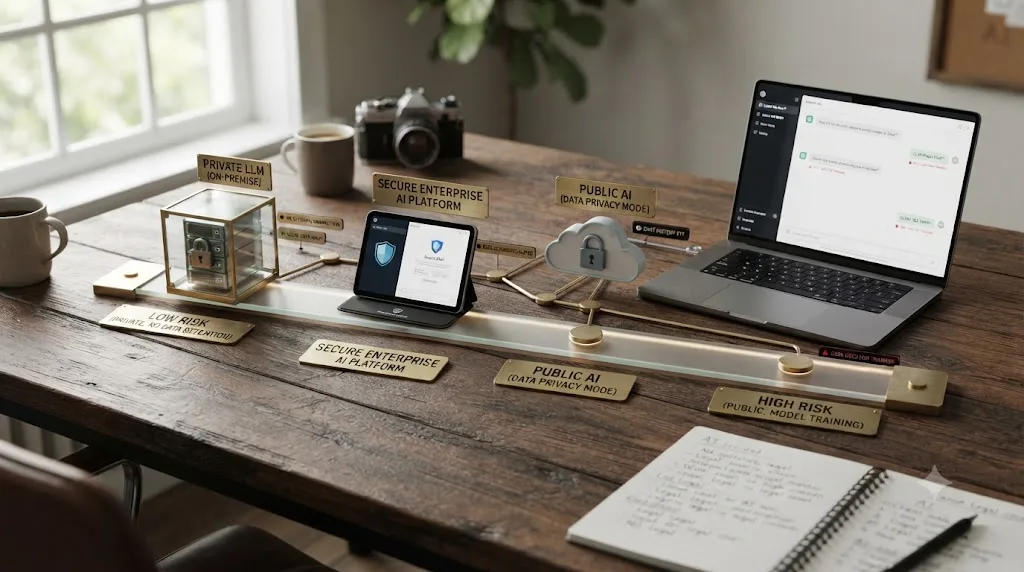
This is the table worth bookmarking. It rates the tools editors and freelancers reach for most by NDA risk, based on each vendor's own stated policy as of July 2026, not a guess about what "AI tools" generally do.
| Tool category | Example | Touches your files? | Trains on your input by default? | NDA risk |
|---|---|---|---|---|
| Consumer chatbot, free tier | ChatGPT Free/Plus, Gemini free | You paste text/files in | Yes, unless manually opted out | High |
| Business chatbot | ChatGPT Team/Enterprise, Claude for Work | You paste text/files in | No, by stated default | Low to moderate |
| Consumer AI notetaker | Otter.ai (Free/Pro) | Records and transcribes audio | Yes, on de-identified data | High |
| Zero-retention notetaker | Fireflies.ai | Records and transcribes audio | No, stated zero retention | Low |
| Meeting AI companion | Zoom AI Companion | Reads meeting audio/chat if enabled | No, by stated policy | Low, if left off unless needed |
| Local/offline transcription | Whisper-based desktop apps | Processes audio on your own device | No, nothing leaves the device | Very low |
| Creative suite AI features | Adobe Firefly/Creative Cloud | Analyzes footage/images you edit | No training on customer content for generative models | Low to moderate |
| Cloud video-editing agent | CutAgent, Sottocut, PremiereCopilot, Eddie AI | Ingests and executes edits on your raw footage | Varies by vendor; check each one directly | Moderate to high, unverified per-project |
| On-screen assistant | TryUncle | Reads your screen only when asked; media stays local | No, per stated privacy policy | Low, third-party screen access still applies |
Three patterns hold across almost every row in that table. First, local processing beats cloud processing on NDA risk by default, because a tool that never sends your data anywhere can't leak it, train on it, or be subpoenaed for it. Second, business and enterprise tiers of the same product are usually safer than the free tier, because vendors monetize free consumer accounts partly through the training data they generate, and a paying business customer is buying the opposite guarantee. Third, a tool that executes changes directly on your raw footage carries a different risk profile than a tool that only reads your screen, since the former requires your files to leave your machine and the latter, in TryUncle's case specifically, is built not to.
That third pattern deserves its own closer look, because it's the one that trips up video editors specifically, more than any generic office worker pasting text into ChatGPT.
Can You Use AI Video Editing Tools Like CutAgent, Sottocut, or Eddie AI on NDA-Protected Footage?
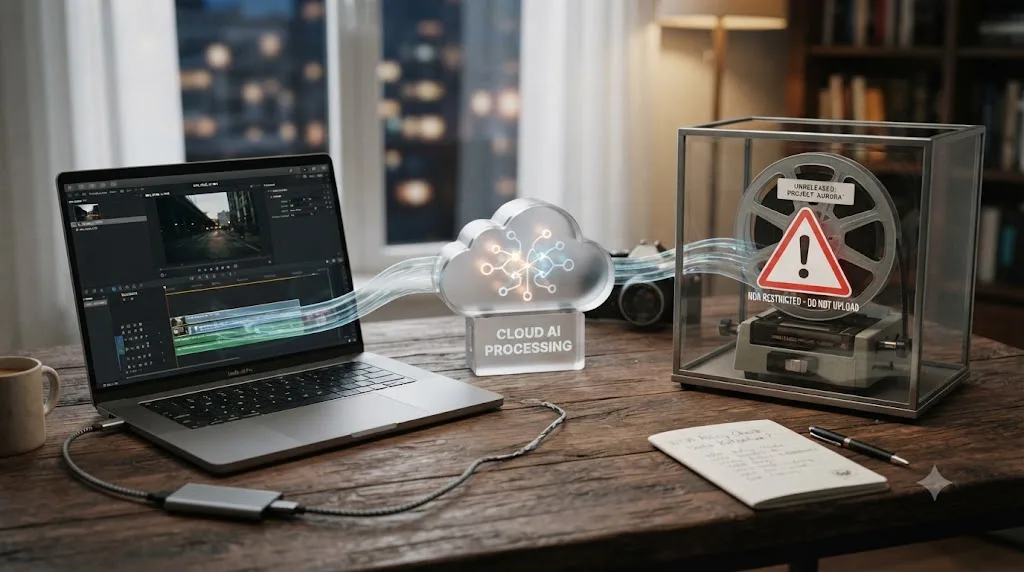
Only after you've checked that specific tool's data policy directly, because this category carries a structural risk the chatbot comparisons above don't fully capture: to do its job, a cloud AI editing agent has to ingest your actual footage, not just a description of it.
Tools like CutAgent, Sottocut, PremiereCopilot, and Eddie AI take a typed instruction and execute the cut directly on your timeline, which means your raw or partially edited footage, potentially including unreleased material, faces before a release date, or confidential production details visible in frame, has to leave your machine and reach the vendor's processing infrastructure to be acted on. That's a fundamentally different data exposure than asking a chatbot a general question about editing technique. You're not describing your problem. You're handing over the actual asset.
None of that makes these tools unsafe by default. It means the burden of checking falls entirely on you before you use one on anything covered by an NDA. Before uploading confidential footage to any cloud video-editing agent, confirm in writing, from the vendor directly, not from a marketing page: whether footage is retained after processing, whether it's used to train or fine-tune the underlying model, who has access to it during processing, and whether the vendor will sign a data processing agreement or NDA of its own if your client requires one. A tool that can't or won't answer those four questions clearly is a tool you shouldn't be running unreleased client material through, regardless of how good the edit comes out.
This is also where production contracts have started catching up faster than general NDAs have. Post-production AI clauses increasingly restrict exactly this workflow directly. The Artists Management Association's recommended contract language states plainly: "Unless explicitly authorized, licensee may not use the asset(s) including any caption information, keywords, or other metadata associated with content for any machine learning and/or artificial intelligence purposes," per Neighbourhood Studios' 2026 breakdown of AI clauses in production contracts. That guidance flags a scenario worth taking seriously: if an editor uses AI-assisted tools for color correction, noise reduction, or background extension on assets delivered under an AI-restrictive contract, that workflow may already be a contract violation, whether or not anyone intended it as one. The line between "a traditional editing tool with an AI feature" and "an AI tool" is blurring fast, and these newer clauses don't always distinguish between them clearly, which means the safest move is asking your client directly which category they think your specific software falls into, rather than assuming your interpretation matches theirs.
How Do You Handle AI Transcription and Meeting Notetakers Under an NDA?
Transcription is where this problem shows up most often for editors specifically, because transcribing dailies, client calls, and interview footage is routine, unglamorous work that feels too mundane to think of as a confidentiality risk. It isn't mundane. It's frequently the single largest volume of confidential audio an editor handles on any given project.
Work through these branches in order before you transcribe anything under an NDA:
Is the content genuinely sensitive, or just long? Not every piece of audio needs the same level of caution. A public-facing interview already cleared for release carries little risk in a cloud transcription tool. An internal strategy call, unreleased dialogue, or anything a client has explicitly marked confidential needs the stricter path below.
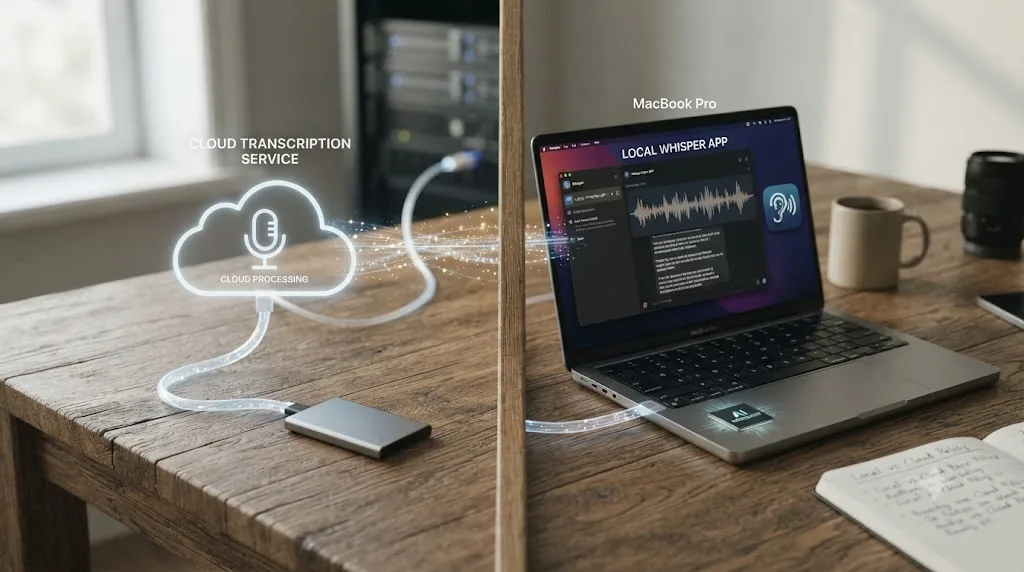
If it's sensitive, is a local transcription option realistic for this project? Desktop apps built on OpenAI's Whisper model, running entirely on-device, transcribe audio without any of it ever leaving your machine, per a breakdown of local Whisper-based transcription tools built specifically for keeping sensitive audio off the cloud. Modern local Whisper implementations reach accuracy comparable to major cloud transcription services while keeping every byte of audio on your own hard drive. If your project's transcription volume is manageable and your machine can run it, this is close to a strictly-better option on NDA risk than any cloud alternative, with the tradeoff being slower processing and no built-in speaker labeling on some free tools.
If cloud transcription is unavoidable, which vendor's policy actually fits? Fireflies.ai states meeting content is never used for training and runs zero data retention by design. Otter.ai trains on de-identified recordings by default unless you're specifically on its Enterprise tier. Zoom AI Companion doesn't train on customer content and is off by default, which means it only becomes a risk if a host enables it without thinking about who's on the call. None of these three are interchangeable, and picking based on brand familiarity instead of actual policy is exactly how the West Technology Group v. Sundstrom case above happened.
Does anyone else on the call know a notetaker is present? This matters beyond your own NDA. Multiple states enforce two-party consent laws for recorded conversations, and the Brewer v. Otter.ai lawsuit is built substantially on the claim that non-subscribing meeting participants were recorded without knowing it. A notetaker joining silently, or announced once and then forgotten about in every subsequent call, is a separate legal exposure from the NDA question this guide is focused on, and it's worth flagging out loud at the start of any call rather than assuming everyone noticed the bot in the participant list.
Do you actually need a permanent transcript at all? Some AI notetakers offer a live-only mode, generating a summary in the moment without retaining the underlying audio afterward. If your only real need is a same-day recap rather than a searchable archive, the option that deletes fastest is usually the safest one, regardless of vendor.
What Should You Actually Put in Your Freelance Contract About AI Tool Use?
Waiting for a client to raise this first puts you in a weaker position than raising it yourself, and it signals exactly the kind of professionalism that gets a freelancer rebooked. Two different documents need attention here, and they solve different problems.
Your own freelance agreement or the NDA a client sends you. If you're negotiating from a position where you can request changes, push for language that names AI tools specifically rather than leaving your contract to rely on an old "third parties" clause interpreted after the fact. Useful additions, drawn from current legal guidance on updating NDAs for AI, include a clause that expressly addresses inputting confidential information into AI tools, an expanded definition of "disclosure" that explicitly covers "automated systems, machine learning models, or AI-powered platforms," and a carve-out permitting enterprise-grade tools with disabled training features and documented data isolation, per Chad Gottlieb's recommended provisions. That carve-out matters as much as the restriction does. A blanket ban on all AI use is unrealistic for most 2026 workflows and invites exactly the kind of quiet, undisclosed non-compliance that makes an actual incident harder to catch early.
A short AI disclosure you attach to your standard client agreement. Even without touching the client's own NDA, you can proactively document which AI tools you use in your normal workflow, on what tier, and with what settings. This does two things. It gives the client a chance to object to something specific before the project starts instead of discovering it after the fact, and it creates a dated record that protects you if a dispute ever comes up. A short paragraph works: name the specific tools (not a vague "AI-assisted workflow" line), state their tier and training settings, and explicitly ask for written confirmation that this is acceptable for their project.
For production and post-production contracts specifically, the emerging clause pattern worth knowing goes further than confidentiality alone, restricting whether delivered assets can be used to train AI models downstream by the client's own partners and licensees, not just by you. That's the reverse direction of the risk this guide has covered so far, protecting the footage from being used to train someone else's model after you deliver it, and it's increasingly something clients expect an editor to understand and discuss, not something they'll always think to raise first.
Checking a tool's data policy takes five minutes. Explaining a leak to a client who trusted you with unreleased footage takes a lot longer. Building the disclosure habit into your contract process once means you're not having that harder conversation later.

What Do You Do If You Already Used an AI Tool on NDA-Protected Material?
Stop treating this as a hypothetical if it applies to you right now, and work through it in order.
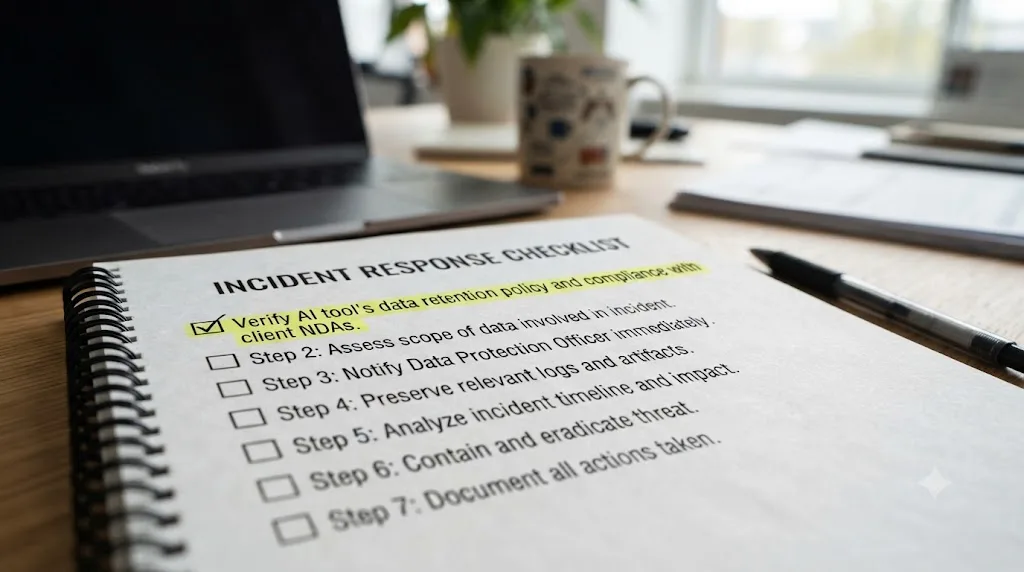
- Check the tool's actual retention and deletion policy immediately. Some tools let you request deletion of a specific conversation or file; others only offer account-wide data deletion. Do this first, before anything else, since every hour the data sits on a third-party server is an hour it's exposed.
- Check whether training already happened, or is still preventable. If the tool trains in near real time on submitted data, deleting your account after the fact may not undo an already-completed training pass. If training happens in periodic batches, disabling the setting and deleting your data quickly may still catch it before that batch runs.
- Tell your client before they find out another way. This is the step people skip, and it's the one that determines whether this becomes a manageable conversation or a trust-ending one. A disclosed mistake, explained clearly with what you've already done to contain it, reads as professionalism under pressure. A hidden one that surfaces later, through a data breach notification, a lawsuit, or the client's own due diligence, reads as concealment, which is a much worse position to be negotiating from.
- Check your NDA for a breach notification clause. Many NDAs require the receiving party to report an actual or suspected breach within a specific window, sometimes as short as 24 to 72 hours. Missing that window can turn an honest mistake into a separate, additional breach of the notification requirement itself.
- Document what happened, when, and what you've done about it. A dated written record, what tool, what was uploaded, what settings were active, what deletion steps you took, protects you if the situation escalates and someone later asks for a timeline.
- Change your workflow for the rest of the project, not just this one file. If one upload happened because a tool's default setting wasn't what you assumed, check every other tool in your current workflow against the same assumption before you continue.
This isn't a punishment lap, and treating it as one just delays the disclosure that actually protects you. Plenty of professional editors have made exactly this mistake once, corrected their workflow, and kept the client relationship intact specifically because they handled the disclosure well. The mistake that actually ends a working relationship is usually the second one, made after the first one was quietly buried instead of fixed.
Is There a Difference Between an NDA Restriction and a Contract's AI Training Restriction?
Yes, and conflating them is an easy mistake that leads editors to think they're covered when they aren't, or restricted when they aren't. These are two separate obligations that happen to both involve the word "AI," and a growing number of 2026 client contracts now include both.
An NDA protects information from being disclosed to unauthorized third parties. Its concern is confidentiality: does anyone outside the agreed parties get to see or possess this material at all. Pasting a client's script into a chatbot, even one that never trains on your input and deletes it after 24 hours, is still a disclosure to a third party under a standard NDA, because the information left your control and reached a party who wasn't named in the agreement.
A training restriction, increasingly common in post-production and licensing contracts specifically, protects delivered assets from being absorbed into a machine learning model, regardless of who does the absorbing. Its concern isn't who sees the footage. It's whether the footage, or any derivative of it, ends up as training data for some future AI system, potentially years after the project wraps and long after any NDA's confidentiality window has expired.
The practical difference matters because a tool can violate one without violating the other. A cloud editor with airtight, zero-retention data handling and no training on your inputs could still violate a training restriction clause if its output metadata or caption data gets folded into an unrelated downstream product's dataset. Conversely, a tool that never trains on anything could still violate an NDA simply by retaining your client's confidential footage on a server for thirty days, since the disclosure already happened regardless of what the vendor does with the data afterward.
Read both clauses in any contract you sign separately, and ask your client which one, or both, actually applies to your specific workflow before you assume a single AI-cautious mindset covers everything the contract requires.
Do the People on Camera Need to Consent to AI Processing, Separately From the Client?
This is a question the rest of this guide hasn't touched yet, and it's easy to miss because it doesn't involve your client at all. It involves whoever is actually in the footage: the interview subject, the meeting participant, the background talent who signed a release months before any AI tool touched the project.
A model or talent release and an NDA solve two different problems. The NDA governs what you and your client owe each other about confidentiality. The release governs what the person on camera has actually agreed you can do with their face, voice, and likeness, and it's a separate document, signed by a separate party, with its own separate scope. Neither one automatically covers what the other is silent about.
Most releases in circulation authorize use of the recording "in the production," "for marketing purposes," or some similarly broad but human-scaled phrase, written long before running someone's face and voice through a third-party AI processing pipeline was a normal part of an editor's workflow. That's structurally the same gap Chad Gottlieb flagged for NDAs earlier in this guide, a document built for a pre-AI world, now being asked to answer a question it never anticipated. A release that authorizes use "in the production" plainly covers you cutting the footage into a timeline. It's a genuinely open question whether it covers a cloud AI tool ingesting that same person's face and voice to generate a transcript, a summary, or an edit, especially if that tool's terms permit using submitted data for model training.
This hasn't been tested in court the way the NDA and trade secret cases earlier in this guide have. But the underlying exposure is the same shape: if a release doesn't mention AI processing and a subject later objects to having their voice or likeness pass through a third-party model, you and your client could both be arguing that silence implied permission, the exact position that already failed under a standard confidentiality clause in the cases covered above.
A client's NDA protects the client's information. It says nothing about whether the person being interviewed on camera agreed to have their voice run through a cloud AI transcription service. Those are two different consents, from two different people, and checking one doesn't check the other.
The practical fix costs almost nothing to add going forward: a single line in your standard release, something like "footage and audio may be processed using third-party software, including AI-based transcription and editing tools, solely to produce the deliverable," turns an assumption into documented consent. For a release you didn't write and can't edit, treat it the same way this guide already treats an old NDA: ambiguous, not permissive, and worth a direct question to whoever obtained it before you run that specific person's footage through anything cloud-based. This matters most for subjects who aren't your client at all, interviewees, background talent, minors in frame, people on a recorded call who never signed anything, since they have no direct relationship with you or your NDA to fall back on if something goes wrong. Handling that correctly, and being able to explain why, is itself a skill clients notice; see How to Add AI Skills to Your Video Editing Resume for how editors are turning exactly this kind of judgment into a hireable line on a resume.
How Do You Talk to a Client About Using AI Tools Without Making Them Nervous?
This conversation goes better when you start it than when a client has to. Bringing it up unprompted signals that you've already thought about their risk before they had to ask, which is a stronger trust signal than a perfect answer delivered defensively after the fact.
A short, direct approach works better than an exhaustive technical explanation most clients won't read closely anyway. Something close to this, adapted to your actual workflow: "For this project I use [specific tool] for transcription, on its business tier with model training disabled, and everything else stays local to my machine. Let me know if there's anything in your NDA or security policy I should adjust before we start." That's specific enough to be genuinely checkable, short enough that a busy client will actually read it, and it puts the decision in their hands rather than assuming silence means approval.
Two situations deserve a slightly different approach. If a client's NDA already explicitly bans "cloud tools" or "third-party software" without naming AI specifically, ask directly whether an on-device tool that never sends data anywhere counts as compliant under their definition, since that's a genuine ambiguity worth resolving in writing rather than guessing either direction. And if a client seems unfamiliar with AI risk entirely, resist the urge to either downplay it to close the deal or over-explain it into sounding alarmist. A calm, factual rundown of exactly what you do and don't use, with the specific vendor names included, does more to build confidence than a vague reassurance that you're "careful with their footage."
A client who gets a clear, specific answer before they ask trusts you more than a client who gets a perfect answer only after they had to demand one. If you've also been wondering whether leaning on AI tools day to day is dulling your own editing instincts rather than just your workload, that's a related but separate question; see Is AI Making Me Worse at My Job? for what the research on AI-driven skill loss actually says.

Where Does an On-Screen Assistant Like TryUncle Fit Into This?
Fair question, and it deserves the same scrutiny this guide has applied to every other tool, including one made by the company publishing this guide.
TryUncle is the on-screen assistant for DaVinci Resolve on macOS. Ask in plain words, and Uncle points at the exact control on your screen. That design choice matters directly to the question this guide is answering, because it puts TryUncle in a structurally different category from the cloud editing agents and transcription tools covered above. Uncle doesn't ingest your footage, your project file, or your media library to function. It only reads your screen at the moment you actively ask it a question, not continuously, and per TryUncle's own privacy policy, that screenshot is deleted automatically after 30 days and is never used to train its own models. Your media and project files stay on your Mac the entire time.
That's a meaningfully smaller data footprint than a tool that has to receive your raw footage to do its job, which is the exact distinction covered earlier when comparing cloud video-editing agents. Tools like CutAgent, Sottocut, PremiereCopilot, and Eddie AI need your actual timeline and media to execute an edit. TryUncle needs a momentary screenshot to answer a question about where a control lives, and never touches the underlying files at all.
The honest caveat matters just as much as the reassurance. TryUncle's screenshot still passes through several third-party AI providers on its way to generating an answer, and it's still a third party seeing whatever's on your screen at the moment you ask, which could include a frame of unreleased footage if that's what happens to be open. If your specific NDA or a client's security policy bans any third-party screen-reading software outright, that contract overrides any vendor's privacy policy, TryUncle's included, and the responsible move is a two-line email to whoever owns that agreement before you install anything, not assuming a privacy-friendly design settles the question on its own. TryUncle is a paid macOS-only subscription at $39 a month, so check TryUncle directly for its current rate and full data handling details rather than relying on this guide's summary alone. For a deeper trust-and-safety breakdown of the company behind it, its founder, its billing provider, and its refund policy, see Is TryUncle Legit?
Watching a screen and ingesting a file are two different levels of access, and only one of them belongs inside an NDA-covered project without a much closer look. If you're stuck on a control mid-edit under a client deadline, that specific stuck-point is exactly where Uncle can point at the exact button in your own project without your footage ever having to leave your Mac to get the answer.
What About Cloud Rendering, Frame.io Review Links, and AI Subtitle Tools?
The AI tools covered so far are the obvious ones. These three are the ones that sneak past an editor's NDA caution because they don't feel like "AI" in the moment, even though several now run AI features by default.
Cloud rendering and collaboration platforms. Blackmagic Cloud and DaVinci Resolve's own Presentations feature let you publish a timeline for client review with comments relinking automatically to the right frame, which is a genuinely useful workflow, and Blackmagic's infrastructure is a different vendor relationship than a general-purpose AI chatbot. It's still worth checking specifically whether any AI-assisted features layered on top of a cloud review platform, automatic scene detection, AI-generated rough transcripts for searchability, and similar conveniences, carry their own separate data policy from the base platform's storage terms.
Frame.io and similar review platforms. Increasingly ship AI-powered features, automatic transcription for searchable comments, AI-suggested edit points, layered on top of what used to be a straightforward file-hosting and commenting tool. If a platform added an AI feature after your client's NDA was signed, the NDA's original assumptions about that platform may no longer match what it actually does with uploaded footage today. Checking a platform's current feature list against its current privacy policy is worth doing periodically, not just once at project kickoff.
AI subtitle and localization tools. Auto-generated captions and AI-translated subtitles both require your dialogue, and often your actual video frames for lip-sync accuracy, to leave your machine and reach a processing service. The same training-and-retention questions that apply to transcription apply here directly, and it's an easy step to skip since subtitles feel like a mechanical afterthought rather than a confidentiality-sensitive step in the pipeline.
None of these three are reasons to avoid modern review and delivery workflows. They're reasons to re-run the same check this entire guide has walked through, tool by tool, on the specific platforms in your specific pipeline, rather than assuming a platform you've used safely for years is still doing the same thing under the hood it did when you first adopted it.
Does the EU AI Act or GDPR Change Anything for International Clients or Footage?
Yes, and it's a separate legal track from the NDA question this whole guide has covered so far, one that applies even if your NDA itself is airtight. If your client is based in the EU, or the footage you're editing includes EU-based people, a voice on a client call, a face in an interview, a name in a lower third, running that material through a US-based cloud AI tool can trigger GDPR obligations your NDA never touches.
Voice recordings and footage of identifiable people count as personal data under GDPR "from the moment they can be linked to an identifiable person," and a transcript built from that recording is its own, separately protected personal data record, per GDPR Advisor's breakdown of transcription platform compliance. That data only rises to the stricter "biometric data" category under GDPR Article 9 if a tool is specifically processing it to identify someone through a voiceprint or facial recognition, which most transcription and editing tools aren't doing, but it's worth confirming rather than assuming for any tool that advertises speaker identification as a feature.
The part that catches editors off guard is the cross-border transfer rule. When a cloud AI tool processes EU residents' voice or video data on servers outside the EU, GDPR Chapter V restrictions kick in, and the vendor needs a valid transfer mechanism in place, an EU adequacy decision, Standard Contractual Clauses, or a documented transfer impact assessment, before that data can legally leave the EU at all, per the same GDPR Advisor analysis. Most consumer AI tools don't advertise whether they've done this. Most editors never ask.
A US-based AI tool with a perfect no-training policy can still create a GDPR problem if the footage includes EU-based people and the vendor has no lawful transfer mechanism in place. That's a compliance gap separate from anything your NDA's confidentiality clause covers, and it's the client's exposure as much as yours if the footage or the transcripts flow back to them.
There's a second, newer layer specifically for 2026 work. Starting August 2, 2026, the EU AI Act's Article 50 transparency obligations become enforceable, requiring providers and deployers of certain AI systems operating in the EU to disclose when content involves synthetic media, deepfakes, or biometric categorization systems, with machine-readable labeling required on qualifying AI-generated or AI-modified content, per CIO's coverage of the deadline. Systems already on the market before that date get until December 2, 2026 to comply, but the direction is clear: if a tool in your pipeline does AI-based scene generation, background extension, deepfake-adjacent face work, or biometric categorization on footage bound for an EU audience or an EU client, its labeling and disclosure obligations are becoming a checked legal requirement, not just a courtesy.
None of this requires you to become a GDPR lawyer. It requires one more question added to the checklist this guide already walks through: if this project involves EU clients or EU-based people on camera, does the AI tool I'm about to use have a documented lawful basis for moving that specific kind of data across borders, and does it use any features the EU AI Act now requires me to disclose. If you don't know, that's the same kind of ambiguity the rest of this guide says to resolve with a two-line email, this time to the vendor instead of the client.

What If You're on Staff Instead of Freelance? Does Any of This Change?
The underlying legal risk is identical either way; what changes is who's positioned to catch a mistake before it becomes a real problem. A staff editor at a post house typically works inside company-wide IT policy that's already made some of these tool decisions centrally, an approved transcription vendor, a banned consumer AI list, a company ChatGPT Enterprise seat with training disabled by default. That's a real advantage: fewer individual judgment calls, and a team of colleagues or a supervisor more likely to flag an unfamiliar tool before it touches client material.
A freelancer gets none of that scaffolding by default. Every tool decision on every project is a personal judgment call, made under deadline pressure, with no IT department pre-approving anything, and no colleague glancing over a shoulder to ask "wait, is that tool actually cleared for this client's footage." That's exactly why the checklist and contract language earlier in this guide matter more for freelance work than for staff work: nobody else is going to catch this before a client does, and the next booking, not a performance review, is what's riding on getting it right. A freelancer's reputation, and the referrals that reputation brings in, ride on that trust as much as on the reel itself; see DaVinci Resolve Portfolio Tips for Freelance Editors for how to present that trustworthiness alongside the work itself.
One more asymmetry worth naming. A staff editor's employer typically carries the legal and reputational exposure if an AI tool leaks confidential material, since the company, not the individual employee, usually holds the client relationship and the contract. A freelancer often carries that exposure personally, under their own name, on their own contract, which is one more reason the five-minute policy check covered throughout this guide is worth treating as a standing habit rather than a one-time read.
Quick Decision Checklist Before You Open Any AI Tool on Client Work
Run through this before you paste, upload, or record anything under an NDA, not after.
- Is this specific piece of information covered by the NDA at all? Public information, already-released material, and your own general technique questions usually aren't. Client-specific footage, scripts, financials, and anything marked confidential usually are.
- What tier of this tool am I actually on? Free and paid tiers of the same product often carry opposite defaults. Confirm, don't assume.
- What does this tool's current policy say about training and retention? Check the vendor's own page directly, not a summary you half-remember from a year ago, since policies change.
- Does my NDA name AI, automated systems, or third-party tools specifically? If it does, follow that language exactly. If it's silent, treat the general confidentiality clause as covering it anyway.
- Have I gotten explicit written permission for anything genuinely ambiguous? A two-line email is enough. Silence from a client is not the same as permission.
- Is there a local or zero-retention alternative that does the same job? If one exists and the workflow cost is small, it's usually the safer default choice regardless of what else checks out.
- If something goes wrong, do I know the notification clause in this specific NDA? Know the reporting window before you need it, not after.
None of these seven questions takes more than a minute to answer once you've done the research the earlier sections of this guide cover. The discipline isn't in knowing the answers. It's in actually running the checklist before you paste, every time, not just the first time you think to ask.
A Worked Example: Running the Checklist on a Real Freelance Project
Here's what actually applying this guide looks like on an ordinary project, not a hypothetical.
Say you're a freelance editor cutting a corporate training video for a mid-sized company. You signed their standard NDA before receiving the drives. The footage includes on-camera interviews with three employees, a screen recording of internal software, and a rough script with product names that haven't been announced yet.
Run the checklist from the top. The footage is clearly covered: it's unreleased, it names internal product details, and it shows employees who work for a company that explicitly required an NDA before you got the files. Nothing here is public information you can treat casually.
Next, the tools. You transcribe the interviews using Fireflies, on its standard plan, because its stated policy is zero data retention and no training on meeting content, which is the low-risk end of the table earlier in this guide. You draft a rough summary of talking points for the client using ChatGPT, but you check first, and discover you're still logged into your personal Plus account rather than the business Team seat your production company pays for. That's the training-eligible default. You switch accounts before pasting anything, not after.
The NDA itself doesn't mention AI anywhere, since it's a boilerplate template the client's legal team hasn't updated since before generative AI was common in a post workflow. Under the reasoning covered earlier in this guide, that silence doesn't mean permission. It means the general confidentiality clause still applies, and you treat any tool touching this footage as covered by it regardless.
You send a two-line email before the project starts: which tools you use, on what tier, with training disabled where applicable, and ask for written confirmation that this is acceptable. The client replies "sounds fine" within the hour. That reply is now your documented permission if anyone ever asks.
Midway through the edit, you get stuck finding a specific node in the color page and open TryUncle to point at the control instead of digging through menus. Since Uncle only reads your screen for that single question and never ingests the project file itself, this falls on the lower-risk side of the earlier table, though the interview subjects never explicitly consented to any AI tool seeing a frame of their face mid-question, which is the exact gap the talent-release section above covers. You note it, decide the momentary screenshot risk is acceptable for this project, and move on. On a higher-sensitivity project, unreleased footage for a public figure, an unannounced acquisition, this is exactly the kind of call worth raising with the client directly instead of deciding alone.
At delivery, you save a dated note listing every tool used, its tier, and the client's written approval email, in case anyone asks six months later how this project's confidential material was actually handled.
Nothing about this project involved a court case, a leak, or a dramatic mistake. It involved running the same seven-question checklist this guide already gave you, in order, before opening each tool, which is the entire discipline this guide is arguing for.
Verdict
Using AI tools without violating a client NDA comes down to one habit, repeated every time, not one clever workaround. Check the specific tool's specific policy on training and retention before you use it, not after, match that policy against what your NDA's confidentiality clause and any AI-specific language actually require, and get written client permission for anything that's genuinely ambiguous rather than defaulting to your own convenience. Free consumer tiers of most AI tools are built to learn from your input by default. Paid business tiers, local processing, and tools like Fireflies and Zoom AI Companion that state a zero-training policy directly are the safer lane, and a growing body of real lawsuits and one federal court ruling already show what happens when editors and professionals skip this check entirely.
None of this means avoiding AI tools altogether. Samsung's engineers, the Sundstrom case, and the Trinidad v. OpenAI dismissal all trace back to the same avoidable mistake: using a tool on confidential material without first checking what that tool's own terms actually say about it. That check takes minutes. Rebuilding a client's trust after a leak, or explaining to a court why a "reasonable degree of care" didn't include reading a privacy policy, takes considerably longer.
Frequently asked questions
- Can I use ChatGPT if I'm working under an NDA?
- It depends entirely on which ChatGPT tier and what you type into it. Free ChatGPT and Plus accounts are, by default, eligible for use in improving OpenAI's models unless you turn that off in settings. ChatGPT Team, ChatGPT Enterprise, and the API run the opposite default: OpenAI states it does not train on business-tier inputs or outputs. Using free-tier ChatGPT on confidential client material is a real NDA risk. Using the business tier, with training disabled and confirmed, is a much smaller one, though your NDA may still require the client's written permission before you use any third-party tool at all.
- Does my NDA even cover AI tools if it was signed before ChatGPT existed?
- Almost certainly yes, but by implication, not by name. An NDA's confidentiality obligation attaches to the information itself, not to a specific list of prohibited software, so typing a client's confidential material into any third party, human or AI, is a disclosure the agreement already forbids. What an older NDA won't do is spell out AI-specific risks like model training, so it's worth getting written confirmation from your client rather than assuming silence means permission.
- Is Otter.ai or another AI notetaker safe for confidential client meetings?
- Not on its default consumer settings. Otter.ai trains its speech models on de-identified user recordings and transcripts by default, and a class action lawsuit filed in August 2025, Brewer v. Otter.ai, alleges the app records and analyzes meeting participants without their consent. Fireflies.ai, by contrast, states it never uses meeting content to train models and offers zero data retention. Check the specific tool's current policy, not the category, before you let any notetaker join a client call.
- What happens if I accidentally upload confidential footage to an AI tool?
- Treat it as a real incident, not an embarrassing mistake to quietly forget. Check the tool's data retention and deletion policy immediately and request removal if one exists. Tell your client before they find out another way, since a disclosed mistake is a conversation and a hidden one is a bigger liability if it surfaces later. Then check your NDA for a notification clause, since many require you to report an actual or suspected breach within a set number of days.
- Which AI tools are safest to use on NDA-protected client work?
- Tools that either don't touch your project files at all or explicitly commit, in writing, to zero data retention and no training on your content. On-device transcription apps built on Whisper, business-tier ChatGPT and Claude accounts with training disabled, Fireflies.ai, and Zoom AI Companion (off by default, no training on customer content per Zoom's own policy) all fall on the safer end. Free consumer chat tools, free-tier notetakers, and any cloud video editor that ingests your raw footage to execute an edit sit on the riskier end.
- Can using an AI tool on client work actually count as a trade secret violation?
- Yes, and it has already happened in court. In West Technology Group v. Sundstrom, a former employee's use of Otter.ai to record and retain confidential meetings became a central fact in a trade secret misappropriation lawsuit. In Trinidad v. OpenAI, a federal court dismissed a trade secret claim specifically because the plaintiff had disclosed the alleged secret to ChatGPT, which counted as voluntary disclosure under the law. Feeding confidential material into an AI tool can undermine the legal secrecy the information needs to stay protected at all.
- Is TryUncle safe to use on NDA-protected DaVinci Resolve projects?
- TryUncle's stated design keeps your media and project files on your Mac and only reads your screen when you actively ask it a question, with that screenshot deleted after 30 days and never used to train its own models, per TryUncle's privacy policy. That's a narrower footprint than a cloud tool that ingests your footage. It's still a third party seeing your screen, so if your NDA or a client's security policy bans third-party screen-reading software outright, that contract overrides any vendor's privacy policy, and it's worth a two-line email to the client before you install anything.
Sources
- OpenAI: Enterprise privacy at OpenAI
- Zoom: AI Companion Security and Privacy
- Broadcast: Adobe clarifies Creative Cloud content won't be used for AI training
- No Film School: Adobe Updates its Terms of Use and Promises to Not Train AI on Customer's Content
- Fireflies.ai Privacy Policy
- MeetingNotes: 7 AI Meeting Notetakers That Don't Train on Your Data
- Otter.ai Privacy Policy
- Top Class Actions: Otter.ai accused of using meeting transcripts to train AI without permission
- National Law Review: AI Notetaking Tools Under Fire, Lessons from the Otter.ai Class Action Complaint
- Forbes: Samsung Bans ChatGPT Among Employees After Sensitive Code Leak
- Law.com Radar: West Technology Group, LLC v. Sundstrom
- Justia: West Technology Group, LLC et al v. Sundstrom, Docket 3:24-cv-00178
- Fox Rothschild: Federal Court Holds AI Chats Are Not Privileged
- Husch Blackwell: Heppner v. Claude, The First Privilege Waiver by AI Ruling
- Troutman Pepper Locke: Is Your AI Tool Quietly Destroying Your Trade Secrets?
- National Law Review: Loose Lips, Large Language Models, What Your NDA Is Missing in the Age of AI
- eSecurity Planet: 77% of Employees Leak Data via ChatGPT, Report Finds
- Harmonic Security: What 22 Million Enterprise AI Prompts Reveal About Shadow AI in 2025
- Neighbourhood Studios: What Production Teams Should Know About AI Clauses in 2026
- LegalClarity: NDA Law, Enforceability, Confidentiality, and Remedies
- GDPR Advisor: GDPR Compliance for Voice-to-Text Services and Transcription Platforms
- CIO: The EU's AI Transparency Deadline Is Weeks Away, Is Your Enterprise Ready?
- WhisperScript: Transcribe Without the Cloud
- TryUncle
- TryUncle Privacy Policy
- TryUncle FAQ
- CutAgent (product site)
- Sottocut (product site)
- PremiereCopilot pricing
- Eddie AI for DaVinci Resolve
Learn by doing, not watching
Stop translating tutorials to your timeline.
TryUncle stays beside Resolve on Mac and Windows. When you ask, Uncle sees your screen and points at the exact control you need. No hunting through tabs, timestamps, or mismatched tutorials.
Meet TryUncleKeep reading
 GuidesJul 11, 202637 min read
Is AI Making Me Worse at My Job? What the Research Says
Deskilling research from medicine and coding says yes, sometimes. How to use DaVinci Resolve's AI tools without losing your editing and grading skills.
 GuidesJul 11, 202639 min read
Vibe Coding Security Vulnerabilities: The Full Checklist
The real vibe coding security checklist: exposed secrets, broken access control, hallucinated packages, and what changes for DaVinci Resolve scripts.
 GuidesJul 19, 202638 min read
DaVinci Resolve Portfolio Tips for Freelance Editors
How freelance editors build a DaVinci Resolve portfolio that lands work: project count, reel length, niches, export settings, hosting, and rates.