
Learn / Learning in the Age of AIupdated for DaVinci Resolve 21.0 and TryUncle pricing (July 2026)
Is AI Making Me Worse at My Job? What the Research Says
Quick answer
Yes, if you let AI replace your judgment instead of your grunt work. Studies on colonoscopies, essay writing, and coding show real skill loss when professionals stop practicing what AI automates. In DaVinci Resolve, that means using Magic Mask or IntelliSearch to skip tedium, never to skip understanding the grade or cut you're making.
I've watched editors ask this question about Resolve's AI tools the same way people used to ask if calculators would ruin their kids' math skills. It's not a silly question. It's just an old one wearing a new interface.
The honest answer is that AI can make you worse at your job, and there's now real research proving it happens in medicine, writing, and software engineering. The same research also shows exactly when and why it happens, which means it's avoidable. This post walks through that evidence, then applies it directly to the AI tools sitting inside DaVinci Resolve right now: Magic Mask, IntelliSearch, CineFocus, Voice Isolation, and the rest.
What does "AI is making me worse at my job" actually mean?
It's shorthand for a specific worry, not a vague anxiety: that a skill you used to build through repetition now gets built by software instead, and that when the software isn't there, neither is the skill. That's a testable claim, and researchers have tested it across several professions in the last two years.
The worry isn't new in shape. Calculators, spell-check, and GPS all raised the same question decades ago, and the honest answer each time was "it depends on how you use it." What's different about generative and predictive AI is the range of tasks it now touches. Calculators offloaded arithmetic. GPS offloaded spatial memory. Today's AI tools offload research, writing, analysis, decision-making, and in creative software, visual judgment itself. The breadth of what's being handed off is what makes this round of the question worth taking seriously.
For a video editor or colorist specifically, the question narrows further: does using DaVinci Resolve's Neural Engine tools, Magic Mask, IntelliSearch, CineFocus, Voice Isolation, make you worse at editing or grading without them? That's the version of this question this post actually answers, after establishing what the broader research found first.
What does the research actually say about AI and skill loss?
The clearest single study is MIT Media Lab's "Your Brain on ChatGPT," a four-month project that put 54 participants through an essay-writing task under three conditions: using ChatGPT, using a search engine, or using neither. A subset of 18 participants then swapped conditions in a fourth session. Researchers tracked brain activity with EEG throughout.
The results split cleanly by group. Participants working brain-only showed the strongest, most distributed neural connectivity. Search-engine users showed moderate engagement. ChatGPT users showed the weakest connectivity of the three, and struggled more than the other groups to accurately quote back their own essays minutes after writing them, according to the study. Researchers call the pattern "cognitive debt": AI spares mental effort in the moment, and the cost shows up later as weaker recall, thinner critical thinking, and less independent structure in the work.
One detail in the study matters more than the headline. Participants who wrote a few essays brain-only first, then added ChatGPT in a later session, outperformed people who started with ChatGPT from session one, on both sessions, in structure, strategy, and quality. The order in which you learn a skill relative to the AI tool changes the outcome as much as whether you use the tool at all. Build the foundation first, and the tool becomes leverage. Build with the tool first, and there may be no foundation underneath it to leverage.
Microsoft Research ran a separate, more workplace-focused study: a survey of 319 knowledge workers who submitted 936 real examples of using generative AI on the job, then reflected on what it did to their thinking. The finding that matters most for anyone worried about this: workers with high confidence in the AI tool applied less critical thinking to its output, while workers with high confidence in their own task ability applied more, according to the study. In plain terms: the more you trust the AI, the less you check it, and the less you check it, the less you're actually exercising the judgment the checking requires.
| Study | What was measured | Key finding |
|---|---|---|
| MIT Media Lab, "Your Brain on ChatGPT" | EEG brain connectivity, essay recall, across 54 participants | ChatGPT users showed the weakest neural connectivity of three groups; brain-only-first participants performed best overall |
| Microsoft Research, knowledge worker survey | Self-reported critical thinking across 936 real AI use cases | Higher trust in AI predicted less critical thinking; higher self-confidence predicted more |
Neither study claims AI is inherently harmful. Both point at the same mechanism: skill erodes specifically where trust in the tool replaces scrutiny of its output, not simply where the tool gets used.
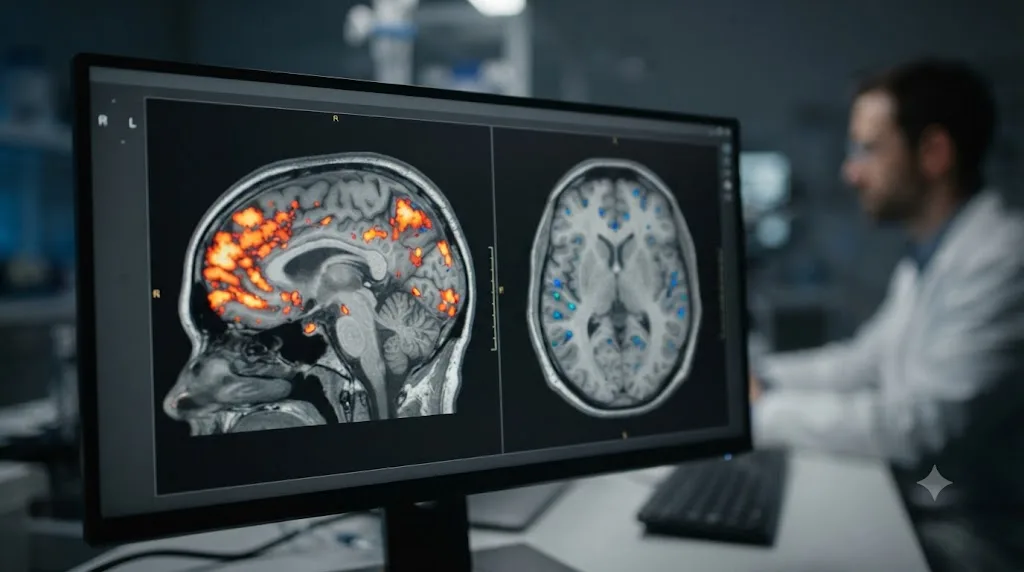
What happened when doctors, journalists, and engineers started leaning on AI?
Lab studies measure attention and recall. Field studies measure something scarier: what happens to trained professionals' actual performance after months of real-world AI use. Three of them, across three unrelated fields, landed on the same conclusion within a year of each other.
The strongest is medical, because it has a hard outcome, not a self-report. Researchers publishing in The Lancet Gastroenterology & Hepatology tracked colonoscopies at four endoscopy centers in Poland that adopted AI-assisted polyp detection at the end of 2021. Every participating specialist had performed more than 2,000 colonoscopies, ruling out inexperience as an explanation. The study compared each doctor's detection rate on non-AI-assisted colonoscopies before their center adopted the tool against their detection rate on non-AI-assisted colonoscopies after months of working alongside it.
The unassisted adenoma detection rate fell from 28.4% before AI exposure to 22.4% after, a 20% relative decline and a 6 percentage point absolute one. Experienced doctors who had performed thousands of unassisted colonoscopies got measurably worse at the unassisted version of their own procedure after months of routine AI support. Nothing about their training changed. Nothing about the patients changed. The only variable was months of habitually letting software flag what they used to have to notice themselves.
Journalism shows the same shape with softer data. A researcher at the National University of Singapore interviewed 14 working journalists across print, broadcast, and wire services about what AI tools were doing to their skill set, and published the results in the journal Journalism Practice, covered by Nieman Lab. The recurring worry among interviewees was foundational research skill: when a generative tool can produce a background report or run a search sweep in seconds, reporters said they felt less pressure to build and maintain that muscle themselves. The same interviews found real skill gains elsewhere, faster first drafts, quicker pattern-spotting across large document sets, which is the honest, two-sided version of this story rather than a pure decline.
A third data point comes from software engineering, where an early controlled study found engineers who used AI assistance during a coding task scored notably lower on a follow-up quiz testing their understanding of the code's logic and failure modes than engineers who wrote the same code unassisted. Syracuse University's Kevin Crowston put the mechanism plainly in an interview with Scientific American:
"People can perform at a pretty high level, because they're basically borrowing skills from the AI, but are not developing those skills themselves."
That sentence is the whole pattern in one line. Performance holds up while the tool is present. The skill underneath it doesn't develop, and in the medical study, actively regresses, because it's not being exercised.
| Field | What was studied | Skill outcome |
|---|---|---|
| Gastroenterology | Unassisted adenoma detection, before vs. after AI adoption | Fell from 28.4% to 22.4% over months |
| Journalism | Interviews with 14 working reporters | Self-reported loss of research skill, alongside real gains in speed and pattern-spotting |
| Software engineering | Post-task comprehension quiz | AI-assisted engineers scored lower on understanding their own code |
None of these are creative-software studies. All three describe the same mechanism a video editor should recognize immediately: a task that used to force observation now gets observed by the tool instead, and the human stops training the muscle that used to do that noticing.

Has any industry already fought this exact fight before generative AI existed?
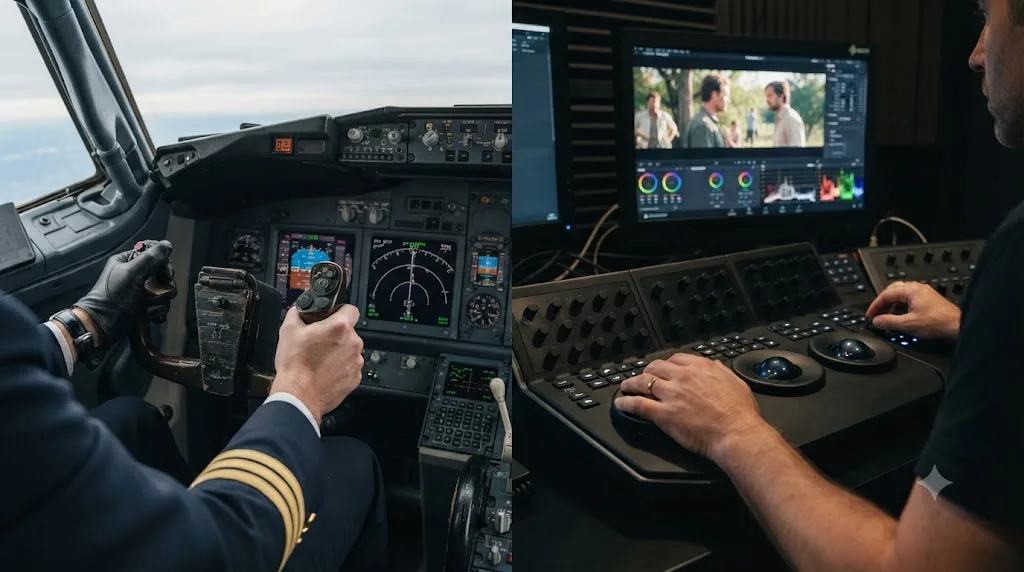
Yes, and it fought it for decades, with lives instead of livelihoods on the line. Commercial aviation ran a version of this experiment long before a colorist ever opened Magic Mask: cockpit automation got good enough that pilots started forgetting how to fly without it, and the industry had to build a formal correction.
In 1997, American Airlines training captain Warren Vanderburgh gave a presentation that named the problem so precisely the phrase stuck for thirty years. He called it "children of the magenta line," after the magenta course line that flight-management computers draw across the cockpit display. His point: a generation of pilots had learned to manage the line rather than fly the airplane, competent at monitoring automation, less practiced at handling the aircraft when the automation wasn't there to monitor.
The FAA eventually responded with regulatory weight, not just a training anecdote. Advisory Circular AC 120-123 on Flight Path Management states plainly that manual flying skills are paramount for flight safety, and that automation requires more training, not less, according to reporting from the Royal Aeronautical Society. The circular pushed airlines to let pilots hand-fly during normal operations whenever conditions allow, reversing years of industry practice that had discouraged manual flying except when automation genuinely couldn't handle a situation. The same reporting ties the shift to real incidents: near-miss events in December 2022 and January 2023 involving widebody aircraft from United and Qatar Airways that descended dangerously close to the water shortly after takeoff, and a documented pattern of more than 20 recent crashes partly linked to weakened instrument and manual handling skills.
Lay that next to the colonoscopy finding from the previous section and the shape is identical. Automation doesn't erase a skill in one dramatic failure. It erodes it quietly, through months of reasonable, individually defensible reliance, until the unassisted version of the task, the one the professional was hired to be able to do, isn't reliably there anymore. Aviation didn't fix automation dependency by grounding the autopilot. It fixed it by mandating that pilots keep flying the airplane by hand.
The gap between aviation and color grading is worth naming honestly, because it's the whole reason this problem is harder to solve in creative work, not easier. Nobody dies if a colorist stops hand-matching shots for a year. That means there's no FAA equivalent coming to mandate manual reps for editors, no advisory circular, no safety alert, no regulator with the standing to make "practice the underlying skill" a requirement instead of a suggestion. The discipline that aviation eventually imposed from the outside has to be self-imposed here, which is exactly why the deliberate-practice habits later in this post matter more for a colorist than a checklist item, they're the only enforcement mechanism that exists.
How solid is this research, actually?
Honestly enough to act on, not so solid that it deserves to be quoted as settled science. Each study in this post carries a real limitation, and naming them doesn't undercut the argument, it's what separates a caution from a scare headline.
The MIT Media Lab study is a preprint. It has not completed peer review, and the authors say so themselves: results should be treated with caution, according to an independent breakdown of the study's limitations. The full sample was 54 people, and only 18 of them completed the session where conditions swapped, the exact data point behind the "learn brain-only first" finding this post leans on. Every participant came from a small cluster of academic institutions in one geographic area, all doing the same narrow task: writing an essay. The authors' own stated limitation is that the results are context-dependent and may not generalize to other tasks, other AI models, or other populations. That's a real constraint on how far the "cognitive debt" finding should travel outside an essay-writing lab.
The Microsoft Research survey has a different weakness. It measures self-reported critical thinking, workers describing their own thought process, not an observer measuring it directly. People who already trust a tool heavily may simply be the kind of people who apply less scrutiny to everything, a personality trait the AI didn't cause, rather than a decline the AI produced. Correlation and causation point the same direction in that data, but they aren't proven to be the same thing.
The Lancet colonoscopy study is the strongest of the three precisely because it measures a real clinical outcome, not a survey answer or an EEG signal, but it isn't a randomized controlled trial either. It's a before-and-after comparison at four centers in one country. Something besides AI exposure could theoretically have shifted in that window, a change in case mix, a shift in which specialists worked which shifts, though the study's design (comparing each doctor against their own earlier performance, not against a different doctor) closes off most of the obvious alternative explanations.
Here's why none of that weakens the conclusion much: three studies, using three different methods (a lab EEG experiment, a workplace survey, and a clinical outcomes analysis), across three unrelated fields, all point at the same mechanism from three different angles. A single flawed study proves little. Three independently flawed studies that keep landing on the identical pattern, trust replaces scrutiny, scrutiny is where the skill lives, is a weaker kind of evidence individually and a much stronger kind of evidence in aggregate. Treat this post's claims as converging early evidence worth acting on, not as a closed case. That's also, honestly, the right way to treat most research about a technology this new.
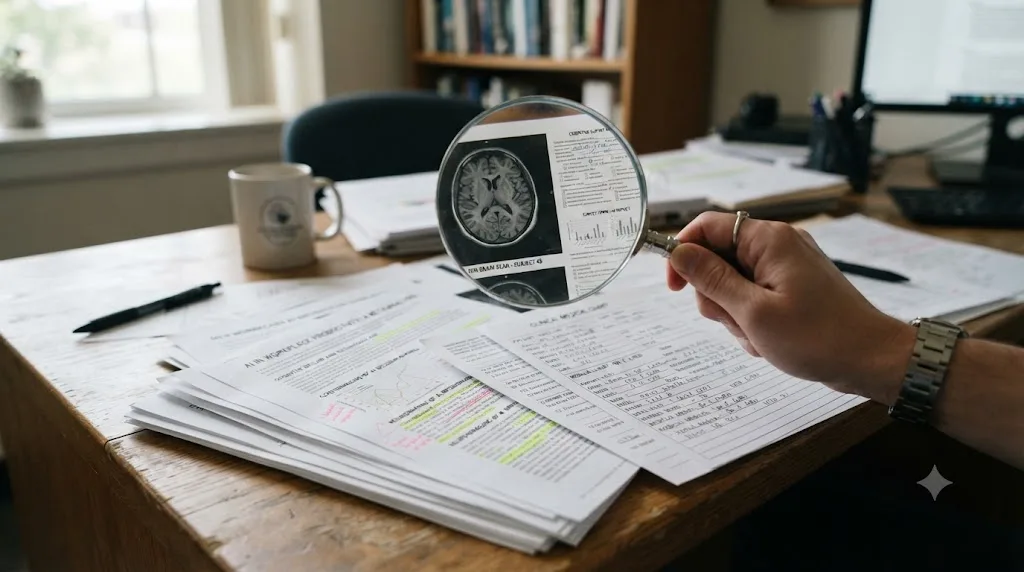
Does relying on AI tools make video editors and colorists worse at their craft?
No controlled study has run the Lancet colonoscopy design on colorists yet, and I'm not going to pretend one exists. What does exist is a working colorist's own reasoning about the same tradeoff, which lines up with the medical and coding findings closely enough to trust as a directional guide.
John Daro, a colorist at Warner Bros. Discovery who has spent years building his own AI-assisted grading tools, put it this way in a 2024 post about the future of color grading:
"This stuff is exploding. It's got the potential to change the game for colorists, but like any tool, it's how we use it that matters."
Read the full post here. Notice what Daro doesn't say. He doesn't say AI is safe by default, and he doesn't say it's dangerous by default. He says the outcome depends on use, which is exactly the variable the Microsoft Research survey measured: trust without scrutiny predicts skill loss, and scrutiny alongside trust doesn't.
Apply that lens to color grading specifically. Automated color matching and AI-assisted rotoscoping don't threaten the part of grading that was always the hard part: knowing what a shot should feel like. They threaten the mechanical layer underneath it, tracing an edge frame by frame, hunting for the exposure delta between two clips by eye. That mechanical layer was never where creative judgment lived, but it was often where creative judgment got trained, because matching two shots by hand forces you to actually see the mismatch before you can fix it.
That's the specific risk worth naming: not that AI tools make you creatively worse, but that skipping the manual version of a task removes the repetitions that used to sharpen your eye for the thing the task was teaching you. A colorist who never hand-matches two shots may never develop the reflex to spot a mismatch on sight, the same reflex built through hundreds of unassisted manual reps, the kind of reflex passive video-watching never produces either, a related gap our piece on why watching tutorials doesn't work covers from a different angle. The AI tool doesn't erase the skill. It can prevent the skill from forming in the first place, or let an existing one go quiet from disuse.
The honest counterpoint deserves equal space. Nobody mourns the disappearance of purely mechanical toil. Frame-by-frame rotoscoping never built taste, only patience, and losing hours of patience-testing labor to Magic Mask frees time for the parts of the job that actually distinguish a good colorist from a mediocre one: story sense, client communication, consistency across a hundred shots. The risk isn't the tool. It's letting the tool's convenience quietly take the one task you needed to keep practicing along with the ninety-nine you didn't.
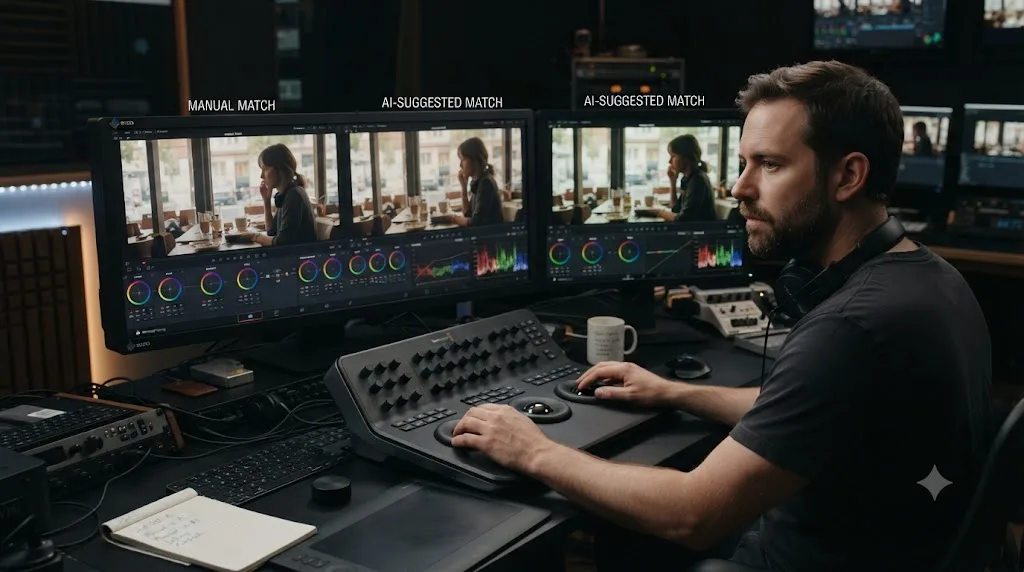
Which DaVinci Resolve AI tools are safe to lean on, and which ones can quietly erode your skills?
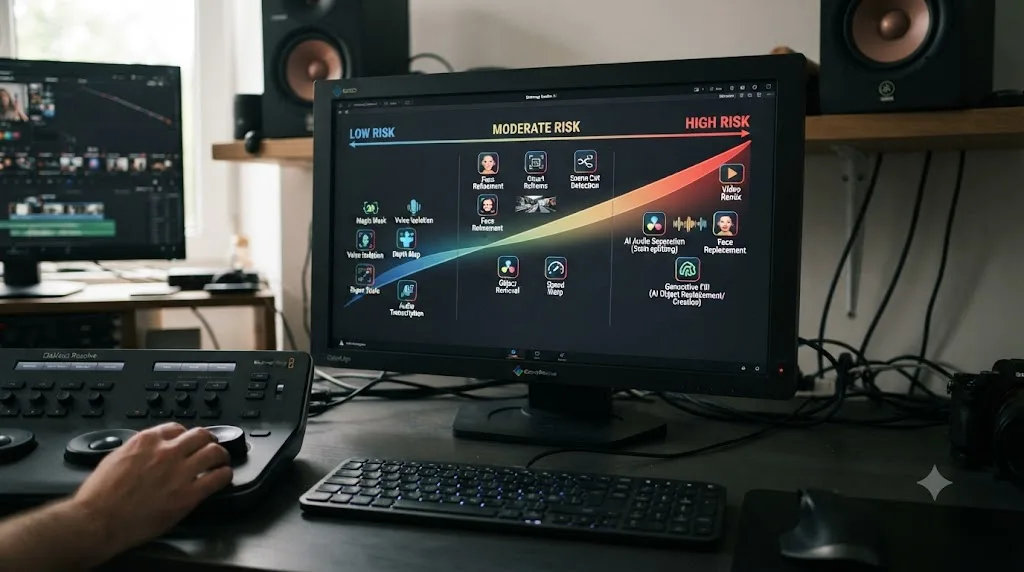
DaVinci Resolve 21 shipped nine new AI tools on top of existing ones like Magic Mask and Voice Isolation, all running on Blackmagic's DaVinci Neural Engine, per Blackmagic's own What's New page. Most require the paid Studio license. Not every tool carries the same deskilling risk, because not every tool replaces a skill you'd otherwise be building.
The distinction that matters: does the tool replace mechanical labor that never taught judgment, or does it replace the exact repetition that builds judgment? Here's how Resolve's current AI toolset splits along that line.
| Tool | What it does | Deskilling risk | Why |
|---|---|---|---|
| Magic Mask | Isolates a person or object from a single brush stroke and tracks it | Low to moderate | Replaces frame-by-frame roto, mechanical labor, but skipping manual keying entirely can leave you unable to fix a mask that breaks on hair or motion blur |
| IntelliSearch | Finds shots by describing their content in plain language | Low | Replaces scrubbing through footage, a search task, not a judgment task |
| CineFocus | Rescues soft or slightly out-of-focus shots after the fact | Moderate | Can reduce the incentive to nail focus on set or flag a genuinely unusable shot during the edit |
| Voice Isolation | Separates dialogue from background noise | Low | Replaces manual EQ and noise-reduction labor; understanding a clean mix still requires ears, not a preset |
| AI Speech Generator | Generates synthetic voiceover from text | Moderate to high | Can remove the incentive to direct a real voiceover performance, a skill with no shortcut back |
| IntelliScript | Assembles a rough cut from a script and matching footage | Moderate to high | Directly automates pacing and selection decisions, the exact reps that build editorial instinct |
| AI Face Age Transformer, Face Reshaper, Blemish Removal | Cosmetic adjustments to faces on camera | Low | Replaces detail retouching labor that rarely built broader grading judgment |
| AI UltraSharpen, Motion Deblur | Technical image repair for soft or blurred footage | Low | Fixes a technical defect; doesn't replace a creative decision |
| AI Slate ID | Automatically reads and logs slate information | Low | Pure data entry, no judgment skill involved |
Two tools deserve a second look because they sit closer to the risky end of that table: IntelliScript and the AI Speech Generator. Both automate a decision, pacing in one case, performance in the other, rather than a mechanical chore. Using IntelliScript to generate a starting assembly and then rebuilding it by hand is very different from shipping its output untouched, the same gap the Microsoft Research survey found between checked and unchecked AI use.
The safest AI tools in DaVinci Resolve are the ones that replace labor you never needed to practice in the first place, and the riskiest are the ones that quietly make a creative decision for you. Magic Mask and IntelliSearch sit near one end of that spectrum. IntelliScript and AI Speech Generator sit near the other. None of them are dangerous to try. All of them are worth using with your eyes open about which one you're reaching for and why.
If Studio's licensing terms or feature gating factor into your decision here, our comparison of AI tools for learning DaVinci Resolve breaks down which of these Neural Engine features, Magic Mask included, run on the free version versus which require the Studio upgrade.
What actually breaks a Magic Mask, and how do you fix it without redoing the whole roto?
Knowing exactly where Magic Mask fails, rather than just knowing that it sometimes does, is itself part of the hand skill this post keeps pointing at. If you only ever see Magic Mask succeed, you never learn to recognize the moment it's about to fail, which is the same recognition Lancet's endoscopists lost.
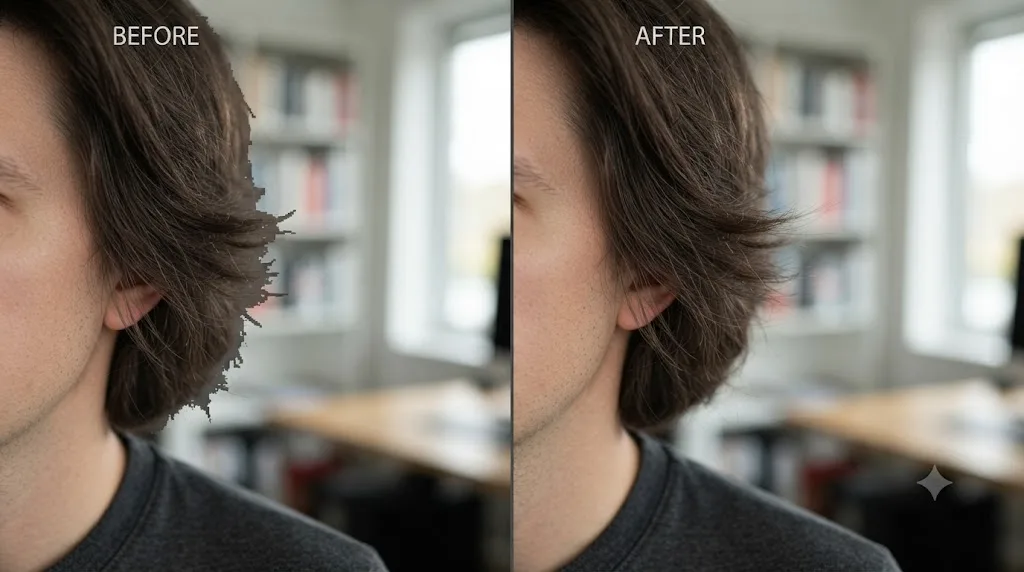
Four failure patterns show up consistently. Hair and fur against a low-contrast background is the first: fine, wispy detail is exactly what the Neural Engine struggles to resolve cleanly, and the matte tends to lose the frizz around the edge rather than hold it. Motion blur is the second: a fast-moving subject leaves color data from the background smeared into what should be a clean edge, and a mask cut too tightly around that blur creates a hard, obviously artificial line. Temporal inconsistency is the third: because the tool re-derives the mask on a per-frame basis rather than enforcing hard continuity between frames, a shape correction you make on one frame doesn't automatically propagate to the next, so a mask can wobble slightly frame to frame even on a static subject. Similar-colored foreground and background is the fourth, and the most basic: low contrast between subject and background gives the model less signal to separate the two, regardless of how sharp the footage is.
Resolve's own Matte Finesse controls exist specifically to correct these four patterns rather than force a full manual re-roto, as covered in a detailed breakdown of Magic Mask v2's workflow. Smart Refine improves detail retention specifically around hair and fur. Blur Radius and the In/Out Ratio controls let you shrink, grow, and soften the matte edge to better match motion blur instead of cutting a hard line through it. Clean Black and Clean White tighten up stray noise in the matte itself. The Quality setting toggles between Faster and Better, and Better mode specifically preserves motion blur detail in the matte at the cost of render time, the setting worth reaching for anytime the failure pattern looks like blur rather than hair. When none of that closes the gap, Paint Tools let you manually correct the matte on the specific frames where it's actually broken, rather than starting over.
| Symptom | Likely cause | What to try first |
|---|---|---|
| Frizzy or wispy edge disappears | Low contrast between hair and background | Smart Refine, then a targeted Paint Tools touch-up on the worst frames |
| Hard, jagged line around a moving subject | Motion blur not represented in the matte | Switch Quality from Faster to Better, then adjust Blur Radius |
| Mask shape wobbles frame to frame on a static subject | Per-frame regeneration without temporal continuity | Re-track a keyframe near the wobble rather than trusting the automatic in-between |
| Whole limb or object drops out of the mask | Similar color value to the background | Increase contrast via a preceding node if possible, or hand-paint the missing region |
Here's the habit worth building on top of the fix table: don't wait for a mask to look obviously broken before you check it closely. Zoom into the edge at full resolution on a still frame or two, even on a mask that looks fine at normal viewing size, the same way this post already argued you should check any AI output before building on top of it. That single habit, checking a mask that looks fine, is what keeps the eye that spots a subtle failure from going quiet.
What's the difference between cognitive offloading and cognitive surrender?
This distinction is the single most useful thing to take from all the research above, because it's the difference between using a tool the way experts always have and using it the way the deskilling studies actually measured.
Cognitive offloading is old and mostly fine. It's a calculator doing your arithmetic while you still decide what to calculate and why. It's a search engine finding a fact while you still judge whether the source is trustworthy. Researchers studying math education describe it precisely: offloading hands off a narrow, well-defined sub-task while the person retains the structure of the larger problem. You're still the one solving the problem. The tool just carries one piece of it.
Cognitive surrender is the newer, riskier pattern researchers have started naming separately: accepting an AI-generated output as your own answer with minimal scrutiny. Not "the AI found the fact," but "the AI decided, and I moved on." That's the exact behavior the Microsoft Research survey flagged in workers with high AI confidence and low self-confidence: they treated the AI's response as sufficient and stopped there.
Apply the split to a Resolve session. Using IntelliSearch to locate every shot where a specific actor appears is offloading: a narrow search task, and you still make every editorial decision about what to do with those shots. Accepting an IntelliScript assembly cut as your final sequence without re-cutting a single moment, because it looked plausible on first watch, is surrender: the pacing decision that used to be yours got made by the tool, and you signed off without checking it.
The line between offloading and surrender isn't which tool you use. It's whether you can still explain, out loud, why the result is correct. If you can walk someone through why a mask boundary is right, why a cut lands where it does, why a color match works, you're offloading labor and keeping the judgment. If the honest answer is "the AI did it and it looked fine," the judgment has already started to move to the software, whether or not you meant it to.
This is also the fastest self-check for anything in this post. Before you accept any AI-assisted output in Resolve, mask, transcript, assembly, color match, ask yourself whether you could defend that specific decision to a supervisor who asked you to justify it. If you can't, that's the surrender line, and it's worth redoing the step yourself before moving on.

Where does an assistant like TryUncle fit on that line?
Fair question, and any AI tool marketed at editors deserves the same scrutiny this post just applied to Magic Mask and IntelliScript, including one made by the company writing this guide.
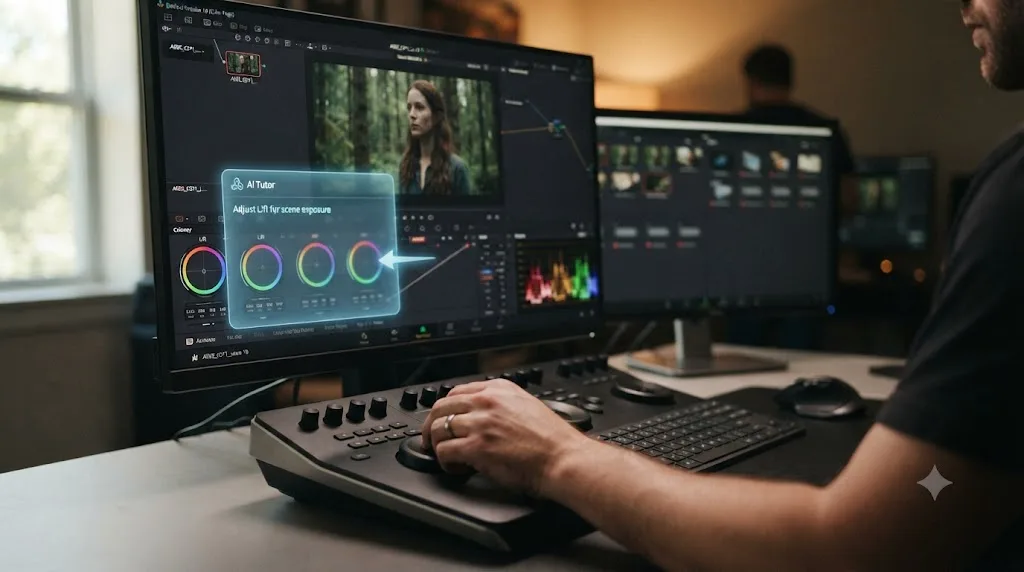
TryUncle is built around a specific structural choice: it watches your project inside the Edit, Color, and Fusion pages and points at the control you need, live, rather than making the grade or the cut for you. Ask it where a qualifier lives or how to isolate a color range, and it shows you the actual button in your actual project, live. That design sits on the offloading side of the line drawn above, not the surrender side, because pointing at where a control lives still leaves the decision of what to qualify, and why, entirely with you. Compare that to IntelliScript, which doesn't point at a decision, it makes one.
The honest caveat matters just as much as the pitch. Design shapes a tool's default use, not its outcome. Someone who clicks wherever TryUncle points without absorbing why is surrendering the judgment just as completely as someone who ships an unchecked IntelliScript assembly, no matter how the tool was built to be used. That's the same point Daro made about grading tools generally: it's how you use it that matters, not the tool itself.
Worth stating plainly: TryUncle is a paid macOS-only app at $34.99 a month with cancel-anytime billing; see TryUncle for full details.
Is your specific role the kind of job AI can quietly deskill?
Not every job offloads the same thing to AI, and not every offload carries the same risk. The clearest predictor across the research above isn't the industry. It's whether the role's core value comes from repeated, unassisted pattern recognition, or from something else the AI doesn't touch at all.
Endoscopists and colorists share more in common than the two fields suggest at first glance. Both build a trained eye through thousands of unassisted reps: spotting a subtle polyp, spotting a subtle color mismatch. Both now have AI tools that catch the exact thing the trained eye used to catch. That overlap is why the colonoscopy finding transfers as a useful warning to grading, even without a matching study.
Roles built more on judgment calls than pattern spotting look different. A director of photography deciding how a scene should feel, a showrunner deciding which cut serves the story, an editor deciding what to leave on the cutting-room floor for pacing, none of those decisions have an AI tool making them yet, because none of them reduce to a pattern an algorithm can learn from thousands of examples. AI tools speed up the mechanics around those decisions. They don't make the decisions.
| Role type | What builds the skill | AI's current reach | Risk level |
|---|---|---|---|
| Colorist doing shot-matching and keying | Repeated unassisted visual comparison | Automates matching and masking directly | Higher, because the automated task is the training task |
| Editor making pacing and story decisions | Repeated judgment calls under time pressure | Speeds up assembly, doesn't choose the cut | Lower, the automated task is adjacent, not identical |
| Sound editor cleaning dialogue | Trained ear for noise and EQ problems | Automates the cleanup, not the listening judgment | Moderate |
| Assistant editor doing media management, logging | Mechanical organization, less trained pattern recognition | Automates logging and search directly | Lowest, little judgment skill was ever built here |
Junior professionals face a version of this risk seniors don't. A senior colorist who adopts Magic Mask already has years of hand-keying reps banked; the tool replaces labor on top of an existing skill floor. A junior colorist who starts their career with Magic Mask as the default may never build that floor at all, which several of the studies above flag as the more serious long-term risk, not a skilled person losing an edge, but a new professional never developing one. That distinction matters enough that it gets its own section further down.

How do you know you're becoming AI-dependent at work?
Self-diagnosis here doesn't need a lab. It needs one honest test, applied to whatever AI tool you use most.
Try the task without it. Not as a thought experiment, actually attempt it. Hand-key a shot Magic Mask would normally handle. Match two clips by eye instead of using an automated color match. Write a rough assembly cut before touching IntelliScript. Three outcomes are possible, and only one of them is a real warning sign.
You do it fine, just slower. That's the healthy version of dependency, the same relationship a fast typist has with a keyboard shortcut. The skill is intact; the tool just makes the fast path faster.
You do it, but worse than you remember doing it a year ago. That's mild atrophy, the early stage the Lancet colonoscopy study measured, a real decline that hasn't yet become disqualifying. It's recoverable with a few deliberate reps, covered in the next section.
You genuinely can't do it, or you're not confident your manual version would even be correct. That's the actual warning sign the research is describing. Not slowness. Not rust. A gap where a skill used to be.
A second, faster check works even when you can't stop to run the first one mid-project: can you explain why the AI's output is right, in specific terms, to someone who asked? "The mask holds because the edge contrast is high enough for the Neural Engine to lock onto" is an explanation. "It just looked right" is not. If you can't explain a decision, you're not making it anymore, the software is, and you're just approving its homework.
Run this check periodically, not constantly. Checking every single AI-assisted decision defeats the point of using the tool at all. Checking never means you'll only find out you've lost a skill the day you desperately need it, which is closer to how the endoscopy study's subjects likely discovered theirs: not through a scheduled self-audit, but through routine work that quietly stopped calibrating an ability they assumed was permanent.

Does experience level change how much AI reliance actually hurts you?
Yes, and in a direction that should worry beginners more than veterans, even though veterans ask this question more often.
An experienced colorist who's graded a thousand projects by hand has a deep, over-learned skill bank before any AI tool enters the picture. When that person starts using Magic Mask or an automated color match, they're offloading labor on top of an existing floor. If the tool disappeared tomorrow, the underlying skill would still mostly be there, rusty from disuse but recoverable, the way a skilled driver relearns stick shift faster than someone who never learned it at all. The Lancet study's endoscopists fit this profile exactly: highly experienced specialists who measurably declined, but from a high starting point, and the study's authors frame the finding as a caution about maintaining skill, not a claim that the specialists became incompetent.
A junior editor or colorist starting their career with AI tools as the default workflow faces a different problem entirely, one the studies above treat as more serious. There's no floor to fall back to, because the floor was never built. If IntelliScript generates your first hundred assembly cuts, you never accumulate the hundred reps of manually deciding what to cut that used to be how editorial instinct got built in the first place. That's not skill loss. It's skill non-formation, and it's harder to notice because there's no "before" to compare against.
This is exactly why the order-of-learning detail in the MIT Media Lab study matters so much for anyone starting out. Participants who practiced brain-only before adding AI outperformed people who started with AI from session one, in both conditions. If you're new to editing or color grading, the highest-leverage thing you can do is delay AI-assisted versions of a task until you've done the manual version enough times to know what right looks like. Our comparison of online course platforms covers a few structured, hands-on options if you want a curriculum that builds that manual floor deliberately rather than picking it up by accident, and it's worth reading before deciding which Resolve AI tools to lean on from day one.
None of this means veterans are safe and beginners are doomed. It means the two groups are managing two different risks. Veterans manage decay of an existing skill. Beginners manage whether a skill gets built at all. The fix for the first is periodic manual practice. The fix for the second is sequencing: build the hand skill, then add the tool.
Does it matter whether you're freelance or on staff?
It does, and the direction might surprise you. The research above splits risk by experience level. This splits it by a different axis entirely: how much cover you have while a skill quietly erodes.
A staff colorist at a post house has a built-in buffer the research doesn't fully account for. Steady reps across many projects, a team of peers who can catch a mismatched shot before a client ever sees it, and no single project acting as an audition for the next one. If a staff colorist's manual matching skill drifts slightly over a slow quarter, there's usually someone else in the room, a supervisor, a fellow colorist, a client-facing producer, positioned to notice before it becomes a problem, and time to recalibrate without a client watching the recalibration happen.
A freelancer doesn't get that buffer. Every new client is effectively re-auditioning the skill through the same three signals: the reel, the turnaround time, and how you perform live on a client call when someone asks you to nudge a skin tone warmer while they watch the screen in real time. That live moment is exactly where a hollowed-out hand skill gets exposed, with someone watching it happen. There's no supervisor cushioning a freelancer's drift. The next booking is the performance review, and it happens in front of the person deciding whether to hire you again.
That asymmetry cuts against a tempting freelancer instinct. Leaning hard on IntelliScript or an automated color match to hit a tight turnaround optimizes for exactly the metric that gets a freelancer rebooked, speed, while quietly eroding exactly the metric that gets a freelancer recommended to someone else, the ability to solve an unscripted problem live, on camera, in front of a client. Both matter. Only one of them shows up on an invoice.
| Factor | Staff colorist | Freelance colorist |
|---|---|---|
| Skill drift visibility | Peers and supervisors likely to notice early | No one watching until a client does |
| Recovery time if a gap is found | Internal, usually without client exposure | Often live, in front of the client who found it |
| Pressure to use AI for speed | Present, but shared across a team's workload | Direct, tied to personal turnaround and rebooking |
| Natural enforcement of manual practice | Occasional, through peer review or QC passes | None, entirely self-imposed |
None of this means freelancers should refuse AI tools to protect themselves, that would just make them slower than every other freelancer competing for the same job. It means the deliberate-practice habit of keeping one manual rep in rotation per tool, covered in detail further down, matters more for a freelancer than for a staff colorist, precisely because nobody else is positioned to catch the drift before a client does.
What does deliberate practice look like when AI can do the task for you?
Deliberate practice has always meant doing the hard, unassisted version of a task on purpose, with feedback, specifically because the easy version doesn't teach you anything. AI tools raise the stakes on this idea rather than retiring it, because now the easy version isn't just available, it's often the default.
The practical version for editors and colorists comes down to four habits, none of which require avoiding AI tools.
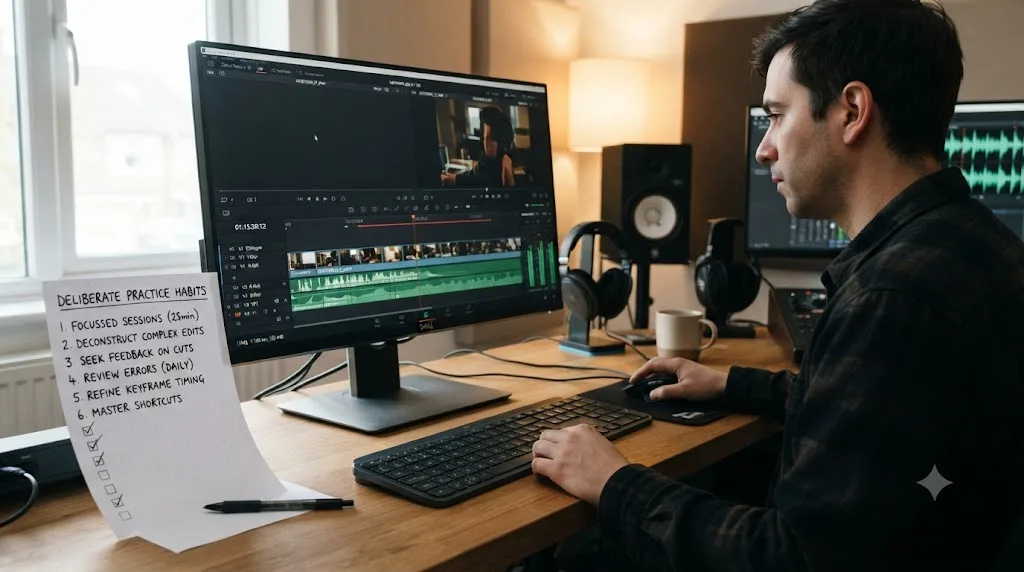
Rotate manual reps back into real work, not just drills. Once a week, or once a project, hand-key a shot Magic Mask would normally handle, or hand-match two clips instead of trusting an automated match. Do it on real footage from a real project, not a throwaway practice clip, because the stakes of getting it wrong are part of what makes the rep count.
Audit AI output before you build on it, every time, not just when something looks off. A mask that looks fine at first glance can still be bleeding at the edges two seconds into the clip, exactly the failure pattern covered above. The habit of checking is itself the practice; skipping the check because the tool is "usually right" is exactly the behavior the Microsoft Research survey linked to reduced critical thinking.
Keep a running list of tasks you've quietly stopped doing by hand. This is the single most effective habit in this section, because deskilling is gradual and invisible until you look for it directly. Write down every task you've fully handed to an AI tool. Revisit the list every couple of months. Pick the oldest item and redo it manually once, purely to check whether you still can.
Treat the manual version as a diagnostic, not a chore. When a hand-keyed mask takes you noticeably longer or looks noticeably worse than it would have a year ago, that's useful information, not wasted effort. It tells you exactly where to spend your next practice session, the same way a missed shot in sports tells a coach what to drill next.
None of these habits slow down a real project meaningfully, because they're occasional, not constant. The point isn't to distrust every AI suggestion Resolve makes. It's to make sure the muscle underneath the convenience doesn't go completely silent, and that also happens to be exactly the trap covered above, watching instead of doing, so it's worth reading if a structured way to rebuild those fundamentals sounds useful right now.
Should you just avoid AI editing tools to protect your skills?
No, and none of the research reviewed for this post recommends that either. Avoidance solves the deskilling risk by trading it for a worse one: falling behind peers who use the tools competently, while gaining none of the protective habits that actually prevent skill loss.
Think through what avoidance would cost a working editor today. Manual rotoscoping instead of Magic Mask on a project with forty shots that need isolation adds hours nobody is paying for, hours that teach you nothing new past the first few. Refusing IntelliSearch and scrubbing through terabytes of footage by hand doesn't sharpen judgment, it just burns a day finding what a text search would find in seconds. The mechanical tasks these tools replace were rarely where the craft actually lived, and there's no virtue in doing them the slow way once you've already proven you can.
The studies in this post back a middle position, not an extreme one. The Microsoft Research survey didn't find that AI use itself predicted less critical thinking, it found that unexamined trust in AI did, while self-confidence in the underlying task predicted more critical thinking even alongside AI use. That's a finding about how you use a tool, not whether you use it. Refusing every AI tool to protect a skill you could instead protect through occasional deliberate practice is the more expensive option, not the safer one.
There's also a business reality worth naming plainly, since this piece exists to help people work with DaVinci Resolve professionally, not to make a philosophical point about tools. Clients and employers increasingly expect AI-accelerated turnaround. An editor who refuses Voice Isolation on principle and spends three extra hours manually EQing dialogue isn't demonstrating superior craft, they're demonstrating a workflow their market rate probably can't sustain. Use the tools. Just don't let them replace the parts of you that make the output good.
What if your employer requires you to use AI tools?
This scenario removes the choice the previous section assumed you had, and it's worth addressing directly, because a growing number of editors and colorists don't get to opt out. A post house standardizes on an AI-assisted color pipeline. A studio mandates AI-generated rough cuts before human review. In those cases, the question isn't whether to use the tool. It's how to protect your skill development inside a workflow you don't control.
The answer borrows directly from the deliberate practice habits above, adjusted for less autonomy. You may not be able to skip the mandated AI step on a client deliverable, but you can still do the manual version afterward, off the clock or on your own footage, purely to keep the underlying skill exercised. You can still audit the AI's output critically even when using it is non-negotiable, which protects the critical-thinking half of the equation the Microsoft Research survey measured, even when the offloading half isn't optional.
There's also a career-management angle worth naming. If your current role only ever exposes you to the AI-assisted version of a skill, and you're worried about what that means five years out, the fix isn't fighting your employer's workflow. It's building the manual version of that skill somewhere else: a personal project, a portfolio piece, a course, or working through your own footage with an in-app tutor like TryUncle open beside you, catching your own mistakes instead of letting a mandated pipeline catch them for you.
One more honest point: a mandated AI workflow is sometimes a genuine signal about where the market is heading, not just a corner being cut. If every post house in your region has standardized on AI-assisted grading, resisting it professionally is a weaker long-term strategy than getting good at supervising it well, which circles back to the offloading-versus-surrender distinction covered earlier. The skill worth protecting in that world isn't "can you grade without any AI assistance ever." It's "can you tell when the AI's assisted grade is wrong," which is a skill you can build even inside a mandated workflow, as long as you're actually looking.
What should you actually do this week to stay sharp while still using AI?
Everything above compresses into five habits you can start on your next project, none of which require slowing down your actual work by more than a few minutes.
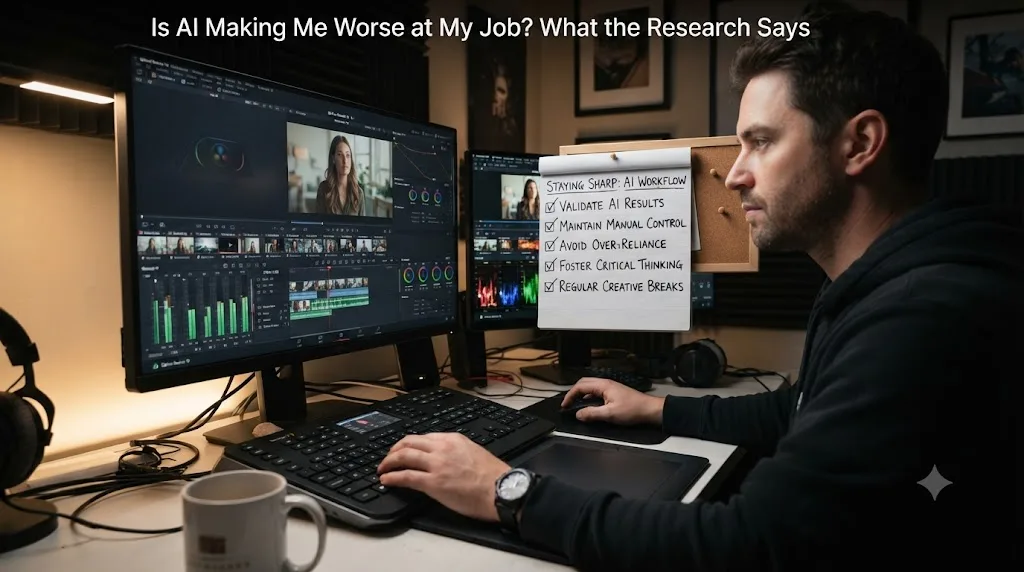
- Pick one manual skill per AI tool you use regularly. If you use Magic Mask often, keep hand-keying in rotation. If you lean on automated color matching, keep doing at least one shot-match by eye per project.
- Check before you build. Look at the mask edge, the color match, the transcript, the assembly cut, before you treat it as finished. This single habit is what separates offloading from surrender, and it costs seconds per check.
- Schedule manual reps, don't wait for the tool to fail. Once a week or once a project, redo something by hand on purpose, even when the AI version already worked fine. Waiting for a failure to force practice means you only find the gap under pressure.
- Explain it before you accept it. If you can't say out loud why an AI-suggested result is correct, treat that as your cue to double-check it, not to assume the AI is smarter than your uncertainty.
- Keep a running list of what you've stopped doing by hand. Review it every couple of months. Redo the oldest item on it once, purely to confirm you still can.
None of these habits ask you to distrust DaVinci Resolve's AI tools or use them less. They ask you to stay the one making the decisions, with the tool doing the labor around them. That's the exact distinction the research in this post keeps landing on, from EEG scans to colonoscopy outcomes to cockpit automation to a working colorist's own advice: the tool isn't the variable that matters. How closely you keep watching what it does is.
So, is AI making you worse at your job?
Only if you let it make your decisions instead of your labor. Every study in this post, the colonoscopy detection rates, the EEG scans, the coding comprehension quiz, the knowledge worker survey, the cockpit automation record aviation spent decades correcting, points at the same mechanism: skill erodes where trust replaces scrutiny, not simply where a tool gets used. That mechanism is avoidable, and it doesn't require giving up a single feature in DaVinci Resolve.
Use Magic Mask, IntelliSearch, and Voice Isolation without guilt. They automate labor that was never where your craft actually lived. Watch IntelliScript and AI Speech Generator more carefully, because they automate decisions, not chores, and decisions are exactly where the deskilling research says to pay attention.
Keep one manual rep in rotation for every tool you lean on. Check the output before you trust it. Notice when you've quietly stopped being able to explain your own work. Do that, and the AI tools sitting inside Resolve 21 make you faster at your job without making you worse at it. Skip all of that, and the research says the outcome won't announce itself. It'll just show up, quietly, the next time you need the skill and reach for it and find it isn't there.
Frequently asked questions
- Is AI making me worse at my job?
- It can, but only in specific conditions: when you use it to replace understanding instead of tedium, when you stop checking its output, and when you never practice the underlying skill without it. Research on colonoscopies, essay writing, and software engineering all show measurable skill loss under exactly those conditions. The same research shows people who use AI as a checked assistant, not an authority, don't show the same decline.
- Is AI deskilling real, or is it just tech panic?
- It's real and it's measured, not theoretical. A 2025 Lancet Gastroenterology & Hepatology study found colonoscopy specialists' unassisted adenoma detection rate fell from 28.4% to 22.4% after months of working alongside AI. MIT Media Lab's EEG study found ChatGPT users had the weakest neural connectivity of three test groups. Those are outcomes, not opinions.
- Which jobs are most at risk of AI deskilling?
- Jobs where a task used to force you to notice something, and AI now notices it for you. Endoscopists lost detection skill because the AI spotted polyps they used to have to find themselves. Colorists risk the same thing with automated masking and matching. The common factor is a skill that only stays sharp through repeated, unassisted use.
- Will using Magic Mask or other DaVinci Resolve AI tools make me a worse editor?
- Not by itself. Magic Mask, IntelliSearch, and Resolve's other Neural Engine tools replace mechanical labor, roto strokes, scrubbing footage, that never built creative judgment in the first place. The risk is narrower: stop practicing manual keying or shot-matching entirely, and that specific hand skill will fade, the same way any unused skill does.
- What's the difference between cognitive offloading and cognitive surrender?
- Cognitive offloading hands off a narrow, well-defined task, like a calculator doing arithmetic, while you keep control of the bigger decision. Cognitive surrender accepts an AI's output as your own answer with no scrutiny. The first is how experts have always used tools. The second is what the deskilling research actually measures.
- Should I stop using AI tools to protect my skills?
- No. None of the research recommends abstinence, and refusing tools your peers use just makes you slower without making you better. The fix is supervision, not avoidance: keep at least one hand skill sharp per tool you adopt, and check AI output against your own judgment instead of trusting it by default.
- How can I tell if I'm becoming too dependent on AI at work?
- Try the task without the tool. If you genuinely can't remember how, or you're not sure your own version would be right, that's the warning sign. A second sign: you can't explain why the AI's output is correct, only that it looks plausible. Both mean the skill underneath the tool has already started to erode.
- Does AI deskilling affect experienced professionals as much as beginners?
- Differently, not equally. Experienced professionals have a bank of hand skill built before AI existed, so they erode slower and from a higher floor. Beginners who learn a task with AI assistance from day one never build that bank at all, which several studies flag as a bigger long-term risk than experienced people losing an edge they already have.
Sources
- MIT Media Lab: Your Brain on ChatGPT (Kosmyna et al.)
- Microsoft Research: The Impact of Generative AI on Critical Thinking
- The Lancet Gastroenterology & Hepatology: Endoscopist deskilling risk after exposure to artificial intelligence in colonoscopy
- Scientific American: Is AI Ruining Our Skills? Early Results Are In, and They're Not Good (Kevin Crowston quote)
- John Daro: The Future of Color Grading, AI, Cloud, and Remote Workflows
- Nieman Journalism Lab: A new study looks at the skills journalists are losing (and gaining) because of AI tools
- Blackmagic Design: DaVinci Resolve 21, What's New
- Blackmagic Design: DaVinci Resolve Studio (Neural Engine feature list)
- Royal Aeronautical Society: FAA shifts focus to pilot manual handling skills
- JayAreTV: DaVinci Resolve AI Magic Mask v2 Explained
- Transparency Coalition: Learn About the 'Your Brain on ChatGPT' Study, Results, Limitations, Risks and More
Learn by doing, not watching
Stop translating tutorials to your timeline.
TryUncle stays beside Resolve on Mac and Windows. When you ask, Uncle sees your screen and points at the exact control you need. No hunting through tabs, timestamps, or mismatched tutorials.
Meet TryUncleKeep reading
 GuidesJul 8, 202629 min read
Why Watching Tutorials Doesn't Work (And What Actually Builds Skill)
Why watching tutorials doesn't work: it trains recognition, not recall. The research on active practice, retrieval, and how to actually break out of tutorial hell.
 ComparisonsJul 11, 202626 min read
The Best AI Tools to Learn DaVinci Resolve in 2026
ChatGPT, Claude, Blackmagic's free training, Recut, and Resolve's Neural Engine compared for learning DaVinci Resolve, and the gap none of them close.
 ComparisonsJul 8, 202633 min read
12 Best Udemy Alternatives in 2026 (Free and Paid)
We compared 12 Udemy alternatives, free and paid, to help you pick the right one for what you're actually trying to learn.