
Learn / DaVinci Resolveupdated for DaVinci Resolve 21 and TryUncle early access (July 2026)
The Best AI Tools to Learn DaVinci Resolve in 2026
Quick answer
ChatGPT and Claude help with Fusion expressions and scripting-API automation, Blackmagic's free training PDFs teach the fundamentals, Recut trims silence via XML export, and Resolve's own Neural Engine (Magic Mask, Voice Isolation, Speed Warp, Smart Reframe) does specific jobs. None of them watches your screen and points at the control live. TryUncle is the one that does.
You typed "AI tools to learn DaVinci Resolve" because you're stuck on something right now, or you're tired of pausing a forty-minute tutorial to find the ninety seconds that actually apply to you. Good news: there are real AI tools for this, not just marketing copy attached to old features. Bad news: most lists covering this topic recycle the same five names without telling you what each one actually does, where it breaks, or what it costs.
This is the honest version. I looked at what people actually use: general chatbots for debugging, a scripting connection for automation, Blackmagic's own free curriculum, a silence-removal tool, and the AI already built into Resolve itself. Then I looked at what's missing, because there's a category of tool none of these are, and naming that gap plainly is the whole point of this post.
What are the actual AI tools people use to learn DaVinci Resolve right now?
Six distinct categories show up when you actually survey what editors are using, not what a listicle assumes they're using. Each solves a different problem, and conflating them is why most "AI tools for Resolve" roundups feel useless the moment you try to act on them.
| Category | Example | What it actually does | Lives inside Resolve? |
|---|---|---|---|
| General chatbot | ChatGPT | Answers typed questions about settings, workflows, and code | No |
| Scripting assistant | Claude via MCP | Runs Python/Lua commands against your project through the official API | Partially, through a bridge |
| Official curriculum | Blackmagic's free guides | Structured PDF lessons with project files | No |
| Workflow automation | Recut | Detects silence and exports a cut list you import | No, works alongside |
| Built-in AI editing | Neural Engine (Magic Mask, Voice Isolation, Speed Warp, Smart Reframe) | Automates a specific editing task using machine learning | Yes, natively |
| In-app assistant | TryUncle | Watches your project and points at the control you need, live | Yes, as an overlay |
Notice that only two rows live inside Resolve at all, and only one of those six is built specifically to teach rather than to automate or answer. That distinction drives everything below.
Can ChatGPT actually teach you DaVinci Resolve?
For a narrow class of question, yes, and it's worth being specific about which class. ChatGPT is good at declarative facts: what a term means, where a setting is likely to live, how to phrase a search that'll find the right manual page, or how to write and debug a general-purpose script. None of that requires it to see your project, and none of it is where ChatGPT actually struggles.
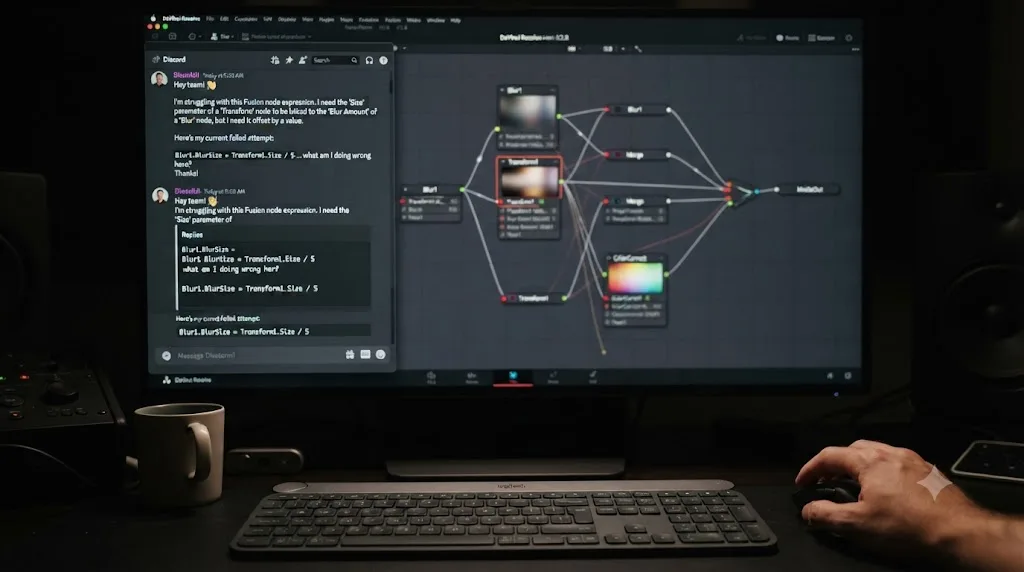
Where it struggles is Fusion. A thread on the Blackmagic Forum titled "Has anyone tried ChatGPT to get help with Resolve/Fusion?" describes exactly this split. Users who asked it for specific Fusion compositing steps, like building a moving sine wave with node-based expressions, got responses that were technically flawed and didn't align with how Fusion actually works. The same discussion notes that ChatGPT is a genuinely strong resource for writing, optimizing, and debugging general-purpose code, just not for Fusion's more specialized node logic and its Lua-based expression system specifically.
A chatbot with no training data grounded in Fusion's actual node graph will describe a plausible-sounding workflow that doesn't exist. That's not a ChatGPT flaw exactly. It's what happens when you ask a general-purpose language model about a narrow, visual, node-based tool that most of the internet's text never described in enough structural detail for the model to learn it reliably. Fusion is a canvas of connected nodes you build by dragging and wiring, and a huge amount of what makes a composite work is spatial and visual, which text-only training data captures poorly.
Here's a worked example of where it holds up and where it doesn't. Ask ChatGPT "what does the MediaIn1.Clip[1] expression reference in a Fusion Fuse," and it can generally explain the concept of Fusion's expression syntax accurately, because that's documented, discussed, and stable across versions. Ask it "build me a bounce animation using a sine wave expression on this specific Transform node," and you're now asking it to reason about a spatial node graph it can't see, and the forum thread above documents exactly that kind of request going wrong.
The practical rule that falls out of this: use ChatGPT for questions with one correct, documented answer, and verify anything it tells you about Fusion node structure against the actual manual before you trust it. For scripting-adjacent questions, Python syntax, general debugging, structuring a batch-rename script, it's a genuinely capable assistant. For "why isn't my composite doing what I expect," it's working blind, because it has never seen your node graph and it can't.
Can Claude do more than ChatGPT for Resolve, especially scripting?
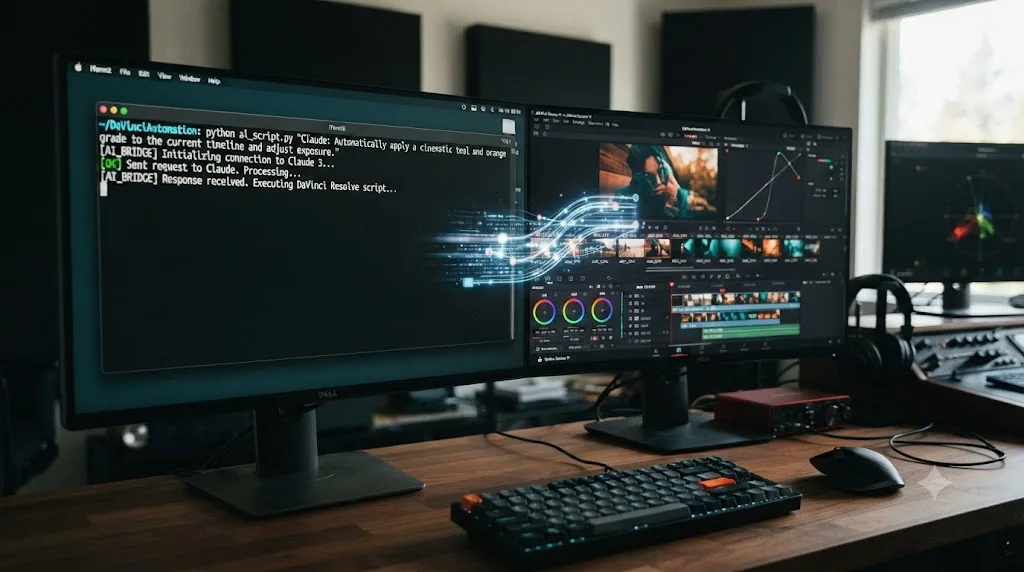
Claude and ChatGPT are close cousins for the declarative-question use case above, chat with no view of your project, same strengths, same blind spots on Fusion's visual node logic. Where Claude has pulled ahead specifically for Resolve is automation, because a small ecosystem of community-built connectors now lets Claude actually run commands against your open project through Resolve's official scripting API, instead of just describing what you should click.
DaVinci Resolve ships a Python and Lua scripting API, and several open-source Model Context Protocol (MCP) servers wrap that API so Claude can call it directly. The most complete of these, samuelgursky/davinci-resolve-mcp on GitHub, supports project management, media handling, timeline editing, color grading node inspection, render job queuing, and Fusion tool creation, all triggered by describing what you want in plain language instead of clicking through menus.
That capability comes with real limits worth knowing before you build a workflow around it. The project's own documentation states plainly that it requires DaVinci Resolve Studio 18.5 or later, because the free edition lacks external scripting support entirely. If you're on the free version, this entire category is closed to you until you upgrade. It also doesn't cover Fairlight's audio mixing parameters, track settings, or automation data in any meaningful way, and almost none of Resolve's newer Neural Engine AI features (Magic Mask, Voice Isolation) are exposed through the scripting API at all, so you can't ask Claude to run those for you even on Studio.
A second, more education-focused project takes a different angle worth calling out specifically. Jai Bhagat's davinci-resolve-claude-skills on GitHub grounds Claude's answers in Blackmagic's own official PDF documentation rather than letting it improvise. Bhagat built the skill so the agent reads a working-memory wiki before answering, and if you push back on an answer, it goes back to the cited PDF page range to reset itself before responding again. In his own words, describing the design directly:
"The agent does not invent technique; it summarizes what the PDFs say."
That's a meaningfully different posture than a general chatbot guessing at Fusion behavior from pattern-matching. It's Claude acting as a retrieval layer over documentation that's already correct, rather than generating an answer from scratch and hoping it's right. If you want AI help with Resolve that stays inside the boundaries of what Blackmagic actually documented, that grounding matters more than raw model capability.
Here's what a real automation session looks like in practice, based on how these MCP servers are built: you tell Claude "create a new bin called B-Roll, import every clip from this folder, and set them all to a 4K UHD deliver preset," and instead of walking you through six menu clicks, it runs the equivalent Python calls against the live API and reports back what changed. The shift in workflow is fundamental: instead of knowing where to click, you describe what you want, and those are very different cognitive modes. One is mechanical memorization. The other is closer to delegating.
The catch that matters for a beginner specifically: none of this teaches you Resolve. It automates Resolve on your behalf, once you already know what you want done. If you don't yet know what a "deliver preset" is or why you'd want one, watching Claude execute the command doesn't build that knowledge any more than watching a tutorial does, and for the same underlying reason covered in our piece on why watching tutorials doesn't work: recognizing a correct action performed for you isn't the same mental process as generating it yourself.
Are Blackmagic's free official training guides still worth downloading?
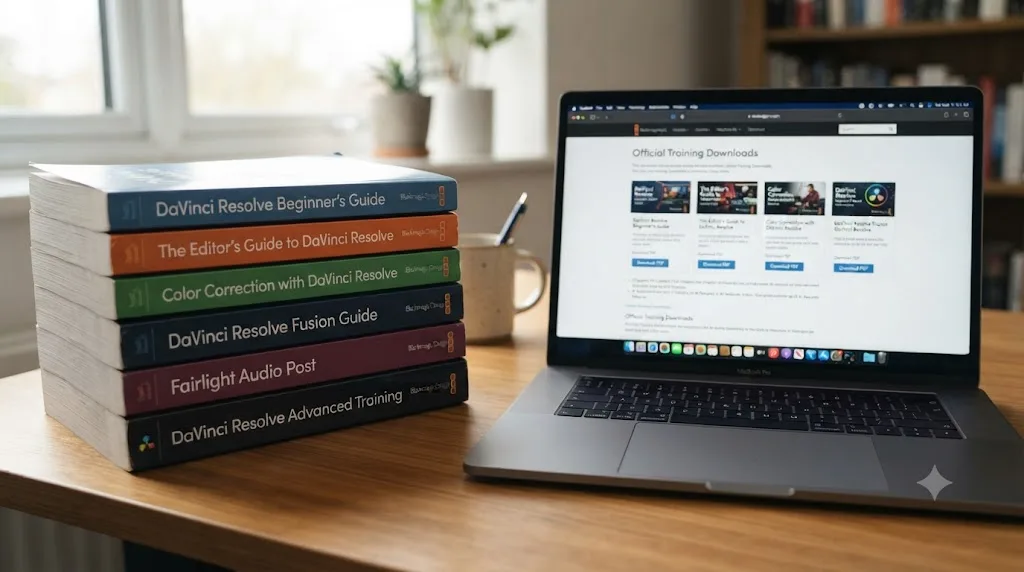
Yes, and this is the category most "AI tools" searches skip past entirely, even though it's the most rigorously accurate resource on this whole list, precisely because a machine didn't generate it. Blackmagic Design publishes a full curriculum of official training material, free, directly from its own training page.
The current lineup runs six books deep: the Beginner's Guide, the Editor's Guide, the Fairlight Audio Guide, the Colorist Guide, the Visual Effects Guide, and Advanced Visual Effects. Every one downloads as a free PDF with lesson project files attached, and according to RedShark News's coverage of the guides, the Beginner's Guide alone runs 640 pages, covering editing tools, color correction, Fairlight audio, and Fusion visual effects in one volume, while the Advanced Visual Effects guide runs 226 pages covering 3D camera tracking, USD nodes, and particle effects. Each guide also links to a free timed online exam if you want to benchmark yourself against a real assessment rather than just finishing the reading.
Beyond the books, Blackmagic's training page also hosts a library of free instructional videos: Introduction to Editing in two parts, Introduction to Color, Introduction to Audio, Introduction to Fusion, plus specialized sessions on multicam editing, sound design, and compositing, each with its own downloadable project file to follow along with.
Here's why this matters more than it might seem to at first glance. None of this material is AI-generated, and none of it can hallucinate a menu path that doesn't exist, because Blackmagic's own engineers and trainers wrote it against the actual software. Every chatbot on this list, ChatGPT and Claude included, is ultimately trained on data that includes some fraction of exactly these documents, filtered through everything else on the internet about Resolve, including outdated tutorials, wrong forum answers, and confident-sounding blog posts written by people who never opened the app. The official guide is the ground truth those chatbots are approximating. If a chatbot's answer disagrees with what one of these PDFs says, believe the PDF.
The honest limitation is pacing and format, not accuracy. A 640-page book is a serious time commitment, and it teaches you the way a course teaches you: sequentially, at its pace, not yours. It won't answer "why does my specific project look wrong right now" the way a tool that can see your project would, and it can't adapt if you already know the first 200 pages and just need page 340. It's the correct foundation, not the fast answer to a live problem.
Does Recut actually belong on a list of AI learning tools, or is it just a shortcut?
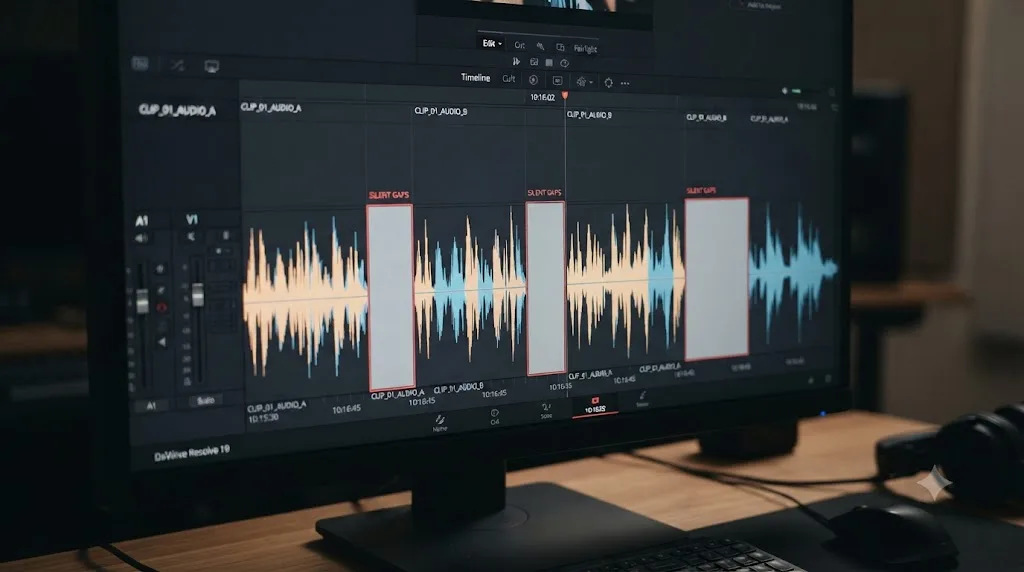
It's a shortcut, and that's exactly why it's worth including here rather than pretending every tool on this list has to be a tutor. Recut is a third-party application that analyzes your raw footage, detects silence automatically, and exports a cut list you drop into your NLE. According to Recut's own documentation for its DaVinci Resolve workflow, the process runs in three steps: drag your video or audio into Recut, let it find the silence automatically, then export the cut as an XML file. Inside Resolve, you go to File > Import Timeline, select that XML, and the silent gaps are already removed from the resulting timeline.
Recut's own export settings guidance is specific: choose DaVinci Resolve XML as the export format, and leave "Keep Silent Segments" unchecked so the silence is actually removed rather than just marked. If you had muted tracks in your session for any reason, there's also a "Remove Muted Tracks" checkbox worth reviewing before export. The tool supports multi-track cuts across multiple cameras and microphones simultaneously, and beyond Resolve it can also export to Premiere Pro, Final Cut Pro, ScreenFlow, and CapCut, so the same silence-detection pass works no matter which editor you're finishing in.
Here's the honest framing: Recut doesn't teach you anything about DaVinci Resolve. It's a pre-editor that hands Resolve a cleaner timeline than the one you'd have built by hand, and the value is entirely in the time it saves on a mechanical, repetitive task, listening through raw footage for dead air and trimming it. That's the same category as Neural Engine automation below: genuinely useful AI, applied to a job that isn't teaching you the software, because you never had to learn where the cut points were in the first place.
The best use of a tool like Recut is on the parts of editing that were never teaching you anything to begin with. Manually scrubbing through forty minutes of a talking-head interview to find every pause is not a skill worth practicing. It's tedium a machine handles better and faster than a human ever will, which frees your actual attention for the parts of the edit that do require judgment: pacing, story structure, when a cut should breathe and when it shouldn't.
What can Resolve's own Neural Engine actually teach you?
Nothing directly, and that's worth saying plainly before covering what it does well. The DaVinci Neural Engine is the machine learning system built directly into Resolve, and it powers a set of features that automate specific, well-defined tasks rather than explain anything to you. No Film School's coverage of Resolve's AI features describes the Neural Engine as using deep neural networks and machine learning to power facial recognition, object detection, smart reframing, speed retiming, super scale, and automatic color matching, among other tools.
The features most people mean when they say "Resolve's AI":
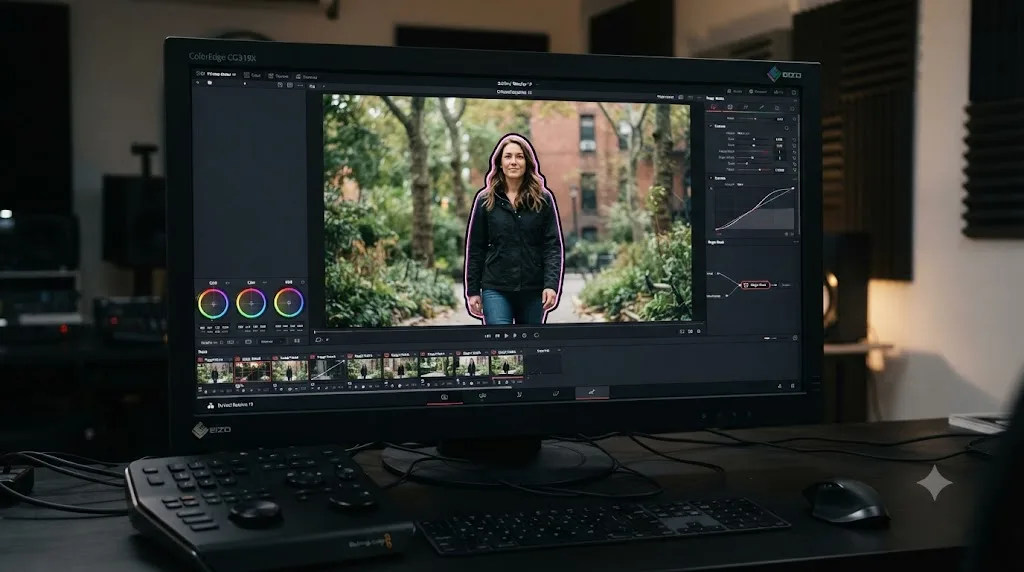
Magic Mask uses object detection to isolate a person or object in your frame automatically, generating a traveling matte you can grade or key against without hand-drawing a shape and tracking it frame by frame yourself.
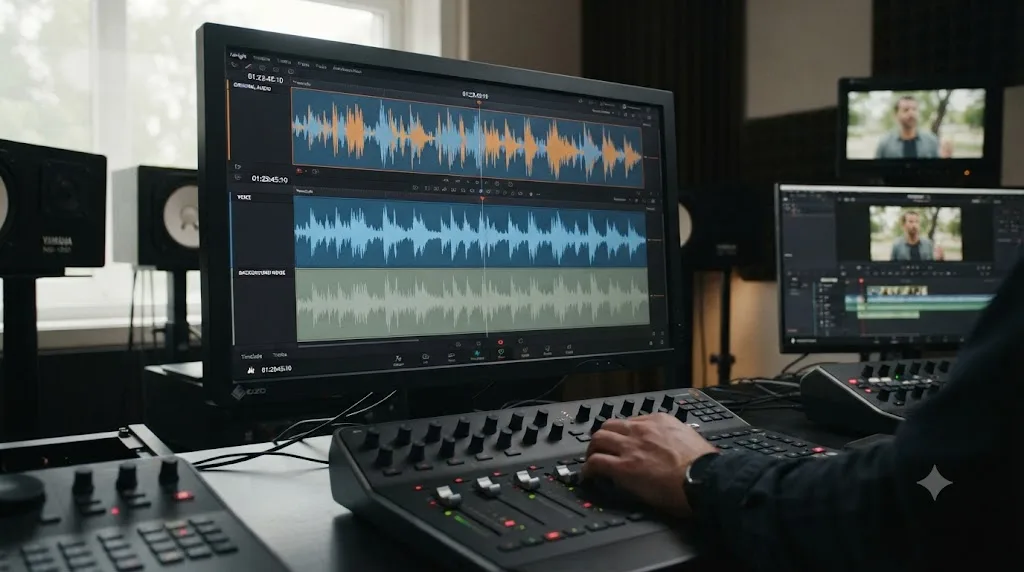
Voice Isolation separates dialogue from background noise and music using the Neural Engine's audio model, useful for cleaning up a location recording that picked up more ambient sound than you wanted.
Speed Warp is an optical flow analysis tool that generates interpolated frames for slow motion, one of the earliest Neural Engine tools in Resolve and still, according to No Film School's coverage, among the strongest implementations of frame interpolation in any NLE.
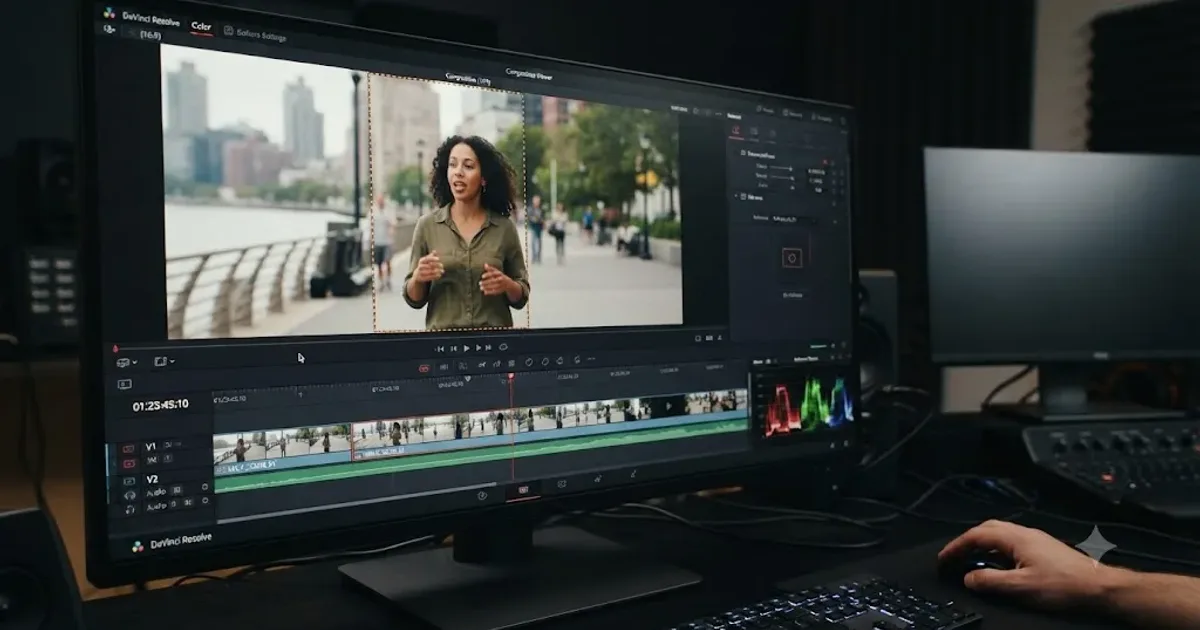
Smart Reframe tracks a subject automatically and repositions your frame to fit a different aspect ratio, turning a 16:9 interview into a 9:16 vertical clip without you hand-keyframing the pan. It's a genuinely capable tool with real, well-documented failure modes around proxy media and tracking confidence, covered in full in our guide to fixing Smart Reframe when it isn't working.
There's real, sourced evidence of how well the current generation of these tools performs. Kunal Ganglani's hands-on review of DaVinci Resolve 21's AI features tested IntelliTrack, Resolve's tracking engine that underlies several Neural Engine tools including Smart Reframe, and found it locked onto a person and held through arm movements reliably. His verdict:
"For 80% of real-world tracking tasks, this eliminates manual keyframing entirely."
He also tested Resolve 21's automatic subtitle generation, reporting roughly 90 to 95 percent accuracy on the first pass, completing in about three minutes for a 12-minute video, which he called "more than good enough" for YouTube, internal videos, and social clips specifically, while noting it's not built for broadcast-grade accuracy requirements.
Every one of these features shares a licensing detail worth knowing before you plan around any of them. Magic Mask, Voice Isolation, Speed Warp, and Smart Reframe are all gated to DaVinci Resolve Studio, the $295 one-time-purchase version, according to Blackmagic's own product page and confirmed independently by Storyblocks' breakdown of the free-versus-Studio feature split. The free version of Resolve has none of these buttons anywhere in its Inspector, in any release; it's not a bug or a hidden setting, it's a deliberate tier boundary. If you're comparing AI tools on this list by cost, this row is the one with a real price tag attached, a single $295 purchase with no subscription, not a monthly fee.
| Neural Engine feature | What it does | Studio required? | Teaches you anything? |
|---|---|---|---|
| Magic Mask | Auto-isolates a subject for masking or grading | Yes | No, it does the work for you |
| Voice Isolation | Separates dialogue from background noise | Yes | No |
| Speed Warp | Interpolates frames for smooth slow motion | Yes | No |
| Smart Reframe | Auto-tracks and repositions frame for a new aspect ratio | Yes | No |
| IntelliTrack | Object tracking engine underlying several Neural Engine tools | Yes | No |
None of Resolve's built-in AI is trying to be a tutor, and none of it pretends to be. It's automation for tasks that used to require manual keyframing, hand masking, or careful audio editing, and it's genuinely good at that narrow job. What it can't do is explain why your specific shot needs a mask in the first place, or notice that you're about to make a color decision that won't hold up on a different display. That judgment layer is still entirely yours to build.
What's actually missing from every tool on this list?
Look back at everything covered so far. ChatGPT and Claude answer questions you type, with no view of your project. Blackmagic's guides teach a fixed curriculum at their own pace, not yours. Recut automates one specific mechanical task. The Neural Engine automates several more, inside the app, but without explaining anything.
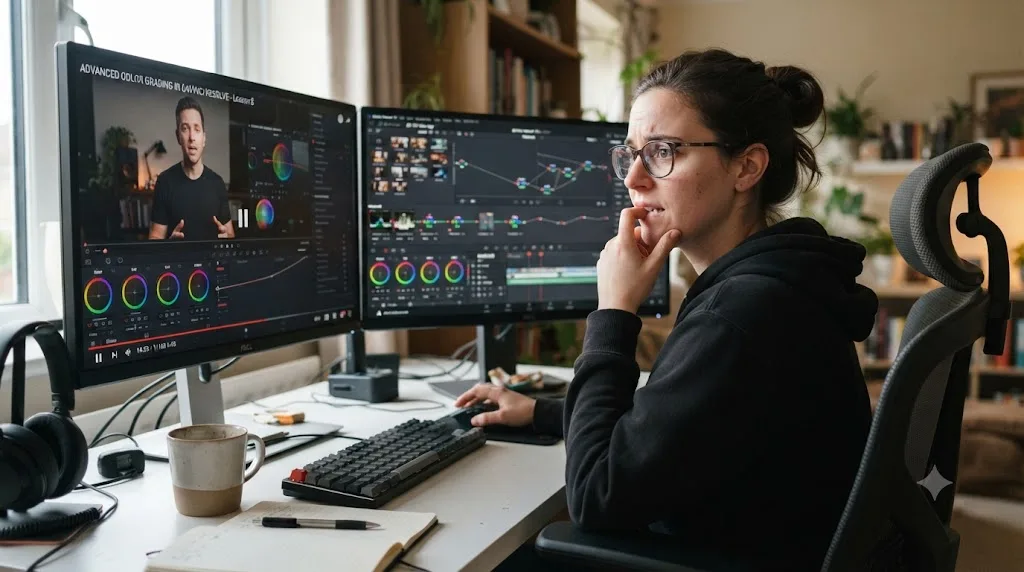
Every tool above requires you to already know what to ask, or to accept whatever it decides to do automatically. None of them look at your actual, current, on-screen project and tell you where the control is that you're hunting for right now. If you're staring at Resolve's Color page trying to find the qualifier that isolates a skin tone, ChatGPT can describe roughly where color qualifiers tend to live in an NLE, in the abstract, from training data. It has never seen your Resolve window. It doesn't know if you're looking at the Color page or accidentally still on Edit. It can't see that the panel you want is one tab over, collapsed.
That's the specific, narrow gap: a tool that watches your screen the way a person looking over your shoulder would, and points, instead of describing. It's a different job than every category covered so far, closer to a documentation assistant that can actually see the document you're stuck in.
What is TryUncle, and how is it different from a chatbot, a script, or a course?
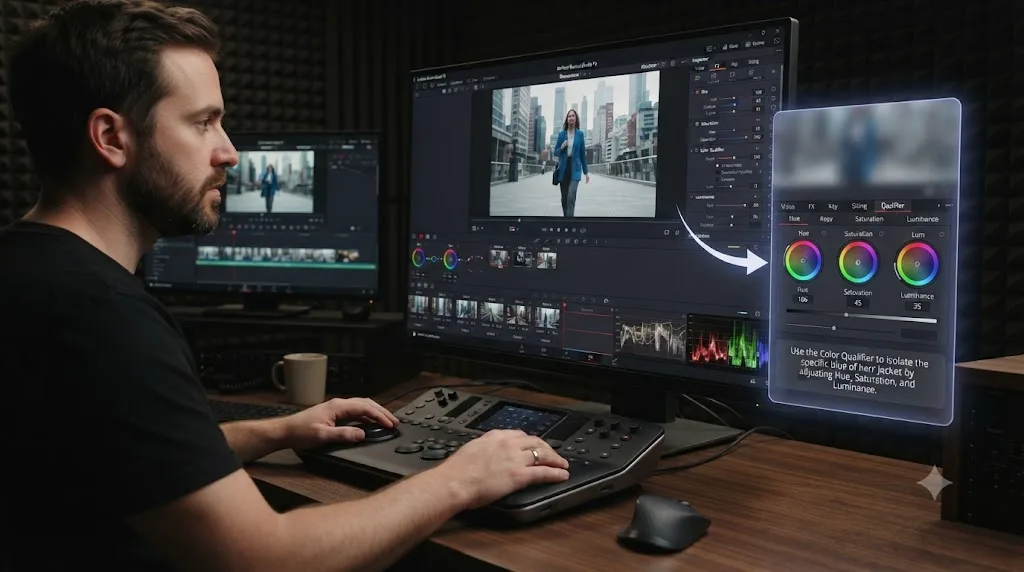
TryUncle is the on-screen assistant built specifically for DaVinci Resolve, and only DaVinci Resolve, running on macOS. It watches the app while you work, and instead of sending you to a video or a wall of text to answer a two-second question, it points at the actual control you're looking for, live, inside the Edit, Color, and Fusion pages. You can ask it things by voice, by pointing at your own screen for visual confirmation of what you're looking at, or by typing. It isn't free: it's a paid subscription at $34.99/month with cancel-anytime billing, and you can check the current price at TryUncle.
Compare that directly against the five categories above. A chatbot answers in words, blind to your project. Claude's scripting connection acts on your project but requires you to already know the command you want run, and it needs Studio. Blackmagic's guides teach a fixed sequence regardless of where you actually are. Recut and the Neural Engine automate specific mechanical tasks without explaining anything. TryUncle is the only one built to sit inside your live session and answer "where is that thing" by showing you, not telling you.
The most useful tool is never the one that knows the most. It's the one that can see the exact thing you're stuck on. That's the entire argument for an in-app tutor over a general chatbot: the context a chatbot has to guess at, which page you're on, what your node graph looks like, which button you already tried, is context TryUncle simply has, because it's watching the same screen you are.
There's a real, honest limitation worth naming, the same way the guides above name theirs. TryUncle only covers DaVinci Resolve, not Premiere Pro, Final Cut, or any other editor, and it runs on macOS only, so if you're on Windows or Linux, this tool isn't available to you at all. It's also not a replacement for the practice itself. Getting unstuck faster doesn't substitute for finishing your own project, the way our comparison of Udemy alternatives covers in more depth when weighing TryUncle against structured courses and video libraries.
How do all of these AI tools compare side by side?
Here's the full picture in one table, so you can weigh cost, platform, and what each one is actually for without flipping back through six sections.
| Tool | What it's for | Cost | Platform | Sees your project? |
|---|---|---|---|---|
| ChatGPT | General Q&A, scripting help, debugging | Free tier, paid tiers available | Any | No |
| Claude (chat) | Same as ChatGPT, similar strengths and gaps | Free tier, paid tiers available | Any | No |
| Claude + MCP scripting | Automating repetitive project tasks | Free chat, needs Resolve Studio ($295) | Requires Studio license | Yes, via API only |
| Blackmagic's free training | Structured curriculum from zero | Free | Any | No |
| Recut | Removing silence via automated XML export | Free tier, paid tiers for longer exports | Any | Yes, on the footage you feed it |
| Neural Engine (Magic Mask, Voice Isolation, Speed Warp, Smart Reframe) | Automating one specific editing task | Requires Resolve Studio ($295) | Studio only | Yes, on the clip you apply it to |
| TryUncle | Live, in-app guidance and answers | $34.99/mo (see site) | macOS only | Yes, live |
Read the last column carefully. Most of the tools people reach for first, ChatGPT and Claude in chat form, are the ones with zero visibility into what's actually on your screen. That's not a flaw exactly, it's simply not what they were built for. The tools that do see your project either automate a fixed task (Recut, the Neural Engine) or require you to already know the exact command to run (Claude via MCP). TryUncle is the only row built to see your project and respond to an open-ended question about it, live.
Which AI tool should you actually use, based on what you're stuck on?
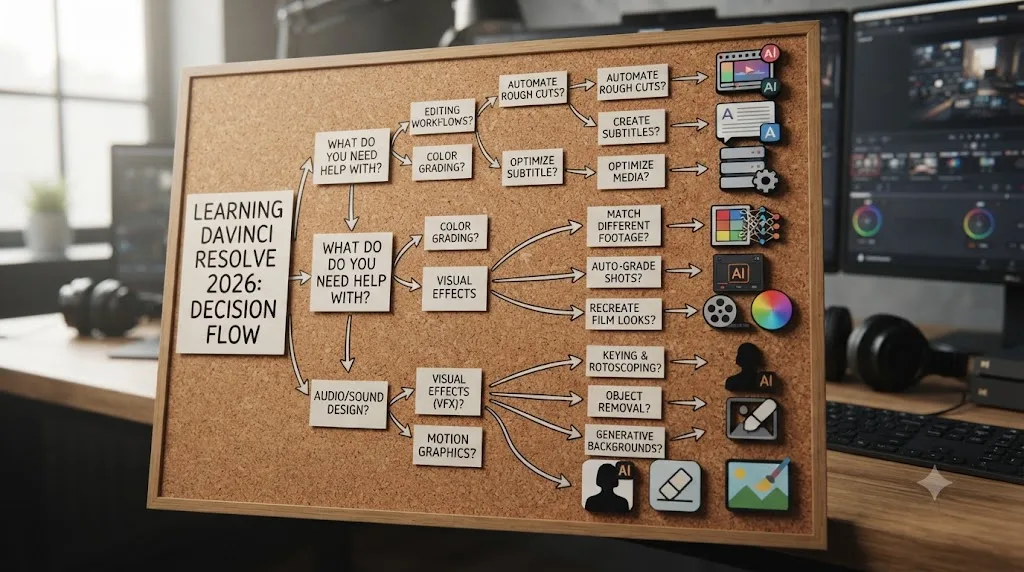
Match the tool to the actual shape of your problem, not to whichever name you'd already heard of. This is the table I'd want in front of me before opening any of them.
| You're stuck on... | Reach for | Why |
|---|---|---|
| A general editing or color term you don't understand | ChatGPT or Claude | Declarative facts, no project context needed |
| A Fusion node graph doing something unexpected | Blackmagic's Visual Effects guide first, then a chatbot to verify | Fusion is visual and node-based; text-only chatbots guess wrong here more often |
| Repetitive project setup (bins, naming, render queues) | Claude + a scripting MCP server (Studio required) | Automates the mechanical part once you know exactly what you want |
| Learning the whole app from scratch | Blackmagic's free official guides | Structured, sequenced, and accurate by definition |
| A long unscripted interview full of dead air | Recut | Built for exactly this, exports straight into Resolve |
| Manually masking a subject for every frame | Magic Mask (Studio) | Automates a task that used to take real time |
| A shot that needs to go from 16:9 to 9:16 | Smart Reframe (Studio), see our troubleshooting guide if it's not working | Purpose-built for exactly this conversion |
| "Where is the control for this, right now, in my project" | TryUncle | The only tool here that watches your live screen |
| Whether you should be watching another video at all | Neither, close the tab | See our piece on why watching tutorials doesn't work |
Most real editing sessions touch more than one row in a single afternoon. You might open Blackmagic's Colorist Guide to understand what a qualifier does conceptually, then get stuck on where that qualifier actually lives in your project and ask TryUncle to point at it, then use Recut on a long raw interview before any of that even starts. These tools aren't competing for the same job. Pick based on the specific thing blocking you right now, not based on picking one tool to rule your whole workflow.
Do AI tools replace tutorials and courses entirely?
No, and treating them as a replacement misses what tutorials and courses were ever actually good for. Our deep dive into why watching tutorials doesn't work covers the underlying research in full, but the short version applies directly here: watching a correct answer performed for you, whether by a video instructor or an AI tool executing a command, trains recognition, not the recall you need when you're facing your own blank project with nothing paused beside it.
Every tool covered in this post sits somewhere on that same spectrum. Watching Claude execute a scripting command is still watching. Reading ChatGPT's explanation of a workflow is still reading someone else's (in this case, something's) answer rather than generating your own. Even TryUncle, built specifically to close the gap between a chatbot and your actual project, is still fundamentally answering a question you asked, not doing the practice for you.
None of these tools should be marketed, or used, as a substitute for finishing your own project. What they change is how much of your session gets spent stuck versus building. A chatbot that answers a scripting question in ten seconds instead of forty minutes of trial and error gives you back forty minutes for the part of editing that's actually yours: the pacing decision, the color call, the judgment about whether a cut is too slow. That's the honest value proposition across this entire category, not "AI teaches you Resolve," but "AI removes friction so more of your time goes toward the practice that actually builds skill."
What are the risks of learning DaVinci Resolve from a chatbot?
The clearest documented risk is exactly the one covered earlier: a general chatbot confidently describing a workflow that doesn't match the actual software, especially in Fusion. The Blackmagic Forum thread on ChatGPT and Fusion is real, first-hand evidence of this, not a hypothetical. When a model has been trained on the whole internet rather than specifically on Resolve's manual, it will sometimes generate an answer that sounds completely plausible and is simply wrong, and nothing about the interface tells you which category you're getting.
A second, quieter risk is version drift. DaVinci Resolve gets meaningful interface and feature changes across major releases, and a chatbot's training data has a cutoff date. Ask about a feature added in a recent release and you can get an answer describing an older interface, or worse, told confidently that a feature doesn't exist because it postdates the model's training. This is exactly the failure mode Jai Bhagat's documentation-grounded approach, covered earlier, is built to prevent by forcing the agent back to a specific, current PDF page rather than trusting its own memory.
A third risk is more specific to the automation category. Giving Claude direct scripting access to your project through an MCP server means it can actually change things, not just describe changes. The samuelgursky/davinci-resolve-mcp project addresses this by treating camera originals and source media as immutable by design, writing analysis output only to sidecar or scratch directories rather than overwriting source files. That's a thoughtful safeguard, but it's a safeguard built by one specific open-source project, not a universal guarantee. If you connect any AI tool to your live project through a script, know exactly what permissions you've granted it before you do.
Here's the practical checklist worth running before you trust an AI answer about Resolve:
- Is this a declarative fact (where something lives, what a term means) or a judgment call (does this look right)? Chatbots are far more reliable on the first than the second.
- Does this involve Fusion's node graph specifically? Treat chatbot answers here with extra skepticism and verify against the official Visual Effects guide.
- Could this feature have changed or been added recently? If so, check Blackmagic's own What's New documentation before trusting a chatbot's memory.
- Am I giving this tool write access to my project? If yes, know exactly what it can touch, and keep backups before you let any automation run against a live edit.
A wrong answer from a chatbot costs you the time it takes to notice it's wrong, but a wrong automated action against your live project can cost you actual work. That asymmetry is the reason to treat conversational AI help and scripted AI automation as genuinely different risk categories, even when the same underlying model is doing both.
Does the free version of Resolve limit which AI tools you can use?
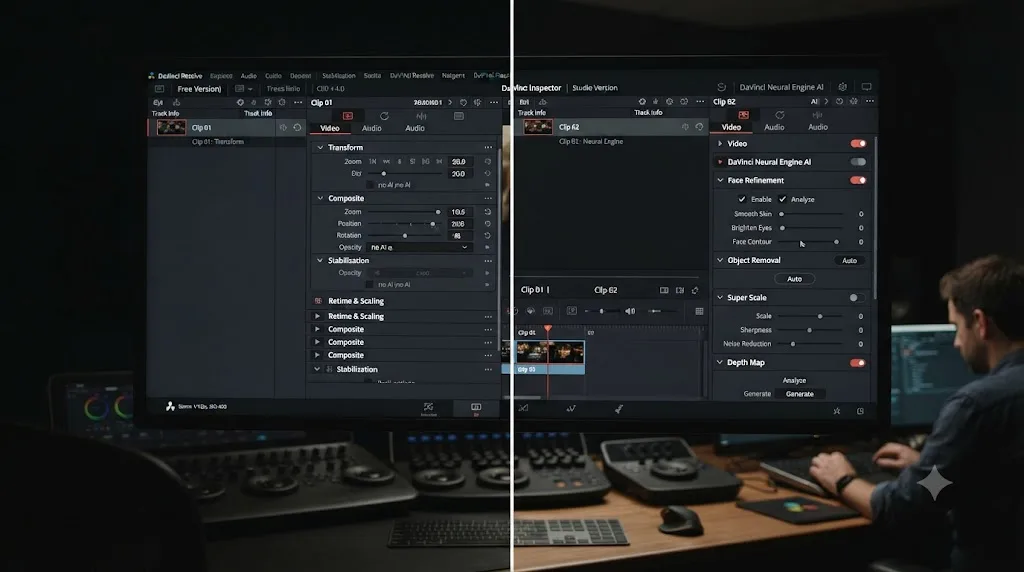
Yes, meaningfully, and it's worth mapping out before you assume every tool on this list is available to you regardless of which version you're running. According to Blackmagic's own product page, the free version supports resolutions up to Ultra HD 3840x2160 at up to 60fps, with multi-user collaboration and HDR grading included, and it's genuinely full-featured for core editing, color, Fairlight audio, and Fusion compositing. What it doesn't include is the Neural Engine's more advanced AI tools or external scripting access.
Here's the split, mapped against every tool covered in this post:
| Tool | Works on free Resolve? |
|---|---|
| ChatGPT | Yes, independent of Resolve version |
| Claude (chat) | Yes, independent of Resolve version |
| Claude + MCP scripting | No, requires Resolve Studio 18.5+ |
| Blackmagic's free training | Yes, teaches both versions |
| Recut | Yes, exports an XML regardless of Resolve version |
| Magic Mask, Voice Isolation, Speed Warp, Smart Reframe | No, Studio only |
| TryUncle | Yes, TryUncle itself doesn't require Studio, though it can point at Studio-only features if you have them |
If you're on the free version and specifically want the Neural Engine's automated tools, the $295 one-time Studio purchase is the only path there; there's no trial toggle or feature unlock inside the free app. If your actual goal is learning the software rather than automating a specific task, most of this list, ChatGPT, Claude's chat interface, Blackmagic's entire free curriculum, Recut, and TryUncle, works identically regardless of which version you're running. The free version of DaVinci Resolve is not a limited demo. It's the same core application, with a specific, named set of AI features held back for Studio, and most of the AI tools built to help you learn it don't care which side of that line you're on.
What's the fastest path to learning DaVinci Resolve with AI in 2026?
Stack them, in this order, rather than picking just one. Start with Blackmagic's free official guides for the sequence and vocabulary you don't have yet; there's no faster way to get oriented correctly than material written by the people who built the software. Keep ChatGPT or Claude open in a second tab for the two-second declarative questions that would otherwise cost you a menu hunt, and stay skeptical the moment the question touches Fusion's node graph specifically. If you're editing long-form raw footage with a lot of dead air, run it through Recut before you touch a timeline by hand. Once you're on Resolve Studio, let Magic Mask, Speed Warp, and Smart Reframe do the repetitive automated work they're built for, and consider Claude's scripting connection once you already know exactly what task you want automated.
Then, for the moment none of that actually covers, being mid-project, stuck on one control, not wanting to pause and go read a manual or type out a paragraph describing your screen to a chatbot that can't see it, that's the specific gap TryUncle was built to close. It's a paid app at $34.99/month, cancel anytime, it's macOS-only, and it's the one tool on this entire list built to watch your actual project and point, not describe.
None of this replaces finishing your own edit, badly, on your own footage, with nobody's video paused beside it. That part was never going to be a tool's job. What's changed in 2026 is how much friction sits between you and that finished project, and for the first time, most of that friction has a real answer with a name attached to it.
Frequently asked questions
- What is the best AI tool for learning DaVinci Resolve?
- It depends on what you're stuck on. ChatGPT and Claude are best for general debugging and scripting questions, Blackmagic's free official guides are best for a structured curriculum from zero, and TryUncle is the only one built to watch your actual project and point at the control you need live inside the app.
- Can ChatGPT actually teach me DaVinci Resolve?
- It can answer declarative questions well, where a setting lives, what a term means, how to structure a Python script, but it has no view of your actual project or screen, and users on the Blackmagic Forum have reported it giving technically flawed instructions for Fusion-specific tasks like node-based expressions.
- Does Claude work inside DaVinci Resolve?
- Not natively. Community-built Model Context Protocol servers connect Claude to Resolve's official scripting API, which lets it run Python or Lua commands against your project. That requires DaVinci Resolve Studio (the free edition lacks external scripting support), some setup, and it doesn't cover Fairlight audio parameters.
- Is Blackmagic's free DaVinci Resolve training still available?
- Yes. Blackmagic Design publishes six free training guides as downloadable PDFs, covering editing, color, audio, and visual effects, each with lesson project files and a free online exam, at blackmagicdesign.com/products/davinciresolve/training.
- Do I need DaVinci Resolve Studio to use these AI tools?
- For some of them, yes. Magic Mask, Voice Isolation, Speed Warp, and Smart Reframe are all Studio-only Neural Engine features. ChatGPT, Claude's chat interface, Blackmagic's free training, and Recut all work with the free version of Resolve. Claude's scripting-API connection needs Studio.
- Is TryUncle free?
- No. TryUncle is a paid subscription at $34.99/month with cancel-anytime billing. It's an assistant built specifically for DaVinci Resolve on macOS that watches your project and points at the actual control you're looking for inside the Edit, Color, and Fusion pages.
- Can AI tools replace a DaVinci Resolve course entirely?
- No, and none of the tools on this list are built to. Every one of them answers a specific kind of question well and does nothing for the judgment you can only build by finishing your own project. Use them to remove friction, not to skip the practice.
- What's the difference between an AI chatbot and the on-screen assistant for DaVinci Resolve?
- A chatbot like ChatGPT or Claude answers a question you type, with no view of your actual project. An in-app tutor like TryUncle watches your screen while you work and can point at the exact button or node you're looking for, without you leaving the app to describe your problem in words.
Sources
- DaVinci Resolve product page and Studio pricing (Blackmagic Design)
- DaVinci Resolve Training (Blackmagic Design)
- Blackmagic Publishes Comprehensive Free DaVinci Resolve 20 Training Guides, by Andy Stout (RedShark News)
- The 7 Best AI and Neural Engine Features in DaVinci Resolve Studio 18.6 (No Film School)
- DaVinci Resolve 21 AI Features: My Honest Review, by Kunal Ganglani
- Remove Silence with DaVinci Resolve and Recut
- Blackmagic Forum - Has anyone tried ChatGPT to get help with Resolve/Fusion?
- GitHub - ChaiWithJai/davinci-resolve-claude-skills, by Jai Bhagat
- GitHub - samuelgursky/davinci-resolve-mcp
- DaVinci Resolve free vs Studio: What's included in each version (Storyblocks)
- TryUncle
Learn by doing, not watching
Stop translating tutorials to your timeline.
TryUncle stays beside Resolve on Mac and Windows. When you ask, Uncle sees your screen and points at the exact control you need. No hunting through tabs, timestamps, or mismatched tutorials.
Meet TryUncleKeep reading
 GuidesJul 8, 202629 min read
Why Watching Tutorials Doesn't Work (And What Actually Builds Skill)
Why watching tutorials doesn't work: it trains recognition, not recall. The research on active practice, retrieval, and how to actually break out of tutorial hell.
 ComparisonsJul 8, 202633 min read
12 Best Udemy Alternatives in 2026 (Free and Paid)
We compared 12 Udemy alternatives, free and paid, to help you pick the right one for what you're actually trying to learn.
 GuidesJul 9, 202638 min read
DaVinci Resolve Smart Reframe Not Working: Every Fix
Why DaVinci Resolve's Smart Reframe does nothing, drifts off the subject, or fights your timeline, and the proxy, resolution, and GPU fixes that solve it.