
Learn / Learning in the Age of AIupdated for TryUncle /learn (July 2026)
Why Watching Tutorials Doesn't Work (And What Actually Builds Skill)
Quick answer
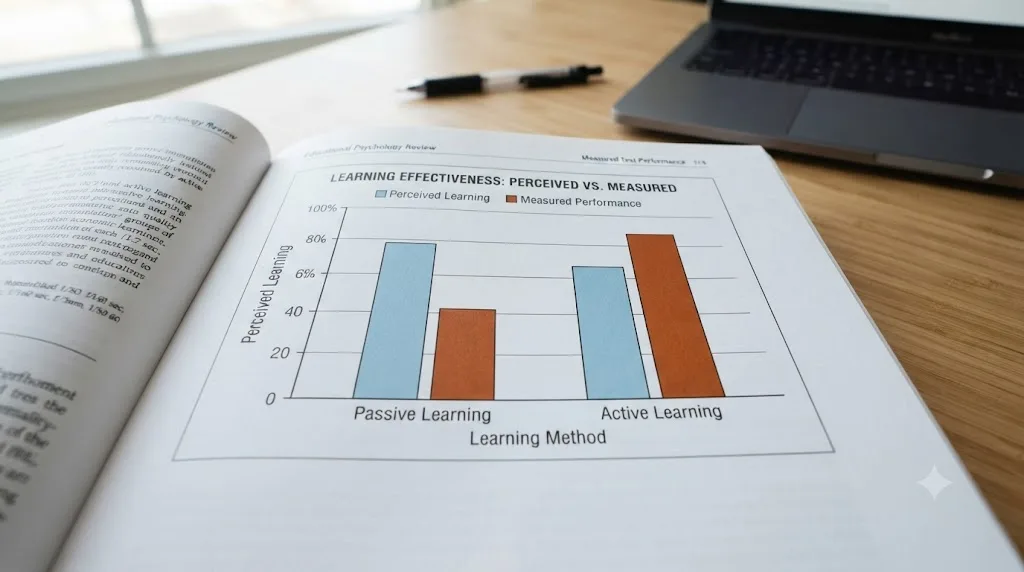
Watching tutorials doesn't work because it trains recognition, not recall. Following someone else's steps under their guidance feels like learning, but skill only forms when you retrieve and apply information under your own effort. Research on active learning shows perceived learning and actual learning move in opposite directions, so passive watching builds false confidence, not durable skill.
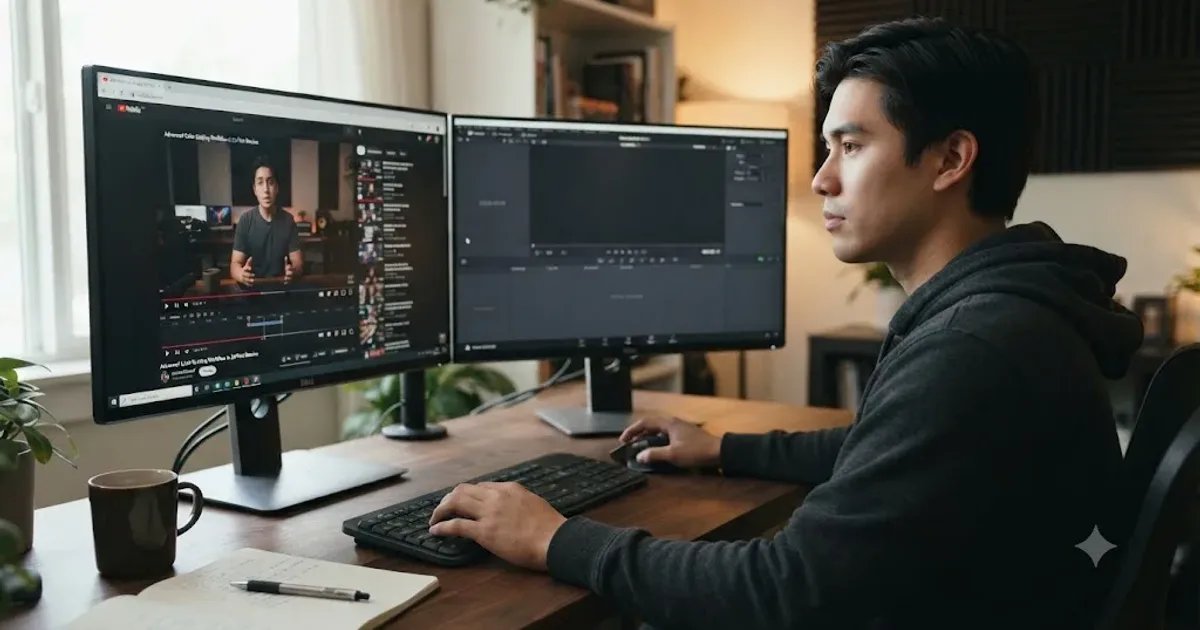
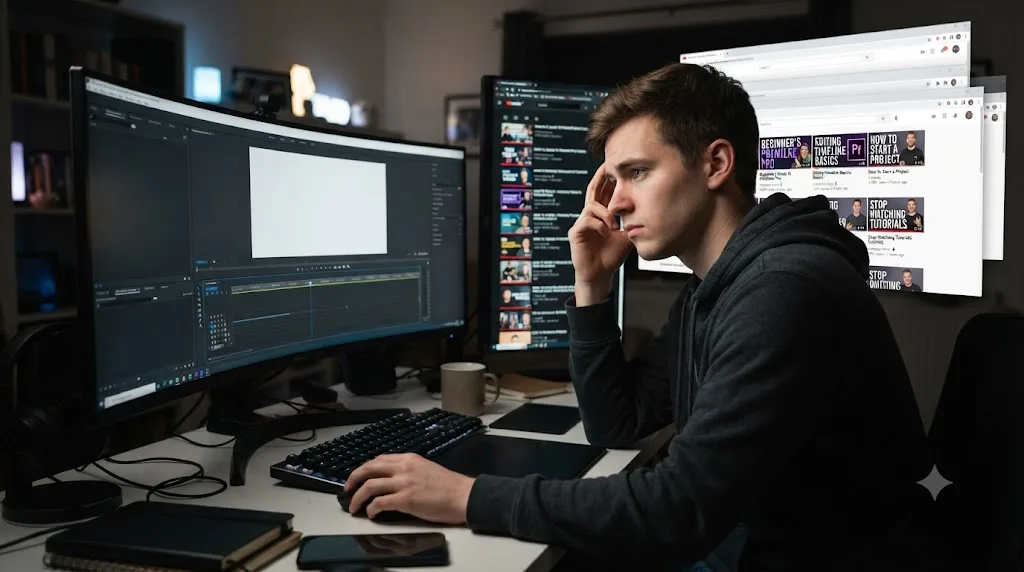
You've watched the video. You understood every step. You could practically narrate it back. Then you opened your own project, stared at a blank timeline, and had no idea where to start.
That gap isn't a sign you weren't paying attention. It's what happens every time, to everyone, because watching and doing use different parts of your brain, and only one of them builds a skill that survives contact with a real problem.
This is the mechanism behind that gap: why it happens, what the research actually shows, why it hits some skills harder than others, and what to do instead the next time you catch yourself reaching for one more video before you're willing to touch the work itself.
Why does watching a tutorial feel like learning when it isn't?
Because your brain confuses two different things: how easy something feels right now, and how well you'll be able to do it later. Psychologists call this the fluency illusion, and it's one of the best-documented traps in learning research.
Asher Koriat and Robert Bjork ran studies where people learned word pairs and then predicted how well they'd remember them later. Pairs that felt easy and obvious during study got confident predictions. On the actual test, those same easy pairs were often remembered worse than the ones that had felt effortful. The feeling of "I've got this" measured during the easy part of learning had almost no relationship to what stuck. Their research, published through the Bjork Learning and Forgetting Lab at UCLA, calls this an illusion of competence: high performance during a guided session often reflects guided performance, not stored skill.
A tutorial is engineered, deliberately or not, to maximize that fluency feeling. The instructor has already made every decision: which button to click, in what order, with the mistakes edited out. You watch a smooth, correct sequence with zero friction, and smoothness feels like understanding. The ease of following along is not evidence that you've learned something. It is frequently evidence of the opposite.
The tell is what happens the moment the guardrails come off. In the video, you never had to decide what to do next, because the video decided for you. In your own project, that decision is the entire task, and it's the one thing the tutorial never actually asked you to practice.

What is "tutorial hell," exactly?
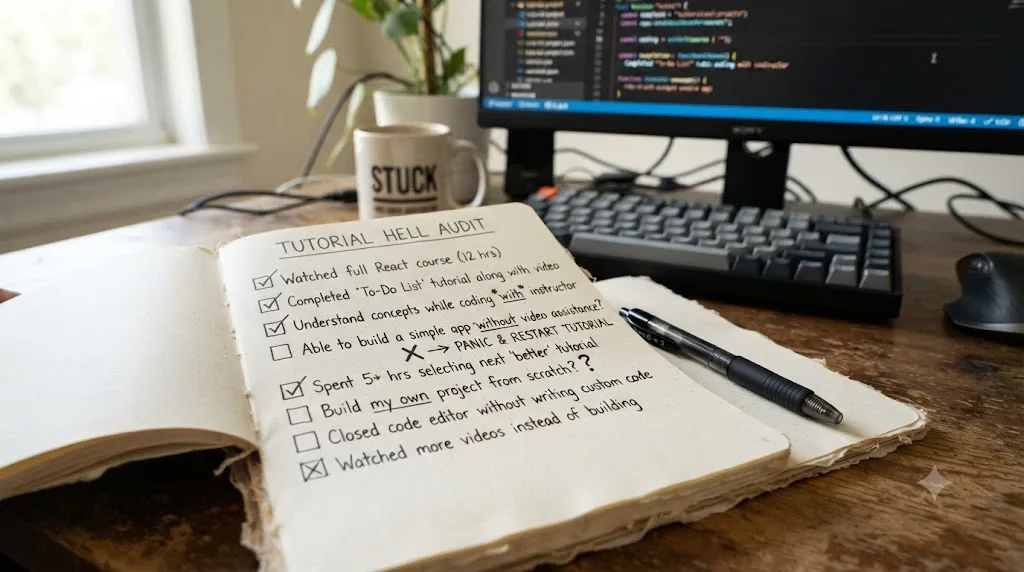
Tutorial hell is a term that grew up inside programming communities to describe a specific, recognizable trap: someone keeps consuming tutorial after tutorial, feels productive the whole time, and still can't build anything without a video open next to them. As one breakdown from WBS Coding School puts it, it happens when you get used to learning by hand-holding and can't learn any other way, which leaves you stuck at an amateur level no matter how much material you've been through.
The name fits because the loop has no natural exit. Finishing a tutorial gives you a small, real hit of accomplishment: a checkbox ticked, a project "completed" alongside the instructor. That hit is satisfying enough that starting the next tutorial feels like progress too, and the cycle repeats without ever forcing the harder, blanker moment of building something on your own.
Tutorial hell isn't specific to code. It shows up anywhere a step-by-step video exists: video editing, music production, 3D modeling, cooking, home repair, guitar. Anywhere you can pause a video and copy the next move exactly, you can get stuck copying moves forever without ever practicing the judgment that makes the moves useful on a project the video never covered.
It's also worth being precise about what tutorial hell is not. It isn't laziness, and it isn't a lack of intelligence. It's a completely predictable consequence of a learning method that never asks you to generate an answer, only to recognize one. You can watch a thousand hours of correct answers and still never practice the skill of producing one from nothing, because recognizing and producing are different mental operations entirely.

How do you know you're actually stuck in it?
Tutorial hell rarely announces itself. It feels like diligence, not avoidance, which is exactly what makes it hard to notice from the inside. A few honest signals separate real preparation from the loop:
| Signal | Preparing | Stuck in tutorial hell |
|---|---|---|
| What you do after finishing a tutorial | Immediately try the same task without the video | Immediately start a new tutorial |
| Your own project | Exists, even if ugly or unfinished | Doesn't exist yet, or was abandoned at the first snag |
| Reaction to getting stuck | Look up the one specific thing, then keep working | Search for "a better tutorial" that skips the stuck part entirely |
| How you'd describe your last month | A messy project you kept returning to | A list of courses and videos completed |
| Confidence versus output | Confidence outpaces anything you've actually built | Matches roughly what you can independently produce |
None of these signals is damning on its own. Watching a second tutorial after the first one is sometimes exactly the right call, if the first one left a specific real gap. The pattern that matters is the ratio over time: are tutorials feeding a project, or replacing one? If you can't point to something you built without a video paused next to you in the last two weeks, that's the honest answer, whatever the confidence in your head is telling you.
What does the actual research say about watching versus doing?
The clearest large-scale evidence comes from a physics classroom, not a coding bootcamp, but the mechanism is identical. Louis Deslauriers and colleagues at Harvard ran an experiment across a 15-week introductory physics course: for one unit, half the students got a polished, expert-delivered lecture, and the other half got active, hands-on problem-solving with less direct instruction. The groups then swapped for the next unit, and both were tested on the material and surveyed on how much they felt they'd learned.
The result, published in the Proceedings of the National Academy of Sciences, was almost the opposite of what students predicted about themselves. Students in the active, hands-on sessions scored better on the actual content tests. But they reported feeling like they'd learned less than in the smooth, polished lectures. As the researchers summarized it, actual learning and the feeling of learning were strongly anticorrelated: the condition that produced more real learning felt worse while it was happening, and the condition that felt best produced less of it.
That single finding explains why tutorial hell is so persistent. A polished tutorial is engineered to feel exactly like that smooth, expert-delivered physics lecture: clear, confident, frictionless. It generates the feeling of learning in abundance. It just doesn't reliably generate the learning itself, and there's no built-in mechanism inside a video that tells you the gap exists until you're the one holding the tools with no instructor beside you.
A second body of research points at the same gap from a different angle: retrieval. Jeffrey Karpicke and John Blunt ran a study comparing students who reread material, students who built detailed concept maps of it, and students who simply tried to recall it from memory with nothing in front of them. The retrieval group, the one forced to generate the answer rather than review it, came out ahead in the published results, including on questions that required inference rather than plain recall. Trying to remember something and getting it wrong, or struggling to get it right, builds a stronger memory trace than reviewing the correct version one more time ever does.
Put the two studies together and the pattern is unambiguous. Ease during practice and durability afterward are almost unrelated, and a tutorial optimizes for the one that doesn't last. Following along is a form of rereading with extra production value. Building your own project, badly, from a half-remembered idea, is the retrieval condition. One of those two builds a memory that survives the video ending. The other one doesn't.
Why does recognition feel exactly like recall, right up until it doesn't?
This is the mechanical heart of the whole problem, and it's worth being precise about it, because the two feel identical from the inside until the moment they're tested.
Recognition is what happens when a tutorial shows you a step and you go "yes, that's right, that makes sense." Your brain is matching the thing on screen against something already familiar, and that match happens fast and feels like understanding. Recall is what happens when the screen is blank and you have to generate the step yourself, with nothing to match against. It's slower, it's uncomfortable, and it's the actual skill every real project demands.
A tutorial only ever asks for recognition. You watch the instructor click the correct tool, and your brain nods along in agreement. You never had to produce that click from an empty state, because the video produced it for you. The developer and writer Leon Martin put the everyday version of this bluntly in a widely shared piece on programming tutorials: "Following along with a tutorial is like painting by numbers... Real coding? You're staring at a blank canvas, trying to figure out what the hell to even draw." His sharper line cuts straight to the diagnostic test: "Until you can build something without a step-by-step guide, you're not really coding, you're just mimicking."
That distinction between mimicking and doing applies just as cleanly outside of code. Following a color-grading tutorial and nodding along as the instructor pushes a lift wheel is recognition. Opening your own clip, with no reference frame playing beside it, and deciding for yourself whether it needs more lift or more gamma, is recall. You cannot outsource judgment to a video, because judgment is exactly the thing a video can't show you developing. The instructor already has the judgment. What you're watching is the output of it, not the practice that built it.
Why doesn't watching a skilled person do something transfer the skill to you?
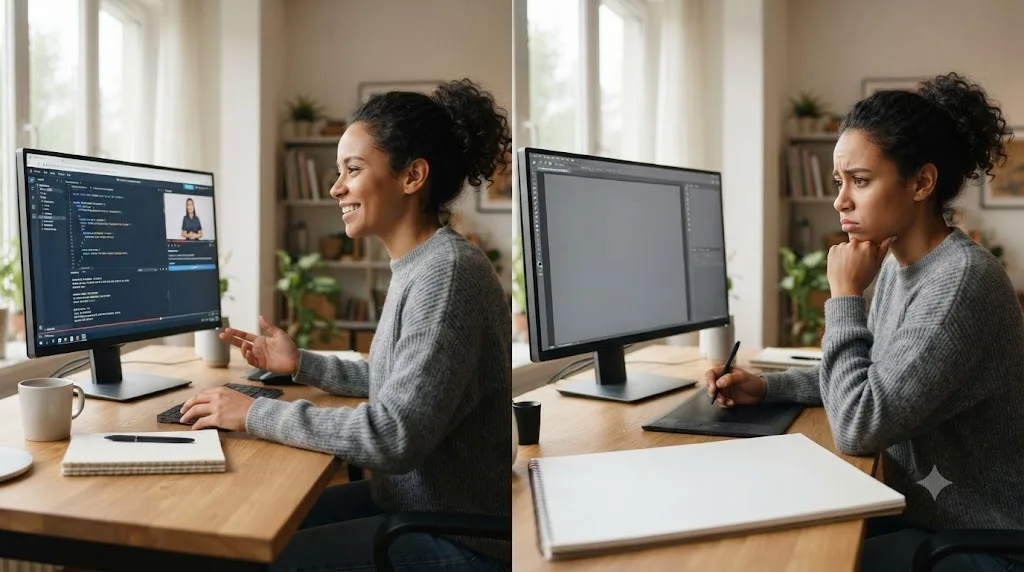
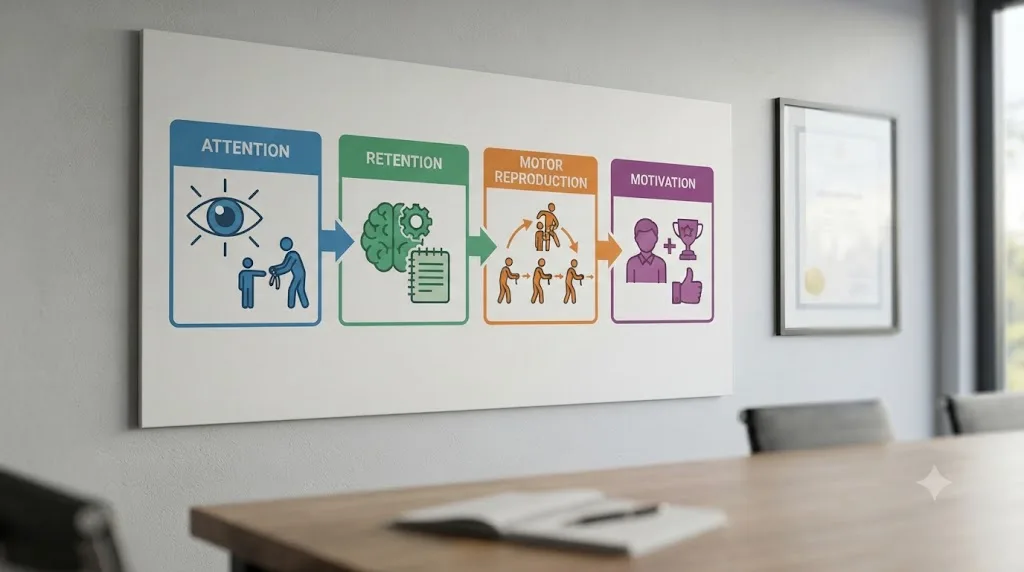
Albert Bandura's social learning theory is the foundational account of learning by observation, and it's often misquoted as proof that watching is enough. It isn't, and Bandura's own model says so directly. His framework describes four required stages: attention, retention, motor reproduction, and motivation. Watching a tutorial covers the first two reasonably well. It rarely touches the third at all.
Motor reproduction is the step where you actually attempt the behavior yourself, with your own hands, on your own material, and find out whether you can physically or mentally reproduce what you watched. Bandura's model treats this as a distinct, necessary stage, not a formality. Watching a skilled colorist balance a shot doesn't give your eye the trained sensitivity to color casts that took them years to build. Watching an editor cut on action doesn't give your hands the timing. The observation gets you the shape of the skill. The reproduction, the part no video does for you, is where the skill actually forms.
This is also why some skills survive tutorial hell better than others. Purely informational tasks, remembering a menu location, a keyboard shortcut, a setting's name, transfer from a video reasonably well, because they don't require much motor reproduction or judgment. Anything involving a trained eye, trained hands, or on-the-fly decision-making under real conditions doesn't transfer that way, because the video was never testing the part of you that the real task actually needs.
Is tutorial hell different depending on what you're learning?
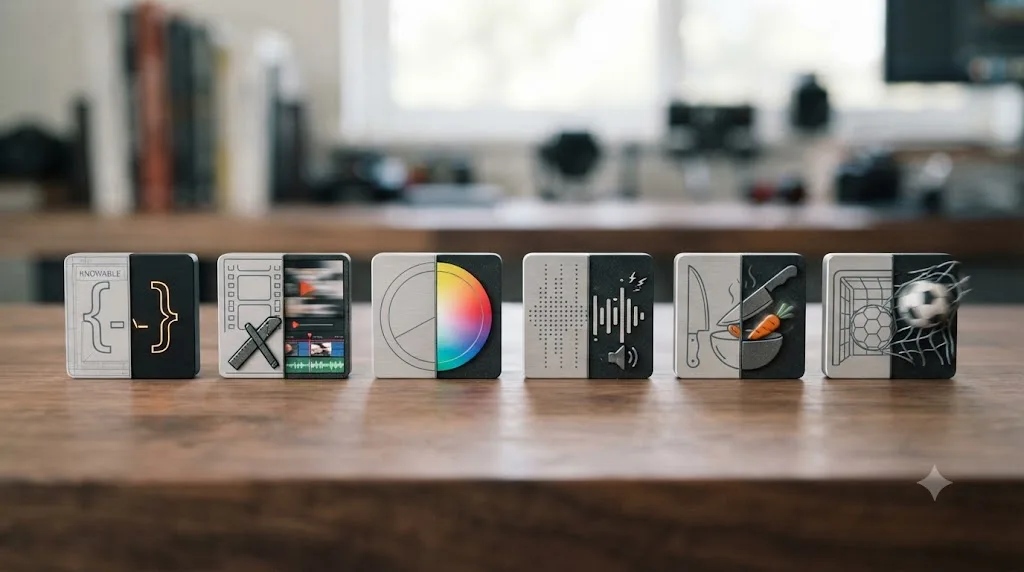
The core mechanism, recognition without recall, is identical everywhere. But how hard it bites depends on how much of the skill is declarative knowledge (facts you can state) versus procedural or perceptual skill (things you have to physically do or visually judge). Here's how that split plays out across a few common domains:
| Domain | What tutorials cover well | What they can't cover |
|---|---|---|
| Coding | Syntax, library names, where a function lives, what an error message usually means | Debugging your own novel bug, structuring a project you designed yourself, reading someone else's messy codebase |
| Video editing | Where a tool lives, what a keyboard shortcut does, export settings for a platform | Pacing a cut so it feels right, matching footage shot on different cameras, knowing when a scene is actually done |
| Color grading | Node structure, what a specific wheel or curve does, scope reading basics | Seeing a color cast before you can name it, matching shot to shot under real, imperfect footage |
| Music production | Plugin locations, basic signal flow, what compression technically does | Hearing when a mix is muddy, arranging a song that isn't a copy of the tutorial's |
| Cooking | Knife grip, a specific technique demonstrated once, ingredient ratios | Adjusting a recipe on the fly, judging doneness by smell and sound, recovering from a mistake mid-dish |
| Sports and fitness | Correct form shown once, the name of a movement | Actually building the strength or coordination to perform the movement under fatigue |
Notice the pattern. Every "covers well" column is a fact you could write down and recite. Every "can't cover" column is something that only exists inside a nervous system that has practiced it, under conditions the video can't replicate for you. A tutorial can tell you what a good cut feels like. It cannot make your hands feel it, because that only happens when your hands are the ones doing the cutting.
This is why creative software sits in a particularly stubborn spot. It combines a coding-style interface, full of specific buttons and settings that genuinely are declarative facts worth watching once, with a craft-style judgment layer, knowing when a grade looks right or a cut lands, that behaves exactly like a physical skill. Beginners often over-invest in the part tutorials are good at (memorizing where things live) and under-invest in the part they can't touch (building the eye or the hand). Our guide to how long it actually takes to learn DaVinci Resolve breaks that split down page by page, and it's the same split showing up in a different vocabulary.
Why do algorithms make tutorial hell worse than it used to be?
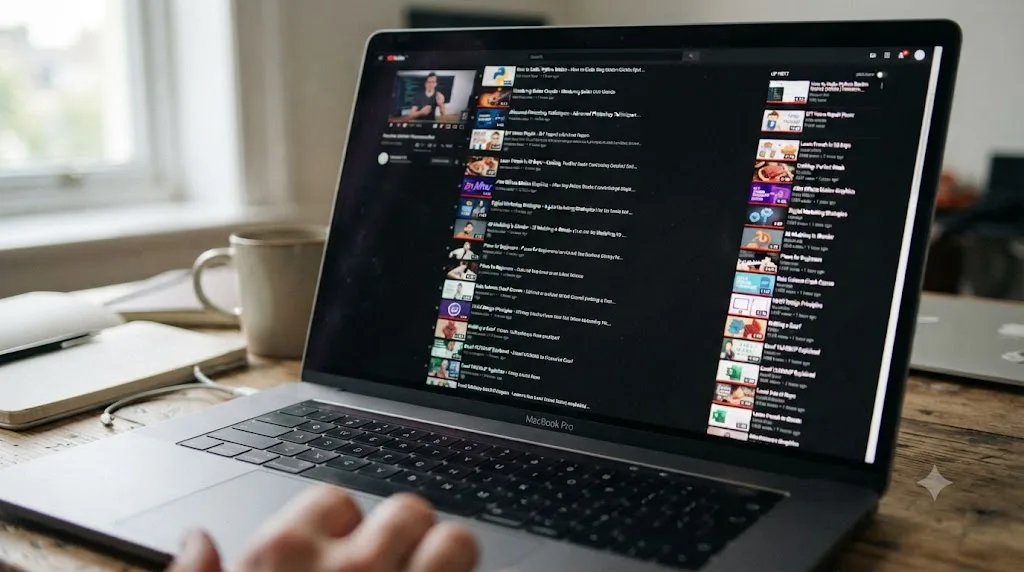
Tutorial hell existed before recommendation algorithms, but they've made the exit door harder to find. A platform built to maximize watch time has no reason to nudge you toward closing the tab and opening your own project. Its entire incentive runs the other direction: the moment one video ends, three more that look almost exactly as relevant are already queued.
That queue exploits the same completion feeling that makes tutorial hell self-sustaining in the first place. Finishing a video delivers a small, real sense of closure. A recommended next video promises another one of those closures, cheaply and immediately, while your own unfinished project offers nothing but the discomfort of a blank timeline and no guaranteed payoff. Given a choice between a guaranteed small reward and an uncertain, effortful one, most brains take the guaranteed reward, repeatedly, without ever noticing they've stopped producing anything.
There's a second layer to this that's specific to fast-moving software. New features and interface tweaks generate a fresh wave of "what's new" and "how to use X" content every release cycle, which gives you a permanently renewing excuse to keep watching instead of building. It always feels responsible to stay current. It's worth asking honestly, though, whether watching another release-roundup video is actually closing a gap in your work, or just extending the queue one more video at a time.
Does watching tutorials at 1.5x or 2x speed help, or just speed up the trap?
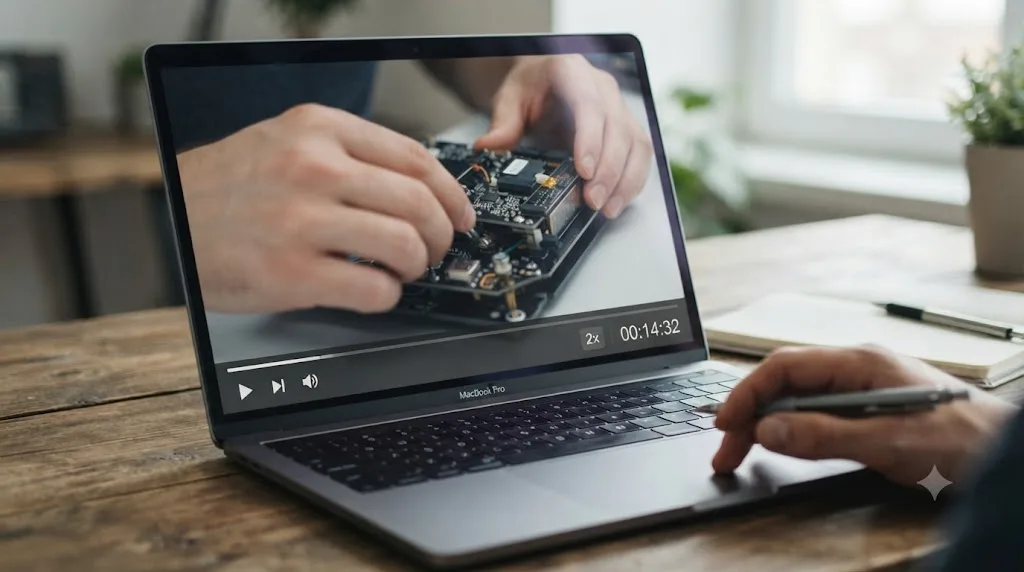
It mostly speeds up the trap. Sped-up playback is genuinely useful for one narrow purpose: getting through material you've already half-learned, or skimming for the one specific answer you need. Used that way, it saves real time without costing much, because you're using the video as a reference, not a teacher.
Used as your default study speed for new material, it tends to make the fluency illusion sharper, not weaker. Faster playback makes the presenter sound crisper and more confident, and that confidence transfers straight onto your own sense of understanding, exactly the mechanism Koriat and Bjork's research warned about. You're still only recognizing steps as they scroll past. Doing that faster doesn't convert any of it into recall. It just compresses more recognition into less time, which is precisely the wrong axis to optimize if recall is the actual bottleneck.
There's a practical middle path worth naming instead of an absolute rule. Watch new, unfamiliar material at normal speed once, ideally with your hands on the keyboard trying each step as it happens rather than watching passively start to finish. Save 1.5x and 2x for review, or for skimming a video you're only using to answer one specific question. Speed is a tool for the material you've already engaged with actively. It's not a shortcut past the engaging part.
What's actually different between a structured course and a tutorial binge?
Not the format. Both can be video. The difference is sequencing, feedback, and what the material asks you to do between lessons, and that difference matters more than most people give it credit for.
A well-built course sequences deliberately: lesson two assumes you've internalized lesson one, and it usually gives you an exercise or a project checkpoint that forces you to attempt something before moving on. A tutorial binge has no such structure. Each video is self-contained, satisfying on its own, and completely indifferent to whether you've retained anything from the last one. You can watch fifty unrelated tutorials and finish exactly as unable to start a blank project as when you began, because nothing in the sequence ever asked you to.
Feedback is the other half of it. The best courses build in some form of check, a graded assignment, a required project submission, a quiz that fails you if you were only pattern-matching. That check is what turns passive content into something closer to the retrieval practice that Karpicke and Blunt's research showed actually works. A tutorial you watch alone, with nobody checking whether you could reproduce it, skips that check entirely, and skipping it is exactly what lets the fluency illusion survive unchallenged.
None of this means tutorials are worthless and courses are automatically good. Plenty of paid courses are just a tutorial binge with a price tag attached, no real project checkpoints, no accountability, just more polished production value. The test isn't the label. It's whether the material, at some point, makes you generate an answer instead of just recognize one. Our roundup of DaVinci Resolve courses specifically calls out which ones are built around real projects instead of lecture hours, because that distinction is the entire ballgame.

Why do beginners fall into tutorial hell more than intermediate learners?
Beginners have the least defense against the fluency illusion, for a structural reason: they don't yet have enough of their own experience to notice when a video is making something look easier than it actually is. An intermediate learner watching a tutorial has a felt memory of how hard the equivalent task was for them, and that memory acts as a built-in reality check against the video's smoothness. A total beginner has no such check. The video's confidence becomes their only reference point, and it reads as accurate because they have nothing to compare it against.
Beginners also face a colder blank page than anyone else. An intermediate editor staring at an empty timeline at least has habits: a folder structure they trust, a rough sequence of steps they've done before. A true beginner has none of that scaffolding, so the discomfort of starting from nothing is maximal exactly when their tolerance for that discomfort is lowest. Watching one more video is the path of least resistance precisely when the alternative feels hardest.
The fix isn't "beginners shouldn't watch tutorials." It's lowering the stakes of the first independent attempt so the blank-page discomfort stops being the thing standing between watching and doing. A sixty-second clip and a single music track is a low enough bar that finishing it, badly, becomes easier than watching one more video to postpone starting it. Our beginner's guide to DaVinci Resolve is built around exactly that principle: get to a real, finished, ugly first project fast, before the tutorial queue has a chance to become the default.
Why do experienced people still fall into tutorial hell when learning something new?
Because the mechanism doesn't care about your experience level in other domains, only your experience level in this one. A ten-year video editor picking up 3D modeling for the first time is, for that skill, a total beginner, and every dynamic above applies to them exactly as it applies to someone who's never touched creative software. Competence in one area doesn't inoculate you against the fluency illusion in another.
If anything, experienced learners sometimes fall harder, for a specific reason: they know how to sound competent, and that fluency in language can mask the absence of underlying skill even to themselves. Being able to correctly explain what a node graph does, in your own words, feels like proof you understand Fusion. It's proof you understand the explanation. Whether you can build a working three-node composite from a blank canvas is a separate question the explanation never tested.
The honest response, for a skilled person picking up something new, is the same one that works for true beginners: treat this specific skill as a beginner skill, regardless of your general expertise elsewhere, and get to an ugly, independent first attempt fast rather than trusting your general competence to carry you past the part where actual practice is required.

How does this play out specifically in something like DaVinci Resolve?
Resolve is a useful case study precisely because it contains both kinds of knowledge in one app, side by side, and the split maps directly onto the recognition-versus-recall problem.
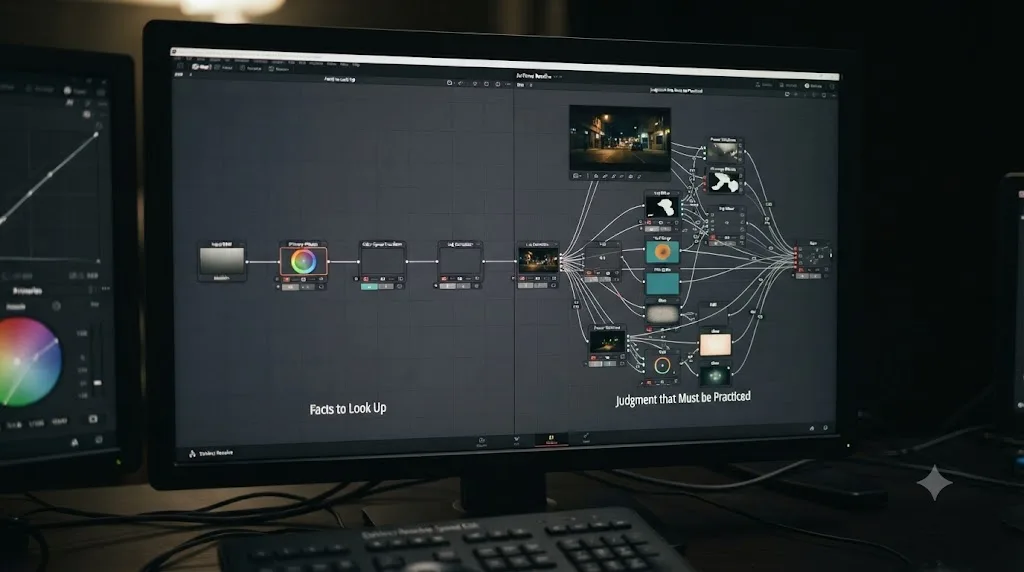
A huge amount of what beginners watch tutorials for is genuinely declarative: where the Color page lives, what a Gang node does, which export preset matches YouTube's specs. That's exactly the kind of fact a short video answers efficiently, and there's no shame or inefficiency in looking it up once instead of hunting through menus for twenty minutes.
The part that tutorials quietly fail to teach, no matter how many you watch, is the judgment layer sitting right beside those facts. Knowing that a lift wheel exists is not the same as knowing your own shot needs more lift. Knowing that a power window can isolate a face is not the same as noticing, on your own unfamiliar footage, that a face needs isolating in the first place. A tutorial gives you a working answer for someone else's shot. A project gives you a working eye for your own. Every hour spent watching someone else grade a demo clip is an hour not spent training the specific judgment that only shows up when the clip is yours and nobody's paused a video to point at the fix.
This is precisely why deliberate, unglamorous practice on your own footage compounds faster than another course does, once you're past pure orientation. Recall the retrieval research: attempting the grade yourself, getting it wrong, and correcting it builds a stronger, more durable version of the skill than watching the correct version demonstrated one more time. That's the whole argument for closing the video and opening your own clip sooner than feels comfortable.
What actually breaks the tutorial hell loop?
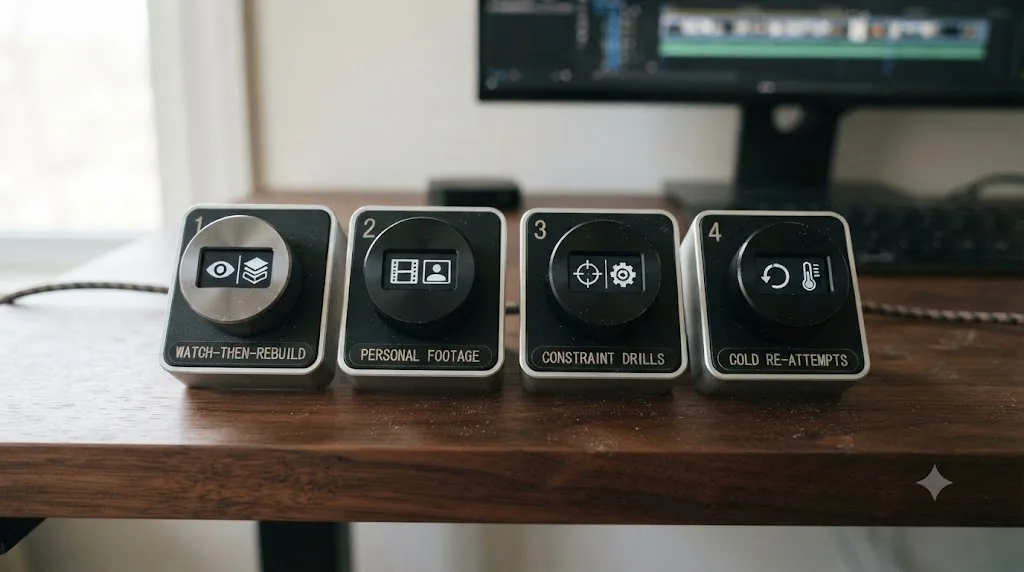
Four methods reliably convert recognition into recall, and none of them require abandoning tutorials completely. They just change when and how you use them.
- Watch once, then close it and rebuild from memory. Don't leave the video paused beside your project. The moment you have to remember the step instead of glancing at it, you've shifted from recognition to retrieval, and that struggle to remember is the actual practice, not an unfortunate delay before the real learning starts.
- Work on something you actually care about, not a tutorial's sample file. Caring about the outcome is what makes you push through the discomfort of a blank page instead of retreating to another video. A tutorial's demo footage was chosen because it's forgiving. Your own footage, with its own real problems, is what teaches judgment.
- Run one-constraint drills instead of full projects when you're stuck. If a full project feels too big to start, shrink it: grade ten clips to match one reference frame, cut sixty seconds using only three tools. A tight constraint isolates one skill and forces reps on exactly the thing you're avoiding, without the paralysis of an open-ended blank page.
- Come back to an old attempt cold, after real time has passed. Re-edit a project from a month ago without rewatching anything. The gap between the old version and what you'd do differently now is the most honest progress report available, and it only exists if you actually built something the first time.
None of these four methods say "stop watching tutorials." They say "change what happens immediately after." The habit that actually matters is closing the loop yourself, every single time, instead of letting the next autoplay video close it for you.
When is a tutorial actually the right tool for the job?
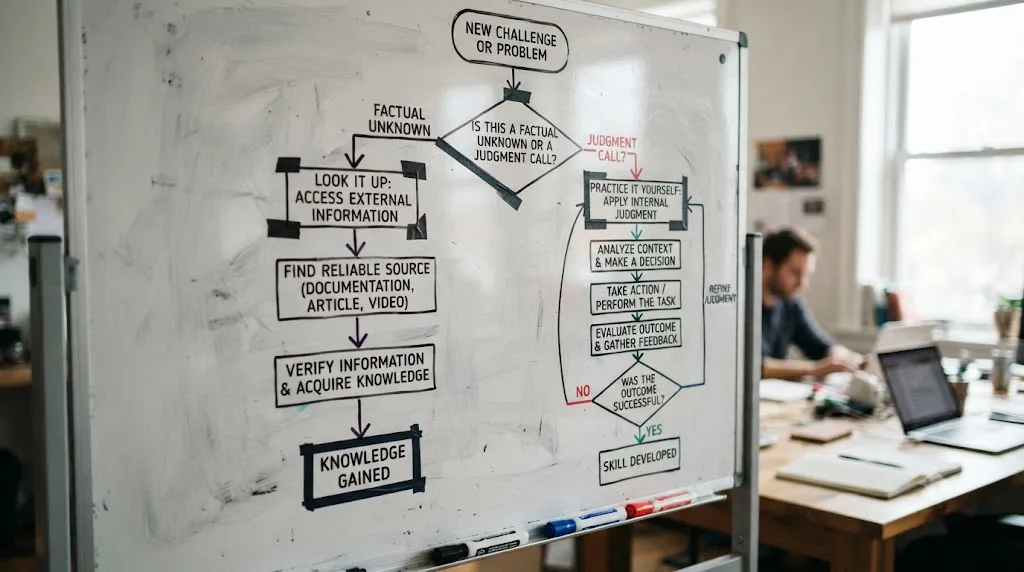
Tutorials aren't the villain here, misuse is. They're an excellent tool for a specific, narrow class of question, and a poor substitute for a completely different class of skill. Knowing which one you're facing is most of the fix.
Reach for a tutorial when the question is purely informational: "where is this setting," "what does this button do," "what's the correct export preset for this platform." These are facts with a single correct answer that doesn't change based on your judgment, and a two-minute video answers them faster than trial and error ever will. There's no virtue in refusing to look up a fact out of some misguided commitment to "figuring it out yourself." That's not deliberate practice, it's just slower.
Reach for practice, not another tutorial, when the question is a judgment call: "does this look right," "is this cut too slow," "why does this mix sound muddy." No video can answer these for your specific project, because the correct answer depends on your material, and the skill of recognizing the correct answer only exists inside a nervous system that has made that judgment repeatedly, with feedback, on real material. Watching someone else make the call a hundred times teaches you what their judgment looks like from the outside. It doesn't install that judgment in you.
A simple test, if you're not sure which category a question falls into: would the tutorial's answer be identical regardless of what your specific project looks like? If yes, it's a fact, go watch the two-minute video. If the right answer depends on your footage, your song, your dish, your specific attempt, it's judgment, and no amount of watching substitutes for building the judgment yourself.
What should you watch the first time you open a new tool, and what should you skip?
The first session with any new tool has a legitimate, narrow use for video: pure orientation. You genuinely don't know where anything is yet, and a short overview saves real time compared to randomly clicking through menus. The mistake isn't watching that first orientation video. It's treating orientation as a prerequisite that needs to be fully "completed" before you're allowed to touch the tool yourself.
Watch enough to answer three questions: where do things generally live, what's the rough order operations happen in, and what's the one thing that will break your first attempt if you don't know it exists (a save habit, a proxy setting, a project structure convention). That's usually one short video, not a playlist. Everything past that point stops teaching orientation and starts teaching recognition of steps you haven't needed yet, which you'll forget before you ever apply them.
Skip, on the first day, anything that isn't blocking your very first attempt: advanced features, edge cases, "10 pro tips," anything framed as "everything you need to know." You don't yet know what you need, because you haven't hit a wall that tells you. Tutorials framed as comprehensive are optimized to feel thorough, which is a fluency signal, not a usefulness signal. The wall you actually hit in your first real attempt will tell you exactly what to look up next, and it'll be a far shorter, far more relevant list than any "complete guide" could predict in advance.
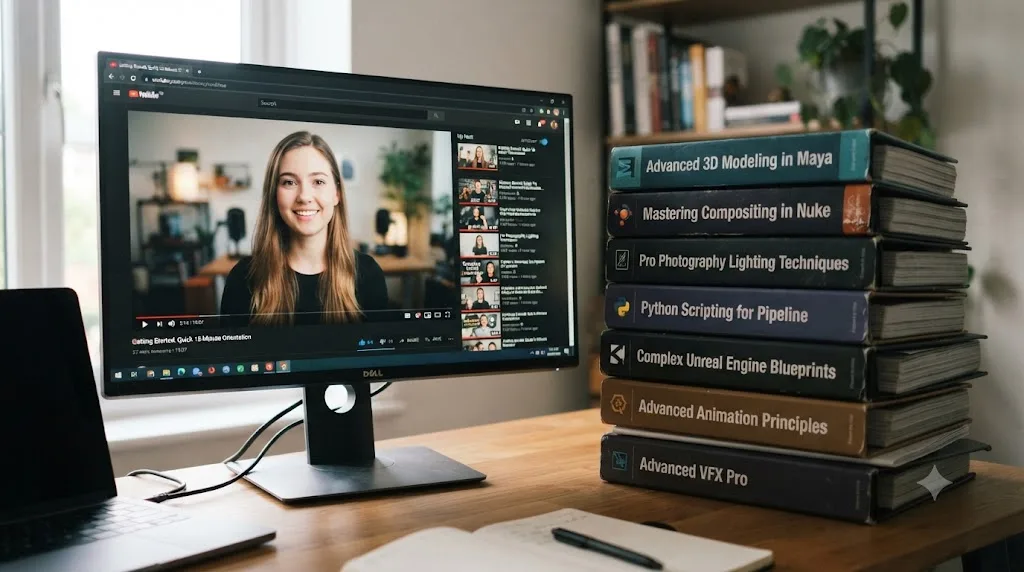
How do you build a practice loop instead of a watch loop?
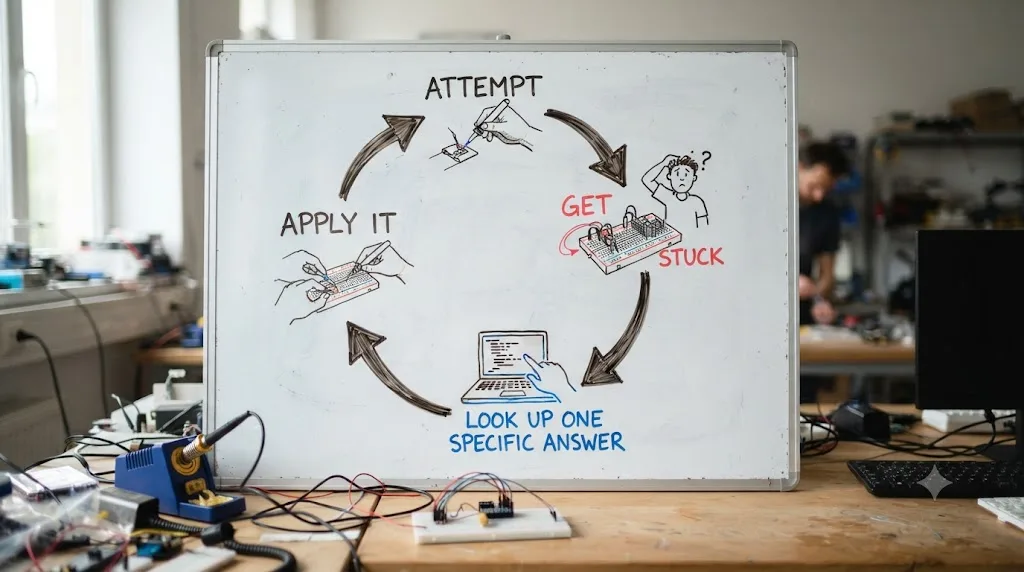
A watch loop runs on autoplay: finish one video, get served the next, repeat indefinitely with no natural stopping point. A practice loop has to be built deliberately, because nothing in your feed is going to build it for you. The shape that actually works is small and repeatable, not heroic.
Start with a task small enough to finish in one sitting: not "learn color grading," but "grade these ten clips to match this one reference frame." Attempt it without a video open. When you get stuck, and you will, write down exactly what you're stuck on before you search for anything. That written question is what keeps your lookup narrow and targeted instead of turning into another open-ended browsing session. Look up only that specific thing, apply it immediately to the task in front of you, and finish the small task before moving on to anything else.
The loop closes when you finish, not when you feel ready. A finished, imperfect ten-clip grade teaches more than an unfinished "perfect" one, because finishing is what exposes the next real gap. Do this weekly, with a new small task each time, and the ratio between watching and doing flips on its own, without requiring willpower or a New Year's resolution to "stop watching tutorials." You stop needing as many, because each finished attempt answers questions a video used to have to answer for you.
What if you've already watched fifty tutorials and still can't work independently?
You're not behind in the way it feels like you are, and none of those fifty tutorials were wasted the way it might feel right now. They likely gave you real, usable orientation knowledge: where things live, what the vocabulary means, what a finished result is supposed to look like. What they didn't give you, because nothing on a screen can, is the retrieval practice that turns that orientation into independent capability.
The recovery isn't watching fifty more, and it isn't punishing yourself into a strict "no tutorials" rule either. It's picking one task, right now, small enough to feel almost insultingly easy, and finishing it with the video closed. Not a real client project. Not the ambitious idea you've been saving. Something you'd be a little embarrassed to show anyone, finished start to finish without pausing a single video to check your work.
That first finished, unglamorous attempt is the actual reset button, because it's the first time in this pattern that your brain has been forced into retrieval instead of recognition. Do a second one a few days later, slightly harder, still without a video paused beside it. The knowledge from those fifty tutorials doesn't disappear. It was sitting there the whole time, waiting for a task that actually required you to retrieve it instead of just recognize it playing on a screen.

What role should AI assistance play instead of another tutorial queue?
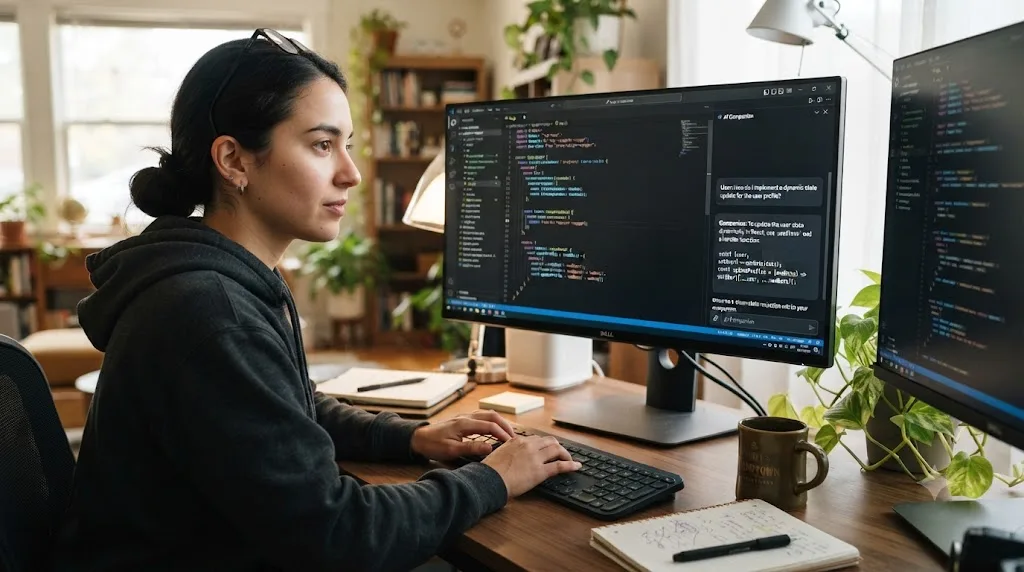
A useful distinction here is between a resource that answers a question and a resource that replaces a decision. A well-used tool sits firmly in the first category: you're stuck on one specific thing, in your own actual project, and you need the answer to that one thing without abandoning what you're working on to go watch twenty minutes of someone else's unrelated demo.
That's a meaningfully different interaction than a tutorial queue, because it never pulls you out of your own project to consume passive content. You stay inside your own file, ask about your own specific problem, get pointed at the answer, and immediately apply it to the thing you were already building. The retrieval practice never breaks, because you never left the task that was generating the question in the first place. Tools like TryUncle work this way for DaVinci Resolve specifically: it looks at your actual project and answers the exact question you're stuck on, instead of sending you to a video that covers your question somewhere in its middle third alongside forty minutes of things you don't need right now.
None of this replaces the practice itself, and no tool should be marketed as though it does. The task of finishing your own project, wrestling with your own judgment calls, and coming out the other side more capable is still entirely on you. What changes is how much of your session gets spent in an unrelated video instead of inside the actual work, and that ratio, watching versus doing, is the whole subject of this post.
What are the traps that keep tutorial hell disguised as productivity?
A handful of specific excuses keep the loop running long after someone would otherwise recognize it. Naming them makes them easier to catch in the moment.
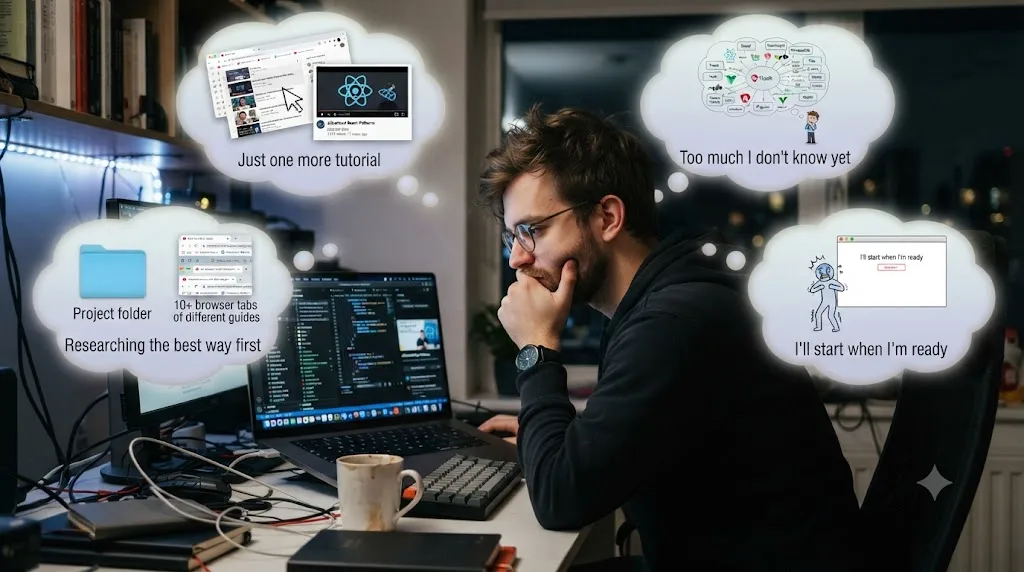
"I'm just making sure I'm prepared before I start." Preparation has a natural end point: you know roughly where things are and roughly what order to do them in. Past that point, more preparation is procrastination wearing a responsible-sounding name. The tell is whether the next video is answering a question your actual project has raised, or a question you're inventing to avoid starting.
"I need to find the right tutorial first." There's rarely a meaningfully "right" tutorial for a skill that fundamentally requires your own repetition. Searching for a better one is often just another lap of the watch loop dressed up as diligence. Pick a reasonable one, watch it once, and go build something. The marginal difference between a good tutorial and a great one is tiny compared to the difference between watching and doing.
"This tutorial is for an old version, I should find one for the current release." Version mismatch matters far less than it feels like it should. Fundamentals, timeline logic, node-based color, a mixing console, carry over across versions almost unchanged, and a slightly dated tutorial teaches the concept just fine even if a button moved. Using version mismatch as a reason to keep searching is usually another form of the "right tutorial" trap.
"I'll start once I understand this one more concept." Understanding a concept in the abstract and being able to apply it under your own project's specific conditions are different skills, and the second one only builds through attempting it. If you notice yourself perpetually one concept away from starting, that's the fluency illusion talking, not an actual gap in readiness.
So what should you actually do differently starting today?
Watching a tutorial is not learning. It's orientation, and orientation is genuinely useful in small doses, right up until it quietly replaces the practice it was supposed to prepare you for. The fastest way out of tutorial hell is a blank project, not a better tutorial. No video, however well produced, can generate the retrieval struggle that's actually doing the work of building skill, because a video's entire job is to remove that struggle, not create it.
If you're mid-loop right now, the honest test is simple: what have you finished, without a video paused beside it, in the last two weeks? If the answer is nothing, close the tab, pick something small enough to feel almost too easy, and finish it badly before you let yourself watch anything else. That ugly, finished, independent attempt is worth more than the next ten polished videos combined, because it's the only one of the two that actually asks your brain to do the thing you're trying to learn.
Frequently asked questions
- Why does watching tutorials not work?
- Because watching trains recognition, not recall. When you follow along with a tutorial, the instructor holds the plan, makes the decisions, and shows you the correct move at the exact moment you need it. That's guided performance, not independent skill, and it evaporates the moment the support disappears and you face a blank project alone.
- Why do I understand a tutorial perfectly but fail when I try it myself?
- You're experiencing the fluency illusion. Recognizing a correct step when someone shows it to you and generating that same step from memory use different mental processes. Tutorials only test the first one. Your own project, with no video paused beside it, tests the second, and that's where the real skill actually lives.
- What is tutorial hell?
- Tutorial hell is the cycle of continuously consuming instructional videos or courses without building anything independently. It has no natural end point, because each finished tutorial creates a small sense of progress that feels like enough to justify starting another one instead of a real project.
- Is watching tutorials at 1.5x or 2x speed worse than watching at normal speed?
- It doesn't fix the core problem and can make the fluency illusion stronger. Faster playback makes the content feel snappier and more mastered, but you're still recognizing steps instead of retrieving them, so the false confidence just arrives faster.
- How many tutorials should I watch before I start a real project?
- Far fewer than most people watch. One tutorial that gets you oriented, plus the confidence that you know where the basic tools live, is usually enough to start. Additional tutorials watched before you've built anything tend to add comfort, not capability.
- Are tutorials ever actually useful?
- Yes, for narrow, declarative questions: where a specific setting lives, what a particular button does, or the one export preset for a platform. Tutorials are efficient at answering 'what is this' and bad at building 'can I do this,' which only comes from your own repeated attempts.
- How do you get out of tutorial hell once you're stuck in it?
- Close the tutorial and open a real, low-stakes project of your own. Try to complete one small task from memory before searching for the answer. Get stuck on purpose, look up only the exact thing you're stuck on, and finish something small every session, even if it's ugly.
Sources
- Deslauriers, McCarty, Miller, Callaghan, Kestin: Measuring actual learning versus feeling of learning in response to being actively engaged in the classroom (PNAS, 2019)
- ScienceDaily: More learning in 'active learning' classrooms, but students don't know it
- Karpicke, Blunt: Retrieval Practice Produces More Learning than Elaborative Studying with Concept Mapping (Science, 2011)
- Koriat, Bjork: Illusions of competence during study can be remedied by manipulations that enhance learners' sensitivity to retrieval conditions at test
- E. Bjork, R. Bjork: Creating Desirable Difficulties to Enhance Learning (UCLA Bjork Learning and Forgetting Lab)
- Simply Psychology: Albert Bandura's Social Learning Theory
- WBS Coding School: What is tutorial hell and how to get out
- Scott Young, Ultralearning (quoted via BookFave)
- Leon Martin: Watching Programming Tutorials Doesn't Make You an Expert (DEV Community)
Learn by doing, not watching
Stop translating tutorials to your timeline.
TryUncle stays beside Resolve on Mac and Windows. When you ask, Uncle sees your screen and points at the exact control you need. No hunting through tabs, timestamps, or mismatched tutorials.
Meet TryUncleKeep reading
 GuidesJul 25, 202643 min read
How to Use AI Tools Without Violating Client NDA Agreements
Which AI tools are safe under a client NDA, which ones aren't, and how to check before you upload confidential footage, transcripts, or notes.
 GuidesJul 25, 202630 min read
Will AI Replace Illustrators and Concept Artists in 2026?
CVL Economics, the UK's Association of Illustrators, BLS, and WEF data on whether AI is replacing illustrators and concept artists in 2026, and what still gets them hired.
 GuidesJul 22, 202633 min read
How AI Is Changing Freelance Platforms Like Upwork and Fiverr
Real data on how AI is reshaping Upwork and Fiverr: which freelance gigs are shrinking, which are growing, and what Uma, Neo, and AI Orchestrator work mean for you.