
Learn / Learning in the Age of AIupdated for Course pricing and catalog data, July 2026
12 Best Udemy Alternatives in 2026 (Free and Paid)
Quick answer
The best Udemy alternative depends on what you're learning. Skillshare and Domestika suit creative hobbies, Coursera and edX offer university-backed credentials, LinkedIn Learning and Pluralsight target career and IT skills, and Khan Academy and YouTube are free. TryUncle is the AI-native option: it teaches DaVinci Resolve live inside the app instead of through video.

I went looking for a real answer to "what should I use instead of Udemy" instead of a recycled listicle, so this is 12 platforms I actually checked against their own pricing pages, plus what Udemy itself has been doing to its own instructors lately. Some of these are direct competitors. A couple only replace Udemy for one specific job. One of them is ours, and I'll tell you exactly where it doesn't fit before I tell you where it does.
Most "best alternatives" lists are written by someone who never opened a single one of the platforms they're ranking. They pull the same twelve logos, paste the same marketing blurbs, slap affiliate links on everything, and call it research. That's not this. I opened the pricing pages. I read the earnings calls. I dug into the class-action settlements and the bankruptcy filings, because the boring paperwork is where the truth usually hides. And then I tried to answer the only question that actually matters to you: given what you're trying to learn, where should you spend your time and money?
That last part is the whole trick. There is no single best Udemy alternative. There's a best one for learning DaVinci Resolve, a best one for a resume line, a best one for zero budget, and a best one for a working professional chasing a certification. They're not the same platform. Anyone who tells you otherwise is selling something. So before you scroll, decide what you're really after, and this post will point you at the right door.
Why look for a Udemy alternative in 2026?
Because Udemy itself is telling you to, if you know where to look. On the company's Q3 2025 earnings call, CFO Sarah Blanchard said the company is "intentionally reducing transactional course sales in favor of recurring subscription revenue, which will slow near-term segment growth." That's a public company admitting, in its own investor call, that it's steering away from the single-course purchases most people associate with the platform. Read that again. The thing you probably think of as "Udemy," buying one course for a few dollars during a sale, is the exact thing Udemy has decided to shrink.
That shift isn't neutral for instructors, and it isn't neutral for you either. Udemy's instructor marketplace still exists, but the company is choosing to shrink it. Class Central's analysis found that under Udemy's old revenue-share policy, instructors would have earned $221.9 million in 2024. Under the new policy, they're on track for $191.2 million instead, a $30.7 million cut in a single year. The subscription-plan revenue share instructors get has been sliding on a published schedule too: 20% in January 2024, 17.5% in January 2025, and 15% in January 2026, according to Udemy's own instructor revenue share page. That's not a rumor or a disgruntled forum post. That's the number Udemy publishes about itself, dropping year after year, right out in the open.
Here's why that number matters to you as a student, not just to instructors. When the payout for putting in real effort on a course keeps shrinking, some fraction of your favorite instructors either stop updating their material, stop making new courses, or leave for a platform that pays better. Think about the incentive from their side of the desk. Recording a great course takes months. Keeping it current takes years of unpaid maintenance as software changes underneath it. If the check for all that work keeps getting smaller, the rational move is to record once, cash whatever comes in, and never touch it again. You won't see that decision as a headline. You'll see it as a course that hasn't been touched since 2022 sitting at the top of a search result next to ten near-identical clones, teaching you a menu layout the software abandoned three versions ago.
There's a second, more concrete reason: Udemy agreed to a $4 million settlement over a class action alleging it advertised fake reference prices, the "$199, now $12.99!" pattern you've probably scrolled past a hundred times. The company didn't admit wrongdoing, but the settlement covered anyone who bought a course between August 2017 and April 2023. Udemy's list prices officially cap at $199.99, and in practice almost nobody pays that; sitewide sales routinely knock courses down to somewhere between $9.99 and $20, several times a month. The uncomfortable takeaway isn't that the courses are overpriced. It's that the "original" price you're being talked down from may never have been real in the first place, which makes it hard to know whether you're getting a deal or getting played.
None of that makes Udemy useless. Plenty of good instructors are still there, and the discount pricing, while a little theatrical, still gets you a real course for the price of two coffees. I want to be fair about this, because the internet loves a tidy villain and Udemy isn't one. Millions of people have learned real, useful skills there, and the marketplace model, for all its chaos, put teaching within reach of anyone with a microphone and something to say. That's genuinely good. But if you've been burned by a stale course, a denied refund, or a platform that keeps changing the deal underneath its own teachers, you have good reason to look elsewhere. The rest of this post is where "elsewhere" actually is.
Which Udemy alternative actually fits what you're trying to learn?
This is the table I wish existed before I started researching this, because "best Udemy alternative" isn't one answer. It's twelve different answers depending on what you're actually trying to do. Skip it and you'll do what most people do: pick the platform with the name you'd already heard of, discover three weeks later that it doesn't cover your subject, and start over. Don't be that person. Read the middle column.
| If you want to learn... | Best alternative | Why |
|---|---|---|
| DaVinci Resolve, hands-on, right now | TryUncle | An assistant that lives inside Resolve itself |
| Creative hobbies broadly (design, video, crafts) | Skillshare | Unlimited subscription, no per-course math |
| Illustration, photography, or design specifically | Domestika | Deepest bench of working creative professionals |
| A credential a university stands behind | Coursera or edX | Real university partners, verified certificates |
| Career and office skills for a resume | LinkedIn Learning | Tied to your professional profile, visible to recruiters |
| Software development, cloud, or IT certifications | Pluralsight | Skill assessments map directly to certification paths |
| A well-known name teaching a broad topic | MasterClass | Production value over depth or practical skill |
| Motion design and After Effects specifically | School of Motion | Built by working motion designers, not generalists |
| Workplace software like Excel or project management | GoSkills | A vetted instructor bar Udemy's open model doesn't have |
| Zero budget, K-12 or foundational academic subjects | Khan Academy | 100% free, nonprofit, no subscription anywhere |
| Zero budget, willing to piece it together yourself | YouTube | Free, but no structure and no accountability |
Read down that middle column before you read anything else below. It'll save you from reading six sections that don't apply to you. And notice the pattern hiding in it: the more specific your goal, the more a specialist beats the giant marketplace, and the vaguer your goal, the more a broad subscription library earns its keep. Hold that idea. It's the through-line of this entire comparison.
Is TryUncle a good Udemy alternative for learning software instead of watching it?
I have to disclose the obvious thing first: TryUncle is ours, so weigh that against everything else on this list accordingly. I'd rather say that plainly at the top than bury it and hope you don't notice. Here's the honest version of what it is and isn't, not the pitch version.
TryUncle isn't a course, a video library, or a Udemy competitor in the normal sense. It's the on-screen assistant for DaVinci Resolve, and only DaVinci Resolve, that runs on macOS and watches the app while you use it. Instead of sending you to a ten-minute video to answer a two-second question, it points at the actual control you're looking for inside the Edit, Color, and Fusion pages, and you can ask it things by voice, by pointing at your screen for visual confirmation, or by typing. It isn't free: it's a paid subscription at $34.99/month with cancel-anytime billing, and you can check the details at TryUncle. You don't sit through a lesson to learn where a button lives. You ask, and it shows you the button.
That narrowness is the whole point, and it's also the biggest limitation. If you're trying to learn Excel, project management, illustration, or literally anything besides DaVinci Resolve, TryUncle does nothing for you, and every other platform on this page is a better fit. I mean that. Nothing. Zero. Go read the section that matches your subject instead. Even within video editing, it only covers Resolve, not Premiere Pro, Final Cut, or DaVinci's own Fairlight audio page in the same conversational depth as Edit and Color. And it only runs on macOS, so if you're on Windows or Linux, this section doesn't apply to you at all.
Where it wins is a specific, narrow situation that Udemy and every course platform on this list handle badly: you're mid-project, stuck on one node, one setting, one missing button, and you don't want to pause your work to go watch fifteen minutes of someone else's timeline to find your answer. Picture it. It's late, the export is due tomorrow, and you can't find the one qualifier control that would fix a skin tone in the Color page. On Udemy, your options are to scrub through a two-hour course hoping the timestamp you need is labeled, or to give up and Google it. TryUncle just points at the control. The most useful course is never the flashiest one, it's the one that answers the question you actually have. A Udemy bootcamp answers a hundred questions you don't have yet, in exchange for the one you do. TryUncle skips straight to the one.
There's a real cost to that trade, and I won't pretend there isn't. A good bootcamp teaches you things you didn't know to ask, and that matters, because half of getting good at software is discovering the features you'd never have gone looking for. An answer-on-demand tool can't do that. It waits for your question. So if you're a total beginner who doesn't yet know what's possible in Resolve, a structured course gives you the map, and TryUncle gives you the turn-by-turn directions once you already know roughly where you're headed. Different jobs. Use the right one for where you are.
If you want a structured, video-based comparison instead, our own rundown of six real DaVinci Resolve courses covers the actual Udemy bootcamps people buy for Resolve, Blackmagic Design's free official training, and where each one is strongest. And if you're brand new to the software entirely, our beginner's guide walks through installing it and cutting a first project without paying anyone. Learning inside the software beats learning next to it, when that option exists, but it isn't the only valid way to learn, and it's fine to use both. Most people who get good at anything use more than one tool anyway.
Is Skillshare a better fit than Udemy for creative hobbies?
If you take more than one class a month, probably yes, purely on math. Skillshare runs $167.88 a year on its standard annual plan, which works out to $13.99 a month, according to Skillshare's own pricing page, with a monthly-only option running higher, from about $17.99 up to $32 depending on when and where you sign up. For that flat rate, you get unlimited access to more than 32,000 creative classes, no per-course purchase decision required. No cart. No "is this one worth it." You just watch.
Compare that to Udemy's model, where a single course discounted from its list price still runs $9.99 to $20 during a typical sale. Take three or four Udemy courses a year and you've already spent what a full year of Skillshare costs, and Skillshare doesn't stop at four. Run the numbers on your own habits for a second. If you're the kind of person who buys a course, finishes 20% of it, gets curious about something adjacent, and buys another, the per-course model quietly bleeds you. A subscription turns that same curiosity from a cost into a feature.
The tradeoff is depth and certification. Skillshare classes run shorter than the average Udemy course, usually built around one specific project rather than a comprehensive curriculum, and there's no verified credential waiting at the end of any of them. If you want a resume line, Skillshare won't give you one. That's not a knock, it's a design choice. Skillshare is built for the person who wants to make a thing this weekend, not the person who wants a certificate to show a hiring manager next quarter. If you want to explore graphic design, filmmaking, or content creation broadly without committing to any single course, the unlimited model removes the friction of deciding whether each individual class is "worth it." And that friction, the tiny cringe of "should I really spend twelve dollars on this," is exactly the thing that stops most people from learning at all.
One practical note: watch for app store pricing versus the website. Some sources report promotional rates as low as $59.99 a year through iOS or Android sign-up flows, which is worth checking before you pay the standard rate directly. That's a real gap, and it's the kind of thing platforms don't advertise, so it pays to look. Skillshare also offers a free trial, typically seven to thirty days depending on the offer, long enough to sample a handful of classes before committing. Use it. Take one class start to finish during the trial, not three classes halfway, because finishing one tells you far more about whether the platform fits you than sampling ten ever will.
A subscription library is only worth the price if you actually watch more than one class a month. If your actual need is one specific skill you'll use once, a single Udemy course during a sale can still be the cheaper option. Be honest with yourself about which person you are. The internet is full of annual subscriptions quietly renewing for people who watched two classes in January and nothing since.
Is Domestika a better Udemy alternative for illustration, photography, and design?
For those three disciplines specifically, yes, and it's the one platform on this list I'd call a straight upgrade over Udemy rather than just a different tradeoff. Domestika focuses exclusively on creative disciplines, illustration, photography, design, crafts, and its production quality and instructor caliber consistently get called out as its differentiator against more generalist marketplaces. When a platform only does creative work, it can't hide a weak creative catalog behind a huge business-and-coding section. Domestika lives or dies on the thing you came for.
Domestika Plus, its subscription tier, runs around $14.59 a month when billed annually according to the company's own Plus page, working out to roughly $175 for the year, and it includes access to more than 1,000 streaming courses plus a yearly allotment of credits you can exchange for any individual course outside the unlimited catalog, including newer or premium releases. That credit system is a little unusual, so it's worth understanding before you sign up: the unlimited part covers a big library, and the credits let you reach the newer stuff that isn't in it yet. Individual courses outside the subscription start around $9.99 to $19.99 each, similar territory to a discounted Udemy course, but Domestika's per-course production values tend to run noticeably higher. You're not gambling on whether the instructor owned a decent microphone. They mostly did.
The catch is scope. Domestika doesn't touch software development, business skills, IT certifications, or workplace training at all. If you're not learning something visual or craft-based, this section is a dead end for you, full stop. There is no version of Domestika that teaches you Python or project management, and it isn't trying to be one.
Watch the renewal price too. Several review sites flag that Domestika Plus's first-year promotional rate jumps considerably on renewal, some report a jump toward $349 a year, so check the actual renewal terms before you assume year two costs what year one did. This is the oldest trick in the subscription business, and it works because nobody reads the renewal line. Set a calendar reminder for a week before your renewal date. Decide then whether year two is worth full price, not whether year one was worth the discount. Those are different questions, and the platform is betting you'll confuse them.
Is Coursera worth it over Udemy for university-backed credentials?
If the credential itself is the point, yes, this is the category Udemy simply doesn't compete in. Coursera partners with more than 350 universities and companies, including Stanford, Yale, Duke, Google, IBM, and Meta, according to Coursera's own partnerships page, and its Specializations and Professional Certificates are built with those institutions directly rather than by an open marketplace of independent instructors. That's the entire difference. On Udemy, anyone can publish. On Coursera, a university puts its name on it, which means a university's reputation is on the line if it's bad, which means someone with something to lose vetted it before it shipped.
Pricing runs several ways depending on what you want. Individual courses cost roughly $29 to $99, Guided Projects run $9.99 to $19.99, Specializations and Professional Certificates run $39 to $79 a month while you're actively working through them, and Coursera Plus, the unlimited subscription tier, costs $59 a month or $399 a year. At the far end, Coursera also offers full bachelor's and master's degrees through partner universities, running anywhere from $9,000 to $50,000 depending on the institution and program. Notice the shape of that pricing: the monthly Certificate model quietly rewards speed. The faster you finish, the fewer months you pay, so a motivated learner who blocks off two focused weeks can walk away with the same credential for a fraction of what a distracted one pays over six months.
One development worth knowing about if you're weighing Coursera against Udemy on principle rather than just price: Class Central reported that Coursera will begin charging its university and industry partners a 15% platform fee starting in 2026. Learner-facing prices aren't changing because of it, but it's a reminder that "university-backed" platforms answer to the same revenue pressure as marketplace ones, they just apply it to a different side of the transaction. Don't romanticize any of these companies. They all have shareholders. The question isn't which one is pure, it's which one's incentives happen to line up with what you need this year.
A certificate only matters if the person reading your resume has heard of who issued it. A Udemy completion certificate rarely clears that bar. A Coursera certificate from Google or a real university more often does, which is the entire reason to pay Coursera's higher price instead of Udemy's lower one. So before you enroll in anything for the credential, run one test: would the specific name attached to it mean something to a stranger skimming your resume in fifteen seconds? If yes, it's worth the premium. If no, you're paying certificate prices for knowledge you could have bought cheaper somewhere else.
Is edX still a legitimate Udemy alternative for university certificates?
Still legitimate, but with a caveat worth knowing before you commit money to it. edX's parent company, 2U, filed for Chapter 11 bankruptcy in July 2024. According to Class Central's reporting on the fallout, that came after 2U took on more than $900 million in debt, largely to acquire the boot camp company Trilogy and edX itself, and interest rates then made refinancing that debt untenable. The company completed a financial restructuring that cut its debt by more than half, and edX itself kept operating throughout, connecting more than 89 million learners with courses from roughly 260 university and institutional partners. The word "bankruptcy" sounds like a fire alarm, but read what actually happened: the balance sheet got cleaned up, the courses stayed online, and tens of millions of people kept learning through the whole thing.
Practically, that means edX today works the way it always has: audit most courses for free, pay for a verified certificate if you want proof you finished, tied to a real institution's name. That free-audit path is genuinely useful and underrated. You can sit through a Harvard or MIT course, follow every lecture, learn the whole thing, and pay nothing, as long as you don't need the paper at the end. For a lot of people, the knowledge is the point and the certificate is optional, and edX is one of the few places that lets you split those two apart. The bankruptcy was a corporate and financial story, not a "the courses disappeared" story, but it's a fair reason to double-check that a specific program or partnership you're relying on is still active before you plan a multi-month course of study around it.
If your priority is a stable, unambiguous university credential, Coursera's broader current partner list is probably the safer default in 2026. If you already have a specific edX course from a specific university lined up, there's no reason to avoid it based on a restructuring that's already resolved. Think of it this way: the risk isn't that edX vanishes tomorrow, it's the small chance that one particular partnership quietly ends mid-program and leaves you halfway to a certificate that no longer exists. A two-minute check of the course page before you enroll closes that gap completely.
Is LinkedIn Learning better than Udemy for career skills?
If you want the completion to actually show up where recruiters look, yes. LinkedIn Learning's biggest structural advantage over Udemy isn't its catalog, it's that finished courses can appear directly on your LinkedIn profile, visible to anyone who looks you up, which a Udemy certificate simply can't replicate. Think about where a recruiter actually spends time. It's not your Udemy account. It's your LinkedIn profile. A skill badge that lives in the exact place hiring decisions get made is worth more than a better certificate hidden somewhere nobody checks.
Pricing runs in the neighborhood of $20 to $40 a month depending on the billing cycle and region, according to LinkedIn's own plan comparison and third-party pricing breakdowns, and it's included at no extra charge with LinkedIn Premium subscriptions. That last detail matters more than it looks. If you already pay for Premium, or you're thinking about it for the job search anyway, LinkedIn Learning comes along for free, which changes the math entirely. You're not deciding whether to buy a course platform. You're deciding whether to use one you may already own. The catalog runs from roughly 17,000 courses on entry plans up to 24,000-plus on enterprise tiers, covering business, technology, and creative software skills, closer to Udemy's breadth than Skillshare's creative-only focus.
The instructors are vetted employees or contracted professionals rather than an open marketplace, which trades Udemy's chaotic-but-huge selection for a smaller, more consistently produced library. You give up the long tail, the weird niche course only one person on earth ever made, and you get in return a floor under quality. Every course clears a bar. None of them are somebody's abandoned side project from 2019. If you're job hunting or angling for a promotion and want the course itself to double as a signal on your public profile, that tradeoff favors LinkedIn Learning outright. If you just want the cheapest possible way to learn a specific tool, a discounted Udemy course still usually wins on price for a single purchase.
Is Pluralsight the better Udemy alternative for developers and IT?
For anyone working toward a specific technical certification, yes, this is Pluralsight's whole reason for existing. It's a subscription platform focused exclusively on technology skills, software development, cloud computing, cybersecurity, data science, and IT operations, with more than 6,500 courses, 3,500-plus hands-on labs, and over 150 certification-mapped learning paths, according to Pluralsight's own pricing page. That word "mapped" is doing real work. On Udemy you find a course that covers a certification and hope it's the right one. On Pluralsight the path is built backward from the exam, so you're not guessing whether you're studying the right material.
Its Standard plan runs $29 a month or $299 a year, and a Premium tier with added assessments and labs runs $45 a month or $499 a year. That's a meaningfully higher price than Udemy's discounted per-course rate, but the hands-on labs are the differentiator: you're practicing in a real sandboxed environment tied directly to the lesson, not just watching someone else's terminal. And that gap is enormous for technical skills. You do not learn to configure a cloud environment by watching someone else configure one, any more than you learn to swim by watching a video of swimming. You learn by doing it, breaking it, and fixing it, and labs are where that happens.
Where Udemy still wins in this space is breadth of individual, narrowly-scoped courses at a lower one-time price, and the sheer volume of instructors covering the same topic from different angles, useful if one teaching style doesn't click and you want to try another without paying for a second full subscription. That variety is a genuine strength. Sometimes an explanation just doesn't land, and being able to hear the same concept from five different teachers for a few dollars each solves a real problem. Pluralsight's curated, single-source-of-truth structure suits someone working methodically toward a certification. Udemy's chaos suits someone who just needs to learn one library, once, cheaply. Match the tool to the job: a structured campaign toward a credential, or a quick raid to grab one specific skill.
Is MasterClass worth it compared to Udemy?
Only if what you actually want is inspiration and production value over a practical, followable skill, and that's a real distinction worth sitting with before you subscribe. MasterClass's All-Access membership costs $120 a year for an individual, $180 for a Duo plan, or $240 for a Family plan, according to the company's own help center, and it unlocks unlimited access to more than 150 instructors across writing, cooking, business, music, sports, and other broad categories. Notice who's teaching. These aren't working instructors who make courses for a living. They're the most famous people in their fields, and that's exactly the appeal and exactly the limitation.
The instructors are the draw, recognizable names in their fields, and the cinematography is genuinely a level above every other platform on this list. What it isn't built for is step-by-step, practice-along skill building the way a Udemy or Skillshare course is. Sessions run as beautifully shot conversations and demonstrations more than hands-on exercises with checkpoints, so if your goal is "I want to be able to do the thing by the end," MasterClass is rarely the fastest route there. A famous chef can show you how they think about flavor in a way that changes how you cook forever. What they usually won't do is stand over your shoulder and correct your knife grip, and for a lot of practical skills, the knife grip is the whole game.
Treat it as a category of its own rather than a direct Udemy swap. If you want to learn a practical, checkable skill on a deadline, look elsewhere on this list. If you want an engaging, well-produced deep dive into how an expert thinks, MasterClass delivers something Udemy's marketplace, built by thousands of independent instructors of wildly varying production quality, structurally can't. Here's the honest way to decide: MasterClass is closer to a great documentary than to a course. Buy it the way you'd buy a season of prestige television that happens to make you smarter, not the way you'd buy a tool to learn a job skill by Friday.
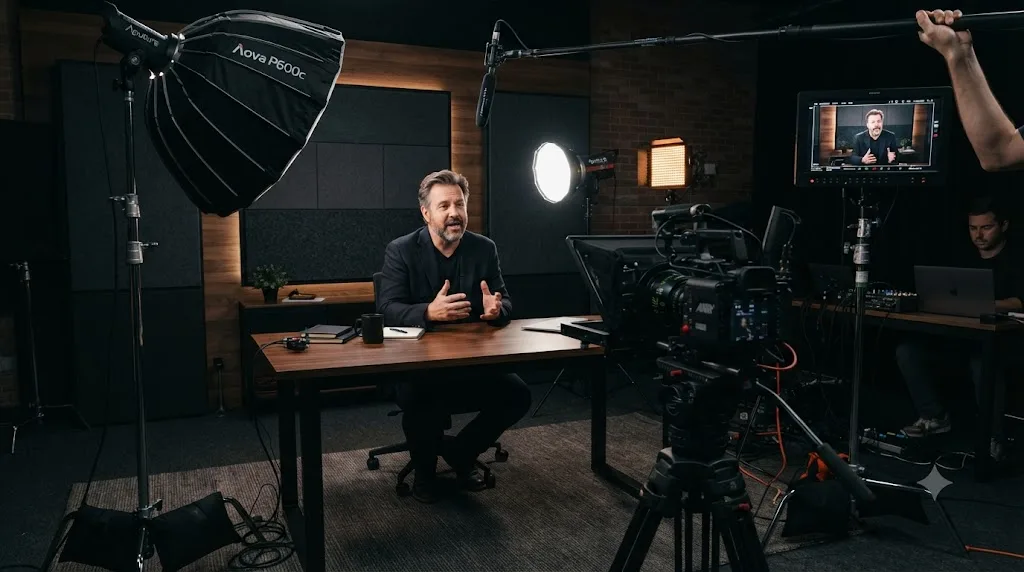
Is School of Motion a better Udemy alternative for motion design and After Effects?
For that one specific niche, yes. School of Motion is built by working motion designers rather than a generalist marketplace, and it shows in the specificity of its curriculum, courses like Animation Bootcamp and After Effects Kickstart go deep on one skill rather than surveying the whole tool. This is the specialist-beats-generalist pattern in its purest form. A platform that teaches everything can afford to teach motion design shallowly. A platform that teaches only motion design cannot, because motion design is all it has.
Pricing runs per-course, with entry courses like After Effects Kickstart priced around three payments of $265 and fuller courses like Animation Bootcamp around three payments of $332, according to the company's own pricing announcement, alongside an All-Access plan offering unlimited entry to more than 50 courses plus live events and ongoing community access. The company has publicly cut its cohort-based course prices by roughly 20% in recent updates, a rare instance of a paid platform moving prices down instead of up. That's worth pausing on. In a market where nearly every renewal price on this list quietly climbs, a platform dropping its prices is telling you something about its confidence in the product.
This is meaningfully more expensive than a discounted Udemy motion design course, sometimes by a factor of ten or more for a single course. Let that number land, because it's the crux of the decision. You're not choosing between two similar things at different prices. You're choosing between two completely different products that happen to share a subject. What you're paying for is a curriculum built and maintained by specialists in exactly this field, live critique, and a community of other working motion designers, none of which Udemy's open marketplace model guarantees you'll get from any given instructor. The critique is the part people underestimate. Watching a tutorial teaches you what good looks like. Having a working professional tell you why yours isn't there yet is how you actually close the gap. If After Effects and motion graphics are a side interest rather than a career direction, a cheap Udemy course is the more proportionate spend. If you're trying to break into the field professionally, the higher price buys you a curriculum that's actually built for that outcome.
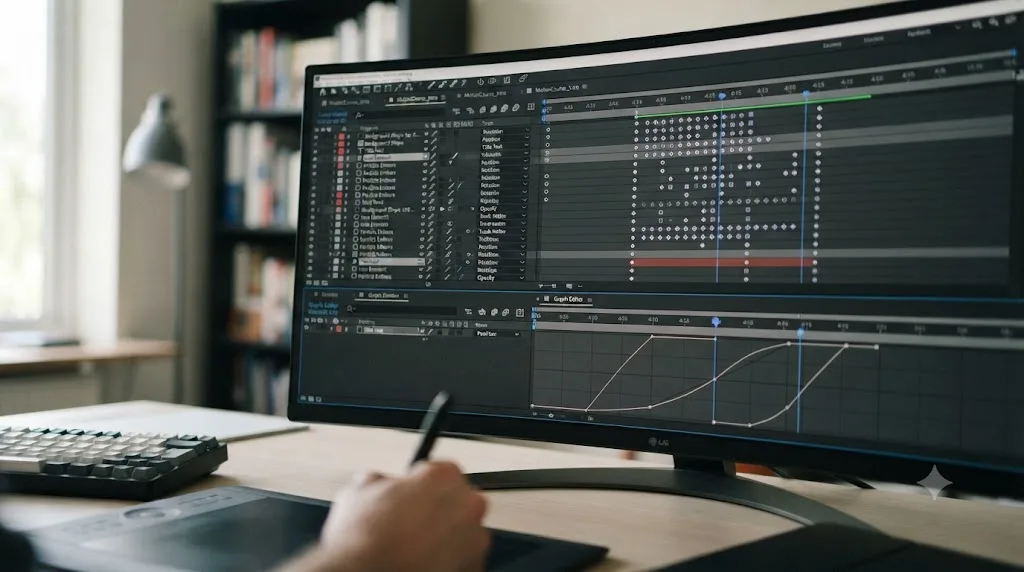
Is GoSkills a better Udemy alternative for workplace and office skills?
If your goal is specifically Excel, project management, data analysis, or similar workplace software and compliance skills, GoSkills is a tighter-curated option than Udemy's open marketplace. According to GoSkills' own pricing page, the platform offers monthly and annual unlimited-access plans covering its full course library, with courses built by hand-picked instructors rather than an open submission model, and it includes a free trial and a limited free tier to sample before paying. The vetting is the entire product. You're paying for someone else to have already thrown out the bad courses so you don't have to find out which ones those are the hard way.
The pitch here is consistency. Every course on GoSkills went through the same vetting process, so you're not gambling on which of forty near-identical "Excel for Beginners" listings on Udemy happens to be the well-produced one this year. Anyone who has searched Udemy for a common workplace skill knows that specific pain. Forty results, all with slightly different titles, all claiming to be the definitive one, and no way to tell the polished one from the abandoned one without buying a few and finding out. GoSkills solves that by narrowing the choice for you. The tradeoff is scope: GoSkills' library runs in the low hundreds of courses, tightly focused on business and office skills, nowhere near Udemy's breadth across creative, technical, and personal-development categories combined.
If workplace software and compliance training is genuinely all you need, that narrower, vetted catalog is worth the subscription. If you also want to learn design, coding, or a creative skill on the same platform, you'll end up needing something else alongside it anyway. So be clear with yourself about the shape of your goal. GoSkills is a scalpel, not a Swiss Army knife, and a scalpel is exactly what you want when the job is one clean, specific cut like getting genuinely competent at Excel before a new role starts.

Is Khan Academy a real Udemy alternative if you need it free?
For academic subjects, yes, without qualification. Khan Academy is a nonprofit founded in 2008, and every lesson across math, science, history, literature, economics, and computer science is free with no subscription tier hiding better content behind a paywall, according to the organization's own materials. There's no catch, no upsell, no "premium" version that's actually the good one. That last part is genuinely rare. Almost everything free online is really a funnel toward something paid. Khan Academy isn't. The free version is the whole thing, because it's a nonprofit, and its mission is the product.
Where it doesn't help you is anything outside that academic and foundational-skills lane. Khan Academy won't teach you DaVinci Resolve, Excel, motion design, or most of what Udemy's marketplace covers; its strength is K-12 and early college subjects, test prep, and core computer science fundamentals, not professional software or creative-industry skills. If your search for "Udemy alternatives" was really about learning a practical, job-relevant tool, this section isn't your answer, even though it's the most unambiguously free option on this entire list. Don't force it. A brilliant free algebra course does nothing for you if what you actually need is to learn a piece of editing software this month.
Free and paid are not opposites here, they're two different stages of the same skill. Use Khan Academy to build the foundational math or logic a technical skill assumes you already have, then move to a paid, practice-focused platform for the actual tool. This is the move most people miss. They jump straight to the advanced practical course, hit a wall because they're missing the fundamentals it quietly assumes, and conclude they're "bad at" the skill. They're not. They just skipped a stage that Khan Academy would have given them for free. Build the base first. It's cheaper and it's faster, even though it doesn't feel like progress toward the shiny goal.
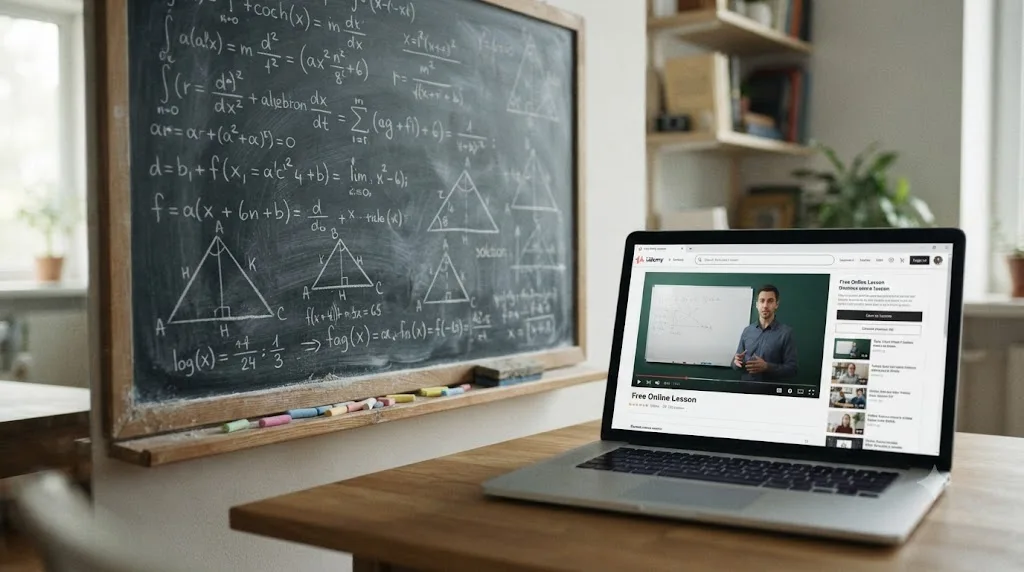
Is YouTube actually a viable Udemy alternative?
Viable, yes. Structured, no. YouTube is free, ad-supported unless you pay for Premium, and it has more total video content on any given software or skill than every other platform on this list combined, simply because anyone can upload anything. For a narrow question, "how do I do X in this one tool," it's often faster than opening a paid platform at all. Everyone already knows this, because everyone already does it. When you're stuck on one specific thing, the search bar on YouTube is the first place your hands go, and usually it works.
What it doesn't give you is a curriculum, a guarantee of quality, or anyone checking whether the video you found is current, correct, or complete. You're the editor, deciding which of thirty tutorials on the same topic is worth your time, and that curation cost is real even though the content itself is free. Free content, expensive attention. You'll watch three minutes of a video before realizing it's teaching an old version, back out, try another, back out again, and burn twenty minutes finding the good one. Multiply that across a whole skill and the "free" starts to cost you something after all. There's also no certificate, no structured progression from beginner to advanced, and no consequence if you watch half a video and never finish, which for some learners is exactly the accountability gap that causes them to abandon self-teaching altogether. Nobody is waiting for your homework. Nobody notices if you quit. For self-starters that freedom is a gift, and for everyone else it's quietly why the plan never gets finished.
Use YouTube the way most people already do, as a lookup tool for a specific stuck moment, not as your primary curriculum. If you need actual structure, pick one of the paid platforms above based on the subject; if you just need one answer to one question, a good search on YouTube (or, for DaVinci Resolve specifically, an in-app tool like TryUncle) usually beats sitting through a full paid course to get there. The smartest learners don't pick between free and paid. They use YouTube for the two-minute questions and a structured platform for the twenty-hour skill, and they never confuse one job for the other.
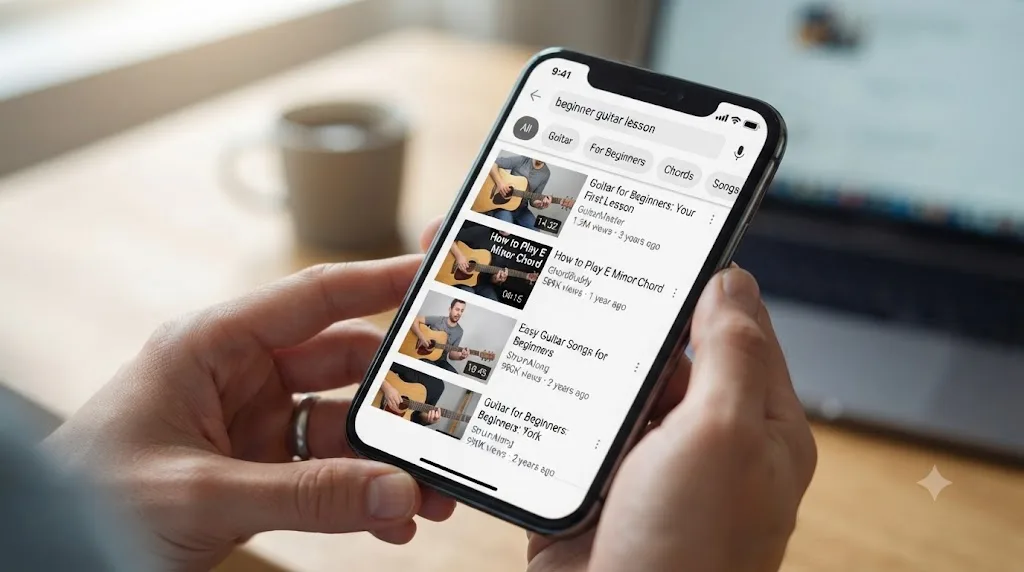
What does Udemy still do better than any of these?
Let's be fair to the thing everyone loves to leave, because pretending Udemy has no advantages would be its own kind of lie, and you'd catch me in it the first time you went looking.
Udemy still wins on three things, and they're not small. First, price for a single, specific course. Nothing on this list beats grabbing one discounted course for the price of lunch when that one course is genuinely all you need. Subscriptions assume you'll keep learning. Sometimes you won't, and for the one-and-done learner, a la carte is simply cheaper. Second, breadth. Udemy's open marketplace means someone, somewhere, has probably made a course on the weirdly specific thing you want to learn, the obscure software, the niche hobby, the tool with four thousand users worldwide. The curated platforms will never carry that, because it isn't worth their while to. Udemy carries it because carrying everything is the whole model. Third, lifetime access. Buy a Udemy course and it's yours, forever, no monthly clock ticking. Stop paying a subscription and your library evaporates. Own a Udemy course and it waits for you, patiently, for years.
So the honest verdict isn't "leave Udemy." It's "know what Udemy is now, and use it for what it's still good at." It's a bargain bin with real treasures and a lot of junk, and if you know exactly what you're reaching for, you can still walk out with something great for almost nothing. The problem was never that Udemy is bad. The problem is treating a bargain bin like a curated bookstore and being surprised when the experience is uneven.
How should you actually try before you commit?
Here's a small habit that will save you more money than any single platform choice on this list.
Never subscribe to learn. Subscribe after you've already learned one thing free. Almost every paid platform here offers a trial or a free tier, and the two genuinely free options cost nothing ever. So run a cheap experiment before you spend real money. Pick the platform that matches your subject. Start the free trial. Then take exactly one real class, start to finish, on the actual skill you care about, not three classes halfway. Finishing one class tells you everything the marketing can't: whether the teaching style clicks, whether the pacing suits you, whether you actually come back the next day. Sampling ten classes tells you almost nothing except that you like starting things.
An evening spent finishing one free class is the cheapest due diligence you will ever do. It costs you a few hours. Guessing wrong costs you a year of a renewing subscription you forgot to cancel. So spend the evening. Then decide.
So which Udemy alternative should you actually pick?
Go back to the decision table near the top of this post before you pick anything, because the honest answer is that "best Udemy alternative" was never one platform. It's whichever one matches the actual shape of what you're trying to learn, and picking the wrong category wastes more time than picking the wrong platform within the right category. Get the category right and even a mediocre choice inside it works out fine. Get the category wrong and the best platform in the world can't save you, because it's teaching the wrong subject to the wrong person.
Here's the full pricing picture side by side, so you can weigh cost against catalog in one place.
| Platform | Price | Model | Best for |
|---|---|---|---|
| TryUncle | $34.99/mo (see site) | AI in-app tutor | Learning DaVinci Resolve hands-on, macOS only |
| Skillshare | ~$168/year ($13.99/mo billed annually) | Unlimited subscription | Creative hobbies broadly |
| Domestika | ~$175/year plus course credits | Subscription + per-course credits | Illustration, photography, design |
| Coursera | $59/mo or $399/year; courses $29-$99 | Subscription or per-course | University-backed credentials |
| edX | Free to audit; paid verified certificates | Freemium | University certificates, check partner status |
| LinkedIn Learning | Roughly $20-$40/month | Subscription | Career skills visible on your profile |
| Pluralsight | $29-$45/month ($299-$499/year) | Subscription | Developer, cloud, and IT certifications |
| MasterClass | $120-$240/year | Subscription | Broad, celebrity-taught inspiration |
| School of Motion | ~$265-$332 per course, or All-Access plan | Per-course or subscription | Motion design, After Effects specifically |
| GoSkills | Monthly/annual unlimited plans | Subscription | Workplace and office software |
| Khan Academy | Free | Free, nonprofit | K-12 and foundational academic subjects |
| YouTube | Free (ad-supported) | Free, unstructured | Quick lookups, not structured learning |
If I had to compress twelve platforms into one piece of advice: figure out whether you need a credential, a community, or just an answer to one specific problem, because those three needs point at completely different tools, and no single platform on this list, Udemy included, does all three equally well. A credential sends you to Coursera, edX, or LinkedIn Learning. A community and expert critique send you to a specialist like School of Motion. An answer to one specific stuck moment sends you to YouTube, or, for DaVinci Resolve, straight into the app with TryUncle. Name the need first. Then the platform picks itself.
Pick based on that, not based on which name you'd already heard of before you started reading. The most familiar option is almost never the right one by accident, and the right one is usually the platform built for exactly your problem rather than the platform built for everyone's. Learn the difference once, and you'll never waste a year on the wrong course again.
Frequently asked questions
- What's the best free Udemy alternative?
- Khan Academy if you're learning academic subjects like math, science, or test prep, it's a nonprofit and every lesson is free with no subscription anywhere. YouTube is the better free pick for practical skills like software or video editing, but you're trading structure and accountability for the price tag. Neither issues a credential anyone will recognize.
- Is Skillshare actually better than Udemy?
- It depends on how much you watch. Skillshare's unlimited subscription beats Udemy's per-course pricing if you take more than one or two classes a month, since a single Udemy course can already cost more than a year of Skillshare during a sale. If you only ever want one specific course, Udemy's a la carte model can still work out cheaper.
- Does Udemy still refund courses if you're unhappy?
- Udemy's official policy allows refunds within 30 days of purchase. In practice, plenty of buyers report requests getting denied once they've watched more than a small percentage of the course, so treat the 30-day window as a guideline Udemy enforces selectively, not a guarantee.
- What's the best Udemy alternative for learning DaVinci Resolve specifically?
- TryUncle, if you want to learn by doing rather than by watching. It's an assistant built only for DaVinci Resolve on macOS that guides you inside the actual app. If you want a traditional video curriculum instead, our comparison of six real DaVinci Resolve courses covers the Udemy bootcamps and the free official alternative.
- Are certificates from Udemy alternatives worth anything?
- It depends entirely on who issued it. A Coursera or edX certificate tied to a real university, or a Blackmagic Design certification for software skills, carries weight because a name a stranger recognizes stands behind it. A generic completion certificate from any marketplace platform, Udemy included, mostly proves you finished, not that you're good at it.
- Can you use more than one Udemy alternative at the same time?
- Yes, and most serious learners do. A common combination is a subscription library like Skillshare or Coursera Plus for broad structured learning, plus a narrower tool like Khan Academy or TryUncle for the specific thing you're stuck on right now. They solve different problems, so they don't really compete with each other.
- Should I cancel my Udemy account entirely?
- Probably not. Even if you switch your main learning to another platform, the courses you've already bought on Udemy stay in your account for lifetime access, so there's nothing to gain by deleting it. Treat Udemy as one tool in a bigger kit, not an all-or-nothing commitment you have to break up with.
- How do I try these platforms before paying?
- Almost every paid platform on this list offers a free trial or a free tier, and the two genuinely free ones, Khan Academy and YouTube, cost nothing ever. Start a trial on the one that matches your subject, take one real class start to finish, and only then decide whether the subscription earns its keep. Sampling costs you an evening. Guessing costs you a year.
Sources
- Udemy Statistics for 2026 (Users, Instructors and More)
- Instructor revenue share - Udemy Support
- Udemy Earns More, Pays Instructors Less: Class Central Exclusive
- Udemy is 'Intentionally Reducing' the Business That Made It Famous - Class Central
- Udemy, Inc. (UDMY) Q3 2025 Earnings Call Transcript - The Motley Fool
- Udemy's Refund Policy - Udemy Support
- Udemy Agrees to Pay $4 Million Settlement Over Deceptive Pricing Practices - Class Central
- Compare Udemy Plans and Pricing
- Skillshare Pricing
- Coursera Pricing and Plans
- Coursera to Charge Partners 15% Platform Fee Starting 2026 - Class Central
- University Partnerships - Coursera
- LinkedIn Learning - Compare Pricing & Plans
- Pluralsight Individual Pricing Plans
- About MasterClass Membership Plans - MasterClass Help Center
- Domestika Plus
- School of Motion: Big News About Our Course Prices
- GoSkills for Individuals - Pricing
- Harvard and MIT's $800 Million Mistake: The Triple Failure of 2U, edX, and Axim Collaborative - Class Central
- Khan Academy - Wikipedia
- TryUncle
Learn by doing, not watching
Stop translating tutorials to your timeline.
TryUncle stays beside Resolve on Mac and Windows. When you ask, Uncle sees your screen and points at the exact control you need. No hunting through tabs, timestamps, or mismatched tutorials.
Meet TryUncleKeep reading
 GuidesJul 25, 202643 min read
How to Use AI Tools Without Violating Client NDA Agreements
Which AI tools are safe under a client NDA, which ones aren't, and how to check before you upload confidential footage, transcripts, or notes.
 GuidesJul 25, 202630 min read
Will AI Replace Illustrators and Concept Artists in 2026?
CVL Economics, the UK's Association of Illustrators, BLS, and WEF data on whether AI is replacing illustrators and concept artists in 2026, and what still gets them hired.
 GuidesJul 22, 202633 min read
How AI Is Changing Freelance Platforms Like Upwork and Fiverr
Real data on how AI is reshaping Upwork and Fiverr: which freelance gigs are shrinking, which are growing, and what Uma, Neo, and AI Orchestrator work mean for you.