
Learn / Learning in the Age of AIupdated for LinkedIn and Upwork 2026 skills data, DaVinci Resolve 21.0 AI features, and TryUncle pricing (July 2026)
How to Add AI Skills to Your Video Editing Resume (2026 Guide)
Quick answer
List the specific AI-assisted tasks you've actually done: transcript-based rough cuts, auto-captioning, AI object removal, or automated color matching, named by tool and tied to a measurable result like time saved. Skip vague claims like 'AI-savvy.' Recruiters in 2026 want proof you applied a tool to a real project, not a list of software names.
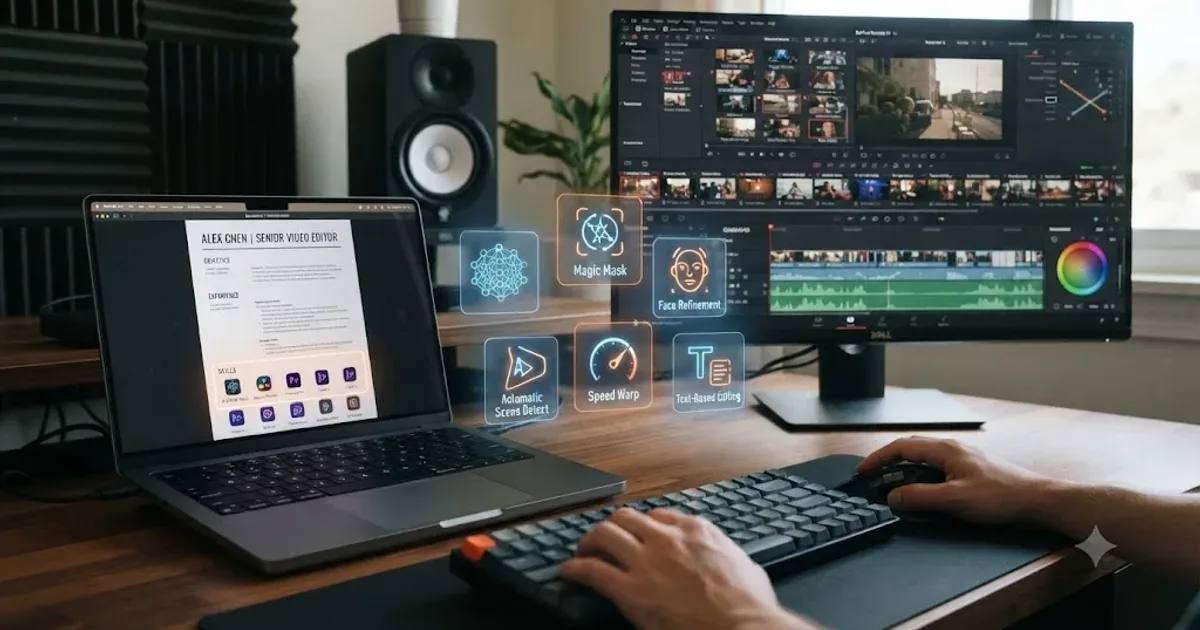
I've read enough video editor resumes and job postings this year to notice the same mistake over and over. Someone adds "AI" or "ChatGPT" to their skills section, floating with no context, no tool name, no result. It doesn't help. It reads like keyword stuffing because it usually is.
Here's what actually works instead. Name the specific AI-assisted task you did, the tool you used, and what changed because of it. That's the entire method this guide walks through: which skills to list, where to put them, how to phrase them so an applicant tracking system and a tired hiring manager both understand you in five seconds, and how to build the skill for real if you don't have it yet.
Why do AI skills matter on a video editing resume now?
Because the job postings changed first, and resumes are catching up late. Upwork's own 2026 In-Demand Skills report, based on freelancer earnings data from January through December 2025, found that AI video generation and editing was the fastest-growing skill category on its entire platform, up 329 percent year over year, according to Upwork's own press release. That's not a survey of opinions. That's what clients actually paid for, measured in earnings, across an entire year.
The resume side is catching up unevenly. According to The Interview Guys' 2026 resume research, 85 percent of resumes now mention some form of AI familiarity, though most candidates still can't demonstrate the specific skills that actually drive a hiring decision. The same research found that workers in occupations requiring AI fluency grew roughly sevenfold, from about 1 million people in 2023 to around 7 million in 2025, and that workers with demonstrable AI skills now command a 56 percent wage premium over peers without them, more than double the 25 percent premium measured just a year earlier.
Everyone claims AI skills now, which means the claim alone is worthless and the proof behind it is the only thing that still differentiates you. That's the real shift. Five years ago, mentioning "AI-assisted editing" was a novelty that got a second look. In 2026, it's the default, and a hiring manager scanning fifty video editor resumes has learned to skip past the vague version and stop on the specific one.
The underlying job market for editors hasn't collapsed either, which matters if you're weighing whether it's worth building these skills at all. The U.S. Bureau of Labor Statistics still projects 3 percent employment growth for film and video editors through 2034, with about 6,400 annual openings and a median wage of $70,980 as of May 2024, according to the BLS Occupational Outlook Handbook. Our own breakdown of whether AI will replace video editors covers that data in full detail. The short version relevant here: the mechanical layer of editing is what AI absorbs first, and being the person who runs the AI tool, not the person competing against it, is exactly what an AI skills section on a resume is supposed to signal.
What AI skills should a video editor actually list?
Six categories cover almost everything a working editor is realistically doing with AI right now. Treat this as your inventory checklist before you write a single resume line: go down the list, and only keep what you've genuinely done.
| Category | What it actually involves | Example tools |
|---|---|---|
| Transcript-based rough cuts | Editing by deleting words from a text transcript instead of scrubbing footage | Descript, DaVinci Resolve's IntelliScript |
| Auto-captioning and subtitles | Generating and timing captions automatically, then correcting names and jargon | DaVinci Resolve's Neural Engine, Descript, CapCut |
| Object and background removal | Isolating or removing a subject or object without hand-drawn masks | DaVinci Resolve's Magic Mask, Adobe's Object Mask |
| Automated color and shot matching | Using AI to get a first-pass color match across shots before hand-grading | DaVinci Resolve's Neural Engine tools, Resolve's color match |
| Generative extension or b-roll | Prompting a model to extend a shot or generate supporting footage | Adobe's Generative Extend, Runway |
| Workflow automation and scripting | Using a natural-language or scripted bridge to run repetitive project tasks | Claude or ChatGPT via an MCP server, custom Python scripts |
Notice what's missing from that list on purpose: "prompt engineering" and "AI tools" as bare, standalone line items. Those phrases show up constantly in generic AI-skills advice aimed at office and marketing roles, and they're real, useful categories in that context. For a video editor, they're too vague to mean anything on their own. A hiring manager reading "prompt engineering" on an editor's resume has no idea if you mean you wrote a good ChatGPT prompt once or you regularly generate and refine b-roll with Runway. Tie the skill to the specific editing task it produced.
A skill that only exists as a word on your resume and never as a sentence describing what you built with it is not a skill a hiring manager can trust. That single sentence is the filter for everything in this guide. If you can't finish it with a specific project, tool, and outcome, don't list it yet, go build it first, which the later section on practicing without paid work covers directly.
How do you phrase AI skills so they pass ATS and impress a human?
Two audiences, one bullet, and it has to satisfy both at once. An applicant tracking system is scanning for keyword matches against the job posting. A human is scanning for evidence you can actually do the job. The fix is the same for both: specific tool name, specific task, specific number.
Here's the pattern, worked through three real examples.
Weak: "Familiar with AI editing tools." Better: "Used AI-assisted editing tools to improve workflow efficiency." Strong: "Cut assembly time on a 12-part interview series from 3 days to 1 by using transcript-based editing in Descript for the rough cut, then finishing pacing and color by hand in DaVinci Resolve."
The weak version fails both audiences. It has no keyword an ATS can confidently match against a specific job requirement, and it gives a human reader nothing to picture. The "better" version is what most people write when they know they should improve on the weak version but don't go far enough, it still has no tool name and no number, so it reads as filler even though it sounds more professional. The strong version names a tool an ATS can match, states a task a human can picture, and closes with a number that makes the claim checkable.
Weak: "Skilled in AI-powered color correction." Strong: "Used DaVinci Resolve's automated color match to get a consistent first-pass grade across 40+ clips shot on three different cameras in one afternoon, then hand-refined skin tones and contrast for the final deliverable."
Weak: "Experience with generative AI video tools." Strong: "Used Runway to generate three background plate extensions for a product launch video when the original location footage ran short, cutting a planned half-day reshoot down to zero."
Run every AI bullet you write through this three-part test before it goes on the resume: does it name a specific tool, does it name a specific task, does it close with something a hiring manager could ask a follow-up question about. If any part is missing, it's still in the "better but not strong" tier, and that tier reads as filler to anyone who's screened more than a handful of resumes this year.
The number at the end of a bullet is not decoration, it's the only part of the sentence that separates a claim from a demonstration. Time saved, output volume, clip count, turnaround delta, any of those work. If you genuinely don't have a number, and sometimes you won't for a personal project, describe the before-and-after state concretely instead: "cut what used to take an evening of manual keying down to under ten minutes" still does the job without a precise percentage.
Where does an AI skills section actually go on a video editing resume?
Two places, not one, and they do different jobs. Skip either one and you lose something specific.
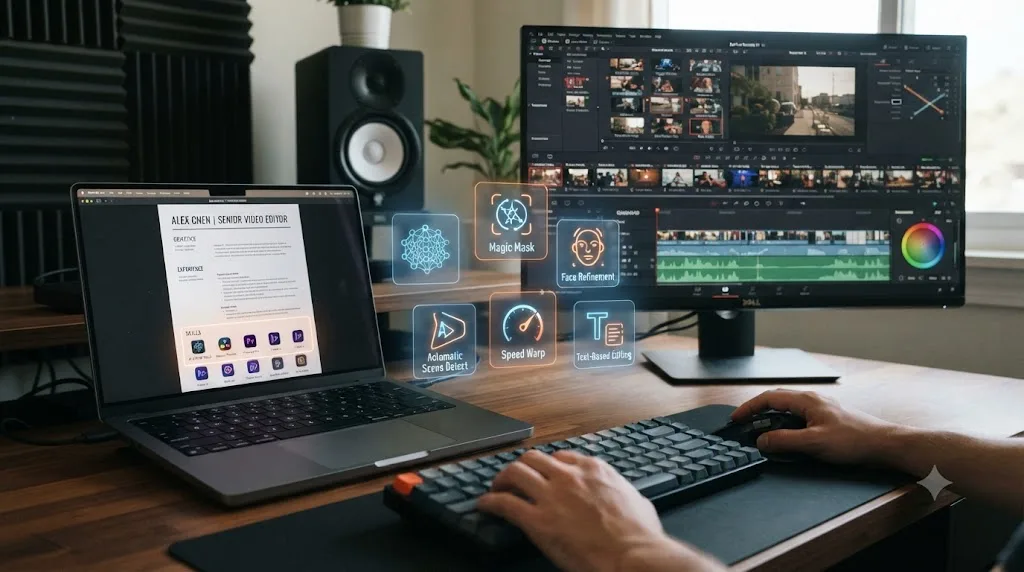
The first is a short, dedicated line inside your existing skills section, formatted for scanning speed: "AI-assisted editing: transcript-based rough cuts (Descript), auto-captioning, object removal (Magic Mask)." This is the line an applicant tracking system parses, and it's also the line a human reader's eye catches in the first three seconds of skimming a resume that's competing with forty others for the same slot. Keep it to one or two lines. A skills section padded with fifteen tool names, half of which you've used once, reads as noise, and recruiters have gotten fast at spotting that pattern.
The second is a bullet under the specific job or project where you actually used the skill, written with the full tool-task-outcome pattern from the previous section. This is the part a human reads carefully once they've decided your resume is worth a second look, and it's where the skills-section line earns its credibility. A skills section that says "AI-assisted editing" with nothing backing it up anywhere else in the document reads as a claim with no evidence behind it, which is worse than not listing the skill at all in a market where 85 percent of resumes already make some version of the same claim.
| Resume section | What goes there | Purpose |
|---|---|---|
| Skills section | Short, scannable list of AI-assisted categories | ATS keyword match, first-pass human skim |
| Experience/project bullets | Tool name + specific task + measurable outcome | Proves the skills-section claim is real |
| Portfolio or reel link | Actual before/after footage or a case study | The evidence a serious hiring manager checks before an interview |
If you're choosing where to put your one or two strongest AI bullets and you only have room for a handful, put them under your most recent or most relevant project, not buried at the bottom of an older job. Recency and relevance both signal that the skill is current, not something you tried once years ago and never touched again.
Should your AI skills section look different on LinkedIn than on your resume?
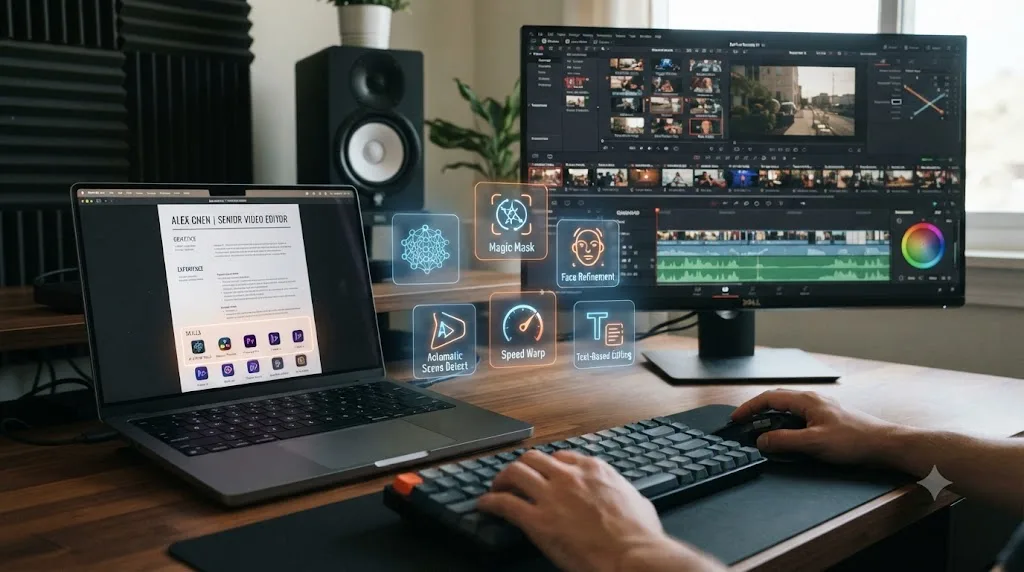
Yes, because LinkedIn isn't read the way a resume is read. A resume is a document a human opens and reads start to finish, or at least skims for ten seconds. LinkedIn is closer to a search index: a recruiter types a skill into a search box, and whoever's profile matches shows up in a list, mixed in with everyone else who tagged the same skill, real experience or not.
That changes the job each surface is doing. Your resume's AI skills section has to survive a careful read. Your LinkedIn skills section mostly has to survive a keyword match, which means the discipline that keeps your resume honest, name the tool, name the task, name the result, matters even more on LinkedIn, not less, because there's no bullet sitting right underneath a LinkedIn skill tag to back it up unless you put one there yourself.
The demand behind this isn't hypothetical. LinkedIn's own Skills on the Rise 2026 report found that job postings requiring AI literacy skills grew more than 70 percent year over year, according to CNBC's reporting on the report. Recruiters are searching for these terms more than they were twelve months ago, which means a video editor's LinkedIn profile with no AI-related skill tags at all is invisible to exactly the search that's grown the fastest.
Three practical differences worth acting on:
Pin your most specific AI skill, not your broadest one. LinkedIn lets you feature a handful of skills at the top of your profile, and "Video Editing" alone wastes that space when "Transcript-Based Editing" or "AI-Assisted Color Matching" tells a recruiter searching that exact term you're a match before they've read a word further.
Use the Featured section as your proof, not your About paragraph. A LinkedIn About section that lists AI tools in prose has the same weakness as a resume skills line with nothing backing it up. A Featured post linking an actual before-and-after clip, or a short write-up of the same project you'd describe in a resume bullet, does the job a resume bullet does, on a platform built for links and media instead of dense paragraphs.
Don't just copy-paste your resume bullets into LinkedIn. The tool-task-outcome pattern still applies, but LinkedIn rewards a slightly more conversational version, since it's the same platform where you might get a direct message asking a follow-up question in real time. Write it the way you'd actually say it if someone messaged you "tell me more about that."
One LinkedIn-specific trap resume readers don't have to worry about: skill endorsements from connections who've never seen you use the tool. A dozen endorsements for "Artificial Intelligence" from people who endorsed you back after you endorsed them proves nothing to a recruiter who's seen the pattern before, and it can undercut a specific, well-evidenced skill sitting right next to it. Better to have three real, specific skill tags with a Featured project attached than fifteen generic ones with a stack of reciprocal endorsements.
A LinkedIn skill tag with nothing behind it is the exact same empty claim as a resume line with no bullet, just harder for a recruiter to catch before they've already reached out. That's the real risk of treating LinkedIn as a lower-stakes version of your resume. It isn't lower-stakes, it's just read differently, by more people, faster.
Should you mention AI skills in a cover letter too, or is the resume enough?
The resume carries the proof. If you're asked for a cover letter too, use it for the one story the bullet format can't fit, not a second inventory of tools.
A resume bullet is compressed by design: tool, task, number, done. A cover letter has room for the part that got cut to fit that format, what actually went wrong the first time you tried the AI-assisted approach, or why you chose it over the manual method on that specific project. That's the kind of detail an interviewer would otherwise have to ask for.
Keep it to two or three sentences on AI specifically, inside a cover letter that's still mostly about fit: why this project, why this team, why you're the right editor for what they're actually making. A cover letter that spends half its length re-explaining your AI skills section reads as padding, and it buries the one detail that was worth including in the first place.
If the posting doesn't ask for a cover letter, don't manufacture a reason to send one just to fit in an AI story. Put that story in your back pocket for the interview instead, where a hiring manager who's already read your resume bullet is far more likely to ask for it directly.
The cover letter's job is to answer the one question a resume bullet can't: what did you learn the first time this didn't go as planned. If your AI-related sentence in a cover letter doesn't answer that question, cut it and use the space on something that does.
How does this change if you're applying through Upwork or another freelance platform instead of a resume?
The mechanics change, the underlying rule doesn't. A freelance profile is judged by a headline, a portfolio, and client reviews before anyone reads a skills list, which means the tool-task-outcome discipline from earlier in this guide has to live in those three places instead of a bullet under a job title.
Upwork's own 2026 data is what opened this guide: AI video generation and editing was the fastest-growing skill category on the platform, up 329 percent year over year, measured in what clients actually paid, according to Upwork's own press release. That demand shows up as a specific kind of client behavior worth planning for: clients searching a freelance platform for an editor often type the AI skill first, "AI captioning," "rough cut from transcript," before they type "video editor," because they've already decided they want the AI-assisted version of the service.
Three adjustments for a freelance profile specifically:
Your headline should name the outcome the AI skill produces, not just the tool. "DaVinci Resolve editor, transcript-based rough cuts" tells a scanning client what you can do for them faster than "AI-savvy video editor" does, and it matches the exact search behavior described above.
Your portfolio has to show the work, not just claim the skill. A resume can get away with a strong bullet and no attached proof, because the interview is where proof gets tested. A freelance profile is judged before any conversation happens, so a portfolio piece with a visible before-and-after, raw dailies next to the finished cut, does work a bullet alone can't on this specific surface.
A client review that mentions turnaround time is worth more than any line you write about yourself. If a client's review says the project came back faster than expected, that's the same "hours saved" number your resume bullets are built around, except a stranger said it instead of you, which makes it far more persuasive to the next client comparing profiles.
The same honesty rule from earlier holds here too, maybe more so, because a freelance client can and often does ask a screening question about your process before hiring, same as an interviewer would. Naming a tool you haven't actually used to win a bid is a faster way to lose a client relationship than it is on a resume, where at least a few interview rounds usually happen first.
On a freelance platform, the proof isn't a sentence, it's a link, and a client can click it before they ever talk to you. That's the real difference from a resume. Everything else, name the tool, name the task, show what changed, is the same method this whole guide has been describing, just displayed on a different surface.
Which specific DaVinci Resolve AI features are worth naming by name?
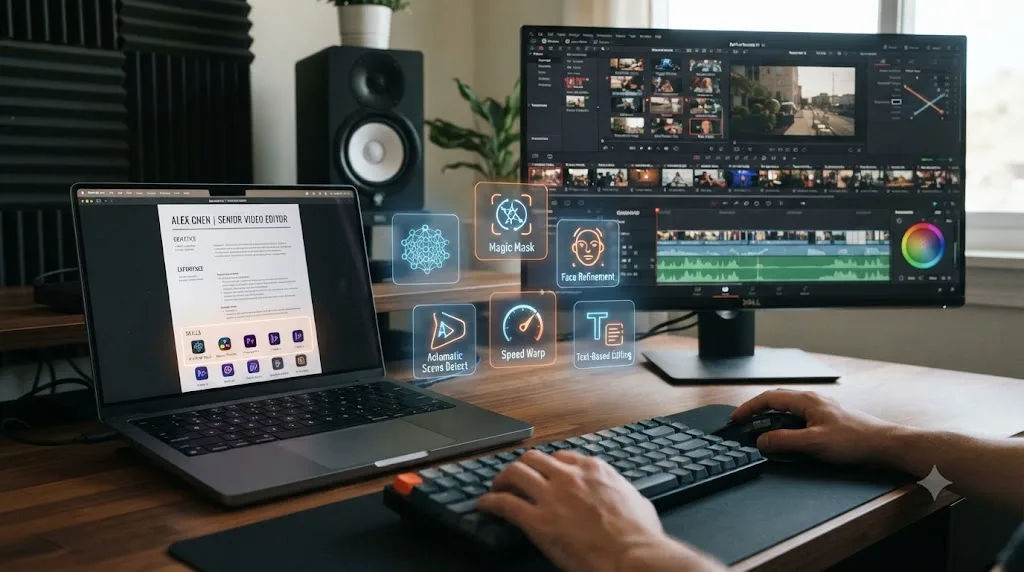
If DaVinci Resolve is your primary tool, name Resolve's actual Neural Engine features instead of the generic phrase "AI color tools" or "AI editing." Specificity here does real work: it tells a hiring manager who also uses Resolve exactly what you're capable of, and it survives an ATS keyword match against a job posting that names the same tools.
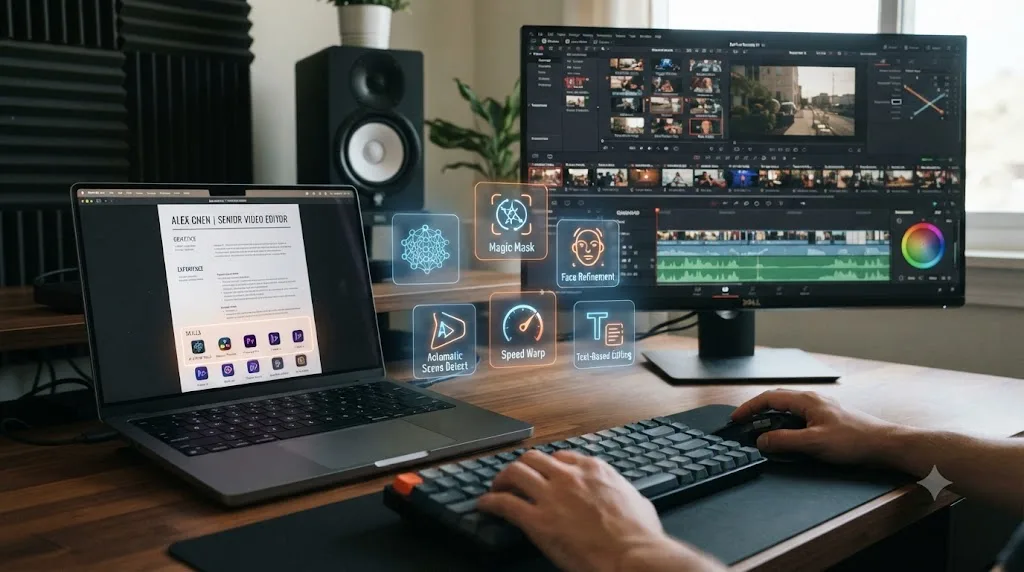
DaVinci Resolve 21 shipped or expanded a specific set of AI-powered tools, according to Blackmagic Design's own release notes: IntelliScript, which compares an imported script against the transcribed audio of your dailies and assembles a scene-by-scene rough cut automatically; an expanded Magic Mask with a new Render in Place option for generating external mattes; IntelliSearch for fast content search across your media pool; CineFocus for adjusting a shot's focal point after the fact; and tools like a Face Age Transformer and automated blemish removal for cosmetic retouching work.
Here's how those translate into resume bullets instead of feature names copied from a release-notes page:
- "Used DaVinci Resolve's IntelliScript to auto-assemble a rough cut from a 45-page interview script against three hours of dailies, cutting first-assembly time from a full day to under two hours."
- "Applied Magic Mask across a 6-minute product demo to isolate and grade the product separately from the background in every shot, without hand-tracking a single matte."
- "Used IntelliSearch to locate specific b-roll clips across a 400-clip media pool by description instead of manually scrubbing bins, cutting search time on a tight-deadline cut."
Each of those is checkable in an interview. A hiring manager who also runs Resolve can ask you a follow-up question about Magic Mask's edge-detection limits on hair or fast motion, and if you've actually used the tool, you have a real answer. That's the whole point of naming the specific feature instead of the category: it invites exactly the kind of follow-up question that separates real experience from a resume line copied from a "top AI skills" listicle.
Does the AI skills list change if you're a colorist, motion designer, or documentary editor instead of a generalist?
Yes, and treating every editing specialization like it needs the same six-category list from earlier is its own version of the vague-claim problem this guide keeps warning about. A colorist who lists "transcript-based rough cuts" as a headline AI skill is optimizing for a job they're not applying for.
The six categories from earlier, transcript-based rough cuts, auto-captioning, object removal, color matching, generative b-roll, and workflow automation, aren't equally relevant to every editing job. A hiring manager screening colorists cares about your color-matching and masking fluency first. A hiring manager screening a documentary editor cares about how you handle long-form dailies and transcripts first. Match your emphasis to the job, not to the full list.
| Specialization | Most relevant AI categories | What the resume bullet should prove |
|---|---|---|
| Colorist | Automated color/shot matching, Magic Mask for secondary isolation | Consistency across cameras and lighting setups, and judgment on when the automated match needed hand correction |
| Documentary or interview editor | Transcript-based rough cuts, IntelliScript, auto-captioning | Turnaround on long dailies, accuracy of the transcript-to-footage match |
| Motion designer or titles editor | Generative extension and b-roll, prompt-based asset generation | Iteration speed, and how closely generated assets matched an existing brand style before hand-finishing |
| Social or short-form editor | Auto-captioning, workflow automation and scripting, rough-cut agents | Output volume and turnaround per piece across a repeating content calendar |
| Wedding or event editor | Object and background removal, automated color matching, workflow automation | Multi-camera consistency and delivery turnaround on a fixed client deadline |
A colorist's version of the strong bullet pattern from earlier looks different from a documentary editor's, even though both use the same tool-task-outcome structure. "Used DaVinci Resolve's automated color match to get a consistent first-pass grade across 40+ clips shot on three cameras, then hand-refined skin tones for final delivery" is a colorist's bullet. "Used IntelliScript to auto-assemble a rough cut from a 45-page interview script against three hours of dailies, cutting first-assembly time from a day to under two hours" is a documentary editor's. Neither bullet would land as well in the other person's application, because it's answering a question that job isn't asking.
This matters even more if you're building the skill from scratch rather than documenting something you already do. Our breakdown of the AI tools worth learning inside DaVinci Resolve covers which specific tools map to which kind of editing work in more depth, worth reading before you decide which category to practice first if you're not sure where your specialization actually sits on this table.
What if you don't fit neatly into one specialization, plenty of working editors don't. If you're a generalist who does a bit of everything, the six-category list from earlier is the right frame, and this table is more useful as a diagnostic: read down the column for whichever type of project makes up most of your recent work, and let that decide which two or three AI skills get top billing on this specific application, even if your day-to-day mixes all five.
The generalist version of an AI skills section is a safe default, but the specialized version is the one that actually gets read carefully by someone hiring for that specific role. If you know which kind of editing job you're applying for, don't hedge across all six categories evenly, lead with the two or three that person actually screens for and treat the rest as secondary.
Should you list AI editing agents like CutAgent, Eddie AI, or Sottocut as a skill?
Carefully, and only with the same tool-task-outcome pattern as everything else in this guide. This is a newer, narrower category than the Neural Engine features above: AI agents that take a natural-language instruction and edit your timeline directly, rather than automating one specific task inside an edit you're still driving by hand.
CutAgent edits a DaVinci Resolve timeline from a typed instruction, with a review step before the change lands, according to CutAgent's own product site. Eddie AI assembles rough cuts from raw interview or podcast footage by chat and, according to its own site, works with both the free and Studio editions of Resolve. Sottocut and PremiereCopilot occupy adjacent spots in the same category, automated assembly and plugin-based AI workflows layered onto an existing NLE, according to PremiereCopilot's own roundup of AI plugins for DaVinci Resolve and Sottocut's product site.
| Tool | What it actually does | Worth listing as a skill if... |
|---|---|---|
| CutAgent | Edits your timeline from a typed instruction, with a review step | You've used it on a real project and can describe what you had to correct afterward |
| Eddie AI | Assembles rough cuts from raw footage by chat | Same: name a specific footage type and what the rough cut still needed from you |
| Sottocut | Automated assembly workflow for social/short-form cuts | You've compared its output to your own manual cut and can speak to the difference |
| PremiereCopilot | AI plugin layer for common editing tasks | You've used a specific plugin function, not just installed the app |
Here's the honest caveat that matters more than the tool comparison: most hiring managers outside a handful of AI-forward studios have never heard of any of these four names. Listing "CutAgent" with zero context assumes a familiarity most readers don't have, and it can read as buzzword-dropping if the bullet doesn't explain what the tool did. Describe the workflow first, name the tool second: "Assembled first-pass rough cuts from raw multi-camera interview footage using an AI editing agent (CutAgent), then handled all pacing, story structure, and final color by hand" tells the story even to a reader who's never used the tool themselves.
Naming an AI agent without describing what you had to fix afterward implies the agent did the whole job, and that's exactly the claim a follow-up interview question is designed to catch. Every one of these tools, by its own maker's description, still expects a human to review and finish what it produces. Your resume bullet should show that review step explicitly, not skip past it, because the review step is the actual editing judgment a hiring manager is trying to hire for.
What if the AI tool you listed shuts down or gets renamed before the interview?
Check before you apply, and build your bullet so it survives the answer either way. This is a real risk specific to the narrow AI-agent category from the previous section, CutAgent, Eddie AI, Sottocut, PremiereCopilot, and it's not a risk with DaVinci Resolve's own Neural Engine tools in anything close to the same way.
The difference is who's behind the product. Magic Mask, IntelliScript, and IntelliSearch ship inside DaVinci Resolve, built and maintained by Blackmagic Design, a company with an installed user base in the millions and no incentive to abandon a feature it just shipped. CutAgent, Eddie AI, and Sottocut are small, fast-moving products built by much smaller teams, in a category where consolidation, rebrands, and shutdowns happen often enough that naming one on a resume carries a small but real expiration risk.
Two things to do about it. First, before you submit any resume with a narrow AI-agent tool name on it, spend thirty seconds confirming the product's own site still describes the same features you're claiming to have used. A rename or a shutdown between when you used the tool and when a hiring manager reads your resume puts you in an avoidable, awkward spot if they look it up mid-interview and find nothing.
Second, write the bullet so the tool name is the least load-bearing word in it. "Assembled first-pass rough cuts from raw interview footage using an AI editing agent (CutAgent), then handled pacing and color by hand" survives the product disappearing entirely, because the sentence is really about the workflow, AI-assisted rough-cut assembly with manual finishing, and the parenthetical tool name is supporting evidence, not the point. If an interviewer has never heard of the tool, or the tool doesn't exist anymore by the time they check, the sentence still describes a real, specific skill.
If you do get asked about a tool that's since shut down or rebranded, say so plainly. "I used it when it was called X, I haven't kept up with what it's called now" is a fine, honest answer, and it demonstrates exactly the kind of tool literacy this whole guide is arguing for: you know what the tool did for you, independent of whatever its current name or owner is.
A resume bullet that survives its own tool's disappearance describes the workflow first and names the product second. That's not a reason to avoid naming these tools, specificity is still worth more than a vague category most of the time, it's a reason to structure the sentence so the workflow carries the meaning even if the brand name stops meaning anything by the time someone reads it.
How do you prove AI skills if you haven't used them on a paid job yet?
Build a small, honest body of work, and describe it as exactly what it is. This is where most of the "how to add AI skills to a resume" advice floating around gets vague, so here's the concrete version for video editors specifically.
Take a piece of footage you already have, an old vlog, a short film you shot for fun, a friend's wedding you helped shoot, and re-edit a two- or three-minute section of it using two or three of the AI-assisted tasks from the categories list earlier. Auto-generate captions and correct them by hand. Use Magic Mask or an equivalent to isolate a subject for a targeted grade. Try a transcript-based rough cut on an interview segment, even a short one. The goal isn't a finished masterpiece, it's a specific, describable experience you can put a real sentence around.
Then write the resume bullet with the same honesty you'd want from someone else's resume: "Practiced transcript-based rough-cut editing and AI object removal on a personal short-form project (available in portfolio)" is a completely legitimate line. It's not the same claim as "used on client deliverables for a production company," and it shouldn't be phrased to sound like it is. Recruiters increasingly ask a direct follow-up, something like "walk me through a specific time you used that," and the honest personal-project answer holds up fine. A vague answer that implies more than actually happened does not.
Here's where the actual skill-building happens, stacked in the order that gets you unstuck fastest:
Blackmagic Design's own free training guides are the correct starting point for the fundamentals underneath any AI-assisted workflow, six full guides covering editing, color, audio, and effects, downloadable free from Blackmagic's own training page. If you don't understand what a color match or a node graph is doing conceptually, learning to trigger the AI version of it first just teaches you to click a button, not to judge its output, which is the exact gap a hiring manager's follow-up question is built to expose.
Casey Faris's YouTube channel is one of the most consistently recommended free resources for Resolve-specific workflows, including color and edit-page techniques that show up constantly in working editors' actual day-to-day process. The r/DaVinciResolve community on Reddit is the other consensus recommendation worth naming honestly: it's not a curriculum, it's a place to see how real editors are actually using (and fighting with) Resolve's AI tools on live projects, which is a different and useful kind of information than a structured tutorial gives you.
Watching someone else demonstrate Magic Mask in a tutorial and applying Magic Mask to your own footage while something corrects your mistake in real time are not the same kind of learning, and only the second one builds a skill you can defend under interview questioning. That distinction is the entire reason this section pushes you toward a real personal project instead of just a longer watch history. Our deep dive on the best way to learn DaVinci Resolve covers the underlying learning-science research behind that claim in full, if you want the studies behind the sentence.
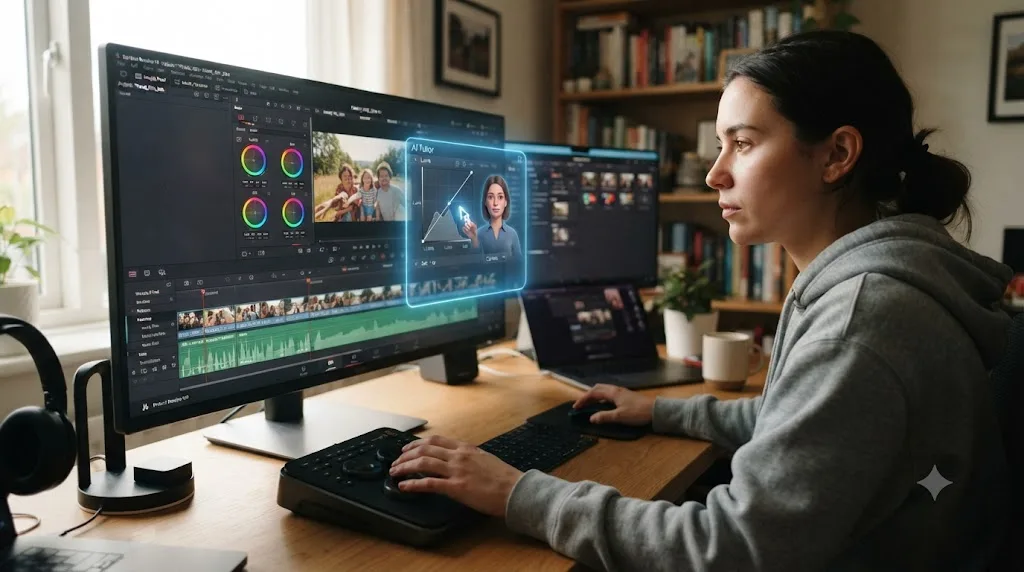
This is also where an in-app tutor like TryUncle fits, worth naming plainly since it's built by the company publishing this guide. TryUncle is the on-screen assistant for DaVinci Resolve on macOS, ask in plain words and Uncle points at the exact control on your screen. Instead of pausing a tutorial to find the right menu, you ask TryUncle where a specific control lives inside your actual open project, live, on the Edit, Color, and Fusion pages, and it points at it while you make the change yourself. It's a paid subscription at $34.99 a month, cancel anytime, per TryUncle, and it's macOS only. It won't write your resume bullets for you, but it shortens the distance between "I watched a video about Magic Mask" and "I actually used Magic Mask on my own footage and understand what it got wrong," which is the exact distance this whole section is about closing.
What do hiring managers and recruiters actually want to see?
Evidence of judgment, not a list of tools you've heard of. That's the theme running through every source in this guide, from the wage-premium data to the specific bullet patterns above, and it's worth hearing it stated plainly by someone whose job is literally tracking this shift across the whole labor market.
Aneesh Raman, Chief Economic Opportunity Officer at LinkedIn, put the underlying dynamic this way in a recent interview: "The human who's using AI correctly has a superpower now," and framed the broader competitive shift bluntly: "It's not human versus AI. It's human versus human with AI," according to Deccan Chronicle's interview with Raman. That's not advice specific to video editors, but it names exactly what a resume with a strong AI skills section is actually competing against: not editors with no AI experience, but other editors who've already learned to use it well and can prove it.
A hiring manager isn't screening for whether you've heard of an AI tool, they're screening for whether you know when to trust its output and when to override it. That's why every strong bullet example in this guide pairs the tool with a specific outcome or correction, not just a task. "Used Magic Mask" tells a reader you clicked a button. "Used Magic Mask, then hand-corrected edge artifacts on fast hair movement in two shots" tells a reader you understand the tool's actual limits, which is the more valuable signal by a wide margin.
Adobe's own 2026 Creators' Toolkit Report backs up the same split from the creator side rather than the recruiter side: 93 percent of surveyed creators say generative AI helps them produce content faster, but 85 percent still believe the final creative decision should remain with the human creator, according to Adobe's own report. That's the exact balance a strong resume needs to demonstrate: comfortable with the tools, clear that the judgment is still yours.
Should you use ChatGPT or an AI resume builder to write the resume itself?
Use it to draft, not to finish, and be extra careful on this specific section, because the irony of a generic-sounding AI skills section written entirely by AI is not lost on the hiring manager reading it. AI resume builders like the ones covered across the resume-advice industry, tools that generate a skills list or draft bullet points from a prompt describing your work, can genuinely speed up the blank-page problem. They're less useful for the part of this guide that actually matters: the specific number, the specific tool, the specific correction you made. A generic prompt like "write AI skills bullets for a video editor resume" produces exactly the vague, keyword-stuffed output this entire guide is telling you to avoid, because the tool has no access to what you actually did on your actual project.
The practical split: let a drafting tool help with structure, formatting, and getting past the blank page, then go back through every AI-related bullet by hand and replace anything generic with your own specific detail. If a sentence in your resume could apply to literally any editor who's ever opened a settings menu, it needs a real number or a real tool name added, and no AI resume builder can add that for you, because it doesn't know your actual footage, your actual client, or your actual fix.
The single easiest way to spot a resume's AI skills section was written by AI instead of by the person who did the work is that it never mentions anything going wrong. Every real use of an AI editing tool involves at least one correction, an edge artifact, a mistimed caption, a color match that needed adjusting. A bullet that describes flawless AI output with no human correction anywhere in the sentence reads as either inexperienced or fabricated, and an interviewer's first follow-up question will usually find out which.
Real before-and-after resume bullets by career stage
The right AI skill bullet looks different depending on where you actually are, and copying a senior editor's phrasing when you're two months into learning Resolve reads as dishonest the moment an interviewer asks a follow-up question. Here's the honest version at four stages.
Student or complete beginner, no paid work yet. Weak: "Interested in AI video editing tools." Strong: "Completed a self-directed short-form project applying AI auto-captioning and object removal in DaVinci Resolve, correcting caption timing and mask edge artifacts by hand (portfolio link)." This version is honest about the personal-project context while still demonstrating a specific, describable skill.
Freelancer or early-career, one to two years. Weak: "Proficient with AI editing tools including Descript, Runway, and DaVinci Resolve." Strong: "Used transcript-based editing in Descript to cut assembly time on client podcast episodes from roughly 4 hours to under 90 minutes per episode, then finished pacing and sound design manually." One real client-facing result beats three tool names with nothing behind them.
Working editor, three to seven years, in-house or agency. Weak: "Leverage AI to streamline the editing pipeline." Strong: "Introduced an AI-assisted rough-cut workflow for the marketing team's weekly video output, using DaVinci Resolve's IntelliScript against interview transcripts, cutting average turnaround from three days to one and a half across 40+ videos in Q2." At this career stage, a hiring manager expects a team- or pipeline-level result, not just a personal task.
Senior, lead, or supervising editor. Weak: "Deep expertise across the full AI editing tool landscape." Strong: "Evaluated and piloted three AI-assisted rough-cut tools across the post team, selected the one with the best accuracy-to-review-time ratio for our documentary workflow, and trained four junior editors on when to trust the output and when to override it." Seniority shows up as judgment about tools on behalf of other people, not just personal tool use.
| Career stage | What the bullet should prove | What to avoid |
|---|---|---|
| Student / beginner | You built something real, even without a client | Implying paid or professional context that doesn't exist |
| Freelancer, 1-2 years | One concrete client-facing result | A long tool list with no outcome attached to any of it |
| Working editor, 3-7 years | Impact across a team or a repeating workflow | Bullets that could apply to any individual task, not a pipeline |
| Senior / lead | Judgment about tools, applied to other people's work too | Vague "expertise" claims with no evaluation or teaching example |
The strongest AI skill bullet at any career stage is the one that couldn't have been written by someone who only read about the tool. That's the test to run on every draft before it goes on the resume: could a person who's never opened this software have guessed this exact sentence from a product page. If yes, rewrite it with something only your own hands-on use could have produced.
Is it dishonest to list AI skills if you're still learning them?
No, as long as the framing matches reality, and this is worth addressing directly because it's the question that stops a lot of honest people from listing anything at all. There's a real difference between fabricating experience and accurately describing a skill you're actively building, and hiring managers can generally tell the difference when the phrasing is honest.
Fabrication looks like claiming client work that didn't happen, implying a tool produced a finished deliverable when you actually redid most of it by hand, or listing a specific software you've opened once and never actually used on a real task. That's a real risk, not a hypothetical one: a technical round that asks "walk me through a specific time you used this" will surface a fabricated claim fast, and the damage to your credibility in that moment is worse than if you'd never listed the skill.
Honest framing of an in-progress skill looks like exactly what the earlier sections describe: naming a personal project instead of implying client work, saying "practiced" or "built" instead of "delivered" when that's the accurate verb, and being ready to talk about what went wrong, because something always does with a tool you're still learning. A resume that says "actively building AI-assisted editing skills through personal projects, portfolio available on request" is a completely credible line for someone honestly early in this process, and it's far stronger than a vague, unfalsifiable claim of expertise that collapses under one follow-up question.
The line between honest and dishonest on an AI skills section isn't how much experience you have, it's whether the words on the page match what actually happened. A beginner who accurately describes a personal project reads as more credible than a mid-career editor who inflates a single client use of an auto-caption tool into "AI editing expertise." Recruiters have gotten good at spotting the second pattern in 2026 specifically because so many resumes attempt it.
Will an ATS actually catch these keywords, or does it not matter?
It matters, but less mysteriously than most advice on this topic makes it sound. Applicant tracking systems generally work by matching text in your resume against text in the job posting, weighted toward exact or close phrase matches. That's the entire mechanism behind the advice throughout this guide to name specific tools by their actual product names, Descript, Magic Mask, IntelliScript, Runway, rather than generic phrases like "AI software," because the job posting you're applying to is far more likely to name a specific tool than a vague category, and matching that exact phrase is what gets your resume past the first filter.
This is also why the two-place strategy from earlier matters mechanically, not just for readability. A skills-section line packed with the specific tool names relevant to the posting gives the ATS its clearest shot at a match. The detailed bullet under your experience section is what a human reads once your resume clears that filter, and it needs to hold up to a much higher bar than keyword matching, because a person, not software, is deciding whether to call you.
One caution worth stating plainly: don't pad the skills section with tool names copied straight from the job posting that you haven't actually used. Getting past an ATS filter with a keyword match you can't back up in an interview just moves the rejection later in the process, and it costs you more time than a clean rejection at the resume-screen stage would have.
Keyword-matching an ATS gets your resume read by a human. It cannot get you hired, and treating it as the whole strategy is why so many technically keyword-optimized resumes still get no callbacks. The specific, checkable bullet is doing the actual persuading. The skills-section keywords are just what gets that bullet in front of someone.
What if the job posting doesn't mention AI skills at all, should you still list them?
Usually yes, briefly, and treat it as a differentiator rather than a requirement you're checking off. A posting with no AI language at all might mean the hiring manager hasn't updated their template in a while, not that AI-assisted skills are irrelevant to the actual day-to-day work. Given that Upwork's own data shows AI video editing demand up 329 percent year over year and that 72 percent of companies report difficulty hiring qualified video editors overall, according to Skillademia's 2026 video editing statistics, it's reasonable to assume most hiring managers will read a well-framed AI skill as a plus even if they didn't think to ask for it explicitly.
The calibration that matters here is proportion, not presence. If the posting is entirely focused on traditional craft, narrative pacing for a documentary, client relationship management for a wedding studio, don't lead your resume with AI tools and bury your actual editing experience underneath it. One or two well-placed, specific bullets is enough to signal you're current without making the resume read like it's about tools instead of about your editing.
The opposite mistake is worth naming too: if a posting explicitly lists AI tool experience as a requirement and your resume has nothing, even a personal-project-level bullet, that's a real gap worth closing before you apply, not after. Given how fast this specific requirement has spread across postings in the last two years, a resume with zero AI-related content in 2026 increasingly reads as outdated rather than neutral, the same way a resume from 2010 with no digital editing software listed at all would have.
Absence of AI language in a job posting is not evidence that AI skills don't matter to the person reading your resume, it's usually just evidence of an unrevised template. Read the actual responsibilities in the posting, not just the skills checklist, and match your AI bullets to whichever of those responsibilities an AI-assisted task would genuinely speed up or improve.
What's the single biggest mistake editors make with this section?
Treating the AI skills section as a replacement for craft evidence instead of an addition to it. Every strong bullet example in this guide sits alongside an implied or stated craft skill: the person still finished the color grade, still paced the cut, still made the story decision. Strip that out and an AI-heavy resume starts to read as evidence you can operate software, not evidence you can edit.
Pair every AI-assisted bullet with at least one bullet elsewhere on the resume that shows unassisted craft: a cut you paced entirely by ear on a tight deadline, a color grade you built from scratch without an automated match, a structural decision on a documentary where there was no clear right answer and you made the call anyway. That pairing is what tells a hiring manager you know when to reach for a tool and when the tool doesn't apply, which is the actual skill underneath everything this guide has been describing.
A resume that's all AI-assisted bullets and no unassisted craft reads as a tool operator's resume, not an editor's, and that's the opposite of what most video editing jobs are actually hiring for in 2026. The demand data throughout this guide is real: AI skills matter, they're growing fast, and 85 percent of resumes already mention them in some form. None of that changes what the job still fundamentally requires, someone who can decide whether a cut works, and an AI skills section is only valuable when it sits next to proof that you can.
The verdict
Don't add "AI skills" to your resume. Add the specific thing you did with a specific tool and what changed because of it. That's the whole method, repeated in every section above: name the tool, name the task, close with a number or a concrete before-and-after, and put at least one of those bullets somewhere a hiring manager will actually read it, not just in a skills-section list an ATS scans and forgets.
If you don't have that sentence yet, don't fake it. Spend a weekend building it instead, on a personal project, using Blackmagic's free training or Casey Faris's channel for the fundamentals, and a tool like TryUncle if you want something watching your actual project and pointing at the control while you practice, rather than another tutorial paused on a timestamp. A resume with one honest, specific, checkable AI bullet beats a resume with ten vague ones every single time a hiring manager actually reads past the first ten seconds, and in 2026, with 85 percent of resumes already making some version of the AI claim, being the specific one is the entire advantage left on the table.
Frequently asked questions
- What AI skills should I put on a video editing resume?
- Only the ones you've actually used on a real project: transcript-based rough cuts, AI auto-captioning, object or background removal, automated color or shot matching, prompt-based generative b-roll, or workflow automation through a scripting bridge. Name the specific tool and tie it to an outcome, hours saved, turnaround time, or output volume, instead of writing a bare list of software names.
- Is it okay to list AI skills if I've only practiced them, not used them on a paid job?
- Yes, as long as you're honest about the context. Say 'practiced object removal and rough-cut automation on personal projects' rather than implying client work you haven't done. Recruiters increasingly ask a follow-up question about any AI skill listed, and a vague answer under questioning does more damage than an honest 'I built this on my own reel' ever would.
- Should I list AI editing agents like CutAgent or Eddie AI as a skill?
- List the workflow, not just the brand name. 'Assembled rough cuts from raw interview footage using an AI editing agent, then finished pacing and color by hand' tells a hiring manager what you actually did. A bare tool name with no context reads as keyword-stuffing, and both CutAgent and Eddie AI are narrow tools most hiring managers outside a handful of studios haven't heard of yet.
- Where does an AI skills section go on a video editing resume?
- Two places, not one. Put a short line in your skills section for ATS scanning ('AI-assisted editing: transcript-based rough cuts, auto-captioning, object removal'), then prove each one with a specific bullet under the job or project where you used it. The skills line gets you past the filter. The bullet is what a human actually reads.
- What's the best way to learn DaVinci Resolve's AI tools before I put them on my resume?
- Stack free and guided resources rather than picking one. Blackmagic's own free training guides teach the fundamentals, Casey Faris's YouTube channel and the r/DaVinciResolve community cover specific workflows and troubleshooting, and an in-app tutor like TryUncle helps you practice inside your own project instead of just watching someone else's. Build the skill on a real project before you write the resume line.
- Do recruiters actually check whether I know the AI tools I listed?
- Often, yes, especially at the interview stage. A common technical-round question now is some version of 'walk me through a time you used AI in an edit and what you had to fix afterward.' If your honest answer is 'I've never actually used it,' that gap surfaces fast, and it costs you more credibility than never listing the skill at all.
- Will listing AI skills make me look like I can't edit without them?
- Only if that's all your resume shows. Pair every AI-assisted bullet with at least one that demonstrates pure craft, a cut you paced by ear, a grade you built from scratch, a story structure you solved without a tool's help. The goal is showing you know when to reach for automation and when not to, not proving you can survive without any tools at all.
- Should I add AI skills to my LinkedIn profile too, not just my resume?
- Yes, but treat it as a different mechanism, not a copy-paste of your resume. LinkedIn recruiters search by skill tags first and read profiles second, so pin your strongest, most specific AI-assisted skills near the top, and back them up with a Featured post or portfolio link showing the actual work, the same tool-task-outcome proof your resume bullets need.
Sources
- Film and Video Editors and Camera Operators: Occupational Outlook Handbook (U.S. Bureau of Labor Statistics)
- Upwork's In-Demand Skills 2026: Demand for Top AI Skills More Than Doubles as AI Is Embedded Into Everyday Work (Upwork Inc.)
- 10 Must-Have AI Skills for Your 2026 Resume (The Interview Guys)
- DaVinci Resolve: What's New (Blackmagic Design)
- No One Is Coming to Save Your Career: LinkedIn's Aneesh Raman (Deccan Chronicle)
- The Fastest-Growing Skills in the U.S., According to LinkedIn: They're 'Career Currency' (CNBC)
- Video Editing Statistics 2026 (Skillademia)
- 87 Percent of Creators Say Creative AI Is Growing Their Business and Audience, According to Adobe's 2026 Creators' Toolkit Report
- CutAgent (product site: features, pricing, FAQ)
- Sottocut (product site: platform requirements, pricing)
- Eddie AI (product site: pricing, platform support)
- PremiereCopilot: 7 Best AI Plugins for DaVinci Resolve in 2026
- DaVinci Resolve Training (Blackmagic Design)
- Casey Faris (YouTube channel)
- TryUncle
Learn by doing, not watching
Stop translating tutorials to your timeline.
TryUncle stays beside Resolve on Mac and Windows. When you ask, Uncle sees your screen and points at the exact control you need. No hunting through tabs, timestamps, or mismatched tutorials.
Meet TryUncleKeep reading
 GuidesJul 15, 202637 min read
Will AI Replace Video Editors? What the Data Shows in 2026
BLS wage data, a 300-executive entertainment AI survey, and working editors' own words on whether AI is replacing video editors, and what still isn't.
 ComparisonsJul 11, 202626 min read
The Best AI Tools to Learn DaVinci Resolve in 2026
ChatGPT, Claude, Blackmagic's free training, Recut, and Resolve's Neural Engine compared for learning DaVinci Resolve, and the gap none of them close.
 GuidesJul 11, 202637 min read
Is AI Making Me Worse at My Job? What the Research Says
Deskilling research from medicine and coding says yes, sometimes. How to use DaVinci Resolve's AI tools without losing your editing and grading skills.