
Learn / DaVinci Resolveupdated for TryUncle /learn (July 2026)
The Best Way to Learn DaVinci Resolve (What the Research Says)
Quick answer
The best way to learn DaVinci Resolve is guided practice inside the app itself, not video courses. MOOC completion sits near 4%, and research on constructionism, learning-through-play, and deliberate practice all show that skill forms by doing with feedback in the real environment, not by watching someone else do it first.
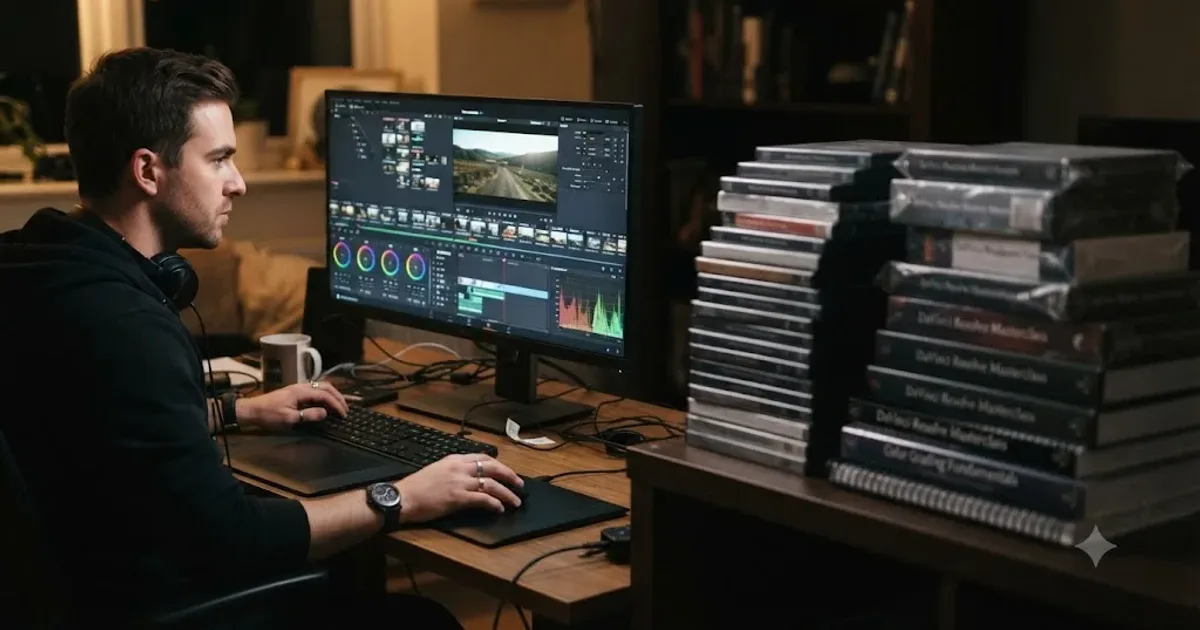
I've watched close to 100,000 people try to learn DaVinci Resolve. Not in a classroom. Inside a 99,000-member Facebook group I run, where people post their timelines, ask why a grade looks wrong, and quit in roughly the same three places every single time. That's not a guess. It's a pattern you can set your watch by once you've seen it a few thousand times.
So when someone types "best way to learn DaVinci Resolve" into a search bar, they're really asking a narrower question: what should I actually spend my next hour on? The honest answer isn't a course recommendation. It's a method, and the research behind that method is a lot more settled than the course marketplace wants you to believe.
What is actually the best way to learn DaVinci Resolve?
Guided, hands-on practice on your own footage, inside the real application, with something correcting you the moment you get a step wrong. That's it. Not a better course. Not a longer course. Not a more famous instructor. The mechanism that builds durable skill is doing the thing yourself and getting corrected while you do it, and every serious body of learning research points at that same mechanism from a different angle.
Here's the short version of where every common method actually lands, before we get into why:
| Method | What it actually trains | Feedback loop | Evidence it builds lasting skill |
|---|---|---|---|
| Watching video courses / MOOCs | Recognition of steps performed by someone else | None | Weak. Completion rates near 4%, and finishing doesn't guarantee retention |
| Reading official docs and books | Declarative facts (where things live, what terms mean) | None | Strong for facts, silent on judgment |
| Project-based learning, unsupervised | Attempting the real task yourself | None until you seek it out | Better than watching, incomplete without correction |
| Guided practice inside the software, with feedback | The actual skill, in the actual environment, corrected live | Immediate | Strongest. Matches deliberate practice, constructionism, and retrieval-practice research directly |
Notice what's missing from the top three rows: a feedback loop. That single column is the entire argument of this post, and it's worth holding onto as we walk through the evidence method by method.
What does the difference actually look like on one specific tool, like the qualifier?
Theory is easier to trust once you watch it play out on one real control. Take the color qualifier, the tool that isolates a range of color so you can adjust just the sky, or just a face, without touching the rest of the frame. Every DaVinci Resolve course covers it. Here's what actually happens to you, mechanically, depending on how you learn it.
Watch a tutorial, and you'll learn where the qualifier lives and what its sliders are called. The instructor picks a shot with a bright red jacket against a neutral background, a textbook case, because a textbook case is what makes for a clean five-minute video. You watch them drag the hue range down until the selection tightens, nod along, and move to the next lesson. You now recognize a good qualifier pull when you see one performed by someone else, on their shot, with footage chosen specifically because it cooperates.
Read the manual, and you'll get the vocabulary right. You'll know that the qualifier works in HSL space, that you can soften the edge of a selection, that a matte you build with it can feed a downstream node. None of that tells you whether your qualifier selection, on your footage, is actually clean, or whether it's picking up flecks of a similar color in someone's hair that the manual's diagram never had to deal with.
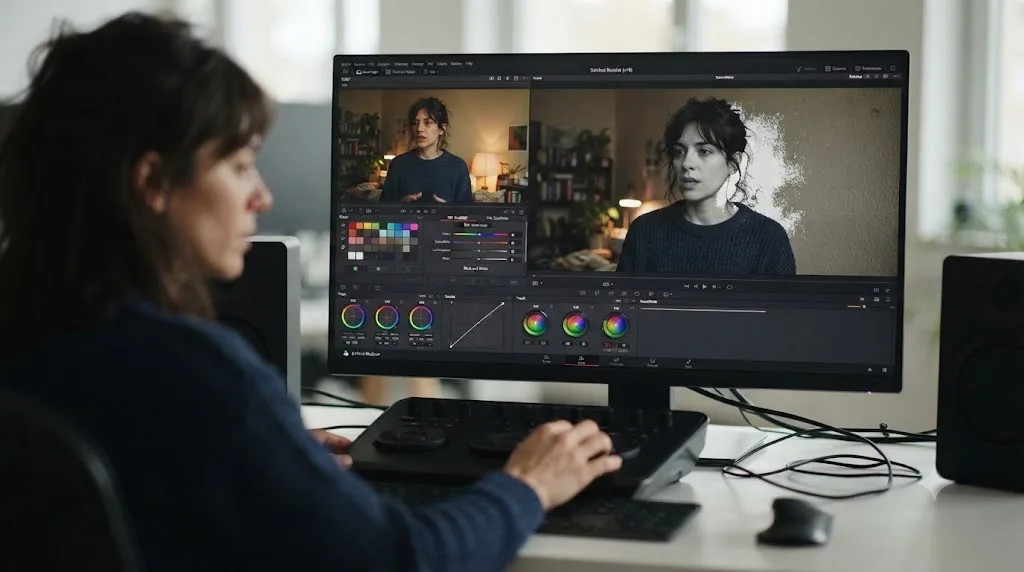
Open your own footage and try it without a video paused next to you, and the gap shows up immediately. Your subject isn't wearing a saturated red jacket. They're standing in front of a wall that's almost, but not quite, the same tone as their skin, and the qualifier grabs both. Nobody warned you about that, because the tutorial's sample clip was chosen precisely to avoid it. This is the moment that actually teaches you something: figuring out that you need a second qualifier, or a softer edge, or a power window instead, because the clean version doesn't work on messy footage.
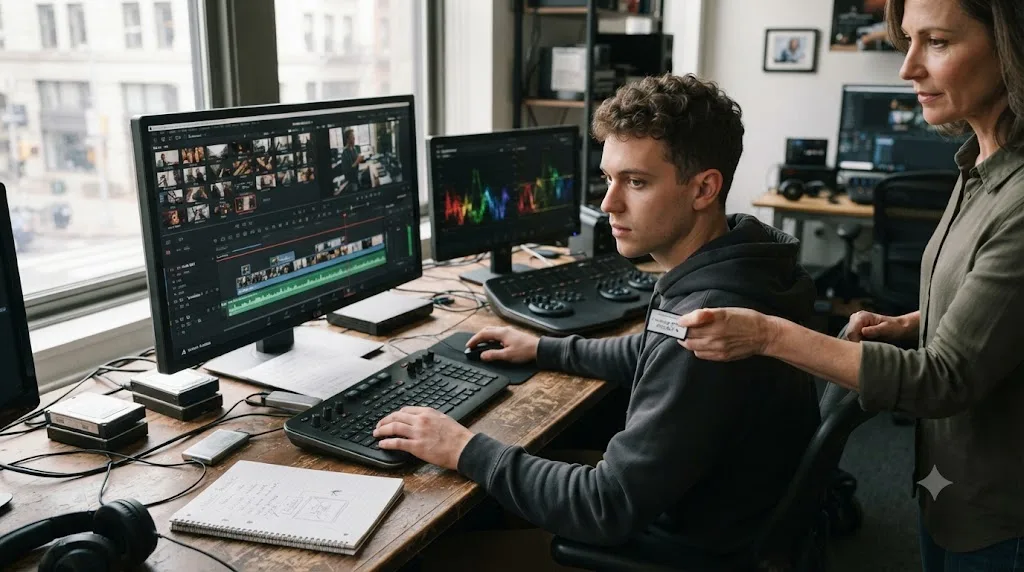
Get corrected in that exact moment, and the lesson lands permanently. Something, a mentor, a Learning Group comment, a tool watching your screen, tells you the matte is grabbing the wall and shows you the edge-softening control that fixes it, right there, on your shot. That correction sticks in a way the tutorial's clean demo never could, because it happened while you were the one making the decision, on footage that actually pushed back.
The qualifier tool doesn't care which method you used to learn it. Your ability to use it on the next unpredictable shot does.
Do video courses and MOOCs actually teach DaVinci Resolve?
Barely, and the data on this is not close. A University of Pennsylvania study tracked one million users across sixteen free Coursera courses taught by Penn professors, and found an average completion rate of just 4%, with individual courses ranging from 2% to 14% depending on how completion was measured, according to the study covered by Higher Ed Dive. The full academic version, Perna, Ruby, Boruch and colleagues' "Moving Through MOOCs", published in Educational Researcher, mapped exactly where users dropped off, and most of the million never got past the first week or two.
That wasn't a one-time fluke from an early, unpolished era of online courses either. Justin Reich and Jose Ruipérez-Valiente ran a much larger, later study for Science in 2019, "The MOOC Pivot", analyzing 565 MOOCs from MIT and Harvard delivered through edX across six and a half years and 12.67 million course registrations. Completion held around 3% the entire time, and the study found the vast majority of learners never returned after their first year on the platform. Six and a half years of iteration, a combined MIT and Harvard brand, and the number barely moved.
A completion rate near 4% is not a marketing problem a better course thumbnail can fix. It's a structural signature of a format that doesn't ask learners to do anything except watch. Course platforms don't advertise this number for obvious reasons, but it's sitting right there in the research, published, peer reviewed, and consistent across two entirely separate studies eight years apart.
Here's why that matters specifically for DaVinci Resolve. A Resolve course is still, mechanically, a MOOC: pre-recorded video, a fixed sequence, an instructor who has already made every decision about which button to click. Our own comparison of Udemy alternatives covers what a dozen of these platforms actually charge and who they're built for, and the honest verdict there stands here too: a course is a fine map for someone who doesn't know where anything is yet. It is not, on its own, a mechanism that gets someone to actually finish anything, and the completion data says that plainly, across every subject MOOCs have ever tried to teach.

Why does watching a colorist grade a shot feel like learning, even when it isn't?
Because your brain is measuring the wrong thing. It's tracking how easy the material feels right now, not how well you'll be able to reproduce it later, and those two things are only weakly related. Psychologists call this the fluency illusion, and Louis Deslauriers and colleagues at Harvard demonstrated it directly in a 15-week physics course, splitting students between a polished expert lecture and active, hands-on problem solving, then swapping the groups and testing both. The result, published in the Proceedings of the National Academy of Sciences, was almost the inverse of what students predicted about themselves: the hands-on group scored higher on the actual content tests, but reported feeling like they'd learned less. As the researchers summarized it, actual learning and the feeling of learning were strongly anticorrelated.
Translate that into a Resolve session. Watching an instructor push a lift wheel and nod along in agreement is recognition: your brain matches what's on screen against something already familiar, and that match happens fast and feels like understanding. Recall is what happens when your own clip is open, no reference frame paused beside it, and you have to decide for yourself whether it needs more lift or more gamma. A tutorial only ever asks for the first one. Recognizing a correct color decision when someone shows it to you and generating that same decision from your own eye are two different mental operations, and only one of them is the skill you actually need.
A second line of research points at the same gap from the retrieval side. Jeffrey Karpicke and John Blunt compared students who reread material, students who built detailed concept maps, and students who simply tried to recall it from memory with nothing in front of them. The group forced to generate the answer rather than review it came out ahead in the published results, including on questions requiring inference. Struggling to remember something, and getting it wrong along the way, builds a stronger memory trace than reviewing the correct version one more time.
Our deeper dive on why watching tutorials doesn't work covers this mechanism end to end if you want the full research trail. The short version that matters here: a course can hand you the answer for someone else's shot. It cannot hand you a working eye for your own, because that eye only exists inside a nervous system that has made the judgment call itself, repeatedly, with something telling it when it got the call wrong.
What does constructionism say about how a skill like color grading actually forms?
Seymour Papert, the MIT mathematician and educational theorist who built constructionism out of his earlier work with Jean Piaget, made a specific, falsifiable claim: knowledge isn't something a teacher transmits into a student. It's something a learner builds, and it builds best when the learner is constructing something real, public, and shareable, not receiving a lesson about it. In his own words:
"Constructionism means 'Giving children good things to do so that they can learn by doing much better than they could before.'"
Papert drew this in direct contrast to what he called instructionism, the assumption that better learning comes from improving the instruction rather than improving what the learner is actually doing. That distinction maps onto DaVinci Resolve almost exactly. Instructionism is a better-produced course: crisper editing, a more charismatic instructor, higher production value on the same passive format. Constructionism is a finished timeline, a graded node tree, a cut you can point to and say "I made this, and it's mine."
Here's the part that's easy to miss. Constructionism isn't a vague endorsement of "hands-on learning" as a nice-to-have. It's a specific mechanism: the act of building something you'll show to someone else forces you to make real decisions, defend them, and notice where they don't hold up, none of which a tutorial ever asks of you. Watching a demo project get built teaches you what a finished demo project looks like. It does not teach you the hundred small decisions that happen when the footage in front of you doesn't match the demo.
Apply that directly to a Resolve session. A course walks you through grading a single, forgiving demo clip that was chosen because it grades easily. Building your own three-minute edit from your own messy, mismatched footage forces you to encounter white balance drift between two cameras, a client note that contradicts your first instinct, an audio level that clips on export. None of those show up in a tutorial's curated sample file, because a tutorial's entire job is to remove the friction constructionism says is where the learning actually happens.
What does learning-through-play research say about creative software specifically?
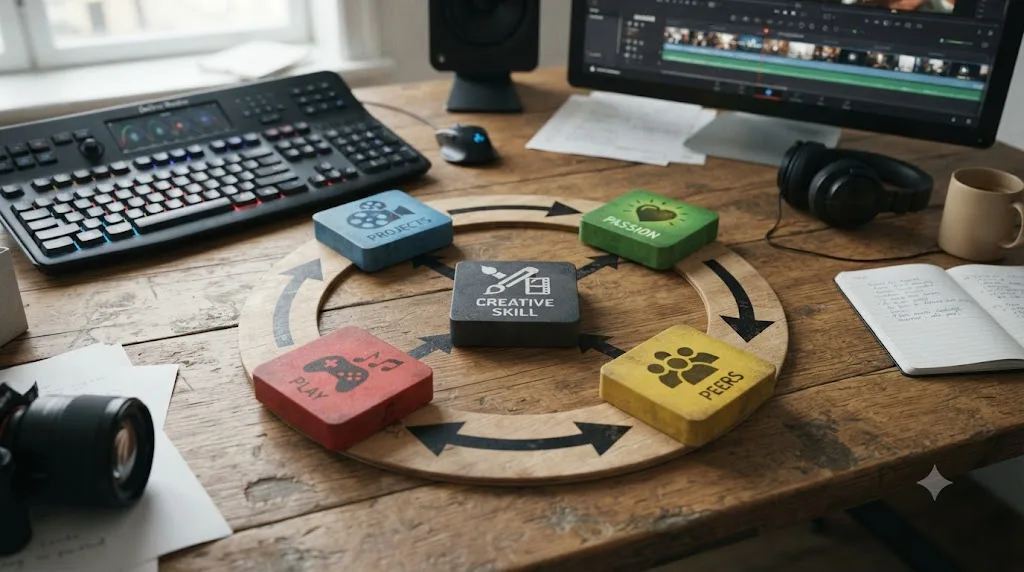
It says the same thing constructionism says, from a different door. Mitchel Resnick runs the Lifelong Kindergarten group at the MIT Media Lab, the team behind Scratch, the visual programming platform used by tens of millions of children worldwide. His framework for how creative skill actually forms rests on what he calls the four Ps: Projects, Passion, Peers, and Play, laid out in his paper "Give P's a Chance: Projects, Peers, Passion, Play" and expanded into his book Lifelong Kindergarten.
The core argument is that people develop creative fluency by working on projects, personally meaningful ones, in a playful, low-stakes environment, iterating with peers, rather than by absorbing instruction in a fixed sequence. Play, in Resnick's model, isn't the opposite of serious skill-building. It's the mechanism that makes iteration bearable. A learner who's playing tries something, sees it fail, and tries again without the ego cost of a formal test. A learner watching a lecture never runs that loop at all.
Notice how directly this maps onto a Resolve project versus a Resolve course. A course is the opposite of Resnick's model on every axis: it's not your project, it's not personally chosen, there's no peer iteration, and there's nothing playful about pausing a video forty times to match someone else's steps exactly. A small, low-stakes edit of your own vacation footage, something you're willing to get wrong, is the four Ps in miniature. You picked it. You can break it without consequence. You can show it to someone in the group and get a reaction. Play is not the opposite of serious learning. It is the mechanism serious learning runs on, once you take the feedback loop inside it seriously.
This is also exactly the pattern I've watched play out across the DaVinci Resolve Learning Group for years. The people who progress fastest aren't the ones who've watched the most hours of tutorials. They're the ones who post an ugly, half-finished cut on a Tuesday, get three comments telling them the pacing drags in the middle, and fix it by Thursday. That's Resnick's loop, running in a Facebook group instead of a kindergarten classroom, and it works on adults exactly the way his research says it works on five-year-olds.
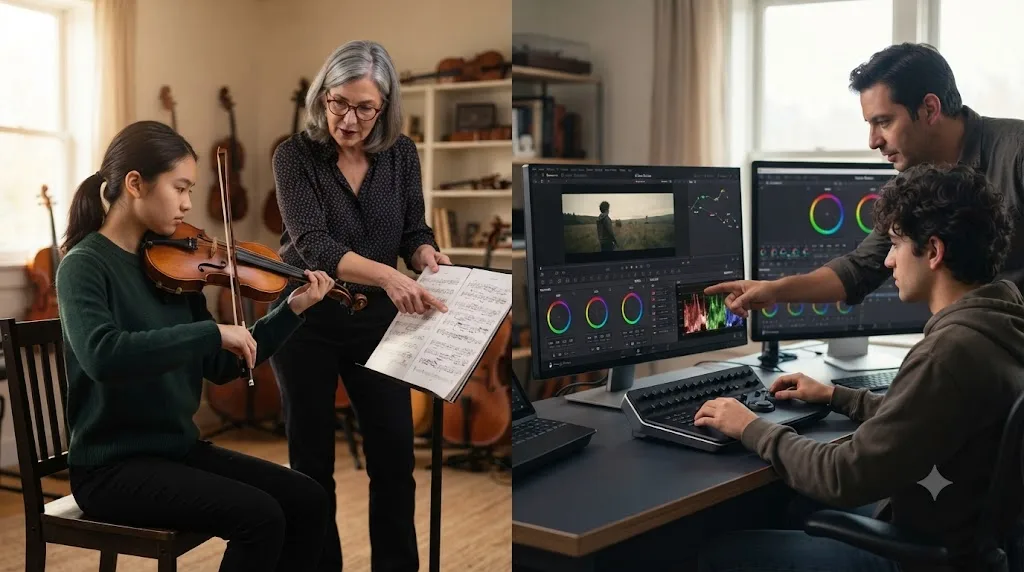
What is deliberate practice, and does it apply to a timeline the same way it applies to a violin?
Yes, and this is the piece most self-taught editors skip entirely. Anders Ericsson, Ralf Krampe, and Clemens Tesch-Römer's foundational 1993 study on expert performance established that elite skill isn't explained by raw talent nearly as well as it's explained by accumulated hours of a specific kind of practice: individualized, goal-directed, and corrected in real time by feedback. A later review revisiting their original findings confirmed the core relationship holds up under scrutiny, even as researchers have refined exactly how much of expert performance the practice hours alone explain.
The definition matters more than the headline. Deliberate practice isn't just "doing the thing a lot." It specifically requires a target weakness, an attempt at improving it, and immediate feedback telling you whether the attempt worked, repeated in a loop. A violinist who plays the same piece from memory for three hours without a teacher correcting their bowing technique isn't doing deliberate practice. They're rehearsing, which is a different activity with a different ceiling.
Now put a DaVinci Resolve session through that same filter. Grading twenty clips to match a reference frame, with nobody checking your results, is closer to rehearsal than deliberate practice, because nothing tells you whether your twentieth attempt is actually better calibrated than your first. The single biggest predictor in Ericsson's research was never raw ability. It was accumulated hours of practice that included immediate, specific correction. Remove the correction, and you're left with repetition, which builds comfort a lot faster than it builds skill.
This is the exact mechanism a lot of self-taught editors accidentally skip. They practice plenty. They rarely get corrected in the moment, because correction requires either a mentor watching over their shoulder, a paid course with human feedback, or a tool built specifically to close that gap. Two of those three don't scale to the price of a Resolve license. The third is the entire premise behind guided in-app practice, which we'll get to directly.
Isn't this just the "10,000 hours" rule?
No, and the mix-up is worth clearing up, because it's the version of this argument most people have already half-heard and half-dismissed. Malcolm Gladwell popularized a number, ten thousand hours, pulled from Ericsson's research on violinists, and turned it into a pop-science shorthand: put in the hours, get the expertise. Ericsson spent years afterward pushing back on that reading. According to an account of his objections, he argued Gladwell made two specific errors: treating a number drawn from one narrow study of violinists as if it applied evenly across every field, and dropping the word that made the original finding meaningful in the first place. The word was never "hours." It was "deliberate."
That distinction is the entire argument of this post, not a footnote to it. Ten thousand hours of unsupervised repetition and ten thousand hours of corrected, targeted practice are not the same ten thousand hours, and Ericsson's own defense of his research says exactly that. Nobody needs to hit a specific hour count to get meaningfully better at DaVinci Resolve. What the research actually supports is narrower and more useful: hours spent attempting a real task with real correction build skill faster than hours spent doing anything else, regardless of what the total ever adds up to.
Doesn't watching an expert still teach you something, though?
Yes, honestly, and it would be dishonest to pretend otherwise. Albert Bandura's social learning theory, built on decades of research into how people learn by observing others, breaks the process into four stages, laid out clearly in a summary of his work: attention, retention, reproduction, and motivation. You have to notice the modeled behavior, encode it in memory, actually perform it yourself, and have a reason to bother. A well-made tutorial genuinely nails the first two. You pay attention to a clean demonstration, and if it's well produced, you retain it, at least for a while.
Here's where the theory itself draws the line a course marketer would rather you not notice. Reproduction, the third stage in Bandura's own model, means physically doing the behavior yourself, not watching someone else do it a second time. A video can deliver attention and retention all day long. It cannot deliver reproduction, because reproduction is an act, not a broadcast, and nothing about watching a screen performs it for you. The fourth stage, motivation, tends to collapse too, once the video ends and nothing is asking you to actually try it on something that matters to you.
So a tutorial isn't worthless by Bandura's own framework. It's incomplete by it. It gets you through stage one and two efficiently, which is exactly why the orientation video in the action plan later in this post is still worth watching. It just can't finish the job stages three and four require, and pretending a course can substitute for those two stages is the same mistake Gladwell made with the hour count: taking one real, true piece of the mechanism and presenting it as the whole thing.
Are official docs and books a better use of your time than a video course?
For a specific, narrow slice of what you need to know, yes, and it's worth being precise about which slice. Blackmagic Design publishes a full curriculum of free official training, six books deep, covering editing, color, Fairlight audio, and visual effects, all downloadable from its own training page with lesson project files attached to each one.
Written documentation has one advantage nothing else on this list shares: it can't hallucinate a menu path that doesn't exist, and it doesn't drift based on which YouTuber happened to be confident on the day they recorded. It's ground truth, written by the people who built the software, and if a course or a chatbot ever disagrees with what the official manual says, believe the manual. Our roundup of AI tools for learning Resolve covers this exact tension in more depth, including where general chatbots get Resolve's Fusion node logic confidently wrong.
But books share the same structural gap as video courses: they teach you declarative facts efficiently and can't touch the judgment layer at all. A manual can tell you that a qualifier isolates a color range. It cannot tell you, on your own specific shot, whether that qualifier needs a softer edge or a tighter one, because that call depends on footage the manual has never seen. Reading about a technique and being able to execute it on your own unpredictable footage are different skills, and only one of them shows up on a final export.
The practical rule that falls out of this: use the official guides the way you'd use a reference dictionary, not a substitute for practice. Look something up once when you're stuck on a fact. Don't read three hundred pages before you've opened your own project, because everything past the point where you know roughly where things live stops teaching orientation and starts teaching recognition of steps you haven't needed yet.
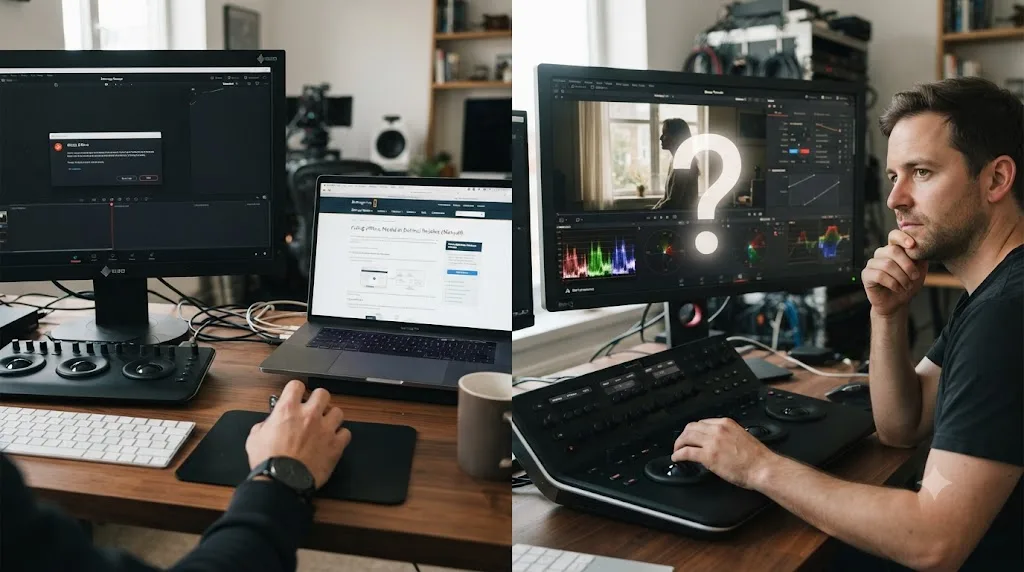
Is every stuck moment a judgment gap, or is some of it just a bug?
Not everything that stops you cold is the kind of problem guided correction is built to solve, and it's worth telling the two apart before you spend a correction cycle on the wrong one. Some stalls are judgment gaps: does this grade look right, does this cut breathe, is this the correct qualifier for this shot. Those need a second set of eyes, live, on your specific footage, which is the entire argument of this post. Other stalls are just bugs, or missing settings, or a codec Resolve doesn't like: deterministic problems with a single correct fact-based fix, no judgment required, and no amount of practice or correction will teach you a setting you've simply never been told exists.
Confusing the two wastes time in both directions. Treat a technical error like a judgment call, and you'll sit there second-guessing your color decisions when the actual problem is that your clip is playing back at the wrong speed because the timeline frame rate doesn't match your footage. Treat a genuine judgment call like a technical error, and you'll go hunting for a magic setting that fixes "does this look right," when no setting exists, because the answer depends on your specific shot and nothing else.
Here's a decision table for telling them apart quickly, built around the kinds of stalls that show up constantly in the Learning Group.
| Symptom | Type | Right first move |
|---|---|---|
| Clip plays back too fast or too slow, or audio drifts out of sync as the timeline goes on | Technical (frame rate mismatch between timeline and source) | Check the timeline frame rate against the clip's native frame rate. This is a fact, not a judgment call, answered in a minute by the official manual or a quick search |
| Grade looks fine on your monitor but a reviewer calls it flat or crushed | Judgment (color decision, monitor calibration, viewing conditions) | Check the scopes, then get a second opinion on your specific shot. No manual page answers "does this look right" |
| A Fusion effect or title disappears from the delivered file, though it's visible in the timeline | Technical (render settings, or a page-level effect not included in the delivery preset) | Check the deliver page's settings against what the timeline actually contains. Fact-based, fixable from documentation |
| A cut feels like it drags in the middle, even though every individual shot is technically clean | Judgment (pacing, story structure) | No setting fixes this. It needs a person or a tool watching the actual sequence and reacting to it |
| Audio clips or a level jumps noticeably between two scenes | Could be either: a level genuinely peaking on the meter, or a mix that reads as "off" for reasons the meter alone doesn't show | Check the meter first. If it reads clean and the mix still sounds wrong, that's the judgment layer, and it needs a second set of ears |
Notice the pattern in the right-hand column. Technical problems get resolved faster with a good reference source, exactly what the official docs discussed above are for. Judgment gaps get resolved faster with correction, exactly what the rest of this post has been arguing. Spend your guided-practice time on the second column, not the first, and skip straight to a manual or a search for the first.
One practical tell for which bucket you're in: if you've spent more than five or ten minutes on something and you still can't say whether it's a setting you simply don't know yet or a decision you can't make confidently, it's very likely the second one wearing the costume of the first. A genuine fact, once you find it, resolves instantly and doesn't need a second opinion afterward. A genuine judgment call keeps feeling uncertain even after you've technically "fixed" it, because the uncertainty was never about the setting in the first place.
Does project-based learning without any feedback actually work?
Better than watching, but it stalls in a predictable, specific place. This is the method most self-taught editors already believe in, and they're not wrong to. Opening your own project and forcing yourself to finish something, badly, is a legitimate improvement over another tutorial, because it at least runs the retrieval loop Karpicke and Blunt's research showed matters. The problem isn't the projects. It's the silence around them.
Here's the failure mode I've watched repeat, almost word for word, across thousands of posts in the Learning Group. Someone finishes an edit. They think the color looks fine. They export it, post it somewhere, and either nobody comments, or the comments are vague enough to be useless ("nice cut!"). They move on to the next project having learned nothing specific about what was actually wrong, because nothing in the process told them. Repeat that fifteen times and you get someone with fifteen finished projects and the same blind spot in all fifteen, because unsupervised practice without correction doesn't just fail to improve a weak spot. It can quietly reinforce it, since repetition without correction is exactly how a wrong habit gets rehearsed into a comfortable one.
This is the single most common stall point across the group, more common than any specific Resolve feature confusing anyone. It isn't a motivation problem, and it isn't a talent problem. A hundred unsupervised projects with no correction teach the same lesson a hundred times. One project with real correction teaches something new. The fix was never "do more projects." It was always "get corrected on the ones you're already doing," and that's the exact piece a course, a book, and a Facebook comment thread all struggle to deliver reliably, in the moment, on your specific timeline.
Does the method change if you're already an editor switching from another tool?
Some, and it's worth naming the difference so you don't over-correct in the wrong direction. Not everyone reading this is starting from zero. A lot of people learning DaVinci Resolve already know how to edit, they just learned it in Premiere Pro or Final Cut, and the question they're actually asking is narrower than "how do I learn Resolve." It's "how much of what I already know transfers, and how much do I have to rebuild."
The honest answer splits along the same line this whole post has been drawing: declarative facts don't transfer, judgment does. Knowing that a cut needs to breathe, that a color shift should serve the story rather than call attention to itself, that an audio level shouldn't clip, none of that resets when you change software. That judgment is portable. What doesn't transfer is the vocabulary and the muscle memory: Resolve's node-based color page has no Premiere equivalent, its keyboard shortcuts are different, and its page-based workflow (Cut, Edit, Fusion, Color, Fairlight, Deliver) has no direct analog in a single-timeline NLE.
| Starting point | What to read first | How much unsupervised practice you actually need | Where correction matters most |
|---|---|---|---|
| Complete beginner to editing | A short orientation video plus the official manual's basics chapter | A lot, since even declarative facts are new | Every stage, because nothing is assumed knowledge yet |
| Editing experience in another NLE, new to Resolve | Just the interface-mapping chapter (where your old shortcuts moved) | Less than a beginner needs, since editing judgment already exists | The node-based color page and Fusion specifically, since neither has a direct equivalent elsewhere |
| Already editing in Resolve, weak specifically at color | Skip the manual's editing chapters entirely | Minimal outside color work | Grading judgment on your own footage, not menu navigation |
Experience in another editor buys you a shortcut through the judgment layer, not through the software itself. Someone switching from Premiere still needs to attempt real grades and real cuts inside Resolve's specific tools and get corrected on the specific ways Resolve's node system behaves differently from Premiere's Lumetri panel. Skipping that step because "I already know how to edit" is exactly the trap the docs section above warns about: reading confidently past the point where you actually know where things live in this specific application.
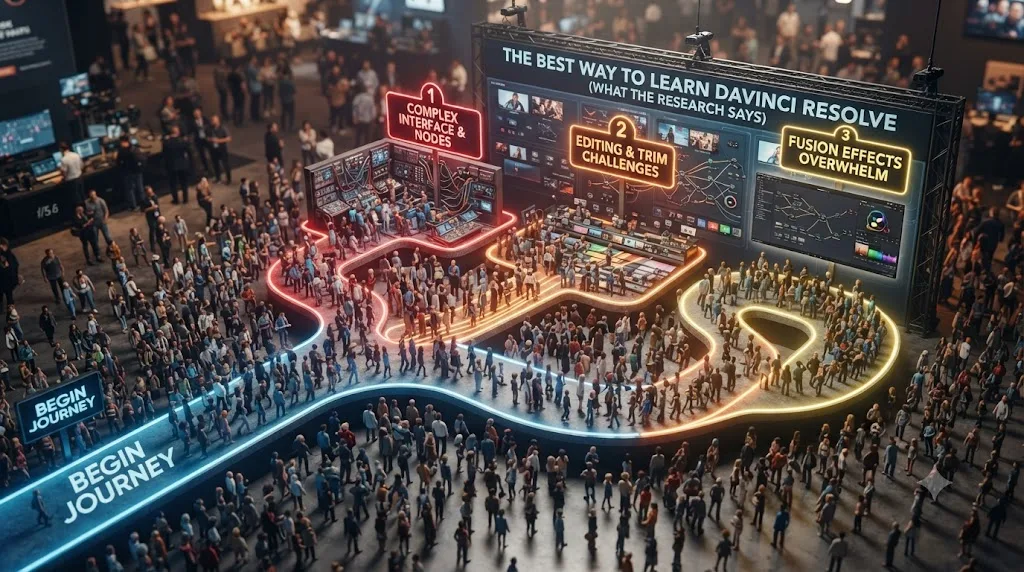
What patterns actually show up across 100,000 people learning DaVinci Resolve in one place?
A few, and they repeat with almost boring consistency. I built and still run the DaVinci Resolve 21 Learning Group on Facebook, a community that's grown to roughly 99,000 members, and I've personally walked something close to 100,000 people through their first real questions about the software over the years the group has existed. That scale isn't a boast. It's a dataset, and a few patterns show up in it clearly enough to name.
Course-buyers quit at almost exactly the same point. Someone buys a comprehensive bootcamp, works through the first third enthusiastically, hits the section where the instructor's demo footage stops resembling their own, and stalls. Not because the course was bad. Because the course was never going to prepare them for their footage specifically, and nothing in a pre-recorded video can adapt once the gap appears.
Beginners over-invest in the part tutorials are actually good at. They'll rewatch a menu-navigation section five times, memorizing exactly where a panel lives, while avoiding the judgment call the menu was in service of, whether a specific shot needs more contrast or less. Tutorials are efficient at answering "where is this," which makes them feel productive, and terrible at answering "does this look right," which is the question that actually gates finishing a project.
People who post their timeline and ask "what's wrong with this" progress visibly faster than people who ask "how do I do X" in the abstract. The first question invites correction on something real. The second invites another explanation of a feature, disconnected from any specific footage that would show whether the explanation actually landed.
Nobody stalls out on Resolve's interface for long. They stall out on not knowing if their own decision was right. I've watched this exact shape for years: someone knows exactly where the qualifier lives, exactly what the wheel does, and still can't tell you whether their own grade is correct, because nothing has ever told them. That gap, between knowing where the tool is and trusting your own use of it, is the actual bottleneck, and it's the same gap constructionism, deliberate practice, and Resnick's research all describe from their own separate angles.
What do you do when the feedback you get is wrong, or two people disagree?
Triage it, the same way you'd triage any conflicting information: objective first, consensus second, taste last. This is the practical gap in "just get feedback" that nobody mentions, and it matters because a Facebook comment thread doesn't come with a confidence score attached to it.
Start with what's actually measurable. DaVinci Resolve's scopes, the waveform, vectorscope, and parade, exist specifically because your eyes and your monitor lie to you, especially late at night or on an uncalibrated screen. If someone tells you a shot looks too dark and the waveform shows your blacks crushed below broadcast legal range, that's not a matter of opinion. Fix it before you weigh anything else anyone says, because a technical error will undermine every subjective note stacked on top of it anyway.
Next, look for agreement, not eloquence. One person calling your pacing slow is a data point. Three unconnected people independently saying the same middle section drags is a pattern, and patterns from people who don't know each other are far more reliable than a single confident opinion, no matter how specific that opinion sounds. This is also where a large community earns its keep: a 99,000-member group generates disagreement fast, but it generates consensus fast too, and consensus is the signal worth acting on.
Taste-based color notes go last, and you should hold them loosely early on. Two colorists can disagree about whether a grade should lean warm or neutral and both be defensible. That's a real disagreement, not a sign either of you is wrong, and it's the kind of note worth logging for later rather than chasing immediately, especially while you're still building the technical judgment that makes taste decisions meaningful in the first place.
Not all feedback is the same kind of true, and treating an opinion about warmth the same way you'd treat a clipped waveform reading will send you in circles. Fix what's measurable first. Weigh agreement over confidence second. Save taste for once the technical layer is solid enough that taste is the only thing left to argue about.
How does this connect to research on learning behavior beyond DaVinci Resolve?
The patterns above aren't unique to video editing, which is exactly why the research above generalizes to Resolve so cleanly. Alongside running the Learning Group, I contribute to academic research on learning behavior connected to the OECD, and the honest version of what that work keeps confirming is unglamorous: the mechanism that builds a durable skill, in almost any domain that's ever been studied properly, involves attempting the task yourself and getting corrected, not observing someone else attempt it well. DaVinci Resolve isn't a special case that breaks the pattern. It's a fairly clean instance of it, because it combines declarative facts (menu locations, term definitions) that transfer from a book just fine, with a judgment layer (does this grade look right, does this cut breathe correctly) that behaves exactly like every other trained-eye or trained-hand skill the learning-science literature has studied for decades.
That's also the reason a course marketed as "the last Resolve course you'll ever need" is making a claim the research doesn't support. No fixed sequence of pre-recorded lessons can adapt to the specific footage, the specific mistake, and the specific moment of confusion a real learner hits on their own project, because a course is authored once and played back identically to everyone. The learners who progress fastest are never the ones who consumed the most content. They're the ones who spent the most hours being corrected on their own attempt. That's not a motivational slogan. It's the same finding Ericsson's deliberate-practice research reports, Resnick's creative-learning research reports, and the plain pattern-matching of watching a hundred thousand people try to learn one specific piece of software all report, independently, from completely different methodologies.
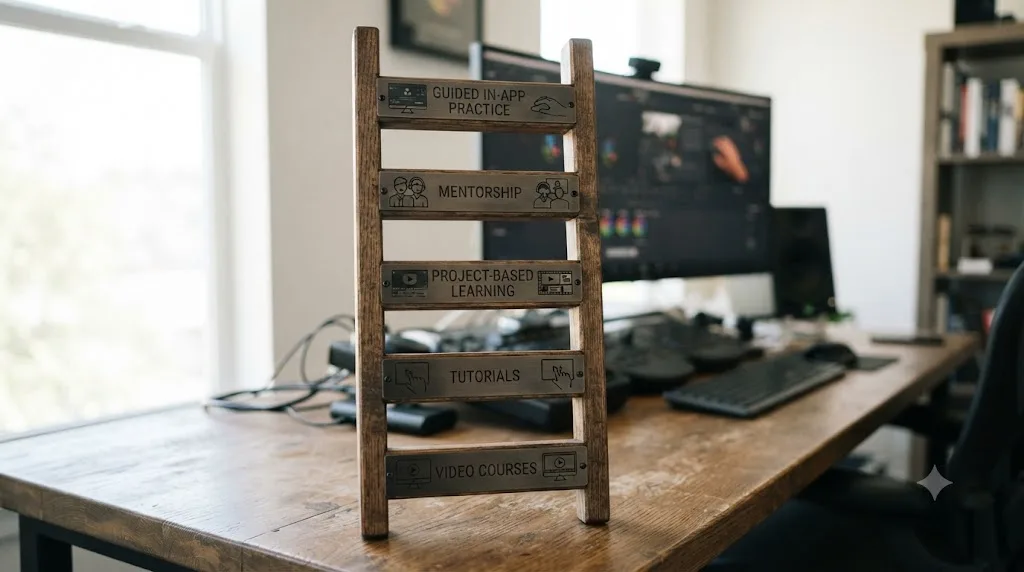
So how do all these methods actually rank, evidence first?
Here's the fuller version of the table from the top of this post, with the mechanism and the actual research behind each row spelled out so you can weigh it yourself rather than take a ranking on faith.
| Rank | Method | Mechanism | Supporting research | Where it breaks down |
|---|---|---|---|---|
| 5 (weakest) | Video courses and MOOCs | Passive recognition of steps someone else performed | MOOC completion near 3-4% across two large, separate studies | Builds fluency illusion; teaches the feeling of understanding, not the skill |
| 4 | Books and official docs | Declarative fact transfer | Ground-truth accuracy, no hallucination risk | Zero judgment training; can't evaluate your own footage |
| 3 | Unsupervised project-based learning | Attempting the real task yourself | Matches retrieval-practice research (Karpicke and Blunt) | No correction means mistakes can get rehearsed into habits |
| 2 | Community feedback (forums, groups, peer review) | Attempting the task plus delayed, informal correction | Aligns with Resnick's "peers" pillar | Feedback is slow, inconsistent, and depends on someone else's time |
| 1 (strongest) | Guided practice inside the software, live feedback | Attempting the real task with immediate, specific correction | Matches deliberate practice (Ericsson) and constructionism (Papert) directly | Requires a tool built specifically for this; most of the market doesn't offer it |
Read the "mechanism" column straight down and the ranking explains itself. Every method that improves on the one below it does so by adding either a real attempt, or real feedback, or both. The methods people spend the most money on, comprehensive video bootcamps, sit at the bottom of this table, and the free option that beats them, an honest attempt at your own project, sits three rows above it. Money spent and evidence quality aren't correlated here, which is an uncomfortable thing for an industry built on course sales to admit, but it's exactly what the research says.
What is scaffolding, and why should the correction fade as you get better?
Good correction doesn't stay the same forever, and understanding why changes what you should expect from guided practice over time. Educational psychologists David Wood, Jerome Bruner, and Gail Ross introduced the term "scaffolding" in a 1976 paper on tutoring, describing a process that enables a novice to solve a task or reach a goal that would be beyond their unassisted effort, structurally identical to construction scaffolding: temporary support that holds a structure up while it's being built, then comes down once the structure can hold itself. Their concept, later linked to Lev Vygotsky's zone of proximal development by researchers including Bruner himself, has one property that most discussions of guided practice skip over entirely: the support is supposed to fade.
Apply that directly to a DaVinci Resolve learner. Early on, correction should be frequent, specific, and close to instructive: told exactly what's wrong with the qualifier's edge, told exactly why a level is clipping, told exactly which node in the tree is doing the thing you didn't intend. That's appropriate scaffolding for a genuine beginner, the same way a parent might narrate most of a task for a small child. It would be inappropriate, and eventually counterproductive, for someone three years into grading professionally, because at that point the correction should have already trained the internal check that used to require an outside voice.
The fade itself is the part worth naming, because it's easy to miss if you only think of guided practice as "getting help." As competence grows, the right kind of correction shifts from telling you the answer to asking you the question first: does this look right to you, before I tell you what I see? That shift, from directive correction to prompting self-diagnosis, is scaffolding doing its actual job. A learner who's still being told the answer to everything three years in either has an unusually hard learning curve or is stuck relying on a crutch that should have come down a long time ago.
Picture what that fade looks like concretely across a single skill, exposure and white balance judgment on a grade. In week one, correction sounds like "lift is a full stop too dark, pull it up until the waveform clears fifty percent." A few months in, it sounds more like "check your waveform before you commit to that lift" rather than a specific number. Eventually it stops entirely, because the check that used to require a prompt now happens automatically, before anyone has to ask.
This is also the honest answer to a question worth asking about any tool built around guided correction, including TryUncle: is the goal to make itself permanently necessary, or to make itself progressively less necessary? Scaffolding theory says the second answer is the only defensible one. A tool, a mentor, or a Learning Group thread that corrects you today should be training the exact judgment that lets you catch the same mistake yourself next time, not creating a dependency where you need the correction forever just to feel confident hitting export. The measure of whether guided practice actually worked isn't how much correction you're still getting after a year. It's how much you no longer need.
That doesn't mean the scaffolding disappears all at once, or that it disappears from every part of the skill at the same rate. Someone might reach the point where they no longer need correction on basic exposure and white balance decisions, while still wanting a second opinion on a genuinely hard creative grading call, the same way a fluent violinist still works with a conductor on interpretation long after nobody needs to correct their finger placement. Scaffolding fades unevenly, task by task, exactly as fast as each specific judgment call gets internalized, and not a moment faster.
This is also why the earlier table on switching from another editor showed different amounts of needed practice for different starting points. Someone arriving with existing editing judgment doesn't need scaffolding rebuilt from zero, because scaffolding fades based on what's already internalized, not based on which piece of software happens to be open. Correction only needs to cover the specific ground that's genuinely new, Resolve's node-based color page, its keyboard shortcuts, its page-based structure, not the whole skill from the beginning.
None of this changes the recommendation. It just adds the missing timeline to it: guided practice, corrected while you're still doing it, is the mechanism that builds the skill fastest, and the correction is supposed to work itself out of a job as it succeeds.
What is guided practice inside the software, exactly, and why does it close the gap?
It's the combination that every method above is missing at least one piece of: a real attempt, on your real footage, with immediate and specific correction, inside the actual application rather than a video about the application. Put plainly, it's deliberate practice and constructionism operating at the same time, in the same session, without you having to assemble the pieces yourself from a course, a forum, and a lot of patience.
Here's what that looks like mechanically, compared to everything covered so far. A course shows you a demo grade and asks you to follow along. A book tells you what a tool does in the abstract. An unsupervised project has you attempt the real task with nobody checking the result. Guided practice inside the software has you attempt the real task, on your actual footage, and something tells you, in that moment, whether the specific thing you just did is the thing you meant to do.
That's a meaningfully different interaction than every category above it, because it never pulls you out of your own project to consume something passive. You stay inside your own file. You attempt your own decision. You get told, live, whether it landed. The gap every course, every book, and every unsupervised project shares is the same gap: none of them can see what you're doing right now, on your own timeline, and correct it while you're still doing it.
What if you can't afford a paid tool or don't have a Learning Group, what's the free path?
It exists, and it's worth stating plainly instead of only pitching the paid option, because the mechanism that matters is correction, not any specific product that delivers it. If a paid tool or an active community isn't available to you right now, you can still build a working feedback loop on your own, with tools already inside DaVinci Resolve and a little discipline.
Use the scopes as a second opinion you can't argue with. Your eyes adapt to a grade the longer you stare at it, which is exactly why a shot that looked balanced an hour ago looks off the next morning. The waveform and vectorscope don't adapt. Pull them up before you trust your own judgment on exposure or saturation, and treat a disagreement between what you see and what the scope shows as a signal to slow down, not a scope error.
Let it sit for a day before you judge it. This isn't a superstition, it follows directly from the fluency-illusion research covered earlier in this post: your in-the-moment sense of "this looks right" is measuring familiarity, not accuracy, and familiarity is highest right after you finish something. Export the timeline, close the project, and come back to it after 24 hours. The mismatched white balance or the pacing drag that felt invisible yesterday is usually obvious the next morning, because the fluency has worn off.
Use the reference wipe tool against a shot you know is graded well. Pull up a reference still, a frame from a film or a well-reviewed project, and wipe it against your own grade side by side. You don't need someone else's opinion to notice that your skin tones are five degrees warmer than the reference, or that your contrast is flatter. The comparison does the correcting a mentor would otherwise do.
When you do post for feedback somewhere free, ask a specific question about a specific frame, not "thoughts?" The pattern noted earlier in this post holds here too: people who post their timeline and ask what's wrong with it progress faster than people asking a vague open question, because a specific ask invites a specific, actionable answer instead of a generic compliment.
None of this replaces live, in-the-moment correction entirely. But it closes enough of the gap that "I can't afford a tool" stops being a reason to fall back on unsupervised, uncorrected repetition, which the research covered earlier in this post shows is the method most likely to just rehearse a mistake into a habit.
Is TryUncle a course, and how is it different from everything else on this list?
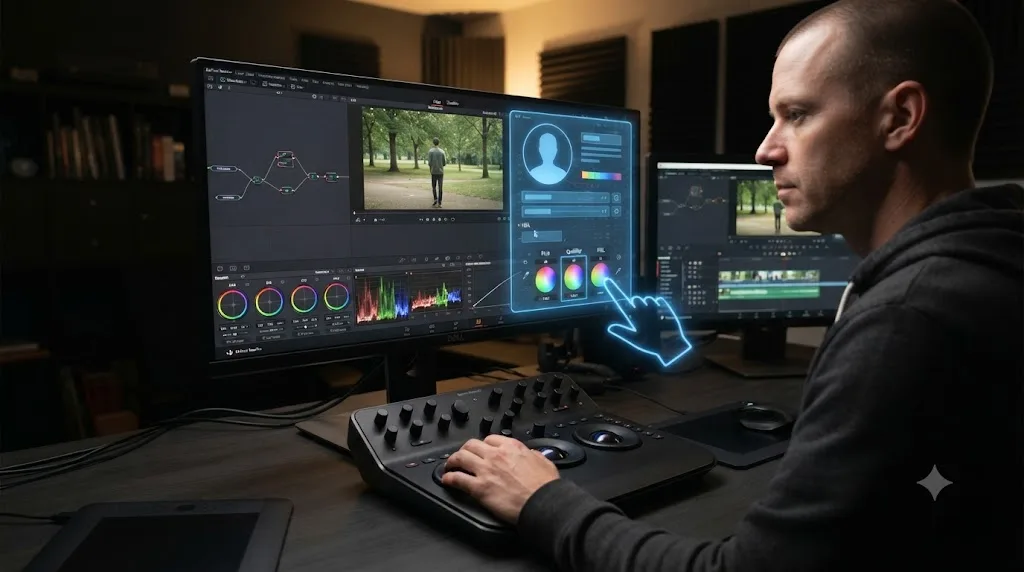
No, and that distinction is the entire point of this post, not a marketing footnote at the end of it. TryUncle is the on-screen assistant built specifically for DaVinci Resolve, running on macOS, that watches the app while you work and points at the actual control you're looking for, live, inside the Edit, Color, and Fusion pages. You can ask it things by voice, by pointing at your own screen for visual confirmation of what you're looking at, or by typing, and it answers by showing you the exact thing you're stuck on, inside your own project, instead of sending you to a video that covers your question somewhere in its middle third alongside forty minutes of things you don't need right now.
Every other tool covered in this post, courses, books, forums, unsupervised practice, shares one property: it's fundamentally a resource you consume, then apply yourself, with the gap between consuming and applying left entirely in your hands. TryUncle is built around the opposite structure. You're already inside your own project, already attempting the real task, and the correction happens in that same moment, on that same file, which is exactly the missing ingredient constructionism, deliberate practice, and Resnick's play-based research all independently point at.
That makes it a category of one, not a better version of a course. A course is a video with a syllabus. TryUncle has no syllabus, because it's not teaching a fixed sequence. It's watching your specific attempt and responding to it. Every alternative on the DaVinci Resolve learning market, free or paid, is still fundamentally a course. TryUncle is the only tool built as an interactive in-app tutor that sees your actual screen. That's not a subjective branding claim. It follows directly from the mechanism this entire post has been building toward: guided practice with live feedback is the strongest row in the evidence table above, and it's the only row nothing else on the market currently occupies.
There's a real, honest limitation worth naming here, the same way every method above has one. TryUncle only covers DaVinci Resolve, not Premiere Pro, Final Cut, or any other editor, and it runs on macOS only, so if you're on Windows or Linux, it isn't available to you. It's a paid subscription, $34.99 a month with cancel-anytime billing; see TryUncle for the full details. It's also not a shortcut around the practice itself. Nothing in this post, and nothing TryUncle does, replaces the work of actually finishing your own project. What changes is whether you're finishing it alone and guessing, or finishing it with something correcting the guess in real time, and, per the scaffolding research above, needing that correction a little less each time you finish something.
What should you actually do this week if you want to get good at DaVinci Resolve?
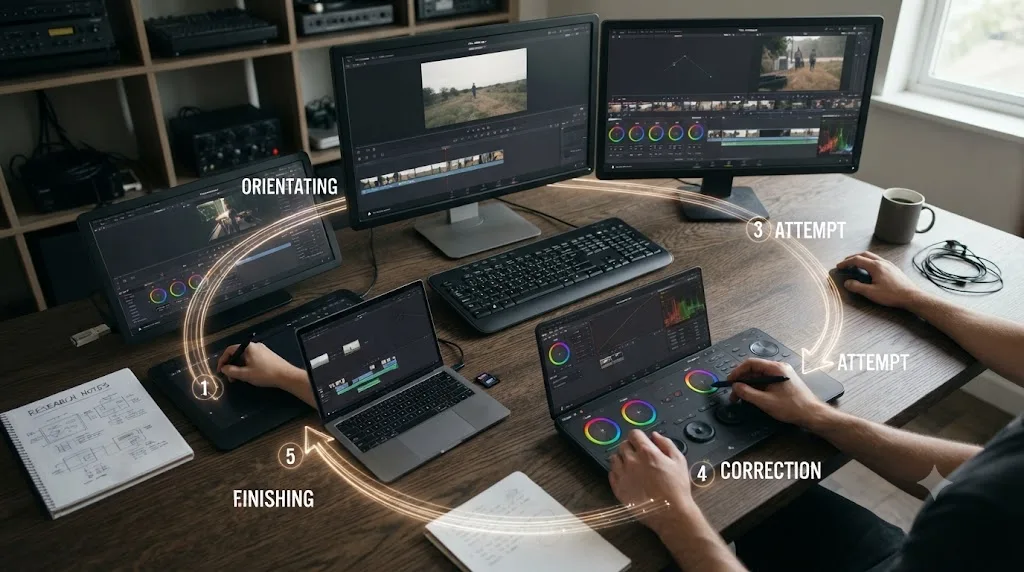
Skip the seventh course and open a project instead. Here's the sequence that actually follows from everything above, in order.
- Watch one short orientation video, not a playlist. You need three answers before you touch anything: where things generally live, the rough order operations happen in, and the one setting that will break your first attempt if you don't know it exists. That's usually a single video, not a curriculum.
- Pick a project small enough to finish in one sitting, on your own footage. Not a demo clip. Something you actually filmed, even if it's ten seconds of your dog. Constructionism and Resnick's research both point at the same requirement: it has to be real and yours, or the motivation to push through the ugly middle disappears.
- Attempt the task without a video paused beside you. The discomfort of not knowing what to do next is the retrieval practice doing its job, not a sign you're unprepared. Karpicke and Blunt's research is explicit on this: the struggle to generate an answer builds a stronger memory than reviewing the correct one again.
- Get corrected on the specific thing you just did, not a general explanation. A comment in the Learning Group, a note from someone more experienced, a self-check against the scopes, or a tool built to watch your actual attempt, like TryUncle, all work here. What doesn't work is finishing in silence and assuming it's fine.
- Finish it, badly if necessary, and do a second one. The loop closes when you finish, not when you feel ready. A finished, corrected, ten-clip project teaches more than an unfinished "perfect" one, because finishing is what exposes the next real gap, and that gap is exactly what your next project should target.
None of these five steps require abandoning courses or books entirely. They just change what those resources are for: a quick answer to a specific fact, not the whole plan.
So here's the verdict, stated as plainly as the research supports it. The best way to learn DaVinci Resolve is not a course, no matter how comprehensive, and not a book, no matter how official. It's guided, hands-on practice on your own footage, corrected while you're still doing it, and every serious strand of learning research, from Papert's constructionism to Resnick's play-based creative learning to Ericsson's deliberate practice to Bandura's own account of where observation stops and skill begins to Wood, Bruner, and Ross's account of how good correction is supposed to fade, converges on that same mechanism from a different direction. The course market sells the opposite bet: watch more, watch better-produced, watch a bigger name. The completion data on that bet is public, and it isn't close. If you want the version of this built specifically around the winning mechanism instead of the losing one, that's what guided practice inside the software itself, the thing every course on the market still isn't, is for.
Frequently asked questions
- What is the best way to learn DaVinci Resolve?
- Guided, hands-on practice on your own footage inside DaVinci Resolve itself, with something correcting you when you get a step wrong. Video courses and MOOCs teach recognition, not the recall you need on a real project. Research on constructionism, deliberate practice, and active learning all point the same direction: build something real, get corrected in the moment, repeat.
- Are DaVinci Resolve courses on Udemy or Skillshare a waste of time?
- No, but they solve a narrower problem than most people expect. A course is efficient for declarative facts, where a setting lives, what a term means, the order operations usually happen in. It cannot build the judgment that only forms when you grade your own shot or cut your own timeline and get feedback on the result.
- Do MOOCs and online video courses actually work for learning software?
- The completion data says most people never finish them. A University of Pennsylvania study of one million MOOC users found a 4% average completion rate across sixteen Coursera courses. A 2019 Science study of 565 MIT and Harvard MOOCs found completion stuck around 3% and most learners never returned after their first year.
- What is constructionism and why does it matter for learning Resolve?
- Constructionism is Seymour Papert's theory that people build knowledge most effectively by constructing something real and shareable, not by receiving instruction passively. Applied to Resolve, that means a finished timeline or a graded node tree teaches more than the equivalent hours spent watching one get built by someone else.
- What is deliberate practice, and does it apply to creative software?
- Deliberate practice is Anders Ericsson's model of skill acquisition: individualized tasks with immediate feedback, targeted at a specific weakness, repeated with correction. It applies to Resolve the same way it applies to a violin or a golf swing. Watching a masterclass is not deliberate practice. Grading your own clip and getting told what's wrong with it, in the moment, is.
- Does the correction need to continue forever, or does it fade?
- It's supposed to fade. Educational research on scaffolding describes good correction as temporary support that comes down as competence grows, the same way construction scaffolding comes down once a building can stand on its own. Early on, correction should be frequent and specific. As judgment develops, it should shift toward prompting you to check yourself before confirming the answer, until you don't need it on that particular skill anymore.
- Is TryUncle a DaVinci Resolve course, and how much does it cost?
- TryUncle isn't a course. It's the assistant that watches your actual DaVinci Resolve project while you work and points at the control you need, live, inside the Edit, Color, and Fusion pages. Every course on the market, free or paid, is still a video you watch; TryUncle is the only tool built around guided practice inside the software itself. It's a paid subscription, not free: $34.99 a month with cancel-anytime billing.
- How long does it actually take to get good at DaVinci Resolve this way?
- There's no fixed number, because it depends on how much of your practice happens on real footage with real correction versus passive watching. What the research consistently shows is that the ratio matters more than the hour count: someone who finishes five small, corrected projects tends to outpace someone who watched fifty hours of tutorials and never opened their own timeline.
Sources
- Perna, Ruby, Boruch et al., Moving Through MOOCs: Understanding the Progression of Users in Massive Open Online Courses (Educational Researcher, 2014)
- MOOC completion rate just 4%, study says (Higher Ed Dive)
- Reich, J. and Ruiperez-Valiente, J. A., The MOOC Pivot (Science, 2019) - MIT Teaching Systems Lab
- Deslauriers, McCarty, Miller, Callaghan, Kestin: Measuring actual learning versus feeling of learning in response to being actively engaged in the classroom (PNAS, 2019)
- ScienceDaily: More learning in 'active learning' classrooms, but students don't know it
- Karpicke, Blunt: Retrieval Practice Produces More Learning than Elaborative Studying with Concept Mapping (Science, 2011)
- Seymour Papert on constructionism, quoted in Constructionism vs. Instructionism (The Daily Papert)
- Resnick, Give P's a Chance: Projects, Peers, Passion, Play (MIT Media Lab, 2014)
- Resnick, Lifelong Kindergarten: Cultivating Creativity through Projects, Passion, Peers, and Play (MIT Press)
- The role of deliberate practice in expert performance: revisiting Ericsson, Krampe and Tesch-Romer (1993) (PMC)
- Burkus, What Malcolm Gladwell Got Wrong, From the Author of the '10,000 Hours' Study (Inc.)
- Simply Psychology: Albert Bandura's Social Learning Theory
- Wood, Bruner, and Ross's scaffolding concept, summarized in Zone of Proximal Development (Simply Psychology)
- DaVinci Resolve Training (Blackmagic Design)
- Marius Manolachi - essays on learning
Learn by doing, not watching
Stop translating tutorials to your timeline.
TryUncle stays beside Resolve on Mac and Windows. When you ask, Uncle sees your screen and points at the exact control you need. No hunting through tabs, timestamps, or mismatched tutorials.
Meet TryUncleKeep reading
 ComparisonsJul 11, 202626 min read
The Best AI Tools to Learn DaVinci Resolve in 2026
ChatGPT, Claude, Blackmagic's free training, Recut, and Resolve's Neural Engine compared for learning DaVinci Resolve, and the gap none of them close.
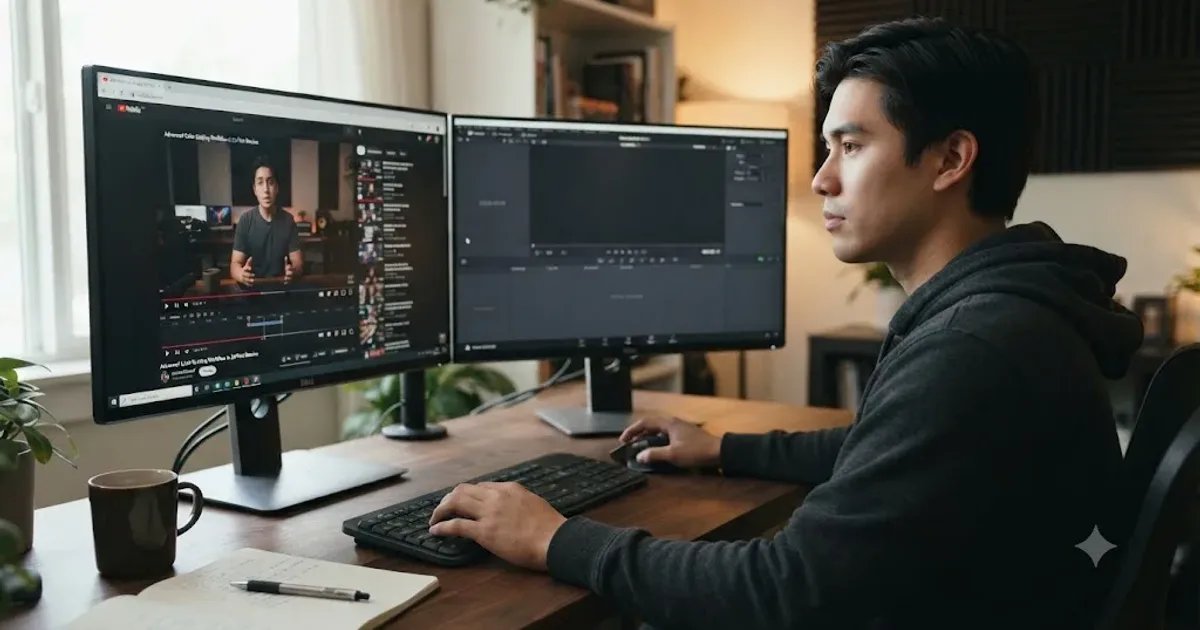 GuidesJul 8, 202629 min read
Why Watching Tutorials Doesn't Work (And What Actually Builds Skill)
Why watching tutorials doesn't work: it trains recognition, not recall. The research on active practice, retrieval, and how to actually break out of tutorial hell.
 ComparisonsJul 8, 202633 min read
12 Best Udemy Alternatives in 2026 (Free and Paid)
We compared 12 Udemy alternatives, free and paid, to help you pick the right one for what you're actually trying to learn.