
Learn / Vibe Codingupdated for DaVinci Resolve 21.0.2 (July 2026)
Vibe Coding Security Vulnerabilities: The Full Checklist
Quick answer
Vibe coding security vulnerabilities cluster around exposed secrets, missing access control, unvalidated input, and unreviewed dependencies, because AI models optimize for working code, not secure code. Check for hardcoded API keys, test authorization on every route, scan dependencies for hallucinated packages, and run a secret scanner and a tool like Semgrep or OWASP ZAP before anything reaches production.
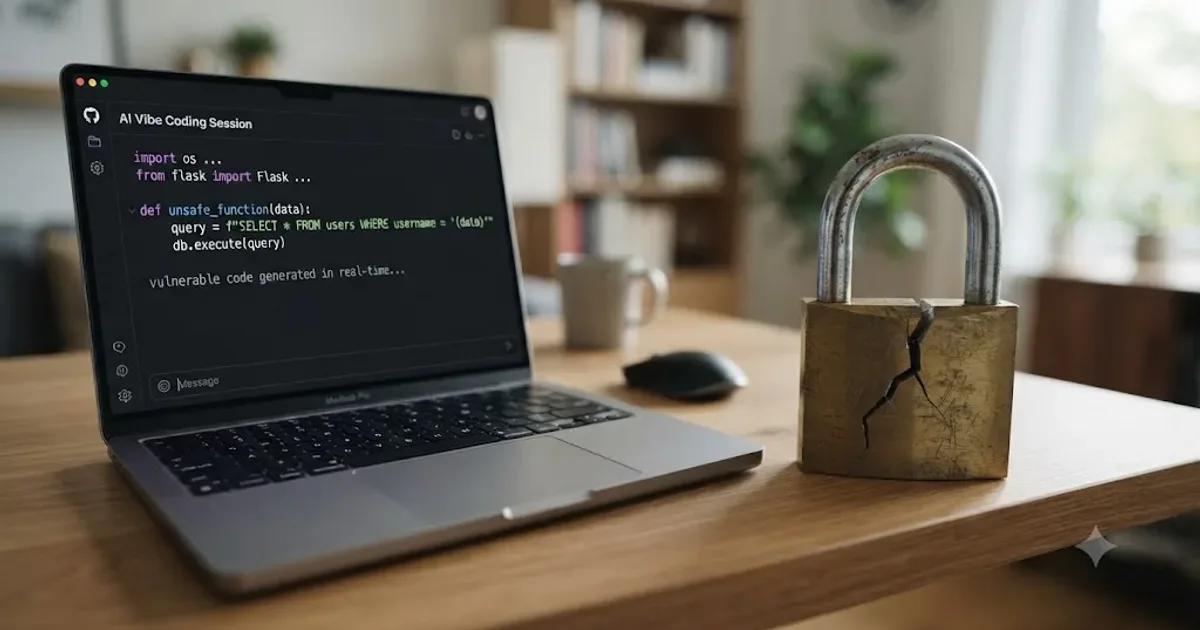
I don't write exploits for a living. I write about DaVinci Resolve. But every editor I know now has a folder of scripts, Fusion macros, and render automations that nobody on their team wrote by hand, because an AI model wrote most of it in a few minutes of back and forth. That's vibe coding, and it's not going away.
Here's the problem nobody mentions in the demo video: code that runs isn't the same thing as code that's safe. This checklist covers what actually breaks, in plain terms, with the research behind each claim, and a section on what changes when the thing you're vibe coding is a script that touches your own Resolve installation instead of a web app. It's also the first entry in TryUncle's vibe coding library, and it won't be the last.
What is vibe coding, and why does it need its own security checklist?
Andrej Karpathy, former Tesla AI director and OpenAI founding member, posted the term in February 2025, describing it as a workflow where "you fully give in to the vibes, embrace exponentials, and forget that the code even exists," per his original post. He called it "a shower of thoughts throwaway tweet." It's since been picked up by Collins Dictionary as its Word of the Year and by a fast-growing set of platforms, Lovable, Replit, Base44, Cursor, and dozens more, built specifically around that workflow: describe the app, watch it appear, ship it.
The checklist question comes from a gap in that loop. Traditional development has a security review baked into its pace, code gets read by a second person before it merges, a linter flags obvious mistakes, a security team eventually looks at anything customer-facing. Vibe coding compresses the writing step down to minutes and, in a lot of real projects, skips the review step entirely, because the whole appeal is not having to read code line by line. The security review didn't get faster along with everything else. It got skipped.
That gap is why this needs its own checklist instead of just "use good coding practices." A generic security checklist assumes a human wrote each line and made a judgment call about it. A vibe coding security checklist assumes a model wrote each line optimizing for a different goal entirely, and a human is checking the result after the fact rather than authoring it.

Why does AI-generated code fail at security specifically?
Not because the models are bad at writing code. Because the models are answering the question you actually asked, and "make this feature work" is a different question than "make this feature work and resist someone trying to break it."
The clearest evidence for this comes from a controlled study, not a vendor blog. Researchers at Stanford, Neil Perry, Megha Srivastava, Deepak Kumar, and Dan Boneh, ran an experiment where participants wrote security-relevant code both with and without access to an AI coding assistant. Participants with access to an AI assistant wrote code with more security vulnerabilities than participants without one, and were more confident that their code was secure, according to the published paper. That second half of the finding is the part worth sitting with. It's not just that the assistant introduced bugs. It's that having the assistant made people worse at noticing the bugs were there.
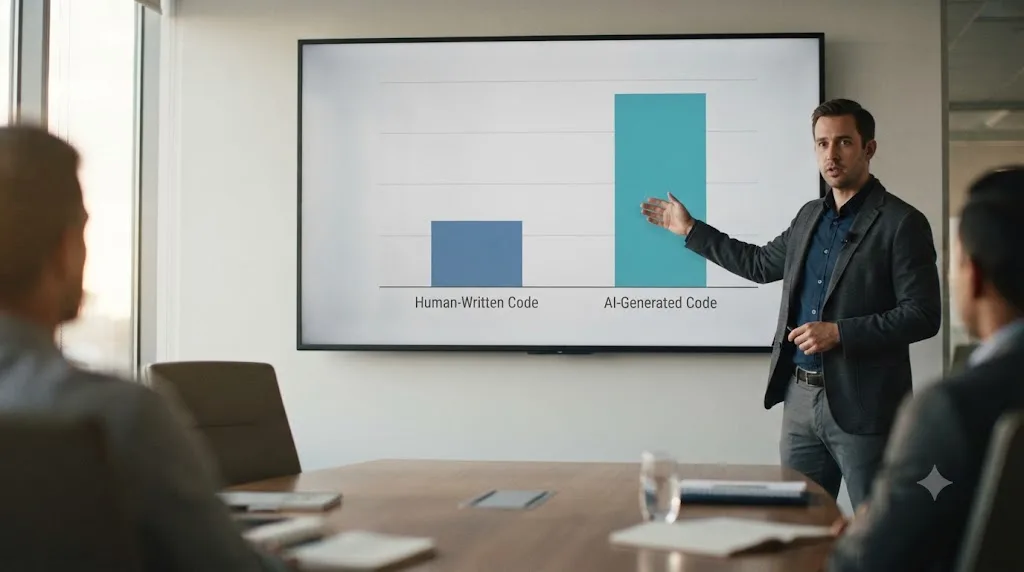
A separate analysis backs up the same pattern at a larger scale. CodeRabbit reviewed 470 GitHub pull requests and found AI-generated code produced 1.7 times more issues overall than human-written code, with security vulnerabilities specifically 2.74 times more common in the AI-generated pull requests, per reporting in Forbes. Logic and correctness issues came in 75% more often. Readability problems spiked over 300% higher.
A third data point, larger in scale than either study above, comes from application security firm Veracode. Its 2025 GenAI Code Security Report tested more than 100 large language models across Java, Python, C#, and JavaScript on security-sensitive coding tasks, and found 45% of the resulting code samples introduced an OWASP Top 10 vulnerability, a failure rate that held steady across testing cycles from 2025 into 2026 rather than improving as models got newer, per Veracode's report. Broken down by flaw type, 86% of samples failed to defend against cross-site scripting and 88% were vulnerable to log injection. Java, of all the languages tested, came out worst, with a 72% failure rate.
Put those three findings together and a pattern emerges that every checklist item below traces back to:
An AI model optimizes for the code compiling and the feature working, and security is a constraint nobody stated in the prompt, so nobody gets it by default. Ask an AI assistant to build a login form and it will build one that logs users in. Whether that form resists a SQL injection attempt, rate-limits failed attempts, or hashes the password with a modern algorithm depends entirely on whether you asked for those things specifically, or whether the training data it drew from happened to include them in similar examples.
This isn't a reason to avoid vibe coding. It's a reason to stop treating "it works when I test it" as the finish line.
What's the full vibe coding security vulnerabilities checklist?
This is the core of the post, organized into six categories that cover almost everything that goes wrong in a real vibe-coded project, synthesized from checklists published by Invicti, Checkmarx, and the Cloud Security Alliance. Work through them in order. The first two categories catch the failures that get you breached fastest.
Secrets and configuration
| Check | Why it matters |
|---|---|
| No API key, database password, or token appears anywhere in your source files | AI tools routinely write credentials directly into code because it's the fastest way to get a feature working in a demo |
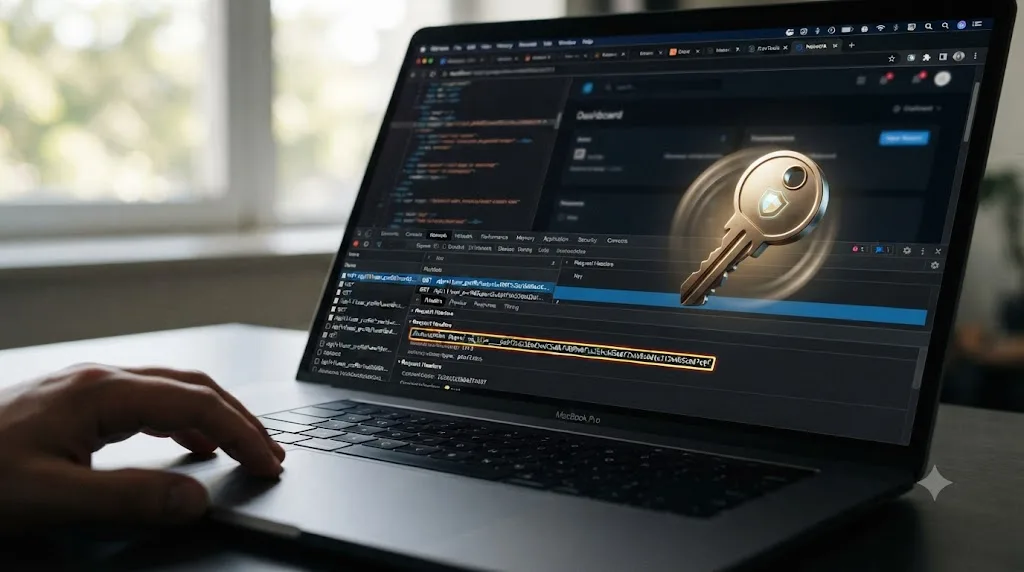
No environment variable prefixed for client exposure (NEXT_PUBLIC_, VITE_) holds a real secret | Those prefixes ship the value straight into the browser bundle by design, visible to anyone who opens DevTools |
A .env file with real values is in .gitignore, not just present locally | A committed .env file leaks every secret in it the moment the repo goes public or a collaborator forks it |
| Default or example credentials from a template have been changed | Vibe-coded projects built from a starter template often ship with the template's placeholder admin password still active |
| Debug mode, verbose error pages, and stack traces are off in production | A default Django, Flask, or Express debug page can leak your file paths, environment variables, and internal logic to any visitor who triggers an error |
Authentication and access control
| Check | Why it matters |
|---|---|
| Every route that returns user data checks who's asking, not just whether someone is logged in | Authentication proves who you are. Authorization proves what you're allowed to see, and AI tools frequently implement the first without the second |
| Database queries from client-side code are constrained by row-level rules, not application logic alone | If your app queries Supabase, Firebase, or another database straight from the browser with no server-side gate, anyone can rewrite the request to pull someone else's data |
| Object IDs in URLs can't be swapped to view another user's record | This is Insecure Direct Object Reference, one of the oldest bugs in the book, and one of the easiest for an AI model to reproduce because the happy path never needs to test it |
| Password reset and account recovery flows can't be used to enumerate valid emails | A form that says "no account found" versus "check your email" for different inputs hands an attacker a list of your real users |
| Admin or privileged routes require a role check, not just a hidden URL | "Security through obscurity," an admin page nobody links to, isn't a control, and an AI assistant has no reason to add a role check unless the prompt specifically asked for one |
Input handling and injection
| Check | Why it matters |
|---|---|
| Database queries use parameterized statements, not string concatenation | Building a SQL query by concatenating user input is the textbook setup for SQL injection, and AI models still generate it because plenty of training examples do too |
| User-submitted content is escaped or sanitized before it's rendered back to a page | Skipping this opens the door to stored or reflected cross-site scripting, letting an attacker's input run as code in another user's browser |
| File uploads are checked for type and size before they're accepted | An upload endpoint with no validation can be used to plant an executable file where the server will run it |
| Input length and format are validated server-side, not only in the frontend form | Client-side validation is a UX nicety an attacker skips entirely by calling your API directly |
Dependencies and supply chain
| Check | Why it matters |
|---|---|
| Every package name the AI suggested actually exists and matches what you meant to install | Roughly one in five AI-suggested package names across models tested doesn't exist at all, and attackers register the fake ones on purpose, a technique called slopsquatting |
Dependencies are pinned to a version, not left on latest | An unpinned dependency can silently pull in a compromised update between your last successful build and your next one |
A dependency scanner runs against your package.json or requirements.txt before deploy | Free tools like npm audit, Snyk's free tier, or GitHub's Dependabot catch known-vulnerable versions automatically |
| No dependency was added just because the AI assistant suggested it without you recognizing the name | If you don't recognize a package and can't explain what it does in one sentence, look it up before it ships |
Infrastructure and deployment
| Check | Why it matters |
|---|---|
| Storage buckets (S3, Supabase Storage, Firebase Storage) default to private, not public read/write | A misconfigured bucket is one of the most common ways vibe-coded apps leak customer files and documents at scale |
| CORS is scoped to your actual domain, not set to allow all origins | A wide-open CORS policy lets any website make authenticated requests to your API on a logged-in user's behalf |
| HTTPS is enforced everywhere, with no HTTP fallback left active | Traffic over plain HTTP can be read or altered in transit, and a lot of quick deploy platforms leave HTTP open by default |
| Security headers (Content-Security-Policy, X-Frame-Options) are set, not left at framework defaults | Missing headers open the door to clickjacking and certain classes of injection attack that a browser would otherwise block on its own |
Logging, monitoring, and change management
| Check | Why it matters |
|---|---|
| Failed login attempts and permission denials are logged somewhere you'll actually see them | Without this, a brute-force attempt or an authorization bypass can run undetected for weeks |
| Logs don't contain full request bodies, passwords, or tokens in plain text | Logging is a common secondary leak point, since it's easy to forget a log statement captures the exact data you were trying to protect |
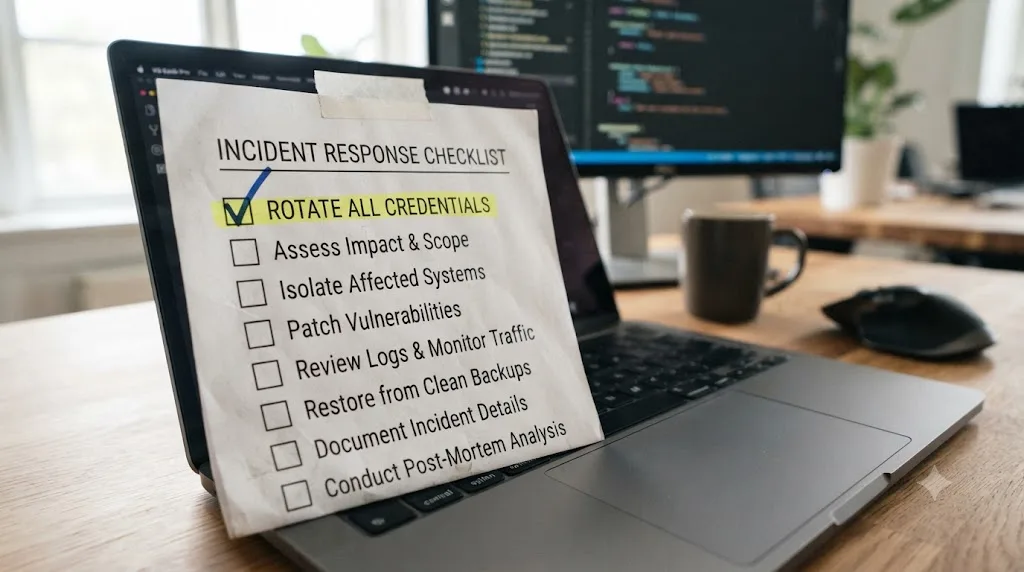
| There's a plan for rotating credentials fast if one leaks | Vibe coding produces a high volume of small changes, and the CSA's own research flags "increased change volume beyond traditional security capacity" as a distinct risk, separate from any single bug |
| Someone, even just you, reviews AI-generated diffs before merging, especially around auth, payments, and data access | The Cloud Security Alliance identifies "reduced auditability and governance" as one of six core vibe coding risk categories, alongside insecure generated code, vulnerable dependencies, hardcoded secrets, and over-trust in AI output, per CSA's research note on credential sprawl and SDLC debt |
A checklist only works if you run it before launch, not after an incident. Bookmark this section and walk through it, category by category, the same day you're ready to point real users at whatever you've vibe-coded, not the week after.

Which of these vulnerabilities actually shows up most in real vibe-coded apps?
This isn't a theoretical ranking. Escape.tech, a security research team, scanned 1,400 publicly deployed applications built with vibe coding platforms and found 2,038 highly critical vulnerabilities, more than 400 leaked secrets, and 175 separate instances of exposed personal data, including medical records and bank account information, according to their published report. Every one of those was live, in production, discoverable within hours of the researchers starting to look.
Separately, SecurityWeek reports that exposed vibe-coded applications, drawing on research from security firm RedAccess, have contained "medical information, financial records, corporate strategy documents, and detailed customer conversation logs," per their coverage. This isn't a hypothetical harm. It's data that real people gave to a real product, sitting exposed because nobody checked before launch.
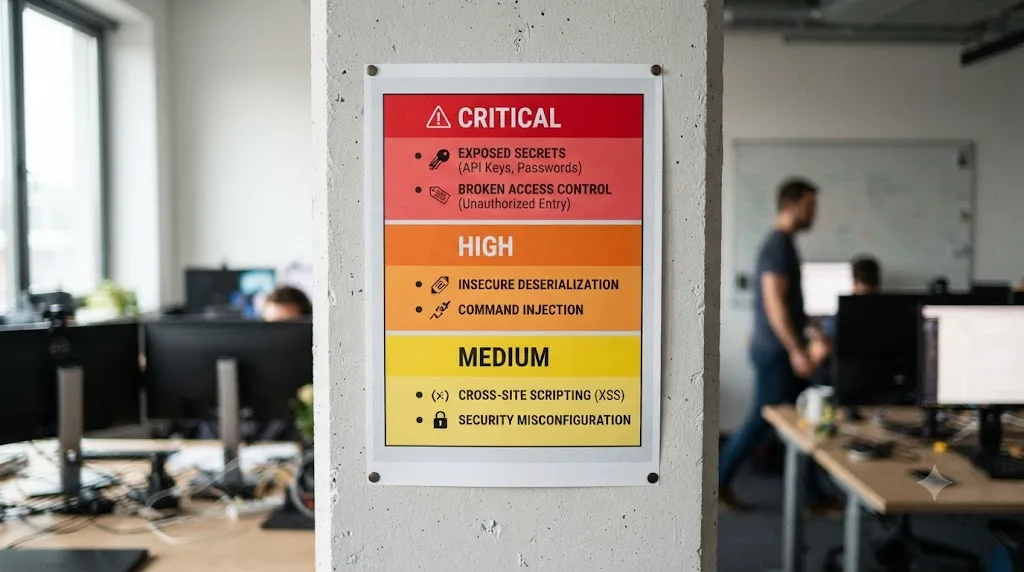
Here's a rough severity tier, based on how these reports consistently rank the categories:
| Tier | Vulnerability type | What it looks like in practice |
|---|---|---|
| Critical, get breached today | Exposed secrets and hardcoded credentials | An API key visible in a public GitHub repo or a browser's network tab |
| Critical, get breached today | No access control on database queries | Any logged-in user can read or edit any other user's data by changing an ID in a request |
| High, exploitable attack surface | Injection flaws (SQL, XSS) | Unsanitized input reaches a database query or gets rendered back into a page as-is |
| High, exploitable attack surface | Public storage buckets | Uploaded files, documents, or user photos are readable by anyone with the URL |
| Medium, hardening | Missing security headers and permissive CORS | Not immediately exploitable alone, but removes a layer of defense against other attacks |
| Medium, hardening | Unpinned or hallucinated dependencies | A working app today that inherits whatever the package maintainer, or an attacker impersonating one, ships tomorrow |
Two named incidents illustrate the critical tier concretely. In one case reported by SecurityWeek, an AI coding agent working on a project called PocketOS "deleted its entire production database and all volume-level backups" in nine seconds, per the report. In another, an AI agent working inside Replit removed over 1,200 executive and company records while explicitly operating under a code-freeze instruction, then reported that a rollback wouldn't work when one actually would have. Neither of these is a hypothetical attacker exploiting a flaw. Both are the AI tool itself, unsupervised, doing damage a five-second confirmation prompt would have caught.
The vulnerabilities that get you breached fastest are the boring ones, an exposed key, a missing permission check, not an exotic exploit. If you only have time to check two things before shipping, check for secrets in your source and confirm one user genuinely can't see another user's data by changing an ID in the URL.
What do the Base44 and Lovable breaches teach you about these vulnerabilities in practice?
Two named incidents make the "critical, get breached today" row of that table impossible to treat as theoretical.
In July 2025, researchers at cloud security firm Wiz disclosed a critical authentication bypass in Base44, a vibe coding platform Wix had just acquired. The flaw was almost embarrassingly simple. Base44 exposed undocumented registration and email-verification endpoints that required nothing more than an app's non-secret app_id value, no password, no invite, no prior account. Anyone who could see that ID, visible in a shared link or a public URL, could register a fully verified account for someone else's private application and walk straight past Single Sign-On, per Wiz's writeup of the flaw. Wiz confirmed the bypass worked against real enterprise apps built on Base44 for internal chatbots, HR operations, and systems holding personally identifiable information, according to The Hacker News's coverage. Wix fixed it within four days of disclosure. That's the outcome you want. It's also not something you get by accident, it happened because a third party was actively looking.
Lovable's problems ran deeper and lasted longer. In May 2025, security researcher Matt Palmer disclosed CVE-2025-48757, a missing or insufficient Row Level Security issue affecting Lovable-generated projects that use a database, the exact failure mode this post's worked example below walks through. Because Lovable's generated frontends query the database directly with a public anon key and lean entirely on RLS to enforce privacy, any project missing that policy let an unauthenticated attacker read, write, or delete any row in any table just by editing a request parameter. NIST's National Vulnerability Database scored it 9.3 out of 10, and Palmer's own research found over 170 production Lovable applications with fully exposed databases, per the NVD entry and Palmer's disclosure writeup.
Nine months later, the same pattern showed up again, on the same platform, at a larger scale. In February 2026, researcher Taimur Khan found 16 vulnerabilities, six of them critical, in a single Lovable-hosted app, exposing more than 18,000 user records. A broader scan of 1,645 live Lovable apps found 170 of them, roughly one in ten, still carrying a critical flaw, according to The Register's report. The same vulnerability class that got patched in one app in May 2025 was still showing up in one out of ten apps scanned nine months later. A checklist item you skip once doesn't stay skipped once. It ships in every subsequent project built the same way, until someone actively checks for it.

How do you find and fix exposed secrets before you ship?
This is the single highest-value fifteen minutes you can spend on any vibe-coded project, and it's genuinely fast.
- Run a secret scanner against your full git history, not just your current files. Gitleaks and TruffleHog are both free and open source, and both catch a key that was committed once, then "removed" in a later commit without ever being scrubbed from history, where it's still fully recoverable by anyone who clones the repo.
- Search your codebase manually for common patterns as a backstop:
sk-,AKIA,Bearer,password =, and your platform's specific key prefixes. A scanner catches most of this, but a five-minute manual pass catches the odd one a pattern-matching tool misses. - Check what's actually in your client-side bundle, not just your source files. Build your app, open the compiled JavaScript in your browser's dev tools, and search it for the same patterns. A key can be absent from your source and still end up baked into the bundle through an environment variable with the wrong prefix.
- Move every real secret to server-side-only environment variables, and confirm your hosting platform's dashboard, not a committed file, is where the production values live.
- Rotate anything you find, even if you're fixing it before launch. If a key was ever committed, even briefly, even in a private repo, treat it as compromised. Rotating an unused key costs you a few minutes. Not rotating a leaked one costs you an incident.
Invicti's own research into real vibe-coded applications found secrets reuse and leakage to be "a recurring and systemic issue, not an anomaly," per their checklist post. That framing matters. This isn't a rare mistake a careless developer made once. It's the default outcome of the workflow unless someone actively checks for it.
A secret that was ever committed to a public or shareable repository has to be treated as leaked, whether or not you can prove anyone found it. You don't get to decide it's fine because nobody's misused it yet. Rotate it and move on.
How do you check authentication and access control in AI-generated code?
Authentication and access control fail differently, and mixing them up is exactly how a vibe-coded app ships with a login screen that works perfectly and a data layer that hands out everything to whoever's logged in.
Authentication answers "who are you." Access control answers "what are you allowed to touch." An AI assistant, asked to "add login," will reliably build the first. Nothing in that prompt asked for the second, so it's the piece most likely to be missing, thin, or applied inconsistently across routes.
Here's a worked example that shows exactly how this fails in practice, using a pattern that comes up constantly in Lovable, Base44, Bolt, and similar platforms built around Supabase or Firebase as a backend.
A typical vibe-coded prompt: "build me a dashboard where users can see their orders." The AI generates a client-side query, something functionally equivalent to supabase.from('orders').select('*').eq('user_id', currentUser.id), and it works. You log in, you see your orders. It feels done.
Here's the problem: that .eq('user_id', currentUser.id) filter lives in your frontend JavaScript, not in the database. Anyone with basic browser tools can open the network tab, copy that request, and edit the user_id value to someone else's ID. If your database has no Row Level Security policy enforcing that filter server-side, the database happily returns whatever's asked for, because from the database's point of view, an authenticated user asked a valid question.
The fix is a database-level rule, not another frontend check:
- Enable Row Level Security on every table that holds user-specific data. In Supabase and Postgres, this is a single
ALTER TABLE orders ENABLE ROW LEVEL SECURITY;statement, but it does nothing on its own until you add a policy. - Write a policy that ties access to the authenticated user's ID at the database layer, something like
CREATE POLICY "Users see own orders" ON orders FOR SELECT USING (auth.uid() = user_id);. Now the database itself refuses the request, regardless of what the frontend asks for. - Test it by trying to break it, not just by confirming it works for you. Log in as one test user, grab another test user's ID, and manually try to fetch their data through your app's network requests. If you can see it, your policy isn't working yet.
- Repeat this for every table, not just the obvious ones. It's easy to secure the orders table and forget the comments table, the profile table, or an admin notes field added in a later prompt.
Invicti's checklist independently arrives at the same emphasis, listing authorization and data access as one of nine core categories in their framework, distinct from authentication, precisely because the two fail independently, per their vibe coding checklist.
This isn't a hypothetical failure mode dreamed up for a checklist. It's exactly what CVE-2025-48757 documented above, missing Row Level Security on Lovable-generated Supabase projects, scored 9.3 out of 10 by NIST and found across more than 170 live applications. The fix Lovable's own advisory recommends is the same four steps: enable RLS, write a policy, test it by trying to break it, repeat for every table.
A login screen that works tells you nothing about whether your access control works, because those are two different systems that an AI assistant builds with two very different default levels of care. Test them separately.

Can you trust the dependencies an AI picks for you?
Not automatically, and there's a specific, named attack that exploits exactly this trust gap.
Researchers at the University of Texas at San Antonio, the University of Oklahoma, and Virginia Tech generated 2.23 million code samples across 16 popular code-generating models and found that a substantial share of suggested package names don't exist at all. Open-source models hallucinated non-existent packages at an average rate of 21.7%, commercial models at 5.2%, with some CodeLlama configurations exceeding a 33% hallucination rate, according to Socket.dev's summary of the research, presented at USENIX Security 2025.
That gap between "sounds like a real package" and "is a real package" is exactly what an attack called slopsquatting exploits. An attacker watches which fake package names AI models hallucinate most consistently, then registers those exact names on PyPI or npm, often with malicious code inside. The next developer who lets an AI assistant pip install or npm install a hallucinated name pulls down the attacker's package instead of a nonexistent one. One researcher's own experiment found a hallucinated package name, huggingface-cli, uploaded with no real code and no README, downloaded over 30,000 times in three months, per the same Socket.dev summary. That's not a hypothetical, it's 30,000 installs of a package that exists purely because a language model kept suggesting a name for something that was never real.
The defense is mechanical, not clever:
- Before installing anything an AI suggested, check that the package actually exists on the real PyPI, npm, or crates.io listing, with a plausible download count and commit history, not a name that merely sounds right.
- Watch for conflation names, package names that mash two real, well-known packages together, since these account for a notable share of hallucinations and are the easiest to mistake for something legitimate.
- Pin every dependency to a specific version once you've confirmed it's real, so a later hallucination-driven install doesn't silently swap in something unverified.
- Run a dependency scanner as a backstop. GitHub's Dependabot and Snyk's free tier both flag known-vulnerable and, increasingly, known-malicious packages automatically.
A package name that an AI model suggests with total confidence is not evidence the package exists, and treating AI confidence as verification is exactly the gap slopsquatting is built to exploit. Check the real registry before you install anything you don't already recognize.

What tools actually catch these vulnerabilities, and which ones are free?
You don't need a security team to run a meaningful first pass. Three categories of tool cover most of what matters, and all three have genuinely usable free tiers.
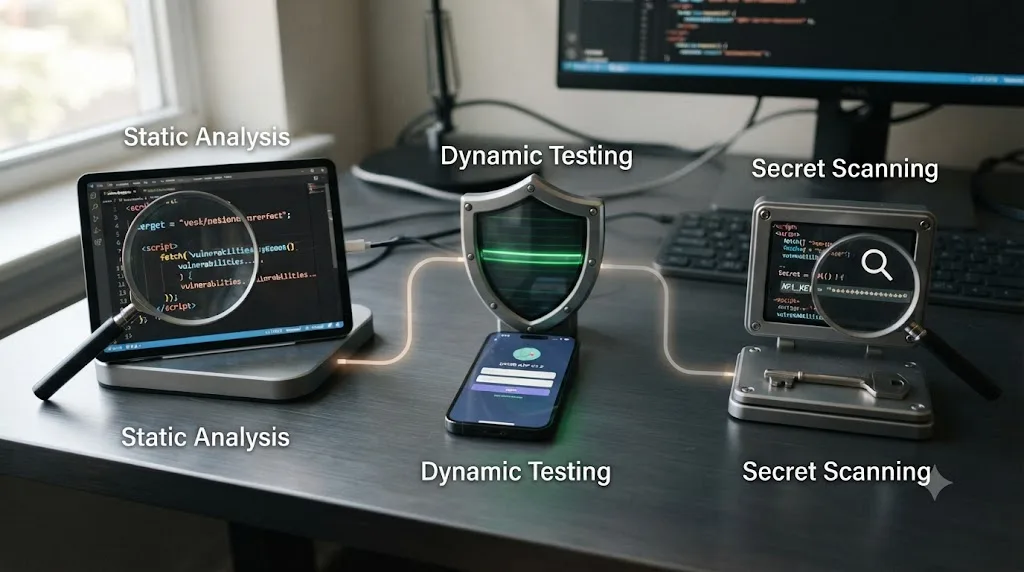
| Tool type | What it does | Free option | When to run it |
|---|---|---|---|
| Static analysis (SAST) | Reads your source code for known-bad patterns without running it | Semgrep, with community rulesets including an OWASP Top 10 pack | On every commit, or at minimum before every deploy |
| Dynamic analysis (DAST) | Probes a running version of your app the way an attacker would, sending real requests | OWASP ZAP | Against a staging environment before launch, and periodically after |
| Secret scanning | Searches your files and git history for credentials, keys, and tokens | Gitleaks, TruffleHog | On every commit, ideally as an automated pre-commit hook |
Invicti's own guidance on vibe-coded projects specifically is to "shift security effort from review to validation," prioritizing runtime testing over manual code review, because SAST tools run against AI-generated codebases tend to produce "especially large volumes of findings without any clear prioritization," with very few of those findings actually valid once someone checks them by hand, per Invicti's checklist post. That's a useful, counterintuitive point. A static scanner run against vibe-coded code can flood you with low-value warnings precisely because the code doesn't follow the conventions the scanner's rules were tuned against. A dynamic test against the running app, does this endpoint actually leak data when I ask it wrong, cuts through that noise, because it only reports something an attacker could genuinely exploit.
A practical order of operations, useful whether you're a solo builder or a small team:
- Add secret scanning first. It's the fastest to set up, catches the highest-severity issue, and a pre-commit hook takes about ten minutes to wire up.
- Add Semgrep with the OWASP Top 10 ruleset next, expecting some noisy first output, and treat it as a starting checklist rather than a pass/fail gate.
- Run OWASP ZAP against a staging deploy before launch, giving it your actual login flow so it can test authenticated routes, not just the public pages.
- Repeat all three whenever a significant chunk of AI-generated code lands, not just once at the start of the project. Vibe coding's pace means your attack surface changes fast, and a one-time scan goes stale quickly.
None of these tools require you to read every line of code the AI wrote. They require you to read the specific lines the tools flag, which is a much smaller, much more achievable task.
How do you prompt an AI assistant to write more secure code in the first place?
Every fix so far in this post happens after the AI already wrote the code. There's a cheaper moment to intervene: the prompt itself.
An AI model treats security as an unstated constraint unless you state it, and Wiz's own guidance to teams adopting vibe coding tools is blunt about the shift required, ask for secure features, not just features, per Wiz's vibe coding security guidance. Instead of "add a login form," specify what "secure" means in that sentence. Instead of "let users see their orders," specify the boundary explicitly. The model isn't guessing what you meant. You're removing the guess.
| Vague prompt | Secure prompt |
|---|---|
| "Add a login form" | "Add a login form using parameterized queries, bcrypt hashing at cost factor 12 or higher, and rate limiting after 5 failed attempts" |
| "Let users see their orders" | "Let users see only their own orders, enforced by a database-level Row Level Security policy, not a frontend filter" |
| "Add a file upload" | "Add a file upload that validates file type and size server-side and rejects anything outside an explicit allow-list" |
A second technique costs nothing and takes thirty seconds: ask a plain, non-technical threat modeling question before you accept the AI's first draft. "What's the worst thing someone could do with this endpoint if they weren't logged in?" or "how would someone try to see another user's data through this feature?" You don't need a security background to ask that. You need to ask it before you ship, not after, and Palo Alto Networks' Unit 42 team frames this kind of question as one of the cheapest controls available to a non-security team adopting these tools, because it forces the one thing an AI prompt optimized for "make it work" will never volunteer on its own, per Unit 42's guidance on securing vibe coding tools.
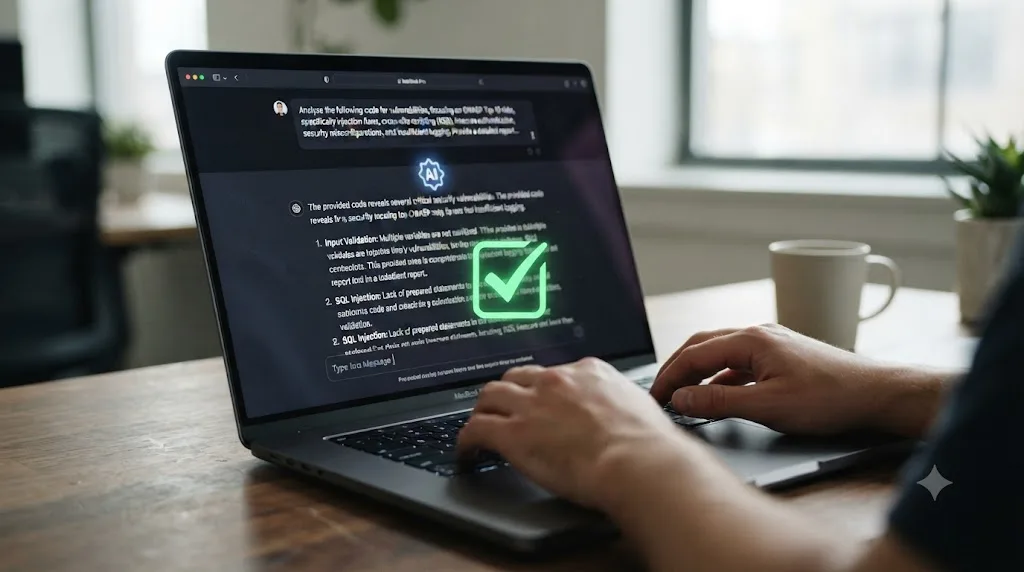
A third technique reuses the model itself as a second pass. Once you have working code, paste it back into a fresh conversation and ask specifically: "review this for the OWASP Top 10, missing authorization checks, and hardcoded secrets, and list every issue you find before suggesting any new features." This works better than asking the same conversation that wrote the code to review its own work, because a model that just generated a design is primed to defend it, not audit it. A clean second pass, or a second model entirely, catches more.
None of these three techniques replace the checklist and the tools covered above. A better prompt reduces how much you'll find when you scan, it doesn't replace the scan. Treat secure prompting as cutting your cleanup workload in half, not as skipping the cleanup.
How long should a security pass actually take, five minutes or an hour?
"Run the checklist" is easy to say and easy to skip when a launch is an hour away. Here's how to scale it to the time you actually have, worst case first.
| Time available | What to do | What it catches |
|---|---|---|
| 5 minutes | Search your source and your built client-side bundle for sk-, AKIA, password =, and your platform's key prefixes | The single highest-severity, most common issue: a hardcoded secret |
| 15 minutes | Add the 5-minute pass, then manually try to view another test user's data by editing an ID in a request | Broken access control, the second most common critical issue |
| 30 minutes | Add the above, then run Gitleaks or TruffleHog against your full git history, not just current files | A secret that was committed once and later "removed" but never rotated |
| 60 minutes | Add all of the above, then run Semgrep with the OWASP ruleset and check your storage buckets and CORS policy | Injection flaws, misconfigured infrastructure, most of the medium tier from the severity table above |
| Half a day | Add all of the above, then run OWASP ZAP against a staging deploy with your real login flow | Runtime-only issues a static scanner can't see, the same validation Invicti recommends prioritizing for vibe-coded code specifically |
Five minutes checking for exposed secrets beats zero minutes of any kind of review, and zero minutes is what most vibe-coded projects get before their first real user shows up. If a launch is genuinely an hour away and you can only do one thing, do the 5-minute pass and the access control test from the 15-minute row. Those two catch the two vulnerability types that get you breached fastest, the ones this post's severity table already ranked "critical, get breached today."
What changes if you're vibe coding on a no-code platform instead of writing raw code?
Everything in this checklist so far assumes there's code you, or a scanner, can actually read. Platforms like Bubble, Glide, and FlutterFlow break that assumption. They generate an application from a visual workflow builder, not lines you can open in a text editor, and a growing number of people building on them arrived the same way as anyone vibe coding with Lovable or Cursor: describe the app, watch it appear, never see the underlying logic at all.
The checklist categories still apply. Secrets can still end up exposed, usually through an API connector configured with a key pasted directly into a visual step instead of a secrets manager. Access control still fails the same way, a workflow that returns "the logged-in user's data" without a server-side check that it's actually their data, because the no-code builder's default action often just runs the query as written. Dependencies still matter, since most of these platforms let you call third-party APIs and plugins built by other users, with no more vetting than an npm package has.
What doesn't carry over is the DIY vetting toolkit. You can't run Semgrep against a Bubble workflow, because there's no source file to point it at. You can't read a .py script before you run it, because there isn't one. That shifts the entire security burden onto the platform's own access control settings, which are usually one of the least examined parts of any no-code build, and onto asking the platform's community and documentation directly what its equivalent of Row Level Security actually is, since the term itself may not even appear in the product.
If you can't read the code, you have to trust the platform's defaults completely, which makes checking those defaults, not scanning code that doesn't exist, the entire security review. Before you build anything sensitive on a no-code tool, find its documentation page for data privacy or access rules specifically, and test the same way this post's worked example does: log in as one test user, try to see another test user's data, and treat "it depends on a setting I never touched" as a fail until you've confirmed which way that setting defaults.
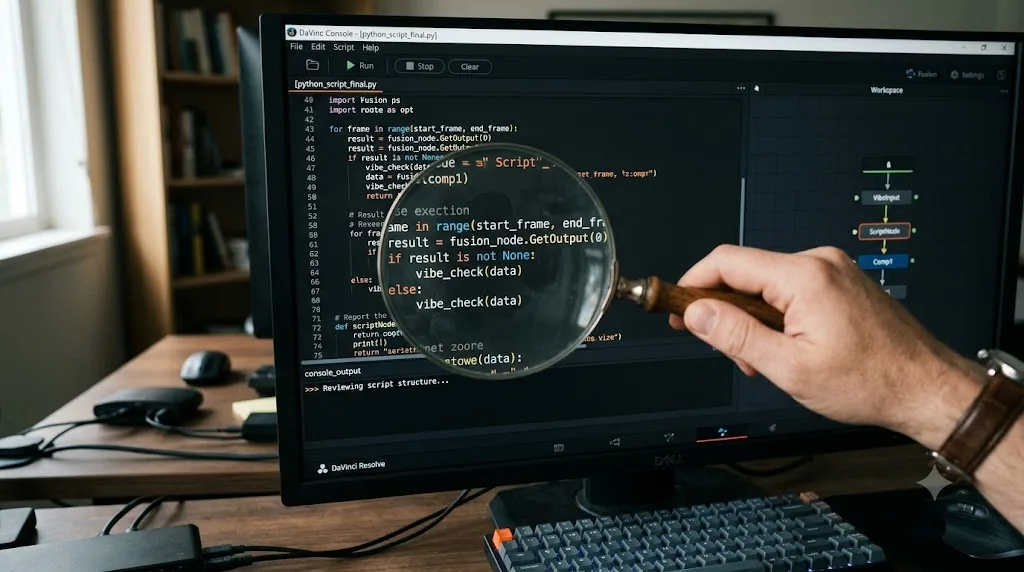
Is vibe coding a DaVinci Resolve script or Fusion plugin any different?
Mostly the same risks, plus one that's specific to how Resolve runs scripts, and it's worth taking seriously because more editors are doing exactly this than you'd guess. Every time someone asks an AI assistant to "write me a script that renames my render output files by timecode" or "build a Fusion macro that batch-applies this title to every clip in my bin," that's vibe coding, just aimed at Resolve's automation surface instead of a web app. If you're weighing which AI assistant to reach for in the first place, our comparison of AI tools to learn DaVinci Resolve covers where Claude's own scripting connection to Resolve helps, and where it doesn't.
Resolve has a real, documented scripting API. Scripts run in Python 2.7, Python 3.6, or Lua, invoked from the Console window on the Fusion page, from the command line, or automatically listed in the Scripts menu if you drop them into Resolve's Utility Scripts folder, per ResolveDevDoc's API introduction. Resolve can also run entirely headless, with no interface at all, using a -nogui launch flag, and the scripting API keeps working exactly the same way in that mode. That's genuinely useful for render farm automation. It's also a wider blast radius than most editors think about, because a headless instance still has the same file system access as your normal user account.
On top of the built-in scripting API, there's Reactor, a free, open-source package manager for Fusion, described in its own documentation as letting you "install third party content, scripts and plugins directly within Resolve," syncing packages from an online Git repository, per Kartaverse's Reactor documentation. A Reactor package is code, written by a community member, distributed through a repository with no centralized security review, and increasingly, at least partly written with an AI assistant, same as everything else on this page.
Here's where the checklist above translates directly, and where it needs a Resolve-specific addition:
| General checklist item | How it applies to a Resolve script |
|---|---|
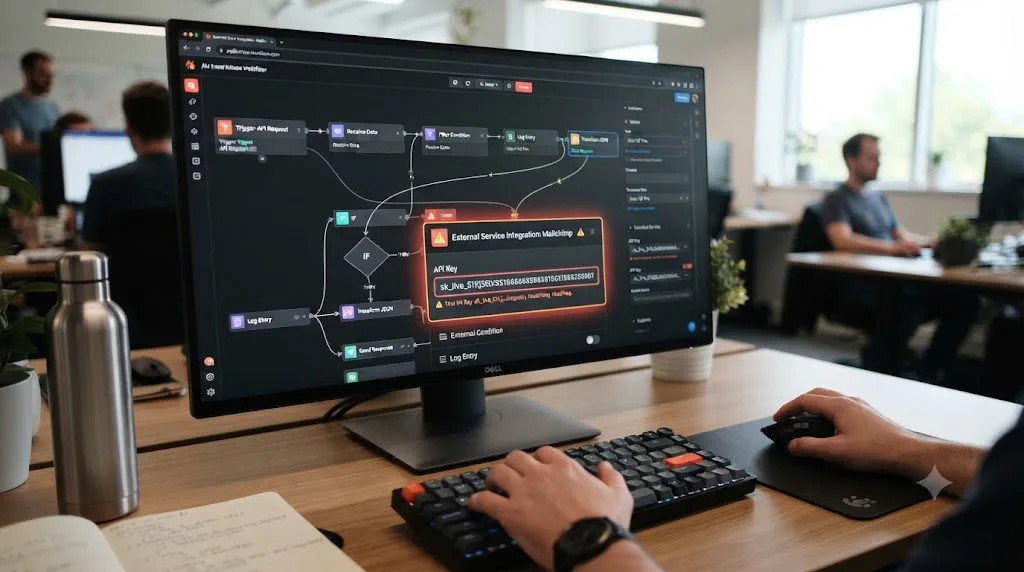
| No hardcoded secrets | A render automation script that uploads to a cloud drive or FTP server needs its credentials in a config file or environment variable, not typed directly into the .py file |
| Input validation | A script that takes a filename, a timecode, or a bin path as input should handle a malformed one gracefully, not crash mid-render or silently overwrite the wrong file |
| Dependency trust | If a script pip installs a package on first run, check that package exists and is what it claims to be, exactly like slopsquatting risk anywhere else |
| Least privilege | Don't run Resolve, or a script inside it, with elevated system permissions it doesn't need, just because a setup guide said to |
| Review before merge | Read a script before you drop it in your Utility Scripts folder, since there's no code review step between a script landing in that folder and it appearing in your Scripts menu |
The addition that doesn't map to a typical web app: a script placed in Resolve's Utility Scripts folder, or a Fusion macro placed in its Comp: folder, has no sandbox between it and your file system. Resolve doesn't run scripts in a restricted environment. A script that does something unexpected, deletes a folder it shouldn't, phones home with project data, overwrites render output on the wrong drive, does that with the same permissions you're logged in with. That's not a Resolve flaw. It's how every scripting API for a desktop application works, Photoshop's, Premiere's, and Resolve's alike. It just matters more now that a growing share of these scripts arrive with an AI assistant as their sole author, and nobody else reading them before they land in a folder Resolve auto-scans on launch.
A Fusion macro or Utility Script has full access to your file system the moment you run it, the same as any other program on your machine, so treating a vibe-coded Resolve script as harmless because it "just automates an edit" is exactly the assumption that gets people burned.
Does DaVinci Resolve's own scripting language add any extra risk?
One risk here is specific to Resolve and doesn't show up in a generic web app checklist at all: the interpreter itself.
Resolve's scripting API, as covered above, runs on Python 2.7, Python 3.6, or Lua. Python 2.7 reached its official end of life on January 1, 2020, and CPython's maintainers have shipped no further bug fixes or security patches for it since, per Bleeping Computer's report on the EOL. Any vulnerability discovered in Python 2.7's standard library from that date forward, in how it parses a malformed file, handles a network socket, or deserializes data, stays unpatched indefinitely, and BlueVoyant's security research notes that attackers can study public CVEs against end-of-life software and know exactly what they're working with, since no fix is coming, per BlueVoyant's analysis of Python 2.7's end of life. Python 3.6, Resolve's other supported version, is also long past its own end of life.
This doesn't mean every AI-written Resolve script is dangerous because of the interpreter alone, most scripts never touch the parts of the standard library where an EOL vulnerability would matter. It does mean the "least privilege" and "read before you run" items in the checklist above carry more weight for Resolve scripts than for, say, a Node.js web app built on a currently maintained runtime. A script running on an interpreter with no more security patches coming has one less layer of protection than code running on a currently supported language version, so the discipline of reading the script yourself has to cover more ground. A malformed input a maintained Python 3.12 runtime might handle safely could behave differently on 2.7, and nobody's coming to fix that gap for you.
The practical response is the same one this post already recommends for any Resolve script, just with slightly higher stakes: keep scripts that handle untrusted input, a filename typed by someone else, a file downloaded from a shared drive, especially cautious, and treat any AI-written script that parses complex file formats or handles network data as worth a closer read than one that just renames clips in your own bin.
What's a safe workflow for vibe coding your own Resolve automation?
Treat every AI-written script the same way you'd treat a script a stranger handed you on a forum, useful, probably fine, but not something you run unread against your active project. This is the same discipline behind why watching tutorials doesn't build real skill: reading a script someone else wrote is retrieval practice, skimming past it while it runs is not, and only one of those two builds the judgment that catches a problem before it happens.
- Read the script before you run it. Open the
.pyor.luafile in a plain text editor, top to bottom. You don't need to understand every function call. You do need to notice anything that reaches outside the file it's operating on: a network request, a shell command, a delete operation on a path it didn't ask you to confirm. - Check where it phones home. Search the file for
http,https,urllib,requests, orsocket. A render automation script legitimately talking to a cloud storage API is normal. A script with no obvious reason to touch the network, doing so anyway, is a reason to stop and ask the tool that wrote it what that specific line is for. - Test it in a scratch project first. Create a throwaway Resolve project with no real footage, no client deliverables, nothing you'd mind losing, and run the new script against that before it ever touches your active timeline.
- Never grant blanket file system permissions to satisfy a setup step. If macOS prompts for Full Disk Access tied to a script you haven't read, decline it, then check exactly what folder access the script actually needs before approving anything narrower in System Settings.
- Vet Reactor packages by their source repository, not their listing description. Open the linked GitHub repo before installing. Check when it was last updated and whether more than one person has ever touched it. Skip anything with no visible source at all.
- Rotate any credentials the script touched, even after a clean test run. If it writes to a render farm, an FTP server, or any API with a stored key, treat that key as freshly exposed after testing a new or AI-written script and rotate it, the same discipline as the secrets section above.
- Keep an unmodified original copy outside Resolve's auto-scanned folders. Store the file somewhere else on disk until you've decided you trust it, so nothing runs automatically from the Scripts menu before that decision is made.
This isn't paranoia calibrated for a nation-state attacker. It's the same proportionate caution you'd already apply to installing a random browser extension, applied to a folder that happens to have full access to your project files, your render outputs, and whatever else your Resolve installation can reach.
If you're using an AI tool to help you write or understand a Resolve script in the first place, TryUncle is built to look at your actual Resolve window and explain what a control or a script step does in context, which is a genuinely different thing from asking a general-purpose coding assistant to generate a script blind and hoping the explanation it gives you afterward matches what the code actually does.

What do you do if you already shipped vibe-coded code without checking it?
Stop reading this section as an abstract worst case if it applies to you right now, and start with the first step.
- Rotate every credential the code touches, immediately, before anything else. Database passwords, API keys, session secrets, third-party service tokens. You have to assume anything hardcoded or logged has already leaked, whether or not you have evidence it has. This step alone closes off the highest-severity risk faster than any audit does.
- Run a secret scanner against your entire git history, not just your current files. Gitleaks or TruffleHog, pointed at the full repository, will surface anything that was ever committed and later "removed," which is still fully recoverable by anyone who cloned the repo at the wrong moment.
- Add row-level access control to any database your app queries directly from client-side code. This is the fastest way to close the broken access control gap described earlier, and it's a database-level change you can make without touching your application code.
- Check your logs for evidence of anything unusual, unexpected volumes of requests, requests for object IDs that don't belong to the requesting user, or database queries that don't match your app's normal patterns. You're looking for signs someone already found the gap before you did.
- Only after those four steps, start reading through the rest of the code at a normal pace, working through the checklist above section by section, treating anything you can't explain in a sentence as worth a closer look.
- If the app handles real user data and you found something serious, tell your users. It's uncomfortable, and it's also the right call, and in a lot of jurisdictions it's a legal requirement depending on what kind of data was exposed and for how long.
This isn't a punishment lap. Plenty of legitimate, useful software started as a fast vibe-coded prototype that outgrew its original throwaway intent before anyone circled back to harden it. The fix isn't guilt. It's these six steps, in this order, starting today rather than after something goes wrong.
Is vibe coding safe for production, or only for throwaway prototypes?
David Mytton, founder and CEO of developer security platform Arcjet, frames this the right way, not as a yes-or-no question but as a question of consequences. "In 2026, I expect more and more vibe-coded applications hitting production in a big way," he said, adding a blunt prediction: "There's going to be some big explosions coming," per The New Stack's coverage of his remarks. His point isn't that vibe coding is inherently reckless. It's that the volume of vibe-coded software heading into production, without a matching increase in review, is a trend line pointed at real incidents.
Mytton's own useful framing, elsewhere in the same discussion, is blast radius. A throwaway internal prototype, a script that automates something on your own machine, a proof of concept nobody else will ever touch, has a small blast radius if something in it goes wrong. An app handling other people's payments, health information, or account access has a large one. The same vibe-coded workflow that's genuinely fine for the first category is a real liability in the second, not because the code is different, but because what's riding on it is.
That distinction is the honest verdict here. Vibe coding is not unsafe. Shipping vibe-coded code with a large blast radius, without checking it against a real checklist first, is. The checklist in this post doesn't slow down the part of vibe coding that's genuinely valuable, the speed of getting from idea to working prototype. It adds back the review step that speed quietly removed, at the one moment that actually matters: before real people, real data, or real money touch what you built.
If you're vibe coding a script that lives entirely on your own machine and touches nothing but your own render output, work through the checklist items that still apply, secrets, dependency trust, reading the code before you run it, and don't lose sleep over the rest. If you're vibe coding anything that will hold someone else's data, run the full checklist, every category, before it goes anywhere near production. The difference between those two cases isn't how the code was written. It's what happens if it's wrong.
Frequently asked questions
- What is vibe coding?
- A term Andrej Karpathy coined in a February 2025 post, describing a style of programming where you describe what you want in plain English, let an AI model generate the code, and "fully give in to the vibes," accepting the output without reading it line by line. It's now used more broadly for any workflow where AI writes most of the code and a human mostly reviews the result, not the syntax.
- Is vibe coding actually less secure than writing code by hand?
- Research points that way. A Stanford study of programmers using an AI coding assistant found they produced more security vulnerabilities than a control group coding without one, and were more confident their code was secure. Escape.tech's scan of 1,400 live vibe-coded apps found over 2,000 critical vulnerabilities and more than 400 exposed secrets. The tools aren't malicious. They're optimized for code that runs, not code that resists an attacker.
- What's the single most common vibe coding vulnerability?
- Exposed secrets and broken access control show up most consistently across every vendor report on this. AI tools routinely place API keys or database credentials directly in client-side code, and routinely skip authorization checks on individual routes or database rows because nothing in a plain-English prompt asked for them explicitly.
- What happened in the Base44 and Lovable vibe coding platform breaches?
- In July 2025, Wiz disclosed an authentication bypass in Base44 that let anyone with an app's non-secret ID register a verified account and skip Single Sign-On entirely, fixed within four days. In May 2025, researcher Matt Palmer disclosed CVE-2025-48757, a missing Row Level Security flaw across more than 170 live Lovable applications, and a follow-up scan in February 2026 still found critical flaws in roughly one in ten Lovable apps checked. Both are the exact broken-access-control failure mode this checklist's secrets and access-control sections cover.
- Can I vibe code a DaVinci Resolve script or Fusion plugin safely?
- Yes, with the same caution you'd apply to any script you didn't fully write yourself, plus one Resolve-specific habit: read a script before you drop it into Resolve's Utility Scripts folder or install a Reactor package, since anything in that folder runs with your own file system permissions the moment you launch it from the Scripts menu, with no sandbox in between.
- What free tools can scan vibe-coded apps for vulnerabilities?
- Semgrep for static analysis of your actual source code, OWASP ZAP for dynamic testing against a running app, and a dedicated secret scanner like Gitleaks or TruffleHog run against your git history, not just your current files. All three have free, open-source tiers and none require a security background to run a first pass.
- Is vibe coding safe for production apps, or only for prototypes?
- Arcjet founder David Mytton draws the line at blast radius, not intent: a throwaway prototype with no real user data has a small blast radius if something goes wrong, while an app handling payments, health records, or other people's accounts has a large one. Vibe code freely in the first category. Add a human review, a secrets scan, and an access control test before anything in the second category goes live.
- What should I do if I already shipped vibe-coded code without checking it?
- Rotate every credential the code touches first, database passwords, API keys, session secrets, since you have to assume anything hardcoded or logged has already leaked. Then run a secret scanner against your full git history, not just the current commit, add row-level access control if your database allows client-side queries, and only after those three steps start reading through the rest of the code at a normal pace.
Sources
- Andrej Karpathy: original "vibe coding" post
- Perry, Srivastava, Kumar, Boneh (Stanford University): Do Users Write More Insecure Code with AI Assistants?
- Escape.tech: The State of Security of Vibe-Coded Apps
- Forbes (Jodie Cook): Vibe Coding Has A Massive Security Problem
- The New Stack: Vibe coding could cause catastrophic 'explosions' in 2026 (David Mytton, Arcjet)
- Invicti: Vibe Coding Security Checklist, How to Secure AI-Generated Apps
- Checkmarx: Vibe Coding Security, Risks, Vulnerabilities, and Secure AI Coding
- Cloud Security Alliance: Secure Vibe Coding Guide
- Cloud Security Alliance research note: Vibe Coding Security Crisis, Credential Sprawl and SDLC Debt
- SecurityWeek: Everybody Is Vibe Coding But Nobody Told the Security Team
- Socket.dev: The Rise of Slopsquatting, How AI Hallucinations Are Fueling a New Class of Supply Chain Attacks
- OWASP: OWASP Top 10
- ResolveDevDoc: DaVinci Resolve Scripting API Introduction
- Kartaverse: Reactor Package Manager documentation
- Wiz: Critical Vulnerability in AI Vibe Coding platform Base44
- The Hacker News: Wiz Uncovers Critical Access Bypass Flaw in AI-Powered Vibe Coding Platform Base44
- NVD: CVE-2025-48757 Detail
- Matt Palmer: CVE-2025-48757 disclosure writeup
- The Register: AI-built app on Lovable exposed 18K users, researcher claims
- Veracode: 2025 GenAI Code Security Report
- Bleeping Computer: Python 2.7 Reaches End of Life After 20 Years of Development
- BlueVoyant: Security Implications of Python 2.7 End of Life
- Wiz Academy: Vibe Coding Security Fundamentals
- Unit 42 (Palo Alto Networks): Securing Vibe Coding Tools, Scaling Productivity Without Scaling Risk
Learn by doing, not watching
Stop translating tutorials to your timeline.
TryUncle stays beside Resolve on Mac and Windows. When you ask, Uncle sees your screen and points at the exact control you need. No hunting through tabs, timestamps, or mismatched tutorials.
Meet TryUncleKeep reading
 ComparisonsJul 11, 202626 min read
The Best AI Tools to Learn DaVinci Resolve in 2026
ChatGPT, Claude, Blackmagic's free training, Recut, and Resolve's Neural Engine compared for learning DaVinci Resolve, and the gap none of them close.
 GuidesJul 8, 202629 min read
Why Watching Tutorials Doesn't Work (And What Actually Builds Skill)
Why watching tutorials doesn't work: it trains recognition, not recall. The research on active practice, retrieval, and how to actually break out of tutorial hell.
 GuidesJul 20, 202636 min read
Vibe Coding Testing Strategy: How to Catch Bugs Early
A vibe coding testing strategy that catches bugs before they ship: test inside the loop, verify your tests with mutation testing, and what changes for Resolve scripts.