
Learn / DaVinci Resolveupdated for Sottocut v1.3.3, DaVinci Resolve 21, TryUncle pricing, Anthropic Claude API pricing (July 2026)
Is Sottocut Worth It for DaVinci Resolve? The 2026 Verdict
Quick answer
Sottocut is worth it if you edit on an Apple Silicon Mac, own DaVinci Resolve Studio 21, and want an AI co-editor that proposes cuts, captions, and story reordering instead of applying them silently, starting at $15/month with your own Anthropic key or $29/month managed. Skip it on Windows, the free edition, or without running the 7-day trial first.
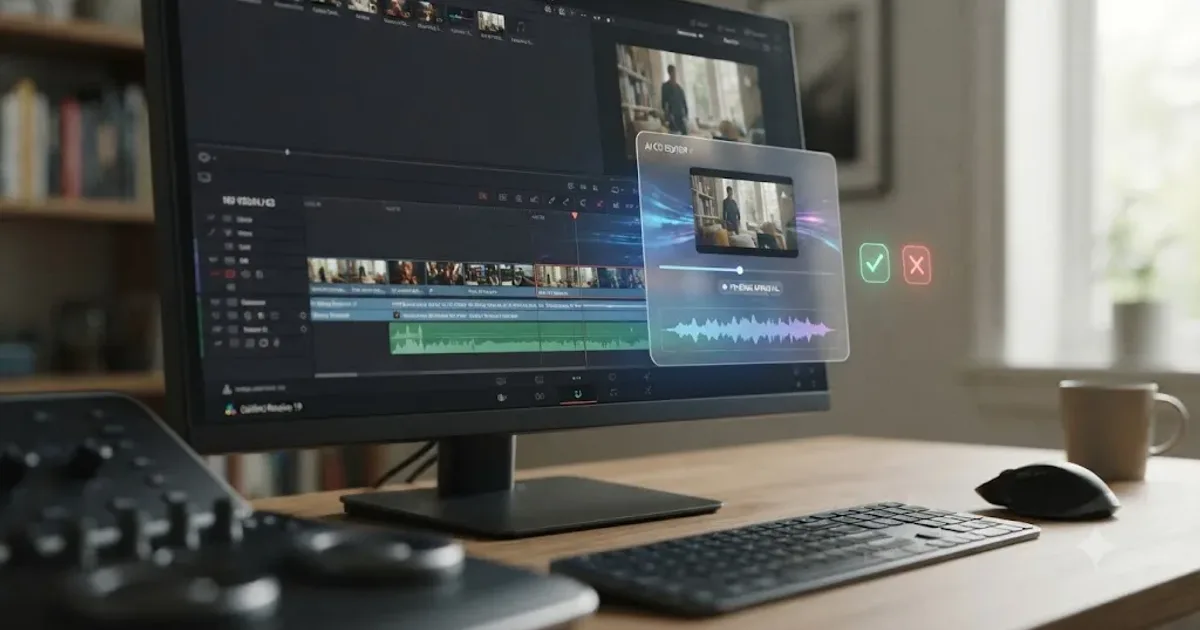
You typed "is Sottocut worth it for DaVinci Resolve" because you found a new AI tool with a strange name attached to a real product, and you want to know if it's real before you hand over a credit card. Fair question. Short answer: Sottocut is a real, working product, launched in July 2026, that edits inside DaVinci Resolve Studio 21 on Apple Silicon Macs, and whether it's worth it depends almost entirely on three things: which Mac and Resolve edition you run, how much you trust a brand-new tool with zero track record, and whether $15 to $119 a month buys you more than it costs you in review time.
That's the whole shape of the verdict. Everything below is the evidence for it: what Sottocut actually does, what it costs down to the dollar, what "asks before it touches a timeline" really means in practice, what to do when the connection to Resolve breaks, how it stacks up against CutAgent, Eddie AI, DavinciClaude, and TryUncle, and exactly who should buy it this week versus who should wait.
One note on where this is coming from. We've spent seven-plus years cutting commercial video in DaVinci Resolve, we run a 100,000-member video-editing community where questions about brand-new AI editing tools show up constantly, and we're an official Udemy Business Partner who has taught DaVinci Resolve to more than 100,000 students. A tool that touches your timeline gets judged by a different standard than a tool that just answers questions, and that's the standard we're applying here.
What Is Sottocut, Exactly?
Sottocut is a local-first AI assistant editor that runs inside DaVinci Resolve, built around a chat interface called the Co-Editor that scores footage for narrative significance, drafts captions, reorders moments into a story, and hands off delivery, all through a proposal step before anything changes your project, according to Sottocut's own site. Its own tagline states the design philosophy plainly: "It edits with you. It asks before it touches a timeline." Elsewhere on its site, Sottocut frames the whole product around a single idea: "The edit isn't the hard part. Getting to the edit is."
That's a meaningfully different pitch from a plugin that just automates one task. Sottocut isn't a silence-remover or a caption generator bolted onto Resolve's Workspace menu. It's a full session-based tool: you open a project, talk to the Co-Editor about what you're trying to build, and it works across analysis, story structure, captions, audio sync, and rendering in one continuous back-and-forth, verifying each step by reading the result back from your actual timeline rather than assuming its own instruction worked.
It's also brand new. Sottocut's own changelog lists its first public release, version 0.4.1, shipping in July 2026, the same month you're reading this. Two more releases, 1.3.0 and 1.3.3, followed within weeks, adding a project workspace, a B-roll library, and diagnostic tooling. That's either a sign of a team shipping fast in response to real usage, or a sign you're an early adopter of something with almost no track record. Both are true at once, and neither cancels the other out.
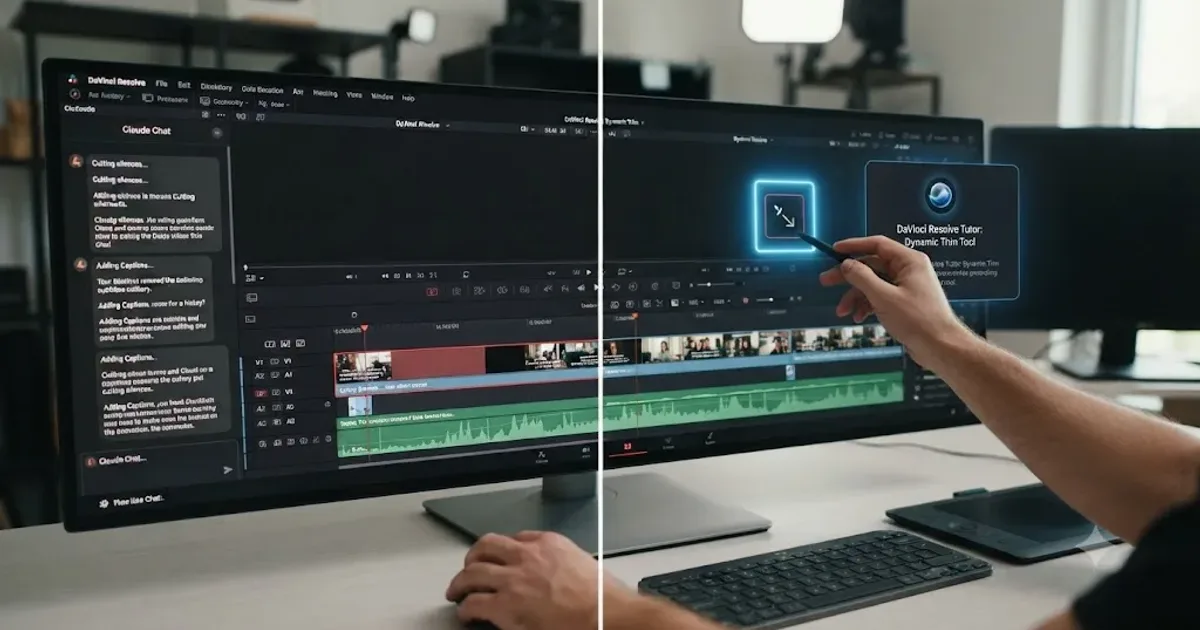
Before this goes further, one honest disclosure: we build TryUncle, one of the tools compared later in this review. That doesn't change a single fact about Sottocut's pricing, requirements, or mechanics below, all of which come from Sottocut's own site, but you should know it going in rather than finding it buried in a footer. TryUncle is the on-screen assistant for DaVinci Resolve on macOS. Ask in plain words and Uncle points at the exact control on your screen. It never executes an edit on your behalf, which is the opposite mechanism from Sottocut, and that contrast becomes useful later in this review, not just as a disclaimer up front.
The Quick Verdict, Before the Detail
Here's the full shape of the answer before you read another paragraph, so you're not scrolling back up later.
| Sottocut | |
|---|---|
| What it does | Analyzes, scores, restructures, captions, and renders inside DaVinci Resolve through a chat interface, with proposals you approve |
| Touches your timeline? | Yes, but gated behind a proposal step it verifies against the actual timeline |
| Platform | Apple Silicon Mac only (M1 or later), macOS 14+ |
| DaVinci Resolve requirement | Studio 21 specifically, installed from Blackmagic Design directly. Free edition and Mac App Store build unsupported |
| Price | $15/month (bring your own Anthropic key) to $119/month (managed, 35 projects), or $129 lifetime |
| Free trial | 7 days, 3 projects, no card required |
| Refund policy | None beyond the trial itself, per Sottocut's own pricing page |
| Track record | First public release: July 2026. No independent reviews or press coverage found as of this writing |
| Best for | Mac editors already on Resolve Studio 21 who want narrative-level AI assistance, not just mechanical automation |
Read the "track record" row carefully, because it's the one most reviews of new AI tools skip. Everything else here is verifiable and specific. Whether a zero-history product deserves your subscription and your project files is a judgment call this article gives you the material to make, not one it makes for you.
How Does Sottocut Actually Work Inside DaVinci Resolve?
Sottocut's mechanism centers on a single chat surface, the Co-Editor, that drives what its own site describes as 40 validated tools across analysis, structure, captions, delivery, and audio, according to Sottocut's site. Here's what each named feature actually does, broken out instead of taken on faith.
Moment Scoring analyzes your footage's speech content and scores individual timeline moments for narrative significance, essentially flagging the parts of your raw footage most likely to matter to a viewer, using on-device transcription rather than a cloud upload of the audio itself.
Story Mode takes those scored moments and reorders them into a narrative arc, then compiles the result into a new timeline, a step up from simple selects-gathering into something closer to an actual rough-cut assembly built from what the tool judged important. Story Mode's assembly is additive: it builds a new timeline from the scored moments rather than deleting or overwriting the one you already have, according to Sottocut's site.
Captions generates styled captions from the on-device transcript and produces what Sottocut calls a build report, a summary of what it did and why, rather than silently dropping caption blocks onto your timeline with no explanation.
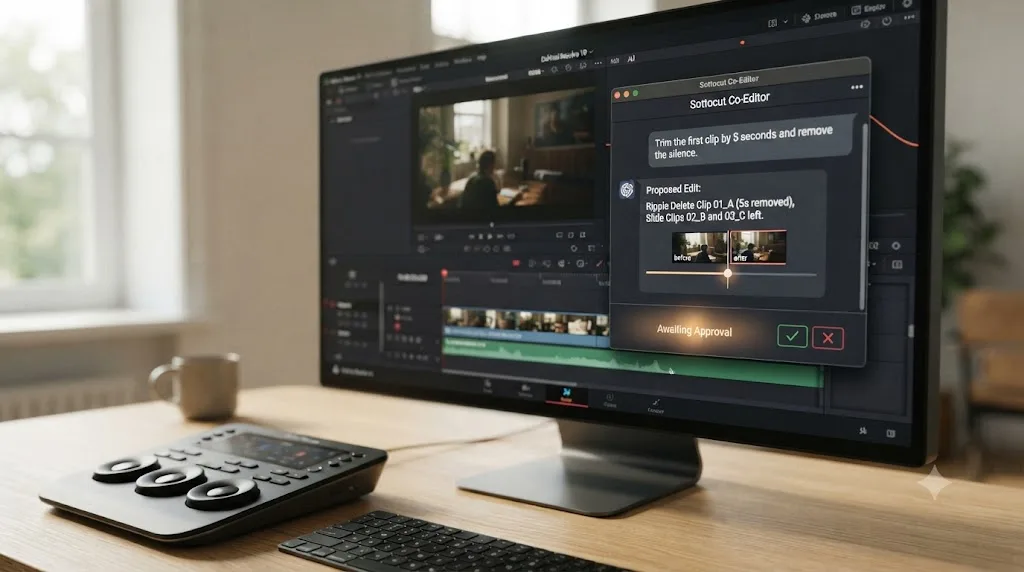
Co-Editor Chat is the interface tying all of this together: a full-page chat where you describe what you want and the assistant works through the 40 tools, gated by what Sottocut calls proposal-gating, meaning a change is proposed before it's applied.
Deliver handles render presets, batch render queues, dual-cut pairs (useful for delivering both a long and short version of the same edit), and still-frame extraction, the mechanical end of a project rather than the creative middle.
Audio Sync performs waveform-based sync for dual-system sound, common in documentary and interview work where camera audio and a separate recorder need aligning, with what Sottocut describes as per-clip verification rather than a single sync pass applied blind across a whole bin.
Sottocut's July 2026 release, version 0.4.1, also shipped LUT application with grade verification, meaning a look can be applied to a clip and then checked against the timeline the same way a proposed structural edit is, rather than assumed to have landed correctly the moment it was applied, according to Sottocut's changelog.
The three point-releases that followed in the same month added a layer above these individual tools that the original launch didn't have. Project Workspace, added in version 1.3.0, ties everything into a single screen instead of a set of separate tools, built around what Sottocut calls a provenance strip showing where each clip and score came from, alongside dedicated Cut, B-Roll, Ideas, and Story panels. B-Roll Workbench builds an on-device library of your supporting footage, running coverage analysis to flag where a sequence is missing a shot and suggesting matched footage from that library instead of leaving you to hunt for it manually. Ideas Panel turns Moment Scoring's output into editable reels built directly from the score, a lighter, faster starting point than a full Story Mode assembly when you just want a quick highlight cut rather than a complete narrative restructure. Place builds a fresh timeline with a live preview before anything commits to your actual project, letting you see a proposed structure rendered out before Sottocut writes a single frame of it, a more cautious cousin of the general proposal-gating mechanism covered in detail below.
The transcription itself runs on-device, using Apple's Neural Engine rather than uploading your audio to a server, according to Sottocut's own materials. That's a real privacy claim worth separating from the parts of the pipeline that do leave your Mac, which a later section covers in full.
Sottocut treats a proposed edit as unverified until it reads the result back from the actual timeline, not just from its own instruction log. That verification step is the single most important engineering decision in the product, because an AI tool that assumes its own edits landed correctly is a tool that can quietly drift from what you think happened to what actually happened on your project.
What Do You Actually Need to Run Sottocut?
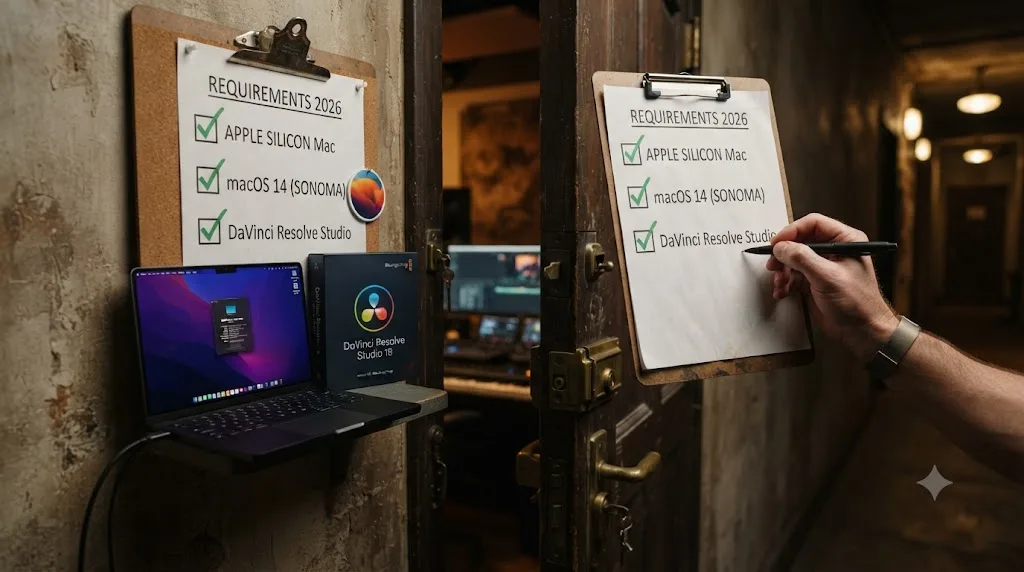
This is where a lot of interested readers get filtered out before pricing even matters. Sottocut's requirements are narrow, and they're worth stating precisely.
| Requirement | What Sottocut needs | Why it matters |
|---|---|---|
| Mac chip | Apple Silicon (M1 or later) | No Intel Mac support at all |
| macOS version | 14 or newer | Rules out older machines still on Ventura or earlier |
| DaVinci Resolve edition | Studio 21, purchased directly from Blackmagic Design | Free edition and the Mac App Store build are explicitly unsupported |
| Internet connection | Required for the Co-Editor's reasoning layer | Footage itself stays local; the chat and analysis need a live connection to Anthropic |
Source: Sottocut's own site.
The Resolve Studio requirement is the one that trips people up, and it isn't arbitrary. Sottocut drives Resolve through what its own materials call "external scripting APIs," and DaVinci Resolve's documented scripting interface, covered in detail by Wild Lion Media's guide to the API, only runs external scripts, code invoked from outside Resolve's own internal console, when Resolve Studio is installed. The free edition can execute scripts from inside its own console, but it can't be driven by an outside application the way Sottocut needs to work. That's not a Sottocut limitation so much as a Blackmagic Design platform limitation that every third-party automation tool in this category runs into, including CutAgent, and roughly 30 to 40 percent of everything Resolve can actually do sits inside that documented scripting surface in the first place, concentrated in delivery, project management, metadata, and markers, according to the same Wild Lion Media guide. That's worth knowing before you assume any chat-driven editor, Sottocut included, can reach every corner of Fusion or Fairlight through a typed instruction.
Resolve Studio itself costs $295 as a one-time purchase with no subscription and no annual fee, according to Blackmagic Design's own Studio product page. If you're currently on the free edition specifically to try Sottocut, budget that cost in before you budget Sottocut's own monthly fee, because $295 is the real floor of entry here, not the $15 or $29 a month that shows up on Sottocut's pricing page.
If you're not already on an Apple Silicon Mac running DaVinci Resolve Studio 21, the "is Sottocut worth it" question doesn't even arise, because the software won't launch. That's the single fastest filter in this entire review, and it's worth applying to yourself before reading another word.
What Do You Do When Sottocut Won't Connect or a Project Stalls?
Meeting every requirement on the checklist above doesn't guarantee a smooth first session. A few specific, predictable failure points are worth knowing before you hit them cold.
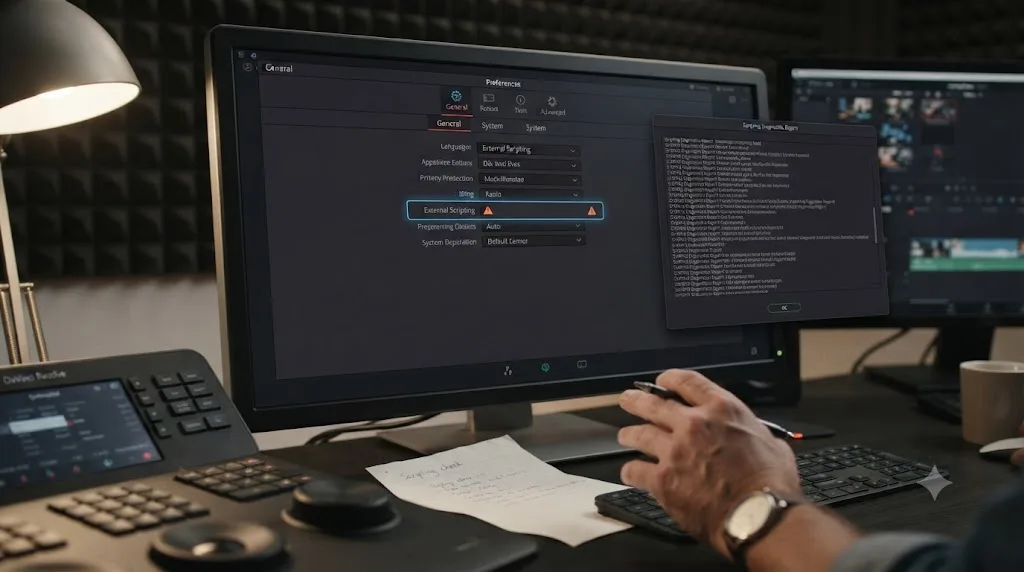
The Co-Editor can't see your timeline at all. If Sottocut launches but behaves as though Resolve isn't there, the first thing worth checking isn't Sottocut itself, it's a DaVinci Resolve preference most editors have never touched. Any external application that drives Resolve from outside its own console, not just Sottocut, depends on a setting that governs whether outside scripts are allowed to reach the app at all, and that permission "can be changed in Resolve Preferences, to be only from Console, or to be invoked from the local network," according to the ResolveDevDoc scripting API documentation. If that preference is locked down to console-only, no outside tool, Sottocut included, can reach your project no matter how correctly it's installed. This lives under Resolve's own Preferences, not inside Sottocut's settings, which is exactly why it's easy to overlook while you're troubleshooting the wrong app.
A project you thought was still open turns into two. Remember that Sottocut defines a project as one Co-Editor session lasting up to 24 hours, with every turn inside that window free, but a session that runs past the 24-hour mark starts a new project against your plan, per Sottocut's pricing page. If you leave a session open across a long weekend of on-and-off editing rather than closing it out each day, you can burn through a capped managed plan's monthly allowance faster than the project count in your head suggests. On the Starter tier's 8-project cap, that's a meaningful difference between a session that behaves as one project and one that quietly splits into two or three.
The app seems stuck on an old version, or an update lands without warning. As of version 1.3.3, Sottocut's update behavior changed specifically to avoid that surprise: updates now ask first, meaning Sottocut tells you a new version is ready and installs only when you say so, alongside a manual update-check option, according to Sottocut's changelog. If a feature described here doesn't match what you see in the app, check for an update manually before assuming something is broken.
Something crashed, or a proposal behaved strangely. The same 1.3.3 release added one-click diagnostics and crash reporting through built-in support, so that's the first stop for an unexplained failure rather than guessing at a fix or reinstalling from scratch.
You bought a license and then switched Macs. Version 1.3.3 also added the ability to manage Mac activations directly from Settings, without contacting support, which matters if you edit across a desktop and a laptop, or replace a Mac mid-subscription. It's worth knowing that option exists before assuming a license transfer requires an email to a support inbox.
None of these are dealbreakers. They're the specific, predictable rough edges of a genuinely young product, and knowing them before your first real session saves you from mistaking a documented quirk for a broken tool.
Does Sottocut Really Ask Before It Touches a Timeline?
This is the claim doing the most marketing work on Sottocut's site, and it deserves scrutiny instead of a nod. The mechanism, per Sottocut's own materials, is what it calls proposal-gating: the Co-Editor Chat drives 40 validated tools, but a change is proposed before it's applied, and the system verifies the result by reading it back from the actual timeline rather than trusting its own log of what it thinks it did. Sottocut's own shorthand for the loop is blunt: "Score. Confirm. Verified."
That's structurally the same category of safeguard CutAgent uses on the same category of problem, a review step between an AI's plan and an AI's action, rather than a tool that silently rewrites your project in the background. It's a meaningfully more defensible design than a tool with no review step at all, and it's worth naming that plainly instead of reflexively distrusting every AI editing tool on principle.
But a review step is only as good as the review, and that's where the honest caveats start. A proposal you skim and approve out of habit provides exactly the same protection as no proposal at all. Sottocut's verification loop confirms that a change matches what it proposed, not that the proposal itself was creatively correct, a distinction worth sitting with. If Sottocut's Moment Scoring flags the wrong three minutes of an hour of interview footage as the important part, a perfectly executed, perfectly verified edit still produces the wrong cut. The proposal-gating protects you from the tool doing something different than it said it would. It does not protect you from the tool being confidently wrong about what matters in your footage.
Jeff Greenberg, writing for ProVideo Coalition about the wider category of independent, AI-assisted developer tools aimed at editors, put the underlying risk calculus this way: "In a world where reliability is the product, the leverage here is the risk," and he frames the practical response as running any such tool "through five questions" before trusting it on real client work rather than accepting the marketing claim at face value, in his full piece. That framing applies directly here. Sottocut's proposal-gating is a real engineering safeguard against silent, unwanted timeline changes. It is not, and doesn't claim to be, a guarantee that every proposal is the right creative call.
A tool that asks before it acts can still act on a bad idea, so the review step protects your timeline, not your judgment. Read what Sottocut proposes before you approve it, on every single change, especially in the first few projects, until you've built a real sense of where it tends to get things right and where it doesn't.
If you're mid-project right now and genuinely stuck on whether a specific proposed change is the right call, that's exactly the kind of moment where having someone point at the actual control on your actual screen beats reading documentation about a feature in the abstract, which is the whole reason a tool like Uncle exists inside Resolve in the first place.
How Much Does Sottocut Actually Cost?
Sottocut runs two separate pricing structures depending on whether you supply your own Anthropic API key or let Sottocut manage that cost for you. Here's the full breakdown, straight from Sottocut's pricing page.
| Plan | Price | What's included | Who it fits |
|---|---|---|---|
| Bring-your-own-key, monthly | $15/month | Unlimited projects, using your own Anthropic API key (billed separately by Anthropic) | Heavy users comfortable managing a second bill |
| Bring-your-own-key, lifetime | $129 one-time | Unlimited projects for the current major version, using your own key | Long-term users who want to skip the monthly fee |
| Managed, Starter | $29/month | 8 projects/month, no API key needed | Occasional users, one or two projects a week |
| Managed, Pro | $59/month | 18 projects/month, no API key needed | Regular users, close to a project every other day |
| Managed, Studio | $119/month | 35 projects/month, no API key needed | Daily or near-daily users, small teams |
A "project," in Sottocut's own definition, is one Co-Editor session lasting up to 24 hours; every interaction inside that window counts as a single project, and a session running past 24 hours starts a new one.
The bring-your-own-key plans look cheapest on the surface, and for light usage, they probably are. But that $15 a month doesn't include what you'll actually pay Anthropic for the reasoning behind every proposal, score, and caption draft. Anthropic's own current API pricing lists Claude Sonnet models at $2 to $3 per million input tokens and $10 to $15 per million output tokens, depending on which Sonnet version and whether you're inside the Sonnet 5 introductory window that runs through August 31, 2026, according to Anthropic's official pricing documentation. Sottocut doesn't publish a typical token count per project, so there's no honest way to hand you a precise monthly dollar figure for the API layer alone, but it's real, separate, metered spend on top of the $15 software fee, not included in it.
Here's a rough way to size that unknown, using only published numbers, not anything Sottocut discloses about its own prompt design. A one-hour interview transcript runs somewhere around 9,000 to 10,000 spoken words, which comes out to roughly 12,000 to 14,000 tokens once you apply the standard rule of thumb of about 1.3 tokens per word. If the Co-Editor sends that transcript through Anthropic's API even a handful of times across a single project, once to score it, once to draft Story Mode's reordering, once for captions, again after you push back on a proposal, you're plausibly looking at somewhere between 50,000 and 150,000 input tokens for a single project, plus a much smaller output-token count for the actual proposals and build reports it writes back. At Sonnet's published $2 to $3 per million input tokens, that lands around $0.10 to $0.45 of raw API cost for the text alone, per project, before Sottocut's own system prompt and the overhead of 40 defined tools are added on top, which could plausibly double or triple that figure. Treat this as illustrative back-of-envelope math built from public token pricing, not a number Sottocut states anywhere, and check your actual Anthropic invoice after your first real month before assuming the bring-your-own-key plan is definitely the cheaper option for your workload.
If you're the kind of user who wants one predictable bill instead of two, the managed plans exist specifically to absorb that variable cost into a flat rate, and that predictability is worth paying the markup for if you'd otherwise be surprised by an API invoice at the end of the month. To make that trade-off concrete, here's how the plan caps map onto a few realistic editing patterns.
| Your editing pattern | Rough projects/month | Best-fit plan |
|---|---|---|
| Weekend hobbyist, one video every couple of weeks | 1-2 | The 7-day trial, or BYO monthly if you'll keep using it |
| Weekly YouTuber or podcast editor | 4-6 | BYO monthly if you're comfortable tracking an Anthropic bill, otherwise Starter |
| Two client edits a week | 8-10 | Starter, though tight against its 8-project cap; Pro if you regularly go over |
| Small team cutting near-daily | 15-20 | Pro |
| Studio or agency running multiple editors | 25-35 | Studio |
The lifetime BYO plan at $129 is worth reading carefully too. It covers "the current major version," which means a future Sottocut 2.0 could plausibly require a new purchase, a common and defensible model for small software vendors, but one that changes the real math if you're framing $129 as a permanent, one-time cost the way you might think of DaVinci Resolve Studio's $295 license. Sottocut's own framing of the choice is direct: you can "buy it once, $129, yours for the major version, or pay monthly and cancel whenever."
A $15-a-month sticker price and an unmetered Anthropic API key are two different financial commitments wearing the same product. Decide which of Sottocut's two pricing tracks you're actually signing up for before you compare it against a managed plan's flat rate, because the honest total cost of the cheaper-looking option depends entirely on how much you use it.
Is There a Free Trial, and What Happens If You Want a Refund?
Sottocut offers a 7-day free trial covering 3 projects, with no credit card required to start, according to its pricing page. That's a genuinely low-friction way to test the actual product on actual footage before committing any money, and it's the right first move for anyone reading this review who's on the fence.
Beyond the trial, Sottocut states its refund policy plainly, in its own words: "the refund policy is the trial, try it on a real project before you pay." There's no separate money-back window once you've subscribed, unlike TryUncle's explicit 14-day, no-questions-asked guarantee covered further down, or CutAgent, which per its own materials publishes no trial at all. Subscriptions can be managed or cancelled anytime through the receipt link in your purchase confirmation email, with no account creation required, which is a small but genuinely convenient detail for anyone wary of yet another login to manage.
The practical takeaway: don't burn your 7-day trial on a throwaway test clip. Use it on a real project with footage you actually care about, the same advice that applies to testing any AI editing tool before you trust it with client work, because a clean 30-second test clip won't surface how Sottocut's Moment Scoring handles messy, real-world interview audio or a timeline with dozens of existing manual edits already on it.
Sottocut's trial is the entire safety net, since there's no refund window once you've subscribed, so treat those seven days as your only real chance to catch a dealbreaker before money changes hands.
Does Sottocut Upload Your Footage to the Cloud?
No, not the footage itself. Sottocut's transcription and core processing run locally on your Mac's Neural Engine, and according to its own site, your footage never leaves your machine under either pricing plan. What does leave your machine is narrower and specific: your typed prompts to the Co-Editor and, if you choose to include them, screenshots.
Where that text goes depends on which plan you're on. On the bring-your-own-key plans, your prompts and screenshots go directly to Anthropic using your own API credentials. On the managed plans, that same traffic routes through Sottocut's own infrastructure before reaching Anthropic. Sottocut's site states plainly that it sends "no analytics, no telemetry," summarizing the design goal as "nothing to upload, nothing to leak," and repeats that "your video never leaves either way," regardless of which plan you're on.
That's a real, meaningful privacy design, and it's worth taking at face value as a stated architecture. It's also worth naming what it doesn't cover: a brand-new company's stated privacy policy isn't the same thing as an independently audited one, and Sottocut, being roughly a month old at time of writing, hasn't had time to accumulate a public track record on data handling the way a five-year-old company has, good or bad. If you're editing under an NDA or a client contract with data-handling clauses, that contract almost certainly governs what you're allowed to install before you weigh Sottocut's own privacy claims at all, the same caution worth applying to any third-party tool that reads your project, TryUncle included.
Sottocut's footage never leaves your Mac, but your prompts and any screenshots you attach do, so treat the text you type into the Co-Editor with the same care you'd give an email to a stranger about your project. Don't paste anything into that chat window you wouldn't want to leave your machine.
How Mature Is Sottocut, Really?
This is the section most "is it worth it" reviews skip, and it's arguably the most important one for a brand-new product. Sottocut's own changelog shows exactly three releases so far, all in the same month, and the detail in each one matters more than the version numbers.
Version 0.4.1, the initial public release, shipped what Sottocut calls the complete assistant-editor workflow, covering organization through delivery in one pass. It introduced the Co-Editor chat with all 40 validated tools and proposal-gated writes, on-device transcription through the Neural Engine paired with speech-aware moment scoring, waveform-based audio sync, LUT application with grade verification, and batch delivery with presets, dual-cut pairs, and scored moment stills. It also shipped with local API key storage and a signed, notarized, auto-updating app, the basic hygiene you'd expect from a Mac app handling project files.
Version 1.3.0 arrived weeks later with the Project Workspace described above: a provenance strip plus dedicated Cut, B-Roll, Ideas, and Story panels replacing what had been separate tools. Cut began automatically adopting a strip's existing scoring, and scoring started auto-generating captions when a timeline didn't already have them. The Place function, which builds a fresh timeline with a live preview before committing anything, shipped here too, alongside the B-Roll Workbench's on-device library and coverage analysis, an Ideas panel for building editable reels straight from a score, a Story feature that suggests a narrative arc and fits it to a target length, and score management that carries across multiple projects instead of resetting each time.
Version 1.3.3 was the operational catch-up release: ask-first updates with manual checking, one-click diagnostics and crash reporting, Mac activation management from Settings without contacting support, a more native Mac app experience with proper menus, shortcuts, and window state persistence, and "Build this" plus Story import folded into existing projects instead of spinning up separate workspaces.
Read that sequence honestly. Three releases in a single calendar month is either a small team iterating fast in direct response to early users, which is a genuinely good sign, or a product that shipped its public 1.0 before some fairly basic operational tooling, crash reporting, activation management, was in place, which is a more mixed one. Both readings are defensible from the same evidence, and this review isn't going to pretend one is obviously right. What is worth noting is the direction of travel: the newest release is the most conservative of the three, adding support infrastructure rather than new AI-driven features, which reads more like a team stabilizing a fast launch than one still chasing feature parity.
What we couldn't find, despite a real search, was any independent trace of Sottocut beyond its own site: no Product Hunt listing, no Reddit or Hacker News discussion thread, no press coverage, and no third-party review. That's not evidence the product is bad. It's evidence the product is new enough that no outside voice has weighed in yet, which is a materially different risk profile than CutAgent or Eddie AI, both of which show up in trade press like CineD.
A one-month-old product with no independent reviews isn't automatically untrustworthy, but it hasn't earned the benefit of the doubt a five-year-old tool has, and that's a fact worth weighing separately from anything Sottocut's own marketing claims about itself. Judge the mechanism, covered above, on its own merits. Judge the company's staying power on the much thinner evidence that's actually available right now.
How Does Sottocut Compare to Other AI Tools for DaVinci Resolve?
Sottocut isn't the only tool putting "AI" and "DaVinci Resolve" in the same sentence, and pretending the category doesn't exist would make this review useless. Here's the honest, sourced comparison against the four other names that come up most often in this space.
| Sottocut | CutAgent | Eddie AI | DavinciClaude | TryUncle | |
|---|---|---|---|---|---|
| What it does | Scores, restructures, captions, and delivers via chat, with proposal-gating | Executes timeline operations from natural-language instructions, with a review step | Assembles rough cuts from raw footage via chat | Cuts silences, adds captions, edits timeline via chat | Watches your screen and points at the control you need |
| Touches your timeline? | Yes, gated behind a proposal | Yes, with a review step | Yes, directly | Yes, directly | No, never |
| Platform | Apple Silicon Mac only | macOS only, Windows planned | Mac and Windows | Mac (Apple Silicon and Intel) and Windows | macOS only |
| Resolve edition required | Studio 21 only | Free or Studio, per its own site | Free or Studio | Free or Studio | Works alongside both |
| Starting price | $15/month (BYO key) | 29 euros/month | Free (pay-as-you-go, $15/credit) | Free tier available | $39/month |
| Free trial | 7 days, 3 projects | None published | Genuine free tier | Genuine free tier | No trial, 14-day refund |
| Launched | July 2026 | Established, per public reporting | October 2024 | Established, per public reporting | Newly launched |
| Teaches you anything? | No, by design | No, by design | No, by design | No, by design | Yes, that's the entire product |
Sources: Sottocut, CutAgent, Eddie AI and Eddie AI Pricing, DavinciClaude and DavinciClaude Pricing, TryUncle and TryUncle's FAQ.
A few things jump out once it's laid out this way. Sottocut is the most restrictive on platform, Apple Silicon and Resolve Studio 21 specifically, while DavinciClaude and Eddie AI both work on Windows and with Resolve's free edition, a meaningfully lower bar to clear before you even open the app. Sottocut is also the newest by a wide margin: Eddie AI has been shipping since October 2024, CutAgent and DavinciClaude show up in established trade coverage, and Sottocut has existed in public for roughly a month at the time of this review.
Where Sottocut differentiates itself isn't platform reach or maturity, it's the narrative layer. Moment Scoring and Story Mode are pitched at a level above what DavinciClaude's silence-removal and caption tools or Eddie AI's rough-cut assembly claim to do: judging which parts of your footage matter to a story, not just which parts are technically usable. Whether that judgment is actually good is exactly the kind of claim a one-month-old product with no independent reviews hasn't had time to prove yet, in either direction.
Every AI editing tool in this category executes changes on your timeline except one, and that single mechanical difference, not the length of anyone's feature list, is the fact that should decide which one you reach for first. TryUncle is that one exception, and it's worth understanding why before you assume every "AI tool for DaVinci Resolve" is competing for the same job.
Sottocut vs TryUncle: Same Category, Different Job
Sottocut and TryUncle both show up when someone searches "AI tools for DaVinci Resolve," and that shared search result is where the similarity ends. Sottocut edits your timeline. TryUncle only points at it. Neither claim is a knock on the other; they solve different problems that happen to share a marketing category. If the specific question of whether TryUncle itself is worth the money is what actually brought you here, our review of whether TryUncle is worth it covers that decision on its own.
If you have hours of footage and want an AI to score it, restructure it into a rough story, and hand you a captioned, delivery-ready cut, that's Sottocut's job, provided you're willing to review every proposal it makes and accept that the tool is a month old with a narrow platform requirement. If you're inside your own project, stuck on a specific control, node, or setting, and want to learn where it lives so you're not stuck on it again next time, that's a fundamentally different need, and it's the one TryUncle is built to answer. TryUncle watches your screen and draws a box around the exact button or moves your cursor to it, live, on the Edit, Color, and Fusion pages, according to TryUncle's own site, and it never makes the change for you.
The two aren't mutually exclusive in a realistic workflow, either. Sottocut could plausibly turn a folder of raw interview footage into a scored, restructured rough cut overnight, and TryUncle could then help you finish that cut, grade it, and build whatever Fusion graphics it needs, live, inside the same project, the same complementary pattern that already exists between TryUncle and Eddie AI or CutAgent.
Price them side by side and the categories separate even more clearly. TryUncle runs $39 a month, cancel anytime, with a 14-day no-questions-asked refund, according to TryUncle's FAQ. That's a flat rate with no per-project metering. Sottocut's cheapest tier starts lower at $15 a month, but only if you're managing a separate Anthropic bill yourself, and its managed plans, which most users will actually want, start at $29 a month for a capped 8 projects. TryUncle's price buys unlimited use of a tool that never touches your project. Sottocut's price buys a metered or capped allowance of a tool that does. Those aren't the same purchase, even when the dollar figures land close together.
If you're stuck on a specific control in your own project right now and can't tell whether an AI-proposed edit like Sottocut's is even the right call for what you're trying to build, that's exactly the moment where having something point at the actual button on your actual screen, in your actual project, beats reading a chat response about it in the abstract, which is the whole reason Uncle exists inside Resolve in the first place.
What Does Sottocut Actually Do Well?
Setting the platform restrictions and the youth of the product aside for a moment, a few things about Sottocut's actual design hold up on their own merits.
The proposal-gating and read-back verification loop, covered in detail above, is a genuinely more defensible architecture than a tool that silently applies AI-generated changes to your timeline. It puts Sottocut in the same, smaller category as CutAgent rather than in the larger category of tools that just execute and hope.
The local-first transcription claim is real and specific, not vague marketing language. Running transcription on Apple's Neural Engine instead of uploading raw audio to a cloud service is a concrete, checkable architectural decision, and it's the same design principle behind Eddie AI's own local-processing claim, according to CineD's coverage of Eddie AI's release, suggesting local-first processing is becoming a real expectation in this category rather than a one-off feature.
Moment Scoring and Story Mode are a genuine attempt at a harder problem than most competitors in this space are trying to solve. Cutting silences and adding captions is largely mechanical work; judging which parts of an hour of raw footage carry the story is a creative judgment call, and building a tool that even attempts that, transparently, with a build report explaining its reasoning, is more ambitious than the caption-and-silence-removal tools that dominate this category. The addition of the Ideas panel and Place in version 1.3.0 extends that same ambition down to smaller, faster tasks too, not just full narrative rebuilds, which suggests the team is thinking about the whole range of what an editor actually needs on a given day rather than one flashy headline feature.
The pricing structure's honesty is also worth crediting. Separating the bring-your-own-key option from the managed option, rather than bundling an opaque markup into a single number, gives a technically comfortable user a real way to pay close to Anthropic's actual API cost instead of a vendor's hidden margin on top of it.
A tool that shows its reasoning, verifies its own work against your actual project, and lets you see the real API cost underneath its subscription price is doing more to earn trust than most AI editing tools bother to. Whether that trust is fully earned yet, given the product's age, is a separate question the rest of this review has tried to answer honestly.
Where Does Sottocut Fall Short?
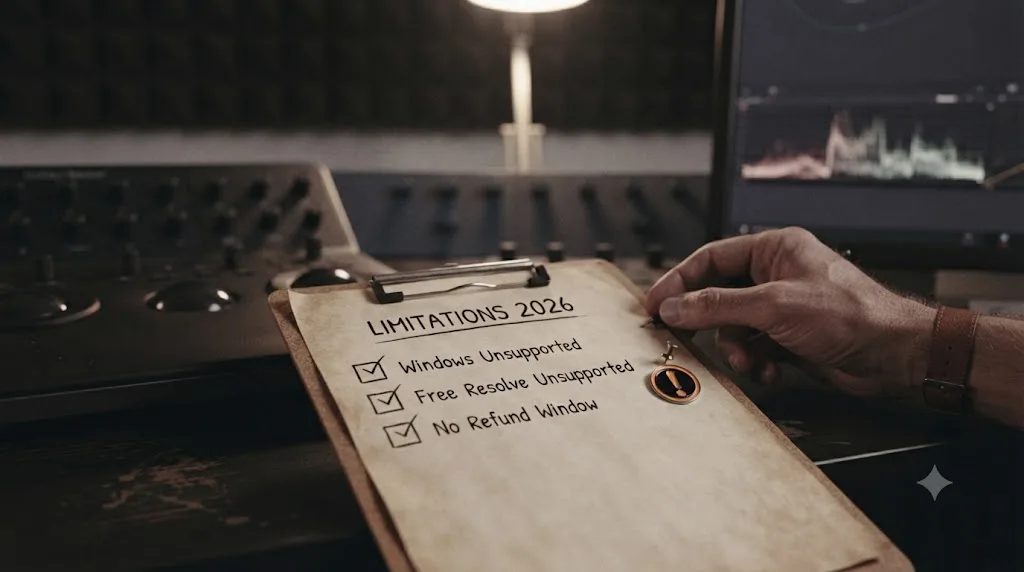
The platform requirement is the biggest practical limitation, full stop. Apple Silicon Mac, macOS 14 or newer, DaVinci Resolve Studio 21 specifically, purchased directly from Blackmagic Design, not the free edition and not the Mac App Store build. That excludes every Windows editor, every Intel Mac still in service, and every editor running Resolve's free edition, a group that includes a large share of hobbyists, students, and anyone not yet ready to spend $295 on Studio.
The lack of any track record is the second real risk, and it's not a criticism you can fix by reading the marketing copy more carefully. A one-month-old company with no independent reviews, no press coverage, and no visible community discussion is a genuinely different bet than a tool that's survived a year or two of real usage and public scrutiny. Jeff Greenberg's framing from earlier in this review applies directly: run a new tool like this through your own risk questions, who maintains it if the developer moves on, what happens to your projects if the company folds, before you build it into a real client workflow, not just a personal test project.
The bring-your-own-key pricing, while honest, adds real complexity for anyone who isn't already comfortable managing a separate API account and watching a usage meter. A $15 sticker price that doesn't include the actual cost of running the tool is easy to underestimate, especially for a first-time user who has no baseline for what a busy editing session costs in tokens, which is exactly why the worked math earlier in this review is worth revisiting before you commit to that plan over a managed one.
There's no refund window once you've subscribed, only the 7-day, 3-project trial. Compare that to TryUncle's explicit 14-day, no-questions-asked guarantee, and Sottocut's policy is meaningfully less forgiving if you subscribe, use it for two weeks, and decide it's not for you.
And the proposal-gating, for all its value, still requires real vigilance from you. It protects against the tool doing something other than what it proposed. It doesn't protect you from approving a proposal that's creatively wrong just because reviewing forty small changes across a long project got tedious by change number thirty.
None of these are dealbreakers by themselves, but stacked together, platform lock-in, no track record, variable API cost, and no refund window, they add up to a tool that asks for real trust before it's had the time to earn much of it. That's not a reason to avoid Sottocut. It's a reason to use the 7-day trial exactly as intended, on a real project, before you commit to a paid tier.
What Should Windows Editors or Free-Edition Users Do Instead?
If Sottocut's platform requirement rules you out, that's not the end of the road for AI-assisted editing inside Resolve, it's just a different fork in it.
On Windows, Sottocut isn't an option at any price, but two of the tools in the comparison table above are. Eddie AI runs on both Mac and Windows and has been shipping since October 2024, giving it a real track record Sottocut doesn't have yet, with a free pay-as-you-go tier rather than a flat subscription. DavinciClaude also supports Windows, alongside both Apple Silicon and Intel Macs, and offers a genuine free tier of its own. Neither attempts Sottocut's narrative-level Moment Scoring or Story Mode, both focus on more mechanical tasks like silence removal, captioning, and rough-cut assembly, but "mechanical and available on your platform" beats "narrative and unavailable" every time.
On Resolve's free edition, without Studio, the calculation is different, because it isn't really a Sottocut-specific problem. Both DavinciClaude and Eddie AI, per their own materials, work with the free edition as well as Studio, which sidesteps the external-scripting limitation Sottocut runs into entirely. If you're not ready to spend $295 on Resolve Studio, those two are worth evaluating before you write off AI-assisted editing altogether.
If you're on Windows or free Resolve and still want the narrative-scoring idea Sottocut is built around, the honest answer is that nothing else in this comparison currently does exactly what Moment Scoring and Story Mode attempt. That's a real gap in the market right now, not a reason to force a workaround. Watching whether Sottocut adds a Windows build, or whether a competitor ships a similar scoring feature, is a more realistic plan than trying to route around a hard platform requirement today.
None of this changes what TryUncle offers, since it solves a different problem entirely and doesn't touch your timeline regardless of which editing assistant, if any, you pair it with, but it's worth noting TryUncle itself is also Mac-only for now, so a Windows editor evaluating this whole category is choosing among Eddie AI, DavinciClaude, and whatever ships next, not among all five names in this review.
Who Should Actually Buy Sottocut?
You're a reasonable candidate for Sottocut if most of the following are true. You're already editing on an Apple Silicon Mac with DaVinci Resolve Studio 21 installed, so the platform requirement costs you nothing extra. You handle enough raw, unstructured footage, interviews, documentary selects, long-form podcast video, that a tool scoring and restructuring it into a rough story genuinely saves real hours, not just minutes. You're comfortable reading and rejecting AI proposals carefully rather than rubber-stamping them, since the proposal-gating only protects you if you actually use it. And you're either fine running a new, unproven vendor's software on non-critical work while it builds a track record, or you're specifically excited by being an early adopter of a genuinely novel narrative-scoring feature nothing else in this category currently offers.
Freelance editors and small teams already fluent in Resolve's Fairlight and Fusion pages, who understand what a good story-mode assembly should look like well enough to catch a bad one, get the most defensible use case here: Sottocut compresses the mechanical front half of a project, and an experienced eye catches the parts it gets wrong before they matter.
Who Should Skip Sottocut, at Least for Now?
Skip it entirely if you're on Windows or an Intel Mac, since there's no version of Sottocut that runs there, no exceptions. Skip it if you're on DaVinci Resolve's free edition and not planning to buy Studio's $295 license specifically to unlock it, since that's real money on top of Sottocut's own subscription. Skip it, or at least wait, if you're managing client work under an NDA that hasn't cleared third-party tools reading your project, given how thin Sottocut's public track record still is. Skip it if you're a beginner who doesn't yet have the judgment to catch a bad story-mode proposal, since reviewing an AI's creative call requires already knowing what a good one looks like, the same caveat that applies to CutAgent and any AI agent that edits before you've built that judgment yourself. And skip it, for now, if "worth it" to you specifically means a multi-year track record and independent reviews, neither of which exist yet for a one-month-old product, however promising its architecture looks on paper.
None of these are permanent disqualifications. A Windows build, a free-edition-compatible mode, or twelve more months of public usage could each change this review's verdict on its own. This is where the product stands in July 2026, not a permanent judgment on where it'll be a year from now.
So, Is Sottocut Worth It for DaVinci Resolve?
Yes, for a specific, narrower audience than its marketing implies: Apple Silicon Mac owners already running DaVinci Resolve Studio 21, who handle enough raw footage that AI-assisted story scoring and restructuring saves real hours, who are willing to review every proposal instead of rubber-stamping it, and who accept that they're trusting a one-month-old company with limited public accountability so far. For everyone outside that description, either because of the platform, the price structure, or simply wanting more evidence before committing real client work to a new tool, it's a reasonable "not yet" rather than a hard no.
The proposal-gating architecture is real and worth crediting. The narrative-level ambition of Moment Scoring and Story Mode is more interesting than most of what this category ships. And the honest, unbundled pricing respects users who want to understand what they're actually paying for. None of that erases the fact that Sottocut is genuinely new, genuinely narrow in platform reach, and genuinely untested by anyone outside its own marketing copy so far.
Use the 7-day trial the way it's designed to be used: on a real project, with footage you actually care about, watching closely whether its proposals earn your trust or lose it. That's a more honest test than anything a review, this one included, can tell you in advance.
The 40 tools, the proposal-gating, and the local-first transcription are all real. What's still unproven is everything a track record would normally tell you, and only time, not a feature list, can fix that.
Frequently asked questions
- Is Sottocut worth it for DaVinci Resolve?
- Yes, conditionally. It's worth it if you're on an Apple Silicon Mac, already own DaVinci Resolve Studio 21 (the free edition and Mac App Store build aren't supported), and want an AI assistant that proposes moment scoring, story reordering, captions, and batch delivery before anything lands on your timeline. It's not worth it if you're on Windows, on Resolve's free edition, or need a tool with a multi-year track record, since Sottocut's first public release shipped in July 2026.
- Is Sottocut safe to use with client footage?
- Your footage itself never leaves your Mac, since transcription and analysis run on-device through Apple's Neural Engine, according to Sottocut's own site. What does leave your machine is your typed prompts and, if you approve it, screenshots, sent either directly to Anthropic (bring-your-own-key plan) or routed through Sottocut to Anthropic (managed plan). Check any client NDA before installing a third-party tool that reads your project at all, and weigh that Sottocut has no independent security audit or long usage history yet.
- Does Sottocut work with the free version of DaVinci Resolve?
- No. Sottocut requires DaVinci Resolve Studio 21, the paid $295 one-time edition installed directly from Blackmagic Design's site, because it drives Resolve through the external scripting API, which the free edition and the Mac App Store build don't expose. If you're on free Resolve, Sottocut simply won't run, no matter how much you're willing to pay for it.
- How much does Sottocut actually cost per month?
- Two structures. Bring-your-own-key plans run $15/month (unlimited projects, you pay Anthropic separately for API usage) or $129 for a lifetime license on the current major version. Managed plans, which bundle the Anthropic cost in and need no API key, run $29/month for 8 projects, $59/month for 18 projects, or $119/month for 35 projects, where one project is a single Co-Editor session of up to 24 hours.
- Does Sottocut edit my timeline automatically, or does it ask first?
- It's built to ask first. Sottocut's Co-Editor chat drives 40 validated tools under what its own site calls proposal-gating, meaning it proposes a change and reads the result back from your actual timeline to verify it before treating the step as done, rather than silently applying edits in the background. That's a real, structural design choice, the same category of safeguard CutAgent uses, and it's worth more trust than a tool with no review step at all, though it still requires you to actually read each proposal instead of clicking approve out of habit.
- Is Sottocut better than TryUncle for learning DaVinci Resolve?
- They're not really competing for the same job. Sottocut edits your timeline for you, with a review step. TryUncle never touches your timeline at all. It watches your screen and points at the control so you make the click yourself. If you want assembly work done faster on footage you already trust an AI to touch, Sottocut is built for that. If you're trying to learn where things live in Resolve so you don't need help next time, TryUncle is built for that instead.
- Does Sottocut work on Windows?
- No. Sottocut requires an Apple Silicon Mac (M1 or later) running macOS 14 or newer, according to its own site. There's no Windows build, no Intel Mac support, and no public roadmap mentioning either. If you edit DaVinci Resolve on a PC, Sottocut isn't an option for you at all right now.
- What happens if a Sottocut project runs longer than 24 hours?
- It becomes a new project. Sottocut defines a project as one Co-Editor session for up to 24 hours, with every exchange inside that window counted as free, but a session that runs past the 24-hour mark starts a fresh project against your plan's monthly allowance. On a capped managed plan, a single long weekend of editing can burn through more of your monthly project count than you'd expect.
Sources
- Sottocut (product site: homepage, features, requirements)
- Sottocut Pricing
- Sottocut Changelog
- DaVinci Resolve - Studio (Blackmagic Design)
- DaVinci Resolve product page (Blackmagic Design)
- Wild Lion Media: DaVinci Resolve Python Scripting, the Complete Guide to the API
- ResolveDevDoc: DaVinci Resolve Scripting API Introduction
- CutAgent (product site: features, pricing, FAQ)
- Eddie AI (product site: homepage)
- Eddie AI Pricing
- CineD: Eddie AI Extension for DaVinci Resolve Released, Virtual Editing Assistant
- DavinciClaude (product site: homepage)
- DavinciClaude Pricing
- ProVideo Coalition: The Rise of the Independent AI-Assisted Developer Tools, Warnings and Considerations, by Jeff Greenberg
- Anthropic Claude API Pricing (official docs)
- Colorist Contractor Rates 2026 - Global Benchmarks (YunoJuno)
- Freelance Davinci Resolve Colorist Jobs (ZipRecruiter)
- DaVinci Resolve 21 Officially Released With New Photo Editing, AI Tools, and Much More (PetaPixel)
- TryUncle
- TryUncle FAQ
Learn by doing, not watching
Stop translating tutorials to your timeline.
TryUncle stays beside Resolve on Mac and Windows. When you ask, Uncle sees your screen and points at the exact control you need. No hunting through tabs, timestamps, or mismatched tutorials.
Meet TryUncleKeep reading
 ComparisonsJul 15, 202638 min read
CutAgent vs TryUncle: AI Editing Agent or DaVinci Resolve Tutor?
CutAgent edits your DaVinci Resolve timeline from a prompt. TryUncle points at the control and lets you click it. The real difference, priced out.
 ComparisonsJul 15, 202634 min read
Eddie AI vs TryUncle for DaVinci Resolve: Which Do You Need?
Eddie AI automates DaVinci Resolve rough cuts by chat, from free to $1,250/month. TryUncle is a $39/month assistant that points at controls live.
 ComparisonsJul 15, 202634 min read
DavinciClaude vs TryUncle: Editing Agent or Assistant?
DavinciClaude runs Claude commands on your DaVinci Resolve timeline. TryUncle watches your screen and teaches you the control live. Full comparison, honest sourced.