
Learn / DaVinci Resolveupdated for Eddie AI's DaVinci Resolve extension and live pricing page, and TryUncle pricing (July 2026)
Eddie AI vs TryUncle for DaVinci Resolve: Which Do You Need?
Quick answer
Eddie AI ranges free to $1,250/month and automates rough cuts inside DaVinci Resolve by chat; TryUncle is a $34.99/month assistant that watches your Resolve screen live and points at the control you need. Eddie AI edits for you; TryUncle teaches you to edit it yourself. Pick based on which problem you actually have.
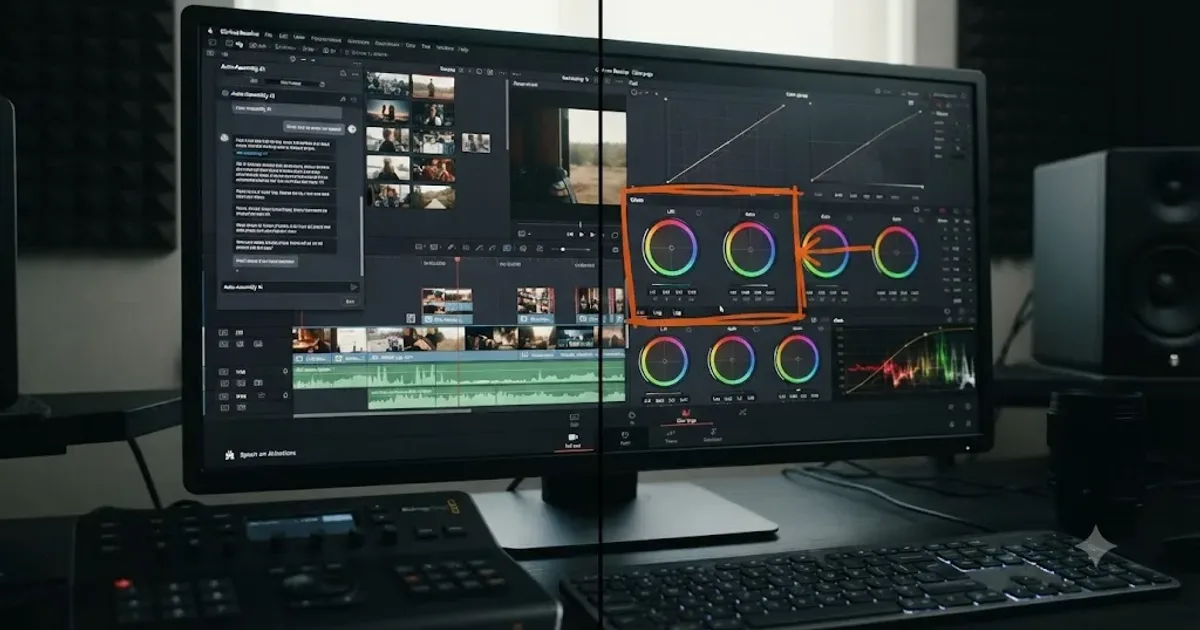
You typed this because you're weighing two tools that both promise to make DaVinci Resolve easier, and the marketing copy on both sites sounds suspiciously similar. It shouldn't. Eddie AI and TryUncle solve two different problems that happen to share a category tag.
One of them edits your footage for you. The other one teaches you to edit it yourself, live, on your own screen. That distinction decides which one you actually need, and it's the whole subject of this post.
What Do Eddie AI and TryUncle Actually Do?
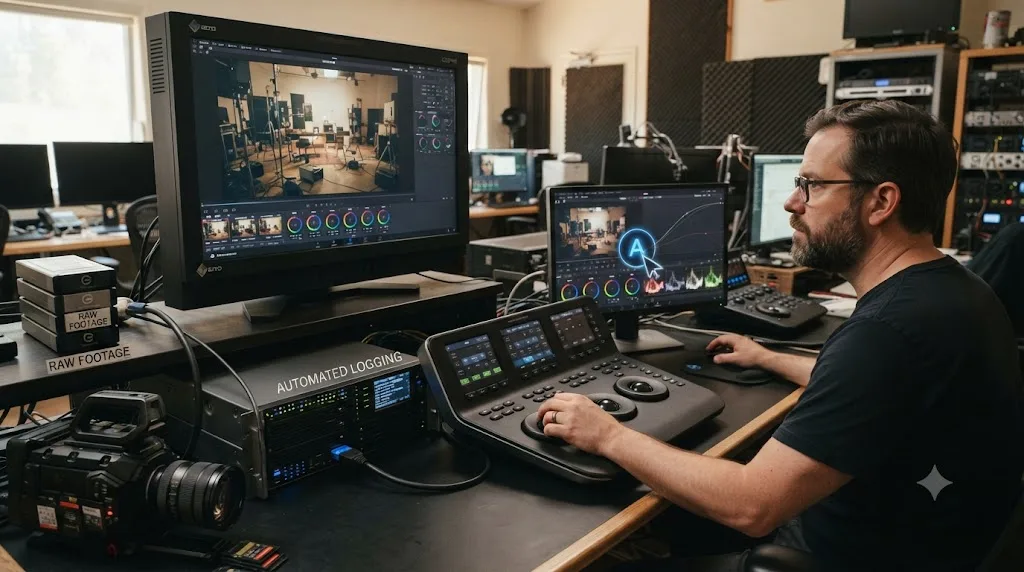
Eddie AI is a separate desktop application that connects to DaVinci Resolve through a bridge extension. You point it at your footage, describe what you want in a chat window, and it builds a rough cut, complete with logged clips and identified soundbites, then sends that sequence back into your Resolve bin. According to Eddie AI's own DaVinci Resolve workflow page, you can "import clips, multicams, and sequences from Resolve, create your rough cut by chat, then export the timeline back to Resolve for colour and finishing." It's automation. It does the mechanical assembly work so you don't have to.
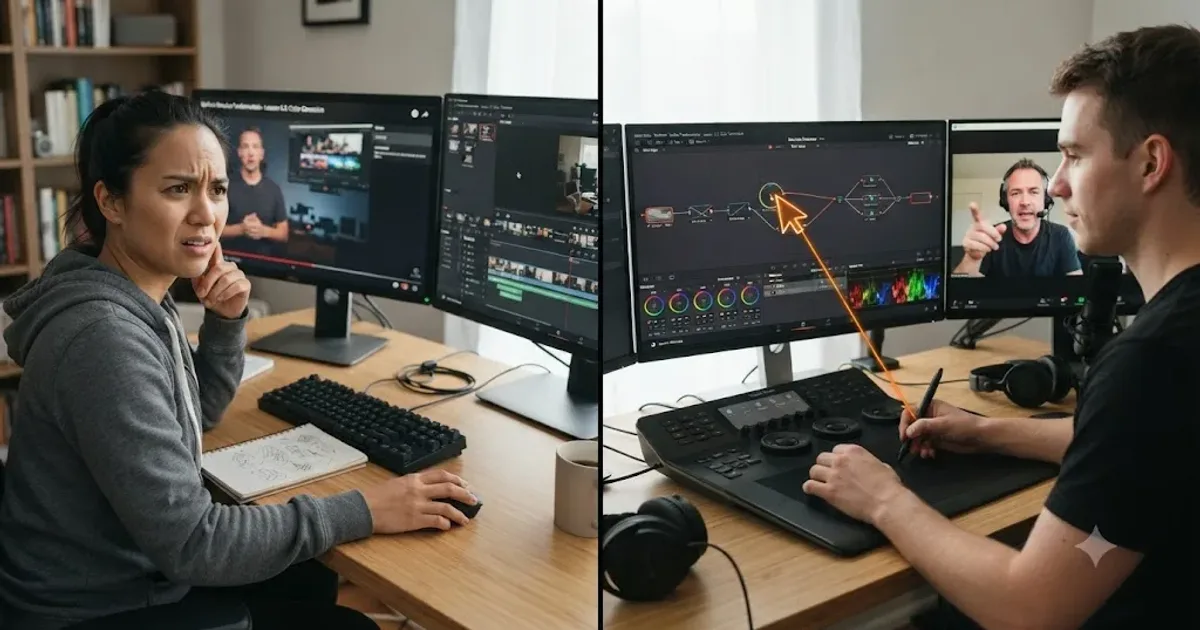
TryUncle is not an editor and it never touches your timeline. It runs alongside DaVinci Resolve, watches your screen, and when you ask a question, out loud, by typing, or with a quick correctness check, it answers by drawing a box or moving your cursor to the exact control you need, live, on the Edit, Color, and Fusion pages. Eddie AI hands you a finished rough cut. TryUncle hands you the knowledge to build one yourself. Those are not competing claims. They're different products aimed at different moments in an edit.
Here's the split in one table:
| Eddie AI | TryUncle | |
|---|---|---|
| What it does | Assembles a rough cut from raw footage via chat | Watches your screen and points at the control you need |
| Touches your timeline? | Yes, directly | No, never |
| Teaches you anything? | No, by design | Yes, that's the entire product |
| Best for | Hours of interview or podcast footage | Being stuck on your own project, right now |
| Platform | Mac and Windows | macOS only |
| Starting price | Free (pay-as-you-go, $15/credit) | $34.99/month |
Neither approach is wrong. A working editor drowning in six hours of unlogged interview footage doesn't need a tutor pointing at a qualifier slider. A beginner three weeks into their first project doesn't need an AI to hand them a cut they didn't build and can't explain. The question isn't which tool is better. It's which problem you actually have this week.
What Is Eddie AI's DaVinci Resolve Extension, Exactly?
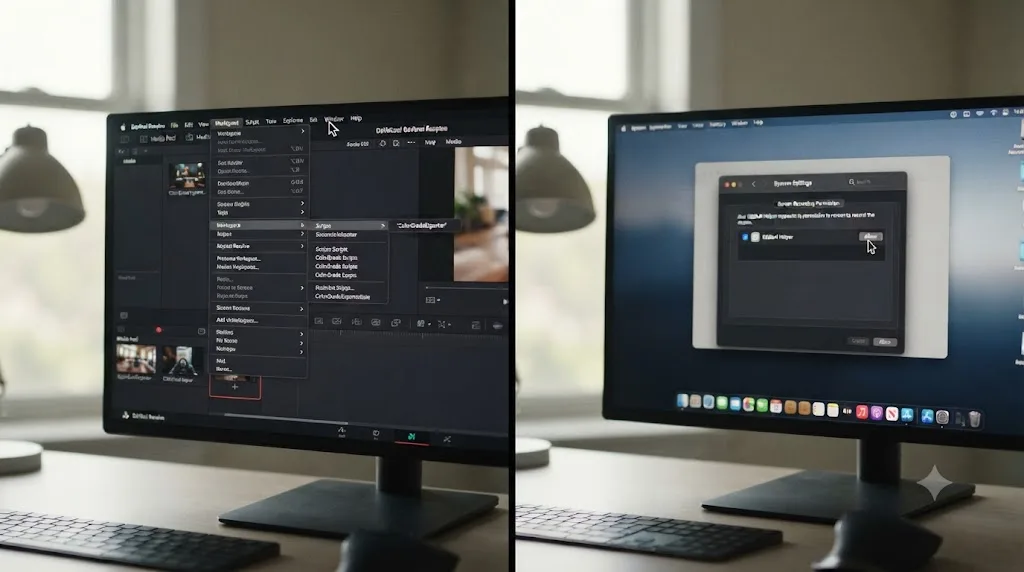
Eddie AI launched in October 2024, built by Shamir Allibhai, an entrepreneur with a video production background, and Alex Terekhov, an AI scientist whose work centers on applied computer vision for video, according to public reporting on the company. Its DaVinci Resolve extension arrived after earlier launches for Premiere Pro and Final Cut Pro, and CineD's coverage of the release describes it plainly: the extension is "a script-based extension accessed via Workspace > Scripts > Eddie AI," and processing happens locally on your computer rather than in the cloud, with the completed sequence returned to your Resolve timeline when you're done.
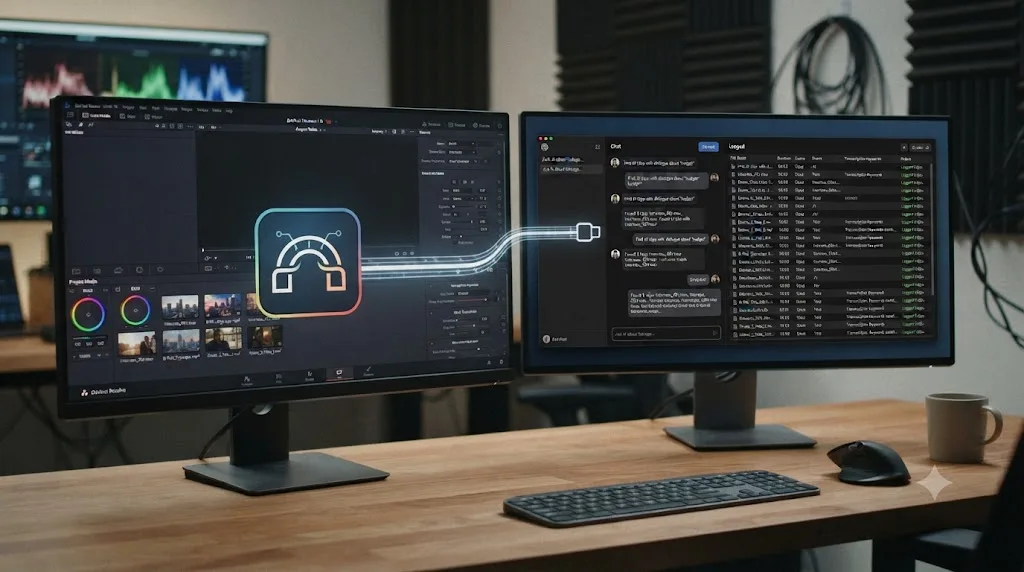
The mechanism is a bridge, not a plugin that lives entirely inside Resolve. You run Eddie as its own desktop application, and the extension is what lets the two talk to each other. Import clips, multicams, or full sequences from your Resolve bin into Eddie, work in whichever chat-driven mode fits the footage, then export the finished sequence back. Eddie's own help documentation on installing the extension states the bridge lets Eddie "pull clips from your bin to edit with, and Eddie can send edits back to that bin," and it preserves timecode, frame rate, and resolution on the way, with automatic relinking to your original media on export.
What it's actually good at is a narrow, well-defined job: logging and rough-cutting talking-head and interview-style footage fast. The workflow modes on offer include a rough cut mode built for docu-style stories with B-roll placement, A-roll and B-roll organization with automatic soundbite identification and filler-word removal, multicam syncing across up to six cameras with speaker identification, and a "Night Shift" feature that processes a folder of raw footage overnight so a logged, organized project is waiting for you by morning. None of that is grading, sound design, or motion graphics work. It's the tedious front half of an edit: watching hours of footage to find the parts worth using.
One detail worth flagging before you install anything: Eddie's own installation guide requires "Eddie for Mac/PC version 2.1.11 or above" and an active subscription specifically to export, though the app itself is free to download and try. The extension works with either the free or Studio edition of DaVinci Resolve, which is a meaningfully lower bar than some rivals in this category set, a point worth remembering when you get to the pricing section further down.
What Is TryUncle, and How Is It Different?
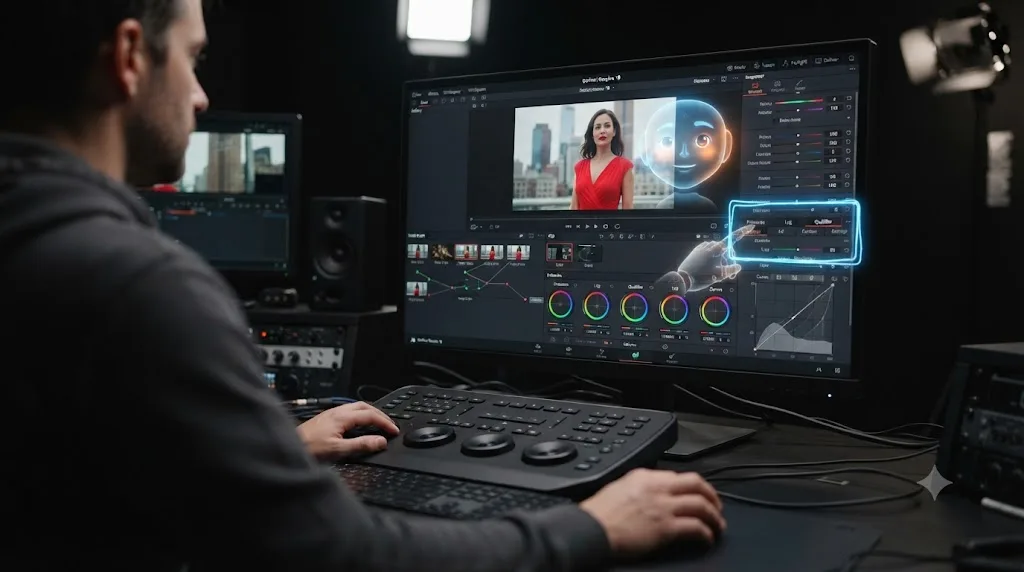
TryUncle is the on-screen assistant for DaVinci Resolve on macOS. Ask in plain words and Uncle points at the exact control on your screen. That's the entire mechanism, and it's structurally different from anything Eddie AI does, because TryUncle never generates an edit on your behalf. It watches the same screen you're looking at, and when you're stuck, you ask, by voice with Shift+Fn, by a quick "am I doing this right" check with Shift+Control, or by typing with Shift+Option. Uncle answers out loud, then draws a hand-drawn box around the control you need or flies your cursor straight to it, so you never have to translate a spoken instruction like "it's the third icon in the Color Warper palette" into a click yourself.
Coverage runs across the Edit, Color, and Fusion pages, plus delivery specs for export questions, and our full breakdown of what TryUncle actually is walks through the whole product if you want the complete picture before you keep reading here. It reads your screen through standard macOS Screen Recording and Accessibility permissions, only at the moment you actually ask a question, not continuously, and every capture it takes gets deleted automatically after 30 days, a policy detail our explainer on how TryUncle's screen-to-answer loop works covers step by step. It's a paid subscription: $34.99 a month, cancel anytime, with a 14-day no-questions-asked refund.
The most useful tool for learning software is never the one that knows the most. It's the one that can see the exact thing you're stuck on. That's the core argument for an in-app tutor over any chat-based assistant, Eddie AI included: the context a chat window has to guess at, which page you're on, what your node graph looks like, which button you already tried, is context TryUncle simply has, because it's watching the same screen you are, in the moment you're stuck on it.
How Do You Install and Set Up Each One?
The setup paths look nothing alike, because the two tools attach to Resolve in different places.
For Eddie AI, per its own help documentation:
- Download and open the Eddie desktop app (Mac ARM/Intel or Windows), version 2.1.11 or later.
- In Eddie, go to Help > Install Resolve Extension.
- Open DaVinci Resolve, then enable the extension via Workspace > Scripts > Eddie AI.
- Back in Eddie, create a new project and click the Resolve icon in the import box to pull clips, multicams, and timelines from your open Resolve bin.
- Work your edit inside Eddie's chat interface, then export the finished sequence back into that same bin.
For TryUncle, per the setup flow described in our full explainer on what TryUncle is and how it installs:
- Download Uncle, a free download, no payment until you subscribe.
- Sign in with Google, the only account step.
- Grant macOS Screen Recording and Accessibility permissions, plus Microphone if you want to ask by voice.
- Subscribe.
- Open DaVinci Resolve and Uncle side by side. No project import step, since Uncle never touches your timeline directly.
| Eddie AI | TryUncle | |
|---|---|---|
| Where it runs | Separate desktop app, bridged to Resolve via a script extension | Alongside Resolve, watching your screen directly |
| Setup steps | 5, including a Resolve-side script enable | 5, including two macOS permission grants |
| Account | Eddie account | Google sign-in |
| Internet required | Yes, for AI processing | Yes, always, no offline mode |
| Import step | Yes, you pull clips into Eddie's own project | No, there's nothing to import |
The practical difference shows up the first time something goes wrong, and it's worth knowing what actually breaks before you're mid-deadline troubleshooting it. On the Eddie AI side, an update log covered by CineD's coverage of Eddie's platform updates lists fixes for exactly the failure modes you'd expect from a bridge extension: import timeouts on large batches of B-roll clips, start-timecode mismatches when relinking across systems, and a specific incompatibility with the App Store build of DaVinci Resolve rather than the direct-download version from Blackmagic. None of that means the extension is unstable today, changelogs exist because bugs get found and fixed, but it does tell you where to look first if Eddie AI feels flaky: confirm you're not running the App Store version of Resolve, and if an import stalls, try a smaller batch of clips before assuming the extension is broken. If the extension itself doesn't appear under Workspace > Scripts at all, the fix is almost always re-running the install from Eddie's Help menu rather than reinstalling Resolve.
On the TryUncle side, the most common setup snag isn't a bug, it's a missed permission. If Uncle stops responding or points at the wrong control, the fix is almost always re-granting Screen Recording or Accessibility access in System Settings > Privacy & Security, since macOS silently revokes those permissions after certain OS updates, a known quirk of Apple's own permission model rather than something specific to TryUncle. The other common cause is focus: Uncle reasons about whichever Resolve panel currently has focus, so if it points at a Color page control while you meant to ask about something on the Edit page, check which page was actually active in Resolve when you asked.
What Does Each One Actually Cost?
This is where the comparison stops being close. The two tools aren't priced on the same axis at all, and pretending they are will give you a wrong answer.
Eddie AI meters by export volume, per its live pricing page:
| Plan | Price | Exports included | Notes |
|---|---|---|---|
| Pay As You Go | $0/month | Pay $15 per credit as needed | No subscription required, test it free |
| Pro | $167/month, billed yearly | 120 exports/year | Multicams, sequence editing, BRAW/R3D support |
| Pro+ | $333/month, billed yearly | 300 exports/year | Bigger project sizes, premium AI models |
| Ultra | $1,250/month, billed yearly | 1,200 exports/year, includes 5 seats | Largest project sizes, most advanced AI models |
| Enterprise | Custom | Custom | Centralized admin, on-your-cloud hosting, SSO |
That's a meaningful spread. A solo editor testing the waters pays nothing beyond a per-credit fee. A production house exporting dozens of rough cuts a month is looking at $167 to $1,250 a month, territory usually reserved for studio software licenses, not a single assistant tool. Worth flagging honestly: earlier coverage of Eddie's version 2.0 launch, including CineD's article on the release, described a cheaper tier structure, a $25-a-month Plus plan and a $100-a-month Pro plan. That pricing no longer matches Eddie's live page as of this writing, so treat the numbers above, pulled directly from Eddie's current pricing page, as the ones to verify before you commit, since a fast-moving product's rate card can change between when an article is written and when you read it.
It's worth doing the annualized math instead of just eyeballing the monthly numbers, because the two products aren't just priced differently, they're built for different budget categories entirely. TryUncle works out to $419.88 a year (12 × $34.99). Eddie AI's Pro tier, billed yearly, works out to $2,004 a year (12 × $167) for 120 exports. That isn't a knock on Eddie AI: a shop exporting 120 logged rough cuts a year is getting $2,004 worth of editor-hour savings out of that plan, easily. But it means you shouldn't compare the sticker prices directly. One is a single freelancer's monthly subscription. The other is closer to a production company's software line item. On the pay-as-you-go tier specifically, Eddie prices each credit at $15 without publishing exactly how many credits a single export consumes, so treat that tier as a cheap way to test the tool against your own footage, not as a way to predict your exact monthly bill before you've actually run a few real exports through it.
TryUncle doesn't meter anything. It's a flat $34.99 a month for one person, a rate our dedicated pricing breakdown tracks in more detail than fits here. There's no export cap, no credit system, no per-project fee. You either have access that month or you don't. Our trust and safety breakdown of TryUncle goes deeper on who's behind the product and how it's billed, if you want the fuller picture before you commit.
| Eddie AI | TryUncle | |
|---|---|---|
| Pricing model | Per-export credits or metered monthly tiers | Flat monthly subscription |
| Cheapest entry point | Free (pay-as-you-go, $15/credit) | $34.99/month, no free tier |
| Cost at heavy volume | Up to $1,250/month for high export counts | Still $34.99/month, no volume scaling |
| Annualized cost, entry tier | $2,004/year on Pro (billed yearly) | $419.88/year |
| Refund policy | Not published on Eddie's pricing page as of this writing | 14-day, no-questions-asked refund |
| Team seats | Ultra plan includes 5 seats | One seat per subscription |
Eddie AI's price scales with how much footage you're pushing through it. TryUncle's price never changes no matter how many questions you ask. If your bottleneck is volume, dozens of interviews a month that need logging and rough-cutting, Eddie AI's metered tiers make sense as a cost of doing that volume of business. If your bottleneck is knowledge, not knowing where a control lives or why a node is misbehaving, a flat monthly rate that doesn't punish you for asking more questions is the better shape of pricing entirely.

Which One Is Faster for a Rough Cut?
Eddie AI, without much competition, because that's the one job it's built entirely around. Feed it a folder of raw interview footage before you go to sleep, and its Night Shift feature parses, syncs, logs, and rough-cuts it overnight, so a structured project is waiting when you sit down. Alex Terekhov, Eddie AI's co-founder and Chief AI Scientist, described the technical challenge behind the company's rough cut mode directly:
"The new rough cut mode has been a technical feat to adapt LLMs to handle creating cohesive edits over long durations from a large amount of source material."
That's a real engineering problem, and RedShark News's coverage of the v2 launch frames it as the headline feature of that release. Feeding a language model hours of raw dialogue and getting back a coherent cut, not just a pile of trimmed clips, is genuinely harder than it sounds, and it's the specific problem Eddie AI has spent its engineering effort on.
TryUncle isn't in this race at all, because it was never built to run this race. It doesn't touch your timeline, so it can't hand you a rough cut, fast or otherwise. If your actual problem this week is six hours of unlogged podcast footage, TryUncle can't help with the mechanical assembly, though it can help you understand what you're looking at once you're inside the timeline making decisions about it.
Worth being honest about the limits on the Eddie AI side too. Filmora's review of Eddie AI notes the tool is "optimized for interviews/podcasts" and "underperforms with music videos and narrative content," and flags that AI-generated cuts can feel "choppy" and lack emotional timing, since the model is pattern-matching soundbites and structure, not making the kind of pacing judgment a human editor makes about when a moment should breathe. That's the same honest caveat that shows up across this entire category of tool, automation is fast at the mechanical part and blind to the creative part, and it applies just as much to Eddie AI as to any rival.
What Does a Hands-On Test of Eddie AI Actually Look Like?
Vendor claims and a real editor's stopwatch don't always agree, so it's worth looking at an actual documented test rather than just the marketing page. Darren Durlach, Creative Director at Early Light Media, ran Eddie AI against his own footage and wrote up the results in detail, and his account is a useful reality check on both the speed and the limits of what an export-metered rough-cut tool actually delivers.
What worked, by his account: upload speed was faster than the other cloud platforms he'd tested, a 22GB file processed in minutes, and the metadata organization was genuinely accurate, clips got labeled and titled in a way that made them searchable afterward. The export back into Premiere and Final Cut Pro came through clean, with captions already laid over the soundbites.
What didn't work, in his two documented tests. First, a 30-minute talking-head video: the AI-assembled cut sentences mid-thought, kept long dead pauses, and rearranged sections in a way that didn't track logically. Durlach's own summary: "Every A.I. requires a human to refine it and my own opinion is that will never change. But this was pretty bad." He estimated the 30 minutes he spent prompting for fixes was roughly the same time it would have taken to build the stringout by hand. Second, a one-hour two-camera interview: the multicam mode failed to alternate between angles the way it's advertised to, sticking to one camera throughout, and the resulting soundbites were what he called "franken-bites," cut at odd points mid-thought that didn't fit together.
His overall verdict, worth quoting directly rather than paraphrasing into something softer: "AI editing tools like Eddie A.I. are still in their early days. Right now, it's more interesting toy than trusted assistant." He didn't rule it out for smaller YouTube-scale projects, but he was clear it isn't ready to replace a professional editor's judgment on anything with real production stakes.
One test from one editor isn't a lab benchmark, and results will vary with footage type, prompt phrasing, and how much patience you bring to the chat window. It lines up, though, with the mixed Reddit sentiment covered later in this post, and it's a more concrete data point than either company's own homepage will give you. There's no equivalent independent hands-on test to cite for TryUncle here: it's a newer product, and as our trust and safety check on TryUncle states plainly, no third-party reviews on Trustpilot, G2, or the App Store existed as of this writing, which is worth weighing for yourself rather than taking either company's word for how well its own tool performs.
Which One Teaches You DaVinci Resolve?
Only one of these two was built to. Eddie AI's entire pitch, in the words of its own CEO, is about removing tedium, not building skill. Shamir Allibhai, Eddie AI's co-founder and CEO, put it this way in RedShark News's coverage of the v2 launch:
"Video professionals should do more of what they love, instead of spending most of their time with mundane tasks in post."
That's an honest statement of intent, and it's worth taking at face value rather than reading a hidden teaching mission into it. Eddie AI's job is to shrink the time between raw footage and a usable cut. It was never trying to explain node order, qualifier behavior, or why a Fusion Transform node moves the way it does. If you don't already know what a serial node is, watching Eddie assemble a cut doesn't teach you that any more than watching a pre-recorded tutorial would, and for the same underlying reason our comparison of the wider AI tools landscape for learning DaVinci Resolve covers in more depth: recognizing a correct result someone else produced is a different mental operation from generating it yourself.
TryUncle is built around the opposite goal. It doesn't touch your timeline specifically so you have to make the click yourself, right after being shown where it lives. That's the entire design philosophy: point at the control, let the user do the work, so the knowledge sticks the next time the same problem shows up. A tool that edits for you removes the task. A tool that points at the control removes only the confusion, and leaves the task, and the skill it builds, to you. That's the real fork in this category, not automation versus assistance, but whether the human still does the part that builds competence.
If your goal is learning DaVinci Resolve well enough to work independently, faster rough cuts don't get you there. Understanding why your node order matters does. If your goal is just getting billable footage out the door on a deadline, the reverse is true, and Eddie AI's speed matters more than whether you can explain what it did.
Does Either One Work on Windows?
Eddie AI does. It ships native applications for both Mac (ARM and Intel) and Windows, per Eddie AI's own site, so a PC-based editor gets full access to the DaVinci Resolve extension and every chat-driven editing mode.
TryUncle doesn't. It's macOS only, with no Windows or Linux build, and no announced plans to change that as of this writing. If you edit DaVinci Resolve on a PC, TryUncle simply isn't an option for you right now, full stop, and Eddie AI becomes the only one of these two tools you can actually run.
| Eddie AI | TryUncle | |
|---|---|---|
| macOS | Yes, Apple Silicon and Intel | Yes, only platform supported |
| Windows | Yes, native app | No |
| Linux | No | No |
| Works with free DaVinci Resolve | Yes | Yes, TryUncle itself doesn't require Studio |
| Works with DaVinci Resolve Studio | Yes | Yes |
That platform gap is worth sitting with if you're comparing these two head to head and you're not on a Mac. It's not a close call. A Windows editor evaluating this category has exactly one of these two tools available, regardless of which one better fits the actual problem they're trying to solve.
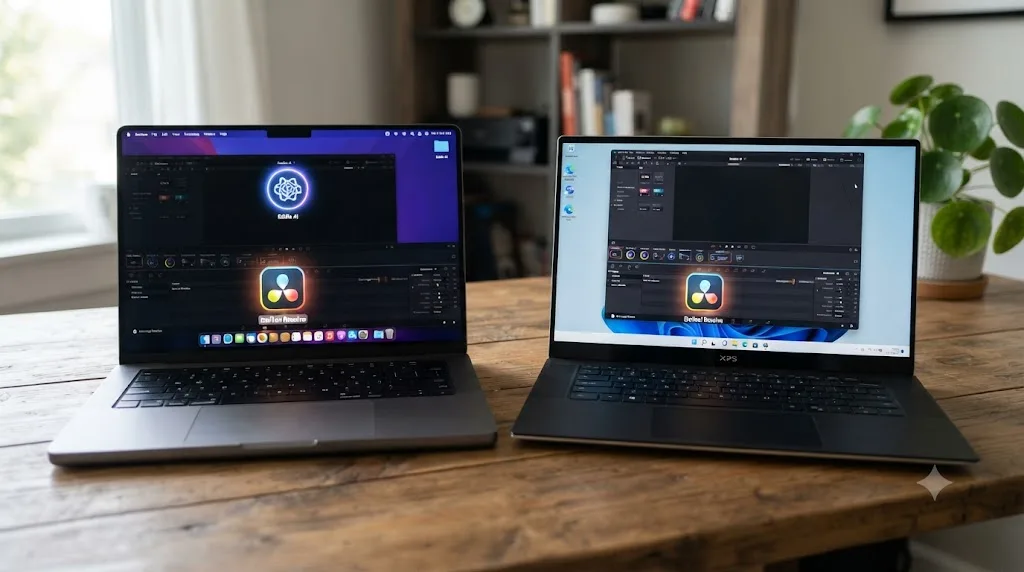
Does It Matter Whether You're on the Free or Studio Edition of DaVinci Resolve?
Platform isn't the only compatibility question. Which edition of DaVinci Resolve you run, free or the paid Studio version, quietly rules some of these tools in or out, and the reason comes down to how each one actually connects to Resolve.
Eddie AI and TryUncle both work with the free edition, and for the same underlying reason: neither one depends on Resolve's Studio-only scripting API for its core mechanism. Eddie AI's bridge extension moves clips and timelines in and out of your bin, which the free edition's scripting console already supports. TryUncle never touches the API at all; it reads your screen the way any other application would, so it doesn't care which edition of Resolve is running underneath it.
That's not universal across this category. Sottocut, covered in more detail further down, is the clearest counterexample: per its own site, it "drives Resolve through external scripting, which only the Studio build from Blackmagic's own site provides," so it simply won't work at all against the free edition, no matter how you configure it. That's a hard requirement, not a feature gate you can work around.
| Tool | Works with free DaVinci Resolve? | Works with Resolve Studio? | Why |
|---|---|---|---|
| Eddie AI | Yes | Yes | Bridges via a script extension both editions support |
| TryUncle | Yes | Yes | Reads your screen, never touches Resolve's scripting API |
| CutAgent | Yes | Yes | Local bridge works with DaVinci Resolve 20 or later, either edition |
| Sottocut | No | Yes, required | Depends on Studio-only external scripting access |
The practical takeaway: if you're still on the free version of DaVinci Resolve, which covers a large share of hobbyists, students, and editors who haven't hit a feature wall yet, your AI-assistant options in this specific category aren't actually narrowed much. Eddie AI, TryUncle, and CutAgent all work without Studio. Only Sottocut forces the upgrade, and that's a $295 one-time purchase from Blackmagic on top of whatever Sottocut itself costs, worth factoring in before you pick a tool based on price alone.
What Do Real Users Say About Eddie AI?
Mixed, which is worth reporting honestly rather than only quoting the company's own framing. On the traffic side, Filmora's review cites AICPB data putting "Eddie AI 2.0" at "#1503 globally with 86.26K website visits in February 2026," a real but modest number for a tool marketed to a 40,000-plus user base, per Eddie AI's own homepage, which states it's "trusted by 40,000+ video professionals."
Not every hands-on account matches that marketing framing. The same Filmora review quotes one Reddit user's first experience with the free tier plainly: "I gave Eddie a ten-second try on 5 clips for free and it just threw 3 of them into separate folders with annoying names. Not impressed for the price." A second quoted user described a different disappointment: "It promised I'd spend less time editing, but in reality I ended up spending more time writing prompt after prompt just to get a 'so-so' cut." Neither of those accounts is representative on its own, one anonymous complaint isn't a verdict, but they're a useful counterweight to a homepage that only shows the best-case pitch.
Positive accounts exist too, and they cluster around exactly the use case Eddie AI is built for: long-form interview and podcast footage, where the mechanical logging work is genuinely tedious and the AI's rough-cut assembly saves real hours. A third Reddit user quoted in the same review, this one on r/editors, praised one specific piece of the workflow: "The B-roll logging is actually really impressive. It gives shot types, short descriptions, and even categorizes them based on related clips." Filmora's review itself describes the tool as "a huge time saver for long footage" specifically for that content type, while repeating the same genre caveat covered above: it's a weaker fit for music videos or narrative editing that depends on pacing judgment rather than soundbite identification.
Read any AI editing tool's homepage stats next to its actual Reddit threads before you subscribe. That gap between vendor framing and hands-on friction shows up across this entire category, not just Eddie AI, and it's exactly why a comparison post that only cites the company's own copy is worth less than one that goes looking for the complaints too. It's also why the hands-on test covered above is worth more than any single Reddit comment: it's a named, attributable account with specific footage and specific timing, not an anonymous one-liner.

How Does Each Handle Your Footage and Data?
Different risk profiles, and both are worth understanding before you install either one on a project under contract.
Eddie AI, per CineD's coverage of the extension, processes locally on your computer rather than uploading raw footage to the cloud for editing, with the finished sequence sent back to your Resolve timeline once you export. That's a meaningfully lower data-exposure profile than a cloud-processing competitor, since your actual media files aren't leaving your machine for the core editing work, though the chat-driven instructions and any transcription still involve AI processing that the company's own documentation doesn't fully detail in public.
TryUncle works differently because its entire mechanism depends on seeing your screen. It captures a screenshot only at the moment you ask a question, never continuously, and that screenshot, along with any voice audio or typed question, is routed through a small set of third-party AI providers to generate an answer. TryUncle names those providers directly rather than staying vague about it: per the mechanism our walkthrough of how TryUncle actually works documents, it routes screenshots and questions through Google's Gemini for core reasoning, Anthropic and OpenAI for visual pointing precision, AssemblyAI for speech transcription, and ElevenLabs for the spoken reply. That's a more specific disclosure than Eddie AI publishes about which models power its own chat-driven editing, which matters if a client's compliance policy asks which AI vendors touch a project, not just whether an AI tool is used at all. Captures are automatically deleted after 30 days, and TryUncle states plainly: "We don't sell your data and we don't use it to train our own models." Your media and project files never leave your Mac; only the capture of your screen does, and only when you ask.
| Eddie AI | TryUncle | |
|---|---|---|
| Processes footage locally? | Yes, per CineD's reporting | N/A, never touches your timeline |
| Screen capture? | No | Yes, on-demand only, deleted after 30 days |
| Continuous monitoring? | No | No, only when you ask a question |
| Third-party AI providers involved | Not fully disclosed publicly | Named: Gemini, Anthropic, OpenAI, AssemblyAI, ElevenLabs |
| Uploads media to the cloud | Only what you export or sync, per its own claims | Never, screen captures only |
If you're working under an NDA or a client contract that restricts third-party tools touching project files, that's a real conversation to have before installing either one, not just TryUncle. Eddie AI's local processing claim is reassuring on the footage side specifically, but any AI tool that connects to a live editing session is worth clearing with whoever owns the confidentiality agreement first, not just taking a comparison post's word for it.

What About the Rest of the AI-Assistant Category?
Eddie AI and TryUncle aren't the only two names in this space, and a comparison that pretends otherwise isn't being straight with you. A handful of other tools are chasing pieces of the same problem, each with a real, specific difference worth knowing.
Sottocut is the closest to Eddie AI in job, transcribing footage and scoring your timeline for story-carrying moments, with a co-editor chat interface and caption generation, but it's built entirely differently underneath. Per Sottocut's own site, it requires DaVinci Resolve Studio 21 specifically, since it drives Resolve through external scripting, which only the Studio build from Blackmagic's own site provides, and it runs on Apple Silicon Macs only, no Windows, no Intel Mac, no free edition of Resolve. Pricing runs from $15 a month if you bring your own Anthropic API key up to $119 a month for a managed Studio plan, with a 7-day free trial and no credit card required upfront.
PremiereCopilot, despite showing up in searches about DaVinci Resolve AI tools, doesn't actually support Resolve at all. Its own site and its 2026 roundup of AI plugins for DaVinci Resolve states plainly it's "Native to Adobe Premiere Pro 2022+, macOS & Windows," and recommends other tools, not itself, for Resolve editors. It's worth naming here specifically because it gets cited in this category conversation, and the honest answer is that it isn't a Resolve option yet.
CutAgent sits closer to Eddie AI's automation category but with a different posture toward trust and toward how it processes your project. Per CutAgent's own site, it works with DaVinci Resolve 20 or later, on either the free or Studio edition, on macOS only, with Windows support listed as planned but not yet available. Its mechanism is a hybrid: a local bridge connects its macOS desktop app to your DaVinci Resolve project directly, while the AI reasoning and speech-to-text transcription happen through hosted cloud services, a middle ground between Eddie AI's fully local processing and TryUncle's screen-capture-per-question model. It turns natural-language instructions into direct edits on your timeline, but it builds in a review step before changes land, showing what changed and why, with risky trims flagged for approval rather than applied silently. Pricing runs three tiers: Hobby at €29/month, Creator at €99/month with a five-times usage increase and higher-quality transcription, and Studio at €299/month with a twenty-times usage increase and priority support, plus a custom Enterprise tier above that.
| Tool | Job | Platform | Requires Resolve Studio? | Starting price |
|---|---|---|---|---|
| Eddie AI | Rough-cut automation via chat | Mac and Windows | No | Free (pay-as-you-go) |
| Sottocut | Transcription and story-moment scoring | Apple Silicon Mac only | Yes | $15/month (BYOK) |
| CutAgent | Natural-language timeline edits with review | macOS only | No | €29/month |
| PremiereCopilot | Not applicable | Premiere Pro only | N/A | N/A, no Resolve support |
| TryUncle | Live, in-app guidance and answers | macOS only | No | $34.99/month |
Notice the split this table makes visible: four of these five tools automate some part of the editing task itself, logging, cutting, or scoring footage. TryUncle is the only row that doesn't touch your timeline at all, because it isn't trying to. That's not a gap in the category. It's a different category wearing the same "AI tool for DaVinci Resolve" label.

What's the Consensus Way to Learn DaVinci Resolve, and Where Do These Tools Fit?
Before you weigh any AI tool, it's worth naming what already works, because none of these tools exist in a vacuum and the honest answer to "what's the best way to learn DaVinci Resolve" doesn't start with an AI product at all.
Blackmagic Design's own free training remains the accuracy baseline for the whole category. Six official guides, the Beginner's Guide, Editor's Guide, Fairlight Audio Guide, Colorist Guide, Visual Effects Guide, and Advanced Visual Effects, download free as PDFs with lesson project files, available directly from Blackmagic's training page. None of it can hallucinate a menu path that doesn't exist, because it's written by the people who built the software, and every AI tool covered in this post, Eddie AI and TryUncle included, is ultimately reasoning about a program that Blackmagic's own documentation describes with more accuracy than any model can guarantee.
YouTube carries real weight in this conversation too, and pretending it doesn't would be dishonest. Casey Faris has taught DaVinci Resolve and Fusion to a large free audience for years, and his structured paid courses on CreativeLive go deeper still, though our full review of his course catalog covers a real limitation worth knowing: much of it was recorded on older Resolve versions, so panels have moved since. Reddit's r/editors community is another real source people lean on, mostly for practical, opinionated advice and exactly the kind of unfiltered product feedback quoted earlier in this post about Eddie AI. And subscription platforms like Udemy and Coursera round out the landscape with structured, sequential bootcamps, the same category our Udemy alternatives roundup breaks down by cost and format.
Where do Eddie AI and TryUncle actually fit against that established landscape? Neither replaces it, and neither is trying to. If you're looking for the best way to learn DaVinci Resolve from zero, Blackmagic's free guides or a structured course still do that better than either AI tool here, because sequence and fundamentals are what a beginner needs first, not a faster rough cut or a live pointer to a control they don't have context for yet. Someone searching for an AI tool to learn DaVinci Resolve, specifically, is closer to what TryUncle answers, since it's built to teach rather than automate. Someone searching for an app that helps you while using DaVinci Resolve, in the sense of getting unstuck mid-project without leaving the app, is also describing TryUncle's exact job. Someone drowning in six hours of raw interview footage and just wanting it logged fast is describing Eddie AI's job instead, and no amount of official training material solves that specific, mechanical time problem the way automation does.
The tools that teach you and the tools that automate for you were never actually competing. They compete for your attention and your subscription budget, sure, but not for the same moment in your workflow. The honest recommendation is to know which moment you're in before you pick a category, let alone a specific product inside it.
Can You Use Eddie AI and TryUncle Together?
Yes, and this is worth spelling out concretely, because the two don't actually conflict on the same project. A realistic combined workflow looks like this: you shoot a two-hour interview, drop the raw footage into Eddie AI overnight through its Night Shift feature, and by morning you have a logged, organized rough cut sitting in your Resolve bin with the strongest soundbites already identified. That's the mechanical, tedious part handled.
From there, the work that actually needs a human, and the work TryUncle is built to support, starts. You open that rough cut inside DaVinci Resolve to grade it, build any titles or Fusion graphics the client asked for, fine-tune pacing that an AI model can't judge, and fix the "franken-bite" transitions and choppy cuts both Filmora's review and the hands-on test covered above flagged as known limitations of automated cuts. If you get stuck on a node order problem, or you've never built the specific Fusion animation the brief calls for, that's exactly the moment TryUncle's live pointing was designed for. Concretely, a first afternoon on that project might go: fifteen minutes reviewing Eddie's overnight cut and trimming the sections it got wrong, then an hour in the Color page where you ask Uncle two or three specific questions the moment you hit a qualifier or a node you don't recognize, then finishing titles in Fusion where the same pattern repeats, you attempt the graphic, get stuck, ask, get pointed at the control, and finish it yourself instead of watching a tutorial explain it in the abstract.
| Stage | Tool | Why |
|---|---|---|
| Logging hours of raw interview footage | Eddie AI | Mechanical, repetitive, no judgment required |
| Assembling a first rough cut from soundbites | Eddie AI | Fast pattern-matching across structured dialogue |
| Grading, pacing, and creative finishing | You, inside DaVinci Resolve | Requires judgment no AI here claims to replace |
| Getting unstuck on a specific node, control, or setting | TryUncle | Live, in-app, on the actual project you're working on |
| Learning Fusion for a graphic you've never built | TryUncle | Points at the control instead of describing it in words |
Neither company markets this combination directly, since they're not partnered products, but nothing about how either one works blocks it. Eddie AI's bridge extension only touches your Resolve bin during import and export. TryUncle only reads your screen when you actively ask it something. There's no technical conflict, and the workflow above is a genuinely reasonable way to stack a $34.99-a-month tutor on top of Eddie AI's metered automation if your job regularly involves both problems: too much raw footage, and too many stuck moments once you're actually inside the edit.
Which Should You Actually Choose?
Match the tool to the actual shape of your problem, not to whichever name showed up first in your search results.
| If you... | Choose | Why |
|---|---|---|
| Have hours of raw interview or podcast footage to log | Eddie AI | Purpose-built for exactly this, with a Night Shift mode for overnight processing |
| Are stuck on a specific control, node, or setting right now | TryUncle | Live, on your actual screen, no video or forum search required |
| Edit on Windows | Eddie AI | TryUncle is macOS only |
| Are still on the free edition of DaVinci Resolve | Eddie AI or TryUncle | Both work without Studio; Sottocut alone forces the upgrade |
| Want to actually learn DaVinci Resolve, not just get a cut out the door | TryUncle | It's built to teach, not automate |
| Need to export dozens of rough cuts a month and can budget for it | Eddie AI's Pro or Pro+ tier | Metered pricing scales with real production volume |
| Are a solo Mac editor who wants one flat monthly cost, no metering | TryUncle | $34.99/month regardless of how many questions you ask |
| Are still learning fundamentals from zero | Neither, start with Blackmagic's free training | Structure and sequence beat either AI tool at this specific stage |
| Want both speed on logging and help on the parts that need judgment | Both, in sequence | They solve different halves of the same project |
If you had to pick exactly one and your problem is genuinely "too much raw footage, not enough hours," Eddie AI is the right tool, and its free pay-as-you-go tier costs nothing to test against your own material before you commit to a metered plan, though the hands-on test covered earlier in this post is a fair warning to test it on your own footage before trusting it on anything with real stakes. If your problem is "I don't know where this control lives, or why my node order is breaking my grade," Eddie AI can't help you at all, because it was never built to answer that question, and TryUncle is the one built specifically for that moment.
Don't take either comparison table on faith. Eddie AI has a genuine free tier, so test it against a real folder of your own footage before paying for a metered plan. TryUncle carries a 14-day, no-questions-asked refund, so run your own stuck-moment test on a real project rather than a throwaway clip. The tool that actually earns your subscription is the one that solves the problem you have this week, not the one with the better landing page.
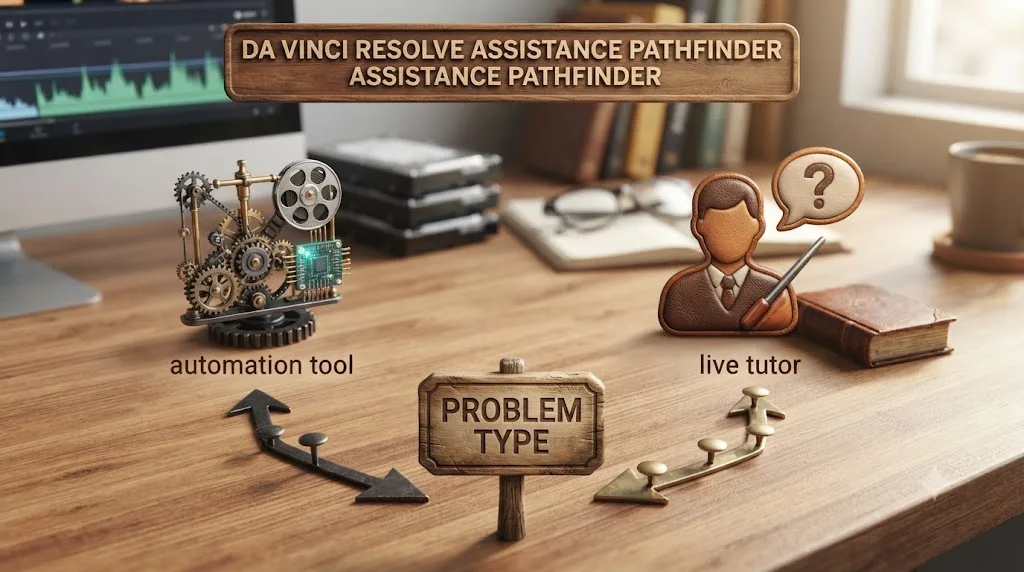
Eddie AI and TryUncle were never really rivals. One shrinks the pile of raw footage between you and a finished cut. The other shrinks the gap between not knowing where a control lives and knowing it for good. Pick based on which gap is actually costing you time this week, not on which one showed up first when you searched for "AI tools for DaVinci Resolve," and don't be surprised if the honest answer, for a lot of working editors, ends up being both.
Frequently asked questions
- Is Eddie AI or TryUncle better for DaVinci Resolve?
- Neither is better in general, because they do different jobs. Eddie AI is best if you have hours of interview or podcast footage and want a rough cut assembled by chat. TryUncle is best if you're stuck on a specific control, node, or setting inside your own project and want to learn where it lives instead of having someone else click it.
- Does Eddie AI work with the free version of DaVinci Resolve?
- Yes. Eddie AI's own help documentation states its Resolve extension works with the free or Studio edition, unlike some rivals in this category that require Resolve Studio's paid scripting API. You do need the separate Eddie desktop app, version 2.1.11 or later, running alongside Resolve.
- Is TryUncle free?
- No. TryUncle is a paid macOS subscription at $34.99 a month, cancel anytime, with a 14-day no-questions-asked refund. Eddie AI has a genuine free tier for testing; TryUncle does not, though the download itself is free until you subscribe.
- Can you use Eddie AI and TryUncle together?
- Yes, and the two don't really compete for the same session. A realistic workflow is Eddie AI turning a folder of raw interview footage into a rough cut overnight, then TryUncle helping you finish that cut, grade it, and build any Fusion graphics it needs, live, inside the same DaVinci Resolve project.
- Does Eddie AI or TryUncle work on Windows?
- Eddie AI does, on both Mac and Windows. TryUncle is macOS only, with no Windows or Linux build. If you edit DaVinci Resolve on a PC, TryUncle isn't available to you at all right now, and Eddie AI is the only one of the two you can use.
- How much does Eddie AI actually cost compared to TryUncle?
- Eddie AI's own pricing page lists a free pay-as-you-go tier at $15 a credit, then Pro at $167 a month billed yearly for 120 exports, up through Ultra at $1,250 a month for 1,200 exports and five seats. TryUncle is a flat $34.99 a month for one seat, with no per-export metering, so the two aren't priced on the same axis at all.
- Will Eddie AI or TryUncle teach me DaVinci Resolve?
- Not Eddie AI, by its own design. It exists to hand you a finished rough cut faster, not to explain how it got there. TryUncle is built specifically to teach: it watches your screen and points at the control so the next time you hit the same problem, you already know where to look.
- Is Eddie AI safe to use on client footage in DaVinci Resolve?
- Eddie AI processes locally on your machine rather than uploading footage to the cloud for editing, according to CineD's coverage of the extension, and it treats your Resolve bin as the source of truth it pulls from and sends cuts back to. As with any third-party tool touching client media, check your NDA before installing it, the same caution that applies to TryUncle's screen-reading permissions.
Sources
- Eddie AI (homepage: user base, product description)
- Eddie AI for DaVinci Resolve (native integration workflow page)
- Eddie AI Pricing
- Install and Enable Eddie's DaVinci Resolve Extension (Eddie AI Help Center)
- Eddie AI Extension for DaVinci Resolve Released, Virtual Editing Assistant (CineD)
- Eddie AI Unveils 50 Platform Updates in One Month: What's New (CineD)
- Eddie AI, AI-Powered Assistant Video Editor Launches Eddie v2 (RedShark News)
- Eddie AI Review: Can This AI Video Editor Really Cut Hours of Editing? (Filmora/Wondershare)
- I Tested Eddie A.I. to Edit My Video, Here's What Happened (Early Light Media)
- Sottocut (product site: features, pricing, platform requirements)
- PremiereCopilot: 7 Best AI Plugins for DaVinci Resolve in 2026
- CutAgent (product site: features, pricing, FAQ)
- TryUncle
- TryUncle FAQ
- TryUncle Privacy Policy
- DaVinci Resolve Training (Blackmagic Design)
- DaVinci Resolve - Studio (Blackmagic Design)
- DaVinci Resolve product page (Blackmagic Design)
- DaVinci Resolve: How to Use Every Page with Casey Faris (CreativeLive)
- DaVinci Resolve 21 Officially Released With New Photo Editing, AI Tools, and Much More (PetaPixel)
Learn by doing, not watching
Stop translating tutorials to your timeline.
TryUncle stays beside Resolve on Mac and Windows. When you ask, Uncle sees your screen and points at the exact control you need. No hunting through tabs, timestamps, or mismatched tutorials.
Meet TryUncleKeep reading
 ComparisonsJul 11, 202626 min read
The Best AI Tools to Learn DaVinci Resolve in 2026
ChatGPT, Claude, Blackmagic's free training, Recut, and Resolve's Neural Engine compared for learning DaVinci Resolve, and the gap none of them close.
 GuidesJul 12, 202637 min read
What Is TryUncle? The Assistant Built Into DaVinci Resolve
TryUncle is a macOS assistant that watches your DaVinci Resolve screen and points at the exact control live, so you learn by doing, not watching.
 ComparisonsJul 13, 202636 min read
TryUncle vs Udemy for DaVinci Resolve: Which Actually Teaches You?
TryUncle's live assistant and Udemy's video bootcamps solve different problems. Here's an honest, sourced comparison of cost, completion, and what each is good for.