
Learn / DaVinci Resolveupdated for CutAgent, Sottocut, Eddie AI, and PremiereCopilot pricing as published; TryUncle pricing (July 2026)
CutAgent vs TryUncle: AI Editing Agent or DaVinci Resolve Tutor?
Quick answer
CutAgent is a paid macOS agent (29 to 299 euros a month) that edits your DaVinci Resolve timeline from natural-language instructions, with a review step before changes land. TryUncle is a paid macOS tutor ($34.99/month) that never touches your timeline, it watches your screen and points at the control so you make the edit yourself.

You typed "CutAgent AI vs TryUncle" because you found two tools that both mention AI and DaVinci Resolve in the same breath, and you want to know which one actually fits what you're trying to do. Fair question, and it deserves a straight answer instead of a feature-list shootout that pretends these two are competing for the same job.
They aren't. CutAgent edits your timeline. TryUncle points at it. That single distinction decides almost everything else in this comparison, price, who it's for, what happens when it's wrong, and it's worth understanding clearly before you read another word of marketing copy from either company.
What are CutAgent and TryUncle, in one sentence each?
CutAgent is a paid macOS desktop app that connects to DaVinci Resolve and turns typed or spoken editing instructions into actual timeline operations, trims, marker placement, rough-cut assembly, with a review step before anything lands, according to CutAgent's own site.
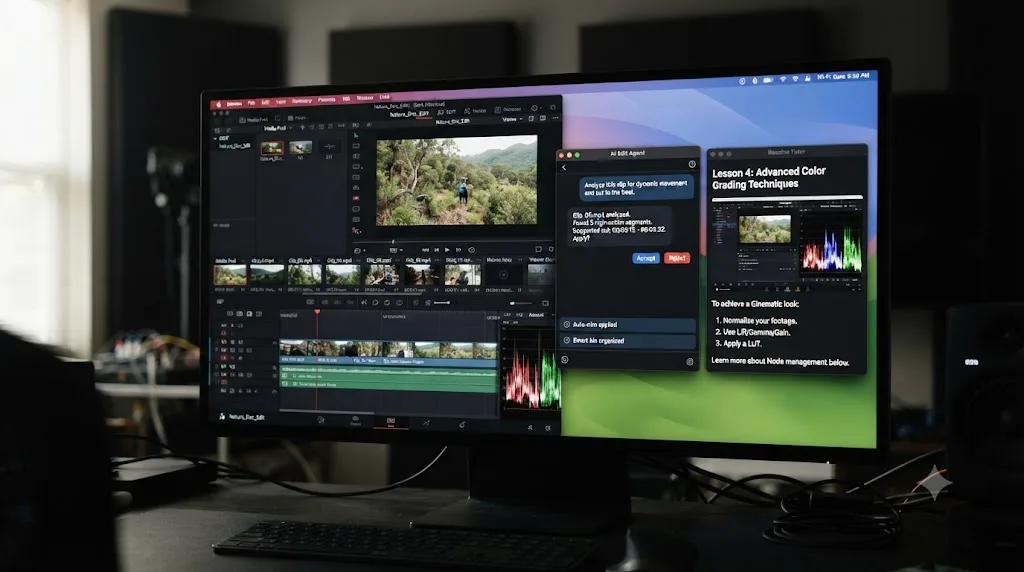
TryUncle is the on-screen assistant for DaVinci Resolve on macOS, ask in plain words and Uncle points at the exact control on your screen. It runs on the Edit, Color, and Fusion pages, watches whatever project you already have open, and never executes a change on your behalf.
That's the whole shape of the comparison in two sentences. Everything below is the detail: how each one actually works step by step, what they cost, which platforms they run on, whether an AI agent editing your timeline is something you can actually trust yet, and which one fits your specific situation better than a generic "best AI tools" roundup could tell you.
CutAgent moves your timeline. TryUncle only points at it. Keep that sentence in your head through the rest of this comparison, because every other difference, price, risk, who it's built for, follows directly from it.
The quick comparison, side by side
Here's the full picture before the detail, so you're not scrolling back up while reading the rest of this piece.
| CutAgent | TryUncle | |
|---|---|---|
| What it does | Executes edits on your timeline from a natural-language instruction | Watches your screen and points at the control you need |
| Touches your timeline? | Yes, directly, with a review step before changes land | No, never, you make every click yourself |
| Platform | macOS only, Windows planned, no date | macOS only, no public Windows roadmap |
| DaVinci Resolve version | 20 or later, Free or Studio | Works alongside both Free and Studio |
| Pages covered | Editing, color grading, multicam, Fairlight, Fusion (claimed) | Edit, Color, Fusion, plus delivery specs |
| Price | 29 to 299 euros/month, four tiers | $34.99/month, one flat plan |
| Free trial | None published | No free trial, but a 14-day no-questions-asked refund |
| Best for | Editors who already know Resolve and want assembly done faster | Anyone still building the skill, at any level |
Read that last row carefully, because it's the one that should actually decide which tool you reach for first. An agent that edits for you is only as useful as your ability to judge whether it did a good job. A tutor that points at controls is useful the moment you sit down, whether you've opened Resolve once or a thousand times.

What does a CutAgent session actually look like?
CutAgent's pitch, per its own materials, is that you hand off editing tasks to an AI agent so you can focus on taste, story, and creative direction. Mechanically, here's the flow it describes:
- You open DaVinci Resolve with a project loaded, and CutAgent's desktop app alongside it, connected through what CutAgent calls a local desktop bridge.
- You describe what you want, either a specific instruction like "remove silences longer than 1.5 seconds from this interview track," or a broader goal like "build a rough cut from these selects that hits the three main talking points."
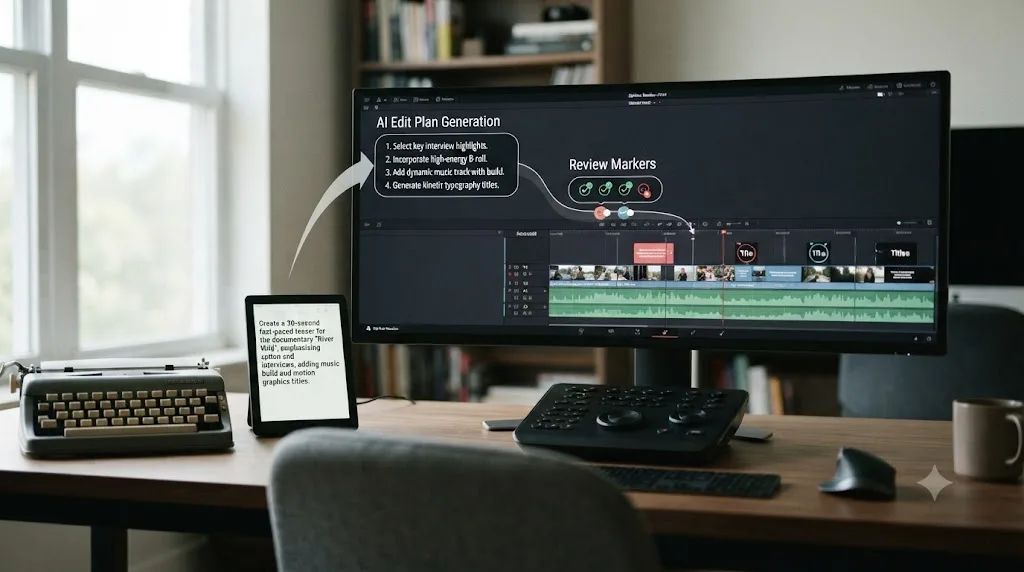
- CutAgent reads your active timeline, selected clips, transcripts, and markers, and builds what it calls an edit plan rather than an immediate change.
- That plan translates into what CutAgent describes as controlled DaVinci Resolve operations, specific timeline actions rather than a separate rendered video file handed back to you.
- Before anything lands, CutAgent shows review and verifier summaries meant to let you understand what changed before export, with flagged decisions that need your approval.
- You accept or reject specific changes. Only then does the timeline reflect the edit.
- For repeat tasks, you can save custom skills, reusable instructions you fire again on future projects. CutAgent's own site describes installing a command-line component from inside the desktop app's settings specifically so other AI agents can call those same skills, which tells you the product is built with an eye toward the wider agent ecosystem, not just its own interface.
That review step is the single most important design decision in the product, and it's worth sitting with for a second. An AI tool that silently rewrites your timeline is a liability. One that proposes a change and waits for your sign-off is a fundamentally different, more defensible thing, provided you actually read the review instead of clicking approve out of habit.
CutAgent's own site states it coordinates operations across "editing, color grading, multicam, Fairlight, and Fusion," which is a broad claim of reach across nearly every page in Resolve, not just the Edit page most single-purpose AI tools stick to. Worth knowing before you lean on that claim too hard: DaVinci Resolve's own scripting interface, the layer most third-party automation tools build on, covers roughly 30 to 40 percent of everything Resolve can do, concentrated in delivery, project management, metadata, and markers, according to Wild Lion Media's detailed guide to the scripting API. CutAgent's own materials don't disclose whether it works through that same API or a different automation method, but any third-party tool operating inside Resolve without direct source access to the app is almost certainly working within some version of those same documented constraints. Where CutAgent's claims are most credible is transcript-driven timeline assembly, cutting a long interview down using instructions about content, since that's exactly the kind of clip selection and marker work that sits inside the API's proven strengths. Claims about deep Fusion node composites or Fairlight mixing decisions built entirely from a text prompt deserve more skepticism until an independent reviewer confirms them directly.
What does a TryUncle session actually look like?
TryUncle works in the opposite direction. You don't describe a goal and wait for a plan. You ask a question about what's already on your screen, right now, and Uncle answers by showing you, not by changing anything.
Three ways to ask, according to TryUncle's own FAQ and site:
| Method | Shortcut | What it's for |
|---|---|---|
| Talk | Shift+Fn | Ask out loud, hands still on the keyboard |
| Check | Shift+Control | Ask "am I doing this right" on whatever you're currently doing, no need to word a question |
| Type | Shift+Option | Type a question silently, useful in a shared office or on a call |
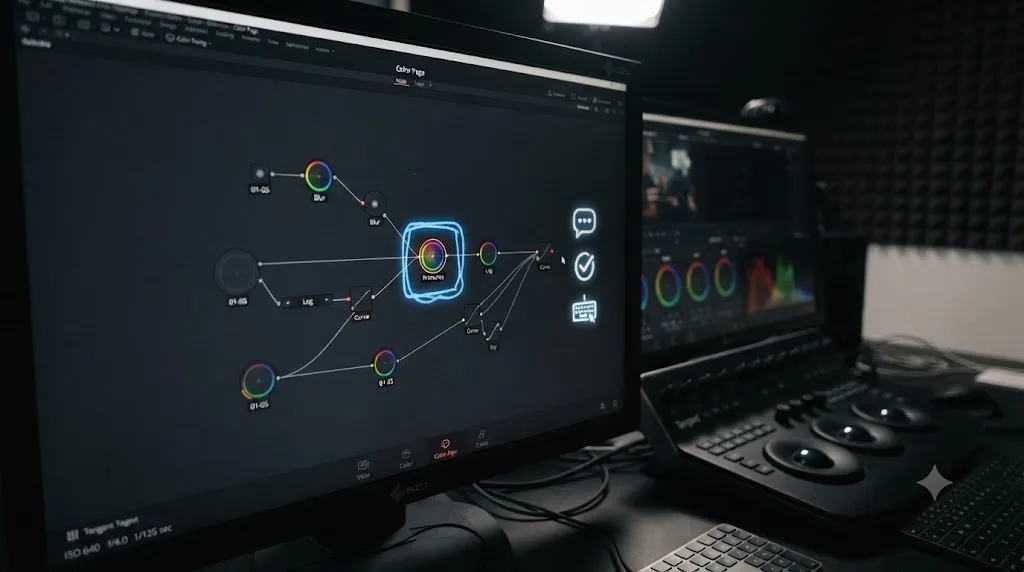
Uncle answers with a spoken reply and then shows you, on your actual screen, either a hand-drawn box around the control you need or a cursor that flies straight to it. You never take a spoken instruction like "it's the third icon in the Color Warper palette" and go hunting for it yourself. Screen Recording permission lets Uncle see your screen at all. Accessibility permission is what turns that picture into a map, reading the labels and coordinates of the controls Resolve exposes to macOS, which is how Uncle knows exactly where the qualifier softness slider sits instead of just knowing there's a slider somewhere near the middle of the screen. Microphone permission is the third and smallest ask, needed only if you plan to use Talk mode to ask out loud; skip granting it if Check and Type already cover how you work. Uncle covers Edit, Color, and Fusion, plus delivery specs (export settings for a given destination), per TryUncle's own site and FAQ. Fairlight audio isn't named as covered surface in either place, so treat an audio-specific answer there as a starting point to verify, not a guarantee.
Here's the difference stated as plainly as possible. Say you've built a three-node color grade and the shot looks flatter after your third node than after your second. Ask CutAgent to fix it, and if that specific correction is even in scope for what CutAgent does (its own materials focus more on transcript-driven cutting than node-order diagnosis), it would identify the problem and move the node itself, then show you a review summary of the change. Ask TryUncle the same question with Check, and Uncle looks at your node tree, sees your saturation node landed before your contrast node, and draws a box around the node you should move. You drag it yourself. The image snaps back to life either way. Only one of those two sessions leaves you able to spot the same mistake on your own the next time it happens, because only one of them made you do the drag.
Now take a second, more mundane example, since color-node order isn't the only kind of stuck moment either tool has to handle. Say you're three hours into a two-camera interview edit and you can't remember which multicam angle mapping shortcut you set up last week. Ask CutAgent, and unless that instruction fits inside its transcript-and-marker-driven assembly model, you're likely outside what it's built to act on at all, since remapping a camera angle mid-edit isn't the kind of content-level decision its edit plans are described as making. Ask TryUncle with Check, and Uncle reads what's on your screen right now, the multicam viewer open in front of you, and points at the angle assignment control directly, regardless of whether the fix required "content understanding" or just knowing where a button lives. That's the practical shape of the difference: CutAgent's strength narrows to decisions it can plan from a transcript or a marker list, while TryUncle's strength is broader but shallower, it can point at anything visible on screen, but it never decides anything for you.
Watching a correct move performed for you and generating that same move from your own judgment are different mental operations, and only doing the second one builds a skill you keep. That's not a slogan, it's the same finding behind constructionist learning theory and deliberate practice research, covered in full in our piece on the best way to learn DaVinci Resolve. It's also the entire design rationale for why TryUncle stops at pointing instead of clicking for you.
What does each one actually cost?
CutAgent runs four tiers, priced in euros:
| Plan | Price | What it includes |
|---|---|---|
| Hobby | 29 euros/month | Standard usage, described by CutAgent as best for occasional edits |
| Creator | 99 euros/month | 5x more monthly usage than Hobby, CutAgent's own recommended tier |
| Studio | 299 euros/month | 20x more usage than Hobby, priority support |
| Enterprise | Custom | Custom limits, dedicated onboarding, done-for-you custom skills and automations, aimed at teams |
The honest gap in that table is that "usage" is never defined in concrete units anywhere on CutAgent's own pricing page. Not minutes of footage, not number of projects, not number of AI operations, just a multiplier on an undefined baseline. You're told Creator gets 5x Hobby and Studio gets 20x again, which tells you the shape of the scaling curve without telling you where your specific workload actually lands. There's also no published free trial or free tier anywhere on CutAgent's site, so testing whether its edit plans match your own editorial judgment means committing at least 29 euros up front.
TryUncle is one flat plan:
| Plan | Price | Terms |
|---|---|---|
| TryUncle | $34.99/month | Cancel anytime, 14-day no-questions-asked refund |
TryUncle charges a flat monthly rate with no usage metering, so you pay the same whether you ask Uncle one question a month or fifty. Compare that against CutAgent's undefined usage multipliers and the price comparison stops being purely about the headline number. TryUncle's $34.99, converted at a rough exchange rate, lands in the same ballpark as CutAgent's cheapest Hobby tier, and it comes with a predictable ceiling: none. CutAgent's Creator tier, the plan it recommends for itself, runs roughly three times TryUncle's price for a usage allowance you can't fully budget against ahead of time. Check both companies' current pricing before you commit, since euro-denominated tiers move independently of anything printed here.

Which platforms and DaVinci Resolve versions does each require?
Both tools share the same first-order limitation, and it's worth stating clearly before anything else: neither CutAgent nor TryUncle runs on Windows today. If you edit DaVinci Resolve on a PC, this entire comparison is academic for you right now, no argument to be made around either company's roadmap.
Beyond that shared gap, the requirements diverge in a way that matters if you're on Resolve's free edition:
| CutAgent | TryUncle | |
|---|---|---|
| Operating system | macOS only | macOS only |
| Windows support | On the roadmap, no committed date, per CutAgent's FAQ | No public roadmap mentioned |
| DaVinci Resolve version | 20 or later | Works with current Resolve releases |
| DaVinci Resolve edition | Both Free and Studio | Both Free and Studio |
| Internet required | Not disclosed in public materials | Yes, always, no offline mode, since Uncle's reasoning runs in the cloud |
Quoted verbatim from CutAgent's own FAQ: "Yes. CutAgent works with DaVinci Resolve 20 or later, including both DaVinci Resolve Free and DaVinci Resolve Studio, on macOS." That's a genuinely useful claim relative to the rest of the AI-editing-agent category. Sottocut, a direct CutAgent rival covered further down, requires Resolve Studio 21 specifically, meaning you need to have already spent $295 on the paid version of Resolve, per Blackmagic's own Studio product page, before Sottocut will even launch. TryUncle doesn't require Studio either, and it can point at Studio-only Neural Engine features if you happen to have them, but it doesn't need them to function.
On the Windows question specifically, quoted verbatim from CutAgent's own FAQ: "Not yet. CutAgent is currently focused on macOS so we can deliver the fastest and most reliable experience with DaVinci Resolve. Windows support is already on our roadmap and planned for the future." That's an honest answer, and it's also a real, immediate dealbreaker for a large share of DaVinci Resolve's total user base, since Resolve itself runs natively on Windows and a meaningful chunk of colorists and editors build their whole rig around a Windows GPU setup specifically for grading work.
Is "agentic" AI video editing a real trend, or just 2026's hype cycle?
Real, by the evidence of who's actually building and shipping, though the honest caveat is that the category is still young enough that "real" doesn't yet mean "proven at scale for every workflow."
Justine Moore, a partner at the venture firm a16z who covers AI and creative tools closely, made the shift explicit in a piece specifically about this category. Quoted verbatim: "2025 was the year of video. 2026 is the year we let agents edit it." She draws a direct parallel to how Cursor changed software development by letting an AI act inside your existing tools rather than generating a separate output you had to manually reassemble, arguing the same shift is now happening to video production, per her a16z piece on agentic video editing. Elsewhere in the same piece, she states the requirement plainly: "AI video editors need to be able to take action, not just describe what's happening or suggest changes." CutAgent fits squarely inside the category Moore is describing, an agent that reads context, plans a sequence of actions, and executes them inside a real tool.
At NAB 2026, the industry's biggest annual production and post-production trade show, that shift had enough presence that ProVideo Coalition's Scott Simmons spent time talking specifically to the founders behind three AI editing assistants: Eddie AI, Quickture, and a tool called Selects. Irad Eyal, CEO of Quickture, described the actual problem these tools target in blunt terms, quoted verbatim: "what do you do when you have…100 hours of footage, and you need to find the story in the edit for a 44-minute episode," per ProVideo Coalition's NAB 2026 coverage. That's not a hypothetical. It's the exact bottleneck documentary and reality-TV editors describe daily, footage volume outpacing the hours available to log it by hand.
Eyal also named the real adoption barrier honestly, in the same piece, quoted verbatim: "editors won't let you change the color of a menu, let alone require you to learn a whole new system." That's the single biggest risk facing every editing agent in this category, CutAgent included. Working editors have deep, hard-won muscle memory in their existing tools, and a product demanding they abandon that for a new interface faces resistance no feature list overcomes. It's part of why CutAgent's design choice, operating inside your existing DaVinci Resolve project rather than replacing it with a separate app you import into and export from, is the more defensible architecture in this category, even if it's unproven at scale for any one specific editor's style.
Scott Simmons, the article's author, offered the most balanced framing of what these tools are actually trying to solve, quoted verbatim: "Editors have always been storytellers first. The technical side, the logging, the searching, and the organizing, is what leads editors to their first love: the story." His point isn't that AI should tell the story. It's that these tools are trying to reduce the cost of tedious front-end work so editors reach the creative decisions faster, not so a machine makes those decisions for them.
An agent that reduces the time between footage and a finished cut is solving a different problem than a tutor that reduces the time between confusion and understanding, and 2026's editing tools are splitting cleanly along that exact line. CutAgent sits on the first side of that line. TryUncle sits on the second. Neither side is hype. They're just answering different questions about what's actually slowing an editor down.
Is it safe to trust an AI agent with your actual timeline?
This is the question that matters more than pricing or platform support for anyone actually considering CutAgent, and it deserves a careful answer rather than a marketing-page yes or a reflexive no.
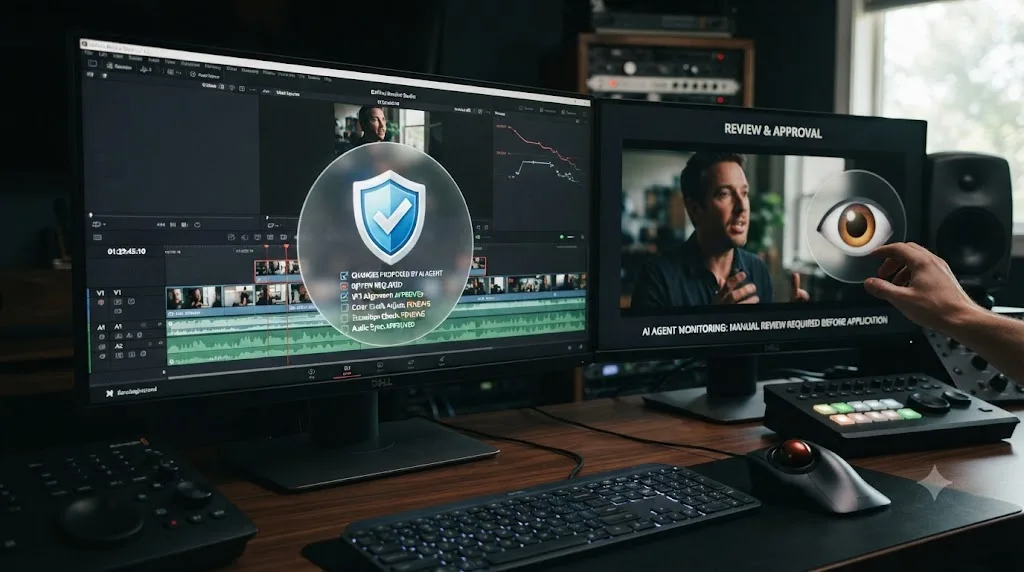
An AI agent that edits your timeline is a different category of risk than an AI tool that only points at a button, and the two shouldn't be judged by the same bar. A tool that circles a control and lets you click it yourself can be wrong without doing any damage, you just don't click. A tool that executes the change itself can be wrong in a way that's already landed on your timeline by the time you notice. That's exactly why CutAgent's review-before-export design matters more here than it would for a passive assistant, and it's the same lesson AI coding tools learned the hard way first: letting an agent directly modify a codebase without a review step produces bugs that are hard to trace back to their source, which is why the industry's answer became diffs you review before merging, not blind trust in the agent's output.
Where the honest skepticism has to sit is in what CutAgent's own materials don't show. There's no published example of a review screen anywhere in its public materials, no third-party account of what happens when the agent's plan is wrong, and no disclosure of which AI model or provider is actually doing the reasoning behind its "CutAgent Fast" and "CutAgent Pro" internal tiers. That last point matters if you're editing under an NDA. If you don't know which model provider is processing your transcripts and clip descriptions, you can't answer a client's confidentiality question with certainty.
It helps to look at what a more fully documented version of this same review step looks like elsewhere in the category, since it shows what CutAgent's own review screen would need to publish to earn the same confidence. Sottocut, covered in more detail further down, describes its safety step as three named stages: a proposal that shows exactly which files, frames, and timecodes will change before anything executes, then a read-back step that reopens the timeline after the change completes and confirms the result actually matches what was proposed, according to Sottocut's own site. That read-back, checking the outcome rather than just trusting the plan, is a specific, verifiable detail CutAgent's own materials don't claim to have an equivalent for. None of this means CutAgent's actual review screen is worse than Sottocut's, only that Sottocut has published more detail about how its own guardrail works, which makes it the easier of the two to hold accountable to its own description.
The practical advice, stated plainly: don't point CutAgent at a paying client's original media on day one. Duplicate a project, or build a test timeline from footage you're allowed to lose, and watch what the agent actually proposes before you trust its review summaries on anything billable. TryUncle sidesteps this entire risk category by design, since it never executes a change on your timeline at all, there's nothing for it to get wrong on your footage the way an executing agent can. Its own risk is a different one, covered honestly in our full breakdown of what TryUncle is: a screenshot of your screen briefly passes through a handful of third-party AI providers to generate an answer, deleted automatically after 30 days, which is worth checking against your own NDA terms before you install any screen-reading tool, TryUncle included.
What's the actual difference between an editing agent and an assistant?
It's tempting to lump every AI product touching DaVinci Resolve into one category, but CutAgent and TryUncle solve opposite problems, and confusing them will leave you disappointed by whichever one you pick for the wrong reason.
CutAgent doesn't teach you which control to press. It presses the control for you, based on your natural-language instruction, and shows you a review summary afterward. Its entire value proposition rests on you not having to do the work at all, at the cost of trusting an agent's judgment about what "the strongest two minutes of this interview" actually means.
TryUncle's entire value proposition rests on the opposite bet: that you learning where things are and doing the work yourself, just faster and less stuck, is the actual goal. Uncle supplies exactly the missing piece, which control you need, and lets you do the part you're already capable of once you know where to look.
| If you are... | The better fit is... | Because... |
|---|---|---|
| Still learning Resolve's fundamentals | TryUncle | You need to build the mental model first; an agent editing for you skips the exact skill you're trying to develop |
| A working editor who knows Resolve cold, drowning in transcripts | CutAgent | The bottleneck isn't knowledge, it's hours; delegating rough-cut assembly is the actual time-saver |
| Someone who wants to get faster at Resolve without outsourcing the decisions | TryUncle | It answers "where is this control" without ever taking the decision away from you |
| Someone comfortable reviewing an AI's edit choices and wants a rough cut assembled | CutAgent | That's precisely the job its review-before-export design is built around |
| On a tight budget where a monthly subscription on top of Resolve is a stretch | TryUncle | A single flat $34.99/month rate is more predictable than CutAgent's undefined usage tiers |
Some editors will genuinely want both, for the same reason a working writer might use a grammar checker and still take a writing course. Learn the fundamentals with a tool that points instead of acts, then delegate repetitive assembly work once you're experienced enough to catch a bad AI decision on sight. Trying to skip straight to delegation, without ever building the underlying skill to review what an agent did, is the one sequencing mistake worth actively avoiding.
Where does DaVinci Resolve's own built-in AI fit into this comparison?
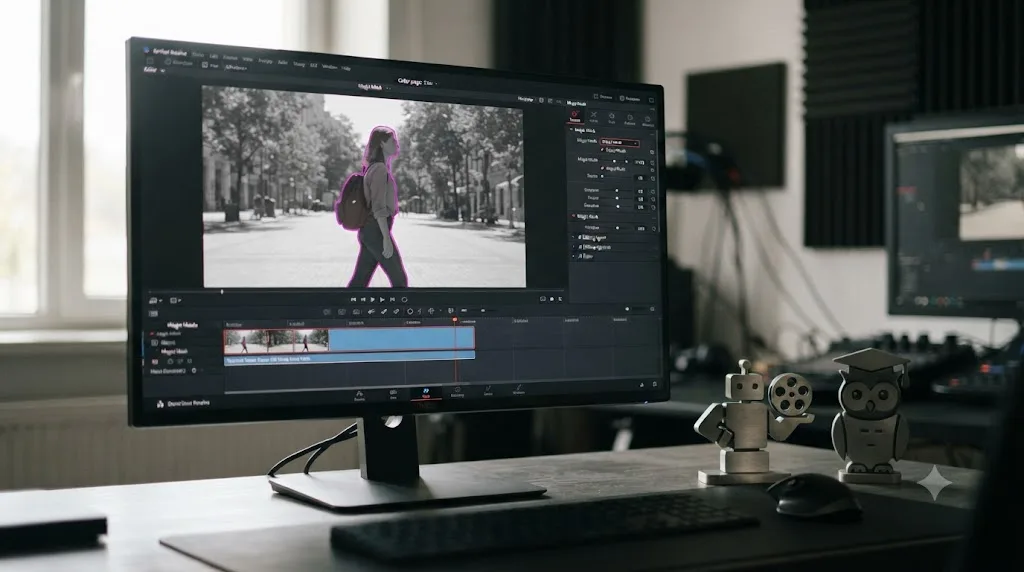
Worth naming plainly before you assume you need a third-party subscription for everything AI-related: DaVinci Resolve already ships its own machine learning tools, called the Neural Engine, built directly into the app at no extra cost beyond whichever edition you're running. Features like Magic Mask, which isolates a subject for masking or grading, and Smart Reframe, which auto-tracks a subject into a new aspect ratio, are genuinely capable automation for specific, well-defined tasks. Blackmagic's own product page describes Studio as adding "automatic AI region tracking, stereoscopic tools, more Resolve FX filters, more Fairlight FX audio plugins and advanced HDR grading" on top of the free edition, which is a real line, just not a precise one, according to Blackmagic's own product page. Blackmagic doesn't publish a single feature-by-feature table showing exactly which individual Neural Engine tools are Studio-only and which ship free, so if one specific AI feature is what's driving your decision, the more reliable check is opening Resolve Free yourself and seeing whether that tool is greyed out, rather than trusting any secondhand list, this comparison included.
That gap matters specifically for CutAgent, since it claims to coordinate operations across color grading and Fusion, and any Neural Engine automation gated to Studio simply isn't there for CutAgent's agent to trigger if the account it's connected to is running the free edition. TryUncle doesn't have that dependency in the same way. It can still see and point at a Studio-only control if you happen to have Studio installed, since it's reading whatever is actually on your screen rather than calling a specific automation function, but it doesn't lose functionality on the free edition the way an executing agent can.
None of that overlaps directly with what CutAgent or TryUncle do. The Neural Engine automates one specific job at a time, masking, reframing, speed retiming, and explains nothing about why you'd want to use it or how it works. It's not trying to be an agent that assembles a full cut from a sentence, and it's not trying to be a tutor that answers an open-ended "where is this" question either. Our full breakdown of the AI tools people actually use to learn DaVinci Resolve covers the Neural Engine, general chatbots like ChatGPT and Claude, and Blackmagic's own free training material in far more depth than fits here, alongside where each one genuinely helps and where it breaks down.
If your actual goal is learning the app rather than automating a specific task, most of that broader landscape, Blackmagic's free curriculum, general chatbots for declarative questions, and TryUncle for live in-app pointing, works regardless of which Resolve edition you're on. CutAgent's category, an agent that executes edits, is the one place where paying for Studio specifically buys you more of the app for the agent to actually act on, since some Neural Engine automations aren't accessible for an outside tool to trigger on the free tier at all.
How do CutAgent and TryUncle compare to the other named AI tools in this category?
CutAgent and TryUncle aren't the only names circulating when people search for AI tools that work with DaVinci Resolve. Naming the real alternatives honestly, rather than pretending this is a two-horse race, matters if you're actually shopping.
| Tool | What it does | Platform | Resolve support | Price |
|---|---|---|---|---|
| CutAgent | AI agent, executes timeline edits from natural language | macOS only | Resolve 20+, Free or Studio | 29 to 299 euros/month |
| Sottocut | AI agent, similar category to CutAgent | Apple Silicon Mac only, macOS 14+ | Resolve Studio 21 only | $15/mo bring-your-own-key, $129 lifetime, or $29-119/mo managed; 7-day free trial |
| Eddie AI | Cross-NLE AI assistant, builds rough cuts and syncs multicam, bridges into Resolve via an extension | Mac and Windows | Bridges to Resolve, also works with Premiere Pro and Final Cut Pro | Free Pay As You Go tier ($15/credit as needed); Pro $167/mo, Pro+ $333/mo, Ultra $1,250/mo (billed yearly) |
| PremiereCopilot | AI chat copilot, edits inside the app from a prompt | Mac and Windows | None. Premiere Pro only | Free tier; $6.39 to $63/month depending on plan |
| DaVinci Resolve Neural Engine | Built-in, single-purpose automation (masking, reframing, speed retiming) | Native to Resolve | Mostly Studio-only features | Included with Resolve Studio ($295 one-time) |
| TryUncle | Assistant, points at controls, never edits | macOS only | Works with Free or Studio | $34.99/month |
A few things stand out once they're side by side instead of scattered across separate marketing pages.
CutAgent and Sottocut are the two tools built specifically as AI editing agents for DaVinci Resolve, and they split the market by which version of Resolve they'll accept. CutAgent's willingness to run on the free version is a real accessibility advantage. Sottocut's Studio-21-only requirement, paired with its Apple Silicon requirement, is the narrower gate of the two, but it comes with a lower-risk 7-day trial CutAgent doesn't offer, according to Sottocut's own site.
Sottocut's own site is also unusually specific about how its safety step works, more specific than CutAgent's, and it's worth walking through since it shows what a fully documented version of this category's review step can look like. Sottocut describes a three-stage flow it calls Score, Confirm, and Verified. Score transcribes your footage on-device and ranks moments, lines, speeches, reactions, by relevance, then marks them directly on the timeline. Confirm shows a detailed proposal before anything executes: which files, which frames, which timecodes, in plain terms, and nothing runs until you approve it. Verified reads the timeline back after each change completes and shows a receipt confirming the operation actually did what it said it would. Sottocut also states that destructive operations are excluded by policy design, and that new users are asked to acknowledge the importance of keeping their own backups the first time they launch the app. None of that makes Sottocut definitively safer than CutAgent in practice, since neither has independent, third-party test data behind it yet. But it does mean that if a documented, receipt-style review step matters more to you than which Resolve edition you're allowed to run it on, Sottocut's public description of its own guardrails is currently the more detailed of the two, even though its Studio-21-and-Apple-Silicon-only requirement locks out far more editors from ever finding out how well it holds up in practice.
Eddie AI plays a genuinely different role. It's not native to Resolve at all, it's a cross-NLE assistant that connects to Resolve through an installed extension bridge, per Eddie AI's own DaVinci Resolve workflow page and CineD's coverage of the extension's release. If you switch between Resolve and Premiere Pro or Final Cut Pro depending on the project, Eddie AI is built to follow you across that switch in a way neither CutAgent, Sottocut, nor TryUncle are designed to. No Film School's Jourdan Aldredge, in a hands-on test of Eddie AI, landed on a cautiously optimistic verdict, quoted verbatim: "If you're someone who is open to trying new AI tools to help your workflows, Eddie could definitely be that," per No Film School's review. That's the closest thing to independent hands-on evidence that exists anywhere in this exact product category, and it's a genuinely useful data point even though it's about a different tool than the one this comparison is centered on.
PremiereCopilot deserves an honest, slightly unflattering mention specifically because it shows up in AI-tool searches Resolve editors run. It doesn't run in DaVinci Resolve at all. Its own homepage describes itself as "the native AI plugin for Adobe Premiere Pro" for version 2022 and later, with zero mention of Resolve, and its own current pricing page confirms it's Premiere-exclusive. Its own blog post on the best AI plugins for DaVinci Resolve in 2026 points Resolve editors toward other companies' tools instead of its own product, because it simply doesn't run inside Resolve.
It's also worth naming the free, non-AI-vendor consensus honestly rather than skipping past it. Blackmagic's own free training program, six official PDF guides plus video lessons, remains the most rigorously accurate resource for learning the app from zero, precisely because it's written by the people who built the software, not approximated from training data. YouTube channels like Casey Faris's have taught DaVinci Resolve and Fusion to a large free audience for years, and our full review of Casey Faris's paid course catalog covers where his structured courses hold up against version drift and where a live, in-app tool closes gaps a pre-recorded video can't. None of these free or course-based resources compete directly with CutAgent's automation category, but they're the honest baseline every AI tool in this comparison is measured against, and pretending they don't exist doesn't serve anyone actually trying to learn.
Is there a free, do-it-yourself way to get an AI agent into DaVinci Resolve?
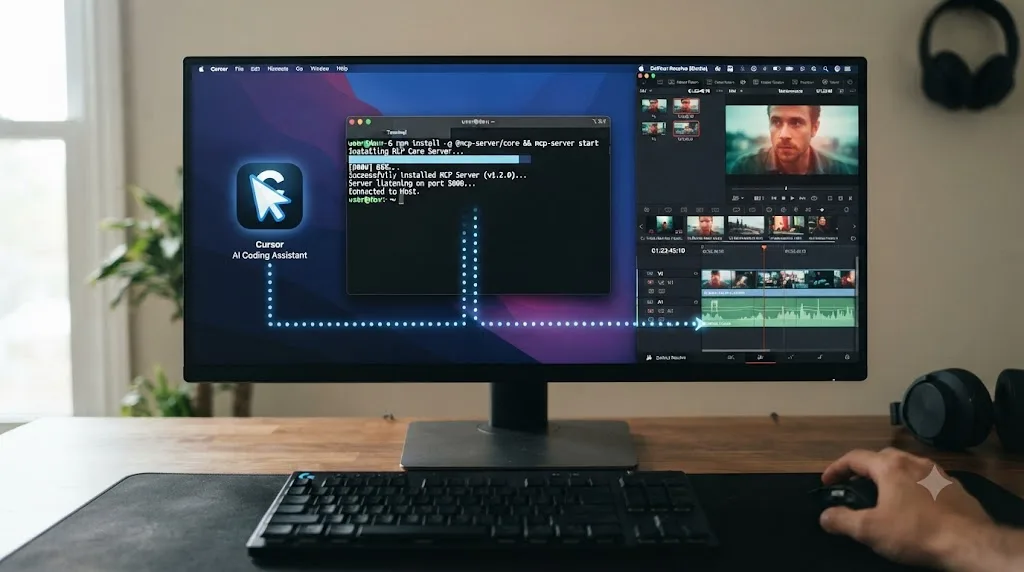
Yes, if you're comfortable in a terminal and you already pay for an AI coding assistant. CutAgent and Sottocut aren't the only way to point an AI agent at Resolve's timeline. Blackmagic ships a scripting API with the app itself, the same interface Wild Lion Media documented as covering roughly 30 to 40 percent of what Resolve can do, and a community of developers has built open-source bridges, called MCP servers, that let general-purpose AI assistants like Claude, Cursor, or Windsurf talk to that API directly.
One example, davinci-resolve-mcp, is free and open-source under the MIT license. Install it with a single command through npx or by cloning the repository, and it exposes roughly three dozen tools covering project management, media ingestion, timeline editing, color grading, Fusion composition, audio and Fairlight control, and rendering, to whichever AI client you connect it to. Point Claude or Cursor at your open Resolve project, describe the edit you want in plain language, and the agent calls those tools the same way CutAgent's own agent does under the hood, since both ultimately ride on the same documented scripting interface.
Four things separate this route from CutAgent, and they cut in different directions depending on what you actually want:
- Cost. The MCP server itself is free. You're still paying for whatever AI assistant drives it, a Claude or Cursor subscription, so "free" means no dedicated per-app subscription stacked on top of a tool you likely already own, not zero cost overall.
- Resolve edition. This is the one place the DIY route is stricter than CutAgent, not looser. It requires DaVinci Resolve Studio 18.5 or later with local scripting enabled, and it doesn't run against the free edition at all, according to the project's own documentation. CutAgent's willingness to run on Resolve Free is a genuine advantage over this route if you haven't bought Studio.
- Where the reasoning happens. The MCP server itself runs locally as a background process and needs no API key of its own, so your project structure doesn't pass through a dedicated third-party server the way it does with a hosted product. Whatever AI client you connect still processes your instructions on its own servers, Anthropic's or Cursor's, so this isn't a fully offline setup either. It's a different data path, not a private one.
- Support and polish. This is a community-maintained project, explicitly not affiliated with or supported by Blackmagic Design. There's no dedicated review screen the way CutAgent or Sottocut describe one. The documentation says to review changes before committing them and treats your original camera files as immutable, writing analysis to sidecar files instead of overwriting your source media, but the actual reviewing is manual: you're reading tool calls in your AI client's own interface, not a purpose-built approval screen. If something breaks, you're debugging it yourself or filing a GitHub issue, not opening a support ticket with a company that owes you a response.
This route makes the most sense for one specific reader: someone already fluent enough with an AI coding assistant, and comfortable enough in a terminal, that "install an MCP server" doesn't sound intimidating, who also already owns Resolve Studio and doesn't want a second monthly subscription stacked on top of a Claude or Cursor plan they're already paying for. Everyone else is better served by CutAgent's or Sottocut's polished, purpose-built review flow, even at a real monthly cost, than by assembling and maintaining an open-source integration themselves.
Worth noting too: this path doesn't compete with TryUncle at all. An MCP server executes changes exactly like CutAgent does, it doesn't point at controls and leave the decision to you, so if learning Resolve rather than automating it is the actual goal, none of the three agent-style tools in this section, CutAgent, Sottocut, or a DIY MCP server, are built for that job.
What's the best AI tool to learn DaVinci Resolve, if learning is actually the goal?
If the underlying question behind "CutAgent vs TryUncle" is really "what's the best AI tool to learn DaVinci Resolve," the honest answer narrows the field fast. CutAgent, Sottocut, and Eddie AI all solve a different problem, doing the edit for you, and none of them are built to explain a decision so you can make the next one yourself. Blackmagic's free training teaches a fixed sequence at its own pace, thorough but not reactive to your specific stuck moment. General chatbots like ChatGPT and Claude answer declarative questions well but have no view of your actual project unless you paste in a screenshot, and even then they're reasoning about a static image, not a live interface.
TryUncle is the tool in this specific landscape built around teaching rather than automating or lecturing. It watches your live screen, answers the question you actually have about the project you're actually editing, and gets out of the way while you make the decision yourself. That's a different job than CutAgent's, not a better or worse one in the abstract, but it's the one that matches "learn DaVinci Resolve" more directly than "edit DaVinci Resolve faster" does. Our deeper comparison of the best way to learn DaVinci Resolve walks through the research behind why guided, corrected practice beats passive consumption, whether that consumption is a video course or an AI agent performing the edit in front of you.
Can you actually use CutAgent and TryUncle together?
Nothing about either product rules this out, and there's a reasonable case for exactly that combination depending on where you are in your own progression.
Neither tool integrates with the other directly, there's no published handoff between them, no shared account, no combined workflow either company documents. Using both means running two separate macOS apps alongside DaVinci Resolve, each doing its own job independently. That's a real cost worth naming: two subscriptions, two permission setups, two things to keep updated, and CutAgent's undefined usage tiers stacked on top of TryUncle's flat rate pushes your total monthly spend well past either tool alone.
The case for it anyway: use TryUncle while you're building fundamentals, on your own practice projects, until you can look at a proposed edit and judge whether it's actually good. Once you're at that point, consider CutAgent for the specific, narrow job it's built for, transcript-heavy rough-cut assembly on real client work where the bottleneck is genuinely hours, not knowledge. Keep TryUncle running even after you add CutAgent, since an agent won't teach you the Fusion node trick or the color-page fix that Uncle can still point at live when you hit something CutAgent's transcript-driven category was never built to solve.
The case against stacking both right away: if you're still learning, skip CutAgent entirely for now. Reviewing an AI's edit decisions requires the exact judgment you haven't built yet, and paying for a review-and-approve workflow you can't meaningfully execute is money spent on a safety net you can't actually use.
Which tool actually fits your specific situation?
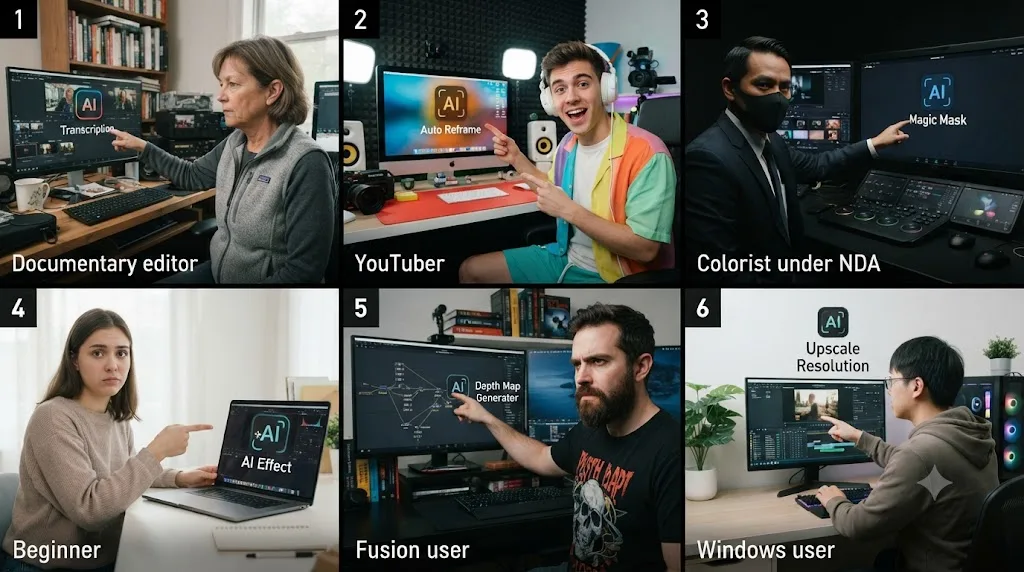
The comparison table earlier in this piece covers the two broad categories, still learning versus already fluent. Real situations are messier than that, so here are six more specific ones, each with the reasoning spelled out rather than just a verdict.
You're a documentary editor with 80 hours of interview footage and a deadline in three weeks. CutAgent's transcript-driven assembly is built for exactly this bottleneck, cutting long-form footage down using content-based instructions rather than manual scrubbing. Test it on a throwaway subset of your footage first, since you can't afford a wrong edit plan landing on billable work with three weeks left. If your NDA or client contract restricts which third parties can touch your media, get that answer in writing before you connect anything, CutAgent included, since its own materials don't disclose which model provider processes your transcripts.
You're a solo YouTuber who edits two or three times a week and keeps forgetting where the same three controls live. That's not a volume problem CutAgent solves, it's a recall problem, and recall is exactly what TryUncle is built to fix. At $34.99 a month, it's priced in the same range as CutAgent's cheapest tier and doesn't require you to already trust an agent's editorial judgment, since you're not delegating anything.
You're grading client footage under a strict NDA that names every third party allowed to touch the files. Read that NDA literally before you install anything here. CutAgent doesn't publish which AI model or provider does its reasoning. TryUncle's own privacy policy names its providers directly and states it doesn't train on your data, which at least gives your legal team something concrete to check against a contract clause, rather than nothing. The DIY MCP route, covered above, is the only one of the three where your project structure doesn't pass through a dedicated third-party product server at all, though the AI client driving it still processes your instructions on its own servers.
You're completely new to Resolve and don't yet know what a node is. Skip CutAgent and Sottocut entirely for now, not because they're bad products, but because reviewing an AI's edit decision requires exactly the judgment you haven't built yet. TryUncle, or Blackmagic's own free training curriculum, are the two options actually built for zero prior knowledge.
You already pay for CutAgent's Creator tier and keep getting stuck specifically in Fusion. CutAgent's own site claims Fusion coordination, but its strongest, most credible ground is transcript-driven cutting, not node composite work, by the nature of what the underlying scripting API reliably exposes. If Fusion is where you're actually stuck, TryUncle names Fusion as covered surface directly and points at the specific node or tool you need live, which is a more targeted fix for that specific gap than hoping CutAgent's next edit plan touches it correctly.
You're on a Windows PC and none of this applies to you yet. Every tool named in this comparison, CutAgent, Sottocut, Eddie AI's Resolve bridge, TryUncle, and the open-source MCP servers covered above, is macOS-only or macOS-first as of this writing. Eddie AI's cross-NLE positioning is the closest thing to a Windows-relevant option here, but its Resolve integration specifically still runs through a Mac-side extension bridge. If you're on Windows, the honest answer is to keep using Blackmagic's own free training and general chatbots for declarative questions until one of these companies ships Windows support, and to not hold your breath on a date, since only CutAgent has even named Windows as a roadmap item, without a committed date.
What are CutAgent's honest limitations right now?
It's macOS only, with no committed Windows release date, ruling out a meaningful share of Resolve's own user base immediately.
It doesn't name the AI model or provider powering it. "CutAgent Fast" and "CutAgent Pro" exist as internal tiers without public disclosure of what's underneath either one, a real gap for anyone whose client contracts require knowing exactly which third parties touch project data.
"Usage" is never defined in concrete units anywhere in its public pricing materials, so you're buying a multiplier on an undefined baseline, not a number of minutes or operations you can budget against with confidence.
There's no free trial or free tier published anywhere, meaning the only way to test whether its edit plans match your own editorial judgment is to pay for at least a month up front.
No independent third-party hands-on review of CutAgent specifically could be confirmed as of this writing, which isn't automatically a red flag for a product this new, but it does mean you're relying on the company's own claims until more editors have logged real hours with it.
The review screen itself, the single feature the entire safety case rests on, has no published example anywhere in CutAgent's own public materials, and no read-back verification step is described the way Sottocut's is. You're asked to trust that it works as described before you've seen it.
What are TryUncle's honest limitations right now?
It's macOS only too, with no public Windows roadmap mentioned anywhere, the same platform ceiling CutAgent has.
It needs an internet connection to function at all, since the reasoning that understands your screen runs in the cloud, not locally. There's no offline mode, which matters if your studio has unreliable wifi or you edit somewhere disconnected.
It doesn't touch Fairlight audio mixing with confirmed precision. Uncle's stated coverage is Edit, Color, Fusion, and delivery specs, and if you're stuck on a de-essing plugin or a noise print in Fairlight specifically, treat any answer there as a starting point to verify against Blackmagic's own documentation, not a guarantee.
It's not a certificate program, and it isn't trying to be. If you need a credential for a job application, Blackmagic's own free training and certification path is the better fit.
It doesn't replace the work of actually editing. Uncle points at the control. You still have to make the creative decision and do the click, the same limitation that's also the entire point of the product.
Verdict: which one should you actually pick?
If you're a working editor who already knows DaVinci Resolve well enough to spot a bad cut on sight, and your actual bottleneck is hours spent logging and assembling rough cuts from long-form footage, CutAgent's core pitch is credible, and its free-Resolve compatibility is a real advantage over its closest direct rival. Test it on throwaway footage first, start at the cheapest tier, and read every review summary before you approve it.
If you're still building your fundamentals in Resolve, or you just want to get faster and more confident at the app without handing decisions to something that edits for you, TryUncle is built exactly for that job, costs less than CutAgent's cheapest tier, and doesn't require you to already know enough to catch its mistakes. Guided practice inside Resolve beats an agent that edits it for you, when the actual goal is learning to edit, not just shipping the next video.
If you're on Windows, both of these reviews are academic for you today, and that's worth being honest about rather than glossing over with a roadmap promise neither company has committed a date to.
And if what you actually want is neither delegation nor a full curriculum, just to stop getting stuck on the same kind of question every session, that's the specific, narrow job TryUncle was built to close. Go open your own project, get stuck on purpose, and see whether having the answer pointed at on your own screen gets you further than watching an agent execute a change you didn't fully understand. That test is the only review that actually matters, and you can run it yourself.
Frequently asked questions
- What is the actual difference between CutAgent and TryUncle?
- CutAgent is an AI agent that edits your DaVinci Resolve timeline for you, from a typed or described instruction, with a review step before the changes land. TryUncle never touches your timeline. It watches your screen and points at the exact control you need, live, so you make the edit yourself. One delegates the click. The other teaches you where the click is.
- Does CutAgent replace the need to learn DaVinci Resolve?
- No, and CutAgent doesn't claim to. It automates rough-cut assembly for people who already know Resolve well enough to review what the agent changed. If you can't yet tell a good edit decision from a bad one, an agent making that decision for you doesn't teach you anything, it just hides the part you still need to learn.
- Can TryUncle edit my timeline for me the way CutAgent does?
- No. TryUncle is built specifically not to. Uncle answers your question by drawing a box around the control or moving the cursor to it, then stops. You do the click, the trim, the node move yourself. That's a deliberate design choice, not a missing feature, grounded in the same research showing that watching a correct action performed for you builds recognition, not the recall you need on your own project.
- Which is cheaper, CutAgent or TryUncle?
- They land in the same ballpark at the entry level: TryUncle is $34.99 a month, roughly comparable to CutAgent's cheapest Hobby tier at 29 euros a month once you convert currencies, and TryUncle's price is flat with no usage metering. CutAgent's Creator tier, its own recommended plan, runs 99 euros a month, roughly three times TryUncle's price.
- Do CutAgent and TryUncle work on Windows?
- Neither does, not yet. Both are macOS only today. CutAgent's own FAQ lists Windows support as on its roadmap with no committed date. TryUncle has no public Windows roadmap mentioned at all. If you edit DaVinci Resolve on a PC, neither tool is available to you right now.
- Is there a free, do-it-yourself way to get an AI agent into DaVinci Resolve instead of paying for CutAgent?
- Yes, if you already pay for an AI coding assistant and own DaVinci Resolve Studio. Open-source MCP servers, community-built bridges to Resolve's own scripting API, let tools like Claude or Cursor drive Resolve directly, at no extra subscription cost. The tradeoffs: no polished review screen, no official support, and no free-edition compatibility, since these tools require Studio.
- Should a beginner use CutAgent, TryUncle, or neither yet?
- TryUncle fits a beginner better, and CutAgent's own target use case, working editors who already know Resolve well enough to catch a bad AI decision, effectively excludes someone still learning the fundamentals. If you can't yet judge whether a cut is good, you can't meaningfully review one an agent made for you, which is the exact judgment TryUncle is built to help you develop first.
Sources
- CutAgent (product site: features, pricing, FAQ)
- Sottocut (product site: platform requirements, pricing)
- Eddie AI (product site: pricing, platform support)
- Eddie AI, DaVinci Resolve workflow page
- CineD: Eddie AI Extension for DaVinci Resolve Released, Virtual Editing Assistant
- No Film School: Reviewing Eddie, Your Secret AI-Powered Assistant Video Editor? (Jourdan Aldredge)
- PremiereCopilot Pricing
- PremiereCopilot: 7 Best AI Plugins for DaVinci Resolve in 2026
- a16z: It's Time for Agentic Video Editing, by Justine Moore
- ProVideo Coalition: NAB 2026, Eddie AI, Quickture, Selects, the AI Editing Assistants, by Scott Simmons
- Wild Lion Media: DaVinci Resolve Python Scripting, the Complete Guide to the API
- davinci-resolve-mcp (GitHub, open-source Model Context Protocol server for DaVinci Resolve)
- DaVinci Resolve product page (Blackmagic Design)
- DaVinci Resolve Studio product page (Blackmagic Design)
- DaVinci Resolve Training (Blackmagic Design)
- Casey Faris - YouTube channel
- TryUncle
- TryUncle FAQ
Learn by doing, not watching
Stop translating tutorials to your timeline.
TryUncle stays beside Resolve on Mac and Windows. When you ask, Uncle sees your screen and points at the exact control you need. No hunting through tabs, timestamps, or mismatched tutorials.
Meet TryUncleKeep reading
 ComparisonsJul 11, 202626 min read
The Best AI Tools to Learn DaVinci Resolve in 2026
ChatGPT, Claude, Blackmagic's free training, Recut, and Resolve's Neural Engine compared for learning DaVinci Resolve, and the gap none of them close.
 GuidesJul 12, 202637 min read
What Is TryUncle? The Assistant Built Into DaVinci Resolve
TryUncle is a macOS assistant that watches your DaVinci Resolve screen and points at the exact control live, so you learn by doing, not watching.
 GuidesJul 12, 202641 min read
The Best Way to Learn DaVinci Resolve (What the Research Says)
Guided, hands-on practice inside DaVinci Resolve beats video courses and MOOCs. Here's the learning-science research behind why, and how to apply it.