
Learn / DaVinci Resolveupdated for TryUncle pricing (July 2026)
Is TryUncle Worth It? The Honest Cost and ROI Verdict
Quick answer
Yes, for Mac editors on DaVinci Resolve who get stuck mid-project: it costs $34.99 a month, cancel anytime, with a 14-day no-questions-asked refund, and the ROI math against real freelance colorist rates ($16 to $81 an hour) works out favorably. It's not worth it if you're on Windows, need a certificate, or edit offline.

You typed "is TryUncle worth it" because you already know roughly what it does and you want the number, not the pitch. Fair. Here's the number: $34.99 a month, cancel anytime, 14-day refund, and whether that's worth it depends entirely on how often you get stuck inside DaVinci Resolve and what your time is worth when you do.
That's not a dodge. It's the actual shape of the answer, and this post exists to give you the math instead of the vibes. I'm going to run the real cost against real freelance colorist rates, stack it next to what a course or Resolve Studio itself costs, name where the vendor's own ROI claim is honest and where it's optimistic, and tell you plainly who should skip it entirely.

What Do You Actually Get for $34.99 a Month?
Before the math means anything, the product needs to be clear in one paragraph. TryUncle is a paid macOS app built around an assistant called Uncle, who watches your DaVinci Resolve screen while you work and points, live, at the exact control you need, either a hand-drawn box or a cursor that flies to it. You ask by voice, by a quick "am I doing this right" check, or by typing, and it answers about your actual project, on your actual screen, inside the Edit, Color, and Fusion pages, plus delivery specs (source: TryUncle's site). It is not a course, it has no syllabus, and it doesn't edit anything for you. If you want the full mechanism, setup steps, and data-handling detail, our full explainer on what TryUncle is covers that ground. This post stays narrower on purpose: is the $34.99 worth spending.
What Does TryUncle Cost, Exactly?
TryUncle has never been free and isn't marketed that way. Here's the current structure, pulled directly from its own pricing and FAQ pages.
| Plan | Price | Terms |
|---|---|---|
| TryUncle | $34.99/month | Cancel anytime, 14-day no-questions-asked refund |
That's the whole structure: one flat monthly price. There's no annual plan advertised, no per-course pricing, and no free tier beyond the download itself, which costs nothing until you actually subscribe (source: TryUncle's FAQ).
TryUncle is not free and has never been free. That framing matters for the ROI math below, because you're not comparing against a free alternative. You're comparing against every other paid or free way to get unstuck in DaVinci Resolve, and some of those genuinely do cost nothing.
Is There a Deal to Wait For, or Is the Price Just the Price?
The price is just the price, and that's worth naming plainly because subscription software has trained everyone to hunt for a discount before committing. TryUncle advertises one number, $34.99 a month, with no introductory rate, no countdown timer, and no tier structure to decode. The advertised number and the billed number are the same.
That flatness cuts both ways. There's no bargain to grab by acting fast, and equally, there's no penalty for taking your time. Nothing about the pricing should push you into subscribing before you've actually weighed the sections below.
The real trial mechanism here isn't a discount, it's the 14-day, no-questions-asked refund window, covered in detail further down. It means you can subscribe, test the tool properly against a real project, and back out within two weeks if it isn't earning its keep.
A flat price rewards being right about whether the tool fits your workflow, not being early. Take the time to run the actual numbers the rest of this article is built to give you.

Should You Buy DaVinci Resolve Studio Before TryUncle, or Instead of It?
If your budget is tight enough that you're choosing between the two, buy Studio first. DaVinci Resolve Studio is a one-time $295 purchase with no subscription attached and no annual fee (source: blackmagicdesign.com/products/davinciresolve/studio). A full year of TryUncle runs $419.88, well past the one-time $295 price of the paid tier of the actual application. If a Studio-only feature, Magic Mask, Speed Warp, Smart Reframe, Voice Isolation, is genuinely what's blocking a project right now, that $295 is the higher-leverage spend, because it's permanent and TryUncle can't unlock a feature that isn't in your copy of Resolve to begin with.
The two aren't really competing for the same budget line once you frame them correctly, though. Studio is the application; TryUncle is a tutor for whichever version of the application you're already running, free or Studio. TryUncle works on both, and it can point at Studio-only features if you have them without requiring you to own Studio yourself (source: TryUncle's FAQ). So the honest sequence for someone with limited funds looks like this: if a specific Studio feature is the actual blocker, buy Studio. If the blocker is "I don't know where things are or what to do next," and you're not sure yet whether that's a Studio-feature problem or a general-skill problem, the free edition plus TryUncle is the cheaper way to find out, since $34.99 a month is a fraction of Studio's one-time cost to start testing with.
A one-time $295 purchase and a $34.99 monthly subscription solve different budget problems, and confusing them is the fastest way to spend money on the wrong one. Work out which specific thing is actually stopping you before you open your wallet for either.

How Does TryUncle's Price Compare to the Alternatives, Dollar for Dollar?
At $34.99 a month, TryUncle sits at the upper end of what people already spend to learn or use DaVinci Resolve, without being far outside it. Here's the full lineup, priced out.
| Option | Cost | What you're actually paying for |
|---|---|---|
| Blackmagic free training | $0 | Official, structured PDF guides and videos, no live help |
| ChatGPT / Claude (free tier) | $0 | Declarative Q&A, no view of your project |
| DaVinci Resolve Studio | $295 one-time | The paid tier of the application itself, no subscription |
| Skillshare | ~$13.99/month billed annually, up to $17.99-$32/month billed monthly | A library of pre-recorded classes across many subjects |
| Udemy Personal Plan | ~$14-$20/month billed annually, up to ~$32/month monthly, or $9.99-$199.99 per course | A curated library of 26,000+ pre-recorded courses |
| TryUncle | $34.99/month | A live tutor watching your own project, not a video library |
Skillshare and Udemy figures come from third-party pricing trackers, not each platform's own live pricing page, so treat them as directional (source: makeheadway.com/blog/skillshare-cost; upskillwise.com/udemy-cost). Both shift by region and by whichever promotion is running that week.
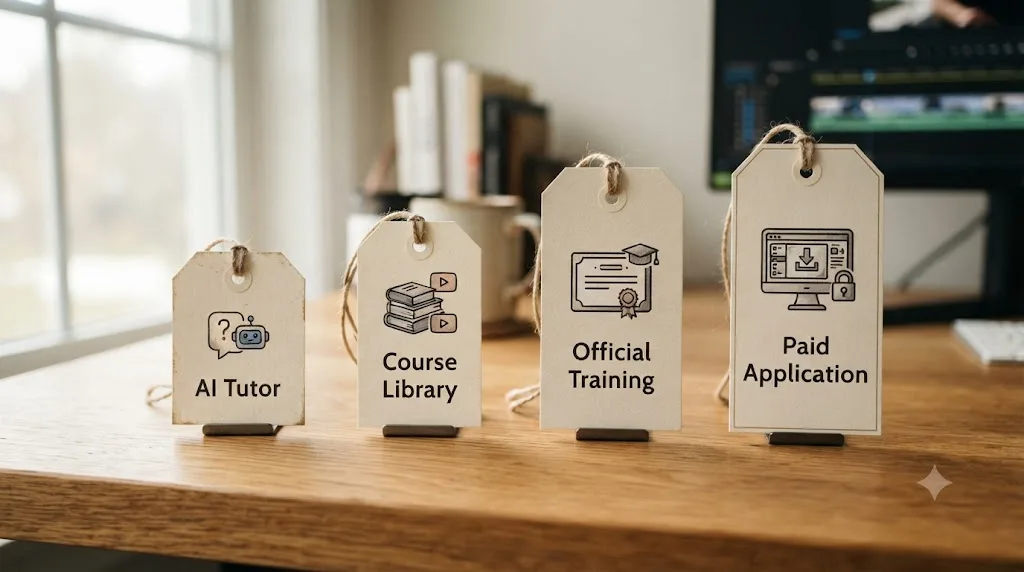
TryUncle lands just above the top of the monthly range for a Skillshare or Udemy subscription. TryUncle costs a few dollars more per month than a month-to-month Skillshare subscription, and buys a fundamentally different thing. One is a library you watch and adapt yourself. The other watches your specific project and answers your specific question. Neither price is objectively "better." The right one depends on which mechanism actually gets you unstuck, and our comparison of AI tools for learning DaVinci Resolve breaks down where each tool in this table wins and loses on capability, not just price.
What's the ROI Math, Using Real Freelance Rates?
This is the section that actually answers "worth it," because for anyone billing for DaVinci Resolve work, the honest test isn't "is $34.99 affordable." It's "does $34.99 get recovered by billable time." Here's that math, run against real, sourced freelance rate data instead of a guess.
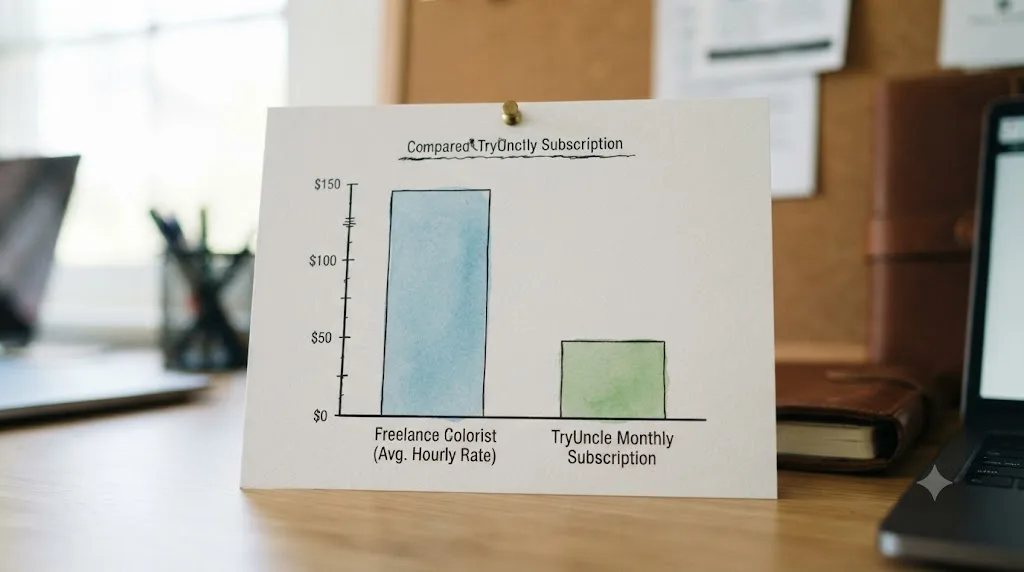
Freelance DaVinci Resolve colorist rates vary widely by experience and market. ZipRecruiter's job listing data puts the range at $16 to $57 an hour, with a separate remote-specific average of $23.39 an hour, spanning $16.83 to $31.25 (source: ziprecruiter.com/Jobs/Freelance-Davinci-Resolve-Colorist; ziprecruiter.com/Jobs/Remote-Davinci-Resolve-Colorist). YunoJuno's 2026 contractor benchmark, which skews toward more established freelance colorists working in film, television, and advertising, puts the average hourly rate at $81, with an average day rate of £491 (source: yunojuno.com/freelancer-rates-job-role/colorist).
Run TryUncle's $34.99 monthly cost against that full range:
| Rate source | Hourly rate | Hours of billable work to cover one month of TryUncle |
|---|---|---|
| ZipRecruiter, remote average | $23.39/hr | 1.50 hours |
| ZipRecruiter, low end of range | $16/hr | 2.19 hours |
| ZipRecruiter, high end of range | $57/hr | 0.61 hours |
| YunoJuno, average benchmark | $81/hr | 0.43 hours |
At every rate in the real freelance market, at most about two hours of billable work covers a full month of TryUncle's subscription. That's the actual arithmetic, not a vendor projection. It rests on one assumption worth stating outright: that getting unstuck faster, or landing a job you'd otherwise have turned down, translates into billable hours you'd actually have lost or missed without the tool. If you're not currently billing anyone for DaVinci Resolve work, this section's math doesn't apply to you directly, and you should weigh the section further down on hobbyists and beginners instead.
Does the ROI Math Hold Up Outside the United States?
Directionally yes, though the exact numbers move with local rates and currency. The freelance figures above lean American: ZipRecruiter's data reflects U.S. listings, and even YunoJuno's average, a UK-headquartered platform, is reported in both dollars and its own currency, £491 as an average day rate alongside the $81 hourly figure (source: yunojuno.com/freelancer-rates-job-role/colorist). Freelance rates for the same skill set vary substantially by country, client market, and whether you're billing local or international clients, and this article can't responsibly generalize a single global number.
What holds regardless of currency is the method, not the specific dollar figures. Take your own local freelance DaVinci Resolve or color grading rate, whatever platform or network you actually book work through, convert TryUncle's $34.99 monthly cost into your currency at the current exchange rate, and divide. If the result is under two or three hours of your own typical billable time, the same conclusion applies: it clears easily. If your local market rate is meaningfully lower than the U.S. figures above, run the math before assuming it automatically works out the same way it does for a Los Angeles or London-based colorist.
One practical note for anyone outside the U.S.: TryUncle's pricing itself is billed in U.S. dollars through its subscription platform, so your actual cost also depends on your card issuer's conversion rate and any foreign transaction fee, a real but usually small addition worth checking before you subscribe rather than after your first statement arrives.

Does TryUncle's Own "One Video Pays for It" Claim Hold Up?
Partly, and it deserves the same scrutiny this article is giving every other number. TryUncle's own site frames color grading work as adding "$200 to $500 per video" to a freelancer's invoicing, and motion graphics work as adding "$300 to $800 per project," concluding that one graded video pays for a year of the subscription (source: TryUncle's site).
Check that against the annual cost: $34.99 times 12 is $419.88. A single project at the low end of TryUncle's own $200 range covers less than half a year on its own. A single project at $500, or a motion graphics project in the upper half of the $300 to $800 range, does cover a full year, with not much to spare at $500. So the claim holds at the top of the range it names and falls well short at the lower half, which is a more honest read than either "completely true" or "completely made up."
The bigger caveat isn't the arithmetic. It's the assumption baked into the claim: that using TryUncle is what gets you that extra $200 to $800 project in the first place, rather than a skill you'd have built anyway, on a slower timeline, through practice and correction from other sources. A vendor's own ROI claim describes a best-case outcome, not a guaranteed one, and treating it as a promise instead of a hypothesis is how anyone overpays for any tool. The claim is a reasonable one to test against your own invoices during the 14-day refund window, covered further down. It is not a number to plan a budget around before you've verified it applies to your specific clients and your specific market.

Is TryUncle Worth It Compared to Free Help Like Forums and Facebook Groups?
For the price, sometimes, but the comparison isn't as simple as "free beats paid." Free help exists everywhere: the Blackmagic Forum, subreddits, and large communities like the roughly 99,000-member DaVinci Resolve 21 Learning Group on Facebook, where members post their timelines and ask what's wrong, and other members answer (source: facebook.com/groups/5399253026772333). None of that costs a subscription.
What free community help doesn't offer is speed or certainty. A forum post or a group comment depends on someone else's availability, attention, and willingness to look at your specific screenshot closely enough to give a useful answer. That can take minutes if the community's active right then, or it can take a day, or it can get a vague "looks fine to me" that doesn't actually resolve anything. TryUncle's answer arrives in the time it takes to ask the question, every time, because it isn't waiting on anyone else's schedule.
The honest tradeoff is speed and certainty against cost. If you're not on a deadline and you don't mind waiting a few hours or a day for an answer, a free, active community genuinely closes a meaningful part of the same gap, and it costs nothing. If you're mid-project on a deadline, or the specific community you'd post in is small or slow, or you'd rather not wait to find out whether anyone responds at all, that's exactly the scenario the ROI math above is measuring the $34.99 against. Free community feedback and a paid live tutor solve the same underlying problem on different timelines, and which one is worth it depends entirely on how much your specific timeline is worth. Plenty of people reasonably use both: a free community for open-ended feedback with no rush, and a paid tool for the moment a deadline won't wait.

Who Is TryUncle Worth It For?
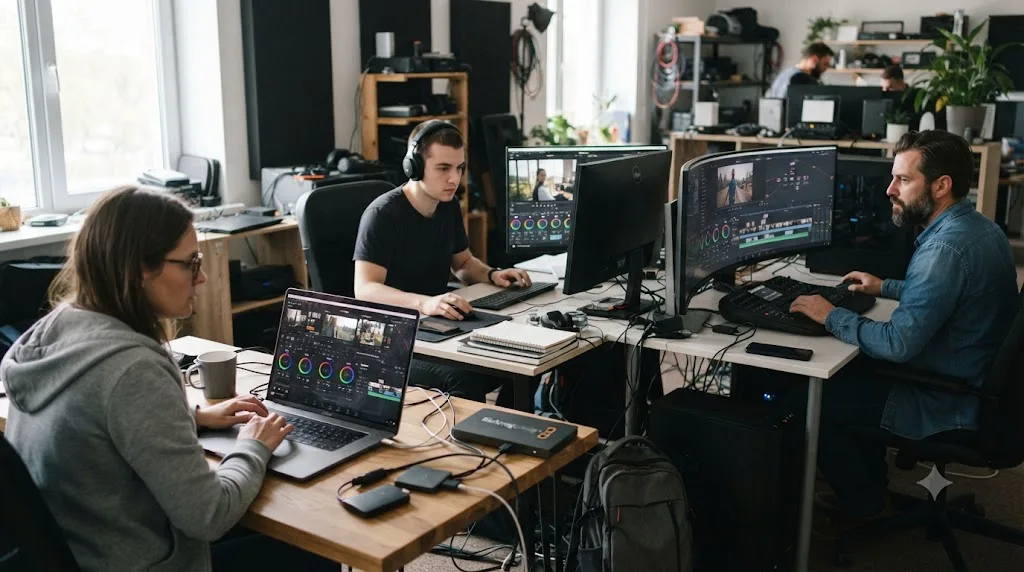
The ROI case is strongest for people who meet three conditions at once: they're on a Mac, they're already inside DaVinci Resolve regularly, and they get stuck often enough that the stuck moments add up to real time or money. Here's how that breaks down by who's actually asking.
| Who you are | Why the math favors you | What still limits the value |
|---|---|---|
| Freelance editor or colorist billing hourly or per project | Even a fraction of an hour recovered per month covers the subscription, per the math above | Only pays off if you're actually billing, not just practicing |
| Beginner intimidated by Resolve's four-page layout | Removes the vocabulary barrier that stops most beginners from typing a good question at all | Still needs a structured resource for sequence and fundamentals, covered next |
| Someone switching from Premiere Pro or Final Cut | Editing judgment already exists; the gap is Resolve-specific menus, shortcuts, and node logic, exactly what live pointing shortens | The transfer is faster than starting from zero, but node-based color grading is a genuinely new mental model regardless |
| Colorist learning node-based grading specifically | A misplaced node is hard to diagnose from a still screenshot in a forum post; live pointing at your actual node tree solves exactly this | Doesn't replace the color judgment itself, only the mechanics of finding the fix |
| Freelancer or small studio on a tight deadline | No time to hunt the right forty-minute tutorial for one setting mid-project, and no time to wait on a forum reply | Still needs internet access; a spotty connection mid-deadline is a real risk, covered below |
The common thread across every row is frequency. TryUncle is worth it for the moment you're already stuck, not for the moment you haven't started. If most of your Resolve time is spent doing things you already know how to do, the subscription has fewer moments to earn its cost back in any given month.
Who Is TryUncle NOT Worth It For?
Just as important, and this list gets skipped by most reviews that are secretly ads. Here's who should not subscribe, or should subscribe somewhere else instead.
| Who you are | Why it's not worth it | What to do instead |
|---|---|---|
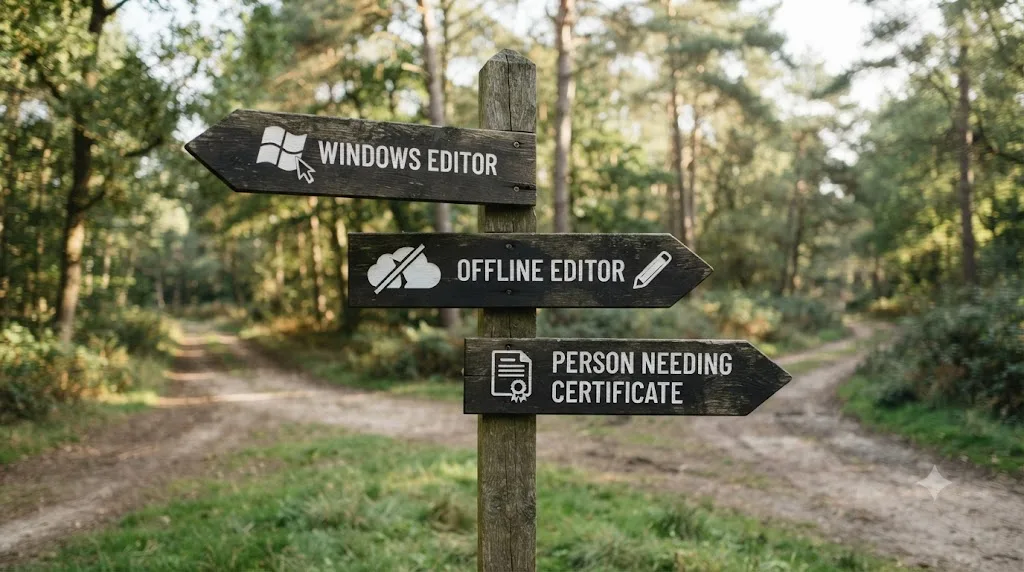
| Editing on Windows or Linux | TryUncle is macOS only, no build in progress for other platforms as far as this article can confirm | Blackmagic's free training, or a chatbot for declarative questions, both platform-independent |
| Working somewhere with unreliable or no internet | Uncle's reasoning runs in the cloud; there's no offline mode at all | Download Blackmagic's official PDF guides in advance; they work fully offline once saved |
| Need a credential for a job application or client pitch | TryUncle issues no certificate and isn't built to | Blackmagic's own free training and certification path |
| Rarely get stuck, already move through Resolve fast | The per-stuck-moment value has fewer moments to apply to each month | Save the money; revisit if a new project type (Fusion, a new codec) starts stalling you |
| Editing under an NDA or strict client confidentiality clause | Screenshots pass through several third-party AI providers before being deleted after 30 days; even with no continuous recording, that's a real policy question for regulated or contractually restricted footage | Clear it with whoever owns the NDA first, TryUncle included, before installing any screen-reading tool |
| Want a fixed, sequential curriculum with graded assignments | TryUncle has no syllabus; it answers what you ask, not what a course plan says comes next | A subscription course platform; our Udemy alternatives roundup covers those options |
| Tight budget and haven't bought Resolve Studio yet | The one-time $295 Studio purchase may be the higher-leverage spend if Studio-only features are what's actually blocking you, covered above | Buy Studio first, revisit TryUncle once the application itself isn't the bottleneck |
Not everyone editing in DaVinci Resolve should subscribe to TryUncle, and pretending otherwise would be the same dishonesty a worse review would sell you. If you land in more than one row of this table, that's a stronger signal to skip it, at least for now, than any single reason on its own.
Is the 14-Day Refund Actually Risk-Free?
Close to it, and the terms are more specific than most software refund policies bother to be. TryUncle offers a 14-day, no-questions-asked refund after you subscribe (source: TryUncle's FAQ). "No-questions-asked" is a stronger commitment than the vaguer "satisfaction guaranteed" language a lot of software uses, and it's worth comparing against a familiar alternative: Udemy's own refund policy allows returns within 30 days of purchase, but in practice plenty of buyers report requests getting denied once they've watched a meaningful chunk of a course (source: support.udemy.com/hc/en-us/articles/360050856093-Udemy-s-Refund-Policy). TryUncle's window is shorter, 14 days against Udemy's 30, but the "no questions asked" framing removes the usage-based denial risk that trips people up on longer windows elsewhere.
Here's how to actually use those 14 days as the real test, rather than subscribing and forgetting about it until the window closes:
- Subscribe on a day you have real editing work scheduled, not a slow week where you won't open Resolve much. An idle two weeks tells you nothing about the tool.
- Use it on your actual client or personal project, not a throwaway test clip. The ROI math above depends on real stuck moments, and a test clip rarely produces one.
- Track every time you'd have otherwise stopped to search or ask elsewhere, and note whether Uncle resolved it faster. This is the honest, personal version of the vendor's own "$200 to $500 per video" claim, tested against your actual workflow instead of taken on faith.
- Decide before day 14, not on it. Refund requests submitted right at the edge of a window are the ones most likely to hit friction with any company's support queue, TryUncle included, even under a no-questions-asked policy.
One edge case worth naming honestly: billing platforms occasionally have processing delays, so if you request a refund on day 13 or 14, build in a buffer rather than assuming an instant confirmation. Nothing in TryUncle's published policy suggests it enforces the window down to the hour, but no third-party subscription platform guarantees same-day processing either, so requesting a few days before the deadline rather than on it removes that risk entirely.
The 14-day refund window is the actual mechanism for finding out whether TryUncle is worth it, not this article. Everything above is the math and the honest framing to walk in with. The test that actually settles it is running your own project through it.

What Do Actual Users Say, and How Much Should You Trust It?
Worth being direct about what this section is and isn't. TryUncle publishes testimonials from named early users on its own site, not independent reviews from a third-party outlet, and as of this writing, no independent third-party review of TryUncle turns up in a search. That tracks with it being a young product rather than being a red flag on its own, but it does mean the quotes below should be read as a vendor's best-case selections, not a representative sample.
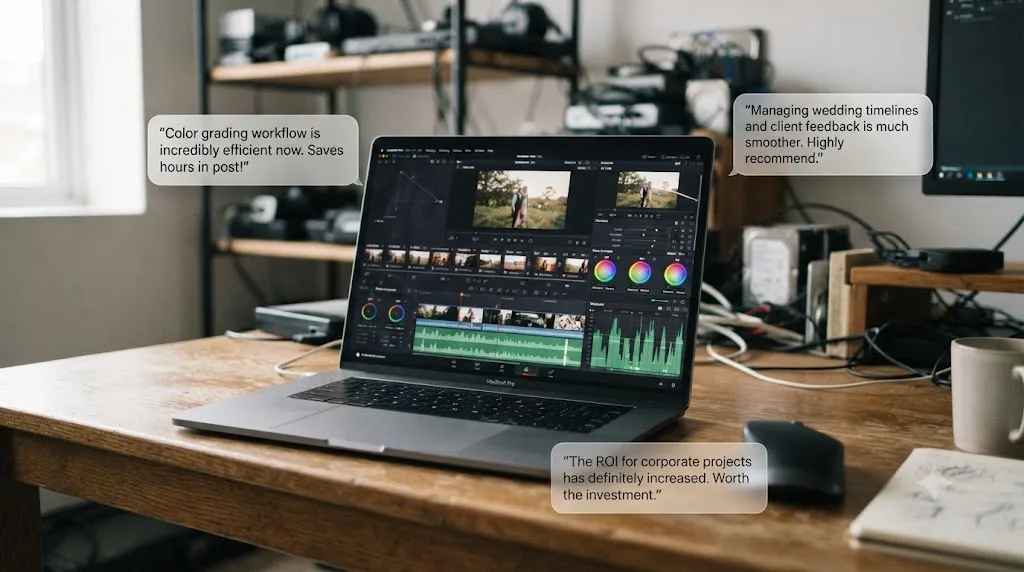
With that framing, here's what three named early users say, quoted directly from TryUncle's own site:
"It pointed at the qualifier, I pulled it, the skin held."
- Devon K., music video colorist
"Blown-out sky in a wedding edit. I asked, it circled the fix, done before my coffee went cold."
- Priya S., wedding filmmaker
"I quoted motion graphics I had never built. Uncle walked me through Fusion node by node. Invoice paid."
- Marcus T., corporate video editor
(source: TryUncle's site)
Notice the pattern across all three: a specific stuck moment, on a specific paid project, resolved without pausing to watch a video. That's also exactly the story a company would choose to lead with, and both things can be true at once. Vendor testimonials are not independent reviews, and no independent review of TryUncle exists yet. Treat these as three data points showing the mechanism works as described in at least three real cases, not as proof it'll work the same way for you. The 14-day refund period, covered above, is the closest thing to an independent test you currently have access to, and it's the one this article recommends you actually run.
Who's Behind TryUncle, and Does That Change the Math?
A little, in the sense that it changes how much weight you should give the vendor's own claims, though it doesn't change the arithmetic above. TryUncle is built by Marius Manolachi, who runs the DaVinci Resolve 21 Learning Group on Facebook, a community that's grown to roughly 99,000 members, and has personally taught DaVinci Resolve to somewhere around 100,000 people through it (source: facebook.com/groups/5399253026772333).
That background matters for a worth-it verdict in a specific, narrow way: the person setting TryUncle's pricing and writing its ROI claims has direct, repeated exposure to what freelance editors and colorists actually charge and what actually stalls them, not a general assumption about the market. It doesn't make the $200 to $500 per video claim examined earlier automatically accurate for your specific clients, and it shouldn't be read as a substitute for the independent review that doesn't exist yet. What it does mean is that the pricing and the ROI framing on TryUncle's own site are informed by pattern-watching a large, real community over years, not a number picked to sound persuasive in isolation. He writes longer essays on how people actually learn at mariusmanolachi.com.
Knowing who built a tool and why they priced it the way they did is context for a purchase decision, not a substitute for running your own numbers. Everything in the sections above still stands on its own regardless of who's behind the product.
What Are the Real Risks Before You Subscribe?
Every "worth it" verdict needs the honest list of what could go wrong, not just the upside math. Here's what to weigh before you hand over a card number.
It's a new product with a short track record. TryUncle is early, and subscribing now makes you an early adopter of a tool whose long-term reliability, coverage, and company stability haven't been tested by years of use the way Blackmagic's own decades-old training material has.
Your screenshot passes through several third-party AI providers. To generate an answer, TryUncle routes your screenshot and question through outside vendors for reasoning, transcription, and visual pointing, not stored on a server owned by TryUncle alone. It commits to deleting screenshots automatically after 30 days and states plainly it doesn't sell your data or use it to train its own models (source: TryUncle's privacy policy). That's a reasonable policy, but it's a longer vendor chain than a lot of people expect from a tool marketed on privacy, and it's a real factor if you're grading under an NDA, covered in the "not worth it for" table above.
It needs an internet connection to function at all. The reasoning that understands your screen runs in the cloud, not locally, so there's no offline mode. A studio with unreliable wifi, or a habit of editing on a plane, makes this a real constraint rather than a hypothetical one.
Coverage has gaps it's honest about not fully closing yet. TryUncle's stated coverage is Edit, Color, Fusion, and delivery specs. Fairlight audio mixing isn't named as covered surface on its own site, so treat an audio-specific answer as a starting point to verify against Blackmagic's own documentation, not a guarantee.
It requires two full macOS permissions to work as advertised, not just one. Screen Recording alone lets Uncle talk to you about your problem, but without Accessibility too, it can't draw the box or move the cursor, since it has no map of where anything actually is. If your Mac is managed by an employer's IT policy that restricts either permission, confirm you can actually grant both before you subscribe, not after.
None of these risks are disqualifying on their own. Together, they're the honest counterweight to the ROI math earlier in this article, and a real "worth it" verdict has to hold both at once.
Is TryUncle Worth It If You're a Complete Beginner?
Conditionally, and the condition matters more than a flat yes or no. A beginner's biggest early obstacle isn't finding an answer, it's not knowing the vocabulary to ask the question in the first place. If you don't know the tool is called a "qualifier" or the panel is called the "Color Warper," you can't search a manual or type a good question into a chatbot, and TryUncle sidesteps that specific problem by reasoning about what's on your screen instead of what you can name.
What it doesn't replace for a beginner is sequence. Research on MOOC completion, a University of Pennsylvania study of one million Coursera users, found an average completion rate of just 4% (source: highereddive.com/news/mooc-completion-rate-just-4-study-says), which says something real about unstructured, self-directed learning generally: most people need at least some scaffolding for what order to learn things in, not just answers when they're stuck. TryUncle has no syllabus and isn't built to provide one. Our deeper research on the best way to learn DaVinci Resolve covers why guided practice with correction beats passive video, and where a beginner should still start with a short orientation resource before opening TryUncle at all.
The practical answer for a true beginner: watch one short orientation video or skim Blackmagic's free Beginner's Guide first, so you know roughly where the four pages live and what order operations generally happen in. Then open TryUncle for the moments a video never anticipated, your specific footage doing something the tutorial's clean demo clip never did. A beginner who pairs a short structured orientation with a live tutor for the unpredictable parts learns faster than one relying on either alone. That's not a hedge; it's the honest shape of where TryUncle's value sits for someone starting from zero. The dollar cost is also lower risk for a beginner than it looks at first: $34.99 is less than many single Udemy courses cost at full price, and it comes with a shorter but real refund window if it isn't the right fit.
Is TryUncle Worth It If You're a Working Freelancer?
This is the segment where the ROI case, covered in detail above, actually closes. A freelancer billing $16 to $81 an hour for DaVinci Resolve work recovers a month of the subscription in roughly two hours of billable time or less at every point in that range. That math doesn't require TryUncle to make you a better colorist. It only requires it to save you time you'd otherwise have spent unstuck, or to unblock a project type, Fusion motion graphics, a new codec, an unfamiliar delivery spec, you'd otherwise have turned down or subcontracted out.
There's a second, less obvious freelance case worth naming: capability expansion, not just speed. A freelance editor who's confident in Edit and Color but has always avoided quoting Fusion motion graphics work, the way Marcus T.'s testimonial above describes, can use guided live correction to say yes to a project category they'd previously left on the table. That's a different kind of ROI than time saved on an existing task; it's revenue that wouldn't have existed without the confidence to quote it in the first place. It's also the harder claim to verify from the outside, which is exactly why the 14-day refund test, run against a real client project rather than a hypothetical one, matters more for a freelancer than for any other user type on this list.
There's a third case, smaller but real: subcontracting less. A freelancer who currently passes color work to someone else because they don't trust their own node tree keeps a smaller cut of every project than one who can competently grade it themselves. If live guidance closes even part of that skill gap over a few months of use, the ROI isn't just the subscription cost against one project, it's the margin recovered on every project going forward where you'd otherwise have split the fee.
The one freelance-specific risk worth repeating: an NDA or client confidentiality clause. If any of your work is covered by one, check it against TryUncle's data handling, screenshots routed through third-party AI providers and deleted after 30 days, before you install anything, TryUncle included.
Is TryUncle Worth It If You Already Know DaVinci Resolve Well?
Less so, and it's worth being honest about diminishing returns instead of claiming every user gets equal value from the same subscription. An experienced editor gets stuck less often in Edit and Color, the two pages most people learn first and use most, so the dollar-per-stuck-moment math from earlier in this article stretches across fewer real moments each month.
Where it still holds up, even for someone experienced, is Fusion. Node-based compositing is a genuinely different mental model from timeline editing and color grading, and plenty of editors who are fluent in Edit and Color have simply never built a real Fusion composite, because the barrier to starting has always been high. If a client asks for motion graphics you've never attempted, live guidance through your first few Fusion node trees closes that specific gap faster than a forty-minute tutorial you'd have to pause and reconstruct onto your own project.
The other place it holds up regardless of experience level: unfamiliar territory on a deadline. A seasoned colorist who's never touched HDR delivery specs, or an editor working with a new camera's log format for the first time, is momentarily a beginner again in that narrow slice, no matter how many years of general experience they're carrying. Experience with DaVinci Resolve overall doesn't fully transfer to experience with a specific feature you've simply never needed before. That's the honest case for an experienced editor still finding value here, narrower than the beginner or freelancer case, but real when it applies.
For a genuinely advanced colorist who's already fast in every page including Fusion, the math gets thin. If you can't remember the last time you were stuck for more than a minute, the subscription is unlikely to earn back its own cost most months, and the 14-day refund window exists precisely for finding that out cheaply rather than guessing.
So, Is TryUncle Worth It? The Verdict
Here's the full decision in one table, so you can place yourself in it without rereading the whole article.
| Your situation | Verdict |
|---|---|
| Mac, freelance or client DaVinci Resolve work, get stuck regularly | Worth it. The ROI math clears easily at any real freelance rate. |
| Mac, beginner, willing to also use a short structured resource | Worth it, paired with orientation material, not instead of it. |
| Mac, experienced, mostly Edit and Color, rarely stuck | Marginal. Test the 14-day window before committing longer term. |
| Mac, experienced, about to attempt Fusion or an unfamiliar delivery spec for the first time | Worth it for that specific project, even if you cancel afterward. |
| Windows or Linux | Not worth it. It doesn't run on your platform at all. |
| No reliable internet where you edit | Not worth it. There's no offline mode. |
| Need a certificate for a job or client pitch | Not worth it for that goal. Use Blackmagic's official training path instead. |
| Editing under an NDA you haven't cleared a screen-reading tool against | Not worth it yet. Clear it first, then reconsider. |
If you land in the top half of that table, TryUncle is worth trying, and the 14-day refund means the decision costs you nothing but two weeks of testing it honestly against real work. If you land in the bottom half, save the money and revisit the comparison of AI tools for learning DaVinci Resolve or Blackmagic's own free training instead.
Either way, don't take a review, this one included, as the final word over your own numbers. Pull up your last few invoices, or your last month of Resolve sessions if you're not billing anyone yet, and run the actual math from the sections above against your own situation. That's the test that settles it, and you can start the 14-day window yourself at TryUncle.
Frequently asked questions
- Is TryUncle worth the money?
- For a Mac-based DaVinci Resolve editor who gets stuck mid-project and can bill or value their time above roughly $18 an hour, yes. TryUncle costs $34.99 a month, cancel anytime, and about two hours of even entry-level freelance color grading work covers a month of that. If you're on Windows, need a certificate, or barely open Resolve, the math doesn't work in your favor.
- How much does TryUncle actually cost?
- TryUncle costs $34.99 a month, one flat price with no tiers. You can cancel anytime, and it carries a 14-day, no-questions-asked refund window.
- Is TryUncle worth it for a complete beginner to DaVinci Resolve?
- Conditionally. It removes the vocabulary barrier that stops most beginners from even typing a good question, since it points at controls instead of requiring you to name them. But a beginner also needs the sequence and fundamentals a structured resource provides, so pairing TryUncle with Blackmagic's free training guides works better than either alone.
- Is TryUncle worth it for a freelance editor or colorist?
- This is where the ROI case is strongest. Freelance DaVinci Resolve colorist rates run $16 to $81 an hour depending on experience and market, so roughly one to two billable hours recovered from being unstuck cover a full month of the subscription. The math only pays off if you're actually billing for your time, though; a hobbyist gets the same tool with none of the financial offset.
- Does TryUncle have a free trial, and how does the refund work?
- There's no free trial in the traditional sense, but the download itself is free and you don't pay until you subscribe. Once subscribed, TryUncle offers a 14-day, no-questions-asked refund, which functions as the de facto trial period. Use those 14 days on a real project, not a test clip, to get an honest read on whether it earns its keep.
- Is TryUncle better value than a DaVinci Resolve course on Udemy or Skillshare?
- They're not really substitutes. A course teaches a fixed curriculum for a one-time or recurring fee similar to TryUncle's; TryUncle answers questions about your specific project, live, and never teaches you anything you don't currently need. If you want structure from zero, a course wins. If you're already inside Resolve and stuck on one thing, TryUncle wins. Plenty of people reasonably use both.
- What would make TryUncle not worth it for me?
- Editing on Windows or Linux rules it out entirely, since it's macOS only. Working somewhere with no reliable internet, needing a certificate for a job application, or already moving through Resolve fast enough that you rarely get stuck are all real reasons to skip it. So is an NDA or client contract that restricts third-party screen-reading tools until you've cleared it with whoever owns that agreement.
- Is TryUncle worth it if I already know DaVinci Resolve well?
- Less so, and it's worth being honest about that instead of pretending every user gets equal value. An experienced editor gets stuck less often, so the dollar-per-stuck-moment math stretches thinner. Where it still holds up is Fusion, which even seasoned Edit and Color page users often haven't mastered, and in unfamiliar corners of a big client project on a deadline.
Sources
- TryUncle
- TryUncle FAQ
- TryUncle Privacy Policy
- DaVinci Resolve - Studio (Blackmagic Design)
- DaVinci Resolve Training (Blackmagic Design)
- Colorist Contractor Rates 2026 - Global Benchmarks (YunoJuno)
- $16-$57/hr Freelance Davinci Resolve Colorist Jobs (ZipRecruiter)
- Remote Davinci Resolve Colorist Jobs, average $23.39/hr (ZipRecruiter)
- Skillshare Cost 2026: Pricing Plans, Free Trials, and App Discounts
- Udemy Pricing in 2026: Free Courses, Fees, Plans & Refunds
- Udemy's Refund Policy - Udemy Support
- MOOC completion rate just 4%, study says (Higher Ed Dive)
- DaVinci Resolve 21 (Learning Group) - Facebook
- Marius Manolachi
Learn by doing, not watching
Stop translating tutorials to your timeline.
TryUncle stays beside Resolve on Mac and Windows. When you ask, Uncle sees your screen and points at the exact control you need. No hunting through tabs, timestamps, or mismatched tutorials.
Meet TryUncleKeep reading
 GuidesJul 12, 202637 min read
What Is TryUncle? The Assistant Built Into DaVinci Resolve
TryUncle is a macOS assistant that watches your DaVinci Resolve screen and points at the exact control live, so you learn by doing, not watching.
 GuidesJul 12, 202641 min read
The Best Way to Learn DaVinci Resolve (What the Research Says)
Guided, hands-on practice inside DaVinci Resolve beats video courses and MOOCs. Here's the learning-science research behind why, and how to apply it.
 ComparisonsJul 11, 202626 min read
The Best AI Tools to Learn DaVinci Resolve in 2026
ChatGPT, Claude, Blackmagic's free training, Recut, and Resolve's Neural Engine compared for learning DaVinci Resolve, and the gap none of them close.