
Learn / DaVinci Resolveupdated for Digen AI pricing, model roster and legitimacy findings, OpenAI's Sora 2 API shutdown (Sept 2026), DaVinci Resolve 21, TryUncle's $39/month pricing
Digen AI DaVinci Resolve Review: Real Plugin or Not? (2026)
Quick answer
This review finds Digen AI is a multi-model AI video generator (Sora 2, Veo 3.1, Kling 3.0), priced $4.99 to $39.99 a month, not a real DaVinci Resolve plugin despite a Digen blog claiming Fusion integration. It's a separate clip generator you import into Resolve afterward. No timeline editor, no native 4K export, 1080p cap, 5 to 8 second clips.
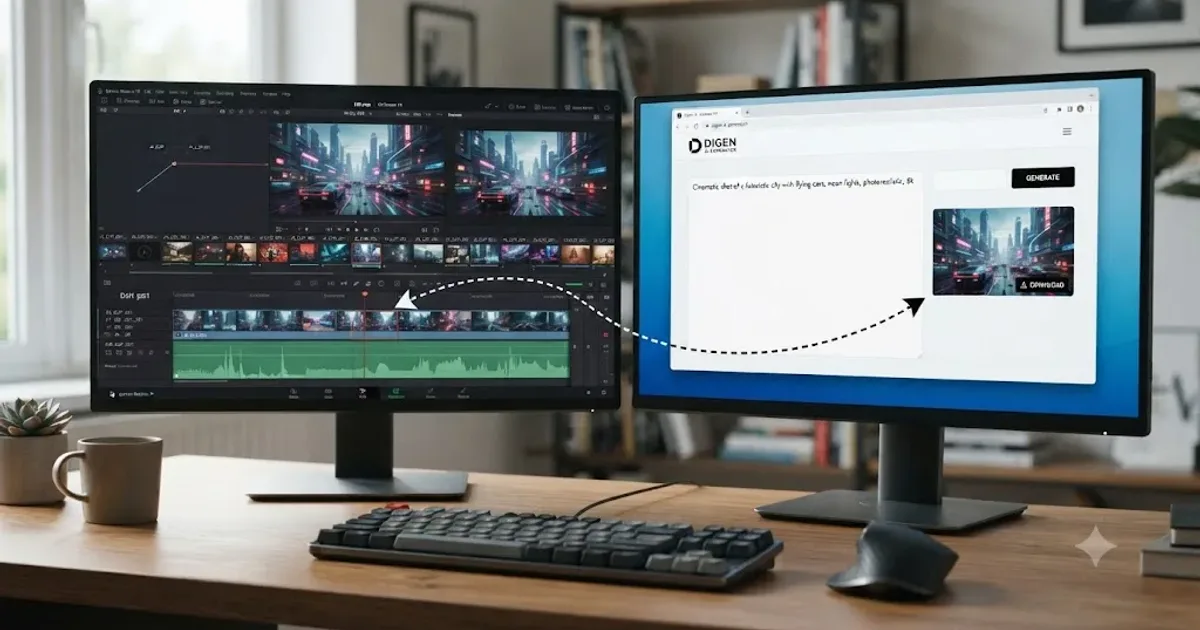
You searched "Digen AI DaVinci Resolve review" because you found a Digen-published blog post claiming there's a "Digen AI Agent" that plugs straight into Resolve's Fusion page, and you want to know if that's real before you install anything or hand over a card number. Short answer: no, not as advertised. Digen AI's actual product, the one you sign up for and pay for at digen.ai, is a text-to-video and image-to-video generator with no DaVinci Resolve integration anywhere in its pricing page, its app, or any independent review we could find. The Fusion-plugin claim lives on exactly one page, Digen's own marketing blog, and nowhere else.
That doesn't make Digen AI worthless. It makes it a different kind of tool than its own SEO content implies, and the rest of this review sorts out exactly what it is: what it actually generates, what it costs down to the credit, whether the company behind it is legitimate, how good the output is according to independent reviewers, which of its six-plus AI models is worth your credits, and how it fits into a real Resolve workflow if you decide to use it anyway.
One note on where this assessment comes from. We've spent seven-plus years cutting commercial video in DaVinci Resolve, we run a 100,000+ member editing community where a new AI tool's name gets dropped into chat within days of it trending, and we're an official Udemy Business Partner who has taught Resolve to more than 100,000 students. When a tool claims to integrate with software we teach for a living, we check the claim against the product's own pricing page before repeating it, and that's the standard applied here.
What Is Digen AI, Exactly?
Digen AI is a cloud-based, multi-model AI video and image generation platform that turns a text prompt, a still image, or a short script into a finished clip, without requiring you to film anything yourself. It's built around more than one AI generation engine in a single workspace rather than one house model, letting a creator switch between them depending on what a shot needs.
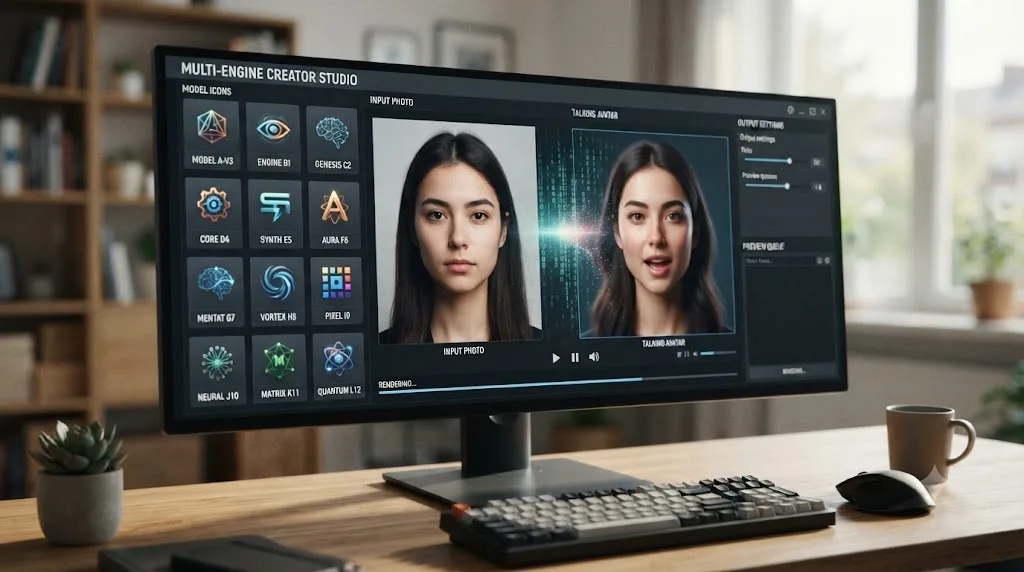
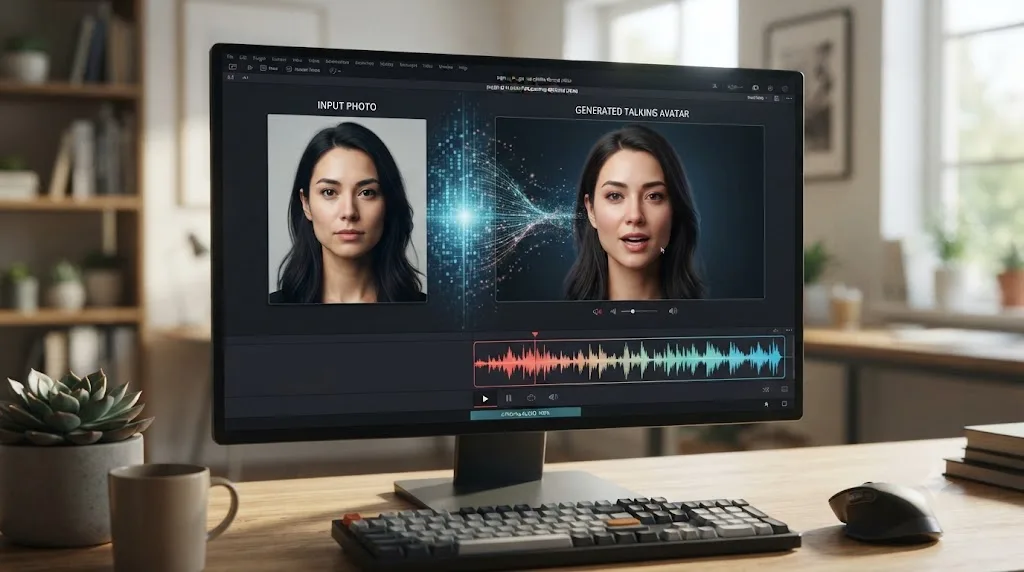
Inside that one workspace, Digen AI gives you access to Real Motion 3.1, Sora 2, Veo 3.1, Kling 3.0, ByteDance's Seedance 2.0, and an experimental model called HappyHorse, according to AppCritica's review of the platform. On the image side, it also offers FLUX.2 variants, Nano Banana Pro, and Seedream 5.0 Lite for still generation. The platform is best known for one specific trick: turning a static photo into a talking avatar with synced lip movement and voice, without shooting a frame of video, which is the feature most of Digen's own marketing leads with.
A separate hands-on review from FirmCritics counts the roster differently, putting the total at "10+ video models" and naming a slightly broader mix that includes Runway alongside the others already listed. The exact number moves depending on which review you read and when, since Digen adds and drops third-party model access as licensing deals change. What every review agrees on is the shape of the thing: one dashboard, several licensed engines underneath, and a native "Real Motion" model Digen built itself.
Digen AI is available on the web at digen.ai, and as native apps for iOS and Android, with AppCritica's review citing more than 5 million creator accounts across the platform. There is no desktop application and no plugin architecture for any third-party editor, DaVinci Resolve included, according to both Digen's own site and every independent review checked for this piece.
That last point matters more than it sounds, because it's the entire reason this review exists.
Does Digen AI Actually Integrate With DaVinci Resolve?
No, not on the core product you'd actually sign up for. Digen's homepage, its pricing tiers, and its mobile apps make no mention of DaVinci Resolve, a plugin, an extension, or a Fusion-page integration anywhere.
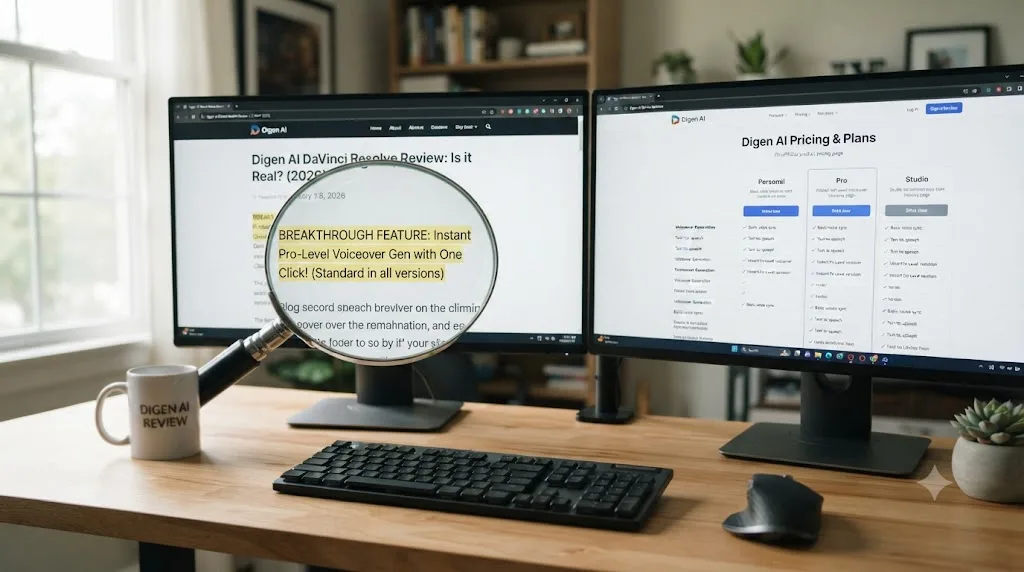
Here's where the confusion comes from. Digen publishes a separate content-marketing site, resource.digen.ai, and one post there is titled "Best AI Video Editing Plugins for DaVinci in 2026." That post describes a "Digen AI Agent" that supposedly "integrates directly into DaVinci's Fusion page," claims "95% character consistency across shots," promises a "40% reduction in reshoot costs," and specifies a hardware requirement of an RTX 4080 GPU or better, at a stated price of $99/month for 100 generation credits.
None of those specifics exist anywhere else. They don't appear on Digen's pricing page. They don't appear in Digen's app. They don't appear in any of the independent reviews of Digen AI checked for this piece, including detailed breakdowns from Wondershare Filmora, AppCritica, and FirmCritics that go deep on Digen's actual credit system, resolution limits, and model roster without a single mention of Resolve, Fusion, or an "Agent" product tier. A specific hardware requirement, a specific consistency percentage, and a specific reshoot-cost-reduction figure, published only on the vendor's own marketing blog and matched nowhere in the product itself, is the classic shape of unverified SEO content written to rank for a query like the one that brought you here, not a description of a shipping feature.
A product claim that only exists on a company's own marketing blog, and nowhere in that company's actual pricing page or app, is not evidence the product does that thing. That's the honest read of Digen's Resolve-plugin claim, and it's the single fact this review most wants you to leave with.
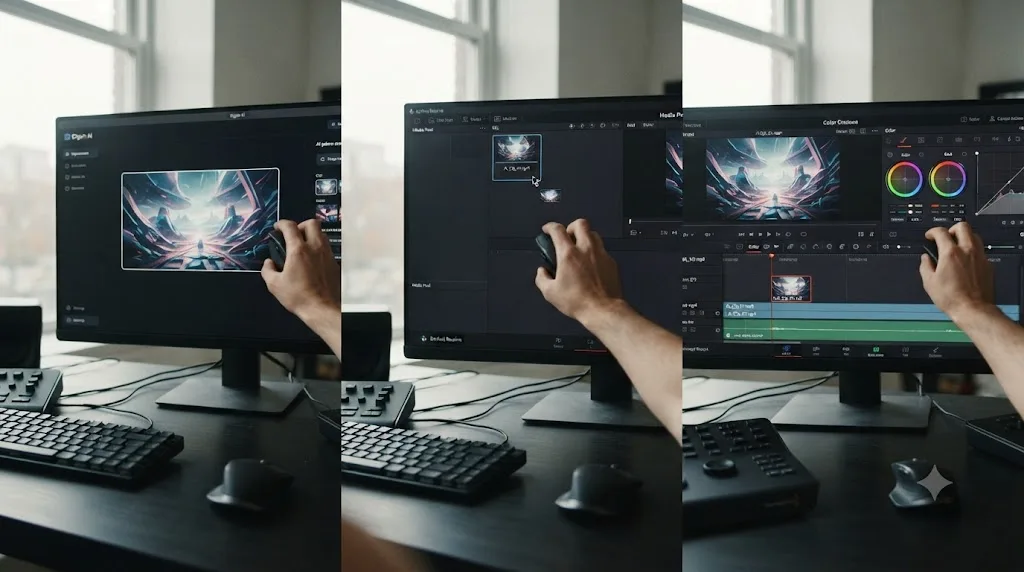
What Digen AI does have, verified across its own site and independent reviews, is a generation platform you use entirely separately from Resolve. You prompt a clip, you download the result, and if you want it in a Resolve project, you drag it into the Media Pool like any other file. That's a real workflow. It's just not the one-click Fusion integration the marketing blog describes.
What Does Digen AI Actually Do, in Practice?
Strip away the Resolve-plugin claim and Digen AI is, at its core, a prompt-to-clip generator built around four jobs: text-to-video, image-to-video, image-to-avatar (the talking-photo feature), and short-form image generation feeding into video.
Independent testing summarized by AppCritica put the platform's real limits at a maximum output resolution of 1080p, a clip length that ranges from 5 to 8 seconds per generation, and a render time of 60 to 90 seconds per clip under standard generation, dropping to roughly 30 seconds on a faster "Turbo" mode. Wondershare Filmora's hands-on review found an even sharper gap between promise and delivery: "Even though they promise 8-second clips, our result clocked in at just 5 seconds," according to Filmora's own testing of the platform.
That's not a minor rounding error. If you're planning a shot to fill a specific gap in a timeline, an eight-second promise that delivers five seconds means re-generating, re-timing, or padding with a freeze frame, any of which adds a step your plan didn't budget for.
Digen AI supports 50-plus voice avatars across multiple languages for its talking-photo feature, with customizable pitch, speed, and intonation, and a real-time preview during generation. For creators who need a spokesperson-style clip, an explainer voiceover, or a stylized narrator without hiring a voice actor or filming a presenter, that's the platform's clearest use case.
What it does not do, confirmed by AppCritica's review and echoed by FirmCritics, is offer a timeline. There's no way to arrange multiple generated clips in sequence inside Digen AI itself, no native 4K export at any price tier, and no multi-track audio mixing. Every generation is a standalone file you're expected to take somewhere else, cut, and finish. That "somewhere else" is where DaVinci Resolve comes in, honestly, just not as a plugin.
How Much Does Digen AI Cost?
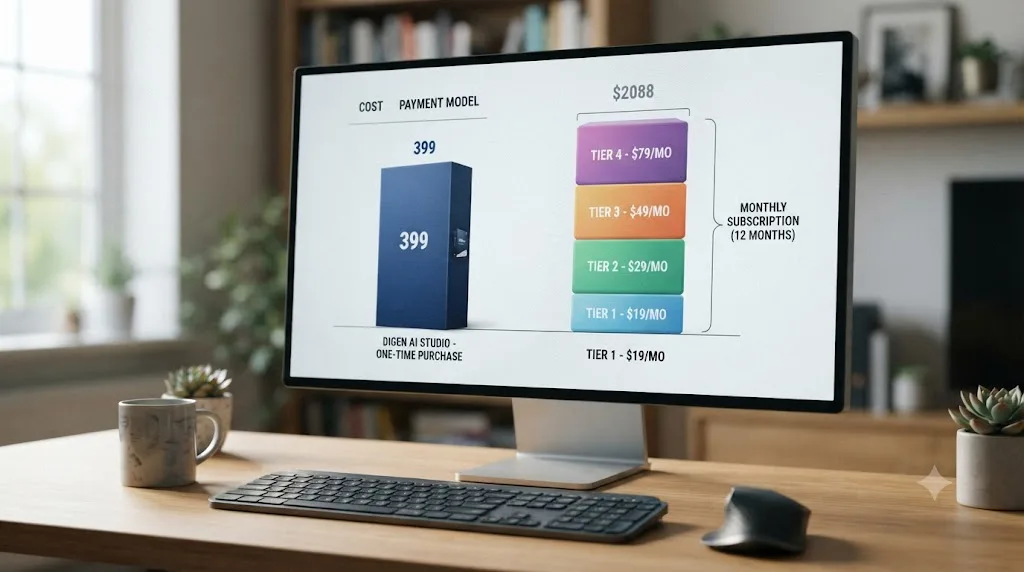
Digen AI's pricing runs on a credit system layered under monthly subscription tiers, plus a free entry point. According to Wondershare Filmora's review, the structure as of mid-2026 breaks down like this.
| Tier | Monthly price | Annual (per month) | What you get |
|---|---|---|---|
| Free | $0 | $0 | 300 credits at signup, plus daily reward credits, watermarked exports, no commercial license |
| Ultra | $9.99 | $4.99 | Entry paid tier, expanded credit allotment, watermark removed, commercial use unlocked |
| Ultra Pro | $19.99 | $9.99 | Higher credit allotment, priority generation queue |
| Ultra Max | $39.99 | $19.99 | Largest standard credit allotment |
| Unlimited model pass | $69.99 to $199.99 | Not specified | Unmetered generation on one specific model, price varies by which model |
That watermark-and-license line matters more than the price gap it sits next to. Free-tier output at Digen AI carries a visible watermark and comes without a commercial usage license, which means anything you generate for free is legally restricted from client work, monetized YouTube uploads, or paid social campaigns until you upgrade to Ultra or above. If your plan is "test it free, then use the clip commercially," that plan doesn't work here. You need to be on a paid tier before you generate the shot you intend to actually deliver.
Credits themselves aren't spent evenly across models. AppCritica's breakdown puts a four-second Real Motion 3.1 clip at roughly 4 credits, while a Sora 2 generation runs 30 or more credits for a comparable clip length. That gap is the practical reality of "multi-model" pricing: the free tier's 300 signup credits stretch to dozens of generations on the cheaper, faster models, or to barely ten clips if you stick to the premium ones.
Do the math on a realistic month. A wedding editor generating a dozen stylized b-roll inserts on Sora 2 for a single client film, at 30-plus credits each, burns through 360-plus credits, more than the entire free-tier allotment, before touching a second project. That same editor running the same twelve clips on Real Motion 3.1 instead spends under 50 credits, comfortably inside a single Ultra-tier top-up. The model you pick changes your effective cost by an order of magnitude, and neither Digen's own site nor the third-party reviews checked here spell that tradeoff out clearly, so budget for it yourself before committing to a tier.
There's a second cost most pricing breakdowns skip: what happens when a generation fails. FirmCritics' review flags exactly this, noting that credits are "consumed on failed generations without clear compensation." In practice that means a clip that comes back garbled, incomplete, or simply doesn't render still deducts the credits you spent asking for it, and neither Digen's pricing page nor the reviews checked for this piece describe an automatic refund path for that scenario. Multiply that by a busy generation queue during peak hours, which independent reviewers report happens often enough to matter, and your real cost per usable clip runs higher than the advertised per-credit price suggests.
Compare that to what DaVinci Resolve itself costs: nothing, forever, for the free edition, or a one-time $295 purchase for DaVinci Resolve Studio with no subscription at all, according to Blackmagic Design's own product page. Digen AI is an ongoing, usage-metered cost stacked on top of an editor that, in its paid form, you buy exactly once.
Is Digen AI Safe and Legitimate to Use?
Yes, it's a real, operating company, not an anonymous scam front. Digen Ltd is registered with UK Companies House under company number 12765402, incorporated on July 23, 2020, with a registered address in Coventry and a current status of "Active," according to the official UK government company record. That's a verifiable, publicly searchable business entity behind the product, which rules out the "this might just disappear with your card details" concern that comes up with a lot of unfamiliar AI startups.
Legitimacy and reliability are two different questions, though, and the second one is where the record gets messier. FirmCritics' review flags that the company's broader identity is harder to pin down than the UK filing alone suggests, noting "hidden WHOIS" registration on the digen.ai domain itself, a common privacy practice among small software companies but one that makes independent verification harder for a cautious buyer. Separately, aggregator sources describe a second Digen entity operating out of Vancouver, Canada, alongside the UK filing, which is normal for a company with more than one office but adds a layer of "which entity actually processes my payment" that Digen's own pricing page doesn't clarify.
Review-site sentiment is mixed in a specific, recurring way. TechRaisal's aggregated rating, cited earlier in this review, sits at 3.8 out of 5 across 96 reviews. Digen's own Trustpilot listing tells a rougher story: ratings there have run in a lower band, with recurring complaints centered on billing, unclear credit consumption, and confusion around cancellations and renewals. Digen has publicly acknowledged at least one specific bug behind that pattern, a broken in-app "Cancel" button that continued charging customers who had tried to cancel, and the company's stated fix is manual: email support, and the team cancels the subscription and refunds the erroneous charge, typically within 24 hours, according to Trustpilot review responses.
That gap between two review platforms isn't unusual, and it's worth understanding why before you weight either number too heavily. TechRaisal-style aggregators tend to sample reviews sourced through app-store and vendor-linked channels, which skew toward users who had a working experience worth rating. Trustpilot skews toward people motivated enough to leave a public complaint, often about billing specifically, since that's the category of problem that makes someone go looking for a review site in the first place. Neither number is "the real score." Read both, and weight the specific complaint pattern (billing and cancellation, not video quality) more than the star count itself.
Digen Ltd is a legally registered UK company with a real Companies House filing, but that's a floor, not a guarantee of smooth service. The practical read: your card details and account aren't going to an anonymous shell, but budget extra patience if you ever need to cancel or dispute a charge, and keep a screenshot of your cancellation attempt in case you need to email support to get it honored.

Is Digen AI Any Good? What Do Independent Reviews Say?
Reviewers are consistent on one point: Digen AI is a strong, cheap entry point for a specific kind of generation, and a poor fit if you expected professional-pipeline output straight out of the box.
AppCritica's review frames the honest tradeoff directly: Digen AI "does several things genuinely well at a competitive price point," specifically image animation, lip-sync avatars, and free-tier value, "though it also has significant limitations that disqualify it from professional pipelines." That's not a dismissal. It's a scope statement, and it matches what every other review checked here found independently.
FirmCritics scores the platform at 7.2 out of 10, positioning it as a "#1 Model Hub" among aggregator-style competitors, meaning the review credits Digen AI for the breadth of its model access rather than for the depth of quality on any single one. The same review is blunt about where that breadth costs you: "third-party models integrate less smoothly than native tools," and native competitors built around one engine, like Runway's Gen-4 or HeyGen's avatar tools, "deliver superior quality for their respective specialties." Digen AI's pitch is convenience and price, not best-in-class output on any one job.
TechRaisal's aggregated review carries a 3.8-out-of-5 rating across 96 reviews, with two named reviewers giving a useful split of the experience. Folake Akinyele, credited as Director of Growth Marketing in Phoenix, put it plainly: "The avatars deliver lines naturally, and the final video looked polished enough to share," a real, verifiable endorsement of the talking-avatar feature specifically. Justin Phillips, a Social Media Manager based in San Francisco, hit the platform's rougher edge instead: "I couldn't really figure out what to do once I landed there," pointing at confusing onboarding as a genuine friction point for first-time users.
The mobile experience draws more consistent criticism than the web app. AppCritica quotes a verified Android subscriber directly from Google Play: "Really good apps for AI and editing. But this app version has a bug when typing or editing the prompt. A black screen blocked the view. Great app, but it's better on the website." That's a specific, reproducible complaint, not a vague one-star rant, and it lines up with AppCritica's own broader finding that the mobile build receives consistent reports of freezes and prompt-box bugs despite the app's install base.
The harshest, and funniest, independent take comes from a Medium review by Allen R Smith, and it's worth quoting at length because it captures the output variance other reviews describe more clinically. On generation consistency: "One generation may look surprisingly good. The next may resemble something assembled by a sleep-deprived raccoon operating a graphics workstation with boxing gloves on." On the image-to-video feature specifically: "Facial movements can become strange, body proportions occasionally wander off on their own adventures, and scenes sometimes develop a mind of their own." On customer support response times: responses "can sometimes arrive with all the urgency of a sloth filing paperwork at the Department of Motor Vehicles." The review's bottom line matches FirmCritics' and AppCritica's scope statements almost word for word, minus the raccoon: "I would have difficulty recommending the service to anyone seeking dependable, professional-grade AI content generation."
Put together, the pattern across every review is the same: strong output for what the free tier and cheap Ultra tier promise, weak reliability once you push into higher-stakes, mobile-heavy, or deadline-sensitive workflows. That's a fair verdict for a tool priced like a hobbyist app, and an unfair one to expect from a tool priced like that to also replace a professional pipeline.

Which of Digen AI's Models Should You Actually Use?
"Multi-model" sounds like a feature until you realize it also means "multiple, very different tools hiding behind one prompt box," each with its own strengths, its own credit cost, and its own risk of disappearing from the roster entirely. Picking the wrong one for the job wastes credits on output you'll throw away.
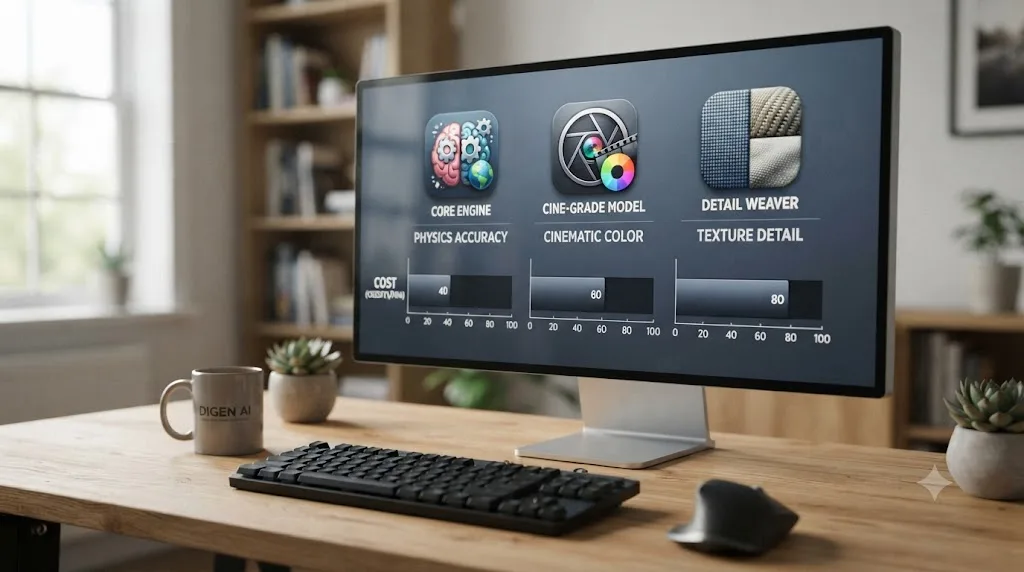
Independent, side-by-side testing of the three most-licensed engines in Digen's roster, run by AI Magicx in April 2026, found real, consistent differences in what each model is actually good at, not just marketing copy:
| Model | Strongest at | Weakest at | Native max resolution | Typical price per second (standalone) |
|---|---|---|---|---|
| Sora 2 | Physics realism, camera movement, cinematic motion | Being discontinued (see below) | Cinematic-grade 1080p with upscaling | Higher-cost tier |
| Veo 3.1 | Scene consistency, prompt understanding, native audio, professional lighting | Cost at scale | True 4K at 60fps with synced audio | Higher-cost tier |
| Kling 3.0 | Fine texture detail (fabric, skin, wood grain), value | Cinematic color grading polish | Native 4K at 3840x2160, 60fps | Around $0.10/second, cheapest of the three |
Two things are worth underlining here, because they change how you should actually generate inside Digen AI specifically, not just in the abstract.
First, none of that native resolution ceiling matters once you're generating through Digen AI's wrapper. Kling 3.0 can hit native 4K at 60fps when accessed directly or through some other platforms, but AppCritica's testing of Digen AI specifically found every model capped at 1080p output regardless of which engine you pick. You're paying premium credits for Kling 3.0's texture quality inside Digen AI, but you're not getting Kling 3.0's actual resolution ceiling. That's a platform limitation on top of a model choice, and it's easy to miss if you're comparing model names against reviews of the standalone tools rather than against Digen AI's own testing.
Second, the credit-cost gap between models is large enough to change which one is rational for a given job. Real Motion 3.1, Digen's own native model, runs roughly 4 credits for a four-second clip. Sora 2 runs 30-plus credits for a comparable length. That's not a small premium, it's close to an order of magnitude, and it means the "best" model on paper is often the wrong choice on a limited credit budget.
Here's how that plays out across three realistic jobs:
A wedding editor needing a dozen dreamy, stylized b-roll inserts for one client film. Sora 2's physics and camera realism is the obvious pick for the "cinematic drift" look these projects usually want, but at 30-plus credits per clip, twelve generations burn 360-plus credits, more than an entire free-tier allotment, before you've touched a second wedding that month. Real Motion 3.1 at roughly 4 credits per clip delivers the same twelve inserts for under 50 credits, comfortably inside a single Ultra top-up, with a visible quality tradeoff you'll need to grade around in Resolve.
A corporate or YouTube creator needing a handful of clean, brand-safe explainer b-roll shots with natural voiceover. Veo 3.1's strength in scene consistency, native audio, and professional lighting is worth the extra credit cost here, since brand and corporate work tolerates fewer visible AI artifacts than a stylized wedding insert does, and Veo 3.1's own reputation as "the safest enterprise pick" among the three, per AI Magicx's comparison, reflects exactly that use case.
A solo creator building short-form talking-avatar content at volume. Neither Sora 2 nor Veo 3.1 is the differentiator here, since the avatar feature runs on Digen's own lip-sync pipeline regardless of which underlying video model you pair it with. Real Motion 3.1 or Kling 3.0 at the lower end of the credit scale is the rational choice, since volume matters more than per-clip cinematic polish for a daily-upload short-form schedule.
The practical rule: reserve the expensive, premium-model credits for the one or two hero shots in a project that actually need that model's specific strength, and default to Real Motion 3.1 for everything else. Reviewers don't spell this tradeoff out clearly on Digen's own marketing, so you're the one who has to do that math before you commit a tier.
Is Sora 2 About to Disappear From Digen AI?
Yes, on a schedule you can check today. This isn't a Digen AI problem specifically. It's an OpenAI problem that happens to land on every platform, Digen AI included, that licenses Sora 2 to offer it inside a multi-model dashboard.
OpenAI's own developer documentation confirms the timeline in plain terms: "On March 24th, 2026, we notified developers using the Videos API and Sora 2 video generation model aliases and snapshots of their deprecation and removal from the API on September 24, 2026." That covers the Videos API itself along with every specific Sora 2 model snapshot, including sora-2 and sora-2-pro. The consumer-facing Sora app, separately, already shut down on April 26, 2026. As of this review, OpenAI has announced no successor video-generation product, and public reporting attributes the shutdown to a stark cost mismatch: reported operating costs near $1 million a day against roughly $2.1 million in total lifetime in-app purchase revenue, alongside unresolved legal questions around training data and likeness rights.
What that means for you, specifically, if Sora 2 is the reason you're considering Digen AI: the option is on a countdown. Digen AI's own pricing page, as reviewed for this piece, doesn't mention the OpenAI shutdown at all, which isn't surprising since marketing pages rarely announce their own supplier's disappearing act ahead of time. If you sign up for a tier specifically to access Sora 2's physics and camera realism, plan on that access ending by autumn 2026, whether or not Digen updates its own materials to reflect it, and whether or not Digen finds a like-for-like replacement model to slot into the same spot on the dashboard.
This is also a useful lesson about "multi-model" platforms generally, not just Digen AI. When a generator's core pitch is aggregating other companies' models rather than building its own, your access to any one of those models is only as durable as that underlying company's roadmap, not Digen's. Real Motion 3.1, being Digen's own native model, doesn't carry that specific risk. Sora 2, Veo 3.1, Kling 3.0, and Seedance 2.0 all do, to varying degrees, since Digen doesn't control any of their release schedules or shutdown decisions.

How Do You Actually Use Digen AI With DaVinci Resolve?
Since there's no plugin, the real workflow is simple, manual, and worth spelling out step by step, including the branches where it goes wrong, so you're not guessing at it mid-project.
- Generate your clip on Digen's web app or mobile app. Pick your model based on the tradeoff covered above: Real Motion 3.1 for cheap, fast, lower-fidelity generations, or Sora 2 / Veo 3.1 for higher quality at a much steeper credit cost, keeping in mind Sora 2's scheduled removal.
- Download the finished file. Digen AI exports a standard video file at up to 1080p, so treat it exactly like a clip pulled off a phone or a consumer camera.
- Import it into DaVinci Resolve's Media Pool the same way you'd import any camera card: drag the file in, or use File > Import Media.
- Check the frame rate and resolution against your timeline settings before you cut it in. A 1080p AI-generated clip dropped into a 4K timeline will need a scale setting decision (Resolve's default "Fill" or a manual zoom) since Digen AI has no native 4K export at any price tier, per AppCritica's review.
- Grade it like a mismatched-source clip, because it almost certainly is one. AI-generated footage tends to carry a distinct look, flatter dynamic range, slightly stiff motion, that a quick pass with Resolve's color wheels or a matching LUT usually smooths into the surrounding footage.
- Trim to length manually. Since actual output often runs shorter than the tier you paid for (5 seconds delivered against an 8-second promise, per Filmora's testing), plan your cut point loosely and be ready to either re-generate or bridge the gap with a cutaway.
That's the clean path. Here's what to do when it doesn't go that smoothly.
If a generation fails but still burns credits. This is a reported, not hypothetical, problem, per FirmCritics' review. Don't assume the credit deduction was a display error and retry immediately on the same prompt, since a busy generation queue tends to produce repeated failures in a short window rather than one-off ones. Wait a few minutes, try again, and if it fails a second time, contact Digen's support directly rather than burning a third attempt's worth of credits guessing.
If the Android app freezes or blacks out the prompt box mid-entry. AppCritica's testing reproduced this specific bug directly: the app froze twice during prompt entry, then rendered a black overlay over the input box on a third attempt. The workaround every review agrees on is the same one: switch to the web app at digen.ai. Every review checked for this piece, independently, found the web experience more stable than either mobile app.
If the generated clip's frame rate doesn't match your Resolve timeline. Digen AI doesn't publish a guaranteed frame rate per model, so check the file's properties in Resolve's Media Pool (right-click > Clip Attributes) before cutting it in. A mismatched frame rate dropped straight onto a timeline set to a different rate causes stutter or unwanted speed changes, the same problem covered in more depth in our piece on mixed frame rate timelines going jittery. Either conform the clip to your timeline's frame rate on import, or drop it onto a matching sub-timeline first.
If the clip needs to sit in a 4K delivery and 1080p looks obviously soft next to native 4K footage. Digen AI has no export path above 1080p at any tier, so any upscale has to happen in Resolve itself. DaVinci Resolve Studio's Super Scale tool, part of the Neural Engine, is built for exactly this: it's a paid-tier-only feature (Studio, not the free edition) that uses AI upscaling to lift lower-resolution footage toward a 4K timeline with noticeably less softness than a basic resize. It won't manufacture detail Digen's model never generated, but it closes the gap far better than Resolve's default scaling.
If the shot's color and motion still read as "obviously AI" after a basic grade. That flatter dynamic range and stiff motion mentioned above usually needs more than one Serial node to fully disappear. A first node matching black point, white point, and overall saturation to your surrounding footage handles the color half. A second node adding a very light film grain or subtle motion blur (Resolve's own Fusion page can add either) tends to do more for believability than a color match alone, since AI-generated motion often looks slightly "too smooth" compared to real camera movement even after the color matches perfectly.
That's the whole workflow, branches included, and it's identical in shape to how you'd use Runway or InVideo AI clips inside Resolve, covered in more detail in our Runway ML vs DaVinci Resolve comparison and our DaVinci Resolve vs InVideo AI breakdown. None of these generative tools live inside Resolve. All of them hand you a file, and Resolve does the actual editing.
If matching a generated clip's color to your real footage, or finding the right scale setting for a mismatched-resolution import, is the part you get stuck on, that's a live-project problem, not a generation problem, and it's exactly the kind of moment where an assistant that can see your actual timeline and point at the right control saves the most time.
Digen AI vs Runway ML vs InVideo AI: How Do the Generative Tools Compare?
Digen AI isn't the only prompt-to-video platform a Resolve editor might consider bolting onto a project. Runway and InVideo AI solve overlapping but distinct problems, and an honest comparison is more useful than pretending Digen AI is the only option.
| Digen AI | Runway | InVideo AI | |
|---|---|---|---|
| Core job | Multi-model clip and talking-avatar generation | Generative video and AI-assisted footage editing (Aleph) | Full automated video from a text prompt, captions included |
| Cheapest paid tier | $4.99/month (Ultra, annual) | $12/month (Standard, annual), per Runway's pricing page | Varies by plan; automated end-to-end output |
| Max resolution | 1080p, regardless of underlying model | Up to 4K on select models | Automated, template-driven |
| Clip length per generation | 5-8 seconds | 2-30 seconds (Aleph accepts uploaded footage) | Full assembled video, not single clips |
| Can edit footage you already shot? | No, generation only | Yes, partially, via Aleph's re-render (relight, object removal, angle change) | No, script-to-video only |
| Native DaVinci Resolve plugin? | No (despite a marketing blog claiming one) | No | No |
| Timeline / multi-clip editor built in? | No | No | No (fully automated instead) |
| Company transparency | Registered UK company (Digen Ltd), mixed review-site sentiment | Public, funded company with named leadership | Public, funded company with named leadership |
None of the three touch DaVinci Resolve directly. All three exist to feed Resolve clips, not to replace it, which is the same conclusion our Runway ML vs DaVinci Resolve piece and our DaVinci Resolve vs InVideo AI comparison reach from their own angles. Where Digen AI differentiates is price and the talking-avatar feature specifically. Runway differentiates on footage-editing capability (Aleph can relight or recut real camera footage, which Digen AI cannot touch at all) and on company transparency, since Runway's funding and leadership are public in a way Digen's corporate structure isn't. InVideo AI differentiates by skipping manual editing entirely, useful for a single fast templated video, useless the moment you need real creative control over a cut.
Every one of these tools generates a clip. None of them opens DaVinci Resolve, and none of them ever will, because generation and non-linear editing are structurally different products. If your actual job is turning camera footage into a finished, graded, mixed program, all three are a source, not a substitute.
Is Digen AI Competing With DaVinci Resolve's Own Neural Engine AI Tools?
Not really, and the distinction matters if you already own DaVinci Resolve Studio and assumed its built-in AI covers this ground.
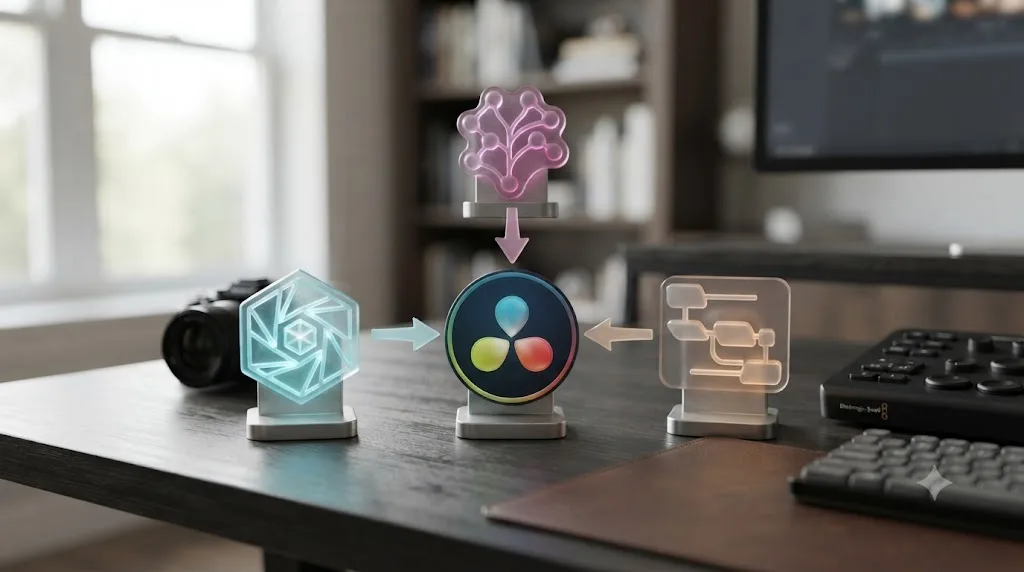
Resolve Studio's Neural Engine includes Magic Mask, Smart Reframe, Speed Warp, and Super Scale, all of which transform footage you already imported. None of them generate new video from a text prompt or a still photo the way Digen AI's core feature does. If you need a shot that doesn't exist yet, no camera footage to transform, Resolve's own AI tools simply can't produce it, full stop. That gap is exactly what Digen AI, Runway, and InVideo AI exist to fill, generation on the front end feeding an editor that has no generation feature of its own on the back end.
The reverse is also true. Digen AI has no color scopes, no multi-track audio mixer, no node-based compositor, and no project format that holds a multi-hour timeline. It generates a clip and stops. Everything downstream, cutting that clip against real footage, matching its color, mixing its audio, delivering the final master, is a job only a real NLE like Resolve does.
Who Owns the Clip You Generate? Copyright and Commercial Rights
This question matters more than most reviews of AI generators bother to answer, and it has a real, current legal answer worth knowing before you build a client deliverable around a Digen-generated shot.
The U.S. Copyright Office requires human authorship for a work to qualify for copyright registration, and that requirement was reaffirmed at the highest level in 2026. On March 2, 2026, the U.S. Supreme Court declined to hear an appeal from computer scientist Stephen Thaler, who sought copyright protection for a visual artwork titled "A Recent Entrance to Paradise," generated entirely by his AI system, DABUS, with no human creative input in the output itself. By declining the case, the Court left standing lower-court rulings that a work with no human author isn't eligible for copyright protection at all, according to the Copyright Office's own published guidance.
That ruling covered fully autonomous AI creation, a prompt that produces a finished work with no further human alteration, not AI-assisted work with substantial human input layered on top. Where that leaves a Digen AI clip depends on how you use it. A raw, unedited Digen generation, dropped straight into a video with no further creative work, sits in the same legally uncertain territory as the Thaler case: the AI-generated portion likely isn't independently copyrightable. Once you bring that clip into DaVinci Resolve and make real creative decisions around it, color grading it to match a story, cutting it against other footage, timing it to music, adding titles and sound design, the resulting program as a whole is a different, human-authored work, and the editing choices you made are yours to protect even if the underlying generated pixels aren't independently ownable in isolation.
Separate from the copyright question is the commercial license question, which is a contract matter between you and Digen, not a copyright-law matter. As covered above, Digen AI's free tier explicitly withholds commercial usage rights and adds a visible watermark, while paid tiers starting at Ultra unlock both watermark removal and a commercial license. That license is what actually permits you to sell, monetize, or deliver the clip to a paying client, regardless of what the underlying copyright status of the raw AI output is. Skipping the paid tier and using a free-tier, watermarked clip in client work risks a licensing violation on top of the unresolved copyright question, and it's the more immediate, practical risk of the two.
A raw AI-generated clip with no further human creative work sits in unresolved copyright territory as of the March 2026 Supreme Court decision, but the finished, edited program you build around it in Resolve is a human-authored work you can protect. Grade it, cut it, mix it, and the result is yours in a way the ungraded generation alone might not be.

Where Does TryUncle Fit In? Digen AI vs an AI Assistant for Resolve
This is the comparison the "Digen AI DaVinci Resolve" search actually points at once you strip out the false plugin claim, because it's easy to land here assuming Digen AI is an in-app helper for Resolve the way ChatGPT or an assistant would be. It isn't, and that's a category distinction worth being explicit about.
TryUncle is the on-screen assistant for DaVinci Resolve on macOS. Ask in plain words and Uncle points at the exact control on your screen. It never generates a clip, never touches your footage, and never opens a timeline you didn't already build yourself. Where Digen AI's entire job is producing new video, TryUncle's entire job is helping you operate the software you already have open, live, while you're stuck on a specific control inside Edit, Color, or Fusion.
It's also worth naming what TryUncle is not, since Digen AI's own marketing blog blurred exactly this line for the query that brought you here. TryUncle isn't a Fusion plugin, doesn't touch your project file, and doesn't require any specific GPU beyond what runs DaVinci Resolve itself, unlike the fabricated RTX 4080 requirement Digen's blog post invented for its non-existent "Agent" tier. Where Digen AI never opens DaVinci Resolve at all, TryUncle exists specifically because you already have it open.
TryUncle is a cancel-anytime subscription. Check TryUncle's current pricing before committing, since pricing can change.
There's a second, real category worth naming honestly here too, since the point isn't that TryUncle is the only alternative: assistants that automate the editing itself, not the generation. Sottocut runs a proposal-gated Co-Editor chat directly inside Resolve on Apple Silicon Macs. Eddie AI, PremiereCopilot, and CutAgent occupy similar ground, automating rough cuts, captions, or story structure on footage you already have, through chat commands the tool executes against your project.
None of those tools generate new footage the way Digen AI does. Digen AI generates footage that doesn't exist yet. Editing assistants like Sottocut and CutAgent operate on footage that already does. TryUncle does neither. It teaches you where the control lives so you make the click yourself, rather than either creating the clip or making the edit on your behalf. Three different jobs, three different tools, and confusing which one you actually need is the single most common way to end up paying for the wrong subscription.
If you're not sure which category solves your actual problem, our roundup of AI tools to learn DaVinci Resolve breaks the landscape down by task rather than by vendor name, and it's also the place to start if what you actually want is to get better at Resolve itself, not to generate clips at all, since Digen AI never opens the app and can't teach you a single thing about using it.
Should You Buy Digen AI If You Edit in DaVinci Resolve?
Break it down by what you're actually trying to solve, since "is Digen AI worth it" only has a real answer once you know the job.
Choose Digen AI if:
- You need a talking-avatar clip, a stylized insert, or a b-roll shot you have no way to film, and 1080p is acceptable for the final delivery.
- Your budget is closer to $5-10 a month than $50-plus, and you're comfortable managing which model you generate on to control credit burn.
- You're fine treating every generated clip as a raw file you'll grade and trim manually once it's in Resolve.
- You're on a paid tier already, or plan to be before you generate anything you intend to actually deliver commercially.
Choose Runway instead if:
- You need to edit or relight footage you already shot, not just generate new clips from scratch, since Aleph handles real camera footage in a way Digen AI cannot touch at all.
- You need up to 4K output rather than Digen AI's 1080p ceiling, or you want a company with public, named leadership rather than a corporate structure spread across a UK filing and a separate Canada-based entity.
Choose InVideo AI instead if:
- You want a single finished, captioned video from a prompt with zero manual editing, and don't need footage exported into Resolve at all.
Choose an AI editing assistant (Sottocut, Eddie AI, CutAgent) instead if:
- Your footage already exists and the bottleneck is assembling it, not generating new material.
Choose TryUncle instead if:
- Your actual problem is not knowing where a control lives inside DaVinci Resolve itself, on a project built from footage you already have, generated or otherwise.
Skip all of them if:
- You just need Resolve's own Neural Engine tools (Magic Mask, Smart Reframe, Speed Warp, Super Scale) on footage you already shot, since those ship free or Studio-included with the software and need no separate subscription at all.
- Billing friction is a dealbreaker for you personally. If a cancellation bug and a lower Trustpilot rating than the aggregator average would genuinely bother you enough to avoid a tool, that's a reasonable line to draw, and Digen AI has both on the public record.
One of the recurring questions in our 100,000+ member editing community is some version of "is this new AI tool actually going to work with Resolve, or is that just marketing." Digen AI is a clean example of exactly that question, and the honest answer is: partially, manually, and not in the way its own marketing implies.
The Verdict
Digen AI is a real, actively updated, multi-model video generator, run by a legally registered company, and a genuinely cheap way to get a talking-avatar clip or a stylized insert you couldn't otherwise film. It is not a DaVinci Resolve plugin, no matter what one page on Digen's own marketing blog claims, and no independent review, nor Digen's own pricing page, backs that specific claim up.
Three things separate a good outcome from a frustrating one here, and none of them are on Digen's marketing page. First, budget your credits by model, not by clip count, since a Sora 2 generation can cost close to ten times what Real Motion 3.1 costs for the same length of footage. Second, stay on a paid tier before generating anything you plan to deliver commercially, since the free tier's watermark and missing license make that footage unusable for client or monetized work. Third, if Sora 2's specific look is the reason you're here, plan around its scheduled removal from the API this September, not around it staying available indefinitely.
If you sign up expecting a Fusion-page integration, you'll be disappointed within the first five minutes. If you sign up expecting a $5-a-month clip generator, run by a real company with real billing friction, whose output you'll finish by hand in Resolve, you'll get exactly what's advertised, minus a few seconds of runtime on the longer clip lengths and minus whichever model OpenAI, Google, or Kuaishou decides to pull next.
Use it for what it actually is. Generate the shot you couldn't film, bring it into your Media Pool, grade it to match, and let Resolve do the job it was actually built for.
Frequently asked questions
- Is Digen AI a real DaVinci Resolve plugin?
- No, not in the way the phrase implies. Digen AI's own core product, at digen.ai, is a standalone web and mobile app for text-to-video and image-to-video generation, with no plugin, extension, or panel that installs into DaVinci Resolve. A separate Digen-published blog post describes a 'Digen AI Agent' that supposedly integrates into Resolve's Fusion page, but that claim doesn't appear on Digen's own pricing or product pages, and no independent review of Digen AI found it either.
- Does Digen AI work with DaVinci Resolve?
- It works alongside Resolve, not inside it. You generate a clip on Digen's website or app, download the finished file, then import it into Resolve's Media Pool exactly like footage from a camera. From there you cut, grade, and mix it like any other clip. There's no live connection, no scripting-API link, and no menu item inside Resolve that Digen adds.
- How much does Digen AI cost?
- Digen AI runs a free tier with 300 signup credits plus daily rewards, then four paid tiers: Ultra at $9.99/month ($4.99/month billed annually), Ultra Pro at $19.99/month ($9.99/month annually), Ultra Max at $39.99/month ($19.99/month annually), and unlimited model passes between $69.99 and $199.99/month depending on which AI model you want unmetered, according to Wondershare Filmora's review of the product. Commercial usage rights and watermark removal only kick in once you leave the free tier.
- Is Digen AI good for DaVinci Resolve users?
- It's a decent way to generate a b-roll clip, a talking-avatar shot, or a stylized insert you couldn't otherwise film, then finish it in Resolve. It's a poor fit if you expected an in-app Resolve tool, since there isn't one, and the 1080p resolution cap means anything you generate needs upscaling before it belongs in a 4K delivery. Reliability is also uneven enough that independent reviewers stop short of recommending it for paid, professional-grade work.
- Is there an app that helps me while I'm actually using DaVinci Resolve, not a separate generator like Digen AI?
- Yes. TryUncle is the on-screen assistant for DaVinci Resolve on macOS. It never generates footage and never touches your timeline. It watches your screen and points at the exact control you're looking for, inside Edit, Color, and Fusion, while you make the click yourself.
- Should I buy Digen AI instead of an AI editing assistant like Sottocut or Eddie AI?
- Only if the job you actually have is generating new footage that doesn't exist, not editing footage you already shot. Digen AI, Runway, and InVideo AI all create clips or full videos from a prompt. Sottocut, Eddie AI, CutAgent, and PremiereCopilot all automate edits on footage already sitting in your Resolve project. Those are two different tools for two different problems, and buying the wrong category wastes the subscription.
- Is Digen AI safe and legitimate to use?
- It's a real, registered company, not a scam front. Digen Ltd is incorporated in Coventry, United Kingdom, on record with UK Companies House since July 2020. That said, aggregator reviews flag real friction: Trustpilot listings for the platform have shown ratings in a lower band than other review sites, with recurring complaints about billing, and Digen has publicly acknowledged a bug that made its in-app Cancel button unusable, offering manual cancellations and refunds by email instead. Legitimate company, uneven customer-service execution.
- Is Sora 2 disappearing from Digen AI's model list?
- It's scheduled to. OpenAI shut down the consumer Sora app on April 26, 2026, and confirmed the Sora 2 API itself, the thing platforms like Digen AI license to offer Sora 2 generation, is deprecated and set for full removal on September 24, 2026, with no replacement model announced. If you're picking Digen AI specifically for Sora 2 quality, budget for that option to vanish from the model list by autumn 2026.
Sources
- Digen AI (product site: homepage, pricing, credits)
- Digen AI resource blog: Best AI Video Editing Plugins for DaVinci in 2026
- Digen AI Review: Free AI Video Generator or Just a Preview? (Wondershare Filmora)
- Digen AI Review: The Good, the Gaps, and the Right Users (AppCritica)
- Digen AI Reviews, quoting Justin Phillips and Folake Akinyele (TechRaisal)
- DiGen AI Review 2026: Is the Multi-Model AI Video Platform Worth Using? (FirmCritics)
- DIGEN LTD Product Review (Allen R Smith, Medium)
- Digen Reviews (Trustpilot)
- DIGEN LTD company record (UK Companies House)
- OpenAI API Deprecations (Sora 2 / Videos API shutdown)
- Copyright and Artificial Intelligence (U.S. Copyright Office)
- Veo 3.1 vs Kling 3.0 vs Sora 2: The Definitive April 2026 AI Video Comparison (AI Magicx)
- Runway Pricing
- DaVinci Resolve product page and Studio pricing (Blackmagic Design)
- DaVinci Resolve - Studio (Blackmagic Design)
- TryUncle
- TryUncle Pricing
Learn by doing, not watching
Stop translating tutorials to your timeline.
TryUncle stays beside Resolve on Mac and Windows. When you ask, Uncle sees your screen and points at the exact control you need. No hunting through tabs, timestamps, or mismatched tutorials.
Meet TryUncleKeep reading
 ComparisonsJul 23, 202639 min read
Runway ML vs DaVinci Resolve: Do They Even Compete?
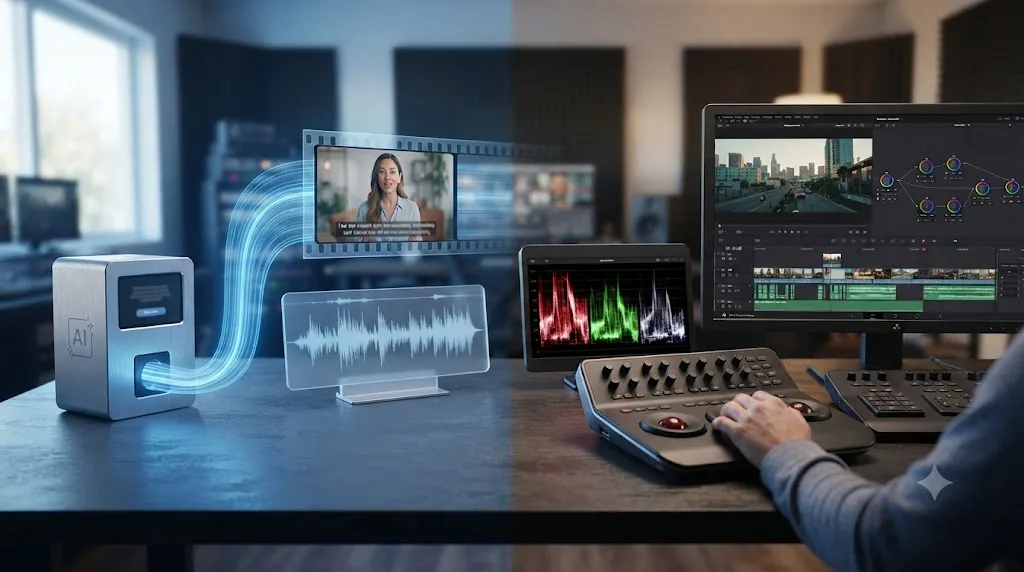
Runway ML generates AI video from text. DaVinci Resolve edits footage you already shot. Here's how to use both together.
 ComparisonsJul 28, 202639 min read
DaVinci Resolve vs InVideo AI: The Full 2026 Comparison
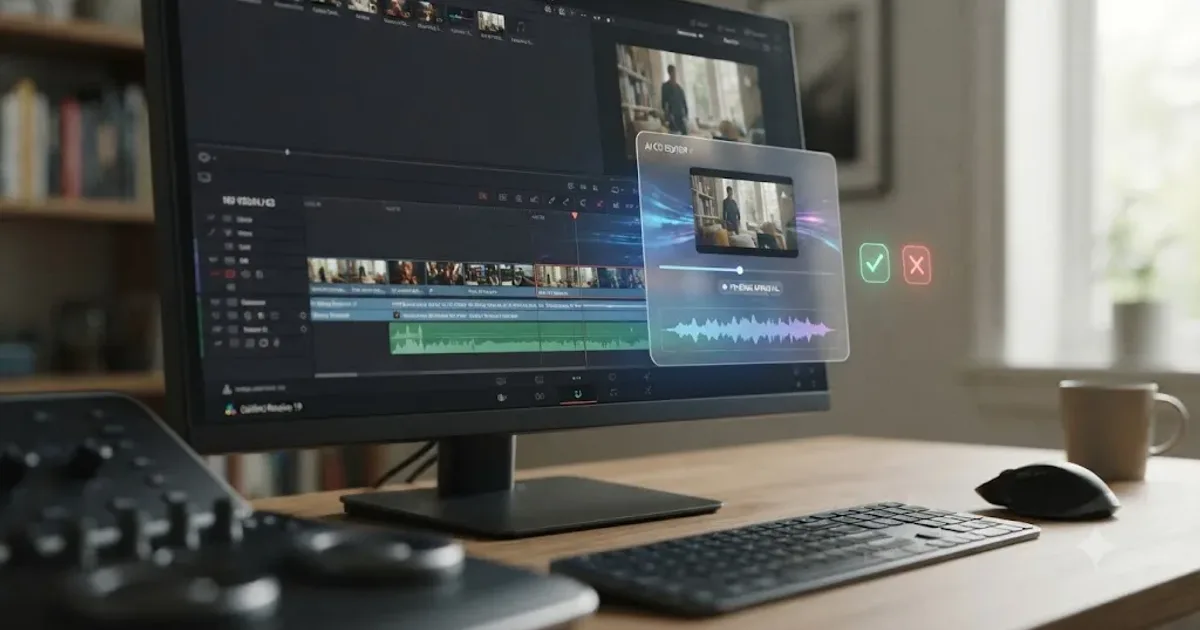
DaVinci Resolve is a free editor you control by hand. InVideo AI turns a prompt into a finished video automatically. Costs, limits, and which to pick.
 ReviewsJul 26, 202637 min read
Is Sottocut Worth It for DaVinci Resolve? The 2026 Verdict
Sottocut costs $15-$119/month, needs an Apple Silicon Mac and DaVinci Resolve Studio 21, and asks before editing. Here's the honest worth-it verdict.