
Learn / DaVinci Resolveupdated for DaVinci Resolve 21.0.2 and Runway Gen-4.5 (July 2026)
Runway ML vs DaVinci Resolve: Do They Even Compete?
Quick answer
Runway ML generates video from text or images with AI. DaVinci Resolve edits footage you already shot, with color grading, audio, and delivery tools built in. They aren't competing for the same job, so most creators who use both generate raw clips in Runway, then cut, grade, and finish them in Resolve.
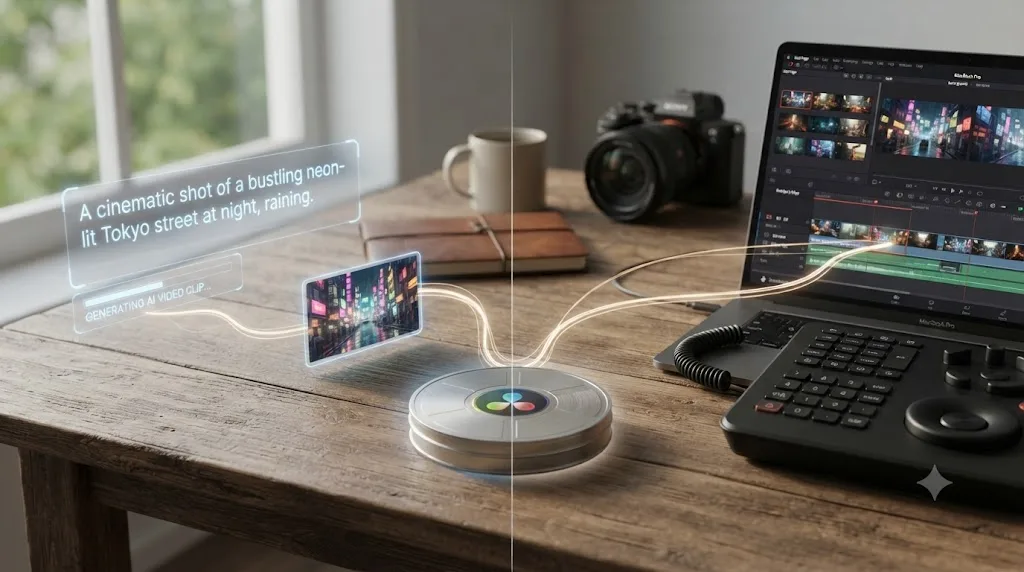
You typed "Runway ML vs DaVinci Resolve" because you saw both names in the same AI-tools roundup and wondered if you could skip one of them. Maybe you've been generating clips in Runway and you're asking whether you still need a real editor. Maybe you're a Resolve editor watching Runway's demo reels and wondering if your timeline is about to become obsolete.
Neither worry survives a close look at what these two products actually do. Runway makes video exist that didn't exist before. DaVinci Resolve takes video that already exists and makes it good. That's not a subtle distinction once you see it, and it's the reason this whole comparison reads differently once you stop treating it as a fight between two rivals for the same job.
Runway ML vs DaVinci Resolve: the quick answer
Here's the whole comparison in one table, before the detail. Every row gets its own section below, with sources.
| Category | Winner | Why |
|---|---|---|
| What it fundamentally does | Neither, different jobs | Runway generates video that didn't exist; Resolve edits video that already does |
| Generating video from a text prompt | Runway | Resolve has zero text-to-video or image-to-video generation of any kind |
| Editing real camera footage on a timeline | DaVinci Resolve | Runway has no timeline, no multi-clip project, no way to arrange dozens of shots |
| Color grading | DaVinci Resolve | Node-based Color page with a full scopes suite; Runway has no grading tools at all |
| Audio mixing | DaVinci Resolve | Fairlight is a full DAW; Runway has no audio mixer, EQ, or dynamics processing |
| Multicam and long-form editing | DaVinci Resolve | Native multicam sync, no length ceiling; Runway's Aleph caps input clips at 30 seconds |
| VFX previs and quick concept video | Runway | Purpose-built for generating look-development shots and mood pieces fast |
| Price for a working editor | DaVinci Resolve | Free forever, or $295 once for Studio, versus Runway's ongoing $12 to $95+/month |
| Learning curve for editing specifically | DaVinci Resolve | Blackmagic's own training teaches editing; Runway's interface teaches prompting, not cutting |
Neither tool loses every row, because they aren't playing the same game. What follows is the reasoning behind each row, plus the workflow that actually uses both.
What is Runway ML, in one sentence?
Runway is a generative AI company, founded in 2018 by Cristóbal Valenzuela, Anastasis Germanidis, and Alejandro Matamala Ortiz, that builds video, image, and audio models you prompt with text, images, or short clips to generate new content, according to Wikipedia's entry on the company and Runway's own pricing page, which states the platform is "trusted by 50M+ creators and leading enterprises."
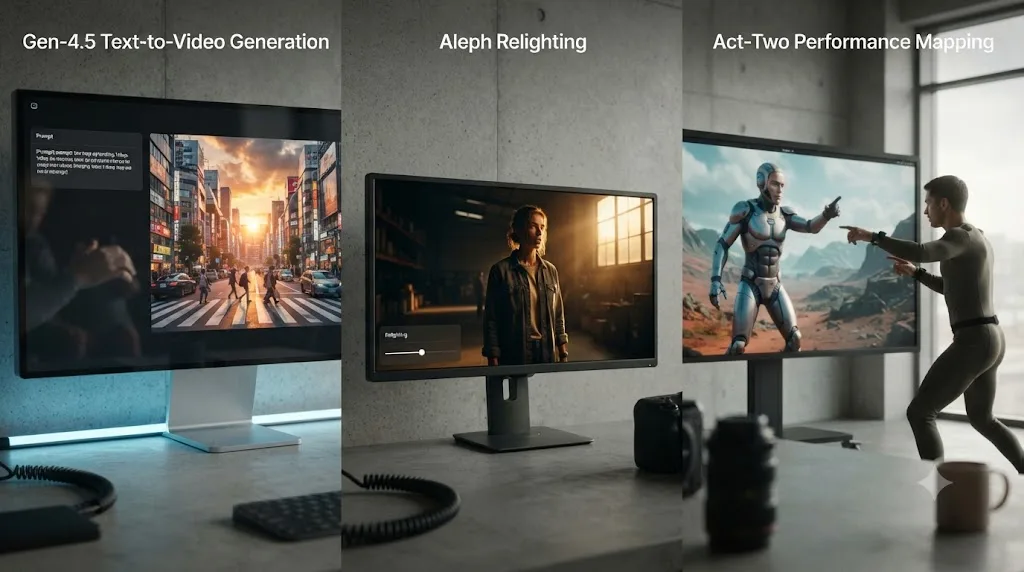
Its current flagship model, Gen-4.5, generates video directly from a text prompt, an image, or both, and Runway markets its defining feature as "World Consistency," the ability to keep the same character identity, object appearance, and environment details across multiple generated shots without manual correction, per Runway's own research page introducing Gen-4. Two companion tools round out the product: Aleph, which edits existing video with a text instruction, and Act-Two, which maps a recorded human performance onto a generated or uploaded character.
Runway doesn't touch a camera, a microphone, or a set. It touches a prompt. That's the entire starting point for understanding everything else in this comparison.
What is DaVinci Resolve, in one sentence?
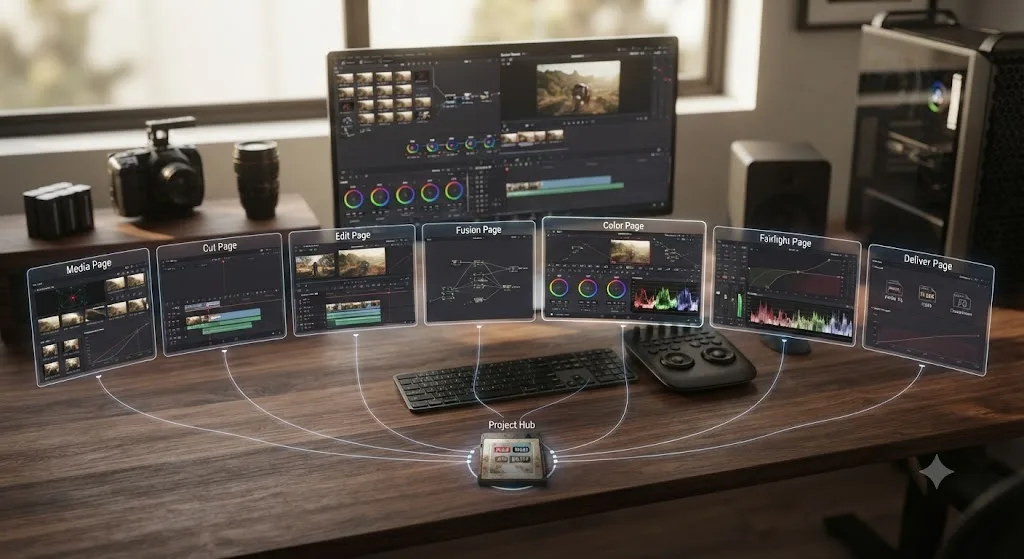
DaVinci Resolve is a professional video editor from Blackmagic Design, organized into distinct pages, Media, Cut, Edit, Fusion, Color, Fairlight, and Deliver, each a specialized environment for one stage of finishing a project you already shot, according to Blackmagic's own product overview.
It started life as a dedicated color grading tool for feature film and broadcast colorists, then grew editing, audio, and visual effects capability around that color-first core over more than a decade, which is why editors describe it as five or six professional apps wearing one interface. Its free edition costs nothing, has no watermark, and never expires, capped at Ultra HD export and standard GPU acceleration; DaVinci Resolve Studio removes those caps for a one-time $295 payment, per Blackmagic's Studio product page and a detailed Toolfarm breakdown of the free-versus-Studio gap.
DaVinci Resolve assumes the footage already exists. Its entire job starts after the camera stops rolling. Every feature inside it, cutting, grading, mixing, delivering, works on media that was captured somewhere else first.
Why does this comparison even come up?
Two different groups of people type this search, and they're asking two different questions that only look the same on the surface.
The first group is already inside Runway, generating AI clips for ads, previs, or social content, and wondering whether they've outgrown the need for a "real" editor now that AI can produce finished-looking footage from a sentence. The second group is a Resolve editor who keeps seeing Runway's demo reels circulate online and wonders whether an AI model is about to replace their timeline entirely.
Both questions share the same false premise: that generating a shot and finishing a project are the same skill. They're not. Runway's own Gen-4.5 model can produce a striking 5 to 10 second clip from a text prompt in under a minute. It cannot arrange forty of those clips into a paced, scored, color-consistent 8-minute video, because it has no concept of a timeline, a project, or a sequence of shots that need to relate to each other beyond the "World Consistency" Runway builds into a single generation session.
A tool that generates one shot brilliantly is not automatically a tool that can finish a project made of a hundred shots. That gap, between generating and finishing, is the entire reason this comparison exists, and it's the reason the honest answer to "which one should I use" is usually "both, for different halves of the job."
What does Runway ML actually let you create?
Three tools make up most of what a working Runway user actually touches, and each one does a genuinely different job inside the platform.
Gen-4.5 generates new video from a text prompt, a reference image, or both. You describe a shot, or upload a character reference, and the model produces a short clip, keeping the same character, object, and environment consistent across multiple generations from a single reference image, according to Runway's own Gen-4 research announcement. This is the core "type words, get video" experience most people picture when they hear the word Runway.
Aleph edits video you feed it, either AI-generated or your own uploaded footage, with a text instruction. Runway describes it as "a state-of-the-art in-context video model, setting a new frontier for multi-task visual generation," capable of "adding, removing, and transforming objects," "generating any angle of a scene," and "modifying style and lighting," per Runway's own research page introducing Aleph. It accepts uploaded clips between 2 and 30 seconds long, up to 1080p resolution, at 24 to 30 frames per second, with no more than 10 cuts inside the source clip, according to documentation on the Aleph 2.0 video editing workflow.
Act-Two applies a recorded human performance to a generated or uploaded character. You record yourself acting, speaking, or gesturing, and the model maps that performance, including head, face, body, and hand movement, onto a different character, with an option to change the voice inside the same interface.
| Runway feature | What it does | Input required |
|---|---|---|
| Gen-4.5 | Generates new video from text or an image | A prompt and/or a reference image, no footage needed |
| Aleph | Edits an existing video with a text instruction | A clip 2 to 30 seconds long, 1080p or under, AI-generated or your own upload |
| Act-Two | Maps a recorded human performance onto a character | A recorded performance video plus a target character |
Every one of Runway's core tools starts from a prompt, a reference, or a short input clip, never from a project. That single fact explains why nothing in Runway's toolset resembles a timeline, and it's the cleanest way to understand what the rest of this article keeps coming back to.
What does DaVinci Resolve actually let you do with footage you already shot?
Resolve's seven pages each handle one stage of a project that starts with real, already-captured media, and nothing in that pipeline generates a single new frame from a prompt.
Media and Cut are where footage lands and gets a first rough assembly. Edit is the full timeline: trimming, arranging, transitions, titles, and multicam sync across as many clips as a project needs, with no length ceiling beyond your own storage and hardware. Fusion is a node-based 2D/3D compositor with more than 250 tools for keying, tracking, rotoscoping, and particle work, per Blackmagic's Fusion product page. Color is a node-based grading environment with a full scopes suite, waveform, vectorscope, histogram, and parade, docked next to the node graph you build shot by shot. Fairlight is a genuine digital audio workstation supporting up to 2,000 tracks with realtime effects on a single system, a full channel-strip mixer, and dedicated ADR and Foley tools, per Blackmagic's Fairlight product page. Deliver renders the finished project with platform-specific presets for YouTube, Vimeo, and broadcast specs.
| Resolve page | Job | Comparable Runway feature |
|---|---|---|
| Edit / Cut | Trim, arrange, and sequence unlimited clips on a timeline | None, Runway has no timeline |
| Color | Node-based grading with full scopes | None, Runway has no grading tools |
| Fairlight | Full audio DAW, up to 2,000 tracks | None, Runway has no audio mixer |
| Fusion | Node-based 2D/3D compositing, 250+ tools | Partial overlap with Aleph's object add/remove, on a single 30-second clip only |
| Deliver | Platform-specific export presets | None, Runway exports whatever resolution/aspect the generation used |
Resolve's seven pages exist because finishing a real project takes seven distinct kinds of decisions, and none of them are "what should this shot even be." That decision already got made before the footage arrived, by a director, a camera operator, or in Runway's case, a prompt.
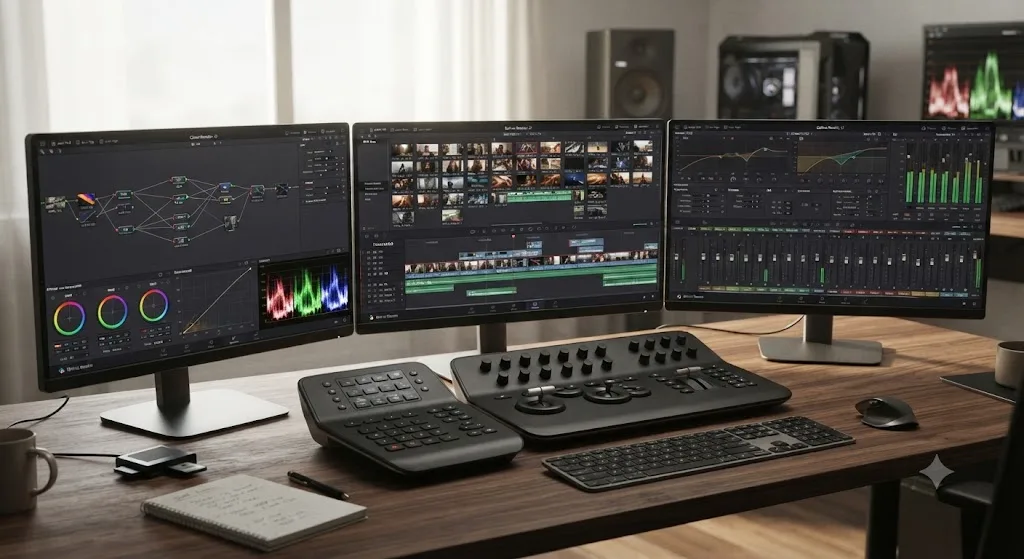
Can DaVinci Resolve generate video from a text prompt like Runway can?
No, and it's worth being direct about this instead of implying Resolve's AI features are a quiet substitute, because they solve a fundamentally different problem.
Resolve's Neural Engine includes several AI-assisted tools: Magic Mask, which isolates a subject in existing footage for masking and effects; Smart Reframe, which repositions a subject when converting an existing shot to a different aspect ratio; Speed Warp, which uses AI-based optical flow for smoother slow motion on existing footage; and Super Scale, which uses AI upscaling on existing footage that's lower resolution than your delivery target. Every one of those tools transforms footage that's already inside your project. None of them create a new shot from a written description, and none of them have any equivalent to typing "a drone shot flying over a foggy mountain range at sunrise" and getting back a video that never existed.
If your actual need is generating video from nothing but a sentence, DaVinci Resolve simply doesn't have that feature, on the free edition or Studio. That's not a gap Blackmagic is quietly working to close in the traditional editing sense either; Resolve's Neural Engine roadmap has consistently focused on making existing footage easier to work with, not on generating footage from scratch. If generative text-to-video is the actual job you need done, you're looking for Runway, or one of its direct competitors, not Resolve.
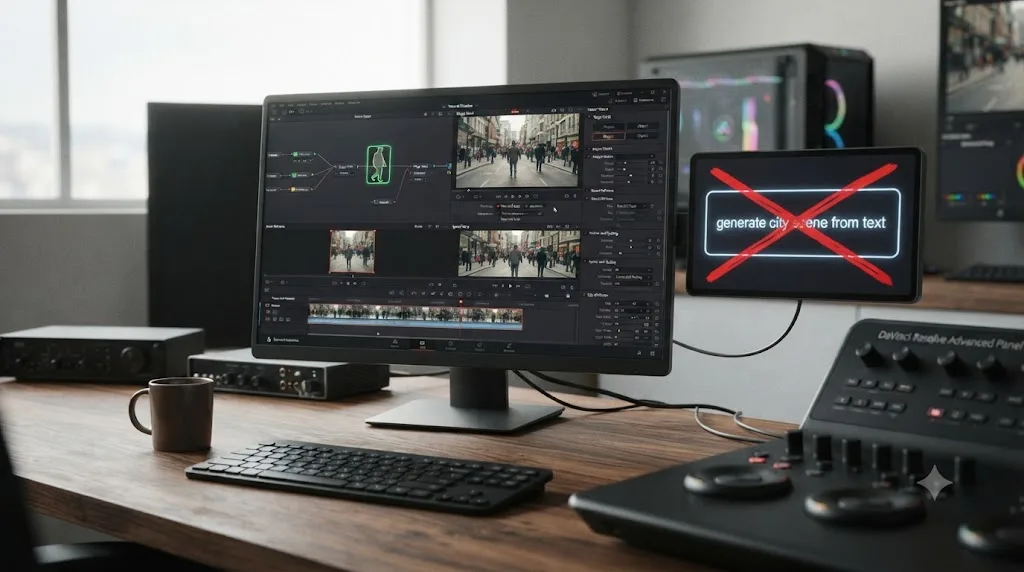
Can Runway edit real footage you already shot, the way DaVinci Resolve does?
Partially, and this is the row worth reading carefully, because it's where the two products come closest to actually overlapping, and where the overlap turns out to be much narrower than it first looks.
Runway's Aleph model does accept real, user-uploaded camera footage, not just AI-generated clips, as input for a video-to-video edit. You can feed it a genuine shot from your camera and ask it to change the lighting from harsh noon sun to golden hour, remove an object from the frame, or shift the camera angle, all through a text instruction rather than manual masking or tracking. That's a real, useful capability, and it's closer to Resolve's Fusion compositing work than anything else in Runway's toolset.
But the limits are hard, not stylistic. Aleph caps input clips at 30 seconds, tops out at 1080p resolution, and rejects source footage with more than 10 cuts inside it, per documentation on the Aleph 2.0 editing workflow. There's no way to load a 90-minute interview, a wedding, or even a 5-minute short into Aleph as one continuous project. There's no timeline to arrange multiple edited clips against each other, no audio track syncing alongside the video edit, and no color scopes to judge whether the relit shot actually matches the clip before and after it in your sequence.
| DaVinci Resolve editing | Runway Aleph editing | |
|---|---|---|
| Max continuous clip length | No practical ceiling | 30 seconds |
| Max resolution | Full delivery-spec resolution (4K, DCI 4K, beyond) | 1080p |
| Timeline for multiple clips | Yes, unlimited clips | No, one clip in, one clip out |
| Audio mixing alongside the edit | Yes, full Fairlight DAW | No audio tools at all |
| Color scopes to judge a match | Yes, full scopes suite | None |
Aleph can relight a shot in seconds. It cannot cut a scene, sync dialogue, or grade a whole timeline, because none of those jobs were ever built into it. That's the honest shape of the overlap: real, but bounded to a single 30-second clip at a time, with none of the surrounding project structure a finished video actually needs.
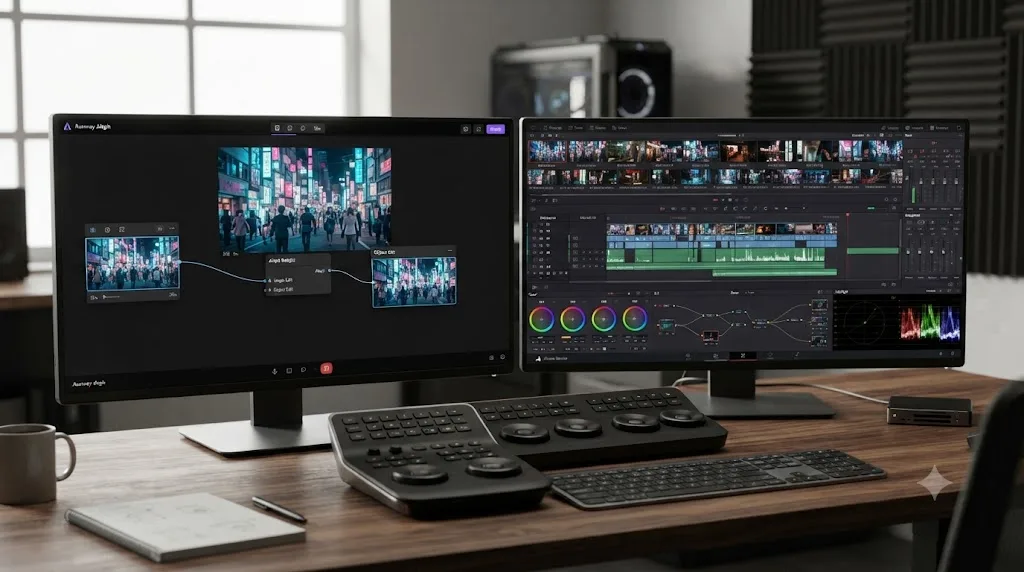
How much does each one cost?
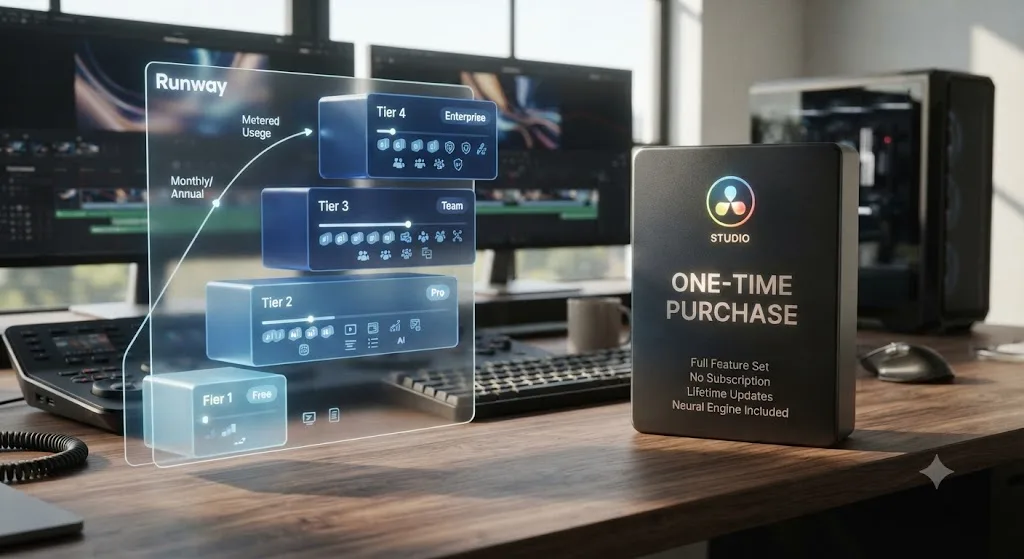
Runway runs on a metered credit system across four consumer tiers, plus custom Enterprise pricing, according to Runway's own pricing page.
| Runway plan | Price (monthly billing) | Credits per month | What it unlocks |
|---|---|---|---|
| Free | $0 | 125, one-time allocation | Gen-4 Turbo generation, 3 video editor projects, 5GB storage |
| Standard | $15/month ($12/month billed annually) | 625 (about 52 seconds of Gen-4.5 video) | All AI image/video models, 4K upscaling, no watermark |
| Pro | $35/month ($28/month billed annually) | 2,250 (about 187 seconds) | Custom voice creation, 500GB storage, premium models |
| Max | $95/month ($76/month billed annually) | 9,500, with 1-month rollover | First access to new models, highest generation volume |
| Enterprise | Custom | Custom | SSO, workspace analytics, priority support |
Runway replaced its older Unlimited plan with the new Max plan for new subscribers starting May 29, 2026, with existing Unlimited subscribers migrating over by September 1, 2026, per the same pricing page.
DaVinci Resolve's pricing is structurally simpler and doesn't meter anything by usage. The free edition costs nothing, has no watermark under normal use, and never expires, capped at Ultra HD export and standard GPU acceleration. DaVinci Resolve Studio unlocks every capped feature for a single $295 payment, with no subscription and no recurring cost tied to how much you edit, per Blackmagic's Studio product page.
| Runway | DaVinci Resolve | |
|---|---|---|
| Cheapest paid tier | $12 to $15/month | $0 (free edition covers most needs) |
| Full-feature tier | $76 to $95/month (Max) | $295 one time (Studio) |
| Pricing model | Metered by generation credits, recurring | Flat, one-time for the paid tier |
| Cost scales with | How much video you generate | Nothing, same price regardless of project length or volume |
Run the math over a year and the two pricing models diverge completely. A Runway Pro subscriber generating video every month pays $336 to $420 a year, indefinitely, for as long as they keep generating. A Resolve Studio user pays $295 once and never sees another invoice for the editor itself, no matter how many hours of footage they cut. Neither number is wrong. They're pricing two different things: Runway charges for AI compute spent generating new video, and Resolve charges once for the tool you use to finish video you already have.
What would a real 3-minute AI-generated video actually cost in Runway credits?
Let's run the math nobody puts on a pricing page, because the credit numbers alone don't mean much until you check them against an actual project.
Say you're building a 3-minute brand video, 180 seconds, entirely from Gen-4.5 generations with no camera footage at all. On the Standard plan, 625 credits buys roughly 52 seconds of finished Gen-4.5 video, according to Runway's own pricing page. Scale that up and 180 seconds of usable footage needs somewhere around 2,160 credits, more than three months of Standard-plan credits spent on a single project, or an immediate jump to the Pro plan's 2,250 monthly allotment. A studio generating at that volume every month is exactly the kind of account Runway's negotiated Enterprise tier exists for, though Runway doesn't publish what that pricing actually looks like.
That math also assumes every single generation lands on the first try, and it won't. A generation that nails the framing, the motion, and the character consistency you asked for on attempt one is the exception in most creators' experience with any text-to-video model, not the rule. Budget for 3 to 5 attempts per usable shot instead of one, and the realistic credit cost for that same 3-minute video climbs to somewhere between 6,000 and 10,000 credits, which lands you in Max-plan territory at $76 to $95 a month rather than Standard. That's a planning rule of thumb based on how iteration typically works with generative models, not a number Runway itself publishes, so treat it as a starting estimate to budget against rather than a guarantee.
| If your finished video needs | Credits at 1 attempt per shot | Credits at 3 to 5 attempts per shot | Plan that realistically covers it |
|---|---|---|---|
| 30 seconds | About 360 | About 1,080 to 1,800 | Standard to Pro |
| 90 seconds | About 1,080 | About 3,240 to 5,400 | Pro |
| 180 seconds (3 minutes) | About 2,160 | About 6,480 to 10,800 | Max |
Storage matters too, separate from credits. The Standard plan doesn't include the 500GB of storage Pro adds, and a real project generating dozens of variations per shot fills storage fast, before you've even settled on a final cut.
A 3-minute, fully AI-generated video is realistically a Max-plan project once you account for the generations that miss the brief, not a Standard-plan one. Compare $76 to $95 a month against a single afternoon of filming with a camera you already own, and for a lot of creators the honest answer is that reshooting a location costs less than generating your way around not having access to it, unless the shot genuinely can't be filmed at any price: an alien creature, a demolished building, a moment in history.
Who is each tool actually built for?
Runway's own CEO has been direct about this in past interviews, and his framing explains why Runway doesn't compete for the "editing" part of the market at all.
In a 2022 interview, Cristóbal Valenzuela told Sacra: "I think video editing is a commodity. It used to be the case that you could be a differentiated product just by having a general video editing solution. That was because it was very novel at one point, like ten years ago, where there were just a couple of software solutions to do real-time NLE. Today, video editing tools are everywhere," per Sacra's published interview with Valenzuela. He framed Runway's actual target this way: "Today, every company is a media company. Companies of all sizes are in need of constant streams of content to build narratives, reach out to their audiences and markets."
Runway's own CEO called video editing a commodity, in the same conversation where he explained why Runway builds generative models instead of competing on cutting and trimming. That's the clearest possible signal that Runway was never positioned as a DaVinci Resolve competitor. Its target users, per the same interview, span "music videos, ads, TV shows, game reels, demos, VFX shots, and tutorials to interviews, webinars, and real estate clips," essentially anyone who needs raw video content fast and doesn't already have a camera crew and a shot list. Runway's more recent public positioning has shifted further still, describing its mission as "building AI to simulate the world through merging art and science," framing Gen-4 and its successors as steps toward general-purpose "world models" rather than a creative editing product, per Runway's own about page.
DaVinci Resolve is built for anyone finishing real footage, from a solo creator cutting a YouTube video to a colorist grading a feature film, and Blackmagic backs that range with a genuinely free entry point and a training curriculum built for exactly this audience. Blackmagic Design publishes a full free curriculum, six official training guides covering editing, color, Fairlight audio, and Fusion, each with downloadable lesson files, written by the people who built the software. That curriculum assumes you're arriving with footage: an interview, a short film, a corporate video, something a camera already captured. Nothing in the official training path teaches prompting or generative AI workflows, because that's not the job Resolve was built to do.
DaVinci Resolve doesn't ask what your shot should look like. It assumes you already know, and it gives you the tools to make it look and sound right. That single assumption, footage-in rather than prompt-in, is the dividing line running through this entire comparison.
What happens if you try to cut a real project entirely inside Runway?
Worth walking through honestly, because it's the scenario that exposes exactly where Runway's tools stop being useful for a finished, real-world video project.
Say you're trying to build a 3-minute brand video entirely inside Runway. You'd generate individual shots with Gen-4.5, maybe 5 to 10 seconds each, using consistent character and environment references to keep them visually related. You could use Aleph to relight or adjust individual clips after the fact. But the moment you have fifteen separate generated clips that need to become one paced, sequenced video, Runway has nothing built for that job. There's no timeline to drag clips onto in order, no way to trim a clip's in and out points against a neighboring clip's, no cross-fade or cut-point tool, no audio track to lay a voiceover or music bed under the video, and no way to check that clip four's color temperature actually matches clip three's under real scopes rather than by eye.
Every one of those gaps is a job DaVinci Resolve was built around from day one. In practice, that means the actual workflow for a real Runway-based project always ends with exporting every generated clip as a standard video file and bringing it into an editor, whether that's Resolve, Premiere, or something else, for the assembly, pacing, audio, and final color pass.
Runway has no button that turns fifteen separate generated clips into one finished video, because that was never the product it built. That's not a criticism of Runway specifically. It's the same gap you'd find trying to finish a project entirely inside any pure generation tool, Pika, Luma, or Kling included, none of which ship a timeline either.
Has Runway actually been used on real film productions?
Yes, in a specific, well-documented, and more modest role than its marketing sometimes implies.
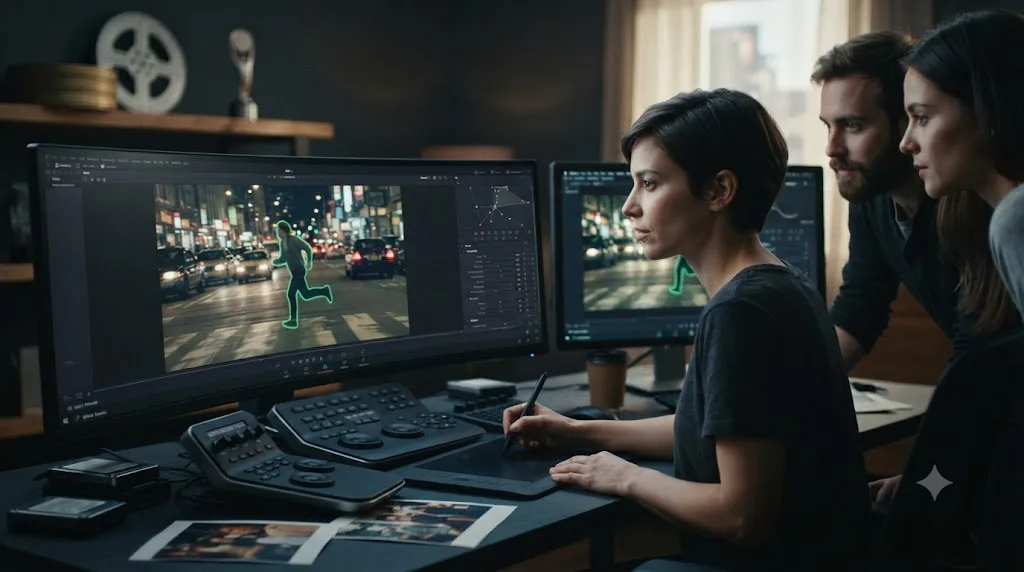
Visual effects artists used Runway's AI-assisted rotoscoping tools during post-production on Everything Everywhere All at Once, the film that won seven Academy Awards in 2023, according to Variety's reporting on AI tools in below-the-line VFX work. A small, seven-person VFX team used the tool to automate tedious frame-by-frame rotoscoping work, isolating moving elements like rocks from shifting sand and dust in one key sequence, cutting a task that would normally take days down to a matter of minutes. Runway's tools have also been used in editing The Late Show with Stephen Colbert, according to Wikipedia's summary of the company's history.
Both of those real-world uses share the same shape: Runway's AI handled a specific, tedious sub-task inside a production that was still fundamentally shot on cameras and finished in traditional post-production tools. Runway wasn't generating the film's footage from a prompt. It was accelerating one narrow piece of the VFX pipeline, rotoscoping, that would otherwise have needed more people or more hours.
A seven-person team saving days on rotoscoping is a real, valuable use of AI. It's not the same claim as "AI generated a Best Picture winner," and nobody involved in that production made that claim. That distinction matters for anyone evaluating whether Runway could realistically replace a full post-production pipeline: the honest evidence says it accelerates specific tasks within one, not that it replaces the pipeline itself.
Can you use Runway and DaVinci Resolve together?
Yes, and for a specific kind of project, this is the actual best answer, not a compromise between two incomplete options.
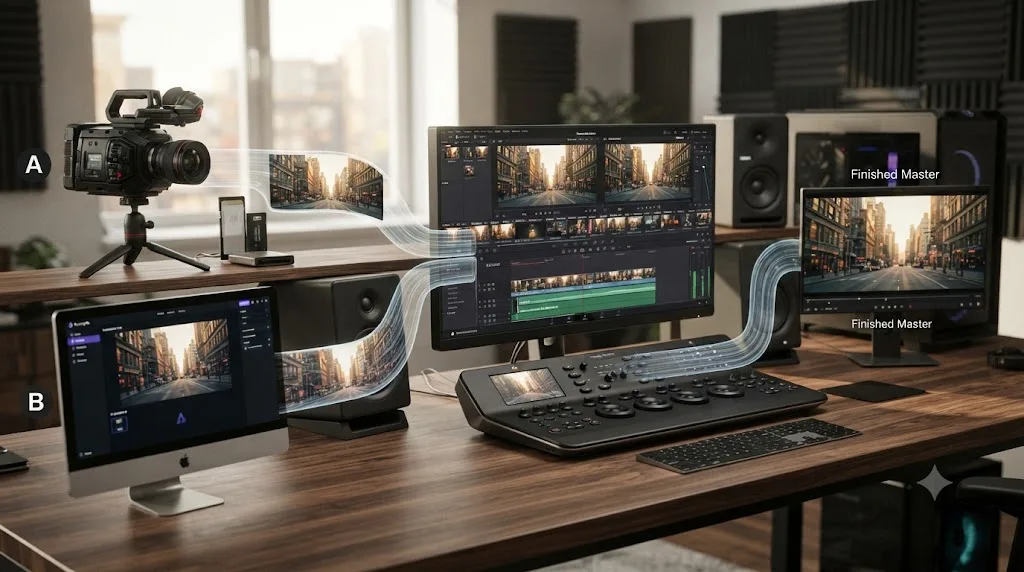
The practical workflow splits cleanly along the line this whole comparison keeps drawing: generate raw material in Runway, whether that's a stylized b-roll shot you can't otherwise film, a relit version of an existing clip, or a character performance mapped through Act-Two, then export that clip as a standard video file and bring it into DaVinci Resolve's Media Pool alongside your real camera footage. From there, everything Resolve does normally applies: cut the AI clip into your sequence, grade it to match the surrounding footage using the Color page's scopes, mix its audio (or replace it) in Fairlight, and deliver the finished project through Resolve's platform-specific export presets.
This is a genuinely useful combination for a real, common gap: getting a shot you can't practically film, an aerial pass over a location you can't access, a stylized transition, a concept visualization for a pitch, without a location scout, a drone permit, or a VFX budget. You get Runway's unmatched ability to generate video from nothing, and Resolve's color, audio, and delivery depth for turning that generated clip into part of a finished, professional-looking project.
The two tools aren't rivals for the same seat. One creates the raw material, the other turns raw material into a finished video, regardless of whether that raw material came from a camera or a prompt. Treating this as an either-or decision misses the actual workflow a growing number of creators, marketers, and VFX teams already run today.
What does a real Runway-to-Resolve workflow look like, step by step?
Abstract descriptions of "using both" are less useful than walking through what actually happens on a real deadline, so here's the shape of it.
- Shoot what you can shoot, and shot-list what you can't. Before opening Runway at all, identify which shots in your project are simply unavailable: a location you can't travel to, a drone shot with no permit, a scene that would need an actor who isn't on your budget.
- Generate the gap shots in Runway. Write a prompt for each missing shot, ideally with a reference image if the shot needs to match your project's existing look, and generate several variations. Expect to burn through credits iterating, since the first generation rarely matches the brief exactly.
- Use Aleph if a generated or real clip needs a specific fix. A shot that's almost right but lit wrong, or missing an element, is a better candidate for Aleph's text-instruction edit than a full regeneration from scratch.
- Export every finished Runway clip as a standard video file. Nothing special here, Runway exports to common formats that any editor reads without conversion.
- Import everything into DaVinci Resolve's Media Pool alongside your real footage. Resolve makes no distinction between a camera-shot clip and a generated one once both are media files on a timeline.
- Cut, grade, and mix the whole project in Resolve. This is where pacing, color matching between the real and generated shots, audio, and final delivery all happen, exactly as they would on a project with zero AI-generated content.
Every step before Resolve is about creating material. Every step inside Resolve is about making that material into a finished video. Skipping either half leaves you with either an editor with nothing extra to show, or a folder of striking but disconnected AI clips that never became anything.
What actually goes wrong when a Runway clip lands on your Resolve timeline?
The six-step workflow above sounds clean. In practice, a generated clip rarely drops onto a timeline next to real footage without at least one of these problems showing up first.
Frame rate mismatch is the most common one. Your project might run at 23.976, 24, 25, or 29.97 frames per second depending on what your camera shot, and a generated clip that doesn't match will judder, stutter, or trigger Resolve's optical flow retiming the instant you drop it on the timeline. Right-click the clip in the Media Pool, check its Clip Attributes, and conform the frame rate to match your project before you cut it in, not after you notice the stutter three days into a client review.
Aspect ratio and resolution rarely match by accident. Runway lets you choose a generation's aspect ratio up front, but nothing forces that choice to match your delivery target, and Aleph's 1080p ceiling means an edited clip can arrive lower-resolution than the 4K project sitting around it. Treat a mismatched generated clip the way you'd treat a vertical phone clip landing in a horizontal timeline: reframe, crop, or regenerate at the correct ratio before you build the rest of the sequence around it. Fixing it after the surrounding edit is locked costs far more time than fixing it first.
Color space assumptions cause the most confusing-looking problem on a monitor. A generated clip typically arrives as standard Rec.709, already-graded-looking footage, not Log or raw camera data waiting for your usual grade. If your project runs a Log-based or ACES color pipeline, that Rec.709 clip will look flat, over-bright, or strangely saturated next to your Log-tagged camera footage until you tag it correctly in Color Management or treat it as a separately-finished element rather than raw footage. Applying your standard Log grade to a Runway clip and expecting it to behave the same way is the single fastest way to waste an afternoon chasing a color mismatch that was never really a grading problem.
Audio doesn't travel with most generated clips, and when it does, it isn't production-ready. Aleph edits and Gen-4.5 generations either arrive silent or with rough, AI-approximated ambience, nothing close to the clean dialogue or room tone a boom mic captures on set. Plan on building the audio for a generated shot entirely inside Fairlight: room tone, sound effects, and any dialogue, the same way you'd handle a silent B-roll insert on a real production.
Duplicate near-identical takes clutter the Media Pool fast, and nothing about Runway's export flags which one you actually picked. Rename each exported generation the moment you import it. Camera-shot naming conventions, scene, take, a one-line description, work just as well on AI clips as they do on footage from a real set, and they save you from scrubbing through six versions of the same shot trying to remember which one made the final cut.
If your source clip runs long or already has more than ten cuts in it, Aleph will reject it outright, not degrade gracefully. Split a longer sequence into individual sub-30-second segments before you feed it to Aleph, edit each piece separately, then reassemble the edited pieces on your Resolve timeline the same way you'd assemble any other multi-take sequence. There's no way around the cap by trimming after the fact inside Runway itself, the limit applies at upload.
None of these problems are dealbreakers, but every one of them is invisible until you hit it, which is exactly why they surprise editors the first time they bring a generated clip into a real project. Catch frame rate and resolution before you cut, catch color space before you grade, build audio from scratch, and name your files like you would on any other shoot. Handled that way, a generated clip integrates about as cleanly as any other footage you didn't shoot yourself: a drone plate from a stock library, a phone clip a client sent you, or a second shooter's footage from a different camera body.
Does the type of project change which tool matters more?
Yes, and this is the variable most comparisons skip, treating "video project" as one undifferentiated category when the two tools' relevance actually swings hard by project type.
| Project type | How much Runway matters | How much DaVinci Resolve matters |
|---|---|---|
| Documentary or interview-based content | Low, footage already exists, nothing to generate | High, this is entirely a cutting, color, and audio job |
| Wedding or event videography | Low to none | High, real footage start to finish |
| Brand ad or concept pitch needing an unshootable shot | High for that one shot | High for everything around it |
| Full AI-generated short film or music video | High for every shot | Still needed for assembly, pacing, and audio once shots exist |
| VFX previs or look-development for a pitch | High, this is close to Runway's core use case | Low, previs rarely needs a full finishing pass |
| Social media clips from your own footage | Low to none | High, same manual cutting job any NLE handles |
A wedding videographer and a VFX previs artist can both search "Runway ML vs DaVinci Resolve" and land on opposite honest answers. That's not a contradiction in this comparison, it's the correct outcome of comparing two tools built for different jobs: the right answer depends entirely on whether your project starts with footage or starts with a blank page.
What about the other AI video generators people compare to Runway?
Runway isn't the only name in this category, and naming its real competitors matters if you're actually shopping for a generative video tool rather than reading one comparison in isolation.
Pika leans into short, vertical, social-first clips, with signature motion-effect presets aimed at quick, shareable content rather than cinematic look-development, per Pika's own product site. Luma's Dream Machine built its reputation on smooth, photorealistic scene transitions and environmental video, particularly strong on landscapes and architecture, per Luma's own Dream Machine page. Kling, from Kuaishou Technology, the company behind the short-form app Kwai, is known for generating human characters that stay visually consistent across longer generated sequences, per Kling's own product site.
Worth naming directly because its absence would look like an oversight: OpenAI's Sora, once the highest-profile name in this category, was discontinued as a standalone web and app product on April 26, 2026, with its API following on September 24, 2026, according to OpenAI's own help center article on the discontinuation. That's a real, recent shift worth knowing if an older roundup still lists Sora as an active option.
| Tool | Known for | Touches your Resolve timeline? |
|---|---|---|
| Runway | World-consistent character/scene generation, Aleph video editing, Act-Two performance capture | No, separate platform |
| Pika | Short, vertical, social-first clips with motion presets | No, separate platform |
| Luma Dream Machine | Smooth, photorealistic environmental and landscape video | No, separate platform |
| Kling | Consistent human characters across longer sequences | No, separate platform |
| Sora (OpenAI) | Discontinued as a standalone product, April to September 2026 | Was never integrated into Resolve either |
Every tool in this table generates video from a prompt. None of them cuts, grades, mixes, or delivers a finished project. That's true of Runway too, and it's the reason none of these tools compete with DaVinci Resolve directly, no matter how their marketing gets framed.
What about AI tools that help while you're actually using DaVinci Resolve?
This is a different category entirely, worth separating clearly from both Runway and its generative competitors, because it's easy to lump every AI product that mentions DaVinci Resolve into one bucket.
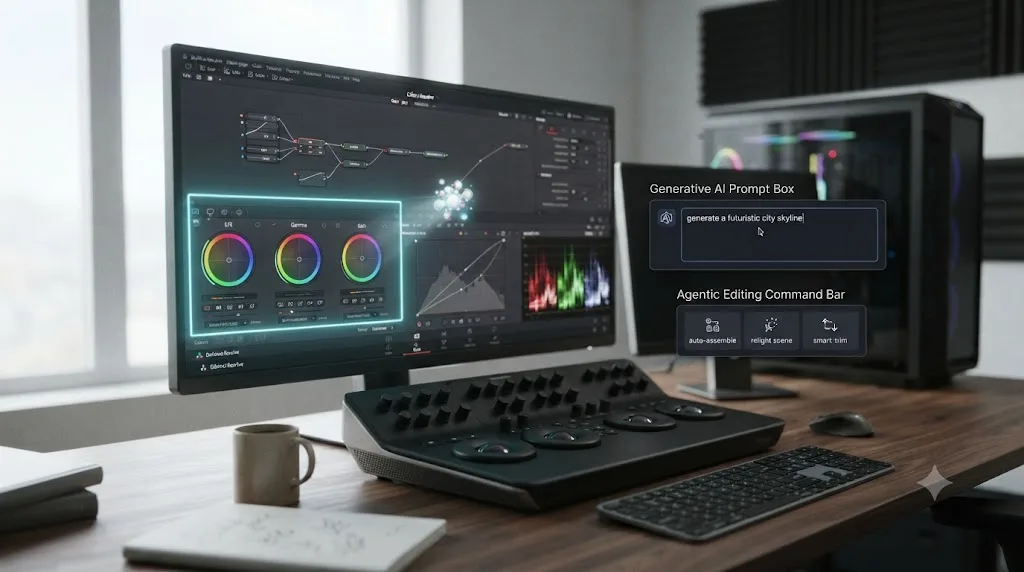
CutAgent connects to Resolve and turns typed, natural-language instructions into actual timeline operations, with a review step before anything lands, per its own product site. Sottocut runs a similarly agentic flow, executing edits inside your project, though it requires Resolve Studio 21 specifically and an Apple Silicon Mac, per Sottocut's own site. PremiereCopilot is worth naming and ruling out immediately for Resolve editors, since its own pricing page confirms it's built exclusively for Adobe Premiere Pro, with no Resolve support at all. Eddie AI bridges into Resolve, Premiere Pro, and Final Cut Pro through an installed extension, answering questions about your footage and executing some editing actions, per Eddie AI's own Resolve workflow page.
None of those four tools generate new video the way Runway does, and none of them are competing with Runway for the same job. They execute a change on a timeline you already opened, inside a project built from footage that already exists, which places them firmly on the DaVinci Resolve side of the divide this whole article has been drawing.
A fifth tool solves a different problem than all of the above. TryUncle is the on-screen assistant for DaVinci Resolve on macOS. Ask in plain words and Uncle points at the exact control on your screen. It runs on the Edit, Color, and Fusion pages, watching whatever project you already have open, and it never generates, edits, or touches your footage the way Runway, CutAgent, or Sottocut do. If you're deep in a project and can't remember whether a control lives in the Inspector or Project Settings, ask with a keyboard shortcut and Uncle draws a box around it. You still click it yourself.
TryUncle is a paid subscription at $39 a month, cancel anytime, macOS only. Check TryUncle for current details.
| Tool | What it does | Category |
|---|---|---|
| Runway, Pika, Luma, Kling | Generate new video from a prompt or reference | Generative AI, before Resolve ever opens |
| CutAgent, Sottocut | Execute typed instructions as real timeline edits | Editing agent, inside your Resolve project |
| Eddie AI | Cross-editor AI assistant, some edit execution | Editing agent, bridges into Resolve |
| PremiereCopilot | AI copilot for Adobe Premiere Pro | Not applicable to Resolve at all |
| TryUncle | Points at the exact control you need, live, on screen | On-screen assistant, watches only, never edits |
A generative model, an editing agent, and an on-screen assistant can all mention DaVinci Resolve in their marketing and still be solving three completely different problems. Read what a tool actually does before comparing its price to any of the others, since the price only matters once you've confirmed it's competing for your actual bottleneck.
What are Runway's honest limitations right now?
It's a metered, recurring cost with no free tier deep enough for real production volume: the free plan's 125 one-time credits run out fast, and every meaningful project pushes you into a $12 to $95-a-month subscription tied to how much you generate, not a flat purchase.
Aleph's editing capability, the closest thing Runway has to touching real footage, caps at 30 seconds per clip, 1080p resolution, and 10 cuts in the source, ruling out anything close to a full project edit.
There's no timeline, no multi-clip project file, no way to arrange, trim, and sequence more than one clip against another inside Runway itself, which means every real project eventually needs a second tool for assembly.
There's no audio mixing, no EQ, no dynamics processing, and no dedicated audio workspace of any kind, so sound design and mixing always happen somewhere else.
Character and scene consistency, while genuinely improved with Gen-4's "World Consistency" feature, still isn't the same as a real actor delivering a real performance across a real multi-scene shoot, and generated footage can still show the visual tells common to AI video: slightly uncanny motion, inconsistent physics in complex scenes, and occasional artifacts on fine detail like hands or text.
What are DaVinci Resolve's honest limitations if your job is generating new footage?
There's no generative feature of any kind, on the free edition or Studio. If the shot you need doesn't exist anywhere and can't be filmed, Resolve has nothing that creates it from a description.
Its AI-assisted Neural Engine tools, Magic Mask, Smart Reframe, Speed Warp, Super Scale, all transform footage that's already inside your project. None of them substitute for Runway's Gen-4.5 or Aleph if what you actually need is new visual content rather than a transformation of existing content.
There's no reference-image-to-consistent-character workflow, no prompt interface, and nothing resembling Act-Two's performance-mapping capability anywhere in Resolve's toolset.
If your entire project is unshootable, a fully AI-generated concept piece with no real footage at all, Resolve becomes a pure assembly and finishing tool for material generated somewhere else, which is a legitimate use, but it means you're paying for (or using free) an editor that does none of your project's actual content creation.
Should you learn Runway or DaVinci Resolve first?
Depends entirely on what kind of video work you actually want to do, and the honest answer splits along a line most "which skill should I learn" articles blur.
If your goal is producing footage that doesn't exist, and can't practically be shot, concept art in motion, a stylized ad, a previs pass for a pitch, learning Runway's prompting and reference-image workflow is the more direct path. That skill transfers loosely to Pika, Luma, and Kling too, since all four tools share the same basic "describe it, refine the prompt, generate again" loop.
If your goal is finishing real video, footage from a camera, a screen recording, a phone, learning DaVinci Resolve is the actual skill that matters, and it's a completely different skill set: understanding cuts, pacing, color theory, and audio levels rather than prompt engineering. Blackmagic's own free training remains the most accurate starting point, since it's written by the people who built the software, and it's genuinely free, no subscription required at all. This is also the more durable path if you're weighing the best way to learn DaVinci Resolve fast rather than chasing whichever AI tool is trending this month, since editing fundamentals transfer across every version of Resolve, while generative AI tools reshuffle their feature sets every few months.
The two skills aren't mutually exclusive, and a growing number of working creators are learning both, since Runway output increasingly lands inside a Resolve project rather than standing alone. But they're not the same learning curve, and treating "AI video" as one skill that makes traditional editing optional misunderstands what each tool actually teaches you to do. Our broader roundup of AI tools people actually use to learn DaVinci Resolve covers where general AI tools and Resolve's own Neural Engine help with the editing side specifically, separate from anything Runway or its competitors do. If Resolve itself feels overwhelming once you're inside it, our comparisons of DaVinci Resolve against Blender and DaVinci Resolve against Opus Clip walk through two other tools people confuse with a Resolve replacement, for the same reason Runway gets confused with one here.
Learning to prompt a generative model and learning to finish a real project are two different crafts, and neither one substitutes for the other no matter how good either gets. That's the honest framing worth internalizing before picking which one to spend your next month learning.
Does your operating system change which of these tools you can actually use?
Yes, in one direction more than the other, and it's worth checking before you commit to a workflow built around either tool.
DaVinci Resolve runs natively on Windows, macOS, and Linux, with both the free edition and Studio available on all three, according to Blackmagic's own product page. Nothing about the Runway-to-Resolve workflow described in this article depends on which of those three operating systems you're running Resolve on, since the Media Pool, timeline, Color page, and Fairlight all work identically across platforms.
Runway runs in a web browser, with no desktop app required for generation, editing with Aleph, or performance mapping with Act-Two, which makes it effectively platform-agnostic too. A Windows editor, a Mac editor, and a Linux editor can all generate and edit clips in Runway through the same browser interface, then bring the exported file into whichever operating system their own copy of Resolve happens to run on.
The one place platform actually matters in this whole comparison is TryUncle, which is macOS only. If you're running DaVinci Resolve on Windows or Linux, the on-screen-assistant workflow described earlier in this article isn't available to you the same way. CutAgent, Sottocut, and Eddie AI each carry their own separate platform requirements too, so check compatibility directly on each tool's site before you build a workflow around any of them, rather than assuming Mac-first tooling automatically covers every desk.
| Tool | Windows | macOS | Linux |
|---|---|---|---|
| DaVinci Resolve, free and Studio | Yes | Yes | Yes |
| Runway (browser-based) | Yes | Yes | Yes |
| TryUncle | No | Yes | No |
Generating and editing in Runway works the same wherever you sit, so the operating system question in this comparison really only comes down to Resolve's platform and whether TryUncle is part of your Resolve workflow. Everything else in this article applies identically no matter which of the three operating systems you're on.
The full side-by-side comparison table
Every row from this article in one place, so you don't have to scroll back through each section to compare a specific feature.
| Feature | Runway ML | DaVinci Resolve |
|---|---|---|
| Primary purpose | Generate new video from text, images, or short clips | Edit, grade, mix, and deliver footage you already have |
| Founded | 2018, Cristóbal Valenzuela, Anastasis Germanidis, Alejandro Matamala Ortiz | Color-tool lineage expanded into a full NLE over more than a decade |
| Price | $12 to $95+/month, metered by generation credits | Free, or $295 one-time for Studio |
| Text-to-video generation | Yes, Gen-4.5 with World Consistency | No, not a feature at any tier |
| Editing existing footage | Partial, Aleph, capped at 30 seconds, 1080p, one clip at a time | Yes, full timeline, no length ceiling, native multicam |
| Color grading with scopes | No | Yes, node-based Color page, full scopes suite |
| Audio mixing | No | Yes, Fairlight, up to 2,000 tracks |
| VFX compositing | Partial, Aleph object add/remove on a single short clip | Yes, Fusion, 250+ tools, full node-based compositor |
| Performance capture | Yes, Act-Two, maps a recorded performance onto a character | No equivalent feature |
| Platform-specific delivery presets | No, fixed to generation resolution/aspect | Yes, dedicated Deliver page with per-platform presets |
| Real production use documented | Rotoscoping assist on Everything Everywhere All at Once (post-production role) | Full editing and grading pipeline on countless film, broadcast, and independent projects |
| Learning curve | Prompt engineering and reference-image workflow | Structured editing, color, and audio skills across 7 pages |
Which one should you actually use?
Strip away the "which AI video tool wins" framing most roundups lead with, because it hides the real question. The real question isn't which tool is more impressive in a demo reel. It's whether you need to generate video that doesn't exist yet, or finish video that already does.
You need footage that can't practically be shot: a location you can't access, a character performance without an actor on set, a stylized concept for a pitch. Runway is the right tool for that specific job, and its Gen-4.5 and Aleph models handle it better than any traditional editor could, because DaVinci Resolve simply has no equivalent feature.
You're editing real camera footage: an interview, a wedding, a YouTube video, a documentary, anything that started with a camera rolling. DaVinci Resolve is the right tool, full stop, and its free edition covers most of that work at no cost at all. Runway has nothing built for cutting, grading, or mixing a multi-clip project, because that was never the product it built.
Your project genuinely needs both: a few AI-generated shots woven into footage you actually filmed. Generate the shots you can't otherwise get in Runway, export them as standard video files, and finish the whole project in Resolve, cutting, grading, and mixing the generated and the real footage together on one timeline. That's not a compromise between two incomplete tools. It's the one workflow that uses each tool for the specific job it was actually built to do, and it's the honest answer underneath a comparison that was never really a rivalry in the first place.
Frequently asked questions
- Is Runway ML a replacement for DaVinci Resolve?
- No. Runway generates video from text, images, or short input clips using AI models like Gen-4.5 and Aleph. DaVinci Resolve is a full non-linear editor: cutting, color grading, audio mixing, and delivery for footage you already have. Runway has no timeline, no multi-clip project, and no audio mixer. Resolve has no text-to-video generation at all. They solve different problems.
- Can DaVinci Resolve generate AI video from a text prompt like Runway does?
- No. DaVinci Resolve's Neural Engine includes AI-assisted tools like Magic Mask, Smart Reframe, Speed Warp, and Super Scale, all of which transform footage you already imported. None of them create new video from a text description or a still image the way Runway's Gen-4.5 model does. If generative text-to-video is what you need, Resolve doesn't do it, full stop.
- Can Runway ML edit footage I already filmed, the way DaVinci Resolve does?
- Partially, with real limits. Runway's Aleph model accepts uploaded camera footage between 2 and 30 seconds long, up to 1080p, and can relight a scene, remove or add objects, or change the camera angle through a generative re-render. It has no timeline for arranging multiple clips, no audio mixer, no color scopes, and no way to work on a full multi-hour project the way Resolve does.
- Which one is cheaper, Runway or DaVinci Resolve?
- DaVinci Resolve, by a wide margin, if you're editing real footage. Its free edition costs nothing forever, and Resolve Studio is a one-time $295 purchase with no subscription. Runway's cheapest paid plan starts around $12 to $15 a month and scales up to $76 to $95 a month for heavy generation volume, an ongoing cost tied to how much AI video you generate, not a one-time editing tool purchase.
- Can I use Runway-generated clips inside DaVinci Resolve?
- Yes, and it's a common workflow. Export your Runway clip as a standard video file, import it into Resolve's Media Pool like any other piece of footage, then cut, color grade, and mix it alongside your real camera footage. Resolve doesn't care whether a clip came from a camera or an AI model once it's on the timeline.
- What's the best AI tool to learn DaVinci Resolve, if I'm coming from Runway?
- Start with Blackmagic's own free training, since Runway's interface and vocabulary don't transfer at all to an NLE. From there, guided practice on your own footage teaches Resolve's pages faster than another full course, especially if you already understand shots and cuts conceptually from generating and reviewing AI clips in Runway.
- Is there an app that helps me while I'm actually using DaVinci Resolve, not a separate generation tool like Runway?
- Yes. TryUncle is the on-screen assistant for DaVinci Resolve on macOS, and it solves a completely different problem than Runway does. It never generates or touches your footage. It watches your screen and points at the exact control you're looking for when you forget where something lives, live, inside your actual project.
Sources
- Runway Pricing
- Runway (company overview and mission)
- Runway Research: Introducing Runway Aleph
- Runway Research: Introducing Runway Gen-4
- Editing video, Runway Aleph 2.0 API (Runware Docs)
- Cristobal Valenzuela, CEO of Runway, on rethinking the primitives of video (Sacra)
- Runway (company) (Wikipedia)
- Runway AI raised $308 million in Series D funding at a $3 billion valuation (Caproasia)
- 'Hollywood 2.0': How the Rise of AI Tools Like Runway Are Changing Below-the-Line Work (Variety)
- What to know about the Sora discontinuation (OpenAI Help Center)
- Pika (product site)
- Luma Dream Machine (product site)
- Kling AI (product site)
- DaVinci Resolve product page (Blackmagic Design)
- DaVinci Resolve Studio (Blackmagic Design)
- DaVinci Resolve Fairlight (Blackmagic Design)
- DaVinci Resolve Fusion (Blackmagic Design)
- DaVinci Resolve Training (Blackmagic Design)
- In Depth: DaVinci Resolve Studio vs Free (Updated for 21) (Toolfarm)
- CutAgent (product site: features, pricing, FAQ)
- Sottocut (product site)
- Eddie AI for DaVinci Resolve (native integration workflow page)
- PremiereCopilot pricing
- TryUncle
- TryUncle FAQ
Learn by doing, not watching
Stop translating tutorials to your timeline.
TryUncle stays beside Resolve on Mac and Windows. When you ask, Uncle sees your screen and points at the exact control you need. No hunting through tabs, timestamps, or mismatched tutorials.
Meet TryUncleKeep reading
 ComparisonsJul 20, 202637 min read
DaVinci Resolve vs Opus Clip for Short-Form Repurposing
DaVinci Resolve edits video. Opus Clip finds and cuts short clips automatically. What each does, what it costs, and which fits your workflow.
 ComparisonsJul 20, 202627 min read
DaVinci Resolve vs Blender for Video Editing: The Full Comparison
Blender's Video Sequence Editor is free forever and built into a 3D suite. DaVinci Resolve is a dedicated NLE with color, audio, and VFX pages. Here's which one to cut in.
 ComparisonsJul 11, 202626 min read
The Best AI Tools to Learn DaVinci Resolve in 2026
ChatGPT, Claude, Blackmagic's free training, Recut, and Resolve's Neural Engine compared for learning DaVinci Resolve, and the gap none of them close.