
Learn / DaVinci Resolveupdated for DaVinci Resolve 21.0.2 (July 2026)
DaVinci Resolve Project Locked by Another User Error: The Fix
Quick answer
DaVinci Resolve shows 'project locked by another user' when a previous session, often your own after a crash, never released the project record. Right-click the project in Project Manager and choose Unlock, or enable multiuser login in Preferences and unlock it as admin if that option is missing. On a PostgreSQL Project Server, clear the lock in pgAdmin instead.
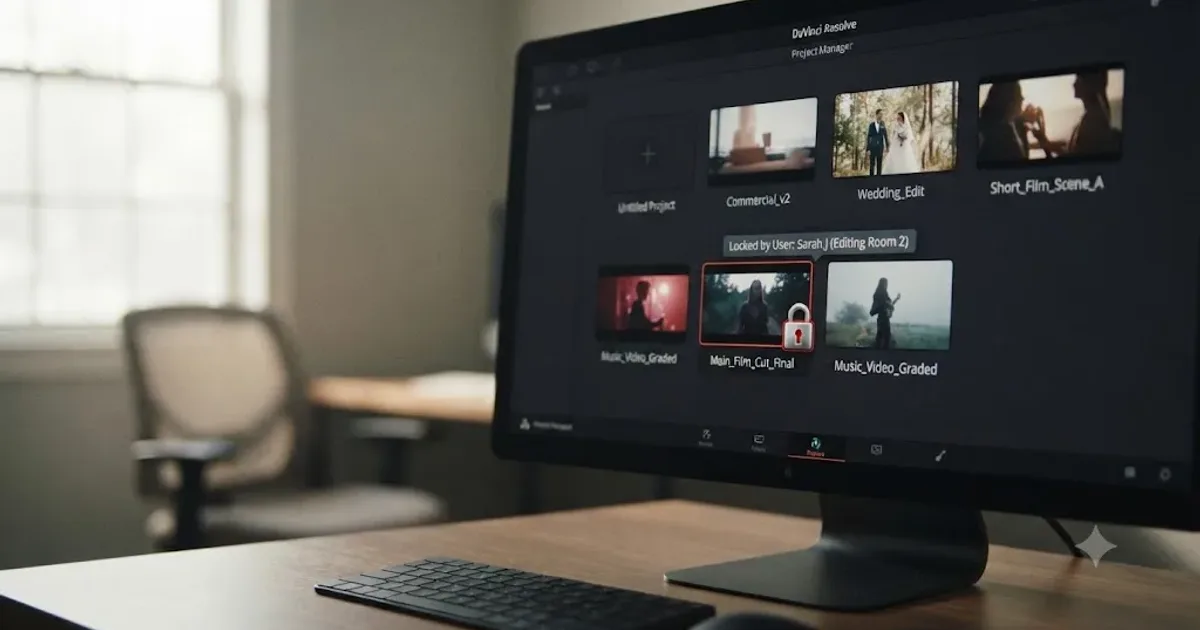
Your project sat open five minutes ago. Now Project Manager shows a padlock over it and a message saying it's locked by another user, and you're the only person anywhere near this machine. Nobody else is on your network. Nobody else has your login. And yet DaVinci Resolve is treating you like an intruder on your own work.
After building and running a 100,000+ member professional video-editing community and cutting commercial work in Resolve for seven-plus years, we've watched this exact message trigger the same panic in beginner and facility editors alike, because it reads like something broke. It didn't. A DaVinci Resolve project locked by another user is, in the overwhelming majority of reports, a lock your own previous session left behind, not evidence that anything or anyone actually touched your project. Below is what the message actually means, why it shows up even in a one-person setup, the exact unlock sequence for both a local Disk Database and a shared PostgreSQL Project Server, and how to stop it from happening again.
What does "project locked by another user" actually mean in DaVinci Resolve?
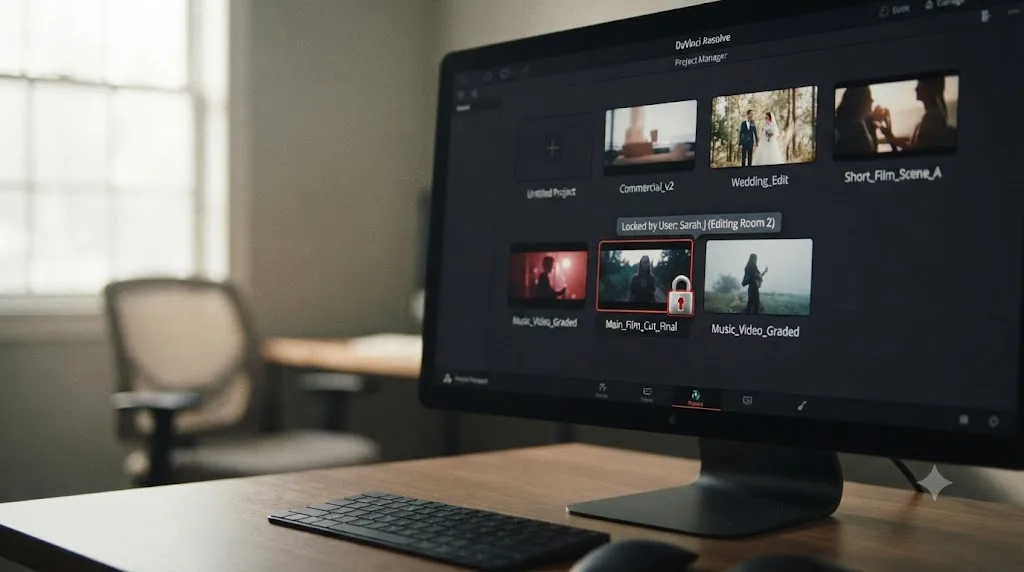
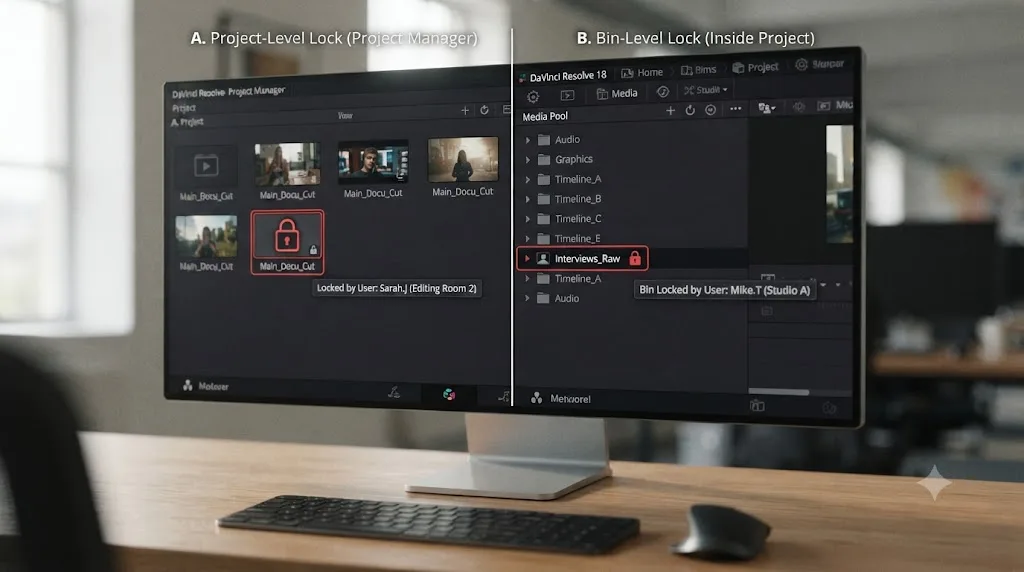
It means Resolve's project record for that specific project currently shows an active lock flag, and the application won't let a second session open it for editing until that flag clears. This is a project-level lock, distinct from the bin-level and timeline-level locks that show up inside an already-open collaborative project.
DaVinci Resolve locks a project the moment a session opens it, on a local Disk Database just as much as a shared Network Library, specifically to prevent two separate sessions from writing to the same project record at the same time. That's a real risk worth guarding against: two sessions saving conflicting changes to one file can genuinely corrupt it. The lock is the guard rail. The lock system exists to protect your project from a genuine two-writer collision, and it doesn't distinguish between "someone else opened this" and "you opened this and your session never told Resolve it was done." Both situations leave the exact same flag set, which is why the message says "another user" even when there's only ever been you.
This is a different mechanism from the one covered in our guide to DaVinci Resolve Collaboration Mode timeline locked. That guide covers what happens once you're already inside a shared project and a specific bin or timeline shows read-only because a teammate currently has it selected. This guide covers the earlier moment: Project Manager itself refusing to open the project record at all, before you've gotten anywhere near a bin or a timeline. If your symptom is "everything inside the project I already opened is grayed out," you want that other guide. If your symptom is "Project Manager won't let me open the project in the first place," you're in the right place.
Why does this happen even when you're the only person using DaVinci Resolve?
Because the lock is tied to whether your last session cleanly told Resolve it was finished, not to whether a second real person is actually involved. A crash, a force-quit, a frozen render, or a machine losing power mid-session all skip the step where Resolve releases the lock, and the flag stays set exactly as if you'd walked away mid-edit and never come back.
A Creative COW thread titled "Project is Locked?" documents this in its simplest form. Perry Trest reported a project that became locked over a weekend despite working entirely solo, with no shared database or collaborator anywhere in the picture. The fix another forum member, Matt Ryan, gave in that thread is the one that resolves the majority of reports like it: "right click on the project with the lock and select unlock" (Creative COW). No data was at risk. No investigation into a phantom collaborator was needed. The project simply hadn't been told, by whatever crashed or force-quit before, that the previous session was over.
A stuck project lock almost never means someone else has your project open. It means your own last session never got the chance to say it was done. That reframing matters because it changes what you do next. You're not trying to find out who's editing your project right now. You're clearing a flag that a normal, controlled close would have cleared automatically, and a proper crash-safe close never got the chance to run.
| What triggers a stuck lock | How common in reports | What actually happened |
|---|---|---|
| App crash or force-quit while a project was open | Very common | The release step that normally runs on close never executed |
| Machine loses power or sleeps improperly mid-session | Common | Same effect as a crash, hardware-triggered instead of software |
| A frozen render or export that required a force-quit | Common | The project was still technically "open" from Resolve's perspective when the process was killed |
| Two sessions on the same Disk Database at once (rare, but real) | Occasional | A genuine second writer, the scenario the lock is actually designed to catch |
| A stale connection on a shared PostgreSQL Project Server | Occasional, mostly facilities | The database still shows an active connection from a machine that's no longer running Resolve |
How do you unlock a DaVinci Resolve project locked by another user?
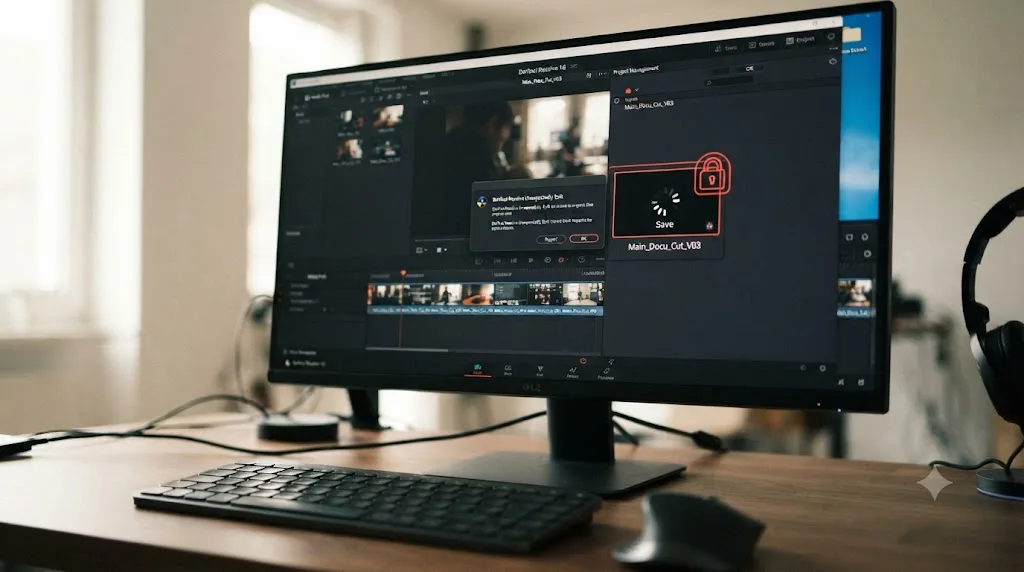
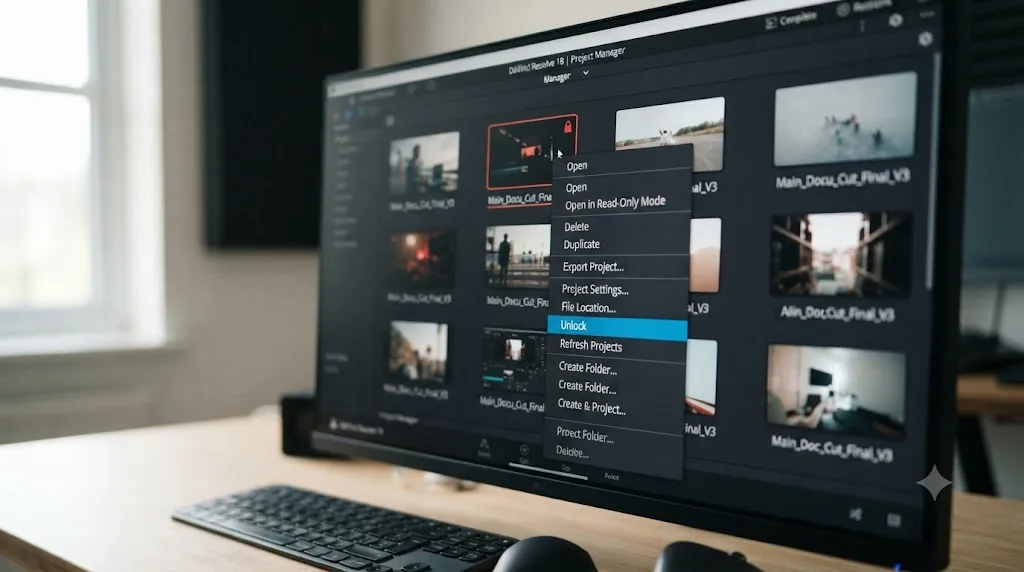
Right-click the locked project in Project Manager and look for Unlock in the contextual menu. If it's there, click it. That single click clears the stuck flag with no risk to your edit, your media links, or anything else inside the project.
This is the fix that resolves the largest share of reports on this exact problem, and it costs less time than reading this paragraph. Multiple threads on the Blackmagic Forum converge on the identical sequence, including one titled plainly "How to unlock project" and another, "Locked projects wont unlock," that walks through the same steps for editors who found the option missing at first glance.
- Open Project Manager and locate the project showing the padlock badge.
- Right-click directly on the project thumbnail, not an empty area of the window.
- Look for Unlock in the contextual menu. If your database has more than one user or you're browsing a Network Library, you may need to select the correct database and user from a dropdown or sidebar first, then right-click the project again once you're looking at the right list.
- Click Unlock. The padlock badge should clear immediately.
- Open the project normally. If it opens without issue, you're done. If a lock reappears the next time you crash out of a session, the fix is the same every time, not something that gets harder with repetition.
Unlocking a DaVinci Resolve project is not a repair operation. It's telling the software that the session which held the lock is actually over. Nothing about your edit decisions, your color grades, or your media links changes when you clear this flag. That distinction is worth holding onto, because the word "locked" makes this sound scarier and more fragile than it actually is.
If you're mid-deadline and just need back into your own project right now, that quick right-click Unlock is the whole story for most people reading this. Everything below covers what to do when that option isn't available, or doesn't hold.
Why isn't there an Unlock option when you right-click the project?
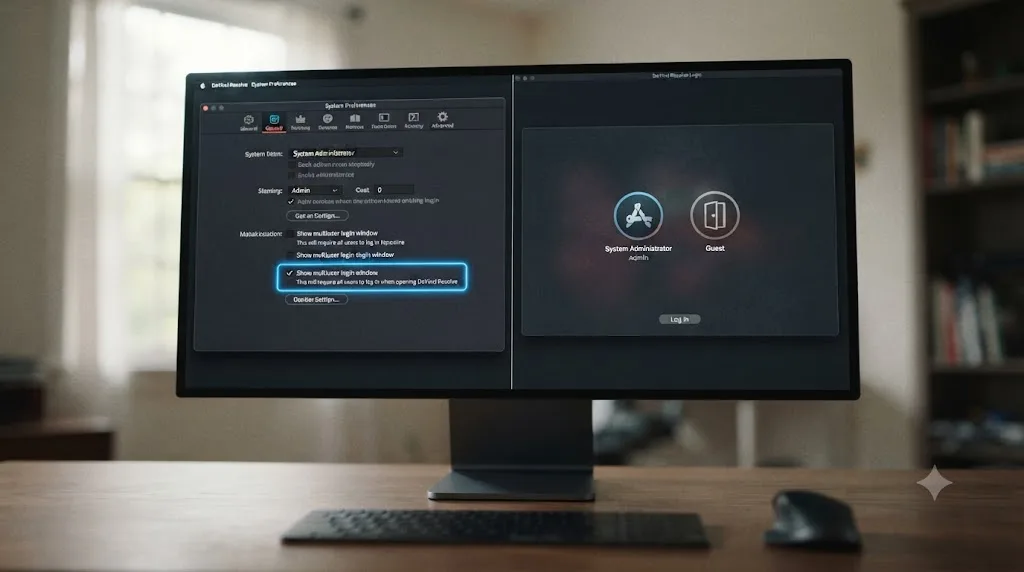
Because Resolve only exposes Unlock to a user logged in as admin under multiuser login mode, and the default installation runs in single-user login mode where that whole concept, and the menu option that goes with it, is hidden.
This trips up more editors than the unlock step itself, because the fix isn't where you'd naturally look for it. It's not a Project Manager setting. It's a system-level login mode you need to switch on first, documented across multiple Blackmagic Forum threads covering the identical confusion. Per the guidance repeated across those threads, including "Locked projects wont unlock" and "How to unlock project," you can only unlock projects as the Resolve admin user, and if you're using the default single-user login mode, you won't see that option no matter how many times you right-click.
- Quit DaVinci Resolve if it's currently open.
- Reopen it and go to Preferences. On Mac, that's DaVinci Resolve > Preferences. On Windows, File > Preferences.
- Click the System tab, not User or Project, since this is a system-level setting rather than a per-project one.
- Check "Show multiuser login window."
- Save the preferences and restart Resolve. Instead of loading straight into Project Manager the way it normally does, you'll now see a login screen with icons for admin, guest, and any other local users that exist on this database.
- Log in as admin.
- Open Project Manager, find the locked project again, right-click it, and choose Unlock. It should now be visible in the menu.
The Unlock option was never actually missing. It was hidden behind a login mode you probably never knew existed, because a solo editor almost never has a reason to turn on multiuser login. Once you've done this the first time, you'll recognize the pattern immediately the next time a lock shows up, and the whole sequence takes under two minutes even the first time through.
If you want to switch back to the simpler single-user login screen once you've cleared the lock, you can uncheck the same box in Preferences > System and restart. There's no penalty for leaving multiuser login enabled going forward either, beyond one extra click at launch to pick admin or guest.
What if the lock still won't clear after you're logged in as admin?
If Unlock is now visible but clicking it doesn't actually clear the padlock badge, or the lock reappears the moment you try to open the project, the most common next cause is that Resolve hasn't yet confirmed the previous session's process is fully dead, especially right after a crash.
A Blackmagic Forum thread titled "Locked out of project" covers a version of exactly this, where a straightforward unlock attempt didn't resolve the underlying issue on the first try. The practical next step, consistent across multiple threads on stuck locks, is to stop trying to fix it from inside the still-running application and instead give the system a clean restart:
- Quit DaVinci Resolve completely, not just close the project window.
- On Windows, check Task Manager, and on Mac, check Activity Monitor, for a lingering Resolve process that didn't actually exit when you quit. Force it closed if one is still running.
- Wait roughly a minute. This isn't superstition. It gives any file handle or database connection tied to the dead process time to actually release at the operating system level, which Resolve's own lock check depends on.
- Relaunch Resolve, log in as admin again if you're in multiuser mode, and try Unlock once more.
If that still doesn't clear it, and you're on a local Disk Database rather than a shared server, the lock information lives inside the database's own files rather than a separate server process, which is a narrower, more advanced fix worth trying only after the steps above have genuinely failed: locating the project's lock reference inside the database folder structure and clearing it directly. This is the kind of edit best treated as a last resort on a Disk Database specifically, since you're modifying database internals by hand rather than using a supported menu option, and it's exactly the scenario where exporting the project as a .drp file and reimporting into a fresh Project Library, covered later in this guide, is usually faster and safer than hand-editing database files.
A lock that won't clear even after a clean admin unlock almost always means the operating system, not Resolve, still thinks the old process is alive. Quit fully, confirm nothing's lingering in Task Manager or Activity Monitor, and give it a minute before you try again. That sequence resolves the stubborn cases that a single unlock click doesn't.
How do you fix a locked project on a shared PostgreSQL Project Server?
Try the same admin unlock first, since it works on a Network Library the same way it works on a local Disk Database. If it doesn't hold, or the project names a specific machine that isn't actually connected anymore, the fix moves from Resolve's own menus into PostgreSQL itself.
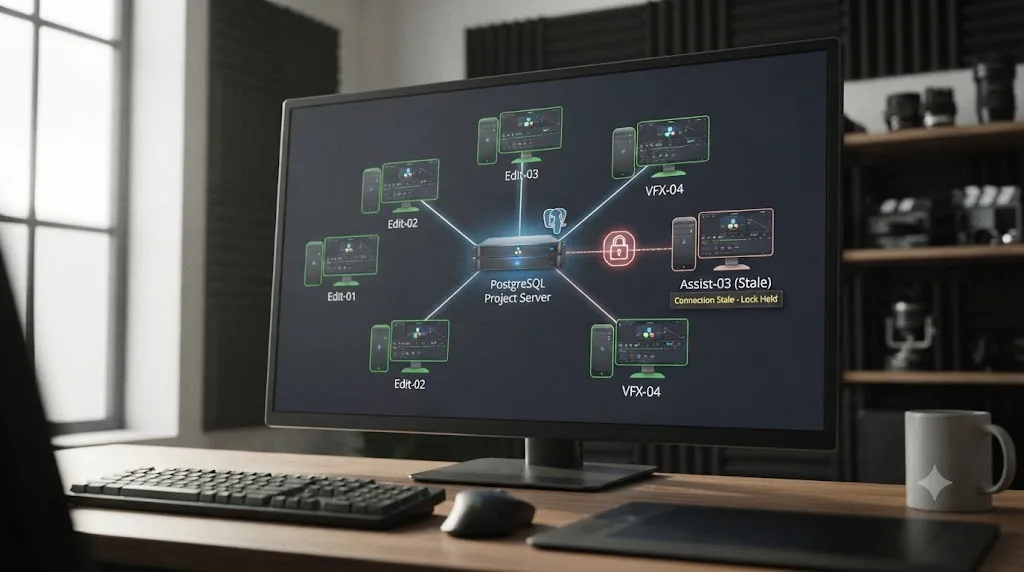
A facility running a PostgreSQL Project Server, sometimes called a Network Library, is a genuinely different setup from a solo editor's Disk Database. Per Daniel Grindrod's breakdown of Resolve's database system, PostgreSQL is "the database option for those working in larger teams and needing to share databases across network storage" (Daniel Grindrod), which means the lock you're looking at isn't just a leftover flag on your own machine's files. It's a row in a real database server that any connected workstation can theoretically hold.
A Blackmagic Forum thread on "PostgresQL Not Opening" captures how easy this setup is to get wrong in the first place: Joseph Berg reported the connection error "the PostgreSQL server is either not running or the password is incorrect" while trying to share a project across two machines, and the fix from other forum members, Brent Marginet and Glenn Sakatch, involved installing PostgreSQL from the specific folder Resolve provides rather than a generic installer, creating the database with default credentials on the server machine, enabling sharing, and connecting the second machine using the server's actual local network IP address rather than 127.0.0.1. That background matters here because a badly configured Project Server is exactly the kind of setup where connections go stale without anyone noticing, which is precisely what produces a lingering lock.
- Try the admin Unlock first. It's the same option covered above, and it works on Network Libraries too, so don't skip straight to database-level fixes.
- If the lock names a machine or IP address that isn't currently running Resolve, that's your strongest signal you're looking at a stale connection rather than a genuine second editor.
- Ask whoever administers the Project Server to open pgAdmin and check active connections to the Resolve database. A connection tied to a machine that's been shut down or disconnected for hours is safe to terminate.
- If terminating the connection doesn't clear the lock on its own, the lock reference itself may need to be cleared directly inside the database, covered in the next section.
A Network Library's lock isn't stored on your machine at all. It's a row in a server your whole team shares, which is exactly why one workstation walking away without properly closing can lock a project for everyone else, not just the person who left. That's the real difference between a solo Disk Database lock and a Project Server lock: on your own machine, only you're affected. On a shared server, a stale lock is a team-wide blocker until someone with database access clears it.
How do you find and clear a stuck lock directly with pgAdmin?
This is the deeper fix, for facility administrators specifically, when the admin Unlock and a terminated connection both fail to release a project on a PostgreSQL Project Server. It requires direct database access, which most solo editors will never need and most facility IT staff already have.
A Blackmagic Forum thread titled "Unable to delete project from Postgres database in Resolve16" documents exactly this scenario: a project locked by someone else that couldn't be deleted or opened, even though the reporting user believed they were the database's only actual user. Attempting to load the project surfaced a warning naming a specific connecting address, sometimes the local loopback address 127.0.0.1, as currently holding the project, which is precisely the kind of stale reference this section is about clearing. That specific address is worth flagging on its own: 127.0.0.1 is the standard loopback reference every computer uses to refer to itself, so a lock naming it points back at your own machine, not a stranger on your network. If the lock instead names a real local network address, something like 192.168.0.x, it's still very likely a stale connection, but a quick check with whoever's machine that address belongs to costs thirty seconds and rules out the rarer case where someone genuinely has the project open right now.
The practical path forward, drawn from that thread and the related "Removing Postgres Database Lock" discussion:
- Back up the database first, through DaVinci Resolve's own Database Manager backup function or a direct PostgreSQL dump, before touching anything by hand. This step isn't optional. You're about to edit database internals directly.
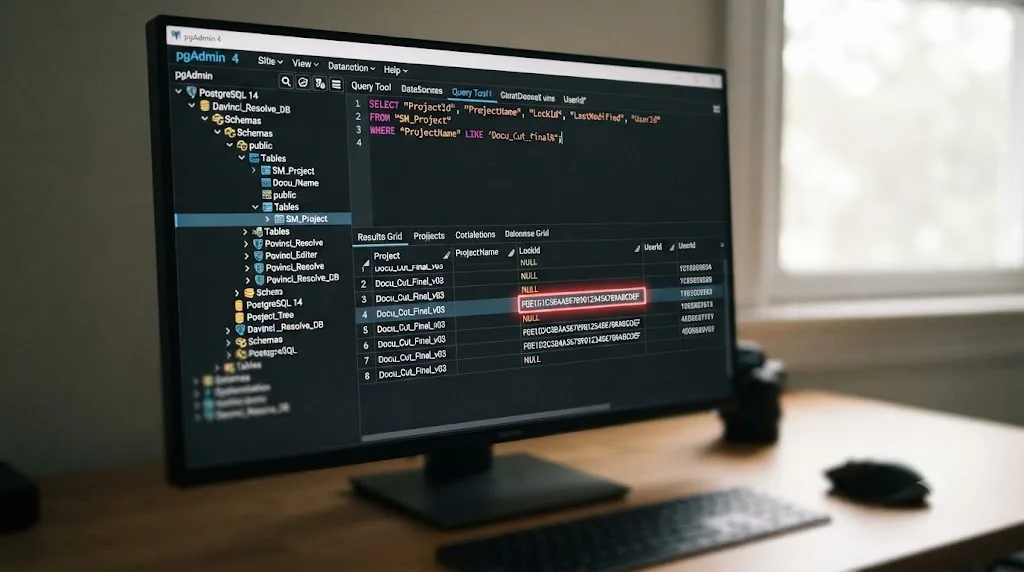
- Open pgAdmin and connect to your Resolve Project Server's database.
- Run a query against the SM_Project table to find every project currently holding a lock reference, something along the lines of selecting the LockId and ProjectName columns from SM_Project where LockId isn't empty. This surfaces every stuck lock in the database at once, not just the one you happened to notice.
- Identify the specific row matching your locked project, and clear its LockId field.
- Reconnect to the Network Library from DaVinci Resolve and confirm the project now opens without the lock badge.
If a database-level fix like this feels beyond what you're comfortable doing yourself, that's a completely reasonable place to stop and hand it to whoever manages your facility's IT infrastructure, rather than experimenting on a shared, live production database. A separate Blackmagic Forum thread, "By deleting a database it doesn't remove it from PostgreSQL," is a useful reminder of the general shape of this risk: PostgreSQL databases don't behave the way a Finder or File Explorer delete does, and operations that look final from inside Resolve's own interface can leave server-side artifacts behind that only a database tool can see and clean up properly.
Clearing a lock through pgAdmin is a database operation, not a Resolve operation, and it should be treated with exactly the caution that implies. Back it up first, confirm you're editing the right row, and if in doubt, hand it to whoever actually administers that server rather than guessing on a shared production database.
Is a locked project the same thing as a corrupted project?
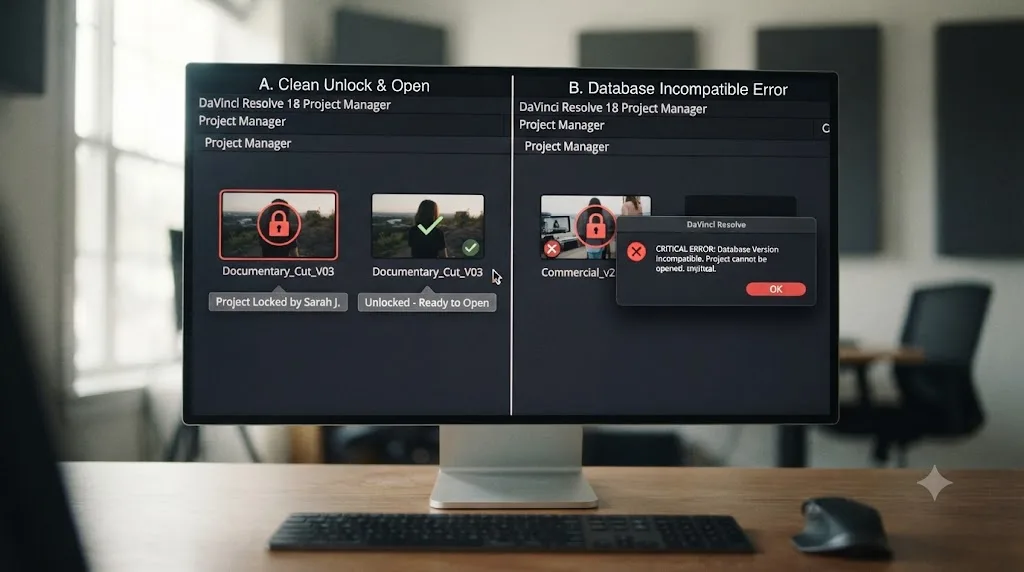
No, and confusing the two wastes real time chasing the wrong fix. A locked project opens cleanly the moment you clear the lock, with everything inside it intact. A corrupted project throws a database error on open regardless of any lock state, because the underlying data itself, not just a flag on top of it, is inconsistent.
The practical tell is what Resolve actually shows you. A lock shows a padlock badge on the project thumbnail in Project Manager, and trying to open it either does nothing or shows a message naming another user or session. Corruption looks different: the project often opens the load process at all, then fails partway through with something like "database is incompatible" or "did not locate a compatible or upgradable database." One is a permissions gate you clear with a click. The other is a data integrity problem with a genuinely different, heavier recovery path, covered in full in our guide to preventing DaVinci Resolve project corruption.
Treat "shows a padlock and names another user" and "throws a database error on open" as two different diagnoses from the first moment you see either one. Working through the unlock steps in this guide against a genuinely corrupted project won't help, because there's no lock flag to clear in the first place. If Unlock is grayed out, missing entirely even after logging in as admin, or the project throws an error the instant you try to open it rather than showing a lock message, stop here and move to the corruption guide instead.
Why did the project disappear instead of showing as locked?
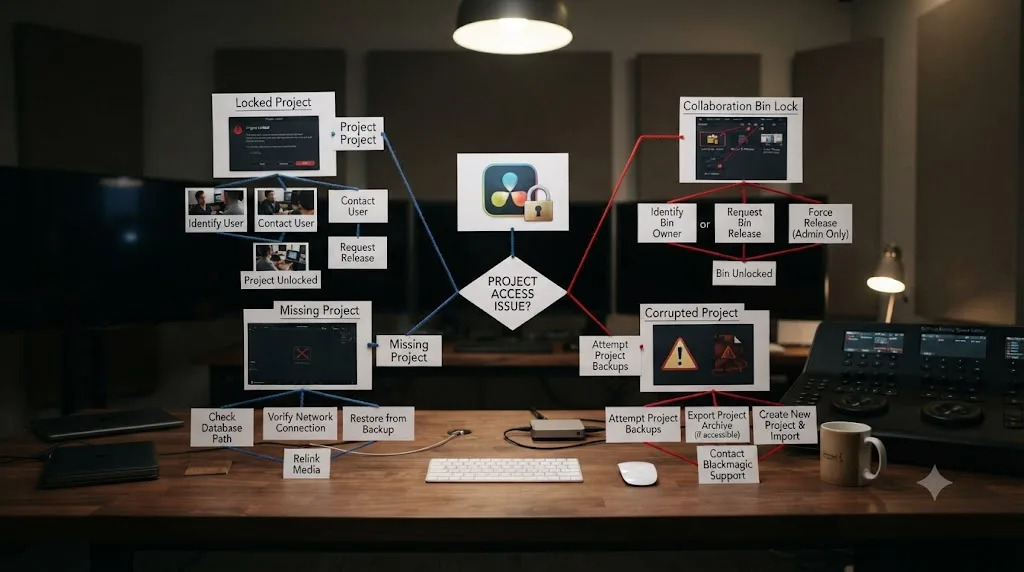
If your actual symptom is that the project isn't in Project Manager at all, rather than sitting there with a padlock badge, you're looking at a different, related problem with its own separate fix. A missing project almost always means Project Manager is currently connected to the wrong Project Library, the wrong user, or a disconnected database, not that anything got locked or lost.
That's a common enough point of confusion that it's worth naming directly here: locked and missing produce very different visual symptoms, but both make an editor briefly assume the worst about a project that's actually fine underneath. Our full guide to DaVinci Resolve project not showing in Project Manager walks through every branch of that specific problem, from the Local versus Cloud sidebar to a database that silently disconnected after a drive slept.
A locked project is visible but blocked. A missing project isn't visible at all. If you can see the padlock badge, you're in the right guide already. If you can't find the project anywhere in Project Manager's grid, the missing-project guide is the one that actually applies to your situation.
Does this happen on the free version of DaVinci Resolve too, or only Studio?
Yes. Project-level locking on a Disk Database isn't gated behind Studio. It's part of how Resolve's project record fundamentally works for every install, because the risk it exists to prevent, a second session writing to the same project file, applies regardless of which license you're running.
Blackmagic Design's own free versus Studio comparison page states that collaboration features, including bin and clip locking, are available across the product line, describing DaVinci Resolve as built for "real time local and remote collaboration" without carving that capability out as Studio-exclusive. The underlying project-lock mechanics this guide covers sit one level below that collaboration layer, in the basic project-open logic every installation shares.
Where licensing does shift the picture slightly is which setup you're likely running in the first place. A shared PostgreSQL Project Server, the Network Library setup covered in the sections above, shows up far more often in Studio-licensed facilities simply because that's where multi-seat teams tend to sit, not because the free version is technically blocked from it. A solo editor on the free version is much more likely to hit a project lock from the simpler cause: their own crashed Disk Database session, the same scenario Perry Trest reported in the Creative COW thread that opened this guide.
Whether you're on the free version or Studio, a locked project is a session-close problem first, and your license doesn't change that diagnosis. Don't spend time wondering if upgrading would fix this. It wouldn't, because the lock mechanics this guide covers aren't a Studio feature gap in the first place.
Decision table: which kind of lock are you actually looking at?
Use this if you're not sure which section of this guide, or which sibling guide entirely, actually matches your symptom.
| Setup | Where the lock shows | Who's affected | Fix |
|---|---|---|---|
| Local Disk Database, solo editor | Padlock badge on the project in Project Manager, before opening it | Only you, on this one machine | Right-click Unlock, or enable admin login first if the option's missing |
| Local Disk Database, opened twice on the same machine | Same padlock badge, usually right after a crash or a duplicate launch | Only you | Fully quit Resolve, confirm no lingering process in Task Manager or Activity Monitor, then unlock |
| PostgreSQL Project Server, shared facility database | Padlock badge naming a specific machine or IP address | Everyone connected to that Network Library | Admin unlock first, then pgAdmin to terminate the stale connection or clear LockId directly |
| Multi-User Collaboration, already inside an open project | A specific bin, timeline, or clip shows read-only, not the whole project | Whoever needs that specific item | Different problem entirely, see our Collaboration Mode timeline locked guide |
| Project isn't in Project Manager at all | Nothing, the project simply isn't in the grid | Only you, until you find the right library or user | Different problem entirely, see our project not showing in Project Manager guide |
| Project throws an error the instant you try to open it | An error dialog, not a padlock badge | Only you, and it's not fixable by unlocking | Corruption, not a lock, see our project corruption prevention guide |
A worked example: a solo editor unlocking a project after a crash
Here's how this plays out on an ordinary, deadline-pressure evening, so the steps above connect the way they actually would in practice.
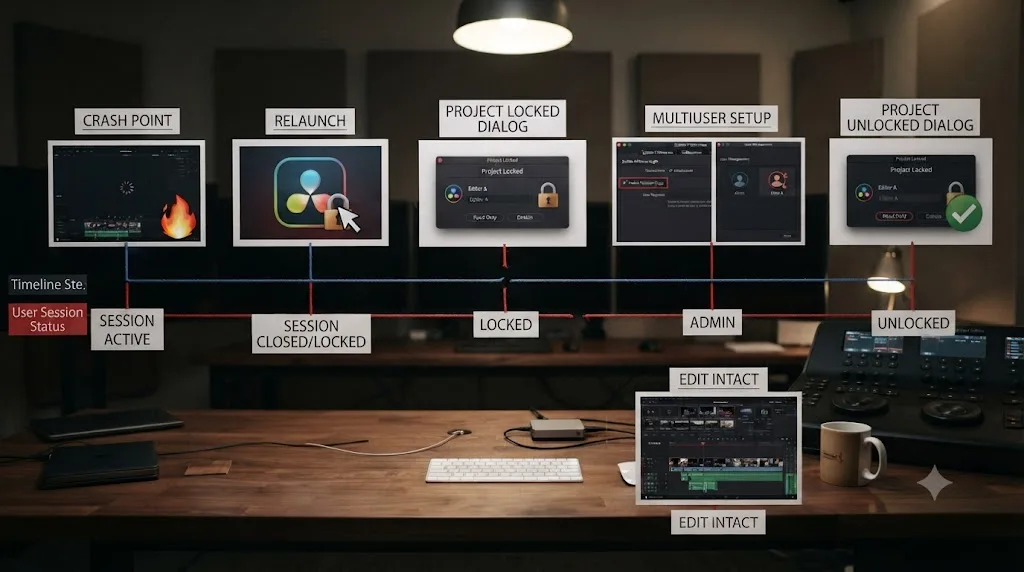
An editor is three hours into a client cut on a laptop, Resolve running on the default single-user login, project living on the internal Disk Database the way most solo installs are set up out of the box. Resolve freezes mid-export. After two minutes of a spinning wheel, the editor force-quits through Task Manager, restarts the laptop for good measure, and reopens Resolve, expecting to pick up exactly where they left off.
Instead, Project Manager shows the project with a padlock badge and a message naming it as locked by another user. There's no other user. There's no other machine. It's the same laptop it's always been.
The editor right-clicks the project first, the fastest possible check, and finds no Unlock option in the menu at all, just the usual Open, Duplicate, and Delete. That's the tell that they're in single-user login mode. They open Preferences, click System, check "Show multiuser login window," save, and restart Resolve. A login screen appears for the first time, showing admin and guest icons. They select admin, open Project Manager, find the same locked project, right-click it again, and this time Unlock is right there in the menu. One click, and the padlock clears.
The project opens normally. Every timeline, every color grade, every edit decision from three hours of work is exactly where it was before the crash, because the lock never touched the data itself. Total time from discovering the lock to being back inside the project: about ninety seconds, almost all of it spent finding the System tab in Preferences for the first time.
A worked example: clearing a stuck lock on a shared Project Server
A second, heavier scenario, for facilities running a real PostgreSQL Project Server rather than a solo Disk Database, since the fix looks meaningfully different once more than one workstation is genuinely involved.
A small facility runs three edit bays off a shared PostgreSQL Project Server, all three machines connecting over the local network to the same Network Library. One editor's workstation loses power mid-session during a brief outage, no UPS in place yet. When power returns and that editor relaunches Resolve, their own project reopens fine, since the crash only affected their local session state, not the server-side lock for a project nobody else was touching.
The problem shows up for a different editor an hour later. They try to open a shared project that the first editor had open during the outage, and Project Manager shows it locked, naming the first editor's machine specifically. The first editor insists they're not touching it, and they're right, their local Resolve session shows nothing open. The lock is real, but the session that created it is gone.
The second editor tries the admin unlock first, the same sequence covered earlier in this guide, and it clears the lock immediately, since the underlying stale connection had already timed out on the server side by that point. No pgAdmin access was needed, because the simple admin Unlock resolved it before anyone had to escalate to a database-level fix.
A separate incident at the same facility, a month later, doesn't resolve as cleanly. A render machine crashes hard enough that its network connection to the Project Server hangs in a half-open state rather than closing cleanly, and the admin Unlock does nothing, since Resolve's own unlock function can't clear a connection the database server itself still considers active. The facility's IT lead opens pgAdmin, finds the hung connection tied to the render machine's IP address, terminates it manually, and the lock clears the moment that connection actually closes. That's the branch where a database-level fix, not just an in-app one, turns out to be necessary, and it's exactly the scenario the pgAdmin section of this guide exists for.
How do you prevent a project from getting stuck locked again?
You can't eliminate crashes entirely, but you can shrink both how often they happen and how often they leave a stuck lock behind, and most of the habits that do this are ones you should already be running for other reasons.
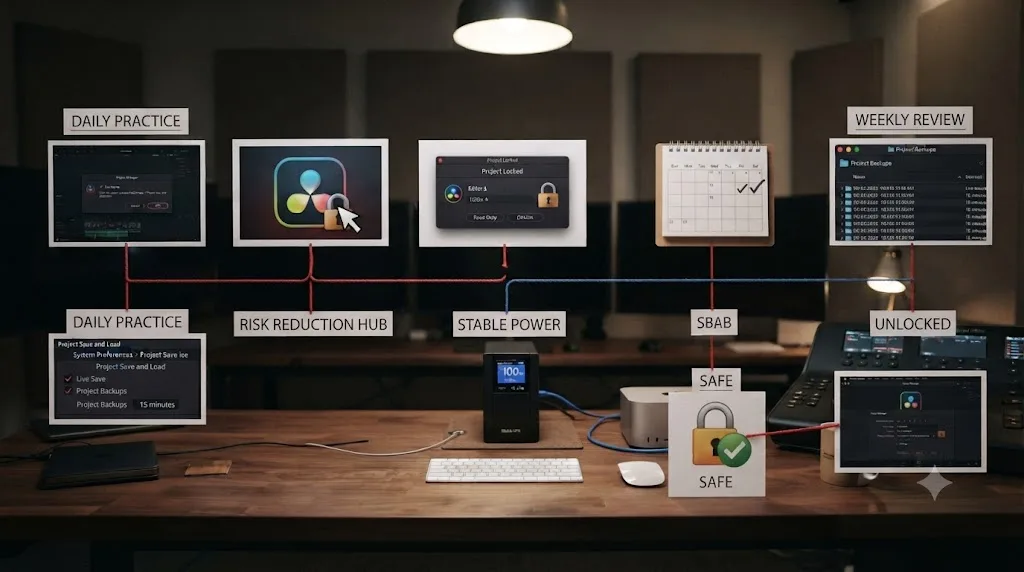
Quit DaVinci Resolve properly, every time, rather than force-quitting out of habit. A clean quit is what actually runs the lock-release step in the first place. If Resolve is genuinely frozen and a force-quit is unavoidable, that's fine, it happens, but recognize it as the moment that creates the exact stuck-lock scenario this guide walks through, not a shortcut with no downstream cost.
Keep Live Save and Project Backups running. They don't prevent a lock directly, but they mean a crash costs you less, which makes force-quitting a frozen session a lower-stakes decision when you're genuinely stuck waiting on it. Our full breakdown of DaVinci Resolve's Live Save settings covers what's actually protected and what isn't in more depth than fits here.
Run your workstation on a UPS if you're prone to power interruptions. A clean, battery-backed shutdown during a power loss gives Resolve the chance to release its lock the normal way instead of losing it mid-write, the same protection covered in our guide to preventing DaVinci Resolve project corruption.
On a shared Project Server specifically, don't leave a workstation asleep or half-shut-down with Resolve still technically running. That's the single most common cause of the facility-level version of this problem, and it's an easy habit to build once everyone on the team knows what a hung connection actually costs the rest of the group.
A stuck project lock is a downstream symptom of an interrupted session, and every habit that makes your sessions end cleanly is also, indirectly, a habit that prevents this exact message from showing up again. None of this requires new software or a workflow overhaul. It's the same handful of habits that protect you from data loss generally, applied to a narrower, more annoying symptom.
If you're mid-session right now and just want to confirm you closed everything out properly before you walk away, that's exactly the kind of check Uncle can point you through live inside your own Project Manager, covered next.
Quick troubleshooting reference
Work through this top to bottom. The first two rows resolve the large majority of "locked by another user" reports.
| Symptom | Likely cause | Fix |
|---|---|---|
| Padlock badge on a project, right-click shows Unlock | Normal stuck lock from a crash or force-quit | Click Unlock, then open the project |
| Padlock badge, but no Unlock option in the right-click menu | Single-user login mode hides the admin-only Unlock option | Preferences > System > enable multiuser login, log in as admin, unlock |
| Unlock clicked, but the lock reappears or won't clear | Operating system still shows the old process as alive | Fully quit Resolve, confirm nothing lingers in Task Manager or Activity Monitor, wait a minute, retry |
| Lock names 127.0.0.1 | That's your own machine's loopback address | Not a real second user; proceed with the normal unlock |
| Lock names a real network IP on a shared Project Server | Stale connection from a machine that's since disconnected | Admin unlock first, then pgAdmin to terminate the connection if needed |
| Admin unlock does nothing on a Network Library | Database server still considers the connection active | Facility IT terminates the connection or clears LockId directly in pgAdmin |
| Project throws a database error instead of showing a lock | Actual corruption, a different problem entirely | See our guide on preventing and recovering from project corruption |
| Project isn't visible in Project Manager at all | Wrong library, wrong user, or a disconnected database | See our guide on a project not showing in Project Manager |
Can an AI tool help you catch this before it costs you a session?
Most of this guide is a checklist you work through once a project's already showing locked. The more useful moment for an AI tool is earlier than that, confirming your Preferences and login mode are set up the way you think they are, before you're the one staring at a padlock badge with a deadline attached.
TryUncle is the on-screen assistant for DaVinci Resolve on macOS. Ask in plain words, and Uncle points at the exact control on your screen. If you're not sure whether multiuser login is currently enabled, or which admin account is actually active on your database, that's exactly the kind of question Uncle answers live, inside your real Preferences panel and your real Project Manager, instead of you comparing this guide's screenshots against a menu that may have moved since your last update.
This is a genuinely different category of tool than the AI assistants people usually reach for when troubleshooting DaVinci Resolve. Chat-based tools like ChatGPT and Claude can explain, in general terms, how Resolve's project-locking system works, roughly the way this guide does, but they have no view of your actual screen and can't tell you whether your specific installation is currently running single-user or multiuser login. Automation-focused tools built for Resolve, like Sottocut and cutagent.ai, exist to speed up editing tasks on a timeline you already have open, not to diagnose why Project Manager won't let you open a project in the first place. heyeddie.ai and PremiereCopilot answer typed questions about editing generally, PremiereCopilot for a different NLE entirely, without watching your actual project state. TryUncle's Uncle is built specifically to watch your DaVinci Resolve screen while you work and point at the real menu item, the real checkbox, the real login screen in front of you, which makes it useful for exactly the kind of "wait, which login mode am I even in" question this whole guide is built around.
Guided practice inside Resolve beats watching a course about Resolve, and it also beats hunting through a Preferences panel alone at midnight trying to remember which tab the multiuser checkbox lives under. That second case, confirming a setting in the moment rather than reconstructing it from memory or an old guide, is exactly where an in-app tutor earns its keep.
If a project locks on you mid-session again, Uncle can point at your actual Project Manager and confirm whether you're looking at a real second session or your own stale lock, right there on your screen, instead of you working through this checklist from memory. TryUncle is a paid subscription at $39 a month with cancel-anytime billing, per TryUncle. It's macOS only. If you manage a shared Project Server and want fewer "who's actually got this locked" messages flying around your team, that's a reasonable moment to lean on something built to watch what's actually happening on someone's screen rather than guessing over chat. For a broader look at how it compares to chat-based and automation-based tools across more than just this one problem, our guide to AI tools to learn DaVinci Resolve goes deeper.

The verdict
A DaVinci Resolve project locked by another user is, in nearly every report gathered for this guide, a project locked by your own previous session, not a stranger, not a bug, and not data loss. Resolve locks a project the moment it opens to prevent a genuine two-writer collision, and that lock is supposed to release automatically on a clean quit. A crash, a force-quit, or a hard power loss skips that release step, and the next session reads the leftover flag as though someone else is still in there.
The fix costs you under two minutes almost every time: right-click the project and choose Unlock, or, if that option's missing, flip on multiuser login, sign in as admin, and unlock it from there. Shared PostgreSQL Project Server setups add one more layer, since a stale lock there lives on a server the whole team shares, but even that resolves with the same admin unlock first, and a pgAdmin cleanup only when the simpler path genuinely doesn't hold. Nothing about a project lock touches your actual edit, your grade, or your media links, which makes this one of the least dangerous-looking problems in DaVinci Resolve to actually be this alarming the first time you see it. Clear the flag, get back to work, and build the quit-clean habit that keeps it from showing up again.
Frequently asked questions
- Why does DaVinci Resolve say a project is locked by another user when I'm the only one using it?
- Because Resolve locks a project the instant you open it, local Disk Database included, to stop two sessions from writing to the same record at once, and that lock is supposed to release the moment you close the project or quit the app. A crash, a force-quit, or a frozen render skips that release step. The next time you try to open the same project, Resolve reads the stale lock flag and reports it as held by another user, even though the 'other user' is really just your own interrupted session from ten minutes ago.
- How do I unlock a project in DaVinci Resolve?
- Right-click the locked project in Project Manager and look for Unlock in the contextual menu. If it's there, clicking it clears the lock immediately with no risk to your project data. If Unlock isn't listed at all, you're in single-user login mode, and you need to switch to multiuser login and sign in as admin before the option appears.
- Why isn't there an Unlock option when I right-click the locked project?
- Resolve only shows Unlock to a user logged in as admin under multiuser login mode. If your installation is set to the default single-user login, that option is hidden entirely. Open Preferences, go to the System tab, check 'Show multiuser login window,' save, and restart Resolve. You'll get a login screen with admin and guest icons; log in as admin, and Unlock appears in the right-click menu on the stuck project.
- How do I fix a locked project on a shared PostgreSQL Project Server?
- Try the same admin unlock first, since it works on Network Libraries too. If the lock persists, or the project shows as held by a machine like 127.0.0.1 that isn't actually connected anymore, open pgAdmin, find the stale connection to your Resolve database, and terminate it, or query the SM_Project table directly for a row where LockId isn't empty and clear that field. Only do this on a database you administer, and back it up first.
- Is a locked project the same thing as a corrupted project?
- No, and mixing them up wastes time chasing the wrong fix. A locked project opens fine once you clear the lock, and nothing inside it is damaged. A corrupted project throws an error like 'database is incompatible' regardless of any lock state, because the underlying data itself is inconsistent. If unlocking doesn't get you in, or the project throws a database error instead of a lock message, you're dealing with corruption, not a lock, and our guide to preventing DaVinci Resolve project corruption covers that separately.
- Does this happen on the free version of DaVinci Resolve too, or only Studio?
- Yes. Project-level locking on a Disk Database isn't a Studio-gated feature. It's core to how Resolve's project record works for every install, free or Studio, because the risk it protects against, two sessions writing the same project file at once, exists regardless of license. Shared PostgreSQL Project Server setups are more common in Studio-licensed facilities simply because that's where multi-seat teams tend to sit, but the lock mechanics themselves aren't restricted by edition.
- Is there an app that helps you while using DaVinci Resolve avoid getting stuck like this?
- Yes. TryUncle is a paid macOS app whose assistant, Uncle, watches your DaVinci Resolve screen and can point at your Preferences, your Project Manager, or the exact right-click menu you need live, on your actual project, instead of you comparing this guide against a screenshot from last year's version.
Sources
- Creative COW: Project is Locked?
- Blackmagic Forum: Locked projects wont unlock
- Blackmagic Forum: How to unlock project
- Blackmagic Forum: Locked out of project
- Blackmagic Forum: lock / protect project?
- Blackmagic Forum: Unable to delete project from Postgres database in Resolve16
- Blackmagic Forum: Removing Postgres Database Lock
- Blackmagic Forum: PostgresQL Not Opening
- Blackmagic Forum: By deleting a database it doesn't remove it from PostgreSQL
- DaVinci Resolve Manual: Member Management in the DaVinci Resolve Project Server (Blackmagic Design, mirrored)
- DaVinci Resolve Manual: How Collaboration Works (Blackmagic Design, mirrored)
- DaVinci Resolve Manual: Enabling Multiple User Collaboration (Blackmagic Design, mirrored)
- Daniel Grindrod: Databases Explained - Getting started in DaVinci Resolve (Part 1)
- DaVinci Resolve free vs Studio comparison (Blackmagic Design)
- DaVinci Resolve Manual: Project Backups (Blackmagic Design, mirrored)
- Dev.to: The data directory contains an old postmaster.pid file
- PetaPixel: DaVinci Resolve 21 Officially Released
Learn by doing, not watching
Stop translating tutorials to your timeline.
TryUncle stays beside Resolve on Mac and Windows. When you ask, Uncle sees your screen and points at the exact control you need. No hunting through tabs, timestamps, or mismatched tutorials.
Meet TryUncleKeep reading
 FixesJul 11, 202628 min read
DaVinci Resolve Collaboration Mode Timeline Locked: The Fix
Why DaVinci Resolve locks a timeline, or a whole bin of them, in Multi-User Collaboration, and the fix: give each active timeline its own bin.
 FixesJul 19, 202626 min read
DaVinci Resolve Project Not Showing in Project Manager: Fixed
A DaVinci Resolve project missing from Project Manager is almost always a wrong-library or wrong-user problem, not data loss. The full path checklist, in order.
 FixesJul 16, 202630 min read
How to Prevent DaVinci Resolve Project Corruption
The real causes of DaVinci Resolve project corruption, from cloud-synced databases to power loss, and the exact habits that prevent it in 2026.