
Learn / DaVinci Resolveupdated for DaVinci Resolve 21.0.3, current 2026 AI voice generator pricing, and Play.ht's December 2025 shutdown (July 2026)
Best AI Voice Generator for DaVinci Resolve Voiceovers (2026)
Quick answer
The best AI voice generator for DaVinci Resolve voiceovers depends on your budget. ElevenLabs gives the most natural voice for $22/month, DaVinci Resolve Studio's built-in Speech Generator is essentially free once you own the $295 Studio license, and Murf is the cheapest paid option with full commercial rights at $19/month. There's no single universal winner.
You typed "best AI voice generator for DaVinci Resolve voiceovers" because you have a project due and a voiceover that either doesn't exist yet or doesn't sound right. Maybe you don't want to record yourself. Maybe you already did and it sounds like it was recorded next to a running fridge. Either way, you're not looking for a philosophy lecture on synthetic speech. You want to know which tool to open and what it costs.
So here's the honest version, as of July 2026. There are two real categories here, not one: standalone AI voice generators you use outside Resolve and import in, and DaVinci Resolve's own built-in Speech Generator, which most editors have genuinely never noticed. We've spent seven years cutting professional, commercial video in DaVinci Resolve and run the 100,000+ member editing community where this exact question keeps coming up, so we'll cover both categories with real prices. The voiceover is the one track a client actually listens to critically, and picking the wrong tool costs you a revision round you didn't need to have.
What's the best AI voice generator for DaVinci Resolve voiceovers right now?
There's no single winner, because "best" depends on whether you're optimizing for voice quality, cost, or convenience inside Resolve itself. ElevenLabs produces the most natural-sounding voice of the group and is worth the $22 a month if quality is your bottleneck. DaVinci Resolve Studio's own Speech Generator costs nothing extra once you own the $295 one-time Studio license, and it never leaves the app. Murf undercuts both on price for teams that need full commercial rights fast.
Here's the fast version, before we get into any of the detail below:
| If you want... | Pick | Starting price |
|---|---|---|
| The most natural, expressive voice | ElevenLabs | $22/month (Creator) |
| Zero extra cost, already own Resolve Studio | DaVinci Resolve's Speech Generator | $0 (included in $295 Studio license) |
| Cheapest commercial-rights voice for explainer/corporate work | Murf | $19/month (Creator, annual billing) |
| A voice generator bundled with editing you already pay for | Descript Overdub | $16 to $24+/month |
| Enterprise-scale narration with per-seat licensing | WellSaid Labs | ~$49/month and up per seat |
None of these tools is bad. They're built for different jobs, and the rest of this guide walks through exactly where each one wins, including a couple of things you can only find out once you're actually generating audio: hardware limits, language gaps, and what happens the day you exceed your plan.
Does DaVinci Resolve have its own AI voice generator built in?
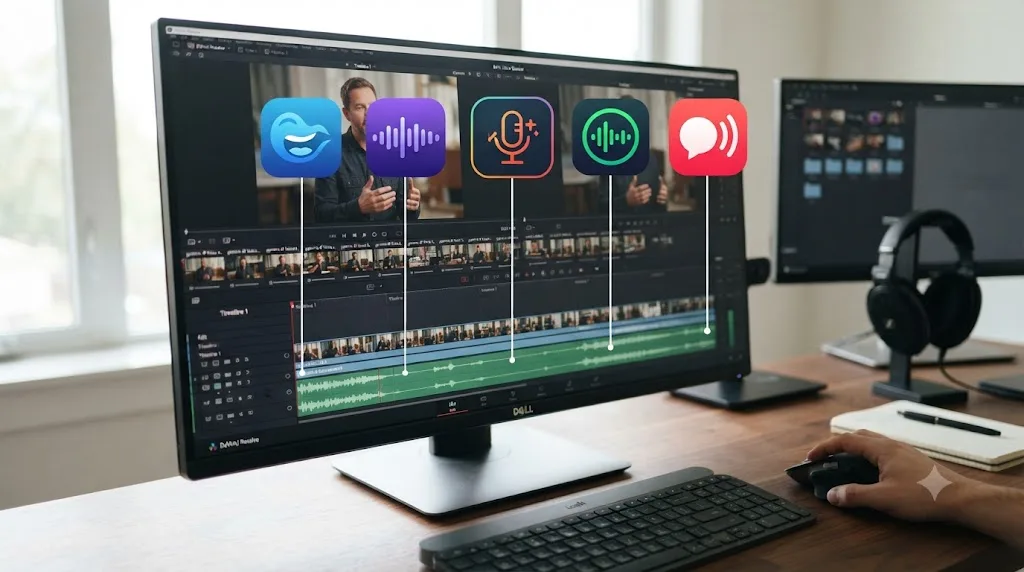
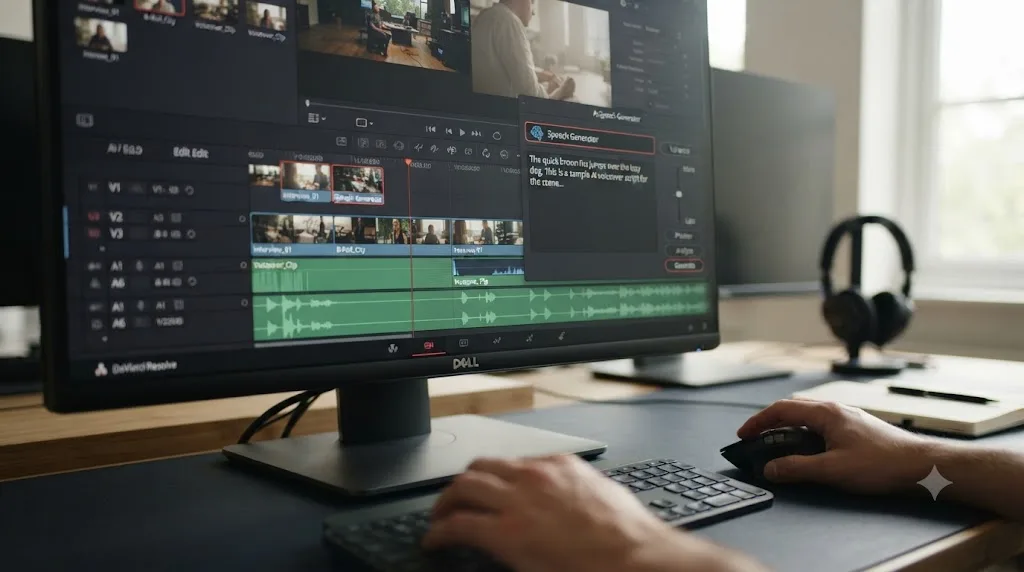
Yes, and it's the fact most editors researching this topic don't know yet. DaVinci Resolve 21 Studio ships an AI Speech Generator that converts typed text directly into spoken narration, using either one of four standard Blackmagic voice models or a custom voice cloned from a 10 to 20 second sample of your own recorded speech, according to Blackmagic Design's own release notes (source: Blackmagic Design's What's New page).
The feature lives in DaVinci Resolve 21 Studio's AI Tools, reachable from the Timeline menu, and it first has to be downloaded as an add-on through the Extras Download Manager before it appears (source: JayAreTV). It is a Studio-exclusive feature. Multiple independent write-ups confirm it does not appear in the free edition of Resolve at all, gated the same way Magic Mask, Voice Isolation, and Smart Reframe are gated (source: DaVinci Resolve Club; source: Cutsio).
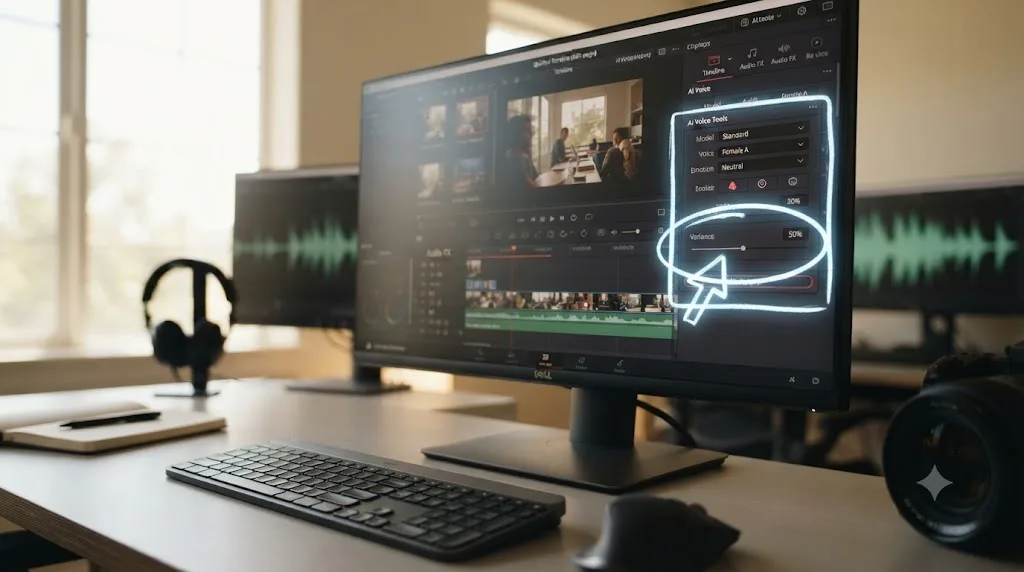
Two controls set it apart from a typical text-to-speech box. A Generation ID assigns every generated take a unique, repeatable number, so if you land on a reading you love, you can lock that exact performance in place while you keep tweaking pitch or speed elsewhere. A Variance slider runs from 0.0 to 1.0 and controls prosody, the rhythm and emotional shape of the delivery, with 0.0 staying closest to a flat, literal reading of your text and 1.0 introducing more natural inflection and rhythmic variety (source: Blackmagic Design).
DaVinci Resolve already has a text-to-speech generator built in, and most Resolve editors have never opened it. That alone is reason enough to try it before paying for a separate subscription, especially if you already bought Studio for its color or Fusion tools and haven't touched the AI Tools menu.
It's worth being precise about what this replaces. Before this update, Resolve's older Voice Convert feature could clone a voice but couldn't generate speech directly from text, forcing you to record a guide track first and then convert it. Colorist and tech journalist Allan Tepper documented that exact limitation in a December 2025 test for ProVideo Coalition, writing plainly that Resolve's voice tool "cannot (yet) render one of its cloned voices directly from text" (source: Allan Tepper, ProVideo Coalition). The Speech Generator in DaVinci Resolve 21 is the fix for exactly that gap.
What are DaVinci Resolve's Speech Generator hardware requirements, and could it fail on your machine?
Blackmagic Design hasn't published a spec sheet that isolates the Speech Generator from the rest of DaVinci Resolve 21's AI tools, so you're working from the general AI Tools baseline plus some hard-won practical guidance from editors who've hit the wall.
The official floor for running Resolve at all is modest: a GPU with at least 4 GB of VRAM supporting OpenCL 1.2 or CUDA 12.8 on Windows and Linux, or an Apple Silicon Mac with a Metal-capable GPU, according to Blackmagic's own minimum system requirements documentation (source: Blackmagic Design). That number covers opening the app and cutting a timeline. It does not cover running the Neural Engine features layered on top, and the Speech Generator is one of those features.
A GPU that can open DaVinci Resolve is not automatically a GPU that can run its AI Speech Generator without a fight. Independent hardware guides recommend a much higher bar for the AI Tools category as a whole, since IntelliSearch, Magic Mask v2, Face Age Transformer, and the Speech Generator all draw on the same DaVinci Neural Engine and the same pool of VRAM. One widely cited practical recommendation puts the comfortable floor at 12 GB of VRAM on Windows before you turn AI tools on for a real project, climbing toward 16 GB for the heavier tools in that group (source: DaVinci Resolve Club system requirements guide; source: DaVinci Resolve Club AI Tools breakdown). Blackmagic itself hasn't published that specific figure, so treat it as informed practical guidance rather than an official minimum.
Here's why that gap matters. If your card has 8 GB of VRAM and you're already grading a 4K timeline, adding an AI Tools layer on top can push total VRAM demand past what the card has to give. On Windows and Linux, Resolve doesn't gracefully spill that overflow into system RAM the way some other apps do, so the reported failure mode isn't a slow render. It's a hard crash, according to the same hardware guide (source: DaVinci Resolve Club).
Apple Silicon Macs sidestep a chunk of this problem structurally. Instead of sharing a discrete GPU's VRAM pool between color, effects, and AI processing the way a Windows or Linux tower does, Apple Silicon chips route Neural Engine workloads, including AI Tools like the Speech Generator, through dedicated on-chip hardware built for that job. That's one reason DaVinci Resolve 21 dropped Intel Mac support entirely and now requires an Apple Silicon Mac running macOS 15 Sequoia or later (source: Cinapex).
If you're not sure where your own machine lands, here's a rough field guide rather than a hard rule, since Blackmagic hasn't published exact Speech Generator numbers:
| Setup | Likely Speech Generator experience |
|---|---|
| Apple Silicon Mac (M-series), 16 GB+ unified memory | Should run without VRAM contention; generation speed scales with chip tier |
| Windows/Linux, discrete GPU with 12 GB+ VRAM | Should run fine alongside a moderate timeline |
| Windows/Linux, discrete GPU with 8 GB VRAM, light timeline | Usually works, but watch for slowdowns on longer 4K projects |
| Windows/Linux, discrete GPU with 8 GB VRAM, heavy 4K/6K timeline | Highest risk of a hard crash when AI Tools engage |
| Windows/Linux, integrated GPU only, under 4 GB VRAM | Below Resolve's general minimum; don't expect AI Tools to run at all |
One practical benchmark exists for generation speed itself, separate from the crash risk above: a 30-second voiceover typically renders in 10 to 20 seconds on a system with adequate GPU acceleration, according to one Speech Generator walkthrough (source: Cutsio). If a single short line is taking noticeably longer than that on your machine, VRAM contention from an oversized timeline or a background render is the first thing worth checking, not a broken install.
None of this applies to the cloud-based tools in this guide. ElevenLabs, Murf, WellSaid Labs, and Descript's Overdub all generate speech on the vendor's own servers, so your local GPU has nothing to do with how fast or reliably they render a line. That's the tradeoff running in the opposite direction from the privacy and cost advantages Resolve's built-in tool has: cloud tools are hardware-agnostic on your end, but Resolve's tool is local, private, and free once you own Studio, provided your GPU can carry the load.
Does DaVinci Resolve's Speech Generator work in languages other than English?
This is one of the murkier corners of the feature, and it's worth saying plainly: the evidence is mixed, and Blackmagic hasn't published one clear sentence settling it.
Some independent write-ups describe the Speech Generator as supporting the same language set as Resolve's transcription engine, which covers English, Spanish, French, German, Italian, Japanese, Korean, and Mandarin Chinese. But a thread on Blackmagic's own user forum, titled plainly "AI Speech Generator - Language issue," has users reporting that the feature currently works in English only and doesn't produce usable speech in other languages yet (source: Blackmagic Design Forum). A second forum thread on the same board, "IntelliSearch, Speech Generator and Spell Checker language," shows this is a live, ongoing point of confusion rather than a one-off complaint (source: Blackmagic Design Forum).
If your project needs a non-English voiceover, don't assume Resolve's Speech Generator will handle it until you've tested it yourself on your exact language. Generate a short test line in your target language before you build a workflow around it. If it comes out as English with a strange accent, or fails to produce anything coherent, that's consistent with what forum users are reporting, and you're better off with a dedicated multilingual tool for that specific project.
Custom voice cloning is a separate case from the stock voice models, and it's less restricted. Since a voice clone reproduces the acoustic characteristics of your sample rather than running through a fixed language model, cloning generally works regardless of what language the sample or the generated line is in. The English-only reports above apply to the stock Blackmagic voice models reading typed text, not to a cloned voice speaking a script you've written yourself.
If you need confirmed multilingual coverage today, the standalone cloud tools are the safer bet:
| Tool | Language coverage claimed |
|---|---|
| ElevenLabs (Eleven v3 model) | 70+ languages (source: ElevenLabs) |
| ElevenLabs (Multilingual v2 model) | 29 languages (source: ElevenLabs) |
| ElevenLabs (Turbo/Flash v2.5 models) | 32 languages (source: ElevenLabs) |
| Murf | 40+ languages and accents advertised, though Murf's own help documentation isn't internally consistent on the exact figure (source: Murf AI Help Center) |
| DaVinci Resolve Speech Generator | English confirmed; other languages disputed and unconfirmed as of this writing |
| WellSaid Labs, Descript Overdub | Not publicly specified as a language count in the sources reviewed for this guide; both are primarily positioned for English-language narration |
What are the most common Speech Generator problems, and how do you fix them?
Most of the confusion around this feature isn't a bug. It's a discoverability problem, since Blackmagic buried a genuinely useful tool behind a few non-obvious steps.
"I don't see Speech Generator anywhere in my AI Tools menu." Two things cause this almost every time. First, it's a DaVinci Resolve Studio exclusive, so if you're running the free edition, it will never appear, no matter how you search the menus (source: DaVinci Resolve Club). Second, even on Studio, it isn't bundled with the base install. Blackmagic ships it as a separate add-on through the Extras Download Manager, a system introduced starting with Resolve 20 specifically so large AI models don't bloat the install for editors who don't need them (source: JayAreTV). Open the Extras Download Manager, find Speech Generator in the list, and download it before you go looking for it on the Timeline menu.
"It downloaded, but now it won't generate anything without internet." That's expected for the download step itself, not for ongoing use. The initial download of the AI model needs a connection. Once it's installed, generation happens locally through the DaVinci Neural Engine, and you can work offline from that point on. If you're getting a connection error on every single generation rather than just the first-time download, check that the download actually completed rather than assuming a one-time internet requirement explains a recurring failure.
"Voice cloning rejected my sample file." The Speech Generator's cloning mode is picky about format in a way the interface doesn't warn you about upfront: your source sample has to be a WAV file. AIFF, MP3, and other compressed formats aren't accepted, which trips up anyone who recorded a sample on a phone and expects to drag it straight in (source: DaVinci Resolve Club). Convert your sample to WAV in Fairlight or any audio tool before you try to clone from it.
"Generation is painfully slow, or Resolve crashes when I try to use it." This is almost always a VRAM problem, not a software bug. If you're on a card with less than 12 GB of VRAM and working a heavy 4K or 6K timeline, that's the most likely explanation, and closing other GPU-hungry tasks or working on a lighter proxy timeline while generating narration is a reasonable workaround.
"My cloned voice doesn't sound like me." That's a known, documented limitation rather than something you're doing wrong. In a direct shootout, colorist Allan Tepper rated Resolve's cloned-voice output as tied with Descript's Overdub, both behind ElevenLabs, and noted plainly that "although neither is recognizable as my human voice, they are both usable voices for certain projects" (source: Allan Tepper, ProVideo Coalition). If a convincing clone of your specific voice is the deliverable, budget for ElevenLabs instead.
"Variance slider doesn't seem to do anything." Small adjustments near either extreme are subtle by design. Test the extremes first, 0.0 versus 1.0, to hear the actual range before fine-tuning in the middle, rather than nudging it a little at a time and concluding nothing changed.
"I get a different voice than the one I selected." This is usually a leftover generation cached from a prior session or clip. Confirm you're generating fresh rather than reusing a Generation ID tied to a different voice model, especially after switching between a stock Blackmagic voice and a custom clone in the same project.
"I can't find the menu at all, even after the download." The path is specific: Timeline menu, then AI Tools, then Speech Generator. It doesn't live under Fairlight or under Color, which is where editors instinctively look first for anything voice-related.
How does DaVinci Resolve's native tool compare to ElevenLabs, Murf, and the rest?
Directly, and not always in Resolve's favor. Tepper's ProVideo Coalition shootout ranked four cloned-voice tools side by side, FlexClip, ElevenLabs, Descript, and DaVinci Resolve Studio, testing how well each one reproduced his own voice from a sample. ElevenLabs came out on top for realism. DaVinci Resolve Studio tied with Descript for second place, and Tepper's assessment was direct: "Although neither is recognizable as my human voice, they are both usable voices for certain projects" (source: Allan Tepper, ProVideo Coalition).
That's a fair, unglamorous summary of where things stand. Resolve's Speech Generator is convenient, private, and effectively free once you own Studio, but it isn't the most convincing voice on the market. ElevenLabs still leads on realism as of this test. If your project needs to fool a listener into thinking a real person recorded it, budget for ElevenLabs or a comparable premium tool. If your project just needs a clean, professional-sounding narrator for a tutorial, an internal training video, or a scratch track, Resolve's built-in option is genuinely good enough and it never leaves your project file.
There's also a practical advantage Tepper didn't test for but matters in daily use: Resolve's version runs locally, with no internet connection required once it's downloaded, and Blackmagic's own materials note generation happens on your machine rather than in the cloud (source: Cutsio). Every standalone tool covered in this guide, ElevenLabs, Murf, WellSaid Labs, and Descript, runs its generation on remote servers, which means your script and your voice sample leave your machine.
| Tool | Lives inside Resolve? | Voice realism | Custom voice cloning | Runs offline |
|---|---|---|---|---|
| DaVinci Resolve Speech Generator | Yes, natively | Good, not the most realistic | Yes, from a 10-20s WAV sample | Yes, after initial download |
| ElevenLabs | No, import required | Best in this comparison | Yes, from Starter plan up | No |
| Murf | No, import required | Good for corporate/explainer style | Limited, not the focus of the tool | No |
| Descript Overdub | No, import required (or edit inside Descript) | Good, tied with Resolve per Tepper's test | Yes, from existing recordings | No |
| WellSaid Labs | No, import required | Strong for enterprise narration | Enterprise-tier only | No |
Play.ht isn't included in this table. Meta shut the service down permanently on December 31, 2025. More on what that means for you later in this guide.
ElevenLabs, Murf, and WellSaid Labs: what do you actually get at each price?
Pricing pages for AI voice tools change often and bury the real numbers under marketing tiers, so here's what each one actually charges as of this writing.
ElevenLabs runs a Free plan at $0/month with 10,000 credits, which works out to roughly 10 minutes of generated speech and does not include a commercial license. The Starter plan is $6/month for 30,000 credits and adds a commercial license plus Instant Voice Cloning. The Creator plan, ElevenLabs' most popular tier, runs $22/month (discounted to $11 for the first month) for 121,000 credits and unlocks Professional Voice Cloning, a higher-fidelity clone than the Instant option. Pro sits at $99/month for 600,000 credits and adds higher-quality 44.1kHz audio output. Scale, aimed at small teams, runs $299/month for 1.8 million credits and three workspace seats (source: ElevenLabs official pricing).
Murf structures its plans around annual versus monthly billing more aggressively than ElevenLabs does. The Free plan lets you preview all 200-plus voices on your own script but won't let you download the audio, which makes it useful for auditioning a voice and nothing else. The Creator plan runs $19/month billed annually or $29/month billed month to month, and includes 24 hours of voice generation per year with full commercial rights. The Business plan is $66/month annually or $99/month monthly, scaling to 96 hours of generation a year and more seats (source: Smallest.ai's Murf pricing breakdown).
WellSaid Labs targets teams and enterprise buyers more than solo creators, and its pricing reflects that. Reported entry pricing starts around $49/month on a Maker-style plan, climbing toward $99 or more for broader voice access, with per-seat Team pricing pushing well past $200/seat/month for larger deployments. Vendr's marketplace data pegs typical small-team annual spend on WellSaid Labs at $3,000 to $12,000 a year (source: Vendr). If you're a solo Resolve editor doing occasional voiceover work, WellSaid Labs is priced for a use case bigger than yours.
| Tool | Free tier | Cheapest paid tier | Commercial rights on paid tier |
|---|---|---|---|
| ElevenLabs | 10k credits (~10 min), no commercial rights | $6/month (Starter) | Yes |
| Murf | Preview only, no download | $19/month annual, $29/month monthly (Creator) | Yes |
| WellSaid Labs | No free tier | ~$49/month (Maker) | Yes |
| Descript Overdub | Limited credits | $16 to $24+/month depending on billing | Yes, from Creator plan up |
| DaVinci Resolve Speech Generator | N/A, requires Studio | $0 add-on inside $295 Studio license | Yes, no separate restriction |
Play.ht doesn't have a row in this table either, for the same reason as above: the product no longer exists.
A free AI voice generator with an attribution requirement is not free for a client-facing video. That's the trap most beginners fall into: they generate a clean-sounding line on a free tier, drop it into their timeline, deliver the cut, and only later realize the tool's terms required a visible or audible credit they never added. Read the commercial-use terms for your specific tier before you deliver anything to a client or upload it to a monetized channel.
Is Play.ht still available for DaVinci Resolve voiceovers?
No, and if you've seen it recommended anywhere as a live option, including in earlier versions of comparisons like this one, that's now out of date. Before it shut down, Play.ht's free tier offered 12,500 characters a month and one instant voice clone, with paid plans starting at $39 a month for commercial rights and higher limits (source: Costbench). That pricing no longer applies to anything, because the product doesn't exist anymore.
Meta acquired Play.ht's roughly 35-person team in mid-2025 for its Superintelligence Labs division. New sign-ups stopped in August 2025, the API went offline within weeks after that, and Play.ht was permanently shut down on December 31, 2025. Every account, audio file, voice clone, and API key tied to the service was deleted, with no export or migration path offered before the cutoff, and both the play.ht and play.ai domains it later used have stopped resolving entirely (source: Tools For Humans; source: Infrabase).
Play.ht no longer exists, so any DaVinci Resolve workflow still built around it needs a replacement before your next project, not after. If Play.ht was your pick for its free tier and large voice library, Murf's free preview lets you audition voices against your own script, and ElevenLabs' free 10-minutes-a-month allowance is the closer substitute if a natural-sounding voice matters more than sheer volume. Neither fully replaces what Play.ht offered at its peak, over 900 voices across more than 140 languages by some counts, but between ElevenLabs, Murf, WellSaid Labs, Descript's Overdub, and Resolve's own Speech Generator, the realistic field for a Resolve editor is still well covered.
Take it as a general lesson rather than a Play.ht-specific one. If a voice tool becomes central to your workflow, export and archive your generated voiceover files locally as you go, the same way you'd back up any client deliverable, instead of assuming you can always regenerate a line from the vendor's site later. Editors who had Play.ht files saved only in the cloud lost access to all of it overnight.
What happens when you exceed your monthly plan's character limit?
Every subscription tool in this guide caps you at some number of characters, credits, or minutes per billing cycle, and what happens when you blow past that number is different for each one, which matters if you're mid-project and about to hit a wall.
ElevenLabs does support paid overage on its higher tiers, but not on every plan. Once you exceed your monthly credit allowance, Creator-tier accounts are billed roughly $0.30 per additional 1,000 characters, dropping to about $0.24 on Pro, $0.18 on Scale, and $0.12 on Business, according to a third-party breakdown of ElevenLabs' published rates (source: FlexPrice). The entry-level Starter plan is the exception: it doesn't support overage billing at all. Once you hit its 30,000-character monthly cap, generation simply stops until your next billing cycle resets it, with no option to pay your way past the limit on that tier.
Murf takes a simpler, blunter approach across its subscription plans. No automatic overage billing exists. When you exhaust your plan's Voice Generation Time allowance, generation stops outright, and you have to either upgrade your plan or wait for the next cycle to continue (source: Murf AI Help Center). Murf does sell character blocks separately through its pay-as-you-go API tier, priced around $0.03 per 1,000 characters, but that's a distinct product from the Creator or Business subscription plans covered above, aimed at developers integrating Murf programmatically rather than editors generating narration by hand.
What this means practically: if you're on ElevenLabs Starter or any Murf subscription tier and you're generating narration under deadline, hitting your monthly cap mid-project means a hard stop, not a small overage charge you can absorb and keep working. Check your remaining credits or Voice Generation Time before you start a generation session that matters, not after you've already written and time-blocked a full script around a tool that's about to lock you out for the rest of the month.
If a hard stop mid-deadline is a real risk for your workflow, either upgrade a tier earlier than you think you need to, or keep DaVinci Resolve's Speech Generator as a fallback for that specific project, since it has no monthly ceiling to hit at all once you own Studio.
How much does an AI voice generator for DaVinci Resolve actually cost, all in?
Budget for two different numbers depending on your path. If you're going the standalone-tool route, expect $0 to $22 a month for a solo creator's realistic needs (ElevenLabs Creator or Murf Creator), climbing toward $99+/month only if you're generating high volumes of narration or need team seats. If you're going the built-in route, your only cost is the $295 one-time DaVinci Resolve Studio license, which you may already own for its color grading, Fusion, or collaboration tools regardless of voiceover needs (source: Blackmagic Design).
Run the actual math before deciding. A single YouTube video a month with a five-minute voiceover barely touches ElevenLabs' free 10-minute allowance, so a hobbyist channel might never need to pay at all. A weekly podcast-style show with a 15-minute narrated intro burns through that free tier in two videos and needs at least the $6 Starter plan, probably the $22 Creator plan once you want Professional Voice Cloning for a consistent host voice. An agency generating narration for ten client videos a month is well past any free tier and should be comparing Murf's $19-29 Creator plan against ElevenLabs' $22 Creator plan on voice quality alone, since at that volume the price gap barely matters and quality does.
One number that surprises people: DaVinci Resolve Studio's $295 is a one-time purchase, not a subscription (source: Blackmagic Design). If you're going to use AI-generated voiceover regularly for more than about a year, the math often favors Resolve's built-in Speech Generator over an ongoing ElevenLabs or Murf subscription, provided the quality bar of "good, not the most realistic" is acceptable for your project and your GPU can carry the load covered earlier in this guide. For client-facing commercial work where voice realism is the deliverable itself, that math flips, and the subscription tools earn their keep.
How do you get an AI-generated voiceover into DaVinci Resolve?
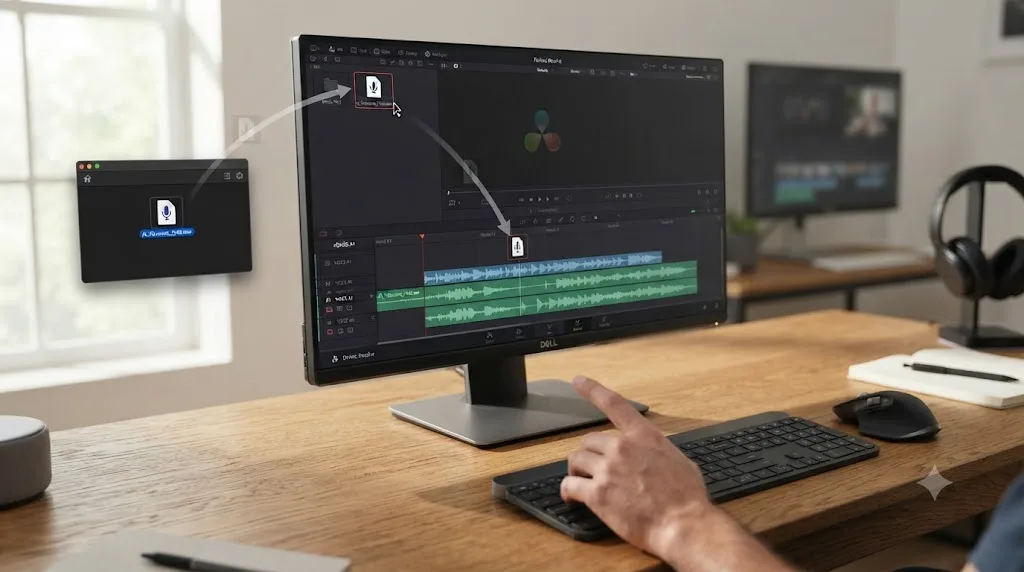
The workflow is the same regardless of which standalone tool you use, and it's simpler than most people expect.
- Generate and export your voiceover as a WAV or MP3 file from ElevenLabs, Murf, WellSaid Labs, or Descript. WAV is the safer choice if you'll be doing any noise reduction or EQ work afterward, since it avoids the extra compression artifacts an MP3 can introduce.
- In DaVinci Resolve, open the Media Pool and either drag the file in directly or use File > Import > Media. No plugin or special import path is required. Any editor that accepts standard WAV or MP3 files handles this the same way.
- Create a dedicated audio track for your voiceover, separate from your music and sound effects tracks, so you can level and process it independently.
- On the Fairlight page, patch and level the clip the same way you would a recorded voice: set peaks between -12 and -6 dBFS, apply EQ or a de-esser if the generated voice sounds sibilant, and add a touch of compression to even out any inconsistent AI-generated levels between sentences.
- Sync it to picture using standard trim and ripple tools, the same techniques covered in our guide to recording a podcast in DaVinci Resolve using Fairlight, since patching and leveling an AI voiceover track uses identical Fairlight fundamentals to patching a live microphone.
If you're using DaVinci Resolve's own Speech Generator instead of an external tool, this whole process collapses into one step: the generated clip drops directly onto your timeline or into your Media Pool, already at your project's sample rate, with no export-import round trip at all (source: Blackmagic Design).
If your first attempt at recording your own voice is what sent you looking for an AI alternative in the first place, it's worth knowing the low-cost fixes exist too. Our guide on soundproofing a room for video editing voiceovers covers how to get clean, editable audio for under $100, which is sometimes the faster fix than switching to synthetic speech entirely.
If you get stuck finding the Patch Input panel, the Variance slider, or where the Speech Generator lives in the AI Tools menu while you're actually doing this, Uncle can point at the exact control on your own screen without you pausing to search for a tutorial.
Why does my AI-generated voiceover drift out of sync after I edit the video around it?
This happens more than you'd expect, and it's rarely the voice generator's fault.
The most common cause is a sample rate mismatch. Most AI voice tools export at 44.1kHz or 48kHz, and if your DaVinci Resolve project is set to a different sample rate, or if you've imported multiple voiceover takes generated at different times with a tool that silently changed its default export setting, Resolve can play the clip back at the wrong speed relative to picture. Check your project's audio sample rate in Project Settings and confirm every voiceover file you've imported matches it before you trust sync visually.
The second common cause is editing the video after you've already synced the voiceover to it. If you trim, ripple, or retime a picture clip once your voiceover is locked to specific frame positions, the audio doesn't move with it unless it's properly linked or grouped. Generate your voiceover, place it, and treat any later picture edits as needing a sync re-check, the same discipline you'd apply to a recorded production voiceover.
A third, AI-specific cause: if you generated multiple takes of the same line and swapped one in late in your edit, using DaVinci Resolve's Generation ID to find "the good one," the new take can run a different length than the take you originally cut picture to, even reading the identical script, since AI-generated pacing varies slightly between takes even at the same variance setting. Always re-check total clip duration after swapping in a different generation of the same line, not just its start point.
If you're new to Fairlight generally, the same audio fundamentals apply here as with a recorded voice: patching, levels, and re-syncing after picture changes don't work any differently just because the source was generated by a text box instead of a microphone.
Should you use Resolve's built-in Speech Generator or an external tool like ElevenLabs?
This is the actual decision most readers of this guide need to make, and it comes down to four questions: do you already own Resolve Studio, how much realism does your project actually need, do you need the voice to leave Resolve at all, and how often will you use this.
| Choose Resolve's Speech Generator if... | Choose an external tool like ElevenLabs if... |
|---|---|
| You already own DaVinci Resolve Studio | You're on the free version of Resolve and don't plan to buy Studio just for this |
| Your project is internal, a tutorial, or a scratch track | Your project is client-facing and voice realism is the deliverable |
| You want the voice generated and processed without leaving Resolve | You need the voice for other platforms too, a podcast host, a chatbot, an app |
| You want a one-time cost instead of a recurring subscription | You need the widest possible voice library and language selection |
| Privacy matters and you want generation to stay local | You need the absolute best available realism regardless of cost, or your GPU can't carry local AI generation |
Most editors doing occasional, in-house voiceover work should try Resolve's Speech Generator first, since it costs nothing beyond a Studio license many already own. Editors delivering voiceover as a paid client service, or anyone whose brand voice needs to be consistently the most convincing option available, should budget for ElevenLabs or Murf instead. The best AI voice generator for DaVinci Resolve is whichever one you'll actually stop tweaking and use to finish the project. A slightly-less-perfect voice on a finished, delivered video beats a perfect voice you're still auditioning at 11pm the night before the deadline.
Is Descript's Overdub a better fit than a standalone voice generator?
For some workflows, yes, particularly if you're already doing transcript-based editing outside Resolve. Descript's Overdub feature is now available on every plan including Free and Creator, though the free and Hobbyist tiers cap your custom voice to a 1,000-word vocabulary, while Creator and above unlock unlimited vocabulary for a cloned voice (source: Descript). Descript's paid plans run $16 to $24 or more a month depending on billing cycle and tier (source: Descript official pricing).
The appeal of Overdub isn't raw voice quality, since Tepper's shootout placed it tied with DaVinci Resolve Studio, both behind ElevenLabs. The appeal is workflow integration: if you're already fixing flubbed lines or rewriting a script by editing text in Descript, generating a matching voiceover in the same app avoids a round trip through a separate tool entirely. If you're cutting your main project in DaVinci Resolve and only need Descript for the voice layer, that convenience mostly disappears, and you're back to exporting and importing a file either way.
We cover this exact tradeoff, and where Descript actually beats Resolve versus where it doesn't, in our full comparison of DaVinci Resolve vs Descript for beginners. If dialogue-driven editing generally, not just the voiceover, is pulling you toward Descript, that's the post to read next.
Do AI voice generators sound robotic in DaVinci Resolve, and how do you fix it?
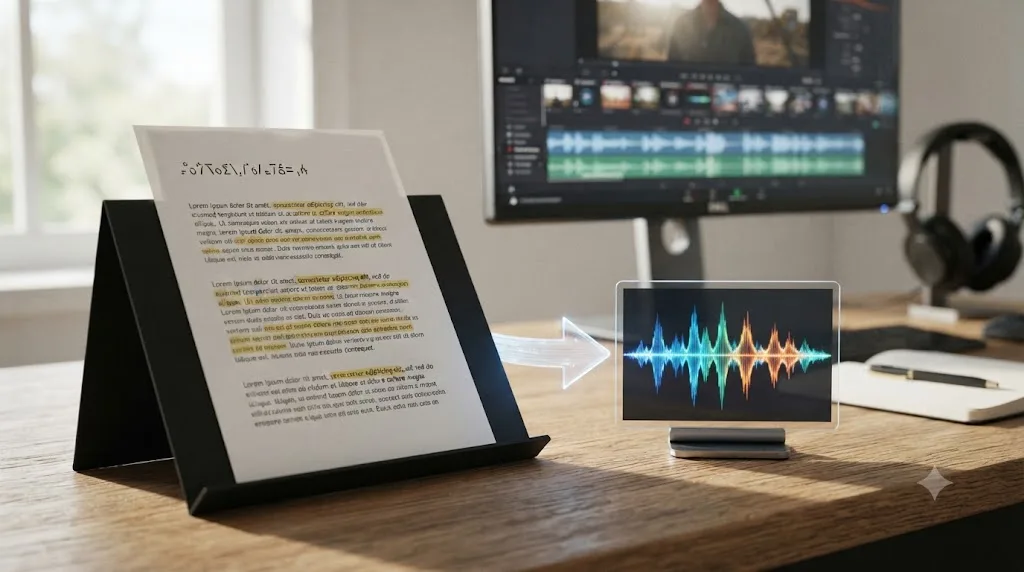
Sometimes, and it's almost always a script problem, not a tool problem. Flat, unpunctuated text produces flat, unpunctuated speech, since every one of these engines uses your punctuation to decide where to breathe and pause. Write your voiceover script the way you'd write dialogue, with commas where a real person would take a breath and periods where a sentence actually ends, not as one long unbroken paragraph.
Three practical fixes cover most of what makes synthetic narration sound stiff:
- Shorten your sentences. A sentence that reads fine silently often sounds like it's running out of air out loud. Fifteen to twenty words per sentence is a safer ceiling for narration than for prose you'd only ever read on a page.
- Use the variance or emotion control your tool offers. DaVinci Resolve's Speech Generator has its Variance slider running from 0.0 (flat) to 1.0 (more natural rhythm and inflection); ElevenLabs, Murf, and the others offer comparable stability or style-exaggeration sliders. Leaving these at their default, most conservative setting is the single most common cause of a robotic-sounding take.
- Generate multiple takes and pick the best one. Nearly every tool in this guide, including Resolve's own Speech Generator with its repeatable Generation ID, lets you regenerate the same line and compare readings. Treat this the way you'd treat multiple takes from a human voice actor: the first generation is rarely the keeper.
Guided practice inside Resolve beats watching a tutorial about Resolve, and the same principle holds here: the fastest way to stop a voice sounding robotic is to actually generate three takes and listen, not to read another article about prosody settings. If you're mid-project right now, open your tool of choice and try it on your actual script before reading further.
A worked example: turning a 600-word script into a timed voiceover
Numbers make this concrete faster than another paragraph of generalities, so here's an actual walkthrough.
Say you've written a 600-word script for a tutorial video. The first question is timing: how long will that actually run once it's read aloud? The commonly cited reference figure for average conversational speech in English is about 150 words per minute, a number that traces back to the National Center for Voice and Speech, a research center affiliated with the University of Utah (source: VirtualSpeech, citing NCVS). Professional voiceover work usually runs a touch slower and more deliberate than casual conversation, with narrators commonly landing in a 130 to 160 words-per-minute band, and documentary-style narration specifically closer to 110 to 130 words per minute for a weightier, more measured pace (source: BunnyStudio).
Run your 600-word script through that range and you get a timeline, not a single number: at 150 words per minute, it reads in exactly 4 minutes. At the slower 130 words-per-minute end of the professional narration band, the same script stretches to about 4 minutes 37 seconds. At a documentary-paced 110 words per minute, you're looking at nearly 5 minutes 27 seconds. That's over a minute and a half of difference in your final cut's runtime depending purely on delivery pace, before you've changed a single word of the script itself. If you're editing to a hard runtime limit, like a 5-minute cap for a client brief or a platform's video length rules, that swing is exactly the kind of thing that catches editors off guard on generation day rather than in planning.
Now the cost side. Say you're on ElevenLabs' Creator plan at $22 a month, which includes 121,000 credits. ElevenLabs' credit system runs roughly one credit per character of generated text, so a 600-word script, averaging around 5 characters per word plus spaces, comes out to roughly 3,600 to 4,200 characters, well under 1 percent of your monthly Creator allowance for a single video. Even generating three or four alternate takes of the same script to find the best read, which is standard practice, barely dents that allowance. Credits become a real constraint only once you're producing this kind of narration multiple times a week, which is where the volume math and overage rates covered earlier in this guide start to matter.
If you're using DaVinci Resolve's built-in Speech Generator instead, there's no credit ceiling to calculate at all, since it's included in your Studio license with no per-character or per-minute metering. The tradeoff, as covered earlier, is that your local GPU carries the entire generation load rather than a vendor's servers, so the constraint shifts from "how many credits do I have left" to "does my machine have the VRAM to run this smoothly."
A script's word count tells you almost nothing about its actual runtime until you also decide its pace. Before you generate a final take, read your script back at the pace you actually intend, either aloud yourself or through a first draft generation, and time it. Don't trust a word-count-to-minutes rule of thumb from a template or a course, since the same 600 words can run anywhere from 4 minutes to well over 5 depending on delivery style alone. That gap is often the actual reason a "finished" voiceover doesn't fit the cut it was written for.
Can you clone your own voice for DaVinci Resolve voiceovers?
Yes, and this is where AI voice generators earn their keep for editors who record their own narration regularly. Instead of re-recording every time a script changes, you train a voice model once and generate new lines from text whenever you need them.
Minimum sample lengths vary by tool. ElevenLabs' Instant Voice Cloning works from a short sample and is available starting on the Starter plan, with a longer, higher-fidelity Professional Voice Cloning option unlocked on the Creator plan and up (source: ElevenLabs). DaVinci Resolve Studio's Speech Generator clones from a 10 to 20 second WAV sample of your own recorded speech, entirely locally (source: JayAreTV). Descript's newer Overdub setup skips the traditional lengthy script-reading process in favor of a short Voice ID statement plus uploaded existing audio.
Voice cloning without consent is a legal risk, not just an ethical one. Only clone a voice you own or have explicit written permission to use. This applies even to a colleague's voice you have casual access to, a client's spokesperson recording, or a voice actor's past session work. Most jurisdictions are actively tightening right-of-publicity and deepfake law as voice cloning tools get better, and "it was just for an internal video" is not a defense that holds up once that video leaves the building, gets forwarded, or ends up on a public channel by accident.
What about copyright and commercial rights for AI-generated voiceovers?
This is the detail free-tier users skip and regret. Every free plan covered in this guide, ElevenLabs and Murf's preview-only Free tier, restricts or outright forbids commercial use, and ElevenLabs' free tier requires visible or audible attribution to the tool in exchange for use (source: ElevenLabs). If your video is monetized on YouTube, delivered to a paying client, or used in an ad, you need at minimum the cheapest paid tier of whichever tool you're using: $6/month for ElevenLabs' Starter plan, or $19 to $29/month for Murf's Creator plan.
DaVinci Resolve Studio's Speech Generator output doesn't carry a separate commercial restriction from Blackmagic Design beyond the terms of your Studio license itself, the same as any other render coming out of software you've paid for (source: Blackmagic Design). That's one more point in its favor for anyone doing regular client-facing work who wants to avoid tracking separate commercial-use terms across multiple subscription tools.
Read the specific terms of service for whichever tool and tier you're on before you deliver anything. Terms change, and a free tier that allowed commercial use last year may not this year, or vice versa, the same way an entire tool can disappear from the market with no warning, as Play.ht's users found out.
Are there free AI voice generators worth using for DaVinci Resolve projects?
For testing and non-commercial work, yes, a couple are genuinely useful rather than just marketing bait. ElevenLabs' free tier gives roughly 10 minutes of speech a month across its full voice library, enough to test whether a project's tone fits before you commit to a paid plan (source: ElevenLabs). Murf's free plan lets you preview all 200-plus voices against your actual script, though it won't let you download anything, which makes it a voice-picking tool rather than a production one.
If you already own DaVinci Resolve Studio for other features, its built-in Speech Generator is the closest thing to a genuinely free option in this whole comparison, since there's no separate subscription layered on top of a license you already paid for once, and no character meter to watch.
None of the free tiers here are viable for regular commercial output. Treat them as a way to compare voice quality across tools with your actual script before you commit real money to a subscription, and remember that a free tier you're relying on today isn't guaranteed to exist next year at all, let alone on the same terms.
What about AI editing assistants that generate voiceovers automatically, like Eddie AI?
There's a third category worth naming honestly, since it's easy to confuse with the tools above. Eddie AI, a browser-based assistant that integrates with DaVinci Resolve, Premiere, and Final Cut Pro, bundles automated voiceover generation as one feature inside a much broader automated editing tool that also handles color grading, music with audio ducking, lower thirds, and captions, all triggered by plain-language instructions (source: heyeddie.ai). PremiereCopilot and CutAgent occupy similar ground, taking natural-language instructions and executing multi-step edits directly on a Premiere or Resolve timeline.
These tools automate the edit itself, and voiceover generation is a feature bolted onto that automation, not their core specialty the way it is for ElevenLabs or Murf. If your actual goal is the highest-quality generated voice available, a dedicated voice tool will usually beat a general automation assistant's built-in voice option. If your goal is having an AI agent build an entire rough cut including a placeholder voiceover from a short description, that's a different job than this guide is answering, and Eddie AI, CutAgent, or PremiereCopilot are the names to look into for that.
TryUncle is not in this category and does not generate voiceovers, automate edits, or touch your timeline at all. TryUncle is the on-screen assistant for DaVinci Resolve on macOS. Ask in plain words, and Uncle points at the exact control on your screen. Where Eddie AI or CutAgent execute an edit for you, Uncle teaches you to execute it yourself, live, inside your own project. That distinction matters if what you actually want is to get better at Resolve, not to hand a project off to an agent entirely. If you want the full rundown on what that means in practice, see what TryUncle actually is.
Is there an app that helps you while you're actually adding a voiceover in DaVinci Resolve?
Yes. This is one of the recurring questions in our 100,000+ member editing community: not "which voice sounds best," but "I generated the file, now where do I actually put it in Resolve." That's a different problem than picking a voice generator, and it's the one TryUncle solves. Uncle watches your DaVinci Resolve screen and, when you ask by voice, by typing, or with a quick correctness check, points at the exact control you need, whether that's the Fairlight Patch Input panel, the Media Pool import button, or the Speech Generator's Variance slider buried in the AI Tools menu.
It's a paid macOS app, currently $39 a month, cancel anytime, and pricing can change, so check TryUncle for the current rate before you sign up (source: TryUncle). It doesn't work on Windows or Linux, and it needs an internet connection since the reasoning that understands your screen runs in the cloud.
If you're weighing the best way to learn DaVinci Resolve generally, not just this one voiceover workflow, we've compared TryUncle honestly against ChatGPT, Blackmagic's own free training, and YouTube channels like Casey Faris in our guide to AI tools to learn DaVinci Resolve. Blackmagic's free official training guides remain a genuinely good, no-cost starting point for structured learning, and nothing in this post is meant to talk you out of using them alongside whatever voice tool you pick.
Which AI voice generator should you actually buy for DaVinci Resolve voiceovers?
Here's the closing verdict, structured the way you'd actually decide it.
| Choose ElevenLabs if... | Choose Murf if... | Choose DaVinci Resolve's Speech Generator if... |
|---|---|---|
| Voice realism is the deliverable, not a shortcut | You need corporate/explainer-style voices at the lowest commercial-rights price | You already own Resolve Studio |
| You're building a consistent brand voice across many videos | You're a small team generating high volume monthly | Your project is internal, a tutorial, or doesn't need the absolute best realism |
| Budget allows $22+/month ongoing | Budget favors $19-29/month with full commercial use | You want a one-time cost, not a subscription, and your GPU can handle local AI generation |
| The voice needs to leave Resolve for other uses too, or in a language Resolve's tool doesn't reliably support | You want a large pre-made voice library, not just cloning | Privacy matters and local generation is a priority |
ElevenLabs makes the most convincing voice. DaVinci Resolve Studio makes the cheapest one once you already own it. Everything else in this guide, Murf, WellSaid Labs, Descript's Overdub, exists to serve a specific budget or workflow between those two poles. Try the free or lowest-cost tier of whichever tool matches your situation on your actual script before committing to a subscription. A voice that sounds great reading a demo script can still sound wrong reading yours, and the only real test is hearing your own words in it.
If you've read this far because you're stuck mid-project right now, not researching for later, open whichever tool fits your row in the table above and generate one line from your real script before you do anything else. That fifteen seconds of listening will tell you more than the rest of this guide combined.
Frequently asked questions
- Does DaVinci Resolve have a built-in AI voice generator?
- Yes. DaVinci Resolve 21 Studio includes a native AI Speech Generator that turns typed text into spoken narration using one of four Blackmagic voice models or a custom clone trained from a 10 to 20 second sample of your own voice. It's a DaVinci Resolve Studio exclusive, not available in the free edition, and it runs locally with no internet connection required once installed through the Extras Download Manager.
- What's the best free AI voice generator for a DaVinci Resolve project?
- ElevenLabs' free tier gives you about 10 minutes of speech a month across all its voices, which is the most usable free allowance among the major tools, but it carries no commercial usage rights. Play.ht used to offer a similar free plan, but Meta acquired the company in mid-2025 and shut the service down permanently on December 31, 2025, so it's no longer an option at any price. If you already own DaVinci Resolve Studio, its built-in Speech Generator has no per-use cost at all once you've paid the one-time $295 Studio license.
- Can I clone my own voice for a DaVinci Resolve voiceover?
- Yes, through several routes. ElevenLabs' Instant Voice Cloning works from a short sample on the Starter plan and up, DaVinci Resolve Studio's Speech Generator clones from a 10 to 20 second clip locally, and Descript's Overdub builds a usable voice model from existing recordings. Only clone a voice you have explicit permission to use. Cloning someone else's voice without consent is a legal problem in most jurisdictions, not just a courtesy issue.
- Is ElevenLabs or Murf better for DaVinci Resolve voiceovers?
- ElevenLabs generally produces the more natural-sounding, emotionally varied voice and is the stronger pick if voice quality is the deciding factor. Murf is built more for explainer and corporate-style narration, ships with a larger library of pre-made voices, and its Creator plan at $19 to $29 a month undercuts ElevenLabs' comparable Creator tier at $22 a month while still including full commercial rights. Try both on their free tiers with your actual script before paying for either.
- Do AI-generated voiceovers sound robotic in DaVinci Resolve?
- They can, especially on default settings with flat, unpunctuated text. The fix is mostly in the input: write with commas and periods where you want breath and pause, keep sentences shorter than you would for silent reading, and use whichever variance or emotion control your tool offers rather than leaving it at zero. Generating three or four takes and picking the best one, which most of these tools support natively, catches a stiff read before it reaches your timeline.
- Can I use an AI-generated voiceover commercially on YouTube or for a client?
- Only if your plan includes commercial usage rights, and this varies by tool and tier. ElevenLabs and Murf both gate commercial rights behind their paid plans, not their free tiers. DaVinci Resolve Studio's Speech Generator output belongs to you like any other render from software you've licensed, with no separate commercial restriction from Blackmagic Design. Always check the specific tool's terms before publishing, since free-tier attribution requirements are easy to miss.
- Is there an app that helps me while I'm actually adding a voiceover in DaVinci Resolve?
- TryUncle watches your DaVinci Resolve screen while you work and points at the exact control, the Fairlight Patch Input panel, the AI Tools menu, the Speech Generator's Variance slider, if you get stuck placing or syncing your voiceover. It doesn't generate the voice itself. It's a paid macOS app built to teach you the interface live, not a text-to-speech tool.
- Is Play.ht still available as an AI voice generator for DaVinci Resolve?
- No. Meta acquired Play.ht's team in mid-2025, and the service was permanently shut down on December 31, 2025, with all accounts, audio files, and voice clones deleted and no migration path offered. If you were using Play.ht for its free tier or large voice library, Murf's free preview and ElevenLabs' free 10-minutes-a-month allowance are the closest replacements, though neither matches Play.ht's language breadth at its peak. Don't build a new workflow around it. The product no longer exists at any price.
Sources
- ElevenLabs Pricing (official)
- Free Text To Speech Online with Lifelike AI Voices (ElevenLabs)
- Murf AI Pricing 2026: Plans, Cost & What You Get (Smallest.ai)
- Languages and Accents (Murf AI Help Center)
- Murf API Plans and Limits (Murf AI Help Center)
- WellSaid Labs Software Pricing & Plans 2026 (Vendr)
- Is Play.ht Free? Yes, Paid Starts at $39/mo (Costbench)
- Play.ht review 2026: text-to-speech AI with 900+ voices (discontinued) (Tools For Humans)
- PlayHT: AI voice generator acquired by Meta (July 2025) and shut down (Infrabase)
- Descript Pricing (official)
- Descript Overdub: AI Voice Cloning Now on Every Plan (Descript)
- DaVinci Resolve - What's New (Blackmagic Design)
- DaVinci Resolve - Studio (Blackmagic Design)
- DaVinci Resolve - Fairlight (Blackmagic Design)
- DaVinci Resolve 20 Minimum System Requirements (Blackmagic Design, official PDF)
- How to Generate AI Voiceover From Text in DaVinci Resolve 21 With the Speech Generator (Cutsio)
- AI Speech Generator in DaVinci Resolve 21 (JayAreTV)
- DaVinci Resolve 21 AI Tools: Free vs Studio Breakdown (DaVinci Resolve Club)
- DaVinci Resolve 21 System Requirements: Windows, Mac & Linux (DaVinci Resolve Club)
- DaVinci Resolve 21 System Requirements: 2026 Hardware Guide (Cinapex)
- AI Speech Generator - Language issue (Blackmagic Design Forum)
- IntelliSearch, Speech Generator and Spell Checker language (Blackmagic Design Forum)
- DaVinci Resolve Studio 21 Brings Mind-Blowing Additions, by Allan Tepper (ProVideo Coalition)
- Cloned Voice Shootout: FlexClip, ElevenLabs, Descript, DaVinci Resolve Studio, by Allan Tepper (ProVideo Coalition)
- DaVinci Resolve Neural Engine Guide: How to Use Magic Mask and Voice Isolation (Vagon)
- Eddie AI for DaVinci Resolve: Native Integration
- Average Speaking Rate and Words per Minute (VirtualSpeech)
- Voiceover Words Per Minute: Choosing the Ideal Information Rate (BunnyStudio)
- The Complete Guide to ElevenLabs Plans, Overages and Usage-Based Pricing in 2026 (FlexPrice)
- TryUncle
Learn by doing, not watching
Stop translating tutorials to your timeline.
TryUncle stays beside Resolve on Mac and Windows. When you ask, Uncle sees your screen and points at the exact control you need. No hunting through tabs, timestamps, or mismatched tutorials.
Meet TryUncleKeep reading
 ComparisonsJul 23, 202631 min read
DaVinci Resolve vs Descript for Beginners: The Honest Verdict
Pricing, transcript editing, color grading, and podcast workflows compared honestly, so first-time editors pick the right tool for their first project.
 GuidesJul 17, 202632 min read
How to Record a Podcast in DaVinci Resolve Using Fairlight
Record a podcast directly inside DaVinci Resolve's Fairlight page: patch mics, arm tracks, set gain and monitoring, capture multi-guest audio, and avoid the common failures.
 GuidesJul 22, 202638 min read
How to Soundproof a Room for Video Editing Voiceovers
A practical guide to soundproofing a room for clean voiceover recordings before editing in DaVinci Resolve, from free fixes to real acoustic panels.