
Learn / DaVinci Resolveupdated for Blackmagic Design's DaVinci Resolve certification program and DaVinci Resolve 21 (July 2026)
Is DaVinci Resolve Certification Worth It for a Resume in 2026?
Quick answer
Yes, but only as a tiebreaker, not a hiring guarantee. Blackmagic Design's certification is free, takes an evening to prepare for, and adds a checkable credential to a resume. Recruiters and colorists interviewed on this exact question say it helps push a resume into the second-look pile, but a portfolio still decides who actually gets hired.
I've watched the same question get asked in editing forums and Facebook groups for years, usually from someone a week away from applying for their first editing job. Should I get DaVinci Resolve certified before I send this resume out? The honest answer isn't yes or no. It's "yes, but understand exactly what that line is buying you before you spend an evening on it."
This review covers what Blackmagic Design's certification actually is, how the exam works, what real hiring managers, colorists, and editors say about certifications like it, and where it fits next to a portfolio, a paid course, or an AI-assisted skill you've actually practiced. No invented stats, no hedge-free hype. Just what the credential does and doesn't do for you.
What is DaVinci Resolve certification, and who actually runs it?
It's Blackmagic Design's own vendor certification, not a third-party credential and not a course. The company announced its training and certification program on December 28, 2017, built around a three-day introductory course covering editing, color correction, and Fairlight audio, with an advanced color grading course added the following year, according to CineD's coverage of the launch. Blackmagic trained roughly 300 specialists as "train-the-trainer" instructors in that first year alone.
Nearly a decade later, the program has scaled into a genuinely large network. Blackmagic Design now supports the certification through over 250 certified trainers and more than 100 official training centers worldwide, according to its own training page. Casey Faris, the YouTube educator whose courses our review of his teaching catalog covers in depth, is himself a Blackmagic Certified Trainer who has presented Resolve training at NAB, VidCon, and ResolveCon, per CineD's ResolveCon 2023 coverage. That's the kind of name the network produces at its upper tier: working professionals Blackmagic has formally recognized to teach on its behalf.
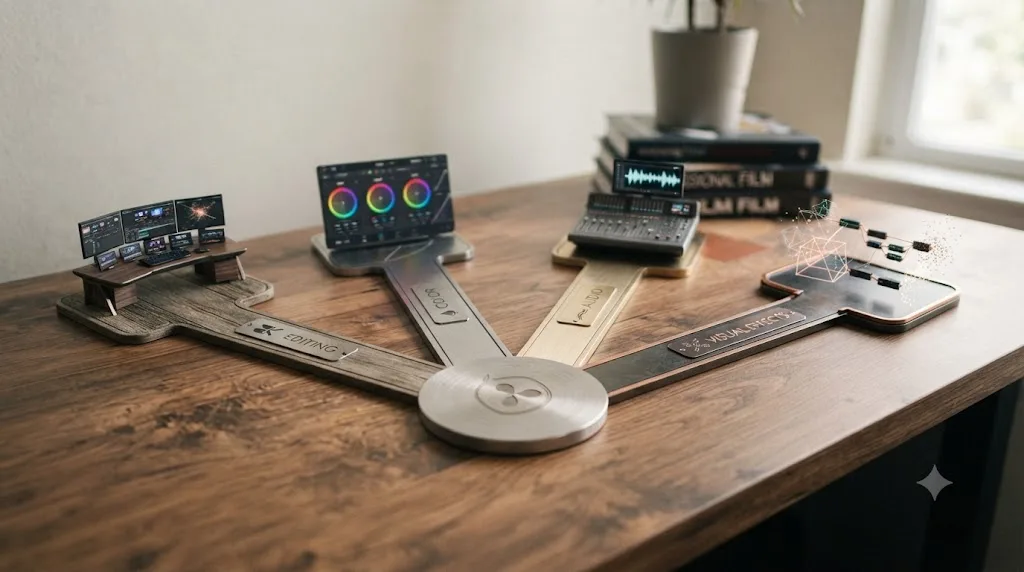
The certification itself covers four specializations, each with its own dedicated exam:
| Track | Who it's built for |
|---|---|
| Editing | Generalist editors, assistant editors, anyone starting out |
| Color Correction | Colorists and colorist-adjacent editors |
| Fairlight (Audio) | Sound editors and mixers working primarily in audio post |
| Fusion (Visual Effects) | Motion designers, compositors, VFX-focused editors |
Blackmagic built this program the same way Apple, Adobe, and Microsoft built theirs: to formalize skill claims for an ecosystem of freelancers who don't have a shared employer vouching for them. That's the actual reason a vendor certification like this exists. It's not primarily a teaching tool, and it's not primarily a hiring filter either. It's a shared, checkable reference point in a labor market where most editors are hired without ever working alongside the person deciding whether to hire them again.

How does the certification exam actually work?
Mechanically, it's a short, open-book, multiple-choice test, not a project review or a skills demonstration. Here's the exact structure, according to ThinkBigLearnSmart's detailed breakdown of the exam:
| Exam detail | What it actually is |
|---|---|
| Question count | 50 random questions, pulled from a larger pool |
| Passing score | 85% required to earn "Certified End User" status |
| Time limit | 60 minutes |
| Format | Open book, you can reference materials while testing |
| Retakes | Two additional attempts after your first try |
| Wait between attempts | 6 hours |
| Cost | Free |
| What you receive | A digital Certificate of Achievement, emailed on completion |
Open book sounds like it should make an 85% threshold trivial. It doesn't. Sixty minutes for 50 questions gives you a little over a minute per question on average, and if you're looking up every single answer in a training PDF, you'll run out of time before you finish the exam, regardless of how carefully you read. The open-book format is generous to someone who's actually used Resolve and needs an occasional reminder of an exact menu label, not to someone trying to pass cold.
There's a second, less obvious piece of value here beyond the certificate itself: certified users get added to Blackmagic's own online database of certified professional users, a detail from the program's original 2017 announcement that's easy to miss if you only skim the current training page. A PDF certificate is easy to fake or exaggerate. A public, vendor-maintained database entry is a claim someone could actually check, which is a meaningfully different kind of credential than a course completion badge with no backing registry behind it.
A 60-minute open-book exam with an 85% bar filters out people who never opened the software, not people who aren't good at their jobs. That's the honest scope of what this test measures, and it's worth holding onto through the rest of this review: it's a floor, not a ranking.

Which certification track should you actually take?
Depends entirely on which page of Resolve your work actually lives on, and taking the wrong one wastes an evening proving a skill nobody's screening you for.
| Your situation | Take this track | Why |
|---|---|---|
| Generalist editor, first job search | Editing | Covers the widest range of interview-relevant questions: timeline, trim tools, media management |
| Aspiring or working colorist | Color Correction | Directly tests the page hiring colorists actually care about |
| Sound-focused editor or mixer | Fairlight | Narrow, but exactly matches audio post job requirements |
| Motion designer or compositor | Fusion | The only track that tests node-based compositing specifically |
| Applying to a specific job posting | Whichever track the posting names | Match the posting's language, not your personal favorite page |
Most working editors only ever need one track. Stacking all four to look thorough is a weaker use of your time than getting genuinely good at the one page your actual job requires, then backing it with real project work. If you're unsure which page your career is actually heading toward, our breakdown of what to learn first in DaVinci Resolve, editing, color, or audio walks through how to make that call before you invest certification prep time in the wrong track.
Is DaVinci Resolve certification actually worth it for a resume?
Yes, with a specific, bounded kind of worth: it's a free tiebreaker, not a hiring guarantee. That's not a hedge to avoid giving a real answer. It's the honest shape of what a vendor certification does in any creative field, and it's worth separating from the marketing language that tends to surround credentials like this.
The case for it is straightforward. It costs nothing but a few hours of your evening. It gives an ATS and a skimming recruiter a specific, checkable keyword to match against a job posting that names DaVinci Resolve. It signals you didn't just install the software and start clicking around, since the exam's 85% bar and 60-minute limit genuinely do filter out people with zero hands-on time. And it goes into a real, vendor-maintained database, which is a stronger verification story than most free credentials offer.
The case against overweighting it is just as straightforward. A certification proves you sat through the material and passed a multiple-choice test. It does not prove you can hold pacing on a tight edit, match color across three mismatched cameras, or make the fifty small judgment calls a real project throws at you that a 50-question exam was never built to test. Every source in the next section, working editors, colorists, and creative directors who've actually done hiring, converges on some version of that same point.
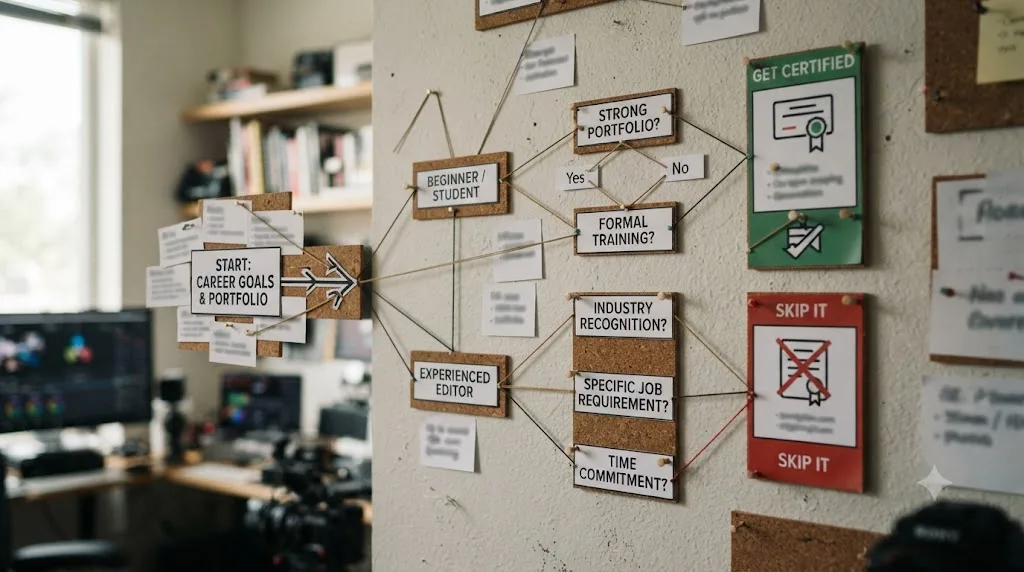
Get certified if you're at the stage where a resume needs every legitimate signal it can carry, and skip agonizing over it if you already have a portfolio doing the real persuading. That's the calibration this entire review is building toward, and the sections below back it with the specific research and quotes behind that verdict.
Do hiring managers and working editors actually care about a certification like this?
Less than a resume-writing guide would have you believe, and more than a purist "certifications are worthless" take would suggest. The most useful data on this exact question isn't a survey. It's a long-running industry debate among people who've actually hired editors, captured plainly in a widely cited Creative COW forum thread where working professionals argued out the value of software certifications in post-production, in that case Adobe's Certified Expert credential, the same debate playing out over a different vendor's exam.
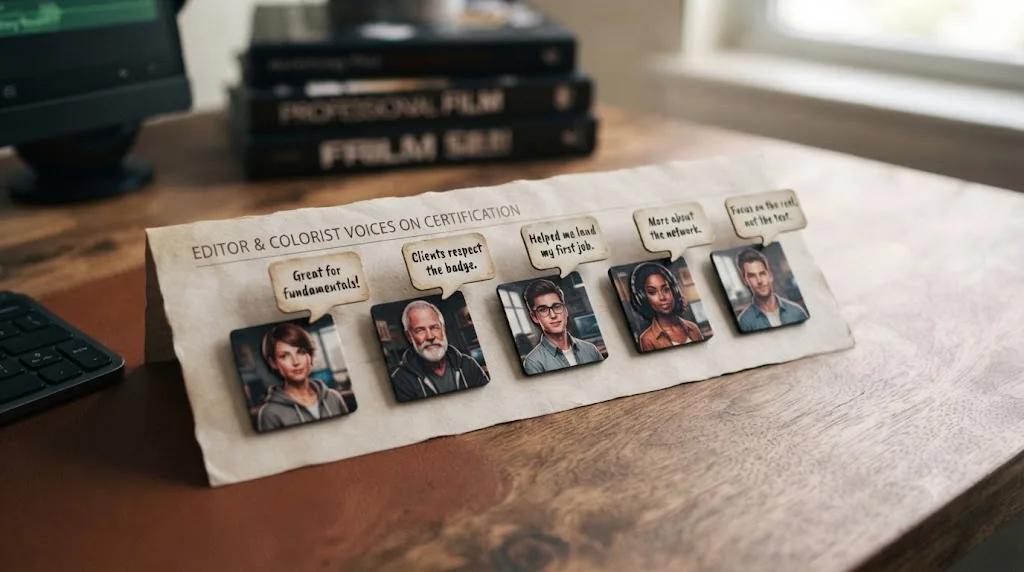
The skeptical side is blunt. Walter Biscardi, an editor, colorist, and director, put it plainly: "those certifications from Apple, Adobe and others simply tell me you know how to push the buttons the way those companies want you to push the buttons." Todd Terry, a creative director, went further: "I never care one whit whether an employee is certified in anything or not." Scott Sheriff, a director, framed the whole category as a category error: "Editing is a craft, not a set skill that you can use a benchmark to determine someone's ability."
The more measured take, and the one this review lands closest to, comes from John Cuevas, an editor who'd actually earned certifications himself: "While the certs didn't make me a better editor, they did make me a more efficient editor. As far as hiring anyone, I've never looked at anyone's resume to see what certs they had." That's a real hiring manager telling you directly that the credential helped his own skill and cost him nothing to earn, while also telling you it played zero role in whoever he chose to hire.
The strongest pro-certification voice in that same thread came from Timothy J. Allen, describing his own hiring experience: "having a certification can certainly help push your resume in the 'second look' pile." That single phrase, "second look pile," is probably the most accurate one-sentence description of what this credential actually does across the sources gathered for this review. It doesn't get you hired. It gets your resume looked at a second time instead of discarded at the first pass, when a hiring manager is working through a stack of forty applications and has to make some fast decisions about which ones deserve more than five seconds.
A separate, colorist-specific thread on Blackmagic's own forum adds a useful wrinkle: advanced Resolve users generally don't think the certification is necessary for themselves, since it tests fundamentals they've long since outgrown, but several described it as genuinely useful for someone who's strong on one page of Resolve, say editing, but hasn't spent real time on Color, Fairlight, or Fusion yet. That's a more specific and more useful framing than a blanket "worth it" or "not worth it": the certification's value scales inversely with how much real experience you already have on that specific page.
| Who says it | Their take |
|---|---|
| Walter Biscardi, editor/colorist/director | Certifications only prove you can operate the software the way the vendor wants |
| Todd Terry, creative director | Never checks certifications when hiring |
| Scott Sheriff, director | Editing is a craft, not something a benchmark test can measure |
| John Cuevas, editor | Made him more efficient personally; never checked others' certs when hiring |
| Timothy J. Allen | Can push a resume into the "second look" pile |
| Blackmagic forum colorists | Not needed for advanced users; useful for filling a gap on an unfamiliar page |
Every working professional quoted here agrees on one thing even when they disagree on everything else: nobody thinks a certification substitutes for a demo reel. That consensus is worth taking seriously precisely because it comes from people across the disagreement, not just the skeptics.
What does broader research say about certificates on resumes in general?
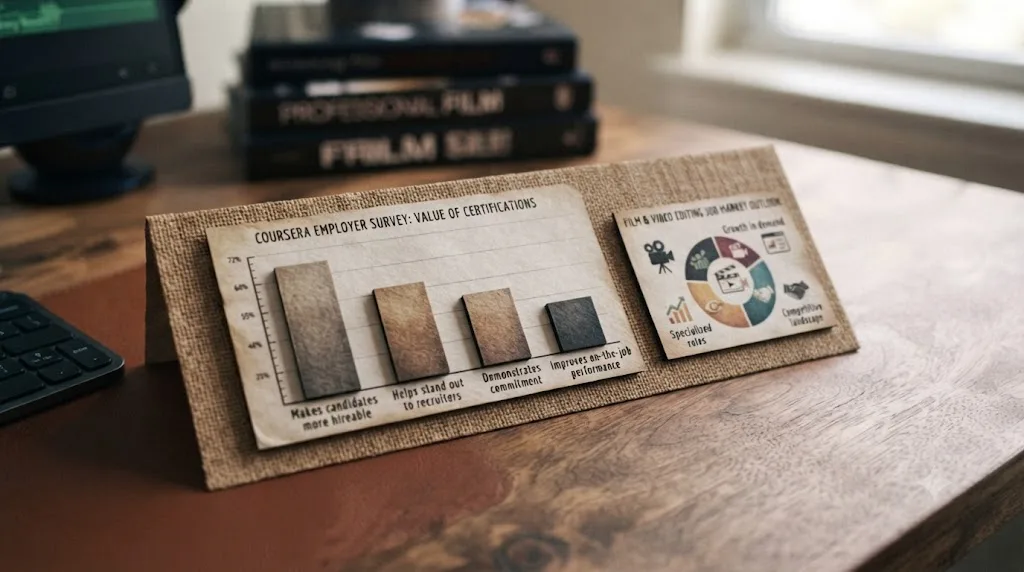
Worth citing carefully here, because the best data available on this question isn't about DaVinci Resolve specifically, and conflating the two would be dishonest. Coursera, working with the market research firm Dynata, surveyed 3,600 students and employers across eight countries in 2022 about industry micro-credentials and professional certificates broadly, tech, business, and creative fields combined, not video editing specifically. The findings, reported by Forbes, are worth knowing anyway, because they describe the general mechanism a DaVinci Resolve certification is riding on.
86% of U.S. employers surveyed agreed that earning an industry micro-credential strengthens a candidate's job application. 74% said a micro-credential would positively influence their actual hiring decision. When employers had to choose between two equally degreed candidates, 63% said the presence of a micro-credential would tip their decision toward the candidate who had one. And 39% had already hired at least one candidate specifically because of a micro-credential they held.
| Employer response | Percentage |
|---|---|
| Agreed a micro-credential strengthens an application | 86% |
| Said it would positively influence hiring decisions | 74% |
| Said it would tip a choice between two degreed candidates | 63% |
| Had already hired someone at least partly because of one | 39% |
The gap between this data and the Creative COW forum quotes above isn't a contradiction. It's a difference in what's actually being measured. The Coursera survey asks employers about credentials in the abstract, across every industry, most of which don't have anything close to a portfolio-driven hiring culture the way film and video editing does. The Creative COW thread is specifically post-production professionals talking about post-production hiring, where a demo reel has always outweighed a paper credential, because the actual deliverable, a finished cut, a finished grade, is far easier to evaluate directly than it is in most white-collar hiring. A DaVinci Resolve certification benefits from the general credential-friendliness the Coursera data describes, while still operating inside a field where the Creative COW consensus, portfolio first, credential second, is the more accurate day-to-day reality.
For editors specifically, the underlying job market context is worth knowing too. The U.S. Bureau of Labor Statistics projects 3% employment growth for film and video editors through 2034, with about 6,400 annual openings and a median wage of $70,980 as of May 2024, according to the BLS Occupational Outlook Handbook. That's a steady, not explosive, market, which is exactly the kind of market where a free, low-effort credential is worth grabbing on the margin, since it costs you almost nothing and there's no scenario where having it actively hurts you.
How does Blackmagic's free certification compare to Miracamp's or Coursera's paid certificate?
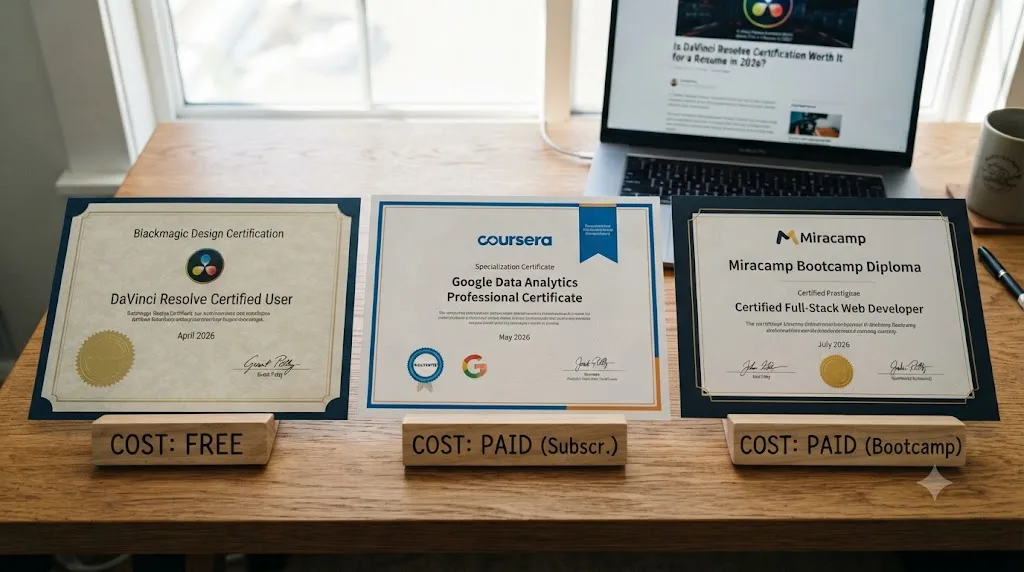
Not equivalently, and it's worth being direct about what each one actually is before you pay for anything. Three genuinely different products currently sit under the umbrella of "DaVinci Resolve certificate," and treating them as interchangeable is where a lot of confused resume advice comes from.
| Credential | Cost | What it actually includes | Who issues it |
|---|---|---|---|
| Blackmagic Design's own certification | Free | A 50-question proficiency exam only; no instruction bundled in | Blackmagic Design, the software's own maker |
| Coursera's DaVinci Resolve Specialization | Paid, subscription-based | Multiple structured courses with graded assignments and a completion certificate | A third-party instructor/institution via Coursera's platform, per its own course page |
| Miracamp's certification path | Paid bootcamp | Live coaching, project-based learning, and a certificate positioned as a step above Blackmagic's free one | Miracamp, a private course provider |
Worth naming plainly: Miracamp's own certification page ranks its paid bootcamp certificate above Blackmagic's free exam in a comparison table on its own site, and it cites zero outside data, employment reports, industry studies, or independent research, to back that ranking. That doesn't make the bootcamp itself worthless. Live coaching and project-based feedback are real, valuable things a free exam can't provide. But a company ranking its own paid product above a free competitor, on its own site, with no external evidence, is a sales page doing what sales pages do, not a neutral verdict you should treat as settled research.
Blackmagic's certification proves you know the software the vendor built. Coursera's and Miracamp's paid certificates additionally prove you completed a structured curriculum with graded feedback, which is a real, different kind of proof, at a real, different cost. Neither replaces the other, and neither replaces the portfolio point the entire rest of this review keeps circling back to.
If your budget is genuinely zero, Blackmagic's free exam is the obvious starting move: no cost, no downside, and a real database entry backing the claim. If you have budget and specifically want structured instruction with graded work, Coursera's Specialization or a paid bootcamp adds something the free exam genuinely doesn't. Read the comparison for what it is: a spending decision about instruction quality, not a decision about which certificate a hiring manager will trust more, since the Creative COW consensus above suggests most hiring managers in this field aren't weighing certificate provenance that closely in the first place.
Does a certification actually compete with a portfolio, or do they do different jobs?
Different jobs, and confusing the two is the single most common mistake in this whole conversation. A certification is a claim about knowledge. A portfolio is evidence of output. Hiring, especially in a field as deliverable-driven as video editing, runs almost entirely on the second one.
Our own guide to building a DaVinci Resolve portfolio for freelance work covers this in detail, but the short version matters here directly: 3 to 6 finished, niche-relevant projects consistently outperform a longer, more generic reel, and clients evaluate that work, not a certificate line, when deciding who to hire. Nothing in that research changes because you also happen to hold a Blackmagic certification. The certification doesn't make a weak portfolio stronger. It's a separate line item that costs you almost nothing to add once the portfolio is already doing the real work.
Where the two genuinely interact is at the résumé-screening stage, before anyone's clicked play on your reel. An ATS scanning for "DaVinci Resolve" as a keyword doesn't know the difference between someone who's cut fifty projects in it and someone who passed a certification exam last week. A recruiter doing a first-pass skim, the stage Timothy J. Allen's "second look pile" comment above describes, might notice the certification line before they've opened your portfolio link at all. That's the entire window where a certification does real work: the few seconds before anyone's actually looked at what you've made.
A certification gets your resume looked at a second time. A portfolio is what determines whether that second look turns into an interview. Once you're past the résumé screen, the certification stops mattering almost entirely, and everything from that point forward runs on the work itself.

Worked example: two identical resumes, one line different
Theory is easier to evaluate against something concrete. Picture two resumes for the same entry-level editing job, identical work history, identical two finished projects linked as a portfolio, identical education. The only difference: one lists "Blackmagic Design Certified DaVinci Resolve Editor" under a skills or certifications section, and the other doesn't.
At the résumé-screening stage, before either portfolio link gets clicked, the certified resume has a small, real edge. If the job posting was written to include "DaVinci Resolve" as a required or preferred skill, an ATS keyword match is slightly cleaner on the certified resume, since "Certified DaVinci Resolve Editor" contains an exact phrase match a bare "proficient in DaVinci Resolve" line doesn't offer as precisely. A recruiter skimming forty resumes in an afternoon, exactly the scenario Timothy J. Allen's "second look pile" comment describes, is a little more likely to pause on the certified one for the two extra seconds that separate a discard from a second look.
Once both resumes clear that first screen and a hiring manager actually opens both portfolio links, the certification line stops doing anything. Nobody in the Creative COW consensus above described going back to check a certification after watching a strong reel, and several described never checking it at all. If both candidates' two finished projects are roughly comparable in quality, the interview decision comes down to the work, the interview conversation, and fit, not the résumé line that got them past the first filter.
The realistic effect of a certification, worked through an actual scenario instead of an abstraction, is a few extra seconds of attention at the screening stage and zero effect afterward. That's not nothing, especially for someone applying to a high-volume posting where dozens of resumes get five seconds each. It's also not the difference between getting hired and not getting hired, which is the claim a sales page selling a paid certificate has more incentive to imply than a free vendor exam does.

Does it matter more if you're a career changer than if you're already working?
Yes, and by a meaningful margin. The certification's actual job, according to nearly every source in this review, is filling a specific credibility gap: proving you've genuinely used the software, not just watched tutorials about it. That gap is largest for exactly one group and smallest for another.
| Your situation | How much the certification actually helps |
|---|---|
| Career changer, no editing job history yet | Meaningful. It's one of the only checkable, third-party signals you have before a portfolio exists to speak for you |
| Recent film school or media program graduate | Moderate. A degree already signals structured training; certification adds a specific, checkable software claim on top of it |
| Working editor, 1-3 years, building a portfolio | Small. A finished, niche-relevant project does more persuading than a credential line, but the certification still costs nothing to add |
| Working editor, 5+ years, established reel | Minimal to none. Nobody quoted in this review's hiring-side sources described checking a veteran editor's certifications before evaluating their reel |
| Freelancer pitching cold to new clients | Small to moderate. A certification badge on a portfolio site is a fast trust signal for a client who's never worked with you and has no other reference point |
The career-changer case deserves the most attention here, because it's the group asking this exact question most often. If you're switching into editing from an unrelated field, you likely don't have a work history that mentions video at all, and your portfolio, if it exists yet, is built entirely from spec work rather than paid client projects. In that specific situation, a free, checkable, vendor-issued credential is one of the only pieces of evidence you can add to a resume that isn't self-reported, and it costs you an evening rather than months of unpaid spec work. That's a genuinely good trade for exactly this group, even though the same trade barely moves the needle for someone five years into the field with a reel that speaks for itself.

Does it matter more for freelance work than staff jobs, or the other way around?
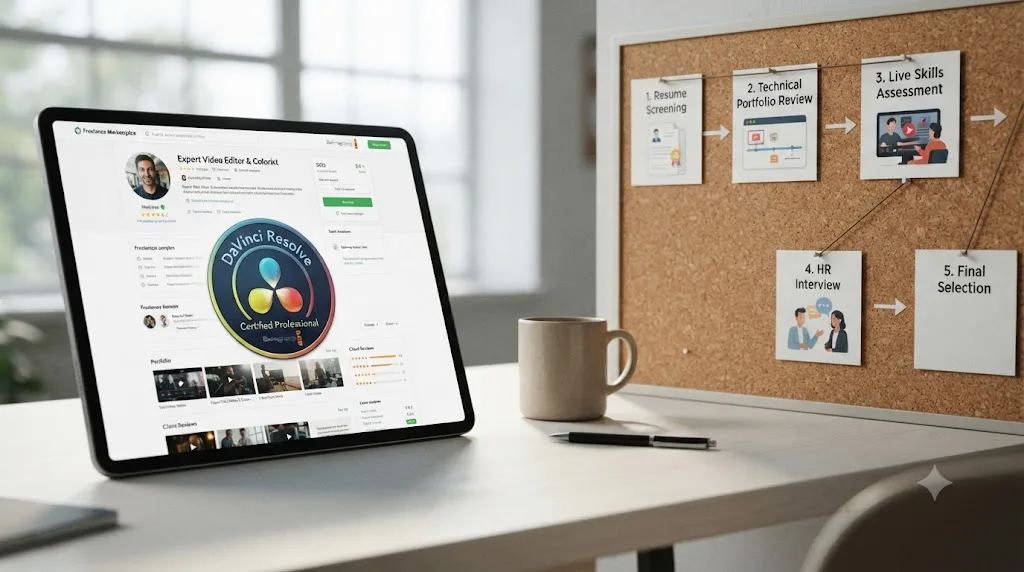
Freelance, generally, and for a structural reason rather than a stylistic one. A staff hiring process almost always includes an interview and a portfolio review before an offer, which means the certification's window of influence, the résumé-screening stage, is a small fraction of the total decision. Freelance client acquisition often skips a formal interview entirely: a prospective client scans a portfolio site or a platform profile, decides in under a minute whether to reach out, and a badge or credential visible on that first scan can matter more, relatively, than it does inside a multi-stage staff hiring pipeline.
Platforms like Upwork make this concrete. A client searching a freelance marketplace for an editor is often comparing dozens of unfamiliar profiles with no shared professional network to vouch for any of them, which is precisely the trust-gap problem vendor certifications were built to solve in the first place. A visible "Blackmagic Design Certified" badge next to your portfolio thumbnail does real, if modest, work in that specific context: it's a fast, free signal in an environment built almost entirely around fast, low-context first impressions.
Staff hiring, by contrast, usually involves a recruiter or hiring manager who has more time, more structured process, and more opportunity to actually evaluate a reel properly rather than making a snap first impression. That extra process time is exactly what dilutes the certification's relative value: the more thoroughly someone can and will evaluate your actual work, the less a credential line matters next to it.
A certification does relatively more work in a one-minute freelance scan than in a multi-stage staff hiring process, because the freelance scan has less time to reach the evidence that actually matters. That's a reason to add it to a freelance portfolio profile specifically, not just a general resume, if freelance client acquisition is your primary path into the field.
How should you actually list it on a resume and LinkedIn once you have it?
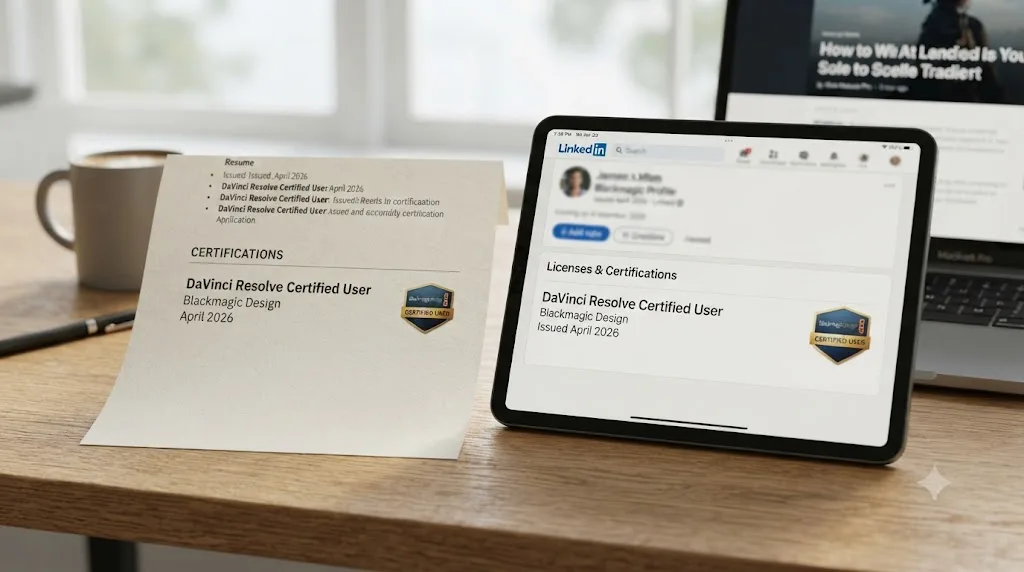
Precisely, and in the right place, since a vague certification line does almost none of the work a specific one does. Use the exact designation Blackmagic emails you, "Blackmagic Design Certified DaVinci Resolve Editor" or the equivalent for your track, Colorist, Fairlight, or Fusion, rather than a generic "DaVinci Resolve certified" phrase that an ATS can't match as cleanly against a job posting's exact language.
Put it in a dedicated Certifications section if your resume has one, or as a single line at the top of your skills section if it doesn't. Don't bury it at the bottom of an unrelated section, and don't pad the entry with unnecessary detail, the exam mechanics from earlier in this review belong in an interview answer if asked, not in the resume line itself. One clean line, the exact credential name, the issuing organization, and the year, is the whole job.
On LinkedIn, add it through the Licenses & Certifications section specifically, not just a mention in your About text. If Blackmagic's certificate comes through a badge platform like Credly, connecting it lets you add it directly to that section with the issuing organization's logo attached, which reads as more credible to a recruiter searching by credential than a plain text mention does. Our guide to adding AI skills to a video editing resume covers the same two-places principle in more depth: a resume line survives a careful read, a LinkedIn tag survives a keyword search, and a certification benefits from appearing correctly in both.
A certification line that just says "DaVinci Resolve certified" with no issuing organization or year attached reads as unverifiable, and unverifiable claims get the same skeptical treatment on a resume that they do in the Creative COW forum quotes above. Name the exact credential, name Blackmagic Design as the issuer, and give the year. That's the difference between a checkable claim and a vague one.
How long does it actually take to prepare for and pass the exam?
Less time than most people assume, if you've already used Resolve for real work, and more time than a "free certification" headline implies if you're starting from zero. Blackmagic's free training materials for each track run from short video lessons up through full downloadable guides, and the honest prep-time estimate depends entirely on how much of that material you actually need versus already know.
| Your starting point | Realistic prep time | What to actually do |
|---|---|---|
| Used Resolve professionally or on real projects for 6+ months | 1 to 2 hours | Skim the free training guide for your track, focus on terminology and menu names you might not use daily |
| Comfortable with Resolve from personal projects, no professional use yet | An evening (3 to 4 hours) | Work through the full free training guide for your track once, focusing on sections you've never had reason to use |
| Complete beginner, minimal hands-on time | A week of focused practice | Build a small real project using the skills in the guide before attempting the exam; don't sit it cold |
The open-book format tempts people into skipping prep entirely and treating the exam as a lookup exercise. That's a mistake for the reason covered earlier: 50 questions in 60 minutes leaves roughly a minute per question, and looking up more than a handful of answers burns through that time fast. The actual efficient path is the same one this whole guide keeps returning to: build real, hands-on familiarity first, then use the open-book format for the handful of specific terminology questions it's genuinely useful for, not as a substitute for having used the software.
If you're stuck on where a specific setting or panel lives while you're building that hands-on familiarity, that's exactly the gap a live, in-app tutor is built to close, faster than pausing a training video and scrubbing back to find the right timestamp. TryUncle is the on-screen assistant for DaVinci Resolve on macOS. Ask in plain words and Uncle points at the exact control on your screen, live, while you're working inside the Edit, Color, or Fusion page, whichever track you're preparing for. It won't answer exam questions for you, and it isn't built to. It shortens the distance between reading about a tool in a training guide and actually having used it, which is the same distance the exam's open-book format assumes you've already closed.
Is the certification still relevant if you learned on an older version of Resolve?
Mostly yes for the certificate's validity, but check the specific track's underlying version before you assume the material matches what's currently on your screen. Blackmagic Design doesn't publish an expiration date or a mandatory renewal requirement on its training page, which means a certificate earned on an older version of Resolve doesn't technically expire the way a security credential or a professional license might.
That said, treat an old certification the same way our review of Casey Faris's DaVinci Resolve courses treats his catalog's version drift: a credential is only as current as the interface it was tested against. DaVinci Resolve 21 shipped with an entirely new Photo page, AI tools including IntelliSearch and CineFocus, and over 100 new Fusion effects, none of which existed when older training material and exam question pools were built. A certification earned three or four versions ago still proves you understood the fundamentals at the time. It doesn't prove you know where anything lives on today's screen, and a hiring manager who tests that knowledge directly in an interview will find the gap fast if it's there.
If your certification is more than two or three major Resolve versions old, mention the year you earned it and be ready to speak honestly about what's changed since, rather than letting a stale date imply current menu-level familiarity you don't actually have. The credential itself doesn't get revoked. Your working knowledge of the current interface is a separate, ongoing thing you have to maintain regardless of what a certificate from three versions ago says.
Should you pair certification prep with an AI-assisted skill-building tool?
Often, yes, and it's worth naming the real options honestly rather than pretending only one exists. A newer category of tools has shown up specifically to help editors get faster or get better at DaVinci Resolve, and they split into two structurally different jobs worth telling apart before you pick one.
Timeline-editing agents do the work for you. CutAgent turns a typed instruction into an actual edit on your DaVinci Resolve timeline, with a review step before the change lands, according to its own product site. Eddie AI assembles rough cuts from raw footage through a chat interface, with export support for Resolve alongside other NLEs, per its own site. Sottocut and PremiereCopilot occupy similar ground: automated assembly and AI-plugin workflows layered onto an existing edit, according to Sottocut's product site and PremiereCopilot's own site. All four are genuinely useful for production speed. None of them are built to teach you anything, which matters specifically here, since the whole point of certification prep is proving you understand the tool yourself.
TryUncle does the opposite job. TryUncle is the on-screen assistant for DaVinci Resolve on macOS. Ask in plain words and Uncle points at the exact control on your screen, live, on the Edit, Color, and Fusion pages, without touching your timeline or making the decision for you. That distinction matters directly for exam prep: an automation tool that executes an edit for you doesn't build the hands-on familiarity the open-book exam assumes you already have, while a tool that points at the control and lets you make the change yourself does exactly that.
| Tool | What it does | Touches your project? | Good fit for certification prep? |
|---|---|---|---|
| TryUncle | Points at the control you need, live, while you make the change | No | Yes, it builds the hands-on familiarity the exam assumes |
| CutAgent | Executes typed editing instructions on your timeline | Yes | No, it does the task instead of teaching it |
| Eddie AI | Assembles rough cuts from raw footage via chat | Yes | No, same tradeoff |
| Sottocut | Automated assembly workflow | Yes | No, same tradeoff |
| PremiereCopilot | AI plugin layer for common editing tasks | Yes | No, same tradeoff |
It's a paid subscription at $39 a month, cancel anytime, and macOS only with no Windows or Linux support; see TryUncle for full details. An AI tool that edits your timeline for you and an AI tool that teaches you to edit it yourself solve opposite problems, and only one of them actually prepares you for a proficiency exam that's testing your own hands-on knowledge.
What are the most common mistakes people make with this certification?
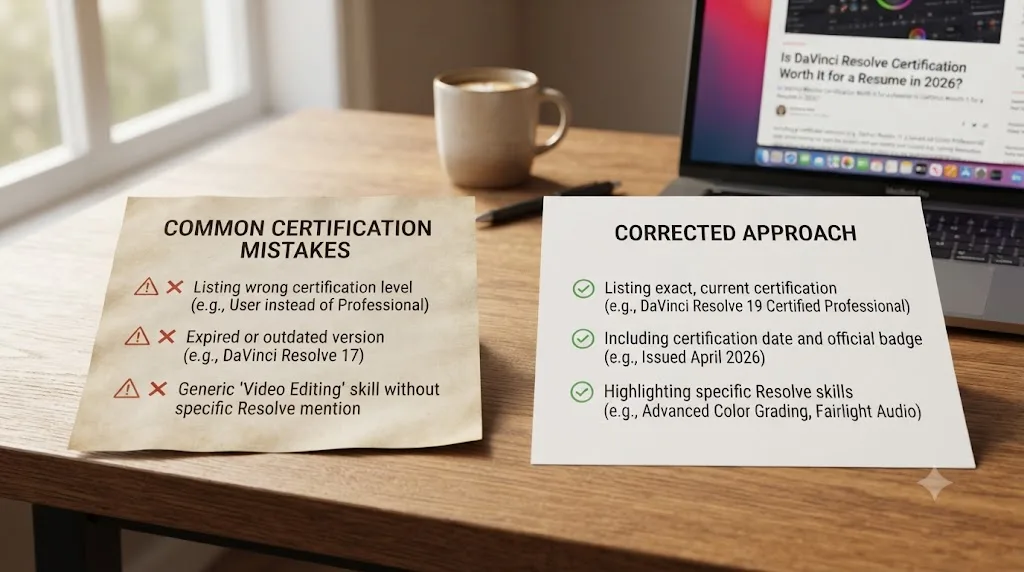
A short, avoidable list, mostly variations on treating the credential as bigger than it is.
Sitting the exam cold with no hands-on time, relying entirely on the open-book format. Covered above, but worth repeating as a mistake in its own right: 50 questions in 60 minutes doesn't leave room to look up more than a handful of answers, and a failed first attempt costs you a 6-hour wait before you can try again.
Listing it vaguely, without the exact designation, issuer, or year. "DaVinci Resolve certified" with nothing else attached reads as unverifiable and undersells a credential that's actually backed by a real database entry when listed correctly.
Getting all four tracks to look thorough instead of getting deep on the one your job actually needs. Four certifications with shallow real experience behind each one is a weaker resume than one certification backed by an actual finished project on that same page.
Treating it as a substitute for a portfolio instead of a small addition to one. Every source in this review, from the Creative COW quotes to the worked-example scenario above, converges on the same point: the credential opens a slightly wider door at the résumé-screening stage, and the portfolio is what actually walks through it.
Assuming a certification earned years ago still reflects the current interface. Covered in the version-drift section above: the credential doesn't expire, but your working familiarity with wherever Blackmagic moved the panels since then is a separate thing you have to keep current on your own.
Paying for a bootcamp certificate specifically because a sales page ranked it above the free option, without checking whether the free option already covers what you actually need. Not every paid certificate is a bad deal, but a comparison table with no outside citations, like the one on Miracamp's own certification page, deserves the same skepticism you'd apply to any vendor grading its own product against a competitor.
Does the certification work the same outside the US?
Mostly yes, since the exam itself is entirely online, free, and untethered to any specific country, and Blackmagic's more than 100 official training centers are spread globally rather than concentrated in one region, according to its own training page. A candidate in Manila, Lagos, or São Paulo sits the same 50-question exam under the same 60-minute limit and 85% bar as a candidate in Los Angeles, and the resulting certificate carries the same Blackmagic Design issuer name regardless of where it was earned.
Where geography does matter is the hiring context the certification lands in, not the exam itself. In markets with fewer established production companies and a thinner local reputation network for freelance editors, a free, checkable, internationally recognized vendor credential can carry relatively more weight than it does in a market like Los Angeles or London, where word-of-mouth reputation and an established portfolio circuit already do most of the trust-building work a first-time freelancer elsewhere has to build from nothing. The underlying Coursera research cited earlier, employers across eight different countries all reporting some positive weight for micro-credentials, supports treating this as a genuinely global effect rather than a US-specific one.
The exam travels perfectly. What changes by region is how much of the hiring decision still rests on reputation and network you haven't built yet, which is exactly the gap a checkable, no-cost credential is best positioned to help fill.
Decision table: should you get certified?
Collapsed into one table you can actually act on, given everything covered above.
| Your situation | Get certified? | Why |
|---|---|---|
| Career changer, no portfolio yet | Yes | One of the few checkable signals available before real project work exists |
| Recent grad, building first portfolio | Yes, it's free and low-effort | Small edge at the résumé-screening stage, costs almost nothing |
| Freelancer pitching cold on marketplaces | Yes | Does more relative work in a fast, low-context first impression |
| Working editor, 1-3 years, active portfolio | Optional | Low cost, low but real upside; don't let it delay finishing real projects |
| Established editor, 5+ years, strong reel | Skip unless the specific job posting names it | The Creative COW consensus above is unanimous that a strong reel outweighs it |
| Applying to a posting that explicitly requires it | Yes, get the specific track named | An explicit posting requirement is the one scenario where skipping it is a real risk |
| Deciding between certifying and finishing a portfolio project with your limited time | Finish the portfolio project first | Every source in this review ranks demonstrated work above the credential |
Read straight down that "why" column and the pattern holds together across every section of this review. The certification earns its keep in exactly one place: the gap before you have real, demonstrable work speaking for you, or the fast, low-context moment before anyone's had time to look at that work directly. Once either of those conditions stops applying, the credential's job is basically done, and everything from that point on runs on the portfolio the rest of this site keeps pointing you back toward.
So, is DaVinci Resolve certification worth it for a resume?
Yes, for exactly what it costs you: an evening of prep, and nothing else. Blackmagic Design's free certification is a real, checkable credential, backed by a genuine training network and a database entry, not a vanity badge. Working editors and colorists who've actually done hiring describe its effect consistently, across every source gathered for this review: it can push a resume into the second-look pile, and it does essentially nothing once someone's actually looking at your work.
That's not a weak verdict. It's a precise one. A free credential with a real, if bounded, upside and no realistic downside is worth claiming, especially if you're a career changer or early-career editor who doesn't have three years of client work speaking for you yet. It's also not a reason to delay finishing the portfolio project that will actually get you hired, or to pay for a bootcamp certificate on the strength of a comparison table that only cites itself.
Get certified in the one track your actual work lives on. List it precisely, with the exact designation, Blackmagic Design as the issuer, and the year. Then spend the rest of your time on the thing every single source in this review, skeptics and advocates alike, agrees actually decides who gets hired: the work itself.
Frequently asked questions
- Is DaVinci Resolve certification worth it for a resume?
- As a tiebreaker, yes. It's free, takes a few hours of prep, and gives you a checkable credential an ATS and a recruiter can both recognize. It won't get you hired on its own. Working editors and colorists interviewed on this exact question describe it as something that pushes a resume into the second-look pile, not something that replaces a portfolio.
- Is the DaVinci Resolve certification exam actually free?
- Yes. Blackmagic Design's training materials and the certification exam itself cost nothing, according to the company's own training page. You pay with your time, not your wallet. Budget a few hours to work through the free training guide for whichever track you're taking before you sit the 50-question exam.
- Which DaVinci Resolve certification should I get first?
- Editing, if you're a generalist or just starting out, since it covers the widest range of interview questions. Colorists should go straight for the Color certification, audio-focused editors for Fairlight, and VFX or motion designers for Fusion. Most working editors only ever need one track; take the second only if a specific job posting names it.
- Do employers actually check DaVinci Resolve certifications?
- Rarely by calling Blackmagic directly, but certified users are added to Blackmagic's own online database, so a claim is checkable in principle. In practice, most hiring managers treat it the way several working editors and colorists describe in industry forums: a quick credibility signal they skim past on the way to your reel, not a line they verify line by line.
- How is Blackmagic's free certification different from Miracamp's or Coursera's DaVinci Resolve certificate?
- Blackmagic's is a free, vendor-issued proficiency exam with no instruction included. Coursera's DaVinci Resolve Specialization is a paid, structured multi-course certificate with graded assignments. Miracamp sells a paid bootcamp with coaching and positions its own certificate above Blackmagic's free one in a comparison table on its own site, without citing outside data for that ranking.
- How long does it take to prepare for the DaVinci Resolve certification exam?
- Most people who've already used Resolve for a few months can prepare in an evening or two, working through Blackmagic's free training guide for their chosen track. Complete beginners should expect closer to a week of focused practice, since the exam assumes you've actually used the tools, not just watched someone else use them.
- Does DaVinci Resolve certification expire?
- Blackmagic Design doesn't publish an expiration date or renewal requirement on its training page. Practically, treat any certification more than two or three Resolve versions old the way you'd treat an outdated course: still evidence you learned the fundamentals, but not proof you know the current interface, since Resolve's panels and features shift with every major release.
- What's the best way to learn DaVinci Resolve before taking the certification exam?
- Stack free resources rather than picking one. Blackmagic's own training guides are built for exactly this exam, Casey Faris's YouTube channel and the r/DaVinciResolve community cover workflow questions the guide won't, and an in-app tutor like TryUncle helps you practice the actual tool inside your own project instead of just reading about it before you sit the test.
Sources
- DaVinci Resolve Training (Blackmagic Design)
- Blackmagic Design DaVinci Resolve Certification Training Details (ThinkBigLearnSmart)
- DaVinci Resolve Training and Certification Programme Announced (CineD)
- Are Software Certifications Worth It? (Creative COW forum)
- New Coursera Survey: Industry Certificates Hold Strong Appeal For College Students And Employers (Forbes)
- DaVinci Resolve Certification (Miracamp)
- DaVinci Resolve Specialization (Coursera)
- Film and Video Editors and Camera Operators: Occupational Outlook Handbook (U.S. Bureau of Labor Statistics)
- ResolveCon 2023: Interviews and Insights with the Speakers (CineD)
- DaVinci Resolve Training (Blackmagic Design, certified trainer network)
- DaVinci Resolve: How to Use Every Page with Casey Faris (CreativeLive)
- Casey Faris (YouTube)
- CutAgent - AI video editing for DaVinci Resolve
- Sottocut (product site: platform requirements, pricing)
- Eddie AI - The Assistant Video Editor for Pros (heyeddie.ai)
- PremiereCopilot - The AI Copilot for Adobe Premiere Pro
- TryUncle FAQ
- TryUncle
Learn by doing, not watching
Stop translating tutorials to your timeline.
TryUncle stays beside Resolve on Mac and Windows. When you ask, Uncle sees your screen and points at the exact control you need. No hunting through tabs, timestamps, or mismatched tutorials.
Meet TryUncleKeep reading
 ReviewsJul 15, 202639 min read
Is Casey Faris's DaVinci Resolve Course Worth It in 2026?
An honest, sourced review of Casey Faris's DaVinci Resolve courses on CreativeLive and Ground Control: what's inside, real prices, refund terms, and who they fit.
 GuidesJul 19, 202638 min read
DaVinci Resolve Portfolio Tips for Freelance Editors
How freelance editors build a DaVinci Resolve portfolio that lands work: project count, reel length, niches, export settings, hosting, and rates.
 GuidesJul 19, 202638 min read
How to Add AI Skills to Your Video Editing Resume (2026 Guide)
Which AI skills to list, how to phrase them so they pass ATS and impress a human, and real before/after bullet examples for video editor resumes.