
Learn / DaVinci Resolveupdated for DaVinci Resolve 21, Blackmagic's free training and certification, and TryUncle pricing (July 2026)
Video Editing Degree vs. Learning DaVinci Resolve Yourself
Quick answer
For most editing jobs, no. Degrees run $20,000 to $180,000+, film and video majors carry the highest early-career unemployment rate of any college major tracked (11%, Georgetown CEW), and editing hires on portfolios, not transcripts. Teaching yourself DaVinci Resolve costs little to nothing and builds the same judgment faster.

I get some version of this question every week from people staring at a film school acceptance letter and a DaVinci Resolve icon on the same desktop. Both paths end at the same job title. Only one of them can leave you paying it off for a decade.
So let's actually run the numbers instead of arguing feelings about it.
Is a video editing degree worth it, or is teaching yourself DaVinci Resolve the smarter move?
For the large majority of editing jobs, teaching yourself is the smarter financial and career move. A degree costs real money and years you can't get back. Editing hires on a reel, not a transcript, for almost every job category outside corporate HR-gated postings and a handful of union tracks. Here's the comparison stripped down to the numbers that actually decide it.
| Video editing degree | Teaching yourself DaVinci Resolve | |
|---|---|---|
| Typical cost | $20,000 to $100,000+ for a bachelor's; $181,000 median debt for an elite film MFA | $0 for the app, $295 one-time for Studio, free official training |
| Typical time | 4 years (bachelor's), 2-3 years (MFA) | 8-12 weeks to functional competence across all five pages |
| What it verifiably teaches | Film theory, history, cohort feedback culture, access to gear and soundstages | The actual software, on your actual footage, at your own pace |
| What gets you hired | A reel, in nearly every hiring context reviewed below | The same reel, built the same way |
| Debt risk | Real, sometimes six figures | Effectively none |
| Job market for the major itself | Highest early-career unemployment rate of any college major tracked (11%, Georgetown CEW) | Not applicable, no major required |
A film degree and a self-taught DaVinci Resolve portfolio can lead to the exact same editing job. Only one of them can leave you $100,000 in debt to get there. That's not an anti-education slogan. It's the plain shape of the data in every section below, and it holds whether you're aiming at YouTube, agency work, documentaries, or a network gig.
The one place this verdict softens is when a degree buys you something a reel genuinely can't: a cohort, soundstage access, a visa pathway, or a fallback credential outside editing entirely. We'll get to exactly when that trade is worth it near the end of this piece, because pretending it never is would be as dishonest as pretending it always is.
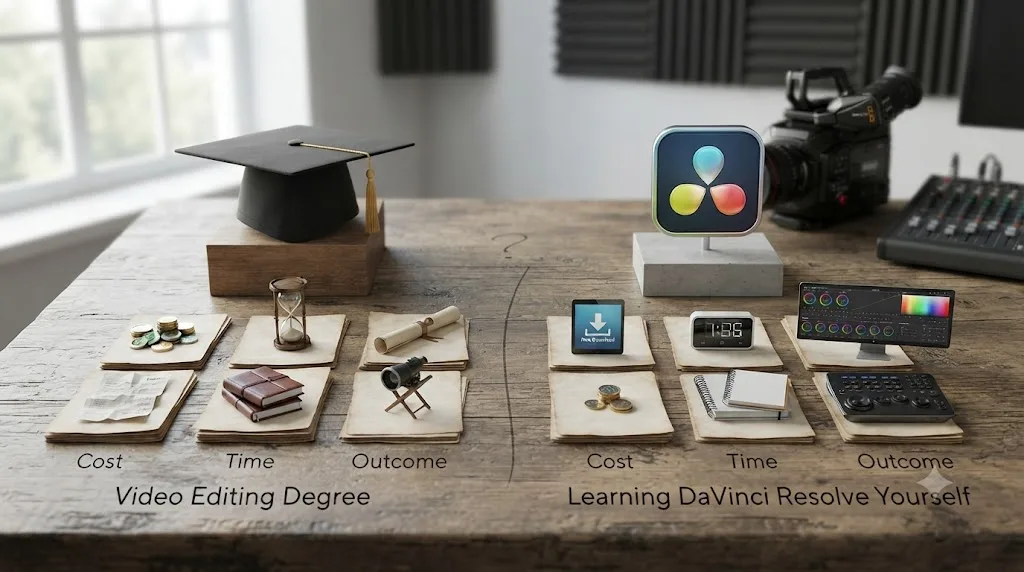
What does a video editing degree actually cost?
More than most people budget for before they say yes to an acceptance letter, and the range is wider than the sticker price on a college's homepage suggests. A four-year bachelor's degree in film, media production, or a related field runs $20,000 to $100,000 depending on the school, according to Noble Desktop's breakdown of video editor education costs. That's tuition alone. Add four years of foregone income and the real cost climbs further.
The graduate end is worse, and it's worth looking at directly instead of assuming it. NYU's Tisch School of the Arts graduate film program costs $79,712 a year in tuition, with room and board adding another $31,090, for a total of $110,802 a year, according to Tisch's own published cost of attendance. Multiply that by a typical two- to three-year MFA program and you're well past $220,000 before a single client has paid you for an edit.
Columbia University's film program shows what that math does to real people. According to a Wall Street Journal analysis of Department of Education data, recent Columbia film program graduates who took out federal loans carried a median debt of $181,000. Two years after finishing their degree, half of those borrowers were earning less than $30,000 a year. That's not a cherry-picked worst case. It's the median, at one of the most prestigious film programs in the country.
| Path | Typical cost | What it doesn't include |
|---|---|---|
| In-state public university, film/media BA | $20,000-$40,000 total | Living costs, equipment fees, lost income during school |
| Private university, film/media BA | $60,000-$100,000+ total | Same, plus higher baseline tuition |
| Elite film MFA (NYU-tier) | $220,000-$330,000 over 2-3 years | Living costs beyond the published room and board figure |
| Elite film MFA, median federal debt outcome (Columbia) | $181,000 median debt | Half of borrowers earning under $30,000/year two years out |
None of this accounts for interest accruing while you're job-hunting on an editor's early-career wage, which the next section covers. A film degree and a delivered client edit can teach the exact same lesson about pacing. One of them also teaches you what compound interest feels like for the next fifteen years.
If you're a veteran or a dependent with GI Bill eligibility, this math shifts meaningfully. Several film schools, including the Los Angeles Film School and San Francisco Film School, are approved for Post-9/11 GI Bill benefits covering tuition, housing, and books, per Noble Desktop's guide to video editing training for veterans. If your tuition is genuinely covered by benefits you've already earned, the degree's cost argument mostly disappears, and the calculus below shifts toward what a structured program buys you beyond the software itself.

What does teaching yourself DaVinci Resolve actually cost?
Close to nothing, and it's worth stating the actual numbers instead of a vague "it's free" claim. DaVinci Resolve's free version supports full editing, Fairlight audio, node-based color grading, and Fusion compositing at resolutions up to Ultra HD 4K at 60fps, per Storyblocks's breakdown of the free-versus-Studio split. Studio, which adds specific Neural Engine automation tools like Magic Mask and Speed Warp, is a one-time $295 purchase with no subscription, and none of those Studio-only features are required to build a hireable reel.
Training costs the same: nothing, if you use the official path. Blackmagic Design publishes six full training guides, covering editing fundamentals, editing techniques, Fairlight audio, color grading, visual effects, and advanced visual effects, all free downloads with lesson project files attached, according to Blackmagic's own training page. Each guide links to a free proficiency exam too. The DaVinci Resolve Certified End User exam is 50 questions, open book, 60 minutes, requires an 85% score, and costs nothing, per a breakdown of Blackmagic's certification program.
| Item | Cost |
|---|---|
| DaVinci Resolve (free version) | $0 |
| DaVinci Resolve Studio (one-time) | $295 |
| Blackmagic's official training guides (six books) | $0 |
| Blackmagic's Certified End User exam | $0 |
| YouTube channels and free communities | $0 |
| Optional: an in-app AI tutor like TryUncle | $34.99/month |
| Total to build a portfolio-ready skill set | $0 to $325ish, one time, plus an optional subscription |
Compare that total to a single semester at almost any four-year program and the gap stops being a debate. It's an order-of-magnitude difference, and that's before accounting for the years of income a degree path asks you to defer.
The honest caveat: free doesn't mean instant, and cost isn't the only variable. Our full breakdown of the best way to learn DaVinci Resolve covers why watching free tutorials alone doesn't get you to a hireable skill level either, MOOC-style courses complete at rates near 4%, and completing a course isn't the same as building the judgment a reel needs to show. The money you save by skipping a degree only turns into a career if you spend the time you saved actually finishing projects, not just watching more free content instead of paid content.

What does it cost once you factor in the computer you need to run DaVinci Resolve?
Software costs almost nothing. Hardware is where the "self-teaching is basically free" claim needs a real number attached to it, because DaVinci Resolve won't run acceptably on whatever aging laptop happens to be sitting in a drawer, and pretending otherwise would set a beginner up to quit in week two out of frustration with a stuttering timeline.
Blackmagic's own minimum requirements for DaVinci Resolve 21 are modest on paper. Windows needs 16 GB of system memory, 32 GB if you're touching Fusion, a GPU with at least 4 GB of VRAM, and CUDA 12.8 or OpenCL 1.2 support with a current driver, according to a breakdown of the official specs. Mac users face a harder line. Resolve 21 dropped Intel Mac support entirely. It now requires Apple Silicon, M1 or later, running macOS 15 Sequoia, full stop, per the same source. If your only computer is an older Intel Mac, DaVinci Resolve 20 is your ceiling until you replace the machine, and that's worth checking before you download anything.
Meeting the bare minimum spec and having a comfortable editing experience are two different things, and the gap matters more once color grading or Fusion work enters a beginner's plate. Puget Systems, a workstation builder that publishes hardware guidance specifically for DaVinci Resolve, recommends scaling VRAM to your footage: 8 GB for 1080p timelines, 12 GB for 4K, and 20 GB or more once you're working in 6K or 8K, according to Puget's hardware recommendations. Puget names the RTX 5090 as the strongest GPU option for Resolve, with the RTX 5070 Ti and 5080 as lower-cost alternatives that still handle real project work.
| Tier | What it covers | Rough hardware target |
|---|---|---|
| Bare minimum | Cut and Edit page basics, light color, 1080p | 16 GB RAM, 4 GB VRAM discrete or a capable integrated GPU |
| Comfortable | 4K editing, real color grading, occasional Fusion | 32 GB RAM, 8-12 GB VRAM |
| Serious portfolio work | 4K color and Fusion together, multiple layered composites | 32-64 GB RAM, 12-16 GB+ VRAM |
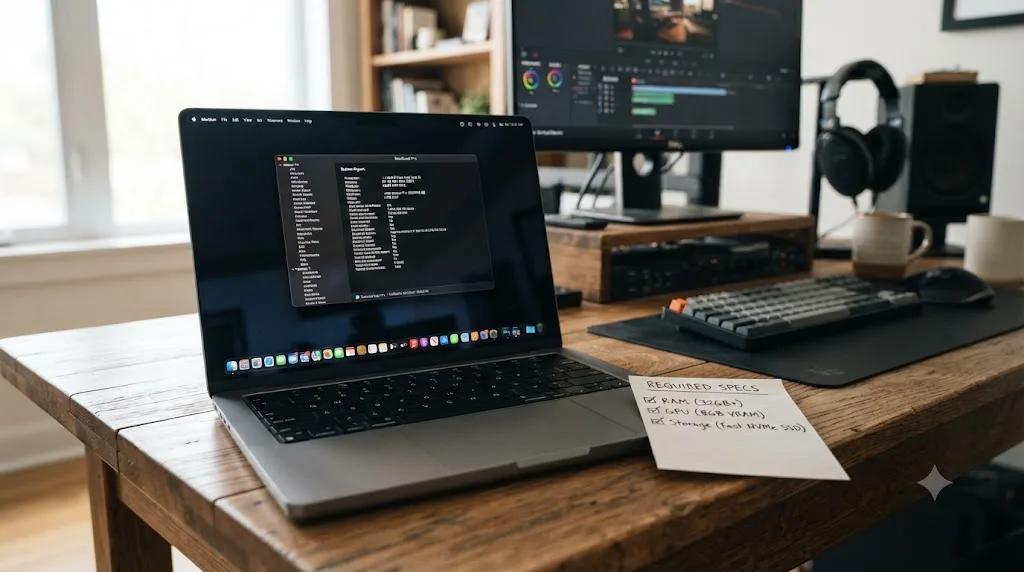
Before you spend anything, check what you already own. On a Mac, click the Apple menu and choose About This Mac to see the chip and memory. On Windows, open Task Manager's Performance tab, or run dxdiag, to see your GPU and VRAM. A five-minute check tells you whether you're starting from zero or from a machine that already clears the minimum spec.
None of this means you need a $4,000 workstation to build a hireable reel. Plenty of working editors cut on modest, several-year-old machines that clear the minimum spec with room to spare, and a beginner's first ten weeks of practice, covered later in this piece, don't demand 8K timelines or heavy Fusion stacks. Budget for storage too. Raw 4K footage fills a drive fast, and an external drive for backups and overflow media is a real, if modest, line item most "self-teaching is free" claims quietly skip. But it's dishonest to call self-teaching free without naming the one cost this comparison can't wave away: if your current computer doesn't meet Resolve 21's minimum, budget for a machine that does, on top of the software and training costs above.
A film degree's tuition already assumes you'll have access to campus edit suites. A self-taught path only works if your own machine can actually run the software you're teaching yourself on. That's not a reason to default back to a degree. It's a reason to check your specs before you budget "$0" for the self-taught path and get surprised three weeks in.
Do video editing jobs actually require a degree?
It depends entirely on which corner of the industry you're asking about, and conflating them is where most of this debate goes wrong. The Bureau of Labor Statistics states plainly that film and video editors "typically need a bachelor's degree in a field related to film or broadcasting," per its Occupational Outlook Handbook entry on the occupation. That's the official government classification, and it's not wrong exactly. It's incomplete, because it describes the formal job-posting language more than the actual hiring behavior across every segment of the field.
On the ground, the pattern looks different. According to Noble Desktop's reporting on video editor hiring, corporate in-house positions at large companies do tend to treat a degree as close to a hard requirement, the same way any other white-collar corporate job does, gated by HR software that filters resumes before a human sees a reel. Freelance work, which dominates the actual volume of editing jobs available, runs almost entirely on portfolio and referral instead.
Paddy, who writes for Inside The Edit after nearly three decades in the industry, puts the freelance and independent side of this bluntly:
"Most film school degrees won't get you hired. They won't make you a filmmaker. They'll just make you broke, with decades of compounding debt suffocating you."
That's a strong claim, and it's worth pairing with the softer, more measured version from Noble Desktop's own reporting: "Portfolio Over Diploma: A strong showreel opens doors no degree alone can," as Maggie Fry writes. Two different sources, two different tones, the same conclusion.
| Hiring context | Degree treated as a requirement? | What actually gets you the job |
|---|---|---|
| Corporate in-house (marketing team, internal comms) | Often yes, HR-gated job postings | Degree gets you past the filter; reel gets you the interview |
| Freelance / agency editing | Rarely | Reel, referral, turnaround speed |
| YouTube / creator-economy editing | Almost never | Reel, niche fit, speed, price |
| Documentary / independent film | Rarely | Reel, credits, network from prior projects |
| Broadcast / network union track | Indirectly, via hours and credits, not coursework | Screen credits and hours worked (see the guilds section below) |
| Wedding and event editing | Almost never | Reel, client reviews, local reputation |
Nobody hiring a freelance video editor asks to see your transcript. Everybody asks to see your reel. The one segment where that's not fully true is the corporate in-house track, and it's worth naming honestly rather than pretending every hiring manager everywhere ignores degrees. If your specific goal is a salaried, benefits-included seat on an internal marketing team at a mid-size or large company, a degree genuinely does clear a filter a reel alone sometimes can't, because the posting was written and screened by HR before a creative director ever sees a candidate.
What do the job market numbers say about film and video editing majors specifically?
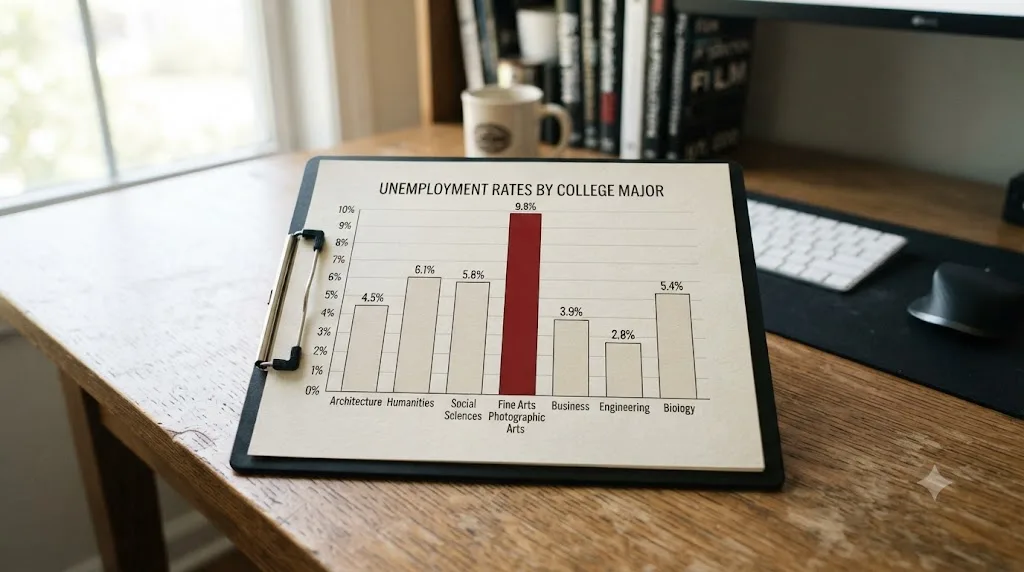
They say something a lot of prospective students never see before enrolling: this is one of the riskiest majors to bet a degree on, by the government's own labor data. Georgetown University's Center on Education and the Workforce tracks unemployment and earnings across 152 college majors, and film, video, and photographic arts sits at the top of the list for the wrong reason. Unemployment rates for early-career workers range "from a low of 1.3 percent for those who majored in operations logistics and e-commerce to a high of 11 percent for those who majored in film, video, and photographic arts," according to CEW's own summary of the report.
That 11% isn't a fluke year or a single bad graduating class. It reflects the structural reality of the field: a large number of people trained for a small number of specialized creative roles, competing against each other in a labor market that doesn't scale with enrollment.
The job itself, separate from the major, tells a steadier but still modest story. The median annual wage for film and video editors was $70,980 in May 2024, and overall employment is projected to grow 3 percent from 2024 to 2034, about average for all occupations, with roughly 6,400 openings projected per year, according to BLS's Occupational Outlook Handbook.
| Metric | Figure | Source |
|---|---|---|
| Median annual wage, film and video editors | $70,980 (May 2024) | BLS |
| Projected job growth, 2024-2034 | 3% (about average) | BLS |
| Projected annual openings | ~6,400/year | BLS |
| Early-career unemployment rate, film/video/photographic arts majors | 11% (highest of any major tracked) | Georgetown CEW |
| Early-career unemployment rate, lowest-risk major (operations logistics/e-commerce) | 1.3% | Georgetown CEW |
Read those two data sets side by side and a genuine tension shows up. The job itself grows at a normal, unremarkable pace. The college major built specifically to prepare you for it carries the worst early-career unemployment odds Georgetown tracks. That gap is the actual argument against defaulting to a degree, and it has nothing to do with whether DaVinci Resolve is a good tool. It's a statement about what a film-specific major does and doesn't guarantee, regardless of which software you end up cutting in.
None of this means editing itself is a bad career. It means the credential most commonly sold as the entry ticket doesn't reliably deliver one, and a self-taught path sidesteps that specific risk entirely by never asking you to bet years of tuition on a major with an 11% early unemployment rate in the first place.
What does a degree teach that self-teaching can't, and what does self-teaching do better?
Both sides of this deserve an honest accounting, because pretending a degree is worthless would be its own kind of dishonesty. A degree program genuinely delivers things a laptop and a free training guide structurally cannot. What it doesn't deliver, reliably, is the specific software fluency and portfolio-building judgment that actually gets an editing job.
Here's what a degree program does well. Access to real gear, soundstages, cameras, and post-production suites you likely couldn't afford to rent on your own. A cohort of peers working toward the same goal, which creates a built-in feedback and critique culture. Film theory and history, taught by people who've studied it deeply, which shapes taste in ways a software tutorial never touches. Faculty connections and alumni networks, which matter disproportionately in a field that still runs heavily on referrals. Structured deadlines that force you to finish things, which some learners genuinely need external pressure to do.
Here's what self-teaching does better. Speed: you're touching real software on day one, not a semester into general education requirements. Cost: effectively free versus tens of thousands of dollars. Direct relevance: every hour spent is spent on the exact tool you'll use professionally, DaVinci Resolve, not a theory course that may or may not connect to your actual editing work later. Flexibility: you can specialize toward exactly the niche you want, YouTube, color, documentary, immediately, instead of following a fixed curriculum built for a general cohort.
| What a degree delivers | What self-teaching delivers |
|---|---|
| Physical access to gear, soundstages, edit suites | Direct, unlimited time on the actual software you'll use professionally |
| A cohort and structured critique culture | Free-form communities (Reddit, Facebook groups, Discord) plus paid tutors on demand |
| Film theory, history, taste development | Zero, unless you seek it out separately |
| Faculty and alumni network | None, unless built through freelance work and community participation |
| Fixed timeline and external deadlines | Self-paced, faster for a motivated learner, slower without discipline |
| A broad, transferable credential outside editing | None; the "credential" is your reel, full stop |
A degree teaches you how to talk about editing in a seminar. Only editing your own footage teaches you how to actually edit. That line isn't a knock on film theory, which has genuine value for craft and taste. It's a statement about what actually shows up on a hiring reel, and a reel has never once been improved by someone's ability to cite a theorist in conversation.
Our deeper research on the best way to learn DaVinci Resolve covers the learning-science case for why hands-on, corrected practice beats passive instruction, including a course, a lecture, or a demo reel someone else built. That research applies to a $110,000 MFA program exactly as much as it applies to a free YouTube tutorial: watching someone else make a decision teaches recognition, not the judgment call you'll need on your own footage under your own deadline.
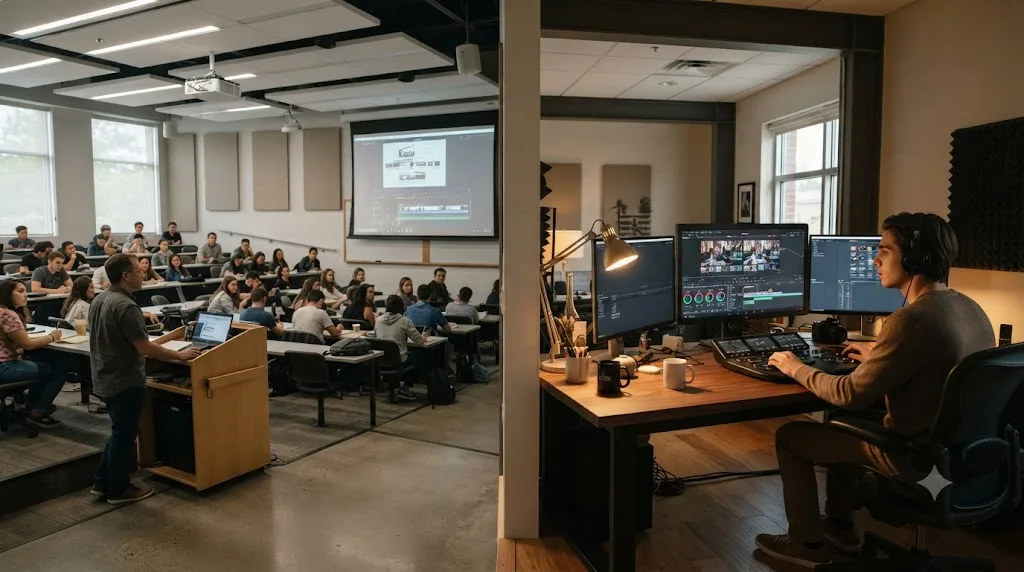
Do unions, guilds, and professional societies require a film degree?
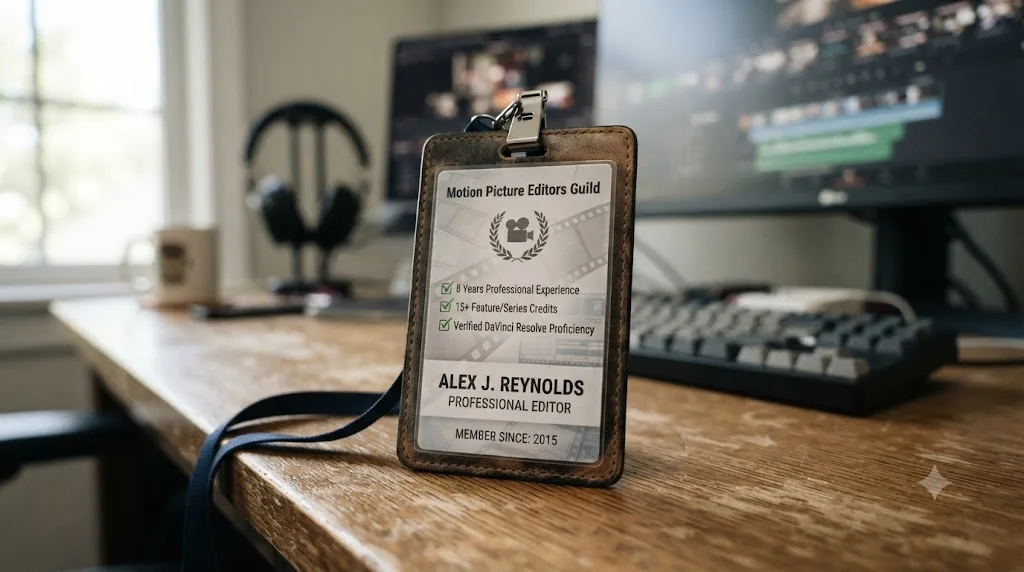
No, and the two most relevant organizations in the editing world make that explicit through how they actually admit people. The American Cinema Editors, the honorary society behind the "ACE" credit you see after some editors' names, admits active members based on a minimum of 72 months, six years, of employment as an editor of feature films or television with screen credit, plus sponsorship letters from two existing members, according to ACE's own membership page. Nowhere in that criteria is a college transcript mentioned. The bar is years worked and credited, full stop.
The Motion Picture Editors Guild, IATSE Local 700, which represents editors, assistant editors, and colorists on union productions, structures its own membership around categories of working professionals rather than academic credentials, according to the guild's own join page. The barrier to entry is a union production hiring you in the first place, not a degree requirement baked into the guild's own eligibility rules.
| Organization | What it actually gates on | Degree requirement? |
|---|---|---|
| American Cinema Editors (ACE) | 72 months of credited feature/TV editing work, two sponsor letters | None mentioned |
| Motion Picture Editors Guild, IATSE Local 700 | Employment on a union production in an eligible category | None mentioned |
| Blackmagic Certified End User exam | 50-question open-book exam, 85% to pass | None; open to anyone |
This matters because it closes a specific gap in the "editors typically need a bachelor's degree" framing from the BLS. The professional bodies that actually credential working editors, the ones colleagues and hiring managers recognize, don't ask for a degree at all. They ask for the work itself, credited and verifiable. If the industry's own honor society doesn't check for a diploma, a hiring manager screening freelance reels has even less reason to.
How do you learn DaVinci Resolve fast enough to compete with a film-school grad?
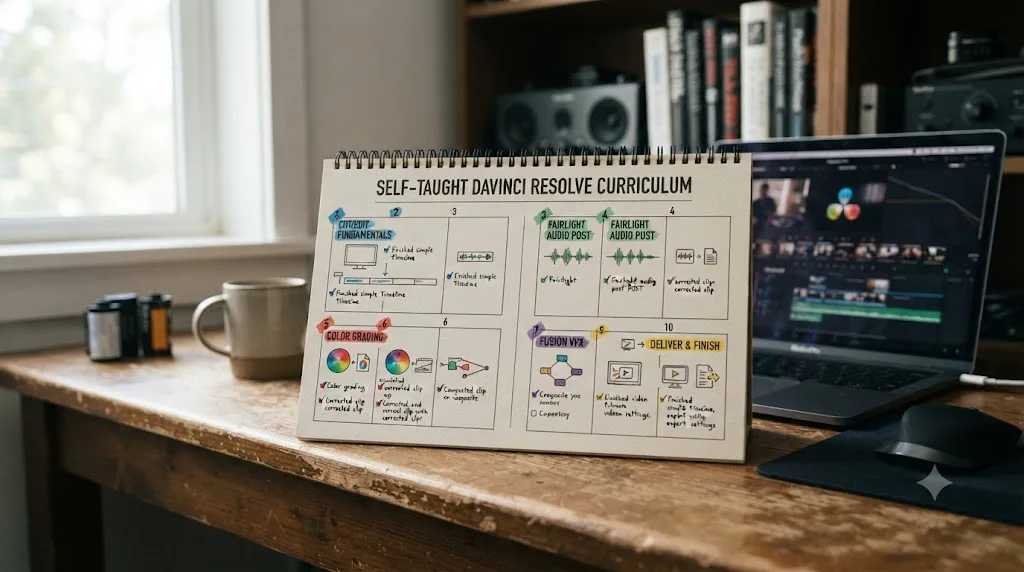
Faster than the degree timeline suggests, if you spend most of your time attempting real work instead of consuming more material about it. A realistic pace for a self-motivated beginner working a handful of hours a week is roughly 8 to 12 weeks to reach comfortable competence across editing, basic audio, color grading, and simple Fusion compositing, the same core skills a film program's editing courses cover across a full semester or two.
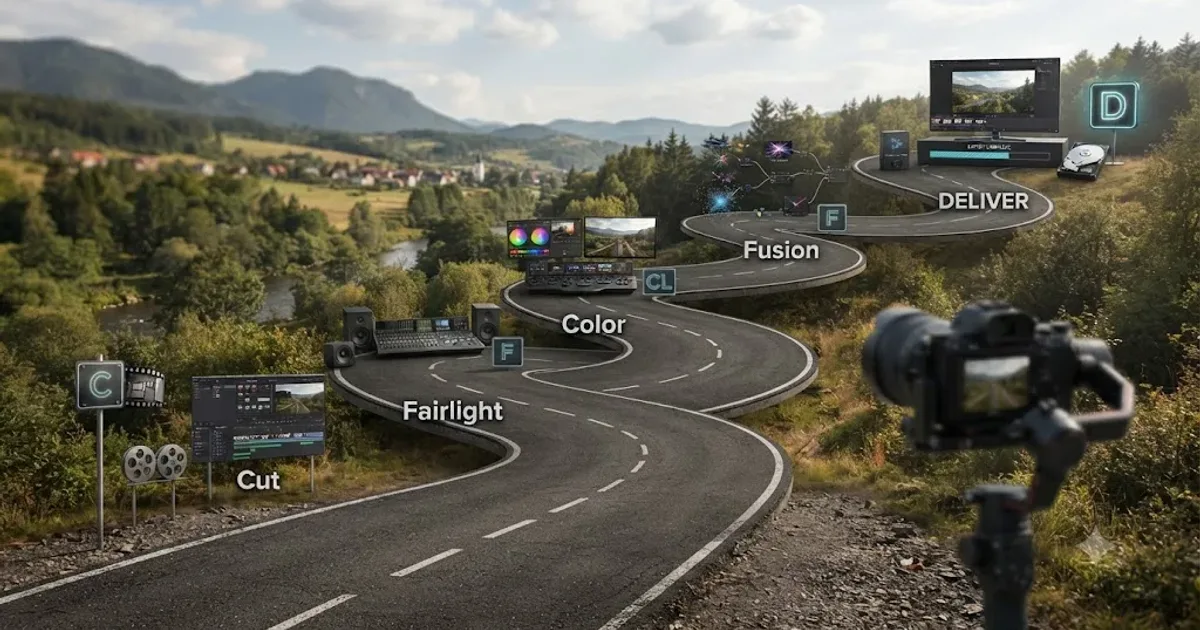
The order matters more than the hour count. Our full DaVinci Resolve learning roadmap for beginners breaks this into five stages: Cut or Edit fundamentals first, then Fairlight's basic audio hygiene, then Color's node system, then Fusion compositing once you have a graded shot worth building on, then Deliver. That's the same sequence Blackmagic's own free training guides ship in and the same sequence paid courses like Ripple Training's build around, which tells you the order isn't controversial. What's controversial is whether you need to pay tens of thousands of dollars to follow it.
Here's the compressed version of what a fast, self-directed path actually looks like, week by week.
- Weeks 1-2: Cut or Edit basics. Film something small yourself and cut a 60 to 90 second sequence with clean in and out points. Our DaVinci Resolve practice exercises for beginners has structured drills built specifically for this stage if you'd rather follow constraints than improvise from scratch.
- Week 3: Fairlight audio basics. Learn to read a level meter and fix a clipping track. This is cheap to learn early and expensive to fix once it's a rehearsed bad habit across a dozen projects.
- Weeks 4-6: Color grading. One serial node at a time, matching two clips shot in different lighting using the waveform, not your eyes, since your eyes adapt to a bad grade the longer you look at it.
- Weeks 7-9: Fusion, once you have a graded shot worth compositing onto. Start with a single Text+ node, a Transform node, and two keyframes. Don't build Fusion composites on ungraded footage; you'll redo the work once the grade changes the image underneath.
- Week 10 and beyond: Deliver, then build a real portfolio piece. Combine everything into one finished, two-to-three-minute piece from your own footage. That finished piece, not a diploma, is what a hiring manager or client actually looks at.
Free and low-cost YouTube education plays a real role here too. Our review of whether Casey Faris's DaVinci Resolve courses are worth it covers his free YouTube channel and paid catalog in detail; the short version is that free content gets you oriented fast, and it's a fraction of the cost of any accredited course covering the same ground.
Ten weeks of finishing real projects on your own footage beats two semesters of watching an instructor finish theirs. That's not a slogan against structured teaching. It's what the retrieval-practice and deliberate-practice research covered in our best way to learn DaVinci Resolve piece consistently shows: attempting the real task with correction builds durable skill faster than watching someone else attempt it, whether "someone else" is a YouTuber or a tenured professor.
Is there a middle path between a four-year degree and pure self-teaching?
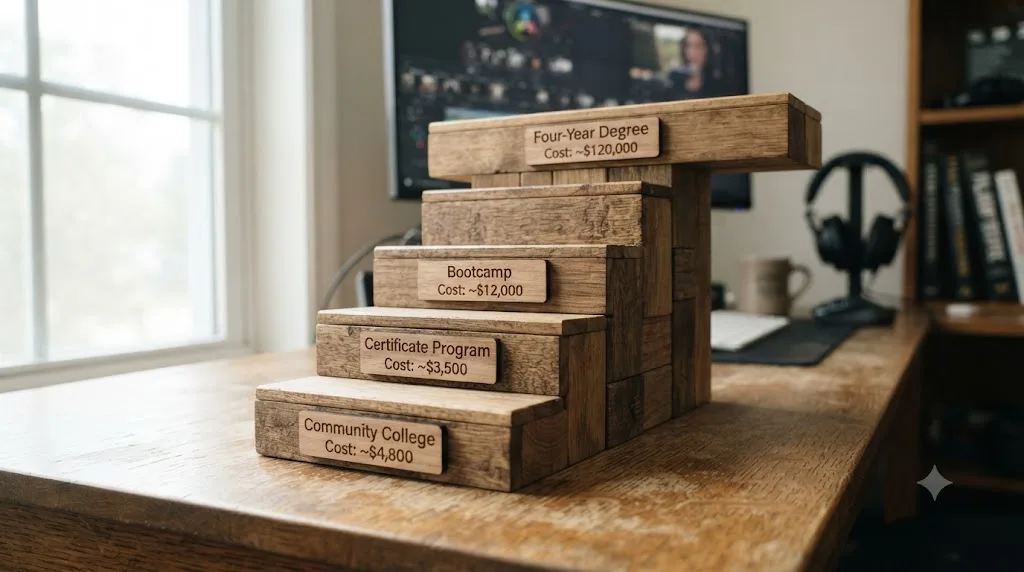
Yes, and it's worth naming explicitly instead of framing this as a binary choice, because most people don't actually face a pure either-or. A range of cheaper, faster credentials exist between "$110,000 MFA" and "nothing but a laptop," and several of them capture a meaningful slice of what a degree offers without the worst of its cost and time risk.
Community college associate degrees in film or media production typically cost a small fraction of a four-year private program, often a few thousand dollars a year at in-state rates, while still providing campus editing labs, some structured feedback, and a two-year timeline instead of four. Certificate programs and bootcamps, which Noble Desktop describes as running "a few weeks to a few months", offer hands-on software training in Premiere Pro, After Effects, or DaVinci Resolve and send you out with portfolio samples, at a cost closer to a few thousand dollars total than six figures.
| Path | Typical cost | Typical time | What you get beyond self-teaching alone |
|---|---|---|---|
| Elite film MFA | $220,000-$330,000+ | 2-3 years | Deep network, soundstage access, prestige credential |
| Private university BA | $60,000-$100,000+ | 4 years | Broad liberal arts credential, campus network, gear access |
| In-state public university BA | $20,000-$40,000 | 4 years | Same as above, at a lower price point |
| Community college AA | A few thousand dollars/year | 2 years | Campus gear, some structured feedback, transfer credit option |
| Certificate program / bootcamp | A few thousand dollars total | Weeks to months | Focused software training, portfolio samples, faster completion |
| Pure self-teaching | $0-$325, plus optional subscriptions and hardware | 8-12 weeks to competence | None of the above; 100% of the savings, 100% of the self-direction required |
The honest tradeoff as you move down this table: cost and time drop steadily, and so does structure. A bootcamp won't hand you four years of film theory or a soundstage. It will hand you focused, current software training at a price where the ROI math actually works even if you never land a six-figure editing job.
The middle path exists precisely because "degree or nothing" is a false choice nobody actually has to make. If the appeal of a degree is the structure and the deadline pressure, a certificate program or a community college course delivers a meaningful piece of that for a fraction of the price, leaving your remaining budget and time for the self-directed practice that builds the reel a hiring manager actually opens.
What if you already have a bachelor's degree in something else?
This is the scenario most "degree versus self-taught" advice skips entirely, and it describes a lot of the people actually typing this exact search. You're not eighteen, weighing your first acceptance letter. You already have a bachelor's degree, in marketing, nursing, accounting, teaching, anything, and you're wondering whether switching into video editing means starting a second undergraduate degree from zero.
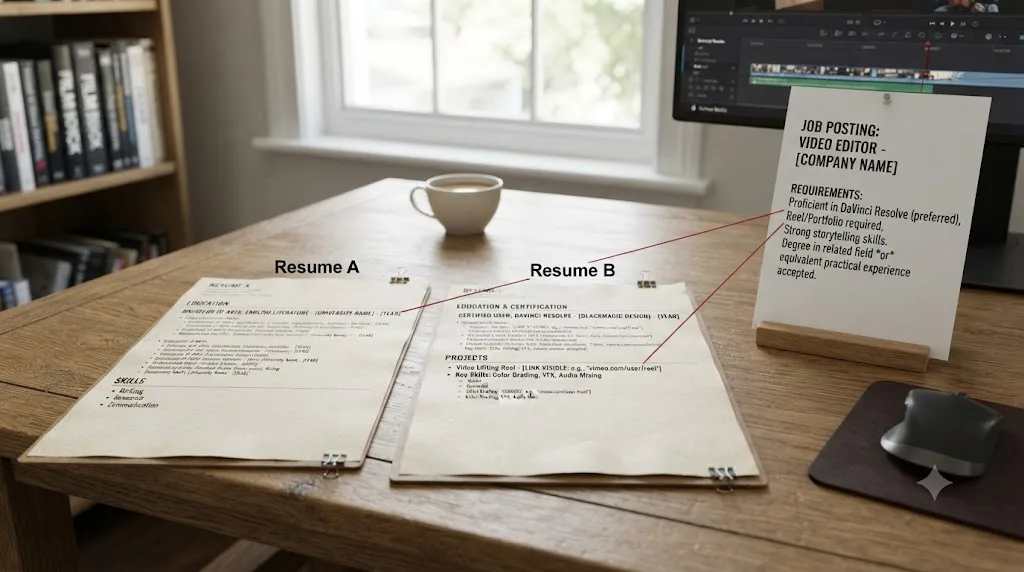
It doesn't, and the case for skipping a second degree is stronger for you than it is for a first-time student. Go back to the hiring-context table earlier in this piece. The one segment where a degree functions as a real filter is corporate in-house work, gated by HR software that checks for "bachelor's degree" as a box, not usually a specific major. You already have that box checked. A second bachelor's degree, this time in film or media production, would cost another $20,000 to $100,000 or more and another two to four years of your life, to earn a credential in a field where, per the BLS's own median wage data covered earlier, the job itself pays $70,980 a year regardless of which of your two degrees got you there.
What you actually need instead is proof of the specific skill, DaVinci Resolve fluency, and a reel that shows it, exactly the two things a self-taught path was built to deliver. The 8-to-12-week timeline from the roadmap above doesn't change because you're 34 instead of 19. If anything, it moves faster, because career changers typically bring transferable skills a first-time student doesn't have yet: client communication from a sales job, storytelling instincts from teaching, technical troubleshooting patience from an engineering background. None of that shows up in a film-school curriculum. All of it shows up in a reel, and a few concrete examples make the point better than the abstraction does. A former teacher's first reel can lean into explainer-style, clearly paced cuts. A former marketer's reel can lean into short-form ad edits with a hook in the first three seconds. A former retail manager's reel can lean into the fast turnaround and client-communication reliability that a lot of freelance clients care about as much as the cut itself.
| Recent high school graduate | Career changer with an existing bachelor's degree | |
|---|---|---|
| Already holds a general "bachelor's degree" credential | No | Yes |
| Needs a film-specific credential to clear HR filters | Sometimes, for corporate in-house roles | Rarely; an existing degree often already satisfies the generic filter |
| Best next step if targeting corporate in-house work | A media/film-adjacent degree, or a certificate that pairs with existing coursework | A certificate or self-taught reel; a second bachelor's rarely pays for itself |
| Time to competent DaVinci Resolve skill | 8-12 weeks, same curve | 8-12 weeks, same curve, often faster with transferable soft skills |
| Realistic first move | Download DaVinci Resolve, start the roadmap above | Same, plus lean the reel toward the industry you're leaving |
A second bachelor's degree solves a problem career changers don't have. They already hold a degree; what they're missing is a reel. The honest advice for this specific reader isn't "go back to school." It's "spend the tuition money you'd have spent on a second degree on a solid computer, DaVinci Resolve Studio if you want the extra tools, and eight to twelve weeks of focused, unpaid practice building the first reel of the career you're switching into."
The one exception worth naming: if you're switching specifically toward a large studio's VFX pipeline or a highly technical compositing track, some employers do treat a relevant technical degree as a meaningful signal independent of the reel, per the VFX row in the job-type table below. For editing specifically, that exception mostly doesn't apply.
Should you finish a film degree you've already started, or switch to self-teaching now?
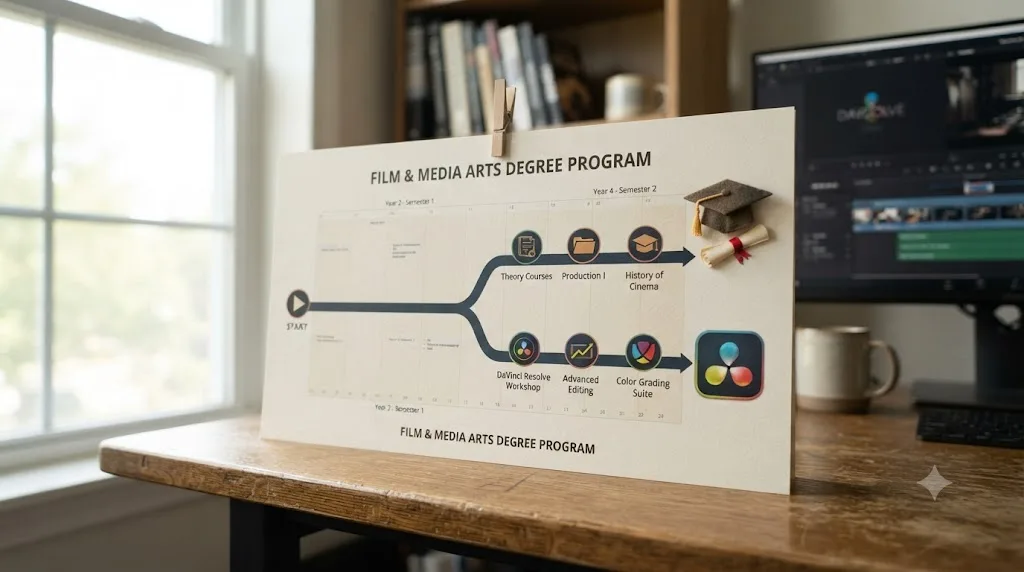
This is a harder question than either of the first two, because you're not choosing a path from zero. You've already paid for some of it, semesters, tuition, maybe existing debt, and stopping now feels like throwing away money you've already spent. That feeling has a name. It's the sunk cost fallacy, and it's worth naming directly because it pushes a lot of people to finish something that's no longer the best use of their remaining time and money.
Here's the reframe that actually helps. The tuition you've already paid is gone either way. Finishing the degree or stopping today doesn't change what you've spent so far. The only real decision in front of you is what to do with the money and years you haven't spent yet, and that's a fresh comparison, not a continuation of a sunk bet.
Run the numbers on what's left, not what's already gone. If you're two years into a four-year program at $25,000 a year, you've committed $50,000 you can't get back. The honest question is whether the remaining $50,000 and two years buys you more than self-teaching would over the same period. Given everything covered earlier in this piece, for most editing career paths outside corporate in-house and VFX-pipeline roles, the answer is usually no. Two more years of self-directed practice, at $0 to $325 in software and training plus whatever hardware you need, produces a stronger, more current reel than two more years of coursework, and it leaves you with $50,000 you'd otherwise have spent.
| Scenario | Sunk cost (already spent, gone either way) | Remaining cost to finish | Remaining cost to self-teach instead | What actually decides it |
|---|---|---|---|---|
| 1 year into a 4-year BA | ~$20,000-$25,000 | ~$60,000-$75,000 plus 3 more years | ~$0-$325 plus hardware, plus 8-12 weeks | Does your target job gate on the degree, per the job-type table below? |
| 2 years into a 4-year BA | ~$40,000-$50,000 | ~$40,000-$50,000 plus 2 more years | Same as above | Same question, weighted more heavily toward finishing if credit transfer windows are closing |
| 3 years into a 4-year BA | ~$60,000-$75,000 | ~$20,000-$25,000 plus 1 more year | Same as above | Finishing is usually the better bet here; you're one year and a fraction of the total cost from a credential you can still use as a fallback |
| Mid-MFA (1 of 2-3 years) | $70,000-$110,000+ | $70,000-$220,000+ | Same as above | The math tilts hardest toward stopping the further the remaining tuition outweighs the remaining time |
Notice the pattern. The closer you are to finishing, the weaker the case for stopping, because the remaining cost keeps shrinking while the remaining benefit, a completed credential, stays fixed. A student one semester from a bachelor's degree is in a completely different position than someone who just finished their first year. Run your own numbers against the table above before deciding anything.
A few practical steps if you do decide to stop. Check whether your credits transfer to a cheaper degree-completion path; many state schools accept transfer credit toward a general bachelor's degree even if you don't finish the film-specific major, which preserves some of the fallback-credential value covered in the exceptions section below without the remaining film-degree tuition. Talk to a financial aid office before withdrawing, since the timing of a withdrawal affects loan repayment terms and grant clawback rules differently depending on the semester. If you accepted family support or a scholarship tied specifically to finishing, weigh that relationship cost honestly. It's real, even if it doesn't show up in a spreadsheet.
And if the reason you're considering stopping is burnout rather than a considered cost analysis, address that separately first. Burnout is a legitimate reason to pause. It's a different problem than the one this comparison is built to answer, and no amount of tuition math fixes it.
Does the right answer change based on the editing job you actually want?
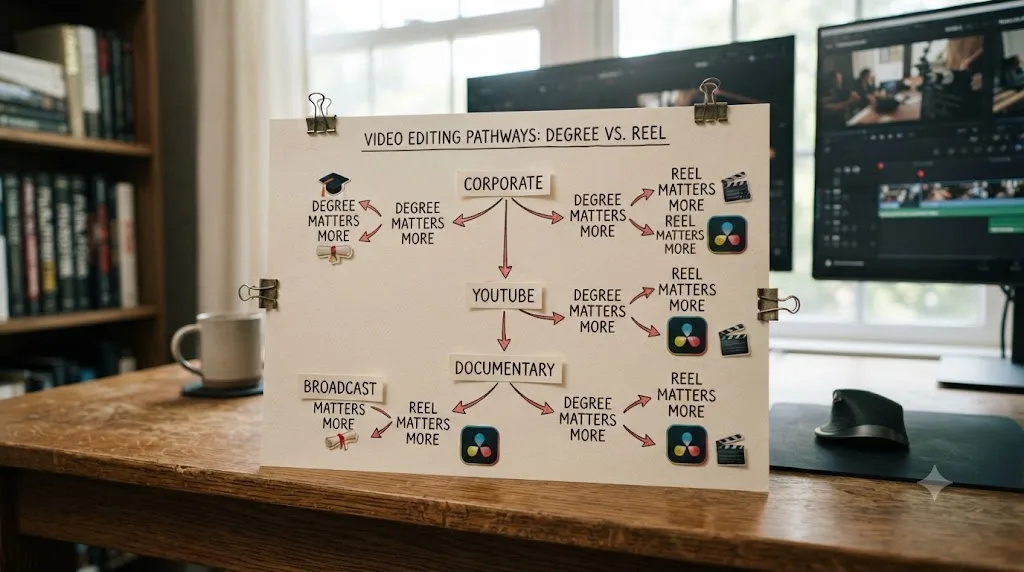
Substantially, and this is where a lot of generic "degree vs. self-taught" advice falls apart by treating all editing jobs as one category. They're not. The right call for someone chasing a network broadcast credit looks nothing like the right call for someone building a wedding-editing business or a YouTube-creator pipeline.
| Target job | Does a degree meaningfully help? | What actually gets you hired |
|---|---|---|
| Corporate in-house (marketing, internal comms) | Yes, often a real filter | Degree clears HR screening; reel and communication skills close the interview |
| Freelance / agency editing | Rarely | Reel, turnaround speed, client references, niche specialization |
| YouTube / creator-economy editing | Almost never | Reel matching the creator's exact style, fast turnaround, low cost early on |
| Documentary editing | Somewhat, mostly for the network, not the credential | Credits from prior projects, festival exposure, relationships built on set |
| Broadcast / network union track | Indirectly | Hours worked and screen credits, gated by the guild, not coursework |
| Wedding and event editing | Almost never | Local reputation, reel, client reviews, pricing |
| VFX-heavy / studio pipeline compositing | More often, especially for entry-level studio pipeline roles | Technical portfolio plus, in some studios, a degree used as an initial resume filter |
Notice the pattern in that middle column. The jobs where a degree genuinely matters are exactly the jobs gated by institutional HR processes or union hour requirements, not by the craft itself. Everywhere the hiring decision sits with a creative director, a client, or a channel owner reviewing your actual work, the degree drops out of the equation almost entirely.
This is also why the honest answer to "is a degree worth it" depends on naming your actual target before answering. If you're specifically aiming at a large studio's VFX pipeline or a corporate marketing department's internal video team, weight the degree option more heavily, because you're optimizing for an HR filter as much as a craft skill. If you're aiming at freelance, creator-economy, documentary, or wedding editing, which together represent the large majority of real editing work available, weight self-teaching heavily, because nobody in that hiring chain is going to ask where you went to school.
Does this math change if you're outside the United States?
Every dollar figure in this piece so far describes the US market, because that's where the BLS, Georgetown CEW, and NYU data all come from. If you're weighing this decision from the UK, Canada, or anywhere else, the shape of the argument holds, but the specific numbers move, sometimes by a lot.
UK universities cap home-student tuition at £9,790 a year for 2026/27, and a UK bachelor's degree typically runs three years, not four, according to a summary of UK tuition fee rules. That puts a three-year UK film degree for a home student at roughly £29,000 in tuition alone, well below the US private-university range, but still real money against a self-taught path that costs close to nothing. International students studying film in the UK pay considerably more, often tens of thousands of pounds a year.
Canada shows a similar split between domestic and international pricing. Toronto Metropolitan University's Image Arts: Film program, a four-year BFA, charges Ontario residents roughly $7,400 to $8,300 CAD a year, out-of-province Canadian students roughly $9,200 to $10,200 CAD, and international students roughly $38,700 to $39,500 CAD, according to the program's own published costs. A domestic Canadian student's total tuition for that degree lands well under the US private-university range; an international student's lands closer to it.
The underlying hiring logic doesn't change by country. A UK or Canadian production company hiring a freelance editor cares about the same thing an American one does: can you cut, and does your reel prove it. The BLS and Georgetown numbers are US-specific, but the mechanism they describe, editing hires on demonstrated skill more than credential, isn't a US quirk. It's how creative hiring works almost everywhere a portfolio can be reviewed directly, which is most of the freelance and creator-economy editing market globally.
What does change by country: student loan terms, whether a degree is subsidized or nearly free for domestic students at public universities (which shifts the calculation toward "the degree costs you time, not money"), visa and work-authorization rules if you're studying somewhere other than your home country, and the relative cost of living during a self-taught period versus a funded studying period.
If your home country's public universities charge little tuition for domestic students, weigh the loss of time against the loss of money instead of assuming the US-style debt argument in this piece applies directly to you. The core logic, reel over transcript for most editing work, still holds anywhere a client or creative director reviews your footage directly. The financial urgency behind it doesn't automatically transfer if your degree is nearly free.

Which AI tool actually helps you learn DaVinci Resolve, and which just edits for you?
This distinction matters more than it looks like, because the category you pick can either accelerate your self-taught path or quietly defeat the entire point of it. Not every AI tool built around video editing does the same job, and treating them as interchangeable is the single easiest way to undercut your own practice while thinking you're speeding it up.
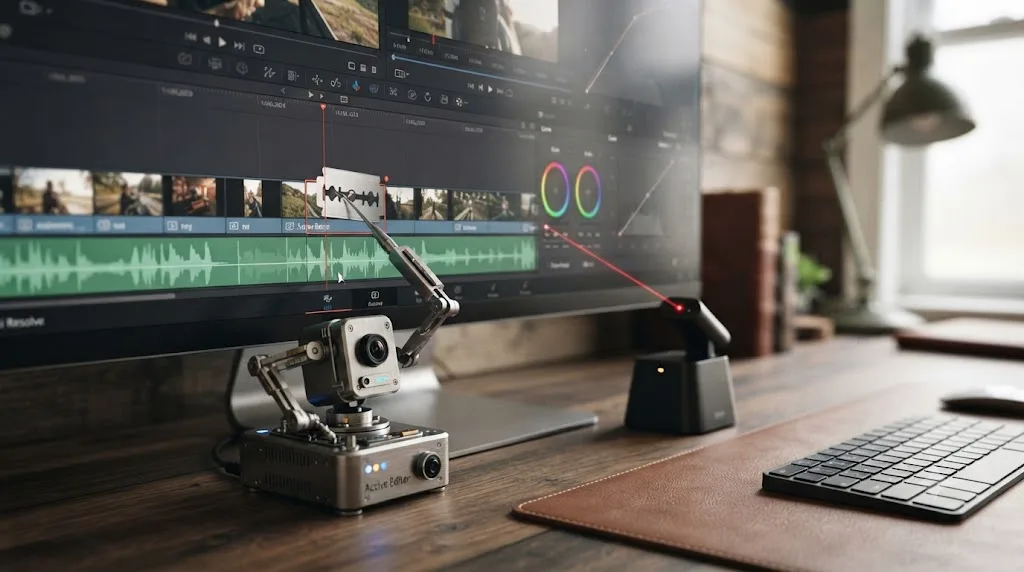
TryUncle is the on-screen assistant for DaVinci Resolve on macOS. Ask in plain words, and Uncle points at the exact control on your screen. That's a fundamentally different job than a general chatbot like ChatGPT or Claude, which can answer a declarative question about Resolve but has never actually seen your project, and it's a different job again from a growing category of AI editing agents that will cut your timeline for you if you let them.
CutAgent is a macOS app that reads your active timeline and transcripts and executes cuts from a plain-language request. Sottocut and PremiereCopilot work in a similar space, automating specific editing tasks from a typed instruction. Eddie AI does the same for a native Resolve workflow, generating rough cuts and suggestions from your source footage. Every one of those tools is genuinely useful for a working editor who already has the skill and just wants a faster rough cut. None of them belongs anywhere near the self-taught path this post is arguing for, because handing "cut this footage" to an agent isn't practicing the skill. It's watching the agent practice it for you, which is the exact same trap as watching a film-school instructor build a demo project instead of building your own.
| Tool | What it actually does | Builds the skill you'd otherwise pay a degree for? |
|---|---|---|
| ChatGPT / Claude | Answers typed questions, no view of your project | Partially, for facts only |
| CutAgent | Executes edits from typed instructions | No, does the work for you |
| Sottocut | Automates specific editing tasks | No |
| PremiereCopilot | Automates specific editing tasks | No |
| Eddie AI | Generates rough cuts and suggestions | No |
| TryUncle | Watches your screen, points at controls, answers questions, doesn't touch your timeline | Yes, without skipping the practice |
TryUncle isn't free, and it shouldn't be confused with a course either. It's a paid subscription at $34.99 a month with cancel-anytime billing, macOS only. Check TryUncle for full details. It's also not a replacement for the practice itself. It exists to close the same gap correction closes in every learning-science mechanism covered in our best way to learn DaVinci Resolve research, on your own footage, in the moment you're stuck, without asking you to pay tuition or wait for office hours to get it.
An AI tool that edits your timeline for you is the fastest way to defeat the exact thing self-teaching was supposed to build. Choose the category that watches and points, not the category that does the work, or the money and time you saved by skipping a degree quietly buys you the same passive, hands-off learning a bad film course would have.
When is a video editing degree actually the better bet?
Sometimes, and naming these cases honestly is what keeps this comparison useful instead of a one-sided pitch. A degree is the better call in a specific, identifiable set of situations, and it's worth checking whether you're actually in one of them before defaulting to self-teaching just because this post leans that direction overall.
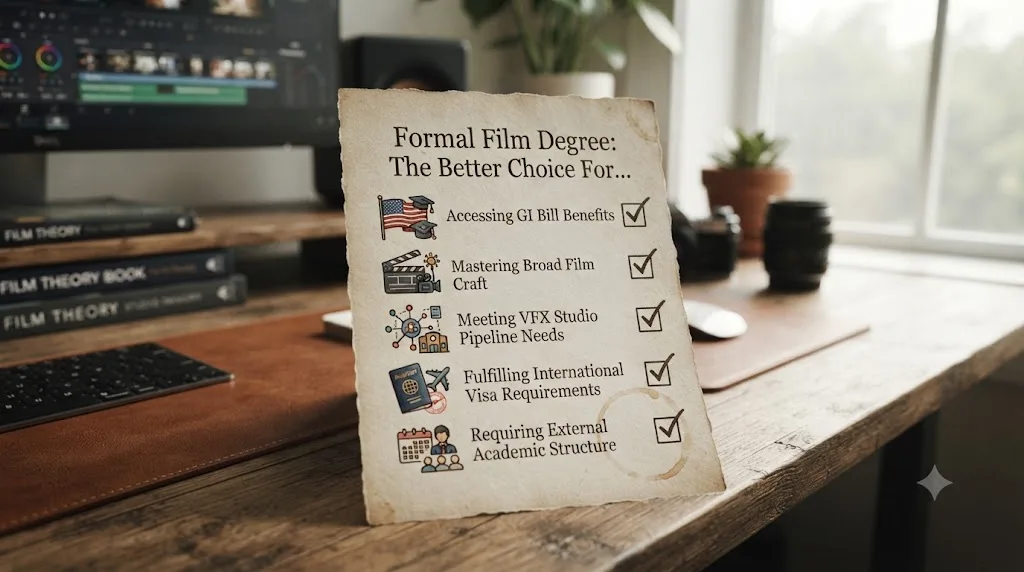
Your GI Bill or other benefits genuinely cover the cost. If tuition, housing, and books are already paid for through military benefits you've earned, the entire cost argument in this post mostly evaporates, and the remaining question becomes whether the structure and network are worth your time, not your money.
You want a broader craft than editing alone, like directing or cinematography. This post is specifically about editing. A film degree teaches a much wider set of below-the-line and above-the-line skills, and if your actual goal is directing, producing, or cinematography with editing as one skill among several, a structured program's breadth genuinely serves that goal in a way a DaVinci Resolve-specific self-taught path doesn't.
You're targeting a VFX studio pipeline or a large corporate in-house team specifically. As the job-type table above shows, these are the two categories where a degree functions as a real HR or hiring filter, not just a nice-to-have. If your target employer's actual job postings consistently list a bachelor's degree as required, not preferred, that's a signal worth respecting rather than arguing with.
You need an international student visa pathway, and a degree program is how you get one. For students outside the country where they want to eventually work, an accredited degree program can be the legal mechanism that gets you there at all, independent of what it teaches about editing specifically.
You genuinely learn better with external structure and can't reliably hold yourself accountable alone. Self-teaching demands real self-direction. If you've tried it and know, honestly, that you won't finish projects without a syllabus and a deadline forcing you to, a structured program (or at minimum, a shorter certificate program) may cost you less in wasted years than several attempts at self-teaching that stall out from lack of structure.
You want a fallback credential outside editing entirely. A film or media degree is also, for better or worse, a general bachelor's degree, which some entirely unrelated career paths still gate on. If that fallback value matters to your specific life plans, it's a real consideration a pure cost-of-editing-skill analysis leaves out.
None of these six cases undo the core math from earlier in this post for the majority of editing jobs. They're the honest exceptions, not a hedge that quietly reverses the verdict.
So what should you actually do?
Skip the acceptance letter and open DaVinci Resolve instead, unless you land squarely in one of the exceptions above. Here's the sequence that actually follows from everything in this comparison.
Download DaVinci Resolve's free version today. It's not a trial, and it's not the "lite" version of anything you'll need for a real portfolio. Check your computer against the hardware section above first, so you're not fighting a stuttering timeline in week one. Follow the learning roadmap: Cut or Edit first, Fairlight basics, Color, Fusion, Deliver, in that order, on your own footage, not a curated demo file. Use Blackmagic's free training guides for the facts you're missing, and get corrected on the judgment calls, whether that's a community, a mentor, or an in-app tutor watching your actual screen.
Budget for the middle path if pure self-direction genuinely isn't your strength. A certificate program or a community college course costs a fraction of a four-year degree and still delivers structure and a deadline, without the six-figure risk this post has spent most of its length documenting.
Build one finished portfolio piece before you compare yourself to anyone with a degree. That finished reel, not a diploma, is what every freelance client, agency, YouTube channel, and, per the numbers above, most corporate hiring managers actually look at first. Our portfolio tips for freelance editors covers what actually belongs in that first reel, and what to cut before you send it anywhere.
The choice was never really "degree versus DaVinci Resolve." It was always "years and six figures of debt versus a free application and the discipline to finish what you start." The data across cost, hiring behavior, union membership, and the job market itself all point the same direction for the large majority of editing careers. Teach yourself. Finish real projects. Let the reel do the talking a transcript never could.
Frequently asked questions
- Is a video editing degree worth it in 2026?
- Rarely, on the numbers alone. A bachelor's degree runs $20,000 to $100,000 and up, film, video, and photographic arts majors have the highest early-career unemployment rate of any college major tracked by Georgetown's CEW at 11 percent, and the median editor's wage is $70,980 a year regardless of how you learned. A degree can still be worth it for the network, the gear access, and the structure, just not as the only path to the job.
- Can you become a professional video editor without a college degree?
- Yes. The American Cinema Editors admits members based on 72 months of screen-credited editing work and peer sponsorship, not a transcript. Hiring managers across freelance, agency, and creator-economy editing jobs consistently say a strong reel outweighs a diploma. Corporate in-house roles are the exception, where HR-driven job postings more often list a bachelor's degree as a formal requirement.
- What's the best way to learn DaVinci Resolve if you skip film school?
- Guided, hands-on practice on your own footage, not a marathon of tutorials. Watching a course teaches recognition of someone else's decisions. Cutting and grading your own clips, then getting corrected on the specific thing you got wrong, builds the judgment a hiring reel actually has to show. Free official training from Blackmagic covers the facts; practice on real footage covers the judgment.
- How much does a video editing degree cost compared to teaching yourself DaVinci Resolve?
- A four-year degree costs $20,000 to $100,000 or more; NYU's graduate film program alone runs $110,802 a year in tuition, room, and board. DaVinci Resolve's full version is free, Studio is a one-time $295 purchase, Blackmagic's training and certification are free, and even a paid in-app tutor like TryUncle runs $34.99 a month. The gap is not close.
- Do video editing jobs actually require a degree?
- It depends which job. The BLS says editors typically need a bachelor's degree, and corporate in-house postings often echo that. Freelance, agency, wedding, YouTube, and most narrative and documentary editing jobs hire almost entirely on reels and referrals. Broadcast union jobs gate on hours worked and credits, not coursework.
- Is there an app that helps you while you're using DaVinci Resolve instead of taking a course?
- Yes. TryUncle is the on-screen assistant for DaVinci Resolve on macOS. It watches your screen while you work and points at the exact control you're stuck on, live, inside the Edit, Color, and Fusion pages. It's a paid subscription at $34.99 a month, cancel anytime, not a course you sit through.
- Should I get a two-year degree or certificate instead of a full four-year film degree?
- For most people weighing cost against outcome, yes. A community college associate degree or a certificate program costs a fraction of a four-year film degree, still gets you campus gear access and some structured feedback, and leaves far more budget for the self-directed practice that actually builds a hireable reel.
Sources
- Film and Video Editors and Camera Operators (Occupational Outlook Handbook, U.S. Bureau of Labor Statistics)
- CEW Blog: Major Payoff, unemployment and earnings by college major (Center on Education and the Workforce, Georgetown University)
- Cost of Attendance, Graduate Film Program (NYU Tisch School of the Arts)
- How Taxpayers End Up Paying Off the Insane Tuition Costs of Grad Programs at Elite Colleges, citing a Wall Street Journal analysis of Department of Education data (FEE)
- Is Film School Worth It? The Truth About Filmmaking Careers, by Paddy (Inside The Edit)
- Do I Need a College Degree to Be a Video Editor?, by Maggie Fry (Noble Desktop)
- ACE Active Membership (American Cinema Editors)
- Motion Picture Editors Guild, IATSE Local 700, Join
- DaVinci Resolve Training (Blackmagic Design)
- Blackmagic Design DaVinci Resolve Certification Training (Think Big Learn Smart)
- DaVinci Resolve free vs Studio: What's included in each version (Storyblocks)
- DaVinci Resolve Hardware Recommendations (Puget Systems)
- DaVinci Resolve 21 System Requirements: Windows, Mac & Linux (davinciresolveclub.com)
- Video Editing Training for Veterans, GI Bill and VA Approved Programs (Noble Desktop)
- CutAgent (product site)
- Sottocut (product site)
- PremiereCopilot pricing
- Eddie AI for DaVinci Resolve (native integration workflow page)
- TryUncle
- TryUncle FAQ
- University Tuition Fees and Financial Support in England (The Complete University Guide)
- Image Arts: Film, BFA program costs (Toronto Metropolitan University)
Learn by doing, not watching
Stop translating tutorials to your timeline.
TryUncle stays beside Resolve on Mac and Windows. When you ask, Uncle sees your screen and points at the exact control you need. No hunting through tabs, timestamps, or mismatched tutorials.
Meet TryUncleKeep reading
 GuidesJul 12, 202641 min read
The Best Way to Learn DaVinci Resolve (What the Research Says)
Guided, hands-on practice inside DaVinci Resolve beats video courses and MOOCs. Here's the learning-science research behind why, and how to apply it.
 GuidesJul 15, 202639 min read
The DaVinci Resolve Learning Roadmap for Beginners
The right order to learn DaVinci Resolve: Cut or Edit, then Fairlight, Color, and Fusion, checked against Blackmagic and Ripple Training's own paths.
 GuidesJul 19, 202638 min read
DaVinci Resolve Portfolio Tips for Freelance Editors
How freelance editors build a DaVinci Resolve portfolio that lands work: project count, reel length, niches, export settings, hosting, and rates.