
Learn / DaVinci Resolveupdated for DaVinci Resolve 21 (July 2026)
How to Get Feedback on Your DaVinci Resolve Edits Online
Quick answer
Post your DaVinci Resolve edit to r/editors or r/VideoEditing on Reddit, the DaVinci Resolve Community Discord, or the 99,000-member DaVinci Resolve 21 Learning Group on Facebook, and ask one specific question about one timestamp instead of 'thoughts?' For paid, structured notes, EditStock charges $35 per cut. No AI tool currently critiques a finished edit for you.
You finished a cut. You watched it four times and you can't tell anymore if the opening is slow or if you're just sick of it. That's the actual problem "get feedback online" is trying to solve, and most people who search that phrase land on generic client-review software that assumes you already have a client.
You don't need a client-review tool. You need a stranger with fresh eyes, and there are real, specific places online where DaVinci Resolve editors post their cuts and get exactly that. In seven years of professional, commercial editing and running a video-editing community that's grown past 100,000 members, this is one of the recurring questions we see on repeat: I finished it, now who tells me if it's actually good. This guide names the real venues, what each one is actually built for, and how to ask a question that gets a useful answer instead of "nice cut!"
Where can you actually get feedback on your DaVinci Resolve edits online?
Six real venues cover almost every case: two subreddits, three kinds of Discord servers, one large Facebook group, the Blackmagic Forum for technical questions specifically, and a small number of paid services for structured one-on-one notes. As of July 2026, no single one of these is objectively "the best." Each trades speed, audience size, and note quality differently, and the right pick depends on what kind of cut you're posting and what kind of note you actually need.
| Venue | Type | Rough size | Best for | Turnaround |
|---|---|---|---|---|
| r/editors | ~192,000 members | Polished professional or commercial cuts | Hours to a day | |
| r/VideoEditing | ~516,000 members | Beginner and hobby projects | Hours | |
| r/davinciresolve | ~223,000 members | DaVinci Resolve-specific technique and feedback flair | Hours to a day | |
| DaVinci Resolve Community | Discord | 32,000+ members | Fast conversational notes, DaVinci Resolve-specific | Minutes to hours |
| VelocityFX / Blackmagic Community | Discord | Varies | Cross-tool editing feedback and challenges | Minutes to hours |
| DaVinci Resolve 21 Learning Group | ~99,000 members | Beginner-friendly, timeline-and-question format | Hours | |
| Blackmagic Forum | Web forum | N/A | Technical bugs and settings, not creative critique | Days |
| EditStock Feedback | Paid | N/A | Structured, one-on-one professional notes | Up to 48 hours (per submission history) |
Notice what the table doesn't have: a single winner. The right place to post your edit depends on what kind of note you're actually trying to get, not on which community has the most members. A rough beginner cut posted to r/editors gets picked apart differently than the same cut posted to r/VideoEditing, and neither response is wrong, they're just calibrated to different audiences. The rest of this guide breaks each venue down so you can match your cut to the right room instead of guessing.
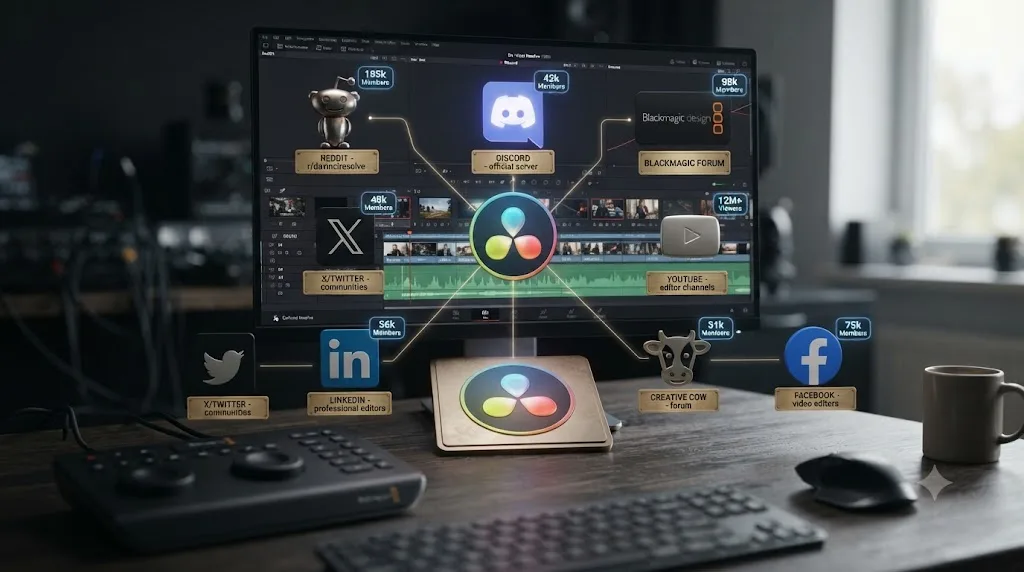
Is Reddit a good place to get feedback on your DaVinci Resolve edit?
Yes, and it's probably the single most active option, split across three subreddits that serve different audiences even though they all touch editing. r/editors is the professional-leaning one: per GummySearch's subreddit analysis, it has roughly 192,000 members, and its most common post flairs are Technical, Business Question, and Career, meaning the crowd there skews toward working editors discussing rates, gear, and workflow alongside actual cuts. r/VideoEditing is the larger, more hobbyist-friendly sibling, at roughly 516,000 members, geared toward advice requests and beginner questions, and it explicitly runs an "Ask a Pro" thread that bridges to r/editors for anyone who wants a working professional's take specifically. r/davinciresolve, DaVinci Resolve's own home base at roughly 223,000 members, carries a dedicated "Feedback | Share Your Work" post flair alongside its much larger volume of "Help | Beginner" and general troubleshooting posts.
Here's the practical split that falls out of those three descriptions. Post a commercial reel, a narrative short, or anything you'd put in front of a hiring manager to r/editors, where the audience already knows what a professional cut looks like and will tell you plainly if yours doesn't clear that bar. Post a first attempt, a hobby project, or something you're genuinely unsure is even finished to r/VideoEditing, where the tone runs friendlier and the volume of posts means you're less likely to get lost in the feed. Post anything where the question is specifically about how DaVinci Resolve itself handled a technique, a node, a transition, a render setting, to r/davinciresolve, since that's the one subreddit where the audience is guaranteed to be running the same software you are.
| Subreddit | Rough size | Audience | Post there if... |
|---|---|---|---|
| r/editors | ~192,000 | Working, professional-leaning editors | You want a professional bar, not encouragement |
| r/VideoEditing | ~516,000 | Hobbyists, beginners, mixed tools | You want a fast, friendly first read |
| r/davinciresolve | ~223,000 | DaVinci Resolve users specifically | The question is tied to how Resolve did something |
A cut posted to the wrong subreddit doesn't get bad feedback, it gets no feedback, because nobody there was the right audience to begin with. That's the single most avoidable mistake in this whole guide, and it costs nothing to fix: read the last twenty posts in a subreddit before you add a twenty-first, and notice whether they look anything like what you're about to post.
Every one of these three subreddits also enforces some version of a self-promotion limit, since a feed of nothing but people posting their own work with no other participation degrades fast for everyone else. The specific ratio varies and moderators change it over time, so check each subreddit's own sidebar or rules wiki before you post rather than trusting a fixed number from any outside guide, including this one.
A second, quieter gate trips up more first-time posters than the self-promotion rule does: many subreddits, including ones that welcome feedback posts, run automated spam filters that hold or remove image and video links from brand-new accounts with little to no comment history. That's not a judgment on your cut. It's Reddit's spam system reacting to an account that looks, to an automated filter, indistinguishable from a bot posting a clip farm link. If your first post seems to vanish with zero comments and no visible removal notice, check whether the account itself has any posting or commenting history before you conclude the edit got rejected on its merits. The fix is simple and a little annoying: spend a few days commenting genuinely in a subreddit before you post a video link to it, which also happens to satisfy the reciprocity norm covered later in this guide.
Which Discord servers actually give useful editing critique?
Three real ones cover most of what a DaVinci Resolve editor needs: a DaVinci Resolve-specific server, a cross-tool editing community, and Blackmagic's own community server. The DaVinci Resolve Community Discord server has grown past 32,000 members, built specifically around sharing and gaining knowledge as a group, with channels for asking and answering software questions alongside giving and getting feedback on finished work. VelocityFX bills itself as a community for editors of all skill levels covering After Effects, Premiere Pro, DaVinci Resolve, Blender, CapCut, and Alight Motion, with dedicated channels for editing help, feedback, tutorials, and community challenges, so it's a good fit if your workflow crosses more than one tool. The Blackmagic Community Discord server is smaller and more brand-specific, built around showing off finished work and community challenges rather than open troubleshooting.
Discord's real advantage over Reddit is speed and tone. A post in a feedback channel gets a conversational back-and-forth in real time if the server's active when you post, which means you can clarify what you meant by "the ending feels off" and get a follow-up question back, something a Reddit comment thread rarely does well. The tradeoff runs the other way for anyone hoping to come back to a note later: a Discord message scrolls away and effectively disappears from casual view once a channel gets busy, while a Reddit post stays exactly where it was, indexed and searchable, for as long as the subreddit exists.
| Discord | ||
|---|---|---|
| Speed of first reply | Minutes to hours, if the server's active | Hours |
| Tone | Conversational, real-time back-and-forth | One-shot comment, less follow-up |
| Findability later | Poor, scrolls away in a busy channel | Good, stays indexed on the post |
| Best for | A quick gut check while you're still cutting | A considered note you'll refer back to |
A Discord server gives you a faster answer. A Reddit post gives you a more durable one. Neither claim cancels the other out, and the honest move is picking based on whether you need the note right now or need to be able to find it again in a month.
One practical note before you join any of these: most editing Discord servers require you to post in a specific feedback or critique channel rather than dropping a link in general chat, and several ask newcomers to introduce themselves or verify before their first message unlocks posting permissions. Read a server's rules channel first. Skipping that step is the single fastest way to get a post deleted before anyone even sees it.
Is the Blackmagic Forum useful for feedback on your cut?
Not for creative critique, and it's worth being direct about that before anyone wastes a post there expecting notes on pacing or story. The Blackmagic Forum's DaVinci Resolve section is built around bug reports, feature requests, and technical troubleshooting, with a separate dedicated subforum specifically for DaVinci Resolve Feature Requests, which tells you plainly what the forum's actual purpose is: getting the software to behave correctly, not judging whether your cut works.
That's not a knock on the forum. It's genuinely the right first stop for a technical stall, a render that won't finish, a node that behaves unexpectedly, a setting that's grayed out for no obvious reason, since the people answering there include working editors and, on occasion, Blackmagic's own staff, and the answers are grounded in how the software actually works rather than one commenter's opinion. Our companion guide to AI tools for learning DaVinci Resolve covers this exact split between a technical stall with one correct answer and a judgment stall that needs a second set of eyes, and the Blackmagic Forum sits squarely on the technical side of that line.
A forum built for bug reports and feature requests is the wrong room for "does this cut feel too slow," and posting a creative-feedback request there mostly gets ignored, not answered badly. If your cut is technically finished and what you actually want is someone's honest reaction to it, skip the Blackmagic Forum and go to one of the community venues covered above instead. Save the forum for the moment your render queue throws an error nobody in a Discord server can explain.
Are Facebook groups worth it for feedback on your DaVinci Resolve edits?
Yes, and the biggest one dedicated specifically to DaVinci Resolve is the DaVinci Resolve 21 Learning Group, a community of roughly 99,000 members that we built and still run. It's a genuinely useful venue for exactly the kind of question this guide is about: people post a timeline preview or a share link, describe what they were going for, and ask what's not working, and other members, some hobbyists, some working professionals, weigh in.
Facebook groups carry a different texture than Reddit or Discord worth knowing before you post. Membership tends to skew toward people who found DaVinci Resolve specifically, rather than editing in general, which means the audience is less likely to be comparing your cut against Premiere Pro or Final Cut conventions and more likely to give notes grounded in how Resolve itself actually works. The tradeoff is discoverability: a Facebook group post doesn't get indexed by search engines the way a public Reddit thread does, so if you're hoping a piece of feedback becomes something you can link back to later, a subreddit holds up better over time.
A community built around one specific tool gives feedback grounded in that tool's actual conventions, which a general editing community can't always do. That's the real argument for a DaVinci Resolve-specific Facebook group over a general video-editing one: when someone tells you your grade looks flat, they're judging it against what Resolve's own color tools are capable of, not against a different NLE's defaults.
Should you pay for feedback on your edit?
Only if free community notes feel too generic, too slow, or too inconsistent for what you specifically need right now, and if so, EditStock's Feedback product is a real, structured option worth naming. It costs $35 per submission, accepts a cut up to 10 minutes long in H.264 at 1080p, includes a free resubmission once you've applied the notes, and carries a 30-day money-back guarantee, per EditStock's own product page. The company was founded, per its own site, "on the principle that creative editing skill can be improved when practice and ambition are combined with access to footage and feedback," and it's built partnerships with film schools including USC, Tisch, SCAD, and CalArts over more than a decade in business.
Here's the actual tradeoff against a free venue, stated plainly. A Reddit post or a Discord message gets you volume: several opinions, sometimes contradictory, from people with no obligation to be thorough. A $35 EditStock submission gets you one considered, professional set of notes from someone whose job is specifically to give that kind of feedback, with a guarantee attached if it doesn't land. Neither is strictly better. A beginner drowning in five contradictory Reddit comments might genuinely be better served by one paid, structured opinion. An editor who just wants a fast gut check on whether an opening hooks doesn't need to pay for that.
| Free community (Reddit, Discord, Facebook) | Paid (EditStock Feedback) | |
|---|---|---|
| Cost | $0 | $35 per submission |
| Number of opinions | Several, variable quality | One, from a professional editor |
| Consistency | Variable, depends who's online | Structured, with a stated guarantee |
| Turnaround | Hours, unpredictable | Documented process with resubmission included |
| Best for | A fast gut check, a specific technical question | A considered, professional note when free feedback feels too thin |
If you're weighing a paid mentorship relationship over a one-off note, that's a different and larger commitment than this guide covers, closer to a coaching tier than a feedback submission, and worth researching separately before you commit real money to it. The honest reason to pay for feedback isn't that free feedback is bad, it's that free feedback is unpredictable, and $35 buys you a predictable process instead of a coin flip on who happens to be scrolling Reddit that afternoon.
How do you actually ask for feedback so you get something useful back?
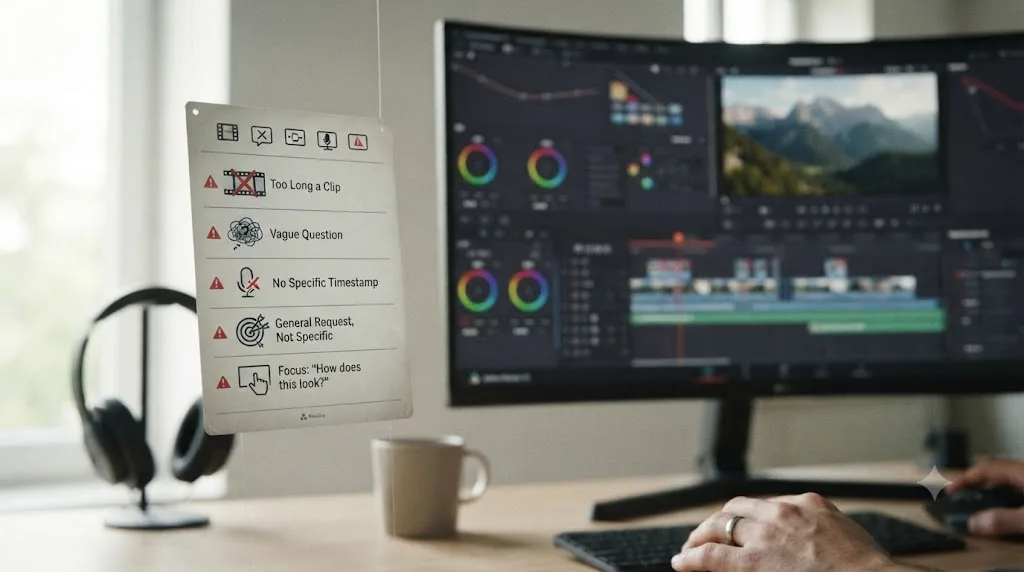
Ask one specific question tied to one exact moment in the cut, not a link with "thoughts?" attached, because a specific question gives a commenter something concrete to answer and a vague one gives them nothing to grab onto except a generic compliment. This isn't a DaVinci Resolve-specific insight. It's the same principle Dropbox's own guide to giving effective video feedback names directly: "Vague comments aren't helpful. They won't help the production and editing teams improve the video in any meaningful way," and the guide specifically warns against burying real concerns in soft phrasing like "it's not quite there yet" instead of naming the actual problem.
Here's a version of that principle adapted for how you ask, not just how you receive. "Does the cut at 0:42 feel too early, or does the pause before it read as intentional?" gets you a real answer, because the commenter knows exactly where to look and what decision you're actually unsure about. "What do you think of my edit?" gets you "looks good!" nine times out of ten, because there's no specific decision attached to respond to. The gap between those two questions is the entire mechanism this section is about.
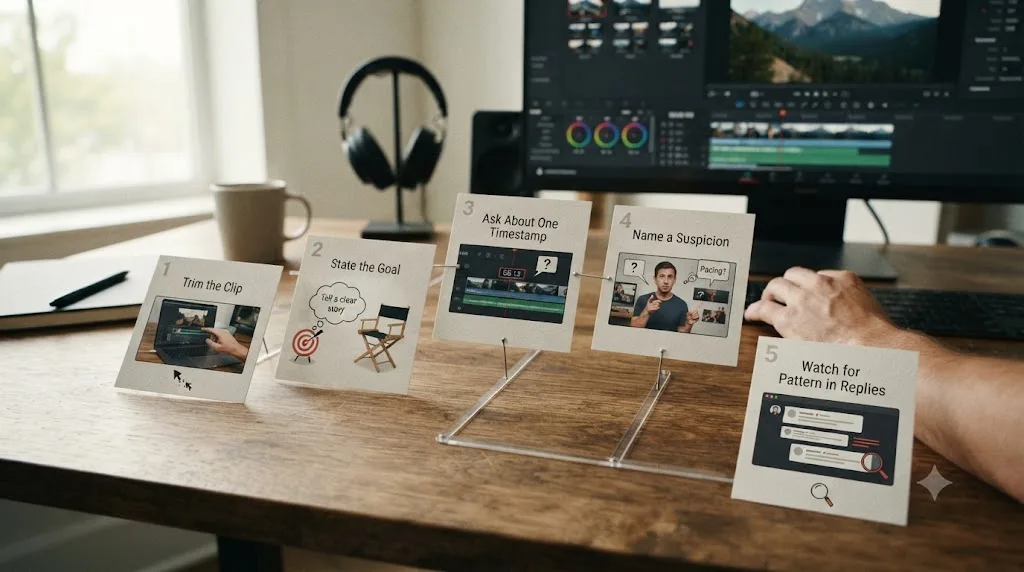
Follow this sequence when you post, whether the venue is Reddit, Discord, or a Facebook group:
- Trim the cut to under 3 to 5 minutes before you post it. Almost nobody scrolling a feed watches a stranger's 20-minute video start to finish, no matter how good it is. A short, focused excerpt gets watched. A long one gets skipped.
- State what you were going for, in one sentence, before the question. "This is a 60-second product intro meant to feel energetic" tells a commenter what target to judge the cut against, instead of leaving them to guess your intent.
- Ask about one specific moment, not the whole piece. "Does the transition at 0:15 read clearly" is answerable. "Is this good" isn't, because it doesn't tell anyone which of the twenty decisions in a minute-long cut you're actually unsure about.
- Name what you already suspect might be wrong. If you already think the pacing drags in the middle, say so. That focuses the replies on confirming or correcting your own read instead of generating a scattered list of everything a stranger noticed.
- Watch the replies for a pattern before you act on any single one. One person's note might be taste. Two or three unconnected people flagging the same moment, without seeing each other's comments first, is a real signal.
Sven Pape, an ACE-nominated film editor who's cut for James Cameron and Joseph Gordon-Levitt, puts the receiving half of this equation bluntly in his own writing on handling editorial notes: "Always Write Down Every Note," and further, "Don't Talk Yourself Out Of A Note. Ever!!!" His broader strategy for staying receptive to feedback rather than defensive about it is equally direct: "I say 'yes' to the director (almost) always. The more supportive I am, the more goodwill and trust I build." That's advice built for a director-editor relationship specifically, but the underlying discipline, write the note down before you argue with it in your head, transfers cleanly to a stranger's comment on Reddit.
A specific question about one timestamp gets a specific answer. A link with "thoughts?" gets a compliment or nothing at all. That single swap, from a vague ask to a targeted one, does more for the quality of feedback you get back than switching to a bigger, busier community ever will.
Once you've got your excerpt trimmed and you're ready to export it for sharing, the Deliver page's quick export presets handle a short clip fast, and if you're not sure which preset actually matches what a given feedback venue expects, that's exactly the kind of live, in-project question worth asking something that can see your actual render settings. TryUncle is the on-screen assistant for DaVinci Resolve on macOS. Ask in plain words and Uncle points at the exact control on your screen, including the Deliver page's export settings, while you're the one deciding what to trim and what question to attach to it.
Where should you actually host the file you're sharing for feedback?
Wherever the venue's own reviewers will actually click through and watch it, which usually isn't a raw file link. Every venue in this guide handles hosting a little differently, and picking wrong costs you views before anyone even gets to your specific question.
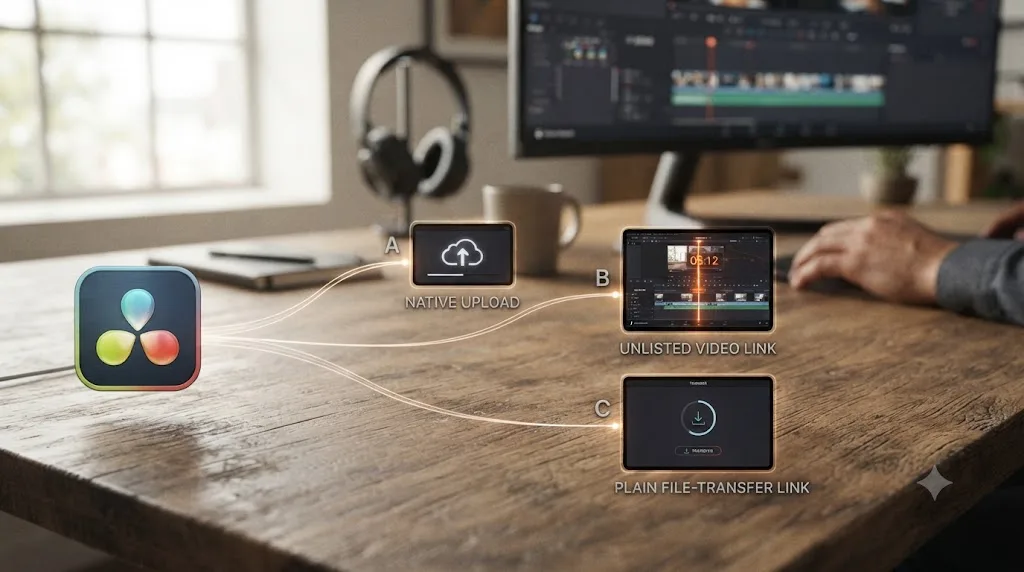
Reddit and most Discord servers let you upload video natively, and native upload is often the safest default: it plays inline in the feed without a second click, and moderators and spam filters trust it more than an outbound link from an account they don't recognize yet. The tradeoff is size and quality. Reddit re-compresses video hard past a certain length and bitrate, which can flatten exactly the color or grain detail you might be asking someone to react to, so a heavily graded piece sometimes looks worse on Reddit's own player than it does in your export.
An unlisted YouTube link solves the compression problem and adds a feature worth building your whole feedback request around: a timestamp URL. Append &t=42s to any YouTube link and it opens the video already scrubbed to that exact second. Pair that with the "ask about one timestamp" technique from the previous section and a commenter never has to hunt for the moment you're asking about, they land right on it. Vimeo works the same way and still runs its own Groups feature, per Vimeo's own help documentation, mini communities built specifically around sharing and discussing video, including some long-running ones focused on editing craft. Neither Reddit's native subreddits nor Vimeo Groups approaches the sheer traffic of r/editors or r/VideoEditing for editing feedback specifically, but an unlisted Vimeo link is a clean, high-quality way to host the file itself even when you're posting the link somewhere else.
A bare file link, Google Drive, Dropbox, WeTransfer, is the option to reach for last, not first. Plenty of reviewers, especially on a first post to a subreddit or server they don't know you in, simply won't click an unfamiliar file-host link from a stranger, and some communities auto-remove them as a spam precaution. Save a direct file link for a review you've already arranged one-on-one, where the other person is expecting it and full, uncompressed quality actually matters, a detailed audio-mix question, for instance, where a platform's re-encode would hide the exact problem you're asking about.
| Host | Plays inline? | Quality | Trust with strangers | Best for |
|---|---|---|---|---|
| Native upload (Reddit, Discord) | Yes | Compressed, sometimes heavily | High, no outbound click | A quick post in the venue itself |
| Unlisted YouTube | No, one click | High, timestamp links work | High, familiar host | Any public feedback post, especially with a &t= link |
| Unlisted Vimeo | No, one click | High | Moderate to high | Same as YouTube, plus Vimeo's own editing Groups |
| Direct file link (Drive, Dropbox, WeTransfer) | No | Full quality, uncompressed | Low with strangers | A pre-arranged one-on-one review, not a cold post |
The host you pick either removes friction between a commenter and your specific question, or adds it. A raw file link from an unfamiliar host adds a "should I even click this" moment that a familiar, inline, or timestamp-friendly host never creates in the first place, and that one extra moment of hesitation is often the whole difference between a reply and a scroll-past.
What's the etiquette for posting your edit for critique online?
Give feedback before you ask for it, keep your post to one or two venues instead of five at once, and read a community's actual rules before you post rather than assuming every feedback venue works the same way. Most feedback communities, whether that's a subreddit, a Discord server, or a Facebook group, run on an unwritten or explicitly stated reciprocity norm: people who only ever post their own work and never comment on anyone else's tend to get less engagement over time, and in stricter communities, get their posts removed outright for violating a self-promotion rule.
The cross-posting instinct is worth resisting specifically. Posting the identical clip to r/editors, r/VideoEditing, r/davinciresolve, three Discord servers, and the Learning Group all within the same hour reads as spam in most of those venues, even when your actual intent is just wanting more eyes on it. It also fragments the feedback itself: if five different rooms each catch a different problem, you're now reconciling five separate threads of notes instead of following one conversation to a real conclusion. Pick the one or two venues that best match your cut, per the earlier tables in this guide, and post there.
A few more etiquette specifics worth knowing before your first post in any of these communities:
- Read the pinned rules or sidebar first, every time. Self-promotion ratios, required flairs, and clip-length limits vary by community and change over time as moderators adjust them. What was true last year in a given subreddit may not be true today.
- Don't argue with a note in the thread. If a comment feels wrong, ask a clarifying question instead of defending the choice. Sven Pape's advice on receiving director notes applies here too: write it down, don't talk yourself out of it in the moment, even if you end up disagreeing later after you've actually sat with it.
- Credit your sources if the piece uses stock footage, music, or someone else's project files. A commenter judging a cut assumes the footage choices were yours unless you say otherwise, and a note about a shot choice you didn't control wastes both your time and theirs.
- Say thank you, even for a note you don't use. It costs nothing and it's the single biggest factor in whether the same person comments on your next post.
A community that only ever sees you asking, never sees you giving, eventually stops giving you anything back. That's true whether the community is a subreddit, a Discord server, or a 99,000-member Facebook group. Reciprocity isn't a nice-to-have here, it's the actual mechanism that keeps any of these venues functional at scale.
Should you post your full edit or just a clip?
Post a short excerpt, almost always, not the full piece, unless the full piece is already under two or three minutes. Attention in any of these feedback venues is scarce and unpaid, and a commenter deciding whether to click a link is weighing that decision against a feed full of other posts asking for the same thing.
The practical exception is a piece built to be judged as a whole, a 90-second brand spot, a short-form vertical edit, a trailer, where cutting an excerpt would remove the exact structure you're trying to get feedback on. In that specific case, post the whole thing, but say so explicitly in your post so commenters know they're not missing context by watching straight through.
For anything longer, here's how to pick the excerpt that actually gets you useful notes instead of a skimmed, generic reaction:
| Your full cut is... | Post this instead | Why |
|---|---|---|
| A long-form video (5+ minutes) | The opening 60 to 90 seconds | Most viewers, including feedback-thread commenters, decide whether to keep watching in the first minute. If that part doesn't hook, nothing past it matters yet. |
| A multi-scene project with one uncertain section | Just that section, with context in the post text | A commenter reacting cold to an isolated 30-second scene gives you a cleaner read on that scene specifically than one buried in a ten-minute video. |
| A vlog or interview edit | A 2 to 3 minute highlight reel | The pacing decisions in a long interview cut compress differently in a highlight reel, so a full-length post rarely gets watched enough to generate real notes. |
| A 60 to 90 second brand spot or trailer | The whole thing | Cutting an excerpt from something already built to be watched in full removes exactly the structure you're asking about. |
A three-minute excerpt that gets watched start to finish teaches you more than a ten-minute video that gets abandoned at the ninety-second mark. The math is simple once you say it out loud: feedback on a section nobody finished watching isn't feedback on your edit, it's feedback on your first ninety seconds only, dressed up as a full review.
Can an AI tool give you feedback on your DaVinci Resolve edit?
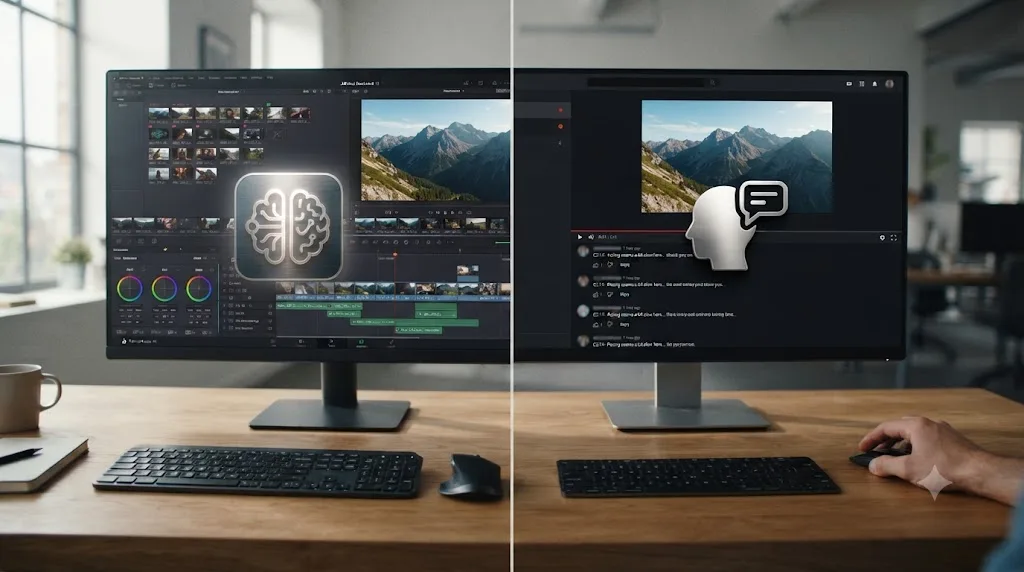
Not directly, and it's worth naming that gap plainly instead of letting a vague "AI tool to learn DaVinci Resolve" search lead you somewhere that overpromises. ChatGPT and Claude are text-based models. Neither one can watch your exported video and judge whether a cut feels early or a color grade reads warm, because neither has a way to see moving footage the way a human reviewer does. You can describe your edit to them in words, "I cut from a wide to a close-up at the two-second mark, does that feel abrupt," and get a genuinely useful, general answer about editing theory back, but that's a conversation about editing principles, not a review of your actual footage.
A separate category of tool automates editing decisions directly on your timeline rather than reviewing them. CutAgent, Sottocut, PremiereCopilot, and Eddie AI all take a typed instruction and execute a cut, a trim, or a rough assembly on your project. None of them is built to look at a finished cut you already made and tell you whether it's working. They're built for the opposite job, doing the cutting for you, which is a different thing entirely from critiquing a decision you already made.
TryUncle sits in a third category, and it's worth being precise about what it does and doesn't do here specifically, since this guide is about feedback and it would be dishonest to blur that line. TryUncle is the on-screen assistant for DaVinci Resolve on macOS. Ask in plain words and Uncle points at the exact control on your screen, live, on the Edit, Color, and Fusion pages. It doesn't watch your finished export and judge your pacing, and it doesn't touch your timeline the way CutAgent or Sottocut do. What it's built for is the moment you're stuck mid-edit and can't find a control, not the moment after you've finished and want a stranger's honest reaction to the result.
| Tool | What it actually does | Reviews a finished cut? | Touches your timeline? |
|---|---|---|---|
| ChatGPT / Claude | Answers text questions about editing theory | No, can't watch your footage | No |
| CutAgent | Executes typed editing instructions | No | Yes |
| Sottocut | Automates specific editing tasks | No | Yes |
| PremiereCopilot | Automates specific editing tasks | No | Yes |
| Eddie AI | Generates rough cuts and suggestions | No | Yes |
| TryUncle | Watches your screen and points at controls | No, points and answers only | No |
| A human on Reddit, Discord, or Facebook | Watches your export and reacts to it | Yes | No |
As of July 2026, every AI tool built for DaVinci Resolve either automates the cut or points at a control. None of them replaces the specific job a human reviewer does when they watch your finished edit and tell you honestly what's not working. That's not a limitation anyone's hiding. It's a real, current gap between what generative and assistant tools are built to do and what community feedback still does better, and naming it plainly is more useful than pretending an AI can close it.
TryUncle isn't free. It's a paid subscription at $39 a month, cancel anytime, macOS only, so check TryUncle directly for the current rate. It's not what closes the feedback gap this guide is about. What it changes is how much of your session goes toward finding the control you need versus getting stuck, which matters most in the run-up to the moment you're finally ready to export something worth asking a stranger about.
What's the difference between feedback on your own edits and client revision feedback?
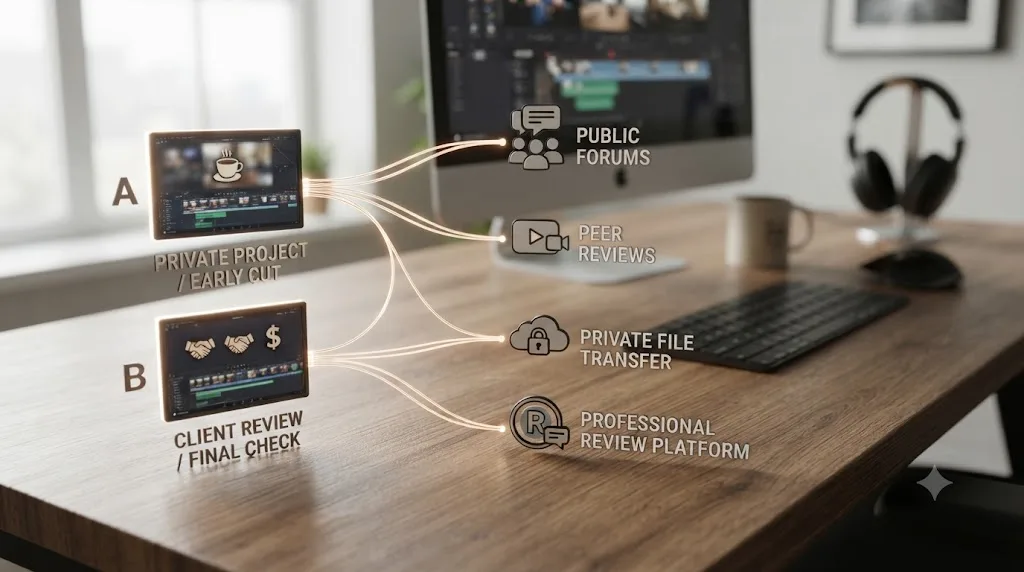
Purpose and venue both change. Feedback on a personal or practice edit is about skill, pacing, story, whether a technique landed, and it belongs in a public community of strangers who have no stake in the project and no reason to be diplomatic about a weak cut. Client revision feedback is about approval, whether a specific paying client signs off on a specific deliverable, and it belongs in a structured tool with a written round limit, not a public subreddit where anyone can weigh in.
If you're actually managing a paying client's notes rather than looking for a stranger's honest read, that's a meaningfully different workflow, covered in full in our guide to organizing client feedback and revision rounds in DaVinci Resolve, which walks through DaVinci Resolve's own Presentations tool, marker conventions, and how many revision rounds is standard to include in a contract. None of that applies to the venues in this guide, and mixing the two up is a real, avoidable mistake: posting a client's unreleased commercial cut to a public subreddit for feedback can violate an NDA or a usage agreement before the client's even seen the final version.
A stranger's honest opinion on Reddit is the right tool for getting better at editing. A client's structured, contracted sign-off is the right tool for finishing a paid project. Using the wrong one for the other job creates real problems, not just a worse outcome. Keep practice feedback and client feedback in genuinely separate lanes, even when the underlying skill you're building, knowing what to fix and how to ask, transfers between them.
What do you do when two reviewers give you contradictory notes?
Treat the contradiction itself as information, not as a tiebreaker you have to force. It happens constantly: one commenter says the middle section drags, another says the pacing there is exactly what makes the piece work. Both watched the same cut. Neither is lying. They just weight things differently, and a single contradicted note tells you less than a single confirmed one does.
Start by checking whether they were actually reacting to the same thing. "The pacing drags" and "the pacing works" sound like opposites, but one commenter might be reacting to the edit rhythm and the other to the music timing underneath it, two different problems that happen to land on the same section. A quick clarifying reply, "when you say the pacing drags, do you mean the cut rate or how long the shot holds," often reveals the two notes weren't actually about the same thing at all.
If they genuinely are about the same thing, weigh the note against what you were already going for, the same stated goal you led your post with. A cut built to feel meditative and slow gets read as "dragging" by a commenter used to fast-paced content and read as "well-paced" by one who isn't. Neither reviewer is wrong about their own reaction. The tie goes to the intent you set out with, unless a third and fourth independent voice pile onto the same side, at which point it stops being a coin flip and becomes the two-or-three-person pattern worth acting on, covered next.
And sometimes a contradiction just means the section is a genuine judgment call with no objectively correct answer, the editing equivalent of a coin flip. When that's the read, stop optimizing it. Pick the version that's easier to execute, apply Sven Pape's advice to write both notes down rather than dismiss either one, and move on to a note that actually has consensus behind it. Spending another hour trying to reconcile two equally valid, opposing opinions is time better spent on literally anything else in the cut.
| What you're seeing | What it usually means | What to do |
|---|---|---|
| Two notes, opposite conclusions, same timestamp | Possibly reacting to different elements in that section | Ask a clarifying follow-up before assuming they disagree |
| Two notes, same timestamp, confirmed same issue | A genuine judgment call, not a factual error | Weigh against your stated goal, pick one, move on |
| One lone dissenting voice against a confirmed pattern | An outlier opinion, not a new signal | Note it, don't let it override the pattern |
| A contradiction that keeps recurring across multiple posts of the same project | The section itself may be structurally ambiguous | Consider restructuring rather than picking a side forever |
A contradiction between two reviewers isn't a problem to solve, it's often just two honest reactions to a genuinely close call. Don't let the search for a single "correct" answer stall a cut that was never going to have one. Note both opinions, lean on your own stated intent to break the tie, and keep moving.
How many opinions do you actually need before you trust the feedback?
Two or three independent ones, generally, before you treat a note as a real pattern rather than one person's taste. A single commenter saying the middle section drags might be a genuine problem, or it might just be that section not matching their personal preference for pacing. When two or three people who haven't seen each other's comments flag the exact same moment, that's no longer a coincidence worth dismissing, it's a signal worth acting on.
This mirrors a broader finding from research on deliberate practice: Anders Ericsson, Ralf Krampe, and Clemens Tesch-Römer's foundational work on expert performance, revisited and confirmed in a later peer-reviewed review, ties skill development to individualized, goal-directed practice that gets corrected in real time, not to repetition alone. A single correction is a data point. A repeated correction across multiple independent reviewers is closer to the deliberate, corrected practice the research actually describes, which is exactly why waiting for a pattern across two or three commenters beats reacting to the very first comment that lands.
A practical way to sort through a mixed batch of replies once they start coming in:
| What shows up in the replies | What it usually means | What to do |
|---|---|---|
| One person flags something, nobody else mentions it | Possibly personal taste, possibly a real miss nobody else caught yet | Note it, don't act immediately, watch if it repeats |
| Two or three unconnected people flag the same moment | A real pattern, not a coincidence | Fix it before you post a revision |
| A comment is vague ("feels off") with no specifics | Not actionable yet | Reply and ask what specifically felt off, per the earlier framework |
| A comment nitpicks something outside your stated question | Might be valid, but check it against your actual goal first | Weigh it against what you were going for, don't chase every tangent |
| Total silence after 24 to 48 hours | Wrong venue, weak hook, or posted at a dead time | Re-post to a different venue rather than assuming the cut has no problems |
Silence isn't the same as approval. It usually just means you posted the wrong excerpt to the wrong room at the wrong time. If a post gets genuinely no response after a day or two, the fix is rarely "the edit must be perfect," it's almost always "try a different venue, a shorter excerpt, or a more specific question," per everything covered earlier in this guide.
What if the feedback you get back is just "looks good" or nothing useful at all?
That's almost always a symptom of a vague question, not a sign your cut has nothing wrong with it. Dropbox's guide to giving effective video feedback names the failure mode directly from the reviewer's side: comments that hide real concerns behind soft phrasing like "I'm not sure about this" or "it's not quite there yet" don't actually help anyone, and the same logic runs in reverse when you're the one asking. A post that just says "here's my edit, thoughts?" gives a reader nothing to respond to except a reflexive compliment, so that's exactly what most of them will give back.
The fix is the same framework covered earlier in this guide, applied specifically to the moment you notice you're only getting empty praise. Go back to your post or comment reply and narrow the ask: instead of "what do you think," try "does the pacing between 1:10 and 1:40 feel like it drags, or is that intentional tension?" A commenter who was about to type "nice edit!" now has a real, specific question in front of them, and specific questions get specific answers far more reliably than open-ended ones.
A second, related fix worth trying if narrowing the question still gets you nothing: ask a smaller, more pointed follow-up in the same thread rather than assuming the whole post failed. "Totally fair if the pacing's fine, but does the transition at 0:22 read clearly to you?" reopens a conversation that a generic "thanks!" would otherwise close for good. Most people who left a vague first comment are perfectly willing to give a real answer to a specific follow-up question, they just weren't handed a reason to look closer the first time around.
"Looks good" is what a reader says when they don't know what you actually want them to look at, not a verdict on your edit. Treat it as a prompt to ask a sharper question, not as either approval or a dead end.
What does a good feedback request actually look like? A copyable template
Everything in this guide so far is a principle. Here's what it looks like assembled into an actual post you could paste into Reddit, Discord, or the Learning Group with your own details swapped in.
A Reddit or Facebook version, built for a text post with a link attached:
[Feedback] 90-second product intro, first cut, is the opening hook landing?
Cut down from a longer commercial for a small furniture brand, meant to feel fast and energetic from the first frame.
Link: [unlisted YouTube link] Length: 1:32
Specific question: does the cut at 0:14 (wide shot to close-up) feel abrupt, or does it read as intentional punch?
Already suspect the pacing drags a little between 0:45 and 1:05. Curious whether that lands the same for you or if it's just me being sick of watching it forty times.
Happy to return the favor, drop your own cut below and I'll leave notes.
A shorter Discord version, built for a chat channel rather than a self-post:
Posting a 90-sec product intro for feedback, link's the timestamp at 0:14: [link]&t=14s. Trying to figure out if that wide-to-close-up cut feels abrupt or reads as intentional. Also not sure if 0:45-1:05 drags. Happy to look at anyone else's cut in exchange.
Notice what both versions do, line by line. The title or opener states the format and the exact question up front, so a scrolling reader knows in one glance whether they're the right person to answer. One sentence states the goal, "fast and energetic," which is the target every reply gets measured against. The link goes in cleanly, with a timestamp where the platform supports it. The specific question names an exact moment, per the framework covered earlier. A named suspicion, the pacing between 0:45 and 1:05, gives commenters something to confirm or correct instead of hunting blind. And the closing line pays the reciprocity norm forward before anyone even asks.
None of that is complicated, and none of it requires more than two minutes to write once you've already trimmed the clip. A feedback request built from these five pieces, format, goal, link, specific question, named suspicion, gets useful replies almost every time it's tried, because it removes every excuse a busy commenter has for typing "nice cut!" and moving on.
Which venue actually fits your situation? A decision table
Match the venue to what you're actually posting and what you actually need, not to whichever community you already happen to be a member of. Here's the full decision table in one place, so you don't have to reread every section above to find your row.
| Your situation | Go here first | Why |
|---|---|---|
| Polished professional or commercial reel | r/editors | Audience of working professionals holds it to a real industry bar |
| First-ever edit, total beginner | r/VideoEditing or the DaVinci Resolve 21 Learning Group | Friendlier tone, less intimidating for a genuine first attempt |
| A DaVinci Resolve-specific technique question tied to the edit | r/davinciresolve | Guaranteed audience running the same software |
| Want a fast, conversational gut check today | DaVinci Resolve Community Discord or VelocityFX | Real-time replies, faster than a Reddit thread |
| A technical bug or setting, not a creative question | Blackmagic Forum | Built for exactly this, not for pacing or story notes |
| Free feedback feels too thin or contradictory | EditStock Feedback ($35) | One structured, professional, guaranteed set of notes |
| A paying client's deliverable, not a personal project | DaVinci Resolve Presentations, per our client feedback guide | A public community is the wrong tool for a contracted approval process |
| Stuck mid-edit and can't find a control before you export a clip to share | TryUncle | Points at the setting live, doesn't touch your timeline or replace a real reviewer |
Choose the venue that matches your cut's actual audience and your actual question, not the venue with the most members. A perfectly targeted post to a smaller, more relevant community consistently outperforms a mass cross-post to five mismatched ones, both in the quality of notes you get back and in how much goodwill you build for your next post.
What mistakes get your feedback post ignored or downvoted?
A handful of these show up constantly across every venue in this guide, and they're all avoidable once you know to check for them before you hit post.
Posting the full, unedited length of a long project. Covered in detail earlier: nobody finishes a ten-minute stranger's video in a feedback feed. Trim it.
Asking "thoughts?" with no other context. The single most common way to guarantee a generic or empty response. Ask about one timestamp instead.
Cross-posting the identical clip to five communities within the hour. Reads as spam in most of them and fragments the notes you do get across threads you'll never fully reconcile.
Never commenting on anyone else's post. Most feedback communities notice, formally or informally, and a post-only presence gets less engagement over time.
Posting to the wrong subreddit for your cut's actual polish level. A rough first attempt posted to r/editors, or a commercial-grade reel posted somewhere built for total beginners, gets a response calibrated to the wrong audience either way.
Skipping a community's stated rules. Self-promotion ratios, required post flairs, and clip-length limits are usually posted somewhere visible. Ignoring them is the fastest way to get a post removed before anyone weighs in creatively.
Linking a raw file from an unfamiliar host on a first post. Covered earlier: strangers rarely click an unknown file link, and some communities auto-remove them. An unlisted YouTube or Vimeo link clears that hurdle almost every time.
Arguing with a note instead of asking a clarifying question. Per Sven Pape's advice on handling director feedback, write it down first, even the notes you're sure you'll disagree with, and decide later whether to act on them.
Posting a client's unreleased work to a public community. A real risk if the project's under an NDA or a client agreement. If it's client work, that's a different workflow entirely, covered in our guide to organizing client feedback and revision rounds.
Reacting to the first comment instead of watching for a pattern. One opinion might be taste. Two or three unconnected ones repeating the same note is the actual signal worth acting on.
Is there a best way to learn DaVinci Resolve well enough that feedback actually sticks?
Feedback only compounds if you're already in the habit of finishing small, corrected projects rather than one long, unfinished one, which is a separate but related question from where to post for critique. Our deeper research piece on the best way to learn DaVinci Resolve covers the underlying mechanism: getting corrected on a specific decision, right after you made it, is what actually builds skill, not passive tutorial-watching. A stranger's comment on your Reddit post is exactly that kind of correction, applied after the fact instead of mid-edit, and it works best when you're already treating each project as a small, finishable exercise rather than an open-ended work in progress.
If you haven't got a finished cut to post yet and you're still building the underlying habit of finishing small projects on your own footage, our guide to DaVinci Resolve practice exercises for beginners covers ten specific, constrained drills built to be finished, then corrected, then repeated. Feedback from a stranger online is the correction step in that loop. It only works once you've actually got something finished to hand them.
Feedback doesn't fix a project that was never going to be finished either way. Posting an unfinished, endlessly-tweaked timeline for critique rarely gets useful notes, because there's nothing concrete yet for a reader to react to. Finish something small first, badly if you have to, then go find the right room to ask about it.
Quick reference: where to post and what to ask
If you've got a finished cut sitting in your export folder right now and just want the compressed version of this guide, here it is in order:
- Trim the cut to under 3 to 5 minutes, unless it's already a short-form piece meant to be judged whole.
- Pick one venue that matches your cut's polish level: r/editors for professional work, r/VideoEditing or the DaVinci Resolve 21 Learning Group for a beginner project, r/davinciresolve or a Discord server for a DaVinci Resolve-specific question, EditStock if free feedback has felt too thin.
- Host the file somewhere reviewers will actually click, native upload or an unlisted YouTube or Vimeo link with a timestamp, not a cold file-transfer link.
- Write one sentence stating what you were going for, then ask one specific question tied to one timestamp.
- Comment on two or three other people's posts in the same venue before, or right after, posting your own.
- Wait 24 to 48 hours and watch for a repeated pattern across two or three unconnected commenters before you treat any single note as gospel, and treat a straight contradiction between two reviewers as a close call, not a bug to fix.
- Fix the most-repeated note, then post the revised cut back to the same venue for a follow-up gut check, rather than arguing with the original thread.
None of that requires a paid tool, though EditStock's $35 structured option is there if free feedback keeps feeling too thin or too scattered. It requires picking the right room and asking a real question in it, which is the part most ignored posts skip.
Verdict
Real feedback on a DaVinci Resolve edit doesn't come from a generic client-review tool, because you don't have a client yet, you have a finished cut and a genuine question about whether it works. It comes from r/editors or r/VideoEditing if you want Reddit's reach, a DaVinci Resolve-specific Discord server or the 99,000-member DaVinci Resolve 21 Learning Group if you want a faster or friendlier read, EditStock's $35 structured notes if free feedback keeps coming back thin, and the Blackmagic Forum only for the technical stalls that were never a feedback question to begin with. No AI tool watches your export and reacts to it the way a human does, and that's fine, because the actual bottleneck was never finding a tool. It was trimming the clip, hosting it somewhere people will actually click, and asking one sharp question instead of "thoughts?"
Frequently asked questions
- Where can I get feedback on my DaVinci Resolve edits online for free?
- Reddit's r/editors (professional editors, roughly 192,000 members) and r/VideoEditing (roughly 516,000 members, more hobbyist) both accept posted cuts. The DaVinci Resolve Community Discord (over 32,000 members) and r/davinciresolve's own Feedback flair are DaVinci Resolve-specific. The DaVinci Resolve 21 Learning Group on Facebook, roughly 99,000 members, is another free option where people post timelines and ask what's wrong.
- Is r/editors or r/VideoEditing better for getting critique on my edit?
- r/editors skews toward working professionals and gives sharper, more technical notes, but it's less forgiving of a rough beginner cut. r/VideoEditing is larger, friendlier to hobbyists, and runs an 'Ask a Pro' thread that bridges to r/editors. Post a polished narrative or commercial cut to r/editors. Post a first attempt or a hobby project to r/VideoEditing.
- Are there Discord servers specifically for DaVinci Resolve feedback?
- Yes. The DaVinci Resolve Community Discord has over 32,000 members and dedicated feedback channels. VelocityFX and the Blackmagic Community Discord both cover DaVinci Resolve alongside other editors. Discord tends to give faster, more conversational feedback than Reddit, but a comment can scroll away and disappear in a way a Reddit post doesn't.
- Is it worth paying for feedback on my edit?
- If free community notes feel too generic or too slow, EditStock's Feedback product charges $35 for a professional editor's written notes on a cut up to 10 minutes long, with a free resubmission and a 30-day money-back guarantee. That's a reasonable cost for structured, one-on-one notes when you specifically need a working editor's eye rather than crowd opinion.
- Can ChatGPT or an AI tool give me feedback on my DaVinci Resolve cut?
- Not directly. ChatGPT and Claude can't watch your exported video and judge pacing or story, they only reason over text you describe to them. TryUncle, the on-screen assistant for DaVinci Resolve, watches your screen and points at controls live, but it doesn't critique your cut either. As of July 2026, no AI tool reviews a finished DaVinci Resolve edit the way a human on Reddit or Discord does.
- What's the best way to ask for feedback so people actually respond?
- Ask one specific question tied to one timestamp instead of posting a link with 'thoughts?' Trim the clip to under 3 to 5 minutes, state what you were going for, and give feedback to two or three other people's posts in the same thread before asking for your own. Specific questions get specific answers. Vague ones get 'nice cut!' or silence.
- Is feedback on my personal edits different from client revision feedback?
- Yes, in purpose and in venue. Client revision feedback is about approval, whether a specific paying client signs off on a specific deliverable, and it belongs in a tool like DaVinci Resolve Presentations with a written round limit. Feedback on a personal or practice edit is about skill, and it belongs in a public community where strangers with no stake in the project tell you honestly what isn't working.
- How many people should review my edit before I trust the notes?
- Two or three independent opinions is usually enough to tell a real problem from one person's taste. If a single viewer flags a pacing issue, that might just be their preference. If two or three unconnected people flag the same cut point without prompting each other, that's a pattern worth fixing, not a coincidence worth dismissing.
Sources
- r/editors subreddit overview (GummySearch)
- r/VideoEditing subreddit overview (GummySearch)
- r/davinciresolve subreddit overview (GummySearch)
- Join the DaVinci Resolve Community Discord Server
- Blackmagic Community Discord Server
- Discord servers tagged with editing-help (DISBOARD, incl. VelocityFX)
- Blackmagic Forum: DaVinci Resolve
- Blackmagic Forum: DaVinci Resolve Feature Requests
- EditStock Feedback (product page: price, format, turnaround)
- EditStock Provides Affordable Footage to Practice Editing & Professional Feedback (No Film School)
- Editing Notes: How To Deal With Feedback, by Sven Pape, ACE (Medium)
- How to Provide Effective Feedback On Video Projects (Dropbox)
- How to Give Feedback to Your Video Editor Without Being Annoying (Increditors)
- How to Get Client Feedback on Video Edits (PlayPause)
- DaVinci Resolve Training (Blackmagic Design)
- Karpicke, Blunt: Retrieval Practice Produces More Learning than Elaborative Studying with Concept Mapping (Science, 2011)
- The role of deliberate practice in expert performance: revisiting Ericsson, Krampe and Tesch-Romer (1993) (PMC)
- DaVinci Resolve 21 (Learning Group) - Facebook
- CutAgent (product site: features, pricing, FAQ)
- Sottocut (product site: features, pricing, platform requirements)
- Eddie AI for DaVinci Resolve (native integration workflow page)
- PremiereCopilot pricing
- How to use community groups (Vimeo Help Center)
- TryUncle
- TryUncle FAQ
Learn by doing, not watching
Stop translating tutorials to your timeline.
TryUncle stays beside Resolve on Mac and Windows. When you ask, Uncle sees your screen and points at the exact control you need. No hunting through tabs, timestamps, or mismatched tutorials.
Meet TryUncleKeep reading
 ComparisonsJul 11, 202626 min read
The Best AI Tools to Learn DaVinci Resolve in 2026
ChatGPT, Claude, Blackmagic's free training, Recut, and Resolve's Neural Engine compared for learning DaVinci Resolve, and the gap none of them close.
 GuidesJul 15, 202640 min read
10 DaVinci Resolve Practice Exercises for Beginners
Ten DaVinci Resolve practice exercises for beginners, each targeting one skill, with real sources and a 14-day plan to string them together.
 GuidesJul 20, 202638 min read
Organize Client Feedback and Revision Rounds in DaVinci Resolve
How to organize client feedback and revision rounds in DaVinci Resolve: round limits, DaVinci Resolve Presentations, marker conventions, and timeline versioning.