
Learn / DaVinci Resolveupdated for DaVinci Resolve 21.0.3 (July 2026)
Does DaVinci Resolve Support AV1 Export?
Quick answer
Yes. DaVinci Resolve has exported AV1 since version 18.1 (November 2022), but only on Windows and Linux, and only with a GPU that has a hardware AV1 encoder: Nvidia RTX 40 or newer, AMD RX 7000 or newer, or Intel Arc. macOS cannot encode AV1 at all, because no Apple chip has an AV1 encoder.
Someone asks this in a Resolve forum roughly once a month, gets an answer from 2023, and walks away half right. As of August 2026, running DaVinci Resolve 21.0.3, the honest answer has three parts: yes, on two of three platforms, and only with the right GPU. And even "the right GPU" hides a laptop-shaped wrinkle nobody warns you about until your export fails. Here's the full picture, sourced straight from Blackmagic Design's own codec documentation instead of a two-year-old forum thread.
We've spent seven years cutting commercial video in Resolve and run a 100,000+ member editing community where version-specific codec questions like this one show up constantly. AV1 support is a genuinely confusing topic because Blackmagic rolled it out in pieces across four years, one platform and one GPU vendor at a time, and most of the pages ranking for this query never say which piece they're describing.
Does DaVinci Resolve support AV1 export?
Yes, with two conditions attached. DaVinci Resolve exports AV1 on Windows and Linux, provided the machine has a GPU with a hardware AV1 encoder, and it cannot export AV1 at all on macOS, on any Mac, regardless of edition.
That's the whole answer compressed into two sentences, and it's also exactly why the search results for this query are such a mess. A 2023 blog post written on a Mac says AV1 export "isn't a thing" in Resolve. A 2024 forum thread from a Windows user with an RTX 4070 Ti says it works fine. Both are correct, for their own machine, and neither one mentions the platform that makes their answer true. Per Blackmagic Design's own Supported Formats and Codecs document for DaVinci Resolve 20, published July 2025, the AV1 row reads "Yes, GPU accelerated" for encode on Windows, "Nvidia graphics (GPU accelerated)" for encode on the officially tested Linux build, and a flat dash, meaning no encode support at all, on macOS.
DaVinci Resolve has never had an AV1 export option on macOS, on any version, on any Mac. That's not a bug and it isn't likely to change soon, for reasons that have nothing to do with Blackmagic and everything to do with Apple's own chips, covered in detail further down.
When did DaVinci Resolve add AV1 support?
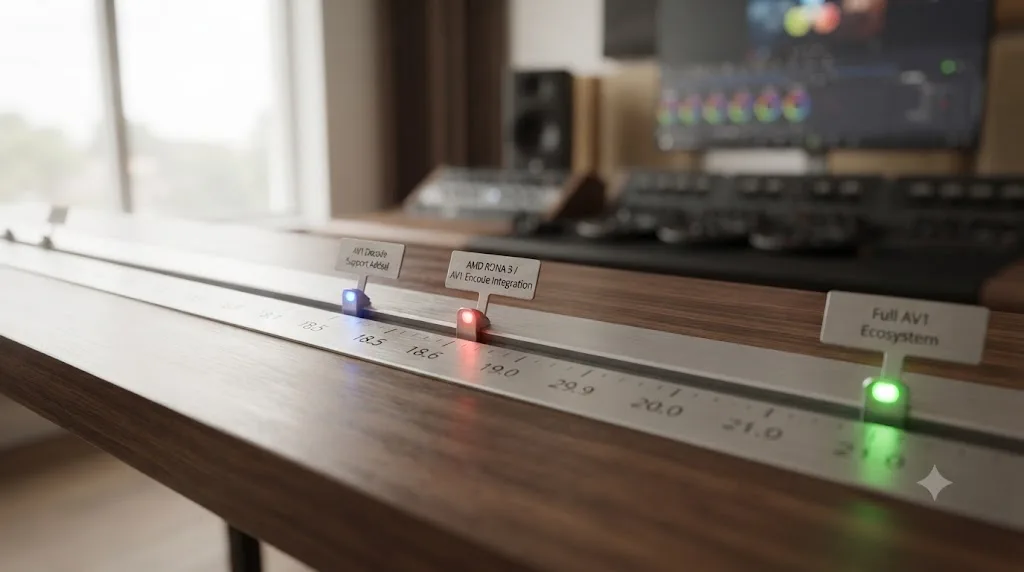
DaVinci Resolve's AV1 support rolled out in stages between 2021 and 2026, not all at once, which is the root cause of most of the outdated claims still floating around online.
| Version | Date | What changed |
|---|---|---|
| 17.2 | May 2021 | AV1 decode added on Windows, with accelerated decoding on supported Intel, Nvidia, and AMD hardware |
| 18.1 | November 11, 2022 | First AV1 export option: hardware accelerated AV1 encoding on supported Nvidia GPUs |
| ~2023 | 2023 | Intel Arc GPUs gain AV1 hardware encode support in Resolve |
| 18.5 (beta) | May 2023 | AMD Radeon RX 7000-series (RDNA 3) GPUs gain AV1 hardware encode support, the last of the three GPU vendors to get it |
| 19 through 20 | August 2024 to July 2025 | AV1 encode remains GPU-accelerated only on Windows and Nvidia-only on the officially tested Linux build; macOS still lists no encode support |
| 21 | June 4, 2026 | Intel QuickSync AV1 4:4:4 decode and encode added, extending earlier support that topped out at 4:2:0 chroma |
The Windows-only decode update in Resolve 17.2 is where most of the "Resolve doesn't support AV1" confusion started, since that release let Resolve open AV1 files without letting it create them. The real turning point came a year and a half later. CineD's coverage of the DaVinci Resolve 18.1 release lists "Hardware accelerated AV1 encodes in supported Nvidia systems" directly under that update's Codecs & I/O section, the first time Resolve could actually write an AV1 file rather than just read one.
Nvidia had it first because Nvidia's RTX 40-series launched with a dedicated AV1 encoder inside its 8th-generation NVENC chip. Writing about that same generation of cards a month later, ProVideo Coalition contributor Nick Lear put it plainly:
"RTX 4000 series has a new 8th generation NVENC encoder. It handles AV1 as well as H.265 and H.264." (source: ProVideo Coalition)
AMD's Radeon cards were the last of the three GPU makers to catch up. Per wccftech's coverage, Blackmagic Design added AV1 hardware encoding for AMD's RDNA 3 architecture in a DaVinci Resolve Studio beta in May 2023, months after Nvidia and Intel Arc GPUs had already gotten it. That lag is worth remembering if you're troubleshooting an older AMD card today: RDNA 2 and earlier Radeon GPUs never got AV1 encode in Resolve, and they never will, because the encoder simply isn't in that silicon.
Which platforms actually let you export AV1?
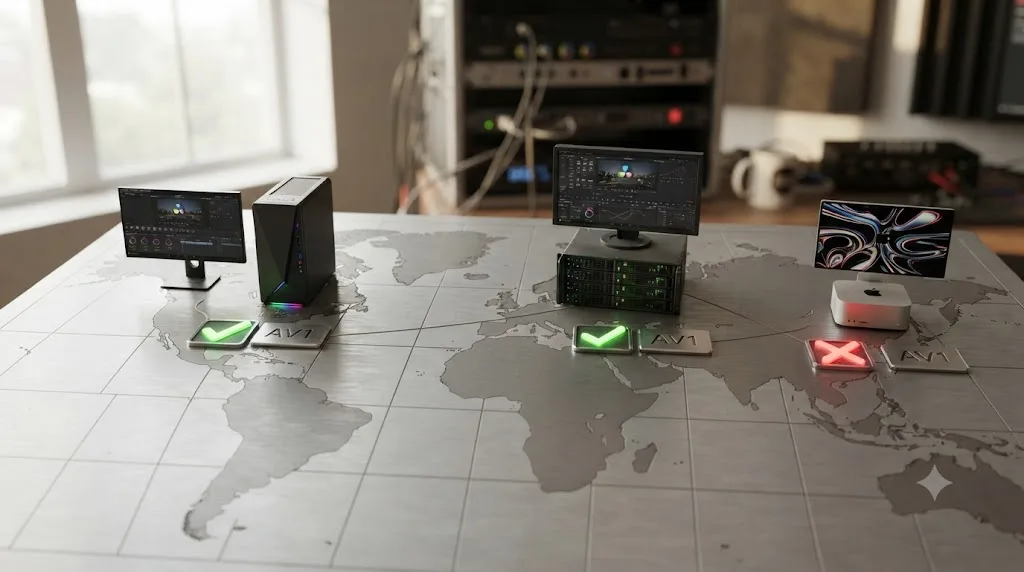
Windows and Linux, not macOS, and only with a GPU that has a hardware AV1 encoder built in.
Here's the platform breakdown exactly as it appears in Blackmagic's own July 2025 codec documentation for DaVinci Resolve 20, the most recent version of that document published as of this writing:
| Platform | AV1 decode | AV1 encode |
|---|---|---|
| macOS (any Mac, Apple Silicon or Intel) | Yes | No, not supported at all |
| Windows 10/11 | Yes, GPU accelerated | Yes, GPU accelerated (requires a compatible GPU) |
| Linux (Rocky Linux 8.6, CUDA build) | Yes, GPU accelerated, Nvidia graphics | Yes, Nvidia graphics only |
(Source: Blackmagic Design, DaVinci Resolve 20 Supported Formats and Codecs)
Two things in that table trip people up. First, Blackmagic's officially published Linux build is a CUDA build, meaning it's tested and documented against Nvidia GPUs. AV1 encoding on Linux with an AMD card depends on Mesa driver versions and isn't part of Blackmagic's certified matrix, which is a real gap for the growing number of editors running Resolve on Linux with Radeon hardware. Second, and more importantly: the macOS row for AV1 encode has read "no" in every version of Blackmagic's codec documentation since AV1 decode first appeared, and nothing in the DaVinci Resolve 21 release notes changed that. The Intel QuickSync AV1 4:4:4 improvement in Resolve 21 is a Windows and Linux feature, tied to Intel's own QuickSync hardware, not something that reaches Apple Silicon.
How do you actually turn on AV1 export in DaVinci Resolve's Deliver page?
If your platform and GPU qualify, the setting itself is nothing exotic. It sits in the same place as every other codec option.
- Open the Deliver page and pick or create a render preset.
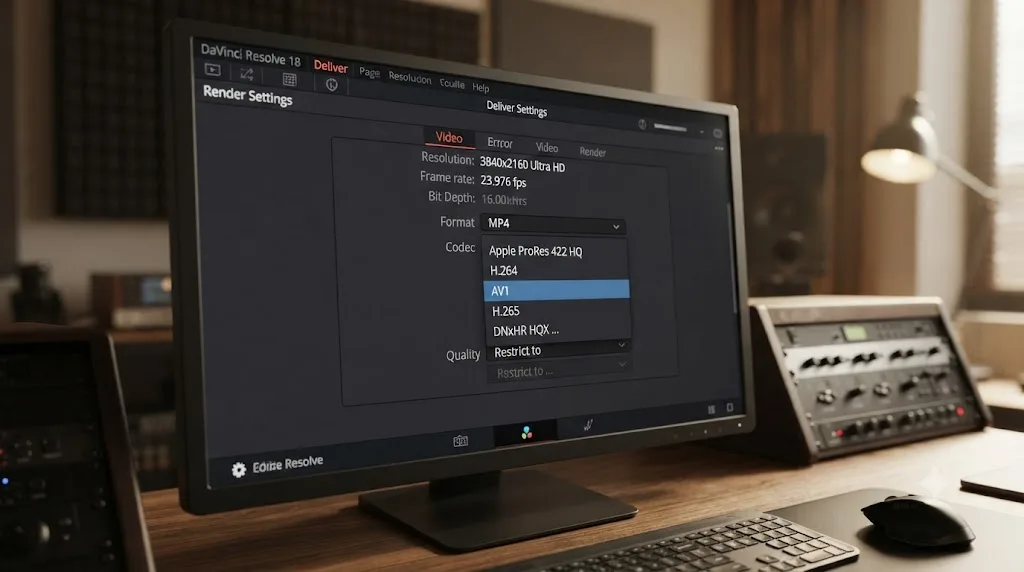
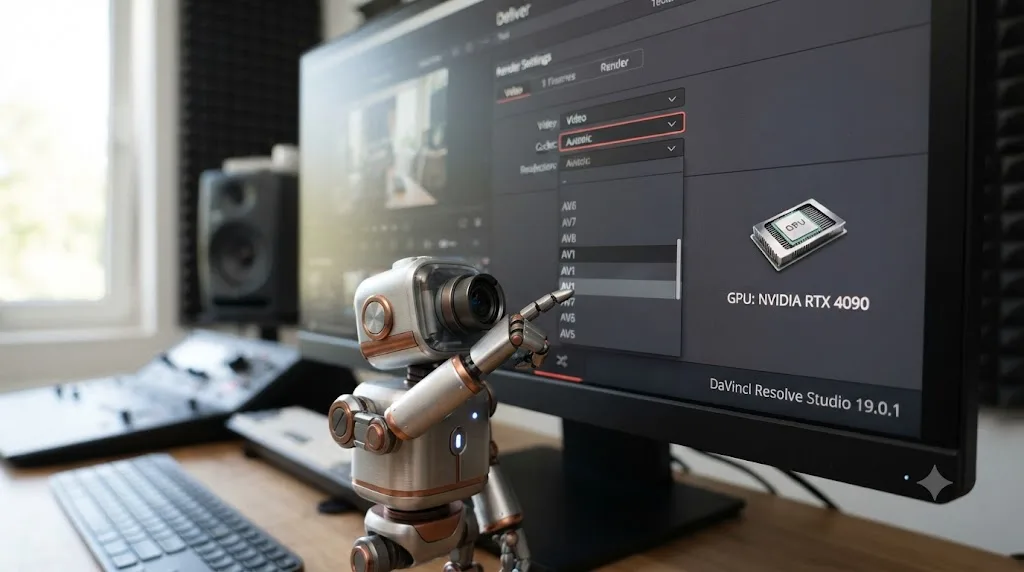
- Under Video, set Format to MP4. AV1 shows up as a Codec option under the MP4 container, alongside H.264 and H.265; it does not appear under MOV or MXF.
- Open the Codec dropdown. If your GPU and driver qualify, AV1 appears in the list next to H.264 and H.265. If it doesn't appear at all, skip ahead to the troubleshooting table further down.
- Set Resolution and Frame rate to Match Timeline Settings unless you have a specific reason to change them.
- Under Quality, AV1 in Resolve works the same way H.264 and H.265 do: you're setting a target bitrate rather than picking from named quality presets the way some third-party AV1 encoders (like SVT-AV1 in HandBrake) let you do. There's no separate "AV1 quality slider," just the same Restrict to bitrate field every other codec uses on this page.
- Confirm your Audio codec and sample rate in the Audio tab, then Add to Render Queue and Start Render.
None of that is AV1-specific until step 3, and that's the point. Resolve doesn't wall AV1 off behind a separate menu or a hidden preference. If the hardware and platform are right, AV1 sits in the Codec dropdown exactly where you'd expect to find it. If it's greyed out or absent, that's a hardware, driver, or edition issue, not a setting you're missing somewhere else in the interface.
One practical note for anyone chasing file size or archival efficiency with AV1: because Resolve's AV1 encoder is bitrate-driven the same way its H.264 and H.265 encoders are, the same discipline that keeps other exports from ballooning applies here too, specifically setting Restrict to instead of leaving Quality on Automatic. We cover exactly why that setting matters, and why the wrong choice can make a file dramatically bigger than it needs to be, in a separate breakdown of file size problems in Resolve exports.
Do you need DaVinci Resolve Studio to export AV1?
Not according to Blackmagic's own documentation, though a lot of secondary sources and real editors' own experience say otherwise, and that contradiction is worth sitting with rather than papering over.
This is the specific tension worth untangling, because it's the single biggest source of bad advice on this topic. Several widely cited comparison articles state flatly that AV1 export is a Studio-exclusive feature, full stop. But Blackmagic's Supported Formats and Codecs document doesn't tag the AV1 row that way. Compare it to formats the document does explicitly gate: on the same Linux page, MV-HEVC encode is listed as "Studio and Nvidia graphics (GPU accelerated)," Panasonic AVC-Intra decode reads "Studio only," and HEIF stills read "Studio only." The AV1 row, on every platform's table, carries no such label: just "Yes, GPU accelerated" for decode and "GPU accelerated" for encode, no edition mentioned.
The only Studio rule that touches AV1 in the written documentation is a general one that applies to every codec in the document: a note at the bottom of every platform's table states plainly that "Encoding video resolutions >= 4K is only supported with DaVinci Resolve Studio." That rule isn't AV1-specific. It applies to H.264, H.265, and everything else Resolve can render. So the documented statement is this: DaVinci Resolve's own codec documentation does not gate AV1 export to Studio by name; the only Studio requirement that touches it in writing is the same 4K-and-above resolution rule that applies to every codec Resolve renders.
Real-world reports push back on that reading, though, and they shouldn't be dismissed. A thread on Blackmagic's own forum, titled simply "AV1 export and 4070Ti," collects multiple editors reporting that the AV1 codec option is present with a paid Studio license and a qualifying Nvidia card, and absent on the same hardware running the free edition, even well under 4K resolution. That pattern shows up across enough separate reports, on different GPUs, that it's not just one confused user. It's also not something Blackmagic has published a direct statement confirming or denying for this specific combination: free edition, qualifying GPU, sub-4K resolution.
So here's the honest version, not the tidy one: the written codec matrix doesn't gate AV1 to Studio by name, but a real pattern of user reports says the free edition's Deliver page frequently doesn't show a usable AV1 option even when the hardware qualifies. If your Deliver page shows AV1 greyed out on the free edition with a supported GPU, that matches what other free-edition users have reported, not necessarily a bug specific to your machine. What isn't ambiguous either way is the resolution rule: want to export AV1 at 4K or higher, in any edition combination, you need Studio.
Which GPUs actually have a hardware AV1 encoder?
Three GPU families, all launched in 2022: Nvidia's RTX 40-series, Intel's Arc Alchemist cards, and AMD's Radeon RX 7000-series. Anything older than these, from any vendor, has no AV1 encoder in its silicon, and DaVinci Resolve has no software AV1 encoder to fall back on.
| Vendor | GPU generation | Architecture name | Launched | Resolve AV1 encode added |
|---|---|---|---|---|
| Nvidia | RTX 40-series | Ada Lovelace | 2022 | Resolve 18.1, November 2022 |
| Intel | Arc A-series | Alchemist | 2022 | Resolve, 2023 |
| AMD | Radeon RX 7000-series | RDNA 3 | 2022 | Resolve Studio beta, May 2023 |
This is why an editor with an RTX 3080, an Arc A380, or an RX 6800 XT, all perfectly capable GPUs for editing and color work, will never see a usable AV1 encoder in Resolve no matter which version they update to. Every RTX 30-series card, every Arc-branded discrete GPU before Alchemist (there wasn't one; Alchemist was Intel's first Arc generation), and every Radeon before RX 7000 simply don't have an AV1 encoder built into the chip. A GPU either has a dedicated AV1 encoder or it doesn't, and no DaVinci Resolve update will add one to hardware that was never built with it. The same logic runs the other direction for decode: AV1 decode has much broader hardware support, going back further on all three vendors, which is exactly why so many editors can already open AV1 files in Resolve on hardware that will never export one.
Nvidia built the entire RTX 40-series, laptop and desktop chips alike, with a dual-encoder design rather than a single AV1 encoder, and it's worth knowing before you assume any qualifying GPU performs the same. Announcing the RTX 40-series in September 2022, Nvidia's own blog put the benefit in blunt terms: "New dual encoders cut video export times nearly in half," describing the eighth-generation NVENC chip's ability to split a single encode job across two hardware encoders working in parallel (source: NVIDIA Blog). Nvidia's own RTX 40-series Community Q&A confirms this isn't limited to the flagship card: dual AV1 encoding is a feature of the whole RTX 40-series lineup, laptop GPUs and the RTX 4070 included, not something reserved for the RTX 4090.
What that means practically inside Resolve's Deliver page: an RTX 4070 encoding AV1 isn't working with half the hardware an RTX 4090 has for that specific task, both have the dual-encoder design. Where the 4090 pulls ahead is overall GPU throughput for everything else happening during export, debayering RAW footage, running Fusion effects, applying noise reduction, not the AV1 encoder itself. If your bottleneck genuinely is AV1 encode speed on an otherwise light timeline, a cheaper RTX 40-series card gets you most of the way there. If your timeline is RAW-heavy or effects-heavy, the GPU tier matters for reasons that have nothing to do with AV1 specifically. We break down exactly how to tell which bottleneck you're actually hitting during a slow render, GPU-bound versus something else entirely, in a separate guide.
Intel and AMD haven't published the same dual-encoder claim for their AV1 hardware. Arc and RDNA 3 GPUs encode AV1 in hardware, but nothing in Intel's or AMD's own materials describes a comparable dual-encoder split for a single job the way Nvidia does. Treat that as a real, documented difference between the three vendors, not a knock against Intel or AMD's AV1 quality, which independent testing has repeatedly rated competitively against Nvidia's.
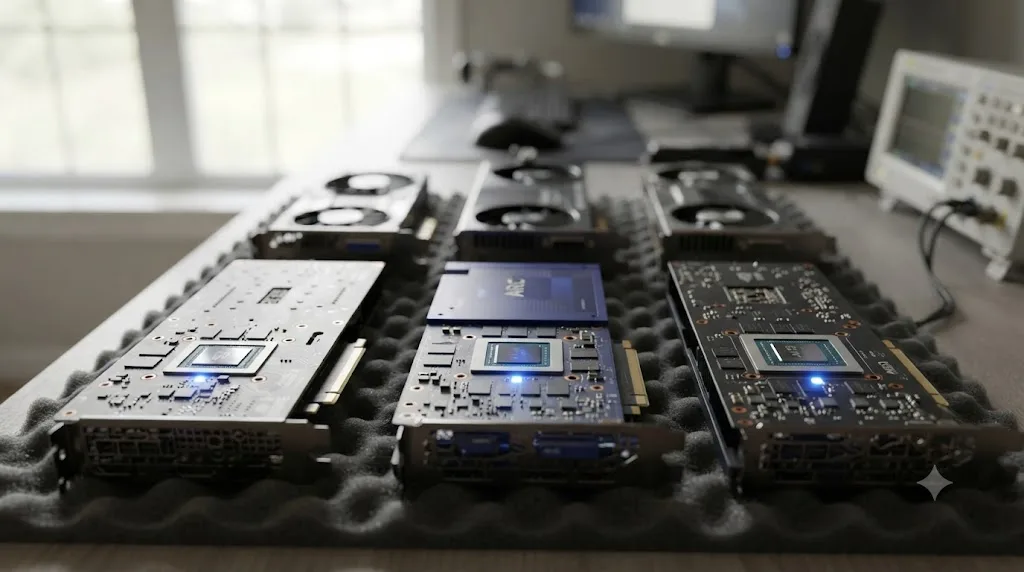
Does every qualifying GPU actually work the same, including budget cards, laptops, and multi-GPU rigs?
Mostly yes, with two specific exceptions worth knowing: one about a specific card in a specific role, and one that has nothing to do with GPU generation at all.
On the Nvidia side, the answer is a clean yes. Every RTX 40-series card, from the budget RTX 4060 up through the RTX 4090, carries the same eighth-generation NVENC design with AV1 hardware encode and the dual-encoder split described above. There's no cut-down tier where Nvidia removed the AV1 encoder to hit a lower price point. The same holds for AMD's RX 7000-series: the encoder that matters is baked into the whole RDNA 3 generation, not reserved for the top card.
Intel Arc is where a real, documented quirk shows up. Editors running an Arc card purely as a dedicated AV1 encoder, alongside a separate Nvidia or AMD card handling the actual display and GPU compute work, a genuinely common budget setup for creators who want cheap AV1 or H.265 hardware encoding without giving up their primary GPU, have reported on Intel's own community forum that AV1 hardware encoding on the Arc A380 doesn't activate unless that Arc GPU is set as the system's main monitor output, not just installed and detected (source: Intel Community). That's a driver-level limitation reported by the community, not something confirmed as fixed across every driver revision, so if you're adding an A380 or similar Arc card as a pure encode accelerator behind a different primary GPU, test the actual Deliver page output before building a workflow around it, rather than assuming installation alone is enough.
A GPU showing up in Device Manager or a Linux GPU list is not the same as Resolve actually being able to use it for AV1 encode. Driver version, which card is set as primary, and which processing mode Resolve selected in Preferences all sit between "the hardware exists" and "the Codec dropdown shows AV1."
Laptops add a second variable that has nothing to do with GPU generation at all: which GPU Windows is actually routing the app to. Most Windows laptops with both an integrated chip and a discrete Nvidia, AMD, or Arc GPU default new applications to the integrated chip to save battery, a setting that lives outside Resolve entirely, in Windows' own per-app graphics preference. If a laptop has a qualifying discrete GPU but AV1 still won't show up, or shows up and then fails partway through a render, check Windows Settings, System, Display, Graphics, add DaVinci Resolve to the list if it isn't already there, and set it to High performance rather than the default. Then check Resolve's own Preferences, System, Memory and GPU, and confirm the same discrete card is selected there too, since the two settings are independent of each other and both need to agree. Reports of a laptop's dedicated GPU simply not showing up inside Resolve at all, forcing the app back onto whatever chip Windows picked by default, are common enough that they have their own recurring thread on Blackmagic's support forum (source: Blackmagic Forum, "Integrated GPU not showing up").
On Linux specifically, the gap is wider than most editors expect. Blackmagic's own officially tested Linux build is Nvidia-only and built against Rocky Linux 8.6. Community documentation, including the ArchWiki page covering DaVinci Resolve on Linux, notes that AMD and Intel GPUs on Linux route through open-source Mesa drivers (Rusticl for OpenCL), which isn't part of Blackmagic's certified matrix at all. If you're running Resolve on Ubuntu, Fedora, or Arch with an AMD card hoping for AV1 encode, you're outside anything Blackmagic has tested or will support, even if Mesa's drivers happen to expose the hardware.
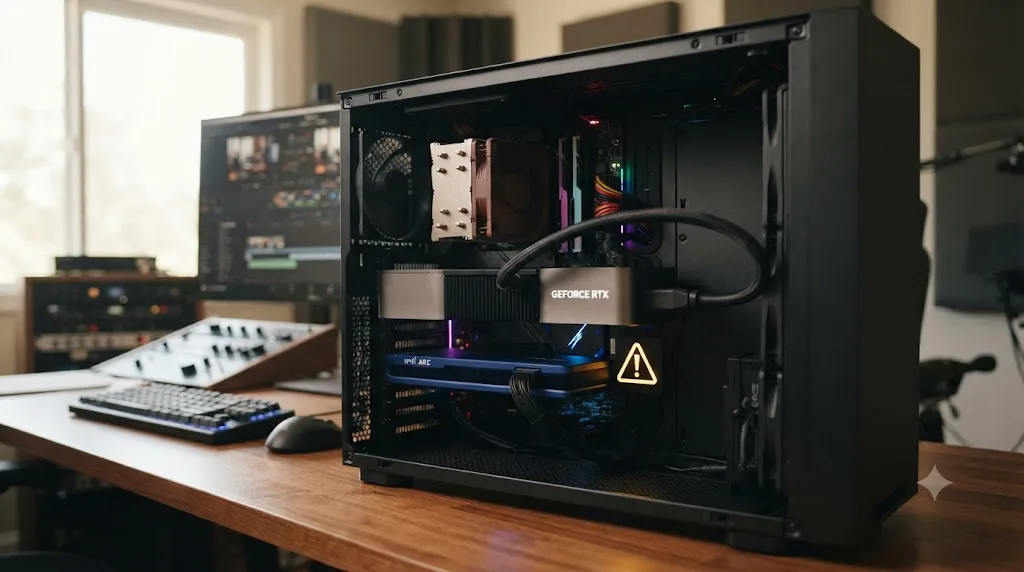
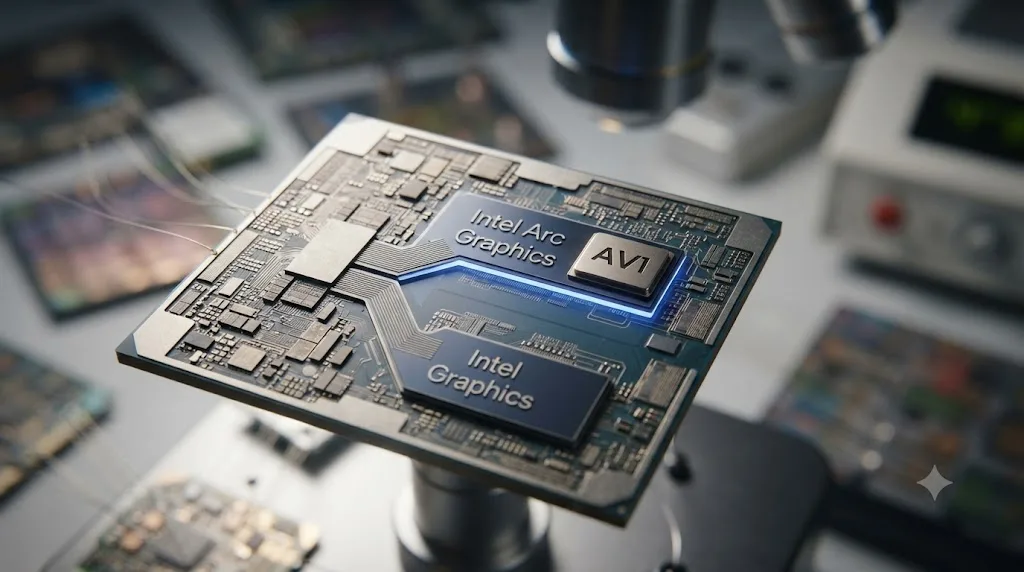
Does a laptop's integrated graphics count as "Intel Arc" for AV1 export, or do you need a discrete card?
It depends on which specific Meteor Lake or Lunar Lake chip is actually inside the laptop, and Intel's own naming makes that harder to check than it should be.
Every Intel entry in this article's qualifying-GPU table points at Arc: the discrete Arc A-series cards, Alchemist architecture, that launched in 2022 alongside Nvidia's RTX 40-series and ahead of AMD's RDNA 3. But a huge number of laptops sold since December 2023 have no discrete GPU at all and still carry Intel silicon with a genuine AV1 hardware encoder built into the integrated graphics tile. Whether Resolve treats that as a qualifying "Intel Arc" GPU depends on a branding rule most buyers never see spelled out until they're staring at a missing Codec option.
Intel's Meteor Lake generation, the first wave of Core Ultra processors launched in December 2023, ships its integrated graphics tile with either 4, 7, or 8 Xe cores depending on the specific chip. Per Tom's Hardware's breakdown of the Meteor Lake lineup, the lower-power U-series chips get the 4-core tile, and Intel calls that one plain "Intel Graphics" in Windows Device Manager and its own driver downloads. The higher-power H-series chips get the 7 or 8-core tile, and Intel calls that one "Intel Arc Graphics," the exact same brand name Blackmagic's codec documentation uses to qualify AV1 hardware encode support elsewhere in this article's GPU table. Coverage of the launch also reported Intel gating the Arc name behind a minimum memory configuration, 16GB of RAM running in dual-channel mode, on top of the core-count requirement, meaning two laptops built on the identical H-series silicon can report different GPU names in Windows depending on how much memory the manufacturer installed and how it's wired.
That naming split is the actual, checkable thing to look for on your own machine. A Core Ultra laptop whose graphics show up as "Intel Arc Graphics" in Windows Device Manager is using the same Arc brand Blackmagic names for AV1 hardware encode; a Core Ultra laptop showing plain "Intel Graphics" is running the lower-tier integrated GPU that brand name doesn't cover. Lunar Lake, the Core Ultra 200V generation that followed in September 2024, carries AV1 hardware encode forward in its own Xe2-LPG graphics tile too, per Wikipedia's entry on Lunar Lake, sourced to Intel's own architecture briefings for that launch, and Intel continued the Arc branding on that generation's higher-tier configurations as well.
| Chip / GPU | Xe cores | Windows device name | Matches Blackmagic's AV1 GPU list |
|---|---|---|---|
| Meteor Lake H-series (Core Ultra 7/9 165H, 185H) with 16GB+ dual-channel RAM | 7 or 8 | Intel Arc Graphics | Yes, matches the Arc branding directly |
| Meteor Lake U-series, or H-series with less RAM | 4 | Intel Graphics | No, doesn't match the Arc-named qualification |
| Lunar Lake (Core Ultra 200V series) | Xe2-LPG | Intel Arc Graphics (on higher-tier configurations) | Likely, though this article did not find a Blackmagic statement naming Lunar Lake specifically |
| Intel Arc A-series discrete cards (Alchemist and newer) | N/A, discrete | Intel Arc A-series (e.g. Arc A380) | Yes, explicitly, and covered earlier in this article's GPU table |
None of that is a substitute for checking your own machine. Open Windows Device Manager, expand Display adapters, and read the exact name Windows uses for the integrated GPU before assuming AV1 will or won't show up in Resolve's Deliver page. If it reads "Intel Arc Graphics," that's the branding Blackmagic's documentation names directly. If it reads plain "Intel Graphics," you're on the lower-tier tile the Arc qualification doesn't cover, the same way an RTX 30-series card doesn't qualify just because it's also made by Nvidia. Update to the latest version of Resolve either way, since AV1 support has changed shape with nearly every release covered earlier in this piece, and check the Codec dropdown directly rather than assuming from a spec sheet alone.
Why doesn't DaVinci Resolve export AV1 on a Mac?
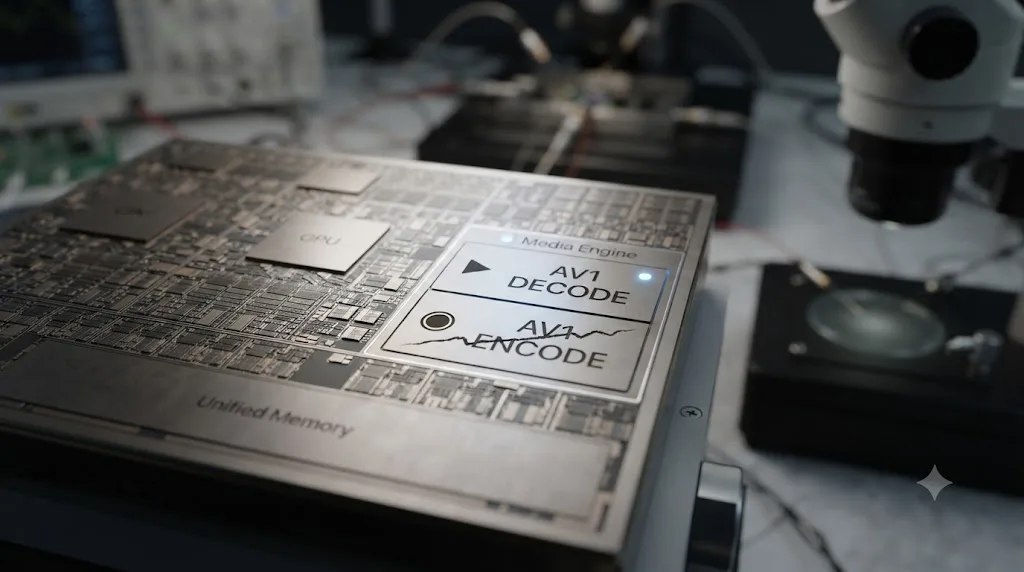
Because no Apple Silicon chip has an AV1 hardware encoder, and Resolve doesn't run software AV1 encoding on macOS as a substitute.
This isn't a Blackmagic limitation waiting to be patched. It's a hardware gap on Apple's side that every Mac-based video app runs into equally. Apple's Media Engine, the dedicated video silicon inside every Apple Silicon chip, has included AV1 hardware decode since the M3 generation launched in late 2023, letting Macs play AV1 video efficiently. Encode is a different circuit entirely, and Apple has never shipped one. When Apple announced its newest chips, the M5 Pro and M5 Max, on March 3, 2026, the press release described "Apple's latest Media Engine with support for hardware-accelerated H.264 and HEVC, AV1 decode, and ProRes encode and decode engines," per Apple's own newsroom post. Decode, not encode. As of the M5 Pro and M5 Max, announced March 2026, no Apple Silicon chip Apple has ever shipped includes an AV1 hardware encoder.
That single fact explains the entire macOS row of Blackmagic's codec table. Resolve leans on GPU hardware encoders for AV1 everywhere it supports the format, and on a Mac there's no hardware encoder to lean on. Unlike H.264 and H.265, where Resolve can fall back to a software encoder if needed, Blackmagic has never shipped a software AV1 encoder path for Resolve on any platform, so macOS is left with nothing to encode AV1 with at all.
What's the actual workaround if you're on a Mac and a delivery spec calls for AV1?
There is one, and it doesn't require abandoning your Mac workflow. It just means the AV1 encode step happens somewhere else.
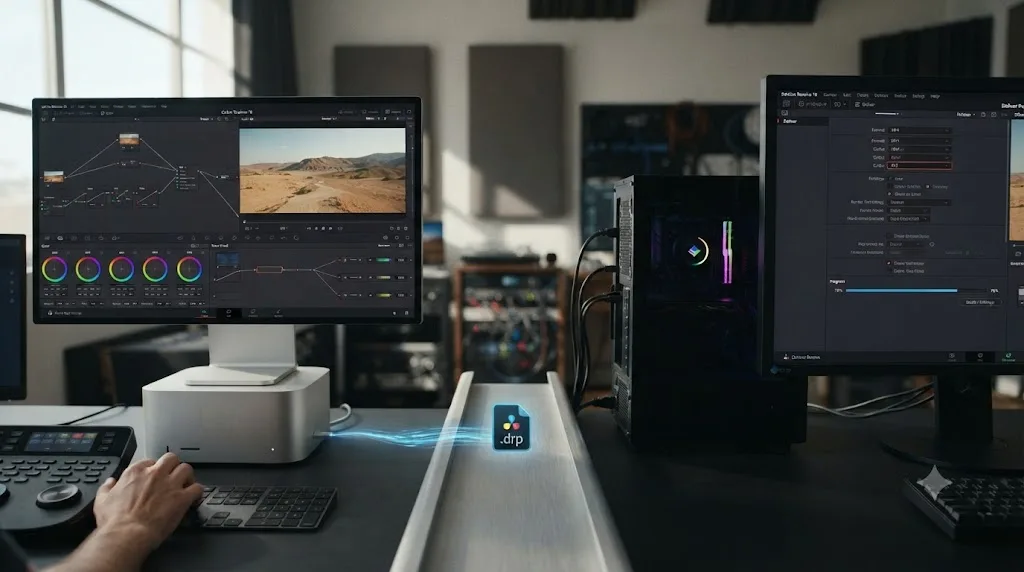
Resolve's project files, and the DaVinci Resolve Project Server or a shared Studio database, aren't tied to a single operating system. A colorist can grade an entire timeline on a Mac, finish the color and sound, and then hand the finished timeline to a Windows or Linux machine with a qualifying GPU for the final AV1 render. That second machine doesn't need to touch the grade at all; it just needs Resolve installed, the project opened, and the Deliver page's Codec dropdown showing AV1 because its hardware qualifies. For a freelancer or small studio, that "second machine" is often simpler than it sounds: a single budget desktop with an RTX 4060 or an Arc A380, kept around specifically for AV1 and H.265 hardware encode jobs, pays for itself quickly if AV1 delivery specs come up more than occasionally.
For editors without a second machine handy, a render farm is the other realistic path. We've put together a rundown of render farm services worth considering for DaVinci Resolve projects, and the relevant detail for AV1 specifically is simple: check that whichever service you use actually runs Windows or Linux render nodes with a qualifying GPU generation before assuming it can produce an AV1 file, since a render farm running older hardware or Mac-based nodes hits the exact same wall your own Mac does.
What doesn't work: hoping a plugin, a Resolve update, or a Preferences toggle unlocks AV1 encode on macOS. There's nothing to toggle, because the encoder itself doesn't exist in Apple's silicon. If a delivery spec genuinely requires AV1 and moving the file to different hardware isn't an option, the honest fallback is to export in the format the platform actually needs instead, H.265 for most modern delivery targets, and let a downstream platform (YouTube, a streaming CDN) handle its own AV1 conversion on the server side, which is what most of them already do to every file you send them anyway.
Grading on a Mac and encoding AV1 somewhere else is a completely normal split workflow, not a workaround you should feel embarrassed about. Plenty of studios already run mixed-platform pipelines for exactly this kind of hardware-gated codec work.
Should you actually upload AV1 to YouTube?
Not for the reason most people assume. YouTube's own recommended upload encoding settings still list H.264 as the only recommended video codec, not AV1, so exporting AV1 specifically to get a better YouTube upload usually isn't buying you what you think it is.
Here's the part that causes real confusion, and it's exactly the misunderstanding baked into this query's growing search volume. AV1 is genuinely important to YouTube, but on the delivery side, not the upload side. Per YouTube's recommended upload encoding settings page, the platform still recommends MP4 with H.264 video and AAC-LC audio for uploads, the same settings we walk through step by step for a YouTube-ready Resolve export. What YouTube does with AV1 happens after your file lands on their servers: the platform re-encodes every upload into its own ladder of resolutions and codecs, and AV1 is one of the more efficient codecs in that ladder, delivered to viewers whose devices can decode it. You're not skipping that re-encode by uploading AV1 yourself; YouTube still runs its own pipeline on whatever you send it.
That reframes the practical question. Exporting AV1 from Resolve makes real sense for self-hosted video, archival masters where file size matters and playback hardware is known, or delivery specs from a client or platform that explicitly asks for an AV1 file. It does very little for a typical YouTube upload, where H.264 remains the format YouTube itself asks for and where your AV1 export just becomes YouTube's raw material anyway.
Where does AV1 actually matter, if not YouTube uploads?
Streaming platforms, archival storage, and self-hosted video, in that rough order of how much it's already reshaping delivery pipelines in 2026.
A recent codec-adoption writeup pulls together some of the clearest numbers on how far AV1 has actually spread through the pipeline that matters most, video that reaches viewers rather than the upload step: 88% of large-screen consumer devices submitted to Netflix for certification between 2021 and 2025 ship native AV1 hardware decode, YouTube encodes over 75% of its catalogue in AV1 as of 2026, Netflix delivers roughly 30% of all its streaming hours in AV1 and expects to overtake H.264 sometime in 2026, and Twitch added AV1 ingest support for partner streamers back in 2024 (source: Forasoft). None of that happens at the upload or encode step you control. It happens on the platform's own servers, which is exactly why exporting AV1 yourself doesn't meaningfully change what a YouTube viewer sees.
AV1's adoption problem was never about efficiency. It was about Apple. That same coverage points out a real gap worth knowing if your audience skews toward iPhones: AV1 hardware decode on Apple devices is limited to the iPhone 15 Pro and later, every iPhone 16 and 17 model, and Macs with M3 chips or newer, meaning every iPhone 14 and earlier, every standard (non-Pro) iPhone 15, and any iPad Air older than an M3 chip has no AV1 hardware decode at all, and Safari doesn't provide a software fallback on that older hardware. If you're self-hosting a video and a meaningful slice of your audience is on older iPhones, an AV1-only file will fail to play smoothly for them in a way an H.264 or H.265 file wouldn't.
So the practical cases where exporting AV1 from Resolve genuinely earns its render time: an archival master where storage cost across years of footage adds up (AV1's efficiency advantage over H.264 compounds fast at scale), a delivery spec from a client or platform that names AV1 explicitly, self-hosted video on your own site or CDN where you control playback and can pair AV1 with an H.264 fallback, or a Twitch-style ingest pipeline that already expects it. Uploading straight to YouTube, Instagram, or TikTok isn't one of those cases, since all three re-encode everything you send them regardless of the codec you hand over.
Self-hosted video is the one case on that list where you control the actual delivery, not just the export, and it's worth knowing what pairing AV1 with a fallback looks like in practice rather than leaving it abstract. Browsers that support AV1 playback will pick it automatically over an older codec when you offer both, using nothing more exotic than the standard HTML5 <video> element's ability to list multiple sources and let the browser choose the first one it can decode:
<video controls>
  <source src="clip-av1.mp4" type="video/mp4; codecs=av01.0.05M.08">
  <source src="clip-h264.mp4" type="video/mp4; codecs=avc1.640028">
</video>
A browser with AV1 decode support, which by 2026 covers current Chrome, Firefox, and Edge along with iPhone 15 Pro and later and Macs with M3 chips or newer, loads the first source it understands and skips the rest. Older hardware, including any iPhone 14 or earlier, falls straight through to the H.264 line and never touches the AV1 file at all. That's the practical shape of "pair AV1 with a fallback" from the paragraph above: two exports out of Resolve's Deliver page, one AV1 and one H.264, and a few lines of markup that let the browser sort out which one a given visitor actually needs. It costs one extra render, not a rebuilt pipeline.
How does DaVinci Resolve's AV1 support compare to Premiere Pro and Final Cut Pro?
Resolve is ahead of both, and by a wide margin on the export side specifically.
| Editor | AV1 decode | AV1 encode | Notes |
|---|---|---|---|
| DaVinci Resolve | Yes, since 17.2 (2021) | Yes, Windows and Linux with a supported GPU, since 18.1 (2022) | No encode on macOS at all |
| Adobe Premiere Pro | Partial, OS and hardware dependent | No native support | Still an open feature request as of 2026; workarounds exist through third-party plugins like Voukoder |
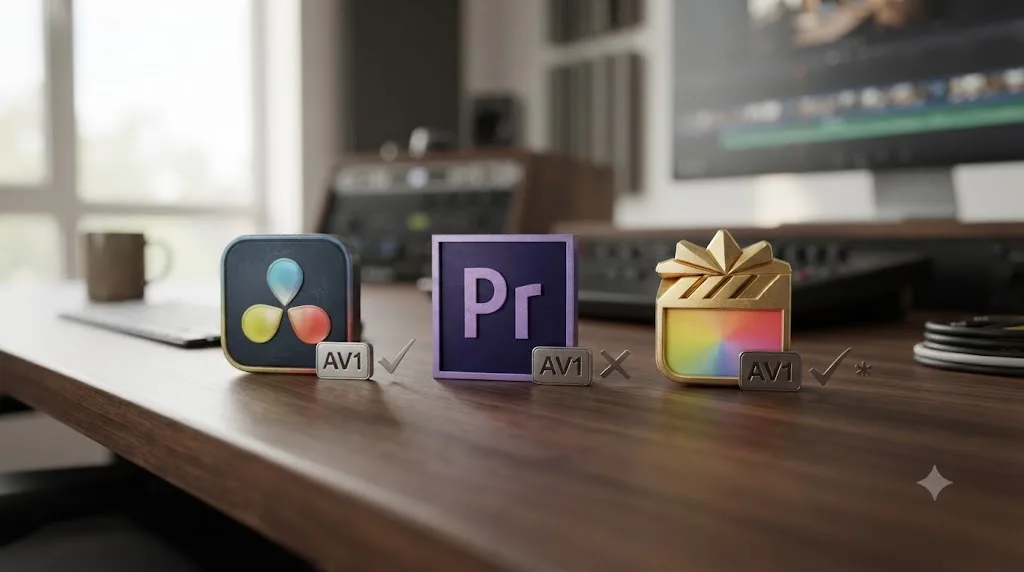
| Apple Final Cut Pro | Yes, on Macs with AV1 decode hardware (M3 and later) | No | Same underlying limitation as Resolve on macOS: Apple's chips have no AV1 encoder |
Premiere Pro's gap is the starkest of the three. A community member posted a thread titled "It's 2026. Where is AV1 support?" on Adobe's own feature request forum on January 27, 2026, asking Adobe to "prioritize adding native AV1 support to Premiere Pro," calling its absence in 2026 "increasingly difficult to justify." An Adobe community manager replied a week later: "We appreciate the input. It's a feature we are considering but we don't have any more information to share" (source: Adobe Community). That exchange is worth reading in full if you're weighing a switch between the two apps for AV1-heavy work: as of the most recent version available in 2026, Premiere Pro has no native AV1 export path at all, on any platform, while Resolve has had one on Windows since 2022.
The workaround editors reach for instead is Voukoder, a free, FFmpeg-based export plugin for Premiere Pro that adds encoders, AV1 through SVT-AV1 among them, that Adobe's own export dialog simply doesn't offer. It's a real fix, and it costs nothing, but it's still a third-party plugin sitting outside Adobe's supported pipeline: a separate install, its own occasional crashes and stability quirks reported on Voukoder's own community forum, and no guarantee it keeps pace with new AV1 encoder updates the way Blackmagic's native, GPU-accelerated encode does inside Resolve. It's a workaround worth knowing about if you're stuck in Premiere for other reasons, not a reason to call the two apps equivalent on AV1.
Final Cut Pro's story runs closer to Resolve's Mac limitation than to Premiere's. Since Final Cut Pro only runs on Mac and iPad, it rides on the same Apple Media Engine that leaves Resolve without an AV1 encoder on macOS. Neither app can be blamed here; the missing hardware sits one layer down, in Apple's silicon.
Choose DaVinci Resolve if you need AV1 export today and you're running Windows or Linux with a 2022-or-newer GPU from any of the three vendors.
Choose Final Cut Pro or Resolve on a Mac if AV1 export genuinely isn't part of your delivery spec, since neither app can give it to you on that platform regardless of price or edition.
Don't expect Premiere Pro to solve this unless your pipeline already depends on Adobe's other tools enough to justify a third-party plugin like Voukoder just to get an AV1 output at all.
What is AV1, and why does any of this matter?
AV1 is a royalty-free video codec built by a coalition of the largest tech companies in the industry specifically to replace older, licensed codecs with something nobody has to pay to use.
The Alliance for Open Media announced AV1 with its formation on September 1, 2015, with Amazon, Cisco, Google, Intel, Microsoft, Mozilla, and Netflix as founding members, and published the finished AV1 bitstream specification on March 28, 2018, alongside a reference encoder and decoder (source: Wikipedia). The efficiency numbers are the reason streaming platforms adopted it so fast: Facebook's own 2018 testing found AV1 delivering roughly 34% lower bitrates than VP9 and about 50% lower than H.264 at similar visual quality, and separate testing from Moscow State University found that VP9 needed 31% more bitrate and HEVC needed 22% more bitrate than AV1 to hit the same quality level. AV1 does the same visual job as H.265 at meaningfully less data, without a licensing fee attached, which is exactly why every major streaming platform has adopted it.
That efficiency is also why this query keeps growing. As bandwidth costs and delivery specs increasingly assume AV1 somewhere in the pipeline, more editors are hitting Resolve's Deliver page looking for the option and getting a confusing, version-dependent, platform-dependent answer, which is the entire reason this page exists.
What are the most common problems exporting AV1 from DaVinci Resolve?
Most AV1 export problems in Resolve trace back to one of ten causes, and they're worth checking in order, cheapest and fastest checks first.
Here's what that checklist looks like on a real, confusing case: an editor on a Core Ultra laptop with no discrete GPU sees no AV1 option anywhere in Resolve Studio's Deliver page. Step one, Help, About DaVinci Resolve, confirms a recent version, so that's not the blocker. Step two, Windows Device Manager, Display adapters: the integrated GPU reads "Intel Graphics," not "Intel Arc Graphics," which means this particular chip is the lower-tier Meteor Lake U-series tile, or an H-series chip paired with less than 16GB of dual-channel RAM, either way the tile Blackmagic's Arc-named qualification doesn't cover. That single check, reading the exact GPU name in Device Manager, explains the missing AV1 option far better than restarting Resolve or reinstalling drivers would. If Device Manager had instead shown "Intel Arc Graphics," the next step would be checking Windows' own per-app graphics preference and Resolve's own Preferences, System, Memory and GPU setting, both covered earlier in this piece, before concluding anything is actually broken.
| Symptom | Likely cause | Fix |
|---|---|---|
| AV1 isn't listed as a codec option at all | Resolve version older than 18.1 | Update Resolve; AV1 export didn't exist before that release |
| AV1 option appears but export fails or crashes | GPU driver out of date, or the GPU lacks a hardware AV1 encoder | Update GPU drivers first; if the GPU is older than RTX 40, RX 7000, or Arc, there's no fix, the hardware can't do it |
| No AV1 option anywhere in the Deliver page | Running Resolve on macOS | Expected behavior; no Mac can export AV1 in Resolve, on any edition, as of August 2026 |
| AV1 export works but resolution is capped below 4K | Free edition and the general 4K-and-above Studio rule | Upgrade to Studio if you need 4K or higher; the cap applies to every codec, not just AV1 |
| AV1 option is missing on the free edition despite a qualifying GPU | Matches a widely reported pattern on Blackmagic's own forum, not a settings error on your end | Test on Studio if possible before assuming your hardware or driver setup is the problem |
| Arc GPU installed but AV1 encode never activates | Arc card is a secondary GPU, not the system's active display output | Set the Arc GPU as the primary monitor output, or confirm this on the current driver version before relying on it |
| AV1 missing on a Core Ultra laptop with no discrete GPU | Windows Device Manager shows "Intel Graphics" rather than "Intel Arc Graphics," meaning the integrated tile doesn't carry the Arc branding Blackmagic's AV1 list names | Check Device Manager, Display adapters, for the exact GPU name; only "Intel Arc Graphics" matches the documented qualification |
| AV1 shows up on a laptop but export fails or the option disappears after Resolve restarts | Windows routed Resolve to a different GPU than the qualifying one | Set Resolve to High performance under Windows Settings, System, Display, Graphics, then confirm the same GPU in Resolve's own Preferences, System, Memory and GPU |
| AV1 encode is extremely slow | No GPU encoder detected, Resolve falling back or simply unable to proceed efficiently | Confirm a supported GPU is installed and its drivers are current; AV1 has no fast software encode path in Resolve to fall back on |
| Resolve shows the wrong processing mode alongside AV1 problems | Related driver or GPU mode mismatch (CUDA, OpenCL, Metal) | See our dedicated fix for GPU processing mode errors if the AV1 issue shows up alongside a CUDA or GPU mode warning |
One habit avoids most of this: check Help, About DaVinci Resolve for your version number, check your GPU model and its exact device name against the qualifying generations, and check your platform before assuming AV1 export is broken, missing, or gated. That three-step check resolves the overwhelming majority of "AV1 isn't working" reports.
If you're mid-export and stuck on exactly where the AV1 option lives in your own copy of Resolve's Deliver page, that's a small enough thing that Uncle can point at the actual dropdown on your screen instead of you hunting through a menu that may not match whatever screenshot you found.

Should you export AV1 instead of H.265?
Only if your GPU can do it well and your delivery target genuinely wants AV1. For most everyday exports, H.265 remains the safer, faster, and more broadly compatible choice.
| Factor | AV1 | H.265 (HEVC) |
|---|---|---|
| File size at matched quality | Smaller | Larger |
| Encode speed on supported hardware | Slower per frame, even with a hardware encoder | Faster |
| Hardware support breadth | Narrow: only 2022-or-newer GPUs from three vendors | Broad: supported on nearly every GPU and CPU from the last decade |
| macOS support in Resolve | None | Full, hardware accelerated |
| Playback compatibility | Growing but not universal, especially on older iPhones and iPads | Nearly universal |
| Licensing | Royalty-free | Requires patent licensing for some commercial uses |
Put a real number on that file-size row instead of leaving it abstract. Facebook's 2018 testing, already cited earlier in this piece, found AV1 running roughly 50% lower bitrate than H.264 at matched visual quality. Run that percentage against a concrete file: a 20-minute 4K archival master that lands at 40GB in H.264 would, at the same visual quality, land somewhere in the neighborhood of 20GB in AV1. That's not a benchmark run for this article; it's simple arithmetic applied to Facebook's published percentage, and your own footage's noise levels and motion will move the real number around in either direction. But it's the difference between an abstract "AV1 is more efficient" claim and a number you can actually hold against your own storage budget. Scale that math across a year of client masters sitting on an archive drive, and the render time AV1 costs you upfront starts looking like a reasonable trade for the storage it saves you for years afterward.
AV1 wins on file size and licensing; H.265 wins on speed, hardware breadth, and macOS availability. If your delivery target specifically calls for AV1, or you're archiving footage where storage cost matters more than encode time, it's worth the extra render time on a qualifying GPU. If you just need a smaller H.264 alternative and you're not certain your playback target supports AV1, H.265 remains the practical default, especially if there's any chance the export needs to happen on a Mac. And if file size is the actual problem you're solving rather than codec choice specifically, check whether an Automatic-quality setting is the real culprit before switching codecs at all, since the wrong Quality setting on any codec can outweigh the difference between AV1 and H.265 entirely.
Which codec should you actually pick for your specific job?
A short decision table, built from everything above, for the situations that come up most often.
| Your situation | Pick this | Why |
|---|---|---|
| Uploading straight to YouTube, Instagram, or TikTok | H.264 (or the platform's own recommended codec) | The platform re-encodes everything anyway; AV1 buys you nothing on upload |
| Delivering an archival master you'll store for years | AV1, if you have a qualifying Windows or Linux GPU | Smaller files at matched quality compound into real storage savings over time |
| A client or platform delivery spec explicitly names AV1 | AV1, encoded on Windows or Linux hardware | This is the one case where AV1 export genuinely is the requirement, not a nice-to-have |
| Self-hosting video for a general audience, unknown device mix | H.265 or H.264, with an AV1 variant offered as a paired fallback, not a replacement | Older iPhones and iPads have no AV1 decode at all; a single AV1-only file will fail for part of your audience |
| Editing entirely on a Mac with no access to Windows or Linux hardware | H.265 | AV1 export isn't available on macOS in any edition; don't build a workflow around a codec your platform can't produce |
| Running Resolve free edition on a qualifying GPU under 4K | Try AV1 first, but don't be surprised if it's missing | Matches a pattern widely reported on Blackmagic's own forum, not a confirmed rule either way |
| Editing on an Intel Core Ultra laptop with no discrete GPU | Check Device Manager for "Intel Arc Graphics" versus plain "Intel Graphics" before assuming either way | Only the Arc-branded integrated tile matches Blackmagic's documented AV1 qualification; the plain "Intel Graphics" tile doesn't |
| Streaming to Twitch as a partner with AV1 ingest enabled | AV1, if your encoding setup supports it | Twitch has supported AV1 ingest for partner streamers since 2024 |
No delivery decision here is universal. It depends on where the file is going, what's watching it, and what hardware actually produces the export. Treat this table as a starting point, not a substitute for checking your own Deliver page's Codec dropdown before you commit to a render.

The bottom line on DaVinci Resolve and AV1 export
DaVinci Resolve exports AV1 on Windows and Linux, and has since version 18.1 in November 2022, provided the machine has a 2022-or-newer GPU from Nvidia, Intel, or AMD, or a Core Ultra laptop whose integrated graphics report as "Intel Arc Graphics" rather than plain "Intel Graphics." It cannot export AV1 on macOS, on any Mac, in any edition, because Apple has never built an AV1 hardware encoder into any of its chips, including the M5 Pro and M5 Max announced in March 2026. Blackmagic's own codec documentation doesn't gate AV1 export to Studio by name the way it does several other formats, but real forum reports from editors on the free edition suggest Studio may be a practical requirement even under 4K, so don't take either claim, Studio-required or Studio-optional, at face value without checking your own Deliver page and GPU generation first.
Check Help, About DaVinci Resolve for your version, check your exact GPU device name against the qualifying generations covered in this piece, and check your platform before assuming AV1 export is broken, missing, or gated. Nine times out of ten, one of those checks explains exactly what you're seeing, and the tenth time is usually a laptop routing the render to the wrong GPU entirely.
TryUncle is the on-screen assistant for DaVinci Resolve on macOS, ask in plain words and Uncle points at the exact control on your screen. We've taught more than 100,000 students through Udemy, where we're an official Udemy Business Partner, and questions like this one, where the real answer depends on version, platform, GPU generation, and sometimes a laptop's exact chip name all at once, are exactly the kind that a static tutorial can't keep current but a live, on-screen assistant can adapt to your actual machine. TryUncle is a paid subscription, currently $39 a month, cancel anytime, and it points at your screen rather than editing anything for you. See TryUncle for the current rate before subscribing.
TryUncle isn't the only assistant-shaped tool in this space, and it's worth naming the real alternatives instead of pretending they don't exist. Tools like Sottocut, PremiereCopilot, heyeddie.ai, and cutagent.ai automate parts of the edit itself, cutting silences or assembling sequences from a prompt, closer to what people mean when they search for an AI tool to learn DaVinci Resolve that does the work for them. Uncle doesn't touch your timeline or your render settings at all; it watches your screen and tells you where to click, which matters on a question like this one where the honest answer depends on checking several separate things on your own machine rather than running an automated fix.
Frequently asked questions
- Does DaVinci Resolve support AV1 export?
- Yes, but only on Windows and Linux, and only with a GPU that has a hardware AV1 encoder. DaVinci Resolve has exported AV1 since version 18.1, released in November 2022, first on Nvidia GPUs and later on Intel Arc and AMD RDNA 3 cards. On macOS, Resolve can play AV1 files but cannot render a new AV1 export at all, on any Mac, because no Apple Silicon chip has an AV1 hardware encoder as of August 2026.
- What DaVinci Resolve version added AV1 export?
- DaVinci Resolve 18.1, released November 11, 2022, added the first AV1 export option: hardware accelerated encoding on supported Nvidia GPUs, Windows only. Intel Arc GPUs gained AV1 encode support in Resolve not long after, and AMD's RDNA 3 (Radeon RX 7000-series) cards followed in a Resolve Studio beta in May 2023. Resolve 21, released June 4, 2026, added Intel QuickSync AV1 4:4:4 decode and encode, extending the earlier 4:2:0-only support.
- Do you need DaVinci Resolve Studio to export AV1?
- Blackmagic Design's own Supported Formats and Codecs document does not list AV1 as a Studio-exclusive codec the way it explicitly flags MV-HEVC, HEIF stills, or several XAVC variants. The only Studio rule that applies to every codec, AV1 included, is that encoding at 4K resolution or higher requires Studio. That said, editor forum threads, including reports tied to specific cards like the RTX 4070 Ti, repeatedly describe the AV1 option as missing in the free edition and present in Studio, even at resolutions under 4K. Treat that as an open, contested question worth testing on your own copy of Resolve rather than a settled fact either way.
- Can DaVinci Resolve export AV1 on a Mac?
- No. DaVinci Resolve decodes and plays AV1 files on macOS, but the Encode column for AV1 reads as unsupported in Blackmagic's own codec list, on every Mac, free or Studio. The reason sits with Apple, not Blackmagic: no Apple Silicon chip, including the M5 Pro and M5 Max announced in March 2026, ships with an AV1 hardware encoder, only AV1 hardware decode. Resolve has no software AV1 encoder to fall back on for macOS, so the option simply isn't there.
- Which GPUs support AV1 hardware encoding in DaVinci Resolve?
- Nvidia's RTX 40-series (Ada Lovelace, 2022) and newer, Intel's Arc Alchemist A-series (2022) and newer, and AMD's Radeon RX 7000-series (RDNA 3, 2022) and newer all include AV1 hardware encoders that DaVinci Resolve can use on Windows. Newer Intel Core Ultra laptops (Meteor Lake and Lunar Lake) can also qualify through integrated graphics, but only when Windows reports the GPU as 'Intel Arc Graphics' rather than the lower-tier 'Intel Graphics' branding Intel uses on less powerful configurations. On Linux, Blackmagic's officially documented build only lists AV1 hardware encoding on Nvidia GPUs; AMD support on Linux depends on driver and Mesa versions Blackmagic doesn't officially certify.
- Should you upload AV1 files to YouTube?
- You can, but YouTube's own recommended upload encoding settings still list H.264 as the sole recommended video codec, not AV1. YouTube generates its own AV1 streams from whatever you upload, as part of the resolution and codec ladder it builds after processing, so exporting AV1 from Resolve mainly helps with self-hosting, archival masters, or platforms that explicitly want an AV1 upload, not with getting a better result on a YouTube upload specifically.
- Why is the AV1 export option greyed out or missing in my Deliver page?
- The most common cause is a GPU without a hardware AV1 encoder: anything older than Nvidia RTX 40, AMD RX 7000, or Intel Arc won't show a usable AV1 option, since Resolve has no software AV1 encoder to fall back on. The second most common cause is running Resolve on a Mac, where AV1 encode isn't available at all regardless of GPU. Outdated GPU drivers, a Resolve version older than 18.1, a laptop routing Resolve to the wrong GPU, and (on multi-GPU rigs with an Intel Arc card) the Arc card not being set as the active display are the other checks worth making before assuming something is broken.
- If I'm on a Mac and a client needs an AV1 file, what's the actual workaround?
- Finish and grade normally on your Mac, then hand the final master to a Windows or Linux machine with a qualifying GPU (RTX 40, RX 7000, or Arc) for the AV1 pass, either your own PC, a colleague's, or a cloud render farm. Resolve's project files are cross-platform, so a colorist on a Mac can grade the timeline and still deliver an AV1 file without ever encoding it on the Mac itself. There's no in-app plugin or setting that adds AV1 encoding to macOS, because the missing piece is Apple's silicon, not Resolve's software.
Sources
- Blackmagic Design: DaVinci Resolve 20 Supported Formats and Codecs (July 2025)
- Blackmagic Design: DaVinci Resolve 19 Supported Formats and Codecs (August 2024)
- Newsshooter: DaVinci Resolve 21 Final Release
- CineD: DaVinci Resolve 18.1 Released, New Features for Faster Export to Social Media and More
- Notebookcheck: Blackmagic Design Updates DaVinci Resolve 17 with Support for AV1 Decoding in Windows
- wccftech: AMD Radeon GPUs Can Now Enjoy AV1 Encoding Support In DaVinci Resolve Studio
- Apple Newsroom: Apple Debuts M5 Pro and M5 Max to Supercharge the Most Demanding Pro Workflows
- PetaPixel: Apple Debuts M5 Pro and M5 Max Chips for Demanding Pro Workflows
- YouTube Help: Recommended Upload Encoding Settings
- Adobe Community: It's 2026. Where is AV1 Support?
- ProVideo Coalition: Get Blazing Fast Exports in DaVinci Resolve with the Nvidia RTX 4000 Series Dual Encoders (Nick Lear)
- Bitmovin: Apple AV1 Support in 2026, Hardware Encoding and Decoding
- Wikipedia: AV1
- Blackmagic Design: DaVinci Resolve product page
- NVIDIA Blog: Creativity Redefined, New GeForce RTX 40 Series GPUs and NVIDIA Studio Updates Accelerate AI Revolution
- NVIDIA: GeForce RTX 40 Series Community Q&A, You Asked, We Answered
- Forasoft: AV1, The New Internet Standard And Where It Stands In 2026
- Intel Community: Intel Arc A380, No AV1 Encoding Unless It's the Main Monitor
- ArchWiki: DaVinci Resolve
- wccftech: Intel Meteor Lake Confirmed To Offer AV1 Encoding & Decoding Support
- Wikipedia: Lunar Lake
- Tom's Hardware: Meet the Intel Core Ultra processor lineup, with built-in NPUs for AI, and Arc graphics
- Blackmagic Forum: Integrated GPU not showing up
Learn by doing, not watching
Stop translating tutorials to your timeline.
TryUncle stays beside Resolve on Mac and Windows. When you ask, Uncle sees your screen and points at the exact control you need. No hunting through tabs, timestamps, or mismatched tutorials.
Meet TryUncleKeep reading
 GuidesJul 7, 202632 min read
DaVinci Resolve Export Settings for YouTube (Copy These Exactly)
The exact DaVinci Resolve export settings YouTube recommends: codec, bitrate, resolution, audio, and the Deliver page steps that avoid soft uploads.
 GuidesJul 29, 202637 min read
Does DaVinci Resolve Support ProRes RAW Footage?
Yes, since Resolve 20.2 (Sept 2025). Full platform table: macOS, Windows, Linux, free vs Studio, plus how it compares to Final Cut Pro and Premiere Pro.
 FixesJul 24, 202622 min read
DaVinci Resolve Is Unable to Run in CUDA Mode: The Fix
DaVinci Resolve's "unable to run in CUDA mode" error means a driver, CUDA level, or GPU selection mismatch. Here's the exact fix for Windows and Linux.