
Learn / DaVinci Resolveupdated for DaVinci Resolve 21 and the current DaVinci Resolve YouTube channel landscape (July 2026)
The Best YouTube Channels to Learn DaVinci Resolve in 2026
Quick answer
Casey Faris is the strongest all-around channel for orientation across every page. Cullen Kelly and Darren Mostyn teach professional color grading, and JayAreTV covers Fusion and VFX. Blackmagic's own free training is the most reliable single source, though none of these can watch your own project like a live tutor can.
Somebody in the DaVinci Resolve Learning Group asks a version of this question almost every week. Which channel should I actually subscribe to? Casey Faris keeps coming up, and so does Cullen Kelly, and half the comments under any Resolve tutorial mention three more names nobody explained. It's a fair question, and it deserves an answer that actually names names, states subscriber counts where they're verifiable, and tells you which specialty each creator actually teaches, instead of another vague "check YouTube" shrug.
I run that Learning Group. I also built TryUncle, the on-screen assistant for DaVinci Resolve, so I'll say that up front rather than burying it at the bottom, because it changes what you should do with the honest verdict below. This isn't a listicle padded out to hit a word count with channels nobody actually watches. It's a comparison of the creators who keep getting recommended, what each one is actually good at, and where the format itself, free video, runs into a wall no channel can talk its way around.
Why is there no single "best" DaVinci Resolve YouTube channel?
Because DaVinci Resolve isn't one skill. It's five: editing on the Cut or Edit page, audio on Fairlight, color grading on the Color page, compositing and motion graphics on Fusion, and export on Deliver. A single YouTuber who's genuinely excellent at all five is rare, the same way a single course rarely covers editing, color, and VFX at professional depth in one package. Most of the creators who get recommended constantly have a specialty, and the recommendation only makes sense once you know which one.
That's the gap most roundup articles skip. A generic "top 20 channels" list treats every entry as interchangeable, ranked by subscriber count alone, which tells you who's popular and nothing about who's right for your actual gap. Someone stuck on a Fusion planar tracker doesn't need Casey Faris's beginner orientation video again. They need JayAreTV's Fusion-specific tutorial, or Cullen Kelly's node-based color breakdown, depending on which page they're actually stuck on.
A channel's subscriber count tells you how popular it is. It tells you nothing about whether it's the right teacher for the specific thing you're stuck on today. That distinction runs through every section below, and it's the one most existing roundups flatten into a single ranked list.
Who are the DaVinci Resolve YouTube channels everyone recommends?
Here's the full lineup this comparison actually verified, not a copy-pasted list. Subscriber counts move constantly and different trackers disagree by tens of thousands, so treat every number below as a snapshot, not gospel, and check the channel directly before you decide anything based on scale alone.
| Channel | Subscribers (approx.) | Primary specialty | Upload pace |
|---|---|---|---|
| Casey Faris | Close to 590,000 | All-page orientation, Fusion, color | Weekly |
| Joris Hermans | 400,000+ | Filmmaking workflow, cinematic editing | Several times a month |
| Darren Mostyn | 251,000 | Professional color grading, colourist life | Regular, non-weekly |
| MrAlexTech | 230,000+ | Broad tutorials plus free asset packs | Frequent |
| JayAreTV | 67,800 | Fusion, VFX, plugins, quick tips | Weekly |
| Cullen Kelly | Not independently verified here | Professional color science, look development | Periodic, conference-driven |
| VFXstudy | 11,100 | Deep Fusion and compositing | Monthly, long-form |
Popularity and depth don't always move together. The channel with the most subscribers isn't automatically the one that goes deepest on the page you're actually stuck on. Casey Faris leads on scale because his catalog is the broadest. Cullen Kelly's audience is smaller and more niche, built almost entirely around working colorists, and it shows in how technical his content gets compared to a general beginner channel.
Is Casey Faris still the best channel for total beginners?
Yes, for the specific job of a first orientation across every page. Casey Faris has taught DaVinci Resolve and Fusion on YouTube since December 2014, and his channel had grown to close to 590,000 subscribers by early 2026, according to channel analytics tracked by vidIQ. He's a Blackmagic Certified Trainer who has presented Resolve training for Blackmagic Design at NAB, VidCon, and ResolveCon, and he co-founded ResolveCon itself, a conference built specifically around Resolve's biggest YouTube educators, according to CineD's coverage of ResolveCon 2023.
What makes his channel the right first stop isn't just scale. It's breadth. New videos land at least weekly, and the catalog spans quick tips, VFX, color grading, audio, motion graphics, and 3D work inside Resolve, so a beginner doesn't have to hunt across five different creators to get a first pass at every page. His most-watched single video is a beginner course running more than four hours, covering media import through final render, which is close to the entire pipeline in one sitting.
The honest limit is the same one this whole comparison keeps circling back to. A free channel, however good, films one demo clip and uploads it once. It can't see the specific way your footage misbehaves, and it can't tell you what's wrong with the project you actually have open right now. Our full, sourced review of Casey Faris's paid course catalog goes deeper into his CreativeLive and Ground Control products if his free channel convinces you to go further with him specifically.
Is Cullen Kelly's channel worth following for color grading?
Yes, if color science and look development specifically are your gap, and it's worth being direct that this isn't a beginner's channel. Cullen Kelly is a Los Angeles-based colorist and image scientist whose work has "shaped images for Academy Award-nominated films, acclaimed Netflix and HBO series, and brands like Microsoft, Sephora, and Kellogg's," according to his own site. His YouTube channel is built almost entirely around color grading in Resolve, moving from scopes and primary correction through advanced node structures and full look development, and it's the channel our own comparison of TryUncle against YouTube tutorials names as one of the two creators that come up unprompted whenever the topic turns to color specifically.
What separates Kelly's teaching from a general tutorial channel is the emphasis on principles over button locations. In a 2026 podcast conversation about color education, he described his own approach to teaching plainly: "I will invest as much as I can in you, my anonymous student in a YouTube video, as the format will allow," he told the host, explaining why he pushes as much depth into a free video as the format can hold rather than saving the good material for a paid course, in his own words. In the same conversation he explained the philosophy behind that choice: "If anyone shows up with the level of like passion and intention that I had when I needed that knowledge, they should have access to it."
That's a genuinely different orientation than a channel optimized for beginner-friendly watch time. Kelly's videos assume you already know what a node is and want to understand why a specific color decision holds up under scrutiny, not just how to click the right button. If you're brand new to the Color page, start with a more general orientation first, from Casey Faris's channel or Blackmagic's own free training, then come back to Kelly once scopes and primary correction feel familiar rather than foreign.
Is Darren Mostyn's channel better for professional colourists specifically?
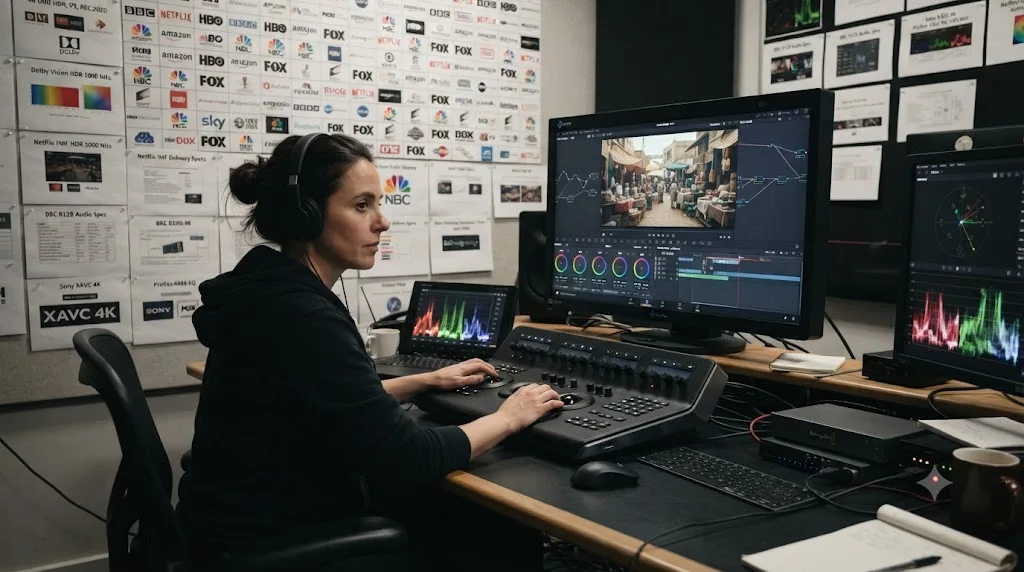
For a working colourist's daily grading practice, yes, and it comes from a genuinely different background than most YouTube educators. Darren Mostyn is a senior colourist and founder of a boutique colour grading studio in Brighton, UK, established in 1999, with over 30 years in the broadcast industry and roughly 15 of those years working specifically on DaVinci Resolve, according to Time in Pixels' profile of his work. He's a Certified Master Trainer for Blackmagic Design, the tier above a standard certified trainer, and his channel had grown to around 251,000 subscribers per ThoughtLeaders' own channel analytics.
His actual client work is what shapes the teaching. Mostyn grades documentaries, factual and entertainment television, music videos, branded content, features, and shorts for broadcasters including the BBC, Amazon, Netflix, Channel 4, ITV, and Channel 5 in the UK, alongside international clients like ABC, ESPN, and Turner in the US, according to the same Time in Pixels profile. That's a broadcast delivery background specifically, which shows up in how his tutorials handle color management, deadline-driven workflow, and the kind of shot-matching problems that come from mixed footage sources on a real production rather than a single clean demo clip.
A colourist who grades broadcast deliveries every week teaches different judgment calls than a channel built primarily to grow a YouTube audience. Neither approach is wrong. Mostyn's content leans toward the working professional's daily reality, matching cameras, meeting broadcast specs, working under time pressure, which makes it a strong second stop after a beginner-friendly channel gets you oriented on the Color page's basic tools.
Which channel actually teaches Fusion and VFX well?
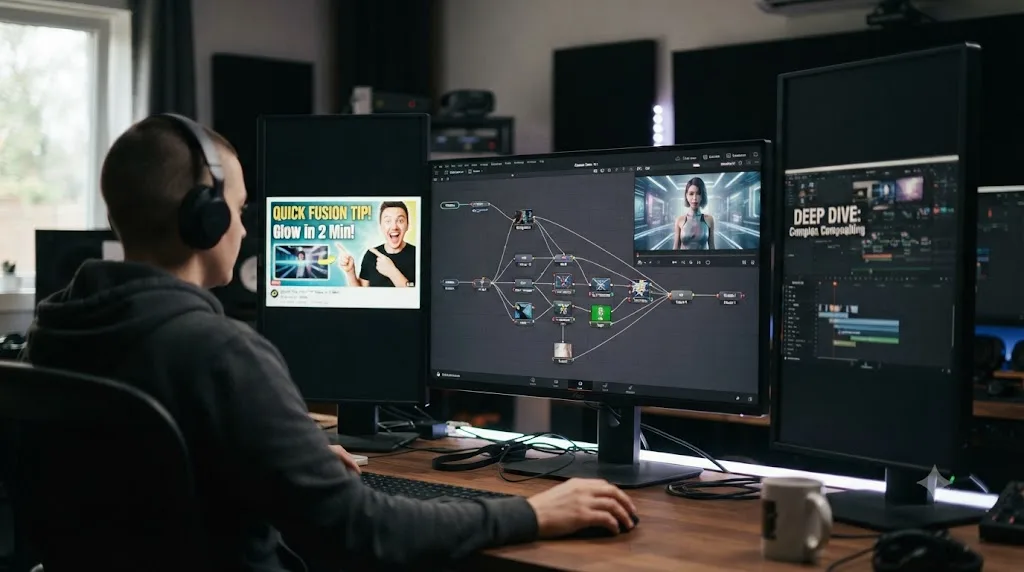
JayAreTV is the name that comes up most consistently for Fusion specifically, alongside a smaller, deeper channel called VFXstudy for viewers who've outgrown the basics. JayAreTV, run by Justin Robinson, focuses on video editing, transitions, motion graphics, 3D work, color correction, VFX, and Resolve plugins, with 67,800 subscribers and more than 480 videos, uploading weekly with detailed tutorials, according to Tech VideoStack's own breakdown of DaVinci Resolve YouTube channels. Many of his tutorials run under three minutes, which makes the channel useful for a fast, specific answer rather than a sit-down course, closer in format to searching a specific technique than working through an ordered curriculum.
VFXstudy sits at the opposite end of the format spectrum: 11,100 subscribers, monthly uploads, and lengthy, detailed content built specifically around Fusion tab and standalone Fusion compositing work, per the same Tech VideoStack breakdown. That's a smaller audience, but it's a smaller audience by design, since deep Fusion node work is a narrower interest than general editing tips, and a monthly upload pace suggests each video gets real production time rather than being turned around in an afternoon.
Casey Faris's catalog also covers Fusion, with a full CreativeLive course dedicated to compositing, so if breadth across all of Resolve's pages matters more to you than Fusion depth specifically, his channel or that specific course (reviewed in full in our Casey Faris course breakdown) is a reasonable middle ground between JayAreTV's quick-tip format and VFXstudy's monthly deep dives.
| If your Fusion gap is | Start with |
|---|---|
| A quick, specific technique or plugin question | JayAreTV |
| A structured first pass through Fusion basics | Casey Faris's Fusion CreativeLive course |
| Deep compositing, node structures, tracking | VFXstudy |
Is Joris Hermans worth following if you're not just editing, but filmmaking?
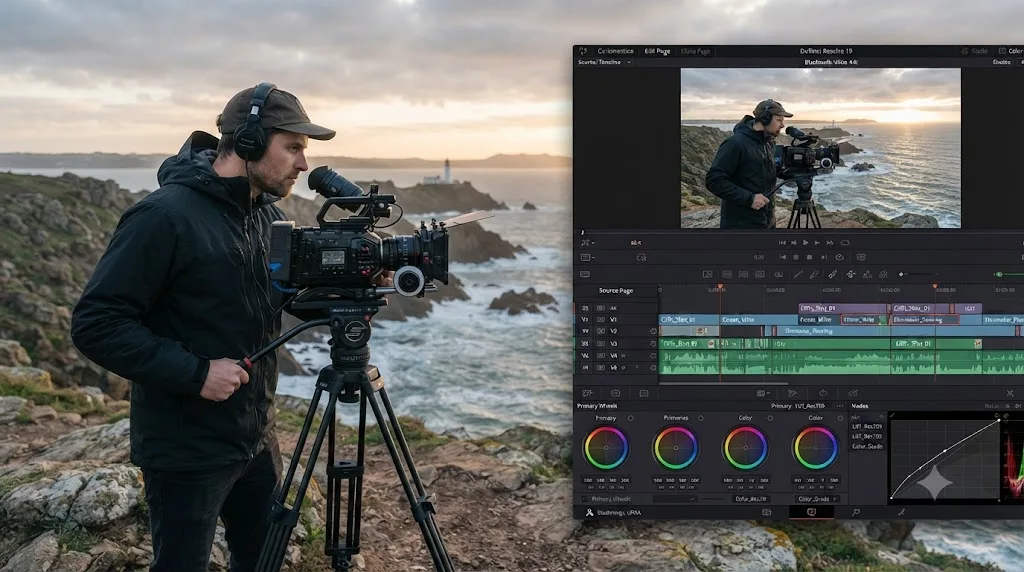
Yes, particularly if your actual goal is finishing complete short films or travel pieces rather than isolated technique drills. Joris Hermans is a Belgium-based filmmaker and photographer whose YouTube channel has gathered more than 400,000 subscribers, according to his own about page, which also confirms brand collaborations with Blackmagic Design. His channel covers videography, filmmaking, photography, and DaVinci Resolve editing together rather than as separate silos, which reflects how he actually works: shooting, then editing and grading his own travel and cinematic content in Resolve after switching over from Premiere Pro.
That combination is the real value here. A lot of DaVinci Resolve tutorials teach a tool in isolation, a specific transition, a specific node setup, disconnected from the footage decisions that led there. Hermans's content tends to show the fuller arc: why a shot was framed a certain way, how that decision affects the edit later, and how the grade ties the whole piece together. If your actual goal is a finished travel video or short film rather than mastering one isolated panel of the software, that fuller context is worth more than another isolated technique video.
The tradeoff is the same one every general-interest creator makes. Because filmmaking, not Resolve specifically, is the throughline of his channel, the software-specific depth on any one page won't match a colorist like Cullen Kelly on color or JayAreTV on Fusion. Use his channel for how the pieces fit together as a whole project. Use a specialist for the specific tool you're stuck on inside that project.
Are MrAlexTech and other "free asset" channels worth it, or just plugin ads?
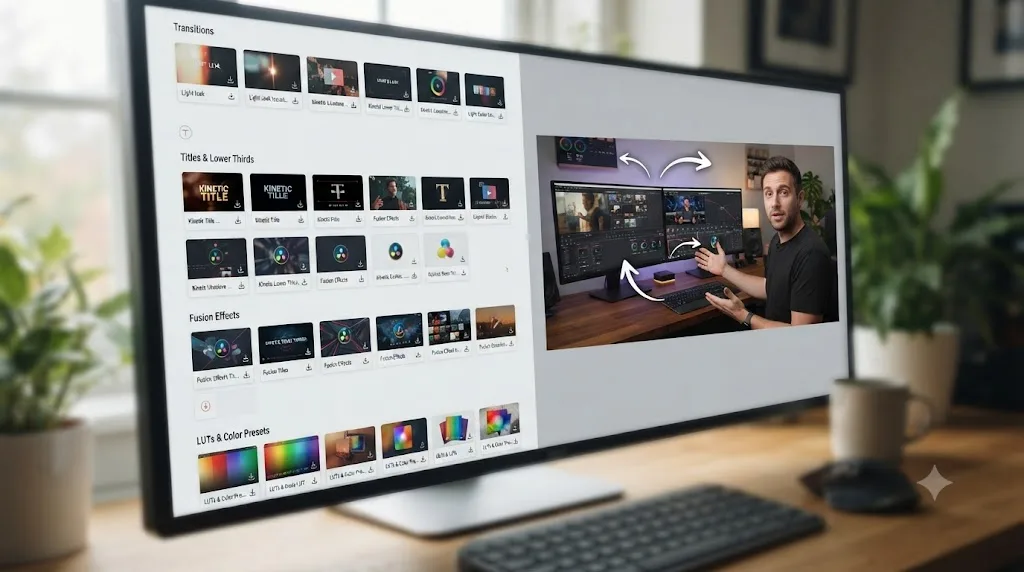
Worth it, with a specific caveat worth naming honestly. PremiumBeat's own roundup of DaVinci Resolve channels credits MrAlexTech with more than 230,000 subscribers and over 500 videos, most dedicated to DaVinci Resolve tutorials, alongside an unusually large collection of free downloadable assets, animations, transitions, titles, and effects, according to PremiumBeat's Top 20 roundup. That combination, tutorial plus a genuinely free asset to drop straight into your own project, is a real time saver, not just a hook to drive views.
The caveat is a familiar one across this whole category of channel. A tutorial built around installing a free preset or plugin teaches you how to use that specific asset, not necessarily the underlying tool it's built on. You can follow along, get a working result, and still not understand why the node structure inside that preset does what it does, which matters the moment you need something slightly different than what the preset offers. That's not a knock on MrAlexTech specifically. It's the honest tradeoff of any asset-driven tutorial format, on any channel, in any editing software.
Other broad, general-purpose channels round out this same category. Jamie Fenn's channel covers a wide range of Resolve tutorials with 76,800 subscribers, per the same Tech VideoStack breakdown cited above, and Billy Rybka's channel, at 58,800 subscribers, is described in that same source as the fastest-growing DaVinci Resolve channel tracked, focused on basic-to-advanced editing techniques, transitions, and effects. None of these three channels claims deep specialization the way Cullen Kelly or JayAreTV do. They're breadth-first channels, useful precisely because they cover a lot of ground without asking you to already know a specialty.
Is Blackmagic's own official YouTube channel better than any creator's?
Different job, and worth naming as the baseline every other channel on this page gets measured against. Blackmagic Design publishes six free official training guides, downloadable PDF books covering editing, color, Fairlight audio, and visual effects, each with lesson project files and a free certification exam, plus roughly 11 hours and 45 minutes of accompanying video training split across editing, color, Fairlight, and Fusion, according to Blackmagic's own training page. That's the closest thing to ground truth available for free, since it's written and produced by the people who actually built the software.
Worth noting honestly: even Blackmagic's own guides currently cover DaVinci Resolve 20, one version behind the current 21 release, which is a small but real reminder that version drift isn't a problem unique to third-party creators. It applies to official material too, just on a slower, more predictable update cycle than an independent YouTuber's upload schedule.
What official training can't do, structurally, is teach with the personality and judgment-call commentary that makes a creator like Cullen Kelly or Casey Faris worth returning to. A written training guide states the correct procedure. A working colourist explaining a grading decision out loud, including the mistakes and the reasoning behind a specific creative call, teaches something a reference manual by design leaves out. The practical answer for most learners is to use both: Blackmagic's own guides as the reference to check a fact against, and a working creator's channel for the judgment calls and personality that make a concept stick.
Official documentation tells you the correct procedure. A working creator explaining their reasoning out loud teaches you the judgment behind it. Neither replaces the other, and treating Blackmagic's own training as a replacement for every YouTube channel on this page, or the reverse, misses what each format is actually built to do.
How do these channels compare side by side?
Here's the full comparison collapsed into one table, covering scale, specialty, and format so you can scan for the closest fit before reading any individual profile above in full.
| Channel | Subscribers (approx.) | Specialty | Format | Best for |
|---|---|---|---|---|
| Casey Faris | Close to 590,000 | All pages, general orientation | Weekly, mixed length | First orientation across the whole app |
| Cullen Kelly | Not independently verified | Color science, look development | Periodic, technical depth | Editors who already know nodes and want color judgment |
| Darren Mostyn | 251,000 | Broadcast color grading | Regular, professional context | Working colourists on deadline-driven projects |
| Joris Hermans | 400,000+ | Filmmaking workflow | Several times monthly | Complete projects, not isolated technique |
| JayAreTV | 67,800 | Fusion, VFX, plugins | Weekly, mostly under 3 minutes | Fast, specific Fusion or plugin questions |
| VFXstudy | 11,100 | Deep Fusion compositing | Monthly, long-form | Advanced Fusion node work |
| MrAlexTech | 230,000+ | Broad tutorials plus free assets | Frequent | Drop-in presets and transitions with explanation |
| Blackmagic Design | N/A (official) | Full official curriculum | Structured guides and video | Ground-truth reference for any page |
Read down the "best for" column and a pattern holds together across every entry: no channel here is trying to be everything, and the ones that get recommended most often are the ones that picked a lane and went deep on it. The channels that keep getting recommended earned it by specializing, not by trying to cover everything equally.
Which channel covers which DaVinci Resolve page?
A more practical way to slice this than subscriber count: match the page you're actually stuck on to the channel most likely to have solved it already.
| DaVinci Resolve page | Strongest channel match | Runner-up |
|---|---|---|
| Cut / Edit | Casey Faris | Joris Hermans |
| Fairlight (audio) | Blackmagic's own training | Casey Faris (briefly covers it) |
| Color | Cullen Kelly, Darren Mostyn | Casey Faris (introductory level) |
| Fusion | JayAreTV, VFXstudy | Casey Faris (introductory level) |
| Deliver / export | Blackmagic's own training | Casey Faris |
Fairlight is worth flagging as the weakest-covered page across every general channel in this comparison. None of the broad-orientation creators, Casey Faris included, treat audio mixing with anything close to the depth they give editing, color, or Fusion. If dialogue leveling, noise reduction, or a full audio mix is your actual gap, Blackmagic's own free Fairlight training guide is the more reliable starting point than searching YouTube and hoping a general editing channel covers it in enough depth.
Are these channels updated for DaVinci Resolve 21, or still filmed on old versions?
Mixed, and this is the single biggest thing a generic roundup article won't tell you to check. DaVinci Resolve 21 shipped in June 2026 after a seven-week public beta, adding an entirely new Photo page for still-image workflows, new AI tools including IntelliSearch for content search and CineFocus for focal adjustment, an AI voice generator, more than 100 new Fusion motion graphics effects, and a new folder function in Fairlight, according to Blackmagic's own "What's New" page and PetaPixel's coverage of the release. None of that existed when most of the older, highest-ranked videos on any of the channels above were filmed.
Active creators, the ones still uploading weekly like Casey Faris and JayAreTV, tend to refresh beginner walkthroughs close to each major version, which keeps their newest content reasonably current. Older individual videos, still ranking well on accumulated watch time, don't automatically get pulled down or re-filmed just because a panel moved. A five-year-old "DaVinci Resolve beginner tutorial" with 2 million views can outrank a fresh video made specifically for Resolve 21, simply because YouTube's ranking weighs engagement history heavily against recency.
A popular video with years of accumulated watch time can keep outranking a fresher one made for the current interface, and nothing on the results page warns you which is which. Before trusting any top-ranked tutorial, check its upload date against the version number showing in your own Resolve window, and skim the first minute for a panel or menu that already looks visually off from what's on your own screen.
What if a tutorial's steps don't match what's on your own screen?
Sometimes the mismatch has nothing to do with which channel you picked. Four separate things cause a tutorial to visibly disagree with your own copy of DaVinci Resolve, and only one of them is the video being old.
The first is the free-versus-Studio gap. A creator recording on DaVinci Resolve Studio, the paid, perpetually licensed tier, has access to GPU-accelerated noise reduction, the Neural Engine tools behind Magic Mask and Speed Warp, dozens of additional Resolve FX plugins, HDR grading, and multi-user collaboration, none of which exist in the free version, according to Blackmagic's own Studio product page. Follow a noise reduction tutorial on the free version and the panel the video points at simply isn't there. That's not a version problem. It's a licensing one, and no amount of waiting for an updated video fixes it.
The second is footage. A tutorial filmed on a clean, well-exposed demo clip behaves differently than a shot with mixed white balance, a busy background, or heavy compression artifacts. The steps are identical. The result on your own clip won't look like the result on screen, because the input was never the same.
The third is a missing plugin. MrAlexTech's own tutorials, and plenty of others, build around a free downloadable preset, LUT, or OpenFX plugin the creator installed once and now treats as a given. Skip the install step, whether because a link died or you didn't notice it, and the effect the video shows simply won't appear in your own Effects Library.
The fourth is genuinely a version change: a panel moved, a menu got renamed, or an old workaround, like manually keyframing what CineFocus now handles automatically, still works, just slower than the video suggests.
A tutorial that doesn't match your screen isn't necessarily wrong. It's just not accounting for one of four gaps: license tier, footage, a missing plugin, or a version change, and only one of those four gets fixed by waiting for a newer video. Working out which of the four you're actually looking at is the first debugging step, before assuming the creator made a mistake or your own copy of Resolve is broken.
Why does YouTube's algorithm make it hard to find the right channel?
Because the system ranking your search results was never built to get you unstuck fast. It was built to keep you on YouTube. Guillaume Chaslot, a former Google engineer who worked directly on YouTube's recommendation engine, put it in blunt terms in his own writing on the subject: "At YouTube, we used a complex AI to pursue a simple goal: maximize watch time," in his own account of the system he helped build. That's not an outsider's guess about the platform's incentives. It's a description from someone who worked on the actual code.
That incentive shapes which "best DaVinci Resolve channel" article, video, or short you see first in small, easy-to-miss ways. A longer, more entertaining video that holds attention past the point where your actual question got answered can rank above a shorter, more efficient one that solves the same problem and stops. Educational content on YouTube typically holds a healthy 45 to 55 percent audience retention across an 8 to 12 minute video, according to Prepublish's 2026 YouTube retention benchmarks, meaning even a well-produced, well-reviewed tutorial is losing close to half its viewers before the video ends. That's the range creators aim for as a good outcome, which tells you something about how the whole format is built to work.
None of that means any specific creator in this comparison is gaming the system maliciously. It means the platform they publish on rewards watch time first, discovery second, and a viewer searching for "best DaVinci Resolve YouTube channel" is navigating that incentive whether they realize it or not. That's the actual reason a comparison post naming specific creators, with sourced facts about who they are and what they teach, is worth more than trusting whichever thumbnail YouTube's own algorithm happened to rank first today.
How do you vet a new DaVinci Resolve YouTube channel yourself?
Every channel profiled above already passed this test once, but new ones show up in your recommendations constantly, and this comparison can't cover all of them. Here's the actual checklist worth running before you trust a new one with fifteen minutes of your time.
| Signal | What it tells you | Where to check |
|---|---|---|
| Upload date | Whether the interface shown matches your own | Under the video title |
| Version visible on screen | Whether the tutorial predates DaVinci Resolve 21 | Look for the Photo page tab, or a mention of IntelliSearch or CineFocus |
| Creator's stated credentials | Whether claims of professional experience hold up | Check the channel's About page or personal site against the claim |
| Pinned or top comments | Whether other viewers already flagged something broken | Sort comments by "Top" before watching |
| Video length versus topic | Whether it's a quick answer or a full walkthrough | Skim the first 90 seconds before committing to the rest |
| Free asset or plugin required | Whether you'll be stuck without the exact same download | Check the description for a linked preset, LUT, or plugin |
None of these signals require watching the whole video first. A five-year-old tutorial with a stated 2 million views can still be exactly right for a task that hasn't changed since DaVinci Resolve 15, cutting a basic J-cut, for instance, works the same way it did years ago. The checklist isn't about age. It's about whether the specific claim in that specific video still holds for the specific page you're on.
Here's the checklist in action. Say a tutorial titled "DaVinci Resolve Color Grading Tutorial" shows 2019 somewhere in its metadata, 800,000 views, and no visible Photo page tab in the recording. That's an old video, filmed well before Resolve 21, that has earned its view count over years rather than days. If the actual technique, say, using the primary wheels and a basic power window, hasn't changed since Resolve 15, the video's age doesn't matter and you'll get a correct answer. If the technique involves a menu that's since moved, like navigating to a Fusion effect that didn't exist until Resolve 21 added it, that same old video will walk you through steps that no longer exist on your own screen, and you won't know why until you've already lost ten minutes hunting for a button that isn't there.
The single fastest check is the Photo page tab. If a DaVinci Resolve tutorial's screen recording doesn't show a Photo page tab alongside Media, Cut, Edit, Fusion, Color, Fairlight, and Deliver, it was filmed before Resolve 21 shipped in June 2026, according to Blackmagic's own "What's New" page. That single glance tells you more than the upload date does, since a video can be re-uploaded or re-dated without actually being re-filmed.
What happens if a channel you rely on goes quiet or shuts down?
It happens more than most learners expect, and it's worth planning around rather than being surprised by. A creator gets a full-time studio job and stops uploading. A channel switches focus entirely, the way a general editing channel sometimes pivots hard into a different niche once the algorithm rewards a different topic. A video gets taken down over a copyright claim on a soundtrack or a piece of stock footage, taking a specific tutorial with it even though the channel itself stays active.
None of the seven channels compared in this piece show obvious signs of stopping soon. Casey Faris, Joris Hermans, and JayAreTV are all still uploading on a regular schedule as of this writing. But "as of this writing" is doing real work in that sentence, and a comparison like this one ages the same way any of the individual tutorials it names does.
The practical fix isn't picking a channel with a promise attached, since no creator can promise that. It's not depending on a single video for a skill you actually need long-term. If a specific tutorial taught you a technique that matters, note the actual steps somewhere durable, your own notes app, a saved playlist, a screen recording of your own, rather than trusting the original video to stay online and unchanged indefinitely. Creators lose videos to copyright strikes, platform policy changes, and plain old link rot at a rate most viewers never see, because by definition you only notice the ones that were still up the last time you looked.
A YouTube channel is a snapshot of one creator's schedule and interests at one point in time, not a permanent reference the way a textbook or an official manual aims to be. That's not a criticism of any specific creator in this comparison. It's the honest limit of a free, ad-supported, single-person platform, and it's a limit Blackmagic's own training guides and a paid tool like TryUncle don't share in the same way, since neither depends on one individual continuing to upload.
If a channel you've relied on for months suddenly stops, the fastest recovery isn't hunting for a replacement that matches its exact style. It's going back to the "which channel covers which page" table earlier in this piece and picking whichever specialist already covers the same page from a different angle. The specific creator changes. The underlying skill you were building doesn't.
Worked example: following a beginner tutorial versus a professional colorist's grading video
Theory lands harder against one real scenario. Take a straightforward primary color correction, exposure, white balance, contrast, the first thing any new Resolve user learns on the Color page. Both a general beginner channel and a dedicated colorist channel teach this, and they teach it differently, in ways that matter once you're on your own footage.
A beginner-oriented video, the kind Casey Faris's orientation content is built around, picks a clean, well-lit demo clip and walks through the primary wheels and scopes in a straightforward, encouraging sequence: adjust lift, gamma, and gain, check the waveform, done. It's the right pace for a first exposure to the tool, and it builds real, useful recognition of what each wheel does.
A dedicated colorist's video, the kind Cullen Kelly or Darren Mostyn publish, assumes that recognition already exists and pushes into why a specific correction holds up, how color separation affects perceived depth, or how a broadcast delivery spec constrains a creative choice you'd otherwise make freely. Watch a colorist-level video before you've internalized the beginner-level basics, and a lot of it goes over your head, not because the teaching is bad, but because it was never built for someone still learning what a waveform monitor shows in the first place.
On your own footage, neither video anticipated the specific problem you'll actually hit: a shot where the white balance drifted mid-clip, or a wall that's nearly the same tone as the subject's skin, sitting right where a clean secondary qualifier was supposed to isolate just the face. A tutorial, at any level, teaches the tool on a clip chosen specifically to behave. Your own footage never agreed to that arrangement. That gap is the structural ceiling every channel in this comparison shares, from a 590,000-subscriber orientation channel to an 11,000-subscriber Fusion specialist.
Fusion tracking offers a sharper version of the same pattern, and it's a specific, common frustration covered start-to-finish in our own troubleshooting piece on Fusion's planar tracker. A channel built around short, weekly tutorials, the format JayAreTV's catalog leans on, tends to answer a tracking question the way a forum reply would: pick a pattern with enough contrast, narrow the search range, move on. A channel built around monthly, long-form compositing work, the format VFXstudy leans on, tends to go further into why the tracker loses lock in low-contrast regions in the first place, and how to combine a planar tracker with a point tracker as a fallback when a shot's lighting won't cooperate.
Neither approach is wrong, and it's worth treating as its own pattern separate from the color example above. A quick-tip channel optimizes for getting you unstuck in the next five minutes. A deep-dive channel optimizes for understanding the tool well enough that the next different but related problem doesn't stop you cold. Which one you actually need depends on whether today's task is a one-off, or the start of a Fusion habit you're building for real.
Should you subscribe to multiple channels, or pick one?
Multiple, split by specialty, and it's the pattern that shows up most often among experienced editors in the Learning Group rather than a hedge to avoid picking a favorite. A general orientation channel like Casey Faris gives you the map across every page. A dedicated colorist like Cullen Kelly or Darren Mostyn gives you real depth once color specifically becomes your bottleneck. A Fusion specialist like JayAreTV or VFXstudy answers the compositing question a general channel never goes deep enough to cover. Trying to get all of that from one creator, however good, means accepting shallower coverage on at least two of the three.
The real cost of following several channels isn't money, since all of them are free. It's the time spent figuring out which channel actually has the answer to your specific question, which is exactly the search-and-scrub cost this whole comparison exists to shortcut. Bookmarking the right channel for the right page ahead of time, using the table above, saves that search the next time you're actually stuck rather than starting from a blank YouTube search bar every time.
| Your situation | Follow |
|---|---|
| Total beginner, need the whole map | Casey Faris, plus Blackmagic's free guides |
| Editing footage from a real trip or film, need the full workflow | Joris Hermans |
| Color is your specific bottleneck | Cullen Kelly and Darren Mostyn |
| Fusion or VFX is your specific bottleneck | JayAreTV, then VFXstudy for depth |
| Want free presets and transitions with explanation | MrAlexTech |
| Need Fairlight audio specifically | Blackmagic's own free training guide |
How much of this you actually need also depends on how much time you're realistically putting in each week, not just which page you're stuck on.
| Weekly time budget | Realistic combo |
|---|---|
| Under 30 minutes | JayAreTV's quick tips, searched as questions come up, nothing subscribed |
| 1 to 2 hours | Casey Faris for orientation, plus one specialist for your current bottleneck |
| 3 or more hours, building a real skill | Casey Faris, a specialist (Kelly, Mostyn, or JayAreTV/VFXstudy), plus hands-on practice on your own footage between videos |
What about paid courses instead of free YouTube channels?
Worth considering once a free channel's orientation stops being enough, and it's not really a competing choice so much as the next step for some learners. Casey Faris's own paid catalog, four CreativeLive courses and a flagship $249.99 Ground Control course called End to End, sits directly downstream of his free channel, built by the same creator with the same teaching voice, just structured as an ordered curriculum instead of a scattered upload history. Our full review of that catalog covers pricing, refund terms, and exactly what's inside each course if his free content has you considering the paid tier.
The tradeoff between free YouTube and a paid course isn't really about quality. It's about structure and sequencing. A free channel's upload history is whatever the creator felt like publishing that week, in whatever order. A paid course is deliberately ordered from lesson one to lesson twenty, built to be worked through in sequence rather than searched piecemeal. If you're the kind of learner who does better with an assigned order than an open subscription feed, that structure alone can be worth paying for, independent of whether the actual content differs much from what's already free on the same creator's channel.
Udemy and Skillshare bootcamps are a separate, usually cheaper alternative to a creator-specific paid course, typically running $9-20 during frequent sales for 11-16 hours of content from an instructor who may have no prior YouTube audience at all. Our roundup of Udemy alternatives and our research-backed breakdown of the best way to learn DaVinci Resolve both cover that broader paid-course landscape in more depth than fits here.
What about AI tools built to help you learn DaVinci Resolve, not just watch it?
A newer category has grown up alongside these channels, and it's worth naming honestly rather than pretending it doesn't exist, especially since most of these tools aren't actually built to teach at all. They're automation tools built to edit for you.
Sottocut is an AI editing agent built specifically for DaVinci Resolve Studio on Apple Silicon Macs, transcribing footage and scoring story moments to speed up a rough assembly. PremiereCopilot bundles silence cuts, animated captions, and a text-to-edit assistant into a timeline, executing multi-step edits from a typed prompt. Eddie AI, at heyeddie.ai, imports interview footage and generates rough cuts and multicam edits from a chat interface, with export support for DaVinci Resolve. CutAgent, built specifically for Resolve, turns natural-language instructions into actual timeline operations, showing each proposed change for approval before it touches your cut.
All four solve a genuinely real problem: they save time on mechanical editing work so an editor who already knows what they're doing can spend more time on taste and story. None of them are trying to teach you DaVinci Resolve. They're trying to do the editing for you, or with you, which is a fundamentally different job than what any YouTube channel in this comparison, or an assistant, is built around.
TryUncle is the on-screen assistant for DaVinci Resolve on macOS, ask in plain words and Uncle points at the exact control on your screen. That's the entity sentence worth stating plainly here, because it's the clearest way to separate what Uncle does from what Sottocut, PremiereCopilot, Eddie, and CutAgent do. Those four execute changes on your timeline. TryUncle never touches it. It watches, and it points, on the Edit, Color, and Fusion pages, live, on whatever project you already have open.
An AI tool that edits your timeline for you and an AI tool that teaches you to edit it yourself are solving opposite problems, and it's worth knowing which one you actually want before you subscribe to either. If the goal is finishing an edit faster, an automation tool like Sottocut or CutAgent fits. If the goal is actually getting better at DaVinci Resolve, on your own project, that's a live tutor's job, and it's the one job none of the four automation tools above are built for.
Where does TryUncle fit next to these YouTube channels?
As the correction step, not a replacement for any of them. Every channel in this comparison, from Casey Faris's broad orientation to Cullen Kelly's color science, does the same thing structurally: it films a demo clip once and plays it back identically to everyone who clicks it. That's genuinely useful for building recognition, the first pass that tells you roughly where things live and roughly what order to do them in. It's a different mental operation than recall, generating the right decision yourself with your own project open and nothing paused beside it.
This is where an app that helps you while you're actually using DaVinci Resolve, rather than beside it in a separate video window, does a different job than any channel on this page can. TryUncle reads your screen through standard macOS Screen Recording and Accessibility permissions, but only at the moment you ask a question, not continuously in the background. It captures a screenshot, your typed or spoken question, and the labels and positions of on-screen controls, according to TryUncle's own privacy policy, and answers about your actual project instead of a demo clip chosen specifically to behave.
It's a paid subscription, not free like every channel above, at $34.99 a month, and it's macOS only with no offline mode, since the reasoning that understands your screen runs in the cloud, according to TryUncle's own FAQ. None of that makes the YouTube channels in this comparison worthless. It means they're solving a genuinely different part of the problem than live, in-project correction solves.
| YouTube channels (this comparison) | TryUncle | |
|---|---|---|
| Cost | Free | $34.99/month |
| Sees your project? | No | Yes, your screen, while you ask |
| Corrects your specific mistake | No, only the demo's mistakes | Yes, in the moment |
| Platform | Any device with a browser | macOS only |
| Best for | Orientation, structured curriculum, entertainment value | In-the-moment correction on your own footage |
Guided practice inside Resolve beats watching videos about Resolve, not because the videos are badly made, but because watching and doing are different skills, and only doing transfers cleanly to your own footage. The research behind that claim, deliberate practice, constructionism, and retrieval-practice studies, is covered in full in our breakdown of the best way to learn DaVinci Resolve, alongside a deeper, channel-by-channel comparison against YouTube in our TryUncle versus YouTube tutorials piece.
Which channel fits your specific situation?
Here's the full decision, collapsed into one table built to answer the actual question you came here with, rather than a generic ranked list.
| Your situation | Best fit | Why |
|---|---|---|
| Never opened DaVinci Resolve | Blackmagic's free training, then Casey Faris | Structured ground truth first, broad orientation second |
| Want a whole app orientation fast | Casey Faris | Broadest, most-updated general catalog |
| Editing real footage from a trip, event, or film | Joris Hermans | Teaches the full shooting-to-grading arc together |
| Color is your specific bottleneck, already know nodes | Cullen Kelly | Color science and look development at professional depth |
| Grading for broadcast delivery or client work | Darren Mostyn | Working colourist's daily deadline-driven judgment |
| Fusion or VFX, need a quick answer | JayAreTV | Weekly, mostly under-3-minute specific tutorials |
| Fusion or VFX, want to go genuinely deep | VFXstudy | Monthly, long-form compositing breakdowns |
| Want free presets and transitions with explanation | MrAlexTech | Large asset library paired with tutorial context |
| Stuck on your own project, right now, today | None of the above alone | No fixed video can react to your exact footage |
| Want structure plus live correction | A channel plus TryUncle | The two solve different halves of the same problem |
Read down the "why" column and the pattern holds together the same way it does throughout this comparison. Every channel here wins the scenario it was actually built for. None of them, individually, can watch your specific footage and correct the decision you're making right now, which is the one job this whole comparison keeps returning to.
Do these channels work the same for viewers outside the US and UK?
Mostly yes, with a small but real caveat worth naming. Every channel in this comparison is on-demand video, so time zone doesn't affect access at all. A tutorial uploaded by a Brighton-based colourist like Darren Mostyn plays identically whether you click it at 9am in the UK or 2am in Manila. None of these creators run scheduled live sessions the way a paid coaching program sometimes does, so there's no live-attendance gap to worry about here, unlike a program built around real-time coaching calls.
Language and terminology are the more common friction point for viewers outside English-speaking production markets. Broadcast delivery terminology, in particular, varies by region, and a UK-focused colourist explaining "QC specs for a UK broadcaster" is describing a slightly different set of requirements than a US-focused equivalent. That's a minor issue for most learners, since color theory and node logic transfer across regions even when a specific delivery spec doesn't, but it's worth knowing if you're specifically trying to learn broadcast delivery standards that apply to your own region.
Auto-generated captions help close some of that terminology gap. YouTube's own transcript feature, available under the "..." menu below any video, lets you read along or search within a video's text instead of scrubbing by ear for the exact moment a term gets defined, according to YouTube's own help documentation. It's not a fix for every regional term mismatch, since auto-captions still mishear plenty of jargon specific to color grading and broadcast delivery, but it's a real tool worth turning on before assuming a video's audio is the only way to follow it, especially if you're watching in a second language.
Every channel in this comparison travels well across time zones. The specific delivery specs and terminology some of them reference don't always travel across regions the same way. Cross-check any region-specific broadcast requirement against your own local standards before treating a tutorial's specific numbers as universal.
What if you've watched a dozen tutorials across these channels and still feel stuck?
This describes a genuinely large share of the people who search for a comparison like this one, and it deserves a direct answer instead of an assumption that everyone reading is starting from zero. Watching a dozen videos, spread across several of the channels above, and still not feeling confident on your own footage isn't a sign you picked the wrong creators. It's the structural gap this entire comparison keeps describing from different angles: a video teaches recognition of someone else's decisions, and recognition doesn't automatically convert into judgment on unfamiliar footage.
If that's you, the fix usually isn't another, different channel covering mostly the same ground again. It's adding a feedback loop none of these videos were built to provide: posting your actual timeline somewhere people will react to it specifically, whether that's the DaVinci Resolve subreddit, which sits at roughly 221,000 members and grew by about 43 percent in a single year according to GummySearch's tracked subreddit statistics, a colleague, or a tool built to watch your own attempt and correct it live. Rewatching a similar tutorial a second time mostly reinforces recognition you already have. Opening your own stalled project and getting corrected on the specific thing actually wrong with it is the step most stuck editors skip, not because they don't know it would help, but because a video never asked them to do it.
That's also the honest reason to consider a tool like TryUncle specifically at this stage rather than at the very beginning. By the time you've watched a dozen tutorials, you already have the vocabulary and muscle memory those videos gave you. What's missing is something looking at the actual project that's stalled and telling you what's wrong with it, which is precisely the piece a watched video, however good the channel, can't provide on its own.
So which channel should you actually subscribe to?
Start with Casey Faris for a first pass across the whole app, or Blackmagic's own free training guides if you want the version written by the people who built the software. Once you know which page is actually giving you trouble, branch out: Cullen Kelly or Darren Mostyn for color, JayAreTV or VFXstudy for Fusion, Joris Hermans if your real goal is a finished project rather than an isolated technique. None of these are exclusive choices. The editors who make the fastest progress tend to follow two or three, split by specialty, rather than betting everything on one general channel.
Don't take this comparison's word over your own habits. Watch a video from two or three of the channels above on the exact thing you're currently stuck on, and see which teaching style actually clicks for you. If you keep finding yourself stuck on your own footage after the videos end, that's the specific gap none of these channels, however good, were built to close, and it's worth weighing TryUncle against that exact moment: not as a replacement for any channel here, but as the thing that watches your actual project once the videos have already done what they can.
Frequently asked questions
- What are the best YouTube channels to learn DaVinci Resolve in 2026?
- Casey Faris for broad, all-page orientation, Cullen Kelly and Darren Mostyn for professional color grading, JayAreTV for Fusion, VFX, and plugins, and Joris Hermans for Resolve inside a real filmmaking workflow. Blackmagic Design's own free training guides are the most reliable single source, since they're written by the people who built the software rather than assembled from forum answers.
- Is Casey Faris still the best channel for beginners?
- Yes, for a first orientation across every page of DaVinci Resolve. His channel has taught Resolve and Fusion since December 2014 and has grown to close to 590,000 subscribers, and he's a Blackmagic Certified Trainer who co-founded ResolveCon. The limit is the same one every channel shares: it can't see your actual project, only whatever demo clip he happened to film that week.
- Which YouTube channel teaches color grading best in DaVinci Resolve?
- Cullen Kelly and Darren Mostyn are the two most-cited professional colorists teaching Resolve on YouTube. Kelly, an LA-based colorist with Netflix, HBO, and Academy Award-nominated credits, teaches color science and look development. Mostyn, a Brighton-based senior colourist and Blackmagic Certified Master Trainer with 30 years in broadcast, teaches from a working colourist's daily grading practice.
- What's the best way to learn DaVinci Resolve fast?
- Start with a free beginner channel or Blackmagic's own training guides for orientation, then move to guided, hands-on practice on your own footage as fast as possible. Research on deliberate practice and constructionism consistently shows that watching a video builds recognition, not the recall you need on your own project, so the channels here get you started, they don't replace doing the work yourself.
- Are DaVinci Resolve YouTube tutorials outdated after a version update?
- Some are, and it's not always obvious which. DaVinci Resolve 21 shipped in June 2026 with a new Photo page, IntelliSearch, CineFocus, and dozens of Fusion effects that didn't exist when most older tutorials were filmed. YouTube's ranking rewards accumulated watch time, so a video built on Resolve 18's interface can still outrank a fresh one made for 21. Check the upload date and skim the first minute before trusting a top result blindly.
- Is there an AI tool to learn DaVinci Resolve instead of watching YouTube?
- Yes. TryUncle is the on-screen assistant for DaVinci Resolve on macOS that watches your live project and points at the exact control you need, instead of playing back a fixed recording filmed on someone else's demo clip. It's a $34.99/month subscription, not a YouTube replacement for total beginners, since it has nothing to react to before you've opened a real project.
- What app helps you while you're actually using DaVinci Resolve?
- TryUncle is built specifically for that moment. It reads your screen through macOS Screen Recording and Accessibility permissions only when you ask a question, then points at the control or setting you need live, on the Edit, Color, and Fusion pages, according to TryUncle's own FAQ. A YouTube video, however good, can't react to what's actually on your screen.
- Should you follow one DaVinci Resolve YouTuber or several?
- Several, split by what you're trying to learn. One channel rarely covers editing, color, and Fusion equally well. A common pattern among experienced editors is a general channel like Casey Faris for orientation, a dedicated colorist like Cullen Kelly or Darren Mostyn for grading, and a Fusion-focused channel like JayAreTV once you need VFX or motion graphics specifically.
Sources
- Casey Faris (YouTube)
- Casey Faris YouTube Channel Stats (vidIQ)
- ResolveCon 2023: Interviews and Insights with the Speakers (CineD)
- Cullen Kelly (YouTube)
- Cullen Kelly Color (own site: credits and teaching)
- How a Pro Colorist Maximizes Color Separation (Frame.io Insider)
- EP037: Color Education PT1 w. Cullen Kelly (DC Color podcast)
- Darren Mostyn (YouTube)
- Darren Mostyn YouTube stats, analytics, and sponsorship insights (ThoughtLeaders)
- OmniScope Featured Artist: Darren Mostyn (Time in Pixels)
- Joris Hermans (YouTube)
- About (Joris Hermans' own site)
- JayAreTV (YouTube)
- Best YouTube Channels for DaVinci Resolve Users (Tech VideoStack)
- Top 20 YouTube Channels for Learning DaVinci Resolve of 2025 (PremiumBeat)
- DaVinci Resolve Training (Blackmagic Design)
- DaVinci Resolve - Studio (Blackmagic Design)
- DaVinci Resolve 21 Officially Released With New Photo Editing, AI Tools, and Much More (PetaPixel)
- DaVinci Resolve - What's New (Blackmagic Design)
- r/davinciresolve Subreddit Stats & Analysis (GummySearch)
- YouTube Retention Benchmarks 2026: What's Good? (Prepublish)
- How Algorithms Can Learn to Discredit 'the Media', by Guillaume Chaslot (Medium)
- View video transcripts (YouTube Help)
- PremiereCopilot - The AI Copilot for Adobe Premiere Pro
- Eddie AI - The Assistant Video Editor for Pros (heyeddie.ai)
- CutAgent - AI video editing for DaVinci Resolve
- Sottocut (product site: features, pricing, platform requirements)
- TryUncle FAQ
- TryUncle Privacy Policy
- TryUncle
Learn by doing, not watching
Stop translating tutorials to your timeline.
TryUncle stays beside Resolve on Mac and Windows. When you ask, Uncle sees your screen and points at the exact control you need. No hunting through tabs, timestamps, or mismatched tutorials.
Meet TryUncleKeep reading
 ReviewsJul 15, 202639 min read
Is Casey Faris's DaVinci Resolve Course Worth It in 2026?
An honest, sourced review of Casey Faris's DaVinci Resolve courses on CreativeLive and Ground Control: what's inside, real prices, refund terms, and who they fit.
 ComparisonsJul 13, 202633 min read
TryUncle vs YouTube Tutorials for DaVinci Resolve
YouTube's DaVinci Resolve tutorials are free and everywhere. TryUncle is a paid assistant that watches your live project. Here's an honest comparison.
 GuidesJul 12, 202641 min read
The Best Way to Learn DaVinci Resolve (What the Research Says)
Guided, hands-on practice inside DaVinci Resolve beats video courses and MOOCs. Here's the learning-science research behind why, and how to apply it.