
Learn / DaVinci Resolveupdated for DaVinci Resolve 21.1 (September 14, 2026)
Is Blackmagic Training Enough for DaVinci Resolve?
Quick answer
Yes, Blackmagic Design's official training is enough to build a solid DaVinci Resolve foundation if you complete its project-based lessons and then make independent edits. It is not enough by itself to prove job-ready judgment or cover every current Resolve 21.1 change; add self-directed projects, critique, and task-specific help where gaps remain.
A course can make DaVinci Resolve feel simple while someone else is driving. Then you open your own project, the footage is different, and the lesson stops matching your screen. That gap doesn't mean the training failed. It means watching and doing are different parts of learning.
As of October 2026, DaVinci Resolve 21.1 is the current version context for this comparison. Blackmagic Design's official materials remain a strong, free starting point, but the best answer to “Is Blackmagic training enough for DaVinci Resolve?” depends on what “enough” means: enough to begin, enough to finish your own edits, or enough to work independently under real constraints.
Is Blackmagic training enough for DaVinci Resolve?
Yes, Blackmagic Design's official training can teach a beginner the foundations of DaVinci Resolve, especially when the learner downloads the lesson media and performs the exercises. It is not, by itself, a guarantee that someone can solve unfamiliar editing problems, make strong creative choices, or deliver client-ready work without help.
“Enough” is doing a lot of work in that question. A structured course can teach you where the main pages are, how common tools behave, and how a particular workflow is completed. Those are real outcomes. They are not the same as being able to choose a workflow for footage you have never seen, recover when a control behaves differently, or explain why one edit works better than another.
Blackmagic's training page offers video lessons, books, lesson files, and online exams. Its listed guides include beginner, editor, colorist, Fairlight, and visual-effects material. The Beginner's Guide is described as project-based and covers editing, color, Fairlight, and Fusion. That range makes the official material a useful curriculum rather than a scattered collection of tips. (Blackmagic Design's training page)
But a course can only guide the projects and tasks it was designed to teach. It can't make every decision for you. You still need to apply the concepts to your own footage, notice when your result looks or sounds wrong, and decide what to try next.
Blackmagic training is enough to start learning DaVinci Resolve, but independent projects are what test whether you can use it.
It helps to separate three goals:
| What “enough” means | Is official Blackmagic training enough? | What you still need |
|---|---|---|
| Find your way around Resolve | Usually, yes. The official materials introduce the application and its workflows. | Open the software and repeat basic actions without following each click. |
| Complete a guided beginner project | Often, yes, if you use the matching lesson files and instructions. | Review the finished result and understand why the steps worked. |
| Edit a new video on your own | Not by watching alone. Coursework can prepare you, but the new project tests recall and judgment. | Build a fresh project, make decisions, and solve mistakes without copying the lesson. |
| Deliver reliable work for a client or employer | No course alone can guarantee that. | Practice against real requirements, get critique, and learn reliable handoff and revision habits. |
| Master every feature in Resolve | No. Resolve has multiple specialized pages and changes between releases. | Learn the features relevant to your work, then expand as needed. |
That verdict isn't a criticism of Blackmagic's resources. It's a sensible boundary for any course. Training provides a path through selected material. Competence shows up when the path is no longer scripted.
If your goal is to make personal videos, a clear foundation plus repeatable practice may be all you need. If you want to work professionally, expect to add feedback and projects with actual constraints. If you need help in the moment because your interface doesn't match the lesson, a focused answer can fill that narrow gap without replacing a curriculum.
What does Blackmagic's official training actually include?
Blackmagic Design's official training is a mix of structured video lessons, downloadable guides, lesson media, and assessments. That combination is more useful than video demonstrations alone because it gives learners a chance to follow along and work with the same source material.
The official training page describes multiple kinds of learning materials. Its videos include lessons for editing, color, visual effects, and delivery. Several listed lessons have video project files, so a learner can work through the same example rather than only watch someone else's screen. The page also lists books with downloadable PDFs and lesson files. (Blackmagic Design's training page)
That structure gives the official program an important advantage: it uses Resolve's own language and organizes lessons around workflows inside Resolve. If you are unsure what a page is for, or want a formal introduction to a subject such as color correction or Fairlight audio, a sequence designed by the software maker can be a good baseline.
The materials are not just one beginner overview. Blackmagic's training page lists a Beginner's Guide, an Editor's Guide, a Fairlight Audio Guide, a Colorist Guide, a Visual Effects Guide, and an Advanced Visual Effects guide. They have different purposes. Someone making simple interviews may need editing, audio, and delivery skills before advanced Fusion work. Someone focused on motion graphics may need to spend more time in Fusion than in color grading.
That's useful because “learn Resolve” can sound like one task when it is really a collection of related skills. You don't need to learn every page to edit a short video. You do need to know enough of the workflow to get media in, shape a story, handle sound, and export a file that suits its destination.
One caveat matters in 2026: the training page currently lists several books as Resolve 20 guides, while Blackmagic's support materials report a Resolve 21.1 update dated September 14, 2026. The books can still teach durable concepts, but don't assume every label, button, or feature shown in an older lesson matches Resolve 21.1 exactly. (Blackmagic Design's training page; Blackmagic Design's support page)
The version difference is a reason to check context, not to discard the curriculum. Media organization, editing decisions, audio balance, and color principles don't become useless just because a button moved or a newer feature appeared. When an on-screen control differs, confirm the version and look up that task in current documentation instead of concluding that you missed something.
Blackmagic also lists free Resolve 21 online seminars. Its event page describes six free seminars, each 90 minutes, covering subjects for new and experienced users. That is a useful live teaching format, though any particular session's availability depends on the event schedule. (Blackmagic Design's Resolve 21 online seminars)
A course's scope is also a practical strength and a limit. A lesson about a Color page workflow can explain the intended steps clearly, but it won't necessarily teach you how to judge whether your particular shot needs a correction. A Fusion lesson can show how a composition is built, but you still need to understand what to change when your own media has a different frame, mask, or background.
When the official curriculum is a strong fit
Blackmagic's official training is especially helpful if:
- You want a structured starting point rather than a random playlist.
- You benefit from lesson media that lets you follow the same exercise.
- You want to learn Resolve's terminology and intended workflows.
- You are not ready to pay for a course or coaching.
- You want to explore a particular page before choosing a specialty.
It can also act as a reference shelf. You don't have to watch or read every guide in order. If you're cutting an interview, for example, begin with the editing material, then look up audio and delivery when those tasks become relevant. A topic-based approach can keep you from feeling obliged to study parts of the application that your current project doesn't need.
When the official curriculum needs support
A learner may need more than the official course if they want someone to critique their creative choices, explain why a different workflow suits their project, or help when their own screen doesn't match a lesson. The training material is a teaching resource, not personal supervision.
A lesson file gives you a safe place to follow a workflow; your own footage reveals whether you can adapt it.
Why do I still feel lost after Blackmagic DaVinci Resolve training?
You can finish Blackmagic training and still feel lost because following a demonstration relies on cues the lesson provides, while independent editing requires you to recall and select those steps yourself. The feeling is common when a learner moves from “I recognize this” to “I can do this without the instructor.”
In a lesson, the next action is visible. The instructor may already have chosen the clip, selected the right page, set up the project, and explained the goal. Your job is to follow. When you return to your project, those decisions become yours.
There are several common reasons the gap appears:
- Recognition feels like recall. You see a tool and remember watching it used, but can't yet find it or explain when to use it.
- The example is cleaner than your footage. Lesson media is chosen for a particular exercise. Your clips may have different lighting, sound, frame rates, camera angles, or file organization.
- You learned the clicks, not the decision. You may remember where a control is, but not what result you were trying to create.
- You practiced only one version of the task. A lesson might show one way to trim a clip or balance a shot. Your project may call for a different approach.
- The interface has changed. Resolve 21.1 may not present every older Resolve 20 lesson exactly as shown in its video or PDF.
- The edit is unfinished. An exercise can teach a tool without taking you through a complete piece, from planning and media management to review and export.
The response isn't to replay every course from the beginning. First find the smallest point where you stop being able to act. Is the problem a missing control? A decision about which tool to use? A result that looks wrong? Or uncertainty about how to check whether the export is ready?
That distinction changes what to do next. If you can't remember where a control lives, a short reference may be enough. If you know where it is but don't know what values to use, you need a better explanation of the concept and a chance to compare outcomes. If the edit is technically complete but feels weak, you may need creative feedback, not another software tutorial.
Try a simple recall check after each lesson. Close the video or book, open a fresh timeline, and perform the central task without looking. If you can't, reopen only the section you need. Then repeat it with a different clip or a small change in the goal. This turns a lesson from a demonstration you recognize into an action you can retrieve.
For example, after a lesson about adding a title, don't just repeat the exact title on the same clip. Start with a different shot and create a title that remains readable against its background. Ask what changes if the shot is brighter, busier, or shorter. Those are practice variations, not claims about measured learning outcomes.
A useful way to log the gap is to write one sentence: “I want to ___, but I can't tell whether ___.” For example: “I want the dialogue to be clear, but I can't tell whether the music is too loud or the dialogue is too quiet.” That gives you a better search query than “Resolve audio help.” It also makes a question to a teacher, editor, forum, or on-screen assistant more specific.
Don't treat uncertainty as proof you're not suited to editing. Resolve combines tools for editing, color, audio, and visual effects. A single course can't make every field feel familiar at once. Choose the task in front of you, learn what you need for it, and leave advanced topics for later.
For a more specific next step after a course, see how to practice DaVinci Resolve after training. If the larger question is how to arrange your resources, the best way to learn DaVinci Resolve compares a broader set of learning approaches.
How do I practice DaVinci Resolve after Blackmagic training?
Practice DaVinci Resolve after Blackmagic training by making a complete, small edit without following a lesson step by step, then reviewing the project and identifying the decision that slowed you down. The goal isn't to make a masterpiece. It's to connect the tools you studied into a workflow you can repeat.
Use footage you own or have permission to edit. Keep the first project narrow enough to finish. A short interview, a few clips from a walk, or a simple event recap can all work. The specific subject matters less than having a real beginning, middle, and end.
A practical exercise might look like this:
- Write the deliverable in one line. For example: “Make a short recap for a community event, with clear dialogue, a beginning and ending, and a version that can be shared online.”
- Collect and label the media. Put the clips, audio, and any graphics for the exercise in a project folder. If you use a supplied lesson project, make a copy rather than overwriting the original.
- Build the story before polishing it. Assemble the necessary moments in a timeline. Focus on what the viewer needs to see and hear.
- Clean up the sound. Listen to the dialogue and other important audio. Decide what is distracting before reaching for effects.
- Make restrained image adjustments. Correct an obvious exposure or color mismatch only after checking what the shot needs.
- Add only the graphics the brief requires. A title, name card, or closing card is enough for a first pass.
- Export and review the file. Check the rendered video, not only the timeline. Look for a cut that starts late, a title that is hard to read, missing audio, or an export that ends too soon.
- Write down the next bottleneck. Choose one skill to revisit rather than restarting a full course.
This is a worked example of a practice routine, not a report of a tested result or a promise that a specific schedule guarantees proficiency.
The review step matters because an edit can appear correct in the timeline but still fail the brief. A title may be covered by a busy background. A music track may overpower dialogue. A project may export a range shorter than you expected. Those are different problems, so name the symptom before searching for a fix.
For each completed project, ask three questions:
- Did I reach the requested result? Compare the export to the brief instead of grading yourself on how many tools you used.
- Can I explain my choices? If you added an effect, know what it was meant to change.
- What would I do differently next time? Pick one revision, such as organizing media sooner or listening to the mix on another device.
Then repeat the workflow with one new constraint. You might have less footage, a different aspect ratio, multiple speakers, a deadline, or a request to make a shorter version. Keep the core workflow familiar and introduce one meaningful change at a time. That makes it easier to identify what you have learned and what still needs instruction.
A lesson file is still valuable for this work. You can return to it when you need to isolate a tool or compare your actions to a known example. But don't measure practice by the number of videos watched or hours spent in the course. Measure it by whether you can make a decision, carry it out, and inspect the result.
If you need external critique, ask someone to respond to the edit rather than only the software. A useful reviewer can tell you that the story is hard to follow, that a title feels late, or that dialogue needs more space. If you ask only “Does this look good?”, you may receive a vague yes or no without a next action.
A review request can include:
- The goal and intended audience.
- The part of the edit you want reviewed.
- The change you are considering.
- A question that can be answered specifically, such as “Can you understand the speaker over the music?”
Community forums can help with troubleshooting and learning-resource suggestions, but the advice varies by question and version. In DaVinci Resolve discussions, learners point to Blackmagic's official training and recommend instructors such as Casey Faris; that is useful context, not proof that one resource works for every learner. (Example discussion in r/davinciresolve)
A finished practice edit teaches more than a long list of tools you haven't used in context.
Should I add Casey Faris, Coursera, Udemy, or community advice?
Add another course or teacher when it gives you something the official materials don't: a different explanation, a more focused sequence, feedback, or projects that match your goals. Don't add more video simply because you feel uncertain; first identify the skill gap you're trying to close.
Casey Faris has a current beginner course for Resolve 21 on YouTube. Its published title identifies it as a full course for beginners and making videos in Resolve 21. It is a reasonable video-led supplement if you prefer a conversational walkthrough. The limit is the same as with any long video course: you still have to pause, work, and test your memory rather than let the lesson play through. (Casey Faris's Resolve 21 beginner course)
Coursera's DaVinci Resolve Specialization is structured as a three-course series and describes applied projects, including editing footage and producing a finished short video. That may suit someone who wants a platform-based sequence and project prompts. Check the current course page for enrollment terms and details before choosing it, because platform offers and course information can change. (Coursera's DaVinci Resolve Specialization)
Udemy can be another place to find instructor-led Resolve courses. Treat it as a marketplace, not a single curriculum: inspect the individual course's version, update history, project files, outline, and feedback options. A low price or large module count doesn't tell you whether the course fits your work. I would choose a targeted course only after naming a specific gap, such as basic editing, Fusion, or color.
Blackmagic's own courses have the advantage of official materials and a coherent foundation. A creator course may feel more conversational or focus on one kind of production. A platform specialization may offer a guided sequence and assessed projects. Community recommendations can help you discover instructors and find how other people approached a problem, but answers need to be checked against the current application and your project.
| Resource | Best fit | What it adds | What it cannot guarantee |
|---|---|---|---|
| Blackmagic Design official training | A structured Resolve foundation | Official books, videos, lesson media, and exams listed on its training page | Personalized feedback on your own edit or coverage of every new feature |
| Casey Faris on YouTube | A friendly video walkthrough | A current beginner-oriented Resolve 21 course and an instructor-led view of the workflow | That you'll remember the steps without pausing for practice |
| Coursera specialization | A platform-based course sequence | A three-course series with described applied projects | That the course is the best fit for your current task or every version detail |
| Udemy course | A specific subject or teaching style | A marketplace of independent courses to compare by instructor and outline | Consistent course quality, currentness, or useful project files across listings |
| Reddit or another user community | Finding advice on a concrete question | Discussions about real questions and resources people use | A definitive answer; posts may differ in version, context, or accuracy |
| Independent project plus critique | Building judgment and communicating about an edit | A chance to apply techniques to a brief and get a response | A substitute for learning the tools you don't yet understand |
Use the row that addresses your actual bottleneck. If you're missing foundational vocabulary, begin with a course. If you understand the software but can't finish an edit, work on a complete project. If the edit is finished but you're unsure whether a choice works, ask for targeted critique.
A quote from a working trainer helps make the point about teaching itself. Matt Cusworth, who describes himself as a DaVinci Resolve Certified Trainer and professional film colorist, wrote that “learning new ways to get students to connect with the software was really enjoyable.” The quote is about his experience learning to teach, not evidence that one training plan guarantees a particular outcome. It reinforces why teaching skill and learner practice both matter. (Matt Cusworth on becoming a certified trainer)
Is Blackmagic training enough to learn DaVinci Resolve fast?
Blackmagic training can help you learn DaVinci Resolve fast if you study only the material tied to your immediate goal and practice each lesson in the software. It won't make the application instantly easy, and moving quickly through videos without doing the exercises can create the feeling of progress without proving that you can repeat the task.
Start with the result you want to make. If you need to edit a simple video, don't begin by trying to master every Fusion tool, color workflow, and Fairlight feature. Learn enough media management, editing, audio, and delivery to complete the project. Add other areas when the work calls for them.
A focused learning loop looks like this:
- Pick one result you want to achieve.
- Find one lesson that teaches that task.
- Follow the lesson in Resolve, preferably with the matching project media.
- Close the lesson and repeat the task without copying.
- Change one condition and see whether you can adapt.
- Write down the next question only if you still cannot complete the task.
This is more deliberate than consuming tips, but it avoids turning a broad course into a checklist you must finish before you make anything. You can use the official beginner material as a map, then study editing, color, audio, or Fusion in more depth when a project demands it.
“Fast” should mean less wasted effort, not a guaranteed number of days to mastery. A learner who already understands editing concepts may move through the interface faster than someone encountering both editing and Resolve for the first time. A person with a specific short-form goal doesn't need the same path as someone preparing for color grading or sound post.
For practical help with selecting a path, the official training page and seminars give you material organized by topic. A current beginner course can provide another instructor's way to explain a workflow. An independent project tells you whether that explanation transferred to your work.
Does Resolve 21.1 change whether the training is enough?
DaVinci Resolve 21.1 makes version awareness important, but it doesn't make older foundational training worthless. Resolve 21 introduced a Photo page and other changes, while the 21.1 update added or expanded features including Photo page support, multicam controls, a trim editor, Krokodove tools, and project archive options, according to Blackmagic Design's current materials. (DaVinci Resolve 21 what's new; Blackmagic Design support page)
Blackmagic's Resolve 21 New Features Guide is a useful companion when you need to understand a new or changed feature. The guide is an official PDF, separate from the older Resolve 20 training books currently listed on the training page. (DaVinci Resolve 21 New Features Guide)
Here's a practical way to handle an older lesson:
- If the concept still applies, keep learning it. A lesson about story order, shot selection, or the purpose of a node can remain useful even if some controls have changed.
- If a label or button doesn't match, pause before guessing. Confirm which Resolve version the lesson covers and search for the current control in official documentation.
- If the lesson uses a feature added or changed in Resolve 21, check the 21 guide. Don't assume a Resolve 20 walkthrough covers new Resolve 21.1 behavior.
- If the lesson depends on a different layout, look for the task, not an identical screen. The intended outcome may still be reachable in the current interface.
Resolve updates can add features faster than any course creator can revise every lesson. That's true of official material and independent videos. Use current version documentation for version-specific features, and use structured training to learn concepts and workflows that outlast a particular interface arrangement.
Resolve 21's new features don't mean a beginner must learn all of them. Decide whether a change matters to your work. If you don't work with still photographs inside Resolve, the Photo page may not belong in your first learning pass. If your work requires a specific new tool, then a current guide is important.
A helpful split is to treat version-specific knowledge as a reference need and core workflow knowledge as a learning need. A reference answers “Where did this control move?” A course answers “What does this tool do, and when might I use it?” Practice answers “Can I apply it to this project?” Each has a different job.
Is an AI tool to learn DaVinci Resolve better than Blackmagic training?
An AI tool to learn DaVinci Resolve is not automatically better than Blackmagic training because a course and an interactive assistant answer different questions. Blackmagic's curriculum can guide a planned sequence; an assistant can be useful when you're stuck on the control or task in your current project.
The category includes products with different purposes, so don't group them all together as “AI tutors.” Sottocut describes itself as an assistant editor inside an open Resolve project that can score footage, propose edits, and carry out specific project operations. CutAgent describes workflows that let users hand off editing tasks to an agent. Eddie AI's help material explains how its desktop app installs an extension for Premiere Pro and a script for DaVinci Resolve. These products focus on editing workflows and automation, not simply teaching a learner a structured curriculum. (Sottocut; CutAgent; Eddie AI's Resolve extension instructions)
PremiereCopilot, by contrast, describes itself as a text-to-edit tool native to Adobe Premiere Pro. It is not a direct DaVinci Resolve learning substitute. Naming it in a comparison is useful only to clarify the distinction between tools for another editor and resources designed around Resolve. (PremiereCopilot)
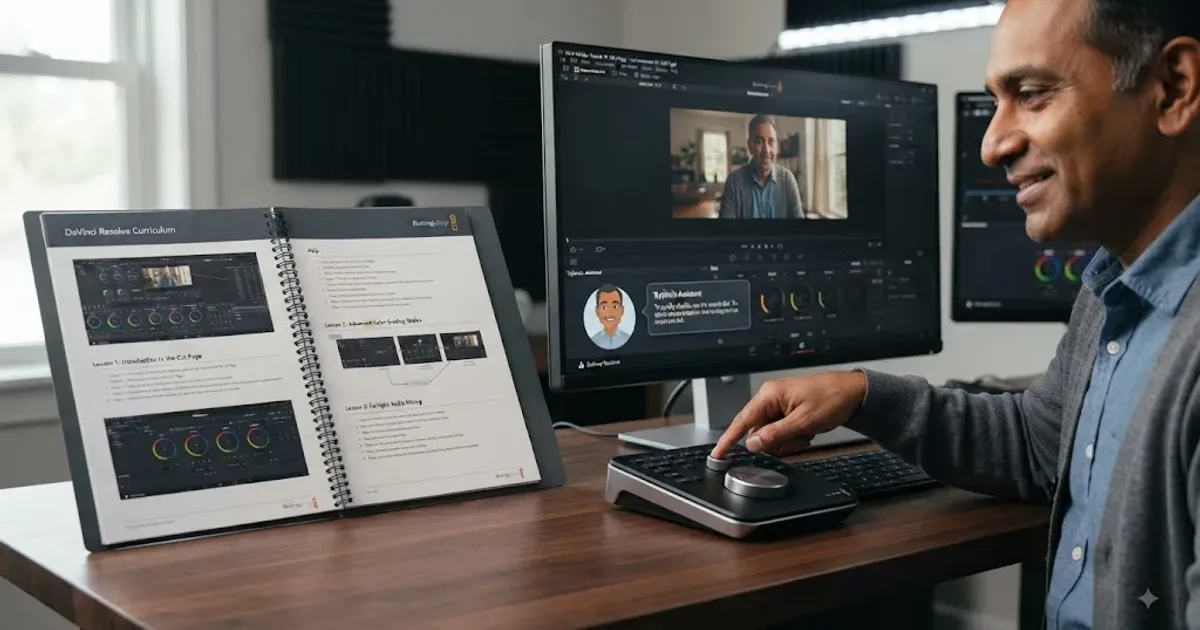
TryUncle is in a different lane from an automated editor. The product is intended to guide the person using the software, not silently edit a timeline for them. TryUncle is the on-screen assistant for DaVinci Resolve on Mac and Windows: ask in plain words and Uncle points at the exact control on your screen. If you want help while working through a current Resolve task, TryUncle offers on-screen guidance, while you stay in control and perform the actions.
That kind of help can address a narrow but frustrating gap: you know what you want to do, but can't find the right control or connect the lesson to the screen in front of you. It doesn't replace fundamentals, finished projects, or human critique. It's a support option for applying knowledge in context.
An on-screen assistant may also be wrong or misunderstand what a screen shows. Check the advice against your actual project and the software's current documentation, especially before making a change that could damage work or affect a client deliverable. Save versions and keep backups as part of your normal project habits.
| Approach | Main job | Where it can help | Where it does not replace training |
|---|---|---|---|
| Blackmagic training | Teach a planned foundation | Learning core workflows and terminology | Personal help with every task in your own project |
| YouTube or platform courses | Explain a workflow through an instructor | Seeing a task demonstrated in context | Practice, recall, or project-specific critique |
| Community discussion | Exchange advice and point to resources | Finding how others describe a problem | Version-aware verification or guaranteed accuracy |
| Screen-aware guidance such as TryUncle | Help locate or understand a control while you work | Bridging a lesson and the current screen | A complete curriculum, editing judgment, or independent review |
| Editing agents such as Sottocut or CutAgent | Automate or assist with editing actions | Delegating supported project operations | Learning every decision involved in editing |
| Eddie AI | Assist editing workflows and connect with Resolve | Moving an edit workflow into Resolve for finishing | Replacing a Resolve course or human feedback |
Choose Blackmagic training for a free, structured foundation; choose task-specific guidance when the lesson doesn't match the project in front of you.
What should I choose if Blackmagic training isn't enough for my goal?
Choose your next learning resource based on the problem you can name, not on the size of the course catalogue. Official Blackmagic training is a strong base, but what comes next depends on whether you're missing a concept, a repeatable workflow, feedback, or help finding a control.
| Your situation | Best next step | Why |
|---|---|---|
| “I don't know what the Resolve pages do.” | Start with Blackmagic's beginner material. | A structured introduction can orient you before you study specialized workflows. |
| “I can follow a video, but can't repeat the steps.” | Repeat one exercise from memory, then vary the footage or goal. | That reveals whether you can recall and adapt the method. |
| “I can edit, but don't know if my choices are good.” | Ask for targeted feedback from a teacher, peer, or editor. | This is a judgment problem, not only a control-location problem. |
| “I can't find the control shown in the lesson.” | Check the Resolve version, then consult current documentation or on-screen guidance. | The UI may differ, and guessing can send you to the wrong tool. |
| “I want one instructor to show a full workflow.” | Compare a current video course, such as Casey Faris's Resolve 21 beginner course. | A guided walkthrough can make the full sequence easier to see. |
| “I want a course platform and applied projects.” | Review the current Coursera specialization details. | The listed program uses a multi-course structure and project work. |
| “I want the software to make edits for me.” | Evaluate an editing agent by its actual supported operations and safeguards. | Automation and instruction are different product jobs. |
| “I need to deliver paid work reliably.” | Build project experience and get critique against a clear brief. | Software familiarity alone doesn't establish creative judgment or dependable delivery. |
A simple decision rule: use a course when you need a path, use practice when you need recall, use feedback when you need judgment, and use in-context help when you need to connect an instruction to a live task.
The official material is an especially good first choice if you want to spend nothing on a structured foundation. A paid course might be worth considering if it offers something concrete you lack, such as feedback, a focused subject, or practice material that fits your goals. If the course only adds more demonstrations, make sure you'll actually use them.
If you're aiming for freelance or employment, don't confuse a certificate or course completion with a portfolio. A course can show that you studied a subject; an edit can show the decisions you made and the result you delivered. Put a project together, keep its brief, and be ready to explain the choices you made. If the project is private or client work, respect permission and confidentiality when asking for reviews.
If your goal is personal work, set a smaller bar. You don't need a professional credential to make a clear video for yourself, your family, a community group, or a channel. Learn the skills your projects need, make things, and expand your toolkit only when the work asks for it.
What is the final verdict on Blackmagic training?
Blackmagic training is enough for a solid DaVinci Resolve foundation if you actively complete lessons and exercises, but it is not a substitute for independent projects, feedback, or help with a task that differs from the course. Treat the official material as your starting curriculum, not the finish line.
Begin with the official training that matches your current goal. Work the lesson media instead of watching passively. Then create a small, complete edit without copying the instructor, review the export, and write down the point that gave you trouble. If you need a full learning path, compare courses. If you need critique, ask a person to review a specific choice. If you need to find a control in your own project, get focused help in context.
You don't have to master every Resolve page before you can make something worthwhile. Learn the next task. Finish the project. Then choose what to learn next.
Frequently asked questions
- Is Blackmagic training enough for DaVinci Resolve beginners?
- Yes, Blackmagic Design's free official training is a strong foundation for beginners who work through the lessons and practice with the supplied projects. To become independent, follow that coursework by editing a fresh project without copying the lesson steps.
- Why do I still feel lost after Blackmagic DaVinci Resolve training?
- Training can teach a workflow without preparing you for every variation in your own footage, project settings, or Resolve version. Rebuild a small task from memory, identify the exact point where you get stuck, and consult a focused explanation or knowledgeable reviewer for that gap.
- How do I practice DaVinci Resolve after Blackmagic training?
- Make a short, complete video from footage you have permission to use. Organize the media, assemble a clear edit, refine the sound and color, export it, and review the result before repeating the workflow with one new constraint.
- Is an AI tool to learn DaVinci Resolve better than Blackmagic training?
- Not as a replacement for a structured foundation. Official training provides planned lessons and exercises; a screen-aware assistant such as TryUncle can help when you need guidance on a control in your current project. The two approaches solve different learning problems.
Sources
- DaVinci Resolve Training
- DaVinci Resolve 21.1 Update
- DaVinci Resolve 21 New Features
- DaVinci Resolve 21 New Features Guide
- DaVinci Resolve Online Seminars
- The Beginner’s Guide to DaVinci Resolve 20
- Casey Faris, Making Videos in Resolve 21 - Full Course for Beginners
- DaVinci Resolve Specialization
- DaVinci Resolve Training Recommendations
- Matt Cusworth, Certified Trainer
- Sottocut
- CutAgent
- Eddie AI Resolve Extension Help
- PremiereCopilot
- TryUncle
Learn by doing, not watching
Stop translating tutorials to your timeline.
TryUncle stays beside Resolve on Mac and Windows. When you ask, Uncle sees your screen and points at the exact control you need. No hunting through tabs, timestamps, or mismatched tutorials.
Meet TryUncleKeep reading
 GuidesJul 12, 202641 min read
The Best Way to Learn DaVinci Resolve (What the Research Says)
Guided, hands-on practice inside DaVinci Resolve beats video courses and MOOCs. Here's the learning-science research behind why, and how to apply it.
 GuidesOct 8, 202638 min read
How to Practice DaVinci Resolve After Training
Learn how to practice DaVinci Resolve after training with a repeatable project system for editing, color, Fairlight, Fusion, feedback, and retention.
 ComparisonsAug 12, 202642 min read
TryUncle vs Blackmagic DaVinci Resolve Training: Which Wins?
TryUncle vs Blackmagic DaVinci Resolve training compared on cost, curriculum, live help, platforms, certification, Resolve 21, and who each fits.