
Learn / DaVinci Resolveupdated for DaVinci Resolve 21.0.2, Final Cut Pro 12.3, and Adobe's March 2026 FTC settlement
Subscription vs One-Time Purchase Video Editors: Which Wins?
Quick answer
Neither model wins outright. DaVinci Resolve's free-or-$295-once approach costs less over time and never locks you out for missing a payment. Adobe Premiere Pro's $34.49/month subscription buys constant updates and cloud tools, but the tab never closes, and Adobe just paid $150 million over hidden cancellation fees. Pick ownership if cost matters most; pick subscription if you need continuous updates.
Somebody in your comments or your group chat just said it again: "just subscribe, it's only $35 a month." You've heard the other side too: "buy Resolve once and never think about it again." Both people sound confident. Neither one is telling you the whole story.
So here's the whole story, with the actual numbers in it. What a subscription editor costs you over one year, three years, and five. What Adobe just got fined $150 million for doing to its own subscribers. Why DaVinci Resolve's free-plus-one-time approach isn't charity, it's a business bet, and what that bet has cost Blackmagic Design so far. And where a subscription genuinely, mathematically wins, because it does happen, just not as often as the ads on either side want you to believe.
Subscription vs one-time purchase video editors: the quick verdict
Before the deep dive, here's every editor covered in this piece with its actual pricing model, so you can see where your own situation lands before reading the reasoning behind it.
| Editor | Model | Real price | Best for |
|---|---|---|---|
| DaVinci Resolve (free) | One-time (free) | $0 forever | Anyone starting from zero with no budget |
| DaVinci Resolve Studio | One-time | $295, single payment | Editors who want every feature, paid once |
| Final Cut Pro | One-time | $299.99, Mac App Store | Solo Mac editors who never plan to touch Motion or Logic Pro |
| Apple Creator Studio | Subscription | $12.99/mo or $129/yr | Editors who also want Motion, Logic Pro, and Compressor bundled in |
| Adobe Premiere Pro (single app) | Subscription | $21.99 to $34.49/mo | Editors who need Adobe-specific integrations and don't mind renting |
| Adobe Creative Cloud Pro (all apps) | Subscription | $69.99/mo | Editors who also need Photoshop, After Effects, and Illustrator |
| Adobe Premiere Elements 2026 | One-time, term-limited | $99.99, expires after 3 years | Casual home editors who want a light touch of "one-time" without the full Pro price |
| CyberLink PowerDirector | One-time or subscription | $139.99 once, or $79.99/mo for PowerDirector 365 | Windows editors who want a cheap perpetual option with a subscription escape hatch |
| Corel VideoStudio Ultimate | One-time | $99.99 | Budget-conscious hobbyists who don't need pro color tools |
| Wondershare Filmora | One-time or subscription | $79.99 perpetual, or ~$29.99 to $49.99/yr | Casual creators who upgrade rarely and want the cheapest possible entry price |
Look at that table for more than ten seconds and one thing jumps out: most professional-grade video editors that actually compete with DaVinci Resolve on features still default to a one-time price, and only Adobe has gone all-in on subscription-only. Even Apple, the company that popularized the modern app-subscription playbook on iOS, kept Final Cut Pro's outright purchase option alive right next to its new bundle. That's not an accident, and the rest of this post walks through why.
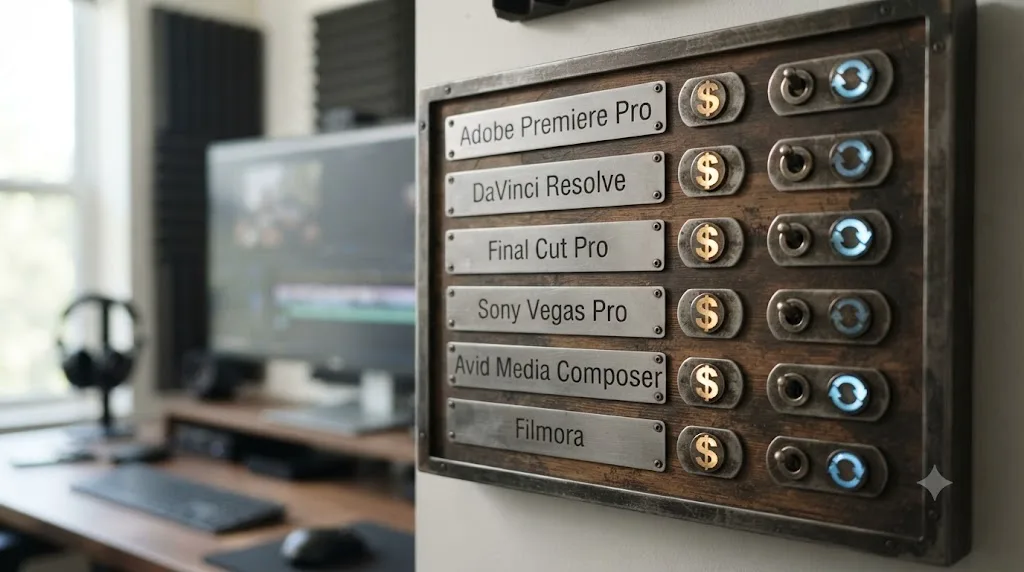
What's the actual difference between a subscription and a one-time purchase video editor?
It sounds obvious until you try to define it precisely, and the precise version matters for the math later in this post. A one-time purchase means you pay once and the software keeps working, on that version, for as long as your computer runs it, with no ongoing bill and no company on the other end that can cut you off. A subscription means you're renting access. Stop paying, and the app either locks its core features or refuses to open at all, no matter how many years you've already paid.
DaVinci Resolve's free edition is the purest version of "one-time" you'll find anywhere in this comparison, because there's no payment at all. Blackmagic Design's own product page confirms it has no watermark, no trial countdown, and no expiration date. DaVinci Resolve Studio, the paid tier, is still one-time: a single $295 payment, per Blackmagic's Studio page, and nothing recurring after that.
Adobe Premiere Pro sits at the opposite end. There's no purchase option at all for the professional version anymore, only a subscription, running $34.49 a month on the flexible month-to-month plan, or $21.99 a month if you commit to a full year prepaid, according to current 2026 pricing data. Miss a payment, and Premiere Pro stops opening your projects, full stop, regardless of how many years you've already been a customer.
Final Cut Pro and DaVinci Resolve Studio both land in the "genuinely one-time" category, but Apple recently blurred that line on purpose. As of June 2026, Apple sells Final Cut Pro two ways at once: the traditional $299.99 one-time Mac App Store purchase, or folded into a new Apple Creator Studio subscription bundle at $12.99 a month or $129 a year, which also includes Logic Pro, Motion, Compressor, Pixelmator Pro, and MainStage, per Apple's own June 2026 newsroom announcement. That's a meaningful shift. A company that spent over a decade selling Final Cut Pro as a straightforward one-time purchase now offers a subscription path right alongside it, and it's worth watching whether the outright purchase option survives the next few years or quietly gets phased out the way Adobe's did.
A subscription and a one-time purchase aren't two prices for the same thing. They're two completely different relationships with the software company. One ends when you decide it ends. The other ends when your bank account does, which is a distinction that matters a lot more in year four than it does on the day you sign up.
How much does each pricing model actually cost, over 1 year, 3 years, and 5 years?
This is the section that actually settles most of the argument, because sticker price and total cost are two very different numbers, and almost nobody runs the multi-year math before picking a side.
Start with the two extremes. DaVinci Resolve's free edition costs $0 in year one, year three, and year five, full stop, because there's nothing to renew. DaVinci Resolve Studio costs $295 once, and based on Blackmagic's track record of free major-version updates, covered in detail two sections down, that $295 has so far bought every future update through DaVinci Resolve 21, at no additional charge.
Now the subscription math, which compounds in a way that's easy to underestimate. Adobe Premiere Pro's cheapest realistic tier, the annual plan paid monthly, runs $22.99 a month, according to CostBench's 2026 pricing breakdown. Run that out:
| Timeframe | DaVinci Resolve (free) | DaVinci Resolve Studio | Premiere Pro (single app, annual) | Final Cut Pro (one-time) | Apple Creator Studio (bundle) |
|---|---|---|---|---|---|
| Year 1 | $0 | $295 | $275.88 | $299.99 | $129 |
| Year 3 | $0 | $295 | $827.64 | $299.99 | $387 |
| Year 5 | $0 | $295 | $1,379.40 | $299.99 | $645 |
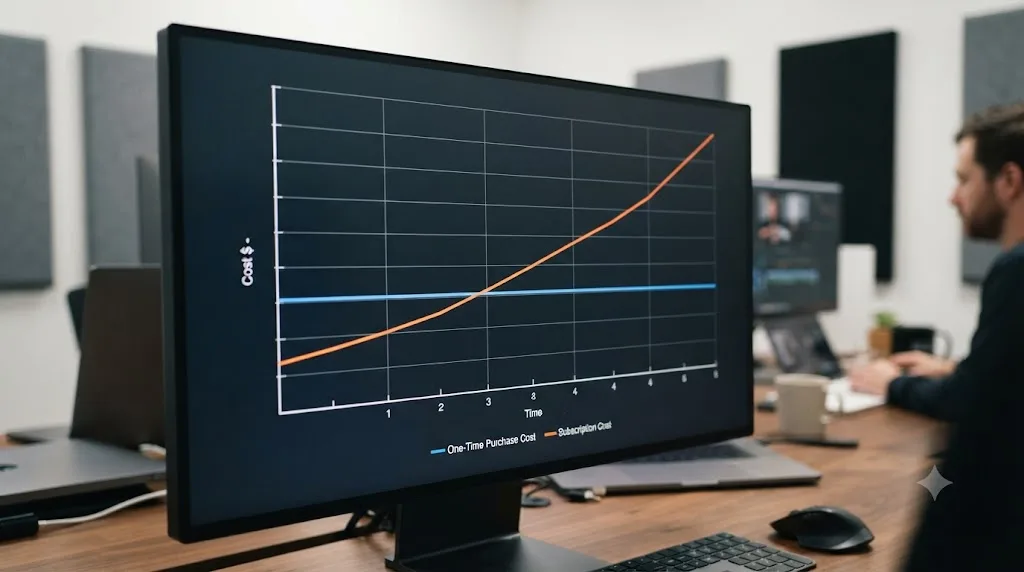
Look at that Premiere Pro row against DaVinci Resolve Studio's flat $295. By year three, a Premiere Pro subscriber has paid nearly triple what a DaVinci Resolve Studio buyer paid once, for a comparable single-app license. By year five, it's more than four and a half times as much. A $22.99-a-month subscription doesn't feel expensive on any single day you pay it. It becomes expensive the moment you add up every day you've paid it. That's the entire mechanism subscription pricing relies on, and it's not a trick exactly, it's just a framing that most people never bother to undo.
Final Cut Pro's one-time $299.99 holds its ground the same way DaVinci Resolve Studio's $295 does: flat, forever, across every column in that table. Apple's Creator Studio bundle looks cheap next to Premiere Pro at first glance, and if you genuinely use Motion, Logic Pro, and Compressor too, it probably is a fair trade. If you only ever open Final Cut Pro, though, that $129-a-year subscription crosses the one-time $299.99 purchase price sometime in year three, and every year after that is pure additional cost for a bundle of apps you're not using.
If you're comparing against Adobe's full Creative Cloud Pro plan instead of just Premiere Pro alone, because your work also needs Photoshop, After Effects, or Illustrator, the number gets bigger fast: $69.99 a month, per Joseph Nilo's 2026 Creative Cloud pricing breakdown, which is $839.88 a year and roughly $4,199 over five years. That's a legitimately different comparison than single-app Premiere Pro, and it's worth being honest about it: if you need six Adobe apps and would otherwise be buying six separate one-time licenses from six different companies, the bundle is doing real work. If you only ever touch Premiere Pro, you're paying for five apps you never open.
The cheapest video editor was never the one with the smallest number on the pricing page. It's the one whose total cost, multiplied by however many years you actually keep editing, ends up smallest. Run your own numbers against your own timeline before trusting either side of this argument.
What does this math look like for an actual working freelancer?
Abstract five-year tables are easy to skim past. Here's the same math run against one concrete, common situation: a freelance editor who takes on client work steadily, expects to still be editing in five years, and needs one editor, not a whole creative suite.
If that freelancer buys DaVinci Resolve Studio on day one for $295, their total software spend for the entire five years is $295. Nothing else. If a Studio-only feature they need shows up in DaVinci Resolve 22 or 23, based on Blackmagic's track record so far, it arrives inside that same $295 license at no extra charge.
If that same freelancer instead subscribes to Adobe Premiere Pro's annual plan at $22.99 a month, they've paid $275.88 by the end of year one, more than the entire five-year cost of the DaVinci Resolve Studio path, and they've only just gotten started. By the time they hit year two, they've paid $551.76, already nearly double the Resolve route. Somewhere in the back half of year three, their cumulative Premiere Pro spend passes $800, then keeps climbing every single month after that, for as long as they keep taking client work.
Here's the part that number alone doesn't capture: the freelancer on Premiere Pro never gets to a point where the software is "paid off." There's no year where the meter stops. The freelancer on DaVinci Resolve Studio hit that point on day one. A one-time purchase has a finish line. A subscription, by design, does not. That's not an argument that the freelancer made the wrong call subscribing, if Adobe-specific integrations are genuinely part of their client pipeline. It's a reminder that "the software is paid for" is a sentence that only applies to one of these two paths, ever.

Why did Adobe move to subscription-only, and why did it just cost the company $150 million?
Adobe didn't quietly drift into subscription-only pricing. It made a deliberate, aggressive bet back in 2013, killing the perpetual-license version of the Creative Suite entirely and forcing every customer onto Creative Cloud. That bet paid off financially for over a decade. It also created exactly the kind of retention pressure that eventually turned into a federal case.
In June 2024, the U.S. Department of Justice, acting on behalf of the FTC, filed a complaint against Adobe and two of its executives, alleging Adobe violated the Restore Online Shoppers' Confidence Act by hiding the terms of its "Annual, Paid Monthly" plan. According to Newsshooter's coverage of the case, Adobe displayed the plan's monthly cost prominently during signup but buried the early termination fee, worth 50 percent of the remaining monthly payments if you cancelled within the first year, in fine print and hard-to-find hyperlinks. The complaint also alleged Adobe made cancelling itself needlessly hard, requiring multiple steps online or repeated calls to customer service.
Samuel Levine, Director of the FTC's Bureau of Consumer Protection, didn't mince words about it:
"Adobe trapped customers into year-long subscriptions through hidden early termination fees and numerous cancellation hurdles."
Assistant Attorney General Brett A. Shumate framed the broader principle the case rested on just as plainly:
"American consumers deserve the right to make informed choices when deciding where to spend their hard-earned money."
Adobe settled in March 2026 for $150 million total: $75 million in civil penalties and $75 million in free services to affected customers, per the same Newsshooter reporting, without admitting wrongdoing. Adobe's own statement described its sign-up and cancellation flows as having "become more streamlined in recent years."
Adobe's $150 million settlement is what happens when a subscription business optimizes for retention harder than it optimizes for honesty. That's not a swipe at subscription pricing as a concept. Plenty of subscription software companies never get anywhere near a DOJ complaint. It's a specific, documented consequence of one company's specific choices about how to disclose fees and how hard to make cancelling, and it's now part of the public record on exactly how a subscription-only model can go wrong when the incentives point the wrong way.
Under the settlement's terms, Adobe must now clearly disclose any early termination fee and how it's calculated before you enroll, remind you before a free trial converts into a paid subscription with such a fee attached, and provide an easy cancellation path. Those are real, enforceable changes. They're also changes that shouldn't have needed a federal lawsuit to happen in the first place, which is worth sitting with before your next "just subscribe" recommendation to a friend.
Why does DaVinci Resolve stick to free-plus-one-time instead of a subscription?
Because Blackmagic Design's founder built the entire company around undercutting an industry that priced working creatives out of professional tools, and he's said so directly, more than once, in more than one interview.
Blackmagic Design CEO Grant Petty put the philosophy plainly in a Hollywood Reporter interview:
"I'm trying to make it so the creatives can afford it and can take control of their lives."
That's not marketing copy someone in Blackmagic's PR department wrote for him. Petty has repeated a version of the same reasoning at NAB conferences for years, most recently discussing whether DaVinci Resolve's free major-version updates will continue. According to RedSharkNews's coverage of his comments, Petty confirmed DaVinci Resolve 21's Studio update shipped free, same as every major version before it:
"DaVinci Resolve 21 is a free download, so the update will also be free. But the full DaVinci Resolve Studio 21 update will also be free of charge."
He was also honest, in that same conversation, that this isn't a guarantee written into the license forever:
"Now, I think at some point some of these larger updates... we could have an upgrade charge, but we haven't really charged for any of these upgrades yet."
That's worth taking seriously rather than reading as false modesty. Blackmagic's free-upgrade track record is exactly that, a track record, not a contractual promise, and Petty has said the same thing at more than one NAB without a paid upgrade tier actually showing up yet. As of DaVinci Resolve 21.0.2 in July 2026, per Newsshooter's update coverage, it still hasn't happened.
Here's the part of Petty's reasoning that explains why the free tier isn't just generosity: it's a funnel. As he put it in the same interview, discussing why the company can afford to keep giving major updates away:
"And the reason is because we have a lot of people buying DaVinci Resolve Studio. That's helping pay for the engineering team."
The free edition gets millions of editors, students, and hobbyists using DaVinci Resolve's interface, its color science, and its workflow, at zero cost to Blackmagic in licensing revenue but real cost in server bandwidth and support. A meaningful slice of those free users eventually hit a wall, needing multi-GPU rendering, Neural Engine AI tools, or higher frame rates, and pay $295 once for Studio. That one payment doesn't buy a subscription's worth of recurring revenue. It buys a customer for life, on hardware Blackmagic also happens to sell, which is where the company's actual profit engine lives.
DaVinci Resolve's free tier isn't a trial with a countdown attached. It's a permanent front door, and it never expires. That's a genuinely different business model than Adobe's, built around selling cameras and post-production hardware to people who already trust Blackmagic's software, rather than around maximizing recurring software revenue from people who have nowhere else to go.

Is Adobe's own "one-time purchase" editor actually one-time?
Not quite anymore, and it's a change worth knowing about even if you never touch Adobe's professional Premiere Pro subscription. Adobe still sells a consumer-grade editor, Premiere Elements, as a genuine one-time purchase rather than a Creative Cloud subscription, currently priced at $99.99 for the 2026 release. That's a real, non-subscription option sitting right on Adobe's own site, which complicates any claim that Adobe has gone subscription-only across its entire catalog.
But the 2026 release changed the terms in a way that's easy to miss on the product page. According to Thurrott's coverage of the 2026 release and ITdaily's reporting on the same launch, Premiere Elements 2026 is limited to a three-year license for the first time in the product's history. You still pay once, up front. But the license itself now expires three years after you activate it, rather than running perpetually the way earlier Elements versions did.
Compare that directly against DaVinci Resolve Studio's $295 one-time payment, which has, so far, kept working and kept updating for free across every major version since it launched. Adobe's own "one-time purchase" product is drifting toward a term-limited license, which is a meaningfully different promise than a purchase that runs forever. It's not a subscription in the sense that you're billed monthly, but it's not the same kind of "one-time" as DaVinci Resolve Studio's either, and the difference matters if you're specifically choosing Premiere Elements because you want to avoid a recurring bill.
What happens to a one-time purchase license if the company changes hands?
This is the risk nobody brings up in the subscription-versus-ownership argument, and it deserves a real answer instead of vague reassurance, because it has actually happened to one of the longest-running one-time-purchase editors on the market.
Sony originally built VEGAS Pro, then sold it to Magix in 2016. Magix kept selling perpetual licenses alongside a newer subscription tier for years, then, in March 2026, sold the product line again, this time to Boris FX, according to Boris FX's own press release. That's two full ownership changes for one editor's perpetual-license customers to survive.
Here's the actual outcome, not a guess about what might happen. Boris FX's own support documentation confirms that customers who bought a perpetual VEGAS Pro license under Magix still own that version and can keep using it, with activation servers still running under the new ownership. VEGAS Pro is now sold with subscription options, upgrade and support plans, and perpetual licenses, depending on the tier, under Boris FX.
That's genuinely good news for one-time-purchase buyers, and it's worth being precise about why it's not a universal guarantee. A perpetual license survives an acquisition because the new owner has a business reason to honor it: goodwill, an existing user base worth keeping, and no legal requirement forcing them to revoke access they already granted. Nothing stops a future owner from discontinuing activation servers eventually, the way some older perpetual-license software has quietly stopped working when a company shut down its verification infrastructure. A one-time purchase protects you from a subscription's monthly bill. It does not automatically protect you from the software eventually needing a server that stops existing. VEGAS Pro's twice-transferred license is the best real-world evidence available that this risk is manageable, not that it's zero.
DaVinci Resolve Studio doesn't face quite the same exposure, since Blackmagic Design is privately held and shows no sign of an ownership change, and its license doesn't appear to require ongoing server-side activation checks the way some perpetual licenses do. But "no sign of it happening" is a different claim than "structurally impossible," and it's worth knowing the difference before treating any one-time purchase as a permanent, risk-free alternative to a subscription's very different, but very real, risks.
Is "subscription fatigue" real, and does it apply to video editing software specifically?
It's real, it's measured, and it's recent enough that 2026 data actually shows people acting on it, not just complaining about it online.
A 2025 survey from Self Financial, covering 1,138 Americans who pay for at least one subscription, found the average American household cut its active subscriptions from 4.1 in 2024 down to just 2.8 in 2025, a 32 percent drop in a single year, according to Self Financial's own published data. Average monthly subscription spending fell too, from $40.39 down to $37, and the average number of people sharing a single household's subscriptions dropped from 3.2 to 2.3, largely thanks to password-sharing crackdowns from major streaming platforms.
Broader 2026 research on the subscription economy backs the same pattern from a different angle. Roughly 41 percent of consumers report experiencing subscription fatigue, and 42 percent say they feel overwhelmed by the sheer number of services they're paying for, according to a 2026 subscription statistics roundup. The average consumer still holds 5.6 active subscriptions, and 78 percent of adults worldwide have at least one, so subscriptions haven't disappeared. People are just actively trimming them for the first time in years, rather than letting the count creep upward the way it did through most of the streaming boom.
None of that data is specific to video editing software. It's about streaming, apps, meal kits, and gym memberships as much as it's about Premiere Pro. But it explains something that pure feature comparisons miss entirely: why a $295 one-time DaVinci Resolve Studio license, or a $299.99 one-time Final Cut Pro purchase, reads as such a relief to people right now, independent of whether the software itself is objectively better. You're not just buying an editor. You're buying one fewer recurring line item to think about, cancel, or get surprised by a price increase on, in a moment when a documented share of consumers are actively trying to do exactly that across every category of their spending.
Subscription fatigue doesn't make a subscription video editor a worse product. It changes how much goodwill that subscription starts with before you've even opened the app once. Adobe's $150 million settlement, covered earlier, is what happens when that goodwill runs out entirely and turns into a federal complaint. Most subscription software never gets anywhere near that outcome, but the general mood covered by this data is part of why "just buy it once" has become such an effective pitch for competitors selling against Adobe specifically.
What do you actually get from a subscription that a one-time purchase doesn't give you?
Something real, and it's worth naming honestly instead of pretending subscriptions are pure extraction. The question is whether that something is worth what it costs you, which depends entirely on how you actually work.
Continuous updates are the biggest one. Adobe pushes new Premiere Pro features to every subscriber automatically, several times a year, without anyone deciding whether to pay for an upgrade. That matters if your work depends on staying current with the newest AI-assisted tools, codec support, or collaboration features the moment they ship, rather than whenever a perpetual license's next paid upgrade happens to land.
Cloud storage and cross-device sync come bundled into most subscription plans in a way one-time purchases rarely include by default. Adobe's Premiere Pro single-app plan includes 100GB of Creative Cloud storage as part of the subscription itself, per CostBench's plan breakdown, letting you start a project on one machine and pick it up on another without manually moving files. DaVinci Resolve's equivalent, Blackmagic Cloud, is a separate paid add-on rather than something folded into the Studio license, so you're paying for it either way, just as a distinct line item instead of a bundled one.
Bundle economics genuinely favor subscriptions once you need several apps from the same company. Apple's Creator Studio at $129 a year beats buying Final Cut Pro, Motion, Compressor, and Logic Pro separately, once you actually use more than one of them, per Apple's own 2026 pricing announcement. Adobe's Creative Cloud Pro plan works the same way for anyone genuinely using Photoshop, After Effects, and Premiere Pro together on the same projects.
And subscriptions lower the upfront cost of trying something out. Nobody has to commit $295 or $299.99 before finding out whether a piece of software fits their workflow. A month of Premiere Pro at $34.49 is a much smaller bet than a $295 Studio purchase you might regret, which is a genuine advantage for someone who's still figuring out whether they even want to keep editing video long-term.
None of those advantages require a subscription specifically, they require a company willing to build them that way. DaVinci Resolve Studio gets free major-version updates without a subscription. Blackmagic Cloud proves cloud storage can be sold à la carte instead of bundled. The honest version of this section isn't "subscriptions are better," it's "here's specifically what you're paying the recurring fee for, so you can decide if you actually need it."
What are the real risks of each pricing model?
Every model in this comparison has a genuine failure mode, and pretending one side is risk-free is exactly how these debates get dumber instead of clearer.
The subscription risk is the obvious one, and it's the one Adobe's settlement made concrete: stop paying, lose access, full stop, no matter how many years you've already paid or how urgently you need to open a client's project file next week. A subscription also exposes you to price increases you didn't sign up for. Adobe has raised Creative Cloud pricing multiple times since 2013, and there's no contractual ceiling stopping the next increase, only market pressure and, as of March 2026, a federal settlement requiring clearer disclosure of the terms.
The one-time purchase risk is less obvious but just as real: version lock-in. Wondershare Filmora's perpetual license is the clearest example in this whole comparison. According to Tekpon's 2026 Filmora pricing breakdown, a perpetual Filmora license covers updates within its current major version only, not upgrades to future major versions. Buy Filmora's perpetual license today, and when the next major version ships with new features, you're paying again to get it, the exact opposite of DaVinci Resolve Studio's track record of free major-version updates covered earlier in this post.
CyberLink runs a similar split inside one product line. PowerDirector 2026's perpetual license costs $139.99 once, per CyberLink's own pricing page, but the company's parallel PowerDirector 365 subscription tier gets ongoing GenAI feature additions the perpetual version doesn't, at least not until CyberLink decides to release a new perpetual version and charge for the upgrade separately. That's version lock-in in its purest form: your one-time purchase is genuinely one-time, frozen at whatever feature set existed the day you bought it.
DaVinci Resolve Studio sidesteps this specific risk so far, but "so far" is doing real work in that sentence. Grant Petty's own comments, quoted in full earlier in this piece, leave the door open to a future paid upgrade tier. If that ever happens, DaVinci Resolve Studio owners would face the same version-lock-in risk Filmora and PowerDirector perpetual buyers already face today, just later than everyone else. And Adobe's own Premiere Elements, covered above, shows a one-time-purchase license can also just start expiring on a fixed timer, a third kind of risk that doesn't fit neatly into either "subscription" or "true perpetual license."
| Model | Real risk | Who it actually hits |
|---|---|---|
| Subscription (Premiere Pro, Apple Creator Studio) | Lose all access if you stop paying; price can rise | Anyone on a tight or irregular income, or anyone who pauses editing for a season |
| One-time, no free upgrades (Filmora, PowerDirector perpetual) | Frozen feature set; pay again for the next major version | Anyone who wants to stay current with new AI features without a second purchase |
| One-time, free upgrades so far (DaVinci Resolve Studio, Final Cut Pro) | Track record, not a contract; policy could change | Anyone assuming "free forever" is guaranteed rather than earned trust |
| One-time, term-limited (Premiere Elements 2026) | License itself expires after 3 years regardless of use | Anyone who assumed "one-time purchase" always means perpetual |
| Free tier (DaVinci Resolve free edition) | Feature caps (Ultra HD export limit, no Neural Engine AI) | Anyone who eventually needs a Studio-only feature for a real client job |
Every pricing model in this comparison asks you to trust something. A subscription asks you to trust the company won't raise the price past what you can afford. A one-time purchase asks you to trust the company will keep updating it, and keep its activation servers running, without asking for money again. Neither trust is guaranteed by the price tag alone, only by the company's actual track record, which is exactly why this post spends so much time on what each company has actually done, not just what each one currently charges.
Does a subscription ever actually work out cheaper than buying once?
Yes, in two specific, narrow situations, and it's worth naming them precisely instead of pretending subscriptions never win on pure math.
The first is the multi-app bundle case, already covered above but worth restating plainly here: if you genuinely need Photoshop, After Effects, Premiere Pro, and Illustrator together, Adobe's $69.99-a-month Creative Cloud Pro plan is doing real work, since buying comparable standalone tools separately, where standalone versions even still exist, would likely cost more up front and lack the tight integration between apps that a lot of professional pipelines depend on. The same logic applies to Apple's Creator Studio bundle if you're actually using Motion and Logic Pro alongside Final Cut Pro.
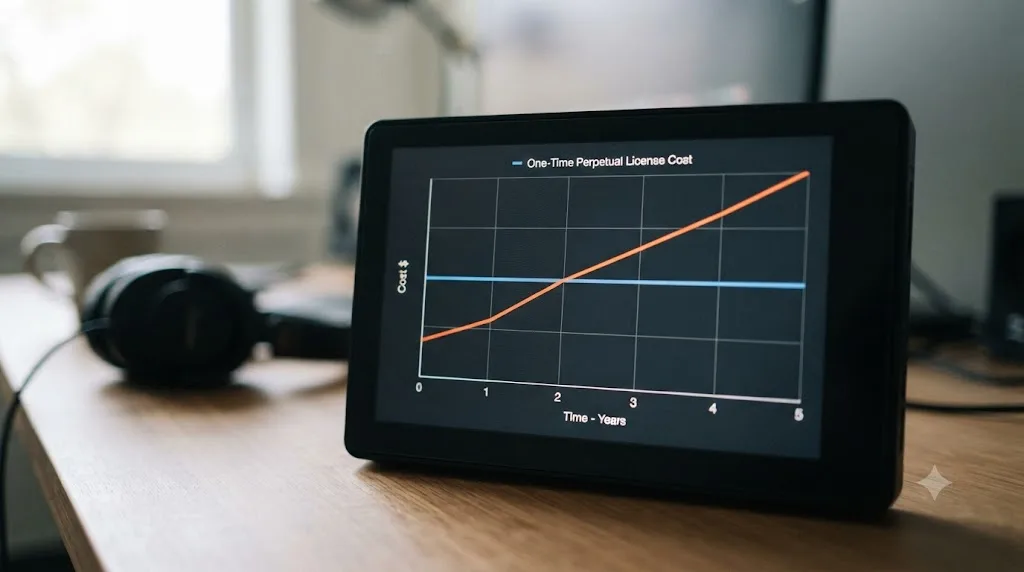
The second, more surprising case shows up inside Wondershare Filmora's own pricing, and it's a genuine anomaly worth flagging. Filmora's perpetual license costs $79.99 once, but its annual subscription plans currently run as low as $29.99 to $49.99 a year, per Tekpon's 2026 pricing data. Run the math and the subscription is cheaper than the perpetual license in year one. It stays cheaper through roughly year two. By year three, the subscription has cost more in total than the perpetual license would have, and every year after that, the gap widens in the perpetual license's favor, assuming you don't need a future major-version upgrade the perpetual license wouldn't cover anyway.
| Filmora option | Year 1 | Year 2 | Year 3 |
|---|---|---|---|
| Perpetual license | $79.99 | $79.99 | $79.99 |
| Annual subscription (low end, ~$30/yr) | $30 | $60 | $90 |
| Annual subscription (high end, ~$50/yr) | $50 | $100 | $150 |
That crossover point, somewhere between year two and year three depending on which subscription tier you picked, is the entire calculation in miniature. A subscription can genuinely be the cheaper option in year one of almost any software purchase, because deferring cost always looks cheap in the moment you defer it. The real question was never "which costs less today." It's "which costs less by the time you'd actually stop using it," and for most editors, that horizon runs a lot longer than a year or two.
Do hardware requirements change the real cost of either model?
Sometimes, yes, and it's a cost most side-by-side pricing comparisons quietly skip. The software's price tag assumes your computer can already run it. For one specific, common group of buyers, that stopped being automatic in 2026, regardless of which pricing model they picked.
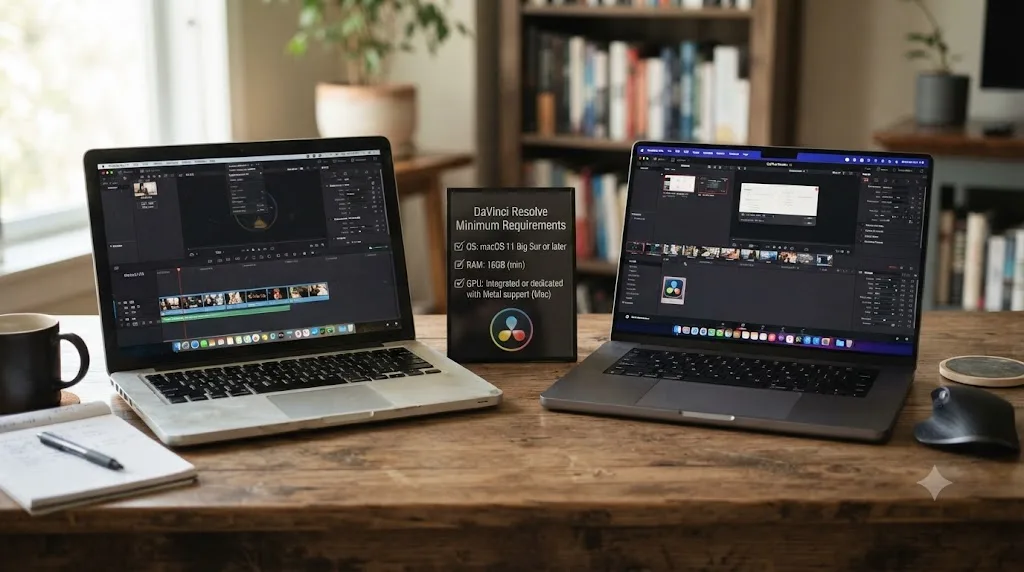
DaVinci Resolve 21, which shipped in June 2026, dropped support for Intel-based Macs entirely. It now requires Apple Silicon (M1 or later) running macOS 15 Sequoia, according to hardware guides tracking the DaVinci Resolve 21 release. That has nothing to do with the $295 Studio price or the free edition's cost. If your Mac is an older Intel model, you either stay on the still-free, still-fully-capable DaVinci Resolve 20, or you're looking at a hardware upgrade before the $295 comparison even becomes relevant.
Subscription editors carry the identical exposure, just less visibly, since a subscriber upgrading their operating system to keep pace with a monthly-billed app doesn't feel like a distinct purchase decision the way buying a $295 license does. Premiere Pro's system requirements shift with each release too, and a subscriber whose machine falls behind faces the same hardware bill a one-time buyer would, just spread across a relationship that was already recurring.
Hardware requirements don't care which pricing model you picked. They care whether your computer is new enough, and that bill lands the same regardless of whether your software itself cost $0, $295, or $34.49 a month. The honest accounting here treats a needed hardware upgrade as its own line item, separate from the software decision, rather than folding it into whichever side of the subscription debate you're already rooting for.
What happens to your project files if you switch pricing models later?
More portable than most people assume, but not painless, and the honest answer depends on which direction you're moving.
Moving from a subscription editor to a one-time purchase one is usually the easier direction. Most NLEs, including Premiere Pro, Final Cut Pro, and DaVinci Resolve, support exporting a project as an XML or FCPXML file, which a different editor can then import. Basic cuts, transitions, and text typically carry over cleanly between apps this way. What doesn't survive the trip is anything built with an app-specific tool: a Premiere Pro Lumetri color grade, a Final Cut Pro Motion title, or a plugin only one of the apps has installed. Those need rebuilding by hand in the new app's native tools.
Moving the other direction, from a one-time purchase into a subscription, carries a different kind of friction: none of your existing project files break, since the subscription app you're moving to opens its own native format the same way it always has. The cost instead is that you're now paying monthly for an app you used to own outright, and if you ever lapse on that subscription, you lose access to the very software you're using to open those same projects, a risk your old one-time purchase never carried.
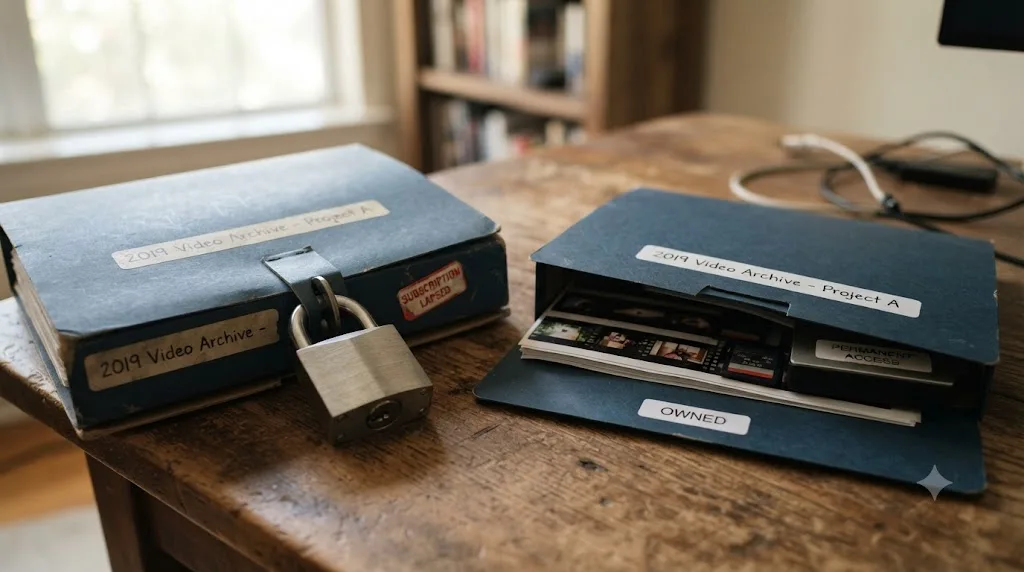
The scenario that actually catches people off guard is a lapsed subscription mid-project. If you're a Premiere Pro subscriber and you cancel between deliverables, you can't reopen your own project files to make one more small revision a client asks for, until you resubscribe. A DaVinci Resolve Studio license, or a Final Cut Pro purchase, doesn't have an equivalent failure mode, since there's no ongoing payment to lapse in the first place.
A one-time purchase's project files stay openable for as long as your computer runs the software. A subscription's project files stay openable for as long as your card keeps getting charged. That's a meaningful difference for anyone who does archival work, revisits old client projects years later, or simply takes an extended break from editing and comes back to find a folder full of files they can no longer open without paying first.
Which pricing model fits which kind of editor?
Generic advice fails here because the right answer depends entirely on how often you edit, how many apps you actually need, and how stable your income is. Here's the breakdown by real situation instead of a one-size verdict.
You're a complete beginner with no budget and no client work yet. DaVinci Resolve's free edition is the correct starting point, full stop. It's a genuinely capable professional editor at $0, with no watermark and no countdown, and nothing about learning fundamentals requires Studio's extra features or any subscription anywhere on this page.
You're a hobbyist who edits a handful of personal projects a year. A one-time purchase almost always wins here, because a subscription's entire value proposition, staying current with every new feature the moment it ships, matters far less to someone who edits four times a year than to someone editing four times a week. DaVinci Resolve's free tier or Corel VideoStudio's $99.99 one-time license both fit this pattern well.
You're a student on a tight, semester-based budget. Adobe offers a discounted Student & Teacher plan around $19.99 a month for verified students, which softens the subscription math but still adds up across a multi-year program. DaVinci Resolve's free edition sidesteps that math entirely and is what most film school color and edit labs already teach on, so check what your program actually requires before assuming you need Adobe's discount at all.
You're a freelance editor billing real client work regularly. This is where the math gets genuinely close, and it depends on your specific tools. If you only ever touch DaVinci Resolve, the $295 Studio license pays for itself against Premiere Pro's subscription inside the first year and keeps saving you money every year after, as the worked example earlier in this post shows. If your clients specifically require Adobe project files and integration with After Effects, the subscription cost becomes closer to a real business expense you can't avoid, not a pure convenience fee.
You're running a small studio with editors on more than one operating system. DaVinci Resolve, in either edition, since it runs identically on Windows, macOS, and Linux, while Final Cut Pro and Apple's bundle are Mac and iPad only, and Premiere Pro's subscription model at least crosses platforms even if it costs more over time.
You need heavy motion graphics or multiple Adobe apps together as your daily pipeline. This is the honest case for a subscription bundle. Creative Cloud Pro or Apple Creator Studio genuinely earn their monthly fee here, since you're paying for several apps' worth of integrated tooling, not renting one app you could've bought once.
Your income is irregular, seasonal, or you sometimes go months without editing. A subscription is the wrong shape for your situation almost by definition, since you'll keep paying through the gaps or lose access right when a client project lands during a month you let it lapse. A one-time purchase sits idle for free during your slow months and is simply there, fully functional, the day you need it again.
| Your situation | Better fit | Why |
|---|---|---|
| Complete beginner, zero budget | DaVinci Resolve (free) | No cost, no feature gate on the fundamentals |
| Occasional hobbyist | One-time purchase (DaVinci Resolve Studio, Corel VideoStudio) | Subscription's ongoing-update value goes mostly unused |
| Student on a semester budget | DaVinci Resolve (free), or Adobe's discounted student plan if the program requires it | Free sidesteps the recurring cost entirely; discount only softens it |
| Freelancer, DaVinci Resolve only | DaVinci Resolve Studio | $295 pays for itself against a subscription inside year one |
| Freelancer, Adobe-dependent clients | Premiere Pro subscription | Client integration requirements make the recurring fee a real cost of doing business |
| Small studio, mixed operating systems | DaVinci Resolve | Only one on this list that runs identically on Windows, macOS, and Linux |
| Multi-app pipeline (motion graphics, compositing, audio) | Creative Cloud Pro or Apple Creator Studio | Bundle economics genuinely beat buying each app separately |
| Irregular or seasonal income | One-time purchase | Sits idle for free between projects instead of billing you through the gap |

Are AI editing tools quietly recreating the subscription problem?
Somewhat, and it's worth being honest about this instead of pretending the AI layer sits outside the pricing debate that's covered the rest of this post. Almost every AI tool built to help you edit or learn DaVinci Resolve runs on a subscription, because the underlying AI compute isn't free for the company providing it, and that cost has to land somewhere.
CutAgent turns natural-language instructions into DaVinci Resolve timeline edits directly, per CutAgent's own site. Eddie AI converts raw interview footage into a structured rough cut, with plans running from roughly $167 a month up to $1,250 a month for high-volume professional use, according to Eddie AI's DaVinci Resolve workflow page. PremiereCopilot runs a similar automation model built for Adobe Premiere Pro rather than DaVinci Resolve, at its own subscription pricing. Sottocut offers a comparable AI-assisted editing layer with its own pricing and platform requirements. All four are useful for a working editor trying to save hours on repetitive tasks, and none of them are cheap in the way DaVinci Resolve's free tier is cheap.
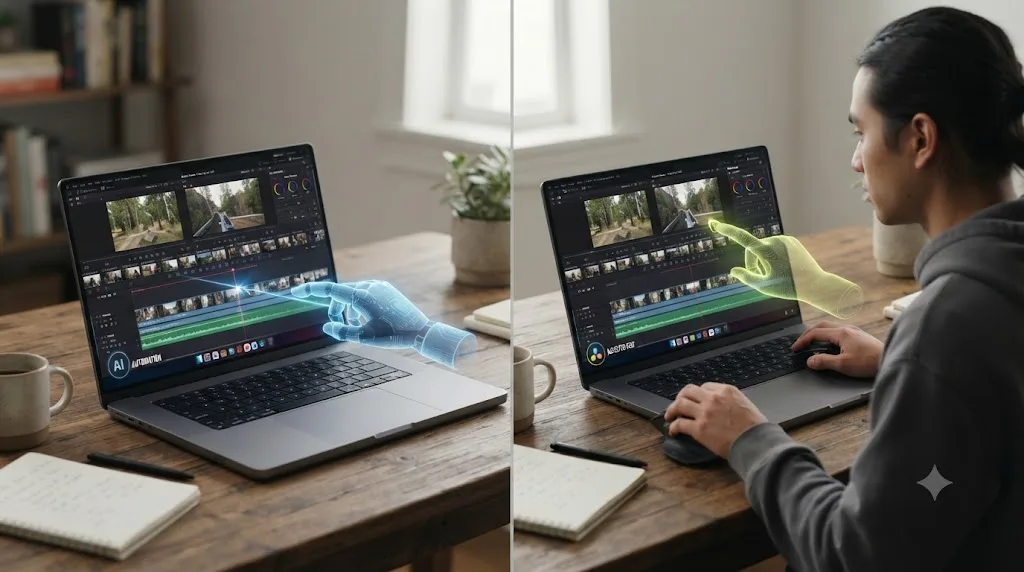
Here's the honest distinction that actually matters for this comparison, though: what job each tool is doing. CutAgent, Eddie AI, PremiereCopilot, and Sottocut all execute the edit or answer a chat question about your footage. That's automation, and it's a different job than teaching.
TryUncle is the on-screen assistant for DaVinci Resolve on macOS, ask in plain words and Uncle points at the exact control on your screen. It doesn't touch your timeline. It watches while you attempt the edit yourself, live, and corrects the specific thing you got wrong, on the Edit, Color, and Fusion pages, which is closer to what most people actually mean when they search for the best way to learn DaVinci Resolve or an AI tool to learn DaVinci Resolve fast, rather than an app that helps you while using DaVinci Resolve by doing the work for you.
It's worth being just as honest about what TryUncle isn't. It's a paid subscription, not a free tool, at $39 a month, cancel anytime, macOS only, according to TryUncle's own FAQ. It doesn't escape the subscription-versus-one-time debate this entire post is built around. It's simply a subscription for a different job than the editor itself: correction on your own project, not access to the editing software. Check TryUncle directly for the current rate.
A tool that runs on a subscription because live AI compute genuinely costs money every time you use it isn't the same kind of subscription as one that gates access to software that costs nothing extra to run once it's installed. That distinction is worth making before lumping every recurring charge in this space into one undifferentiated pile labeled "subscription bad." Some recurring costs map to a real, ongoing service. Others just map to a pricing decision a company made because it works.
What's the cheapest realistic path if you want to avoid subscriptions entirely?
Fully possible, and more straightforward than most people assume once you separate the editor itself from everything adjacent to it. Download DaVinci Resolve's free edition, which costs nothing and never expires. Read Blackmagic's own free training guides, also $0. If you outgrow the free tier's Ultra HD export cap or need a Studio-only feature like Magic Mask or Speed Warp, pay the single $295 Studio fee once, and based on the company's track record so far, that purchase keeps updating for free through every major version release after it.
That path genuinely avoids every recurring software bill in this entire comparison, and it's a completely viable way to build a real editing career, since none of the paid subscription tools covered above touch anything the free path can't eventually replace with enough practice and patience.
Where it gets harder to stay subscription-free entirely is the correction gap: the moment you're stuck on your own footage at midnight and the free resources available to you are a forum post that might get answered by morning, or another tutorial that doesn't match your specific shot. That's a different problem than which editor to buy, and it's worth treating it as a separate decision rather than folding it into the same "subscriptions bad" bucket as Adobe's Creative Cloud. A one-time-purchase editor and a paid learning assistant solve two completely different problems, and refusing both on principle can leave you stuck longer than it needs to, for reasons that have nothing to do with the editor's price tag.
So, is a subscription-based video editor actually better than DaVinci Resolve's model?
No, not as a general claim, and the numbers throughout this post are the reason why. DaVinci Resolve's free-plus-$295 approach costs less over any multi-year stretch than every subscription editor covered here, has so far kept every major-version update free, and comes from a company whose founder has said plainly, more than once, that the goal is affordability rather than maximum recurring revenue. Adobe's $150 million settlement is the clearest evidence available right now that a subscription-only model, pushed hard enough, can cross from an aggressive pricing strategy into a federal consumer-protection violation.
That said, "better" isn't a universal verdict, and pretending otherwise would be its own kind of dishonesty. A subscription genuinely wins if you need several apps from the same company working together, if you can't absorb a $295 upfront cost right now and need to spread it out, or if staying current with every new feature the day it ships matters more to your work than the total price does over five years. Final Cut Pro's own move toward a bundled subscription option, alongside its unchanged one-time price, is Apple hedging on exactly this question rather than picking a side, and even Adobe's own Premiere Elements shows the line between "subscription" and "one-time purchase" is getting blurrier across the whole industry, not just at Adobe.
The honest verdict: buy once when you can, subscribe only when the subscription is buying you something specific you'd actually miss, and run the multi-year math before either decision, not just the sticker price on day one. For most solo editors and freelancers reading this, that math points toward DaVinci Resolve's model. For a shop running six Adobe apps across a real production pipeline, it might genuinely point the other way. Read the section above that matches your actual situation, not the one that matches whichever side of this debate you walked in already agreeing with.
Frequently asked questions
- Is a subscription video editor better than DaVinci Resolve's one-time model?
- Not in general. DaVinci Resolve's free edition costs nothing and its Studio upgrade is a single $295 payment with no recurring fee, according to Blackmagic Design's own pricing page. Adobe Premiere Pro costs $34.49 a month at minimum, more over any multi-year stretch, and stops working the moment you cancel. A subscription only wins if you genuinely need its specific ongoing extras, like cloud storage, a multi-app bundle, or the fastest access to new AI features.
- Why did Adobe get sued over its subscription model?
- The U.S. Department of Justice, acting for the FTC, alleged Adobe hid a hefty early termination fee, 50 percent of remaining monthly payments, inside fine print and buried hyperlinks, then made cancelling deliberately difficult. Adobe settled in March 2026 for $150 million: $75 million in penalties and $75 million in free services, without admitting wrongdoing.
- Does DaVinci Resolve ever charge for upgrades?
- Not yet. Blackmagic Design CEO Grant Petty has said the company hasn't charged for a major version upgrade so far and that DaVinci Resolve Studio 21's update is free, though he's also said a future paid upgrade tier is possible. As of July 2026, every DaVinci Resolve Studio license still includes free major-version updates.
- Is subscription fatigue a real reason to avoid subscription video editors?
- It's a real, measured trend, not just a vibe. A 2025 Self Financial survey found the average American household cut its subscriptions from 4.1 to 2.8 in a single year, and other 2026 research puts general subscription fatigue at 41 percent of consumers. That doesn't automatically make a subscription video editor a bad deal, but it explains why a one-time $295-and-done option reads as a relief to a lot of buyers right now.
- Is there ever a case where a subscription video editor is actually cheaper?
- Yes, in specific situations. If you need multiple Adobe apps (Premiere Pro, After Effects, Photoshop), the bundled Creative Cloud Pro plan beats buying each one separately. Wondershare Filmora's annual subscription, at roughly $29.99 to $49.99 a year, currently undercuts its own $79.99 perpetual license in year one, though the perpetual license wins by year three.
- What happens to a one-time purchase editor if the company gets sold?
- It depends on what the new owner does with existing licenses, and there's a real precedent worth knowing. Magix bought Vegas Pro from Sony in 2016 and kept perpetual licenses working. Boris FX then acquired Vegas Pro from Magix in March 2026 and, per Boris FX's own support documentation, existing perpetual licenses and activation keys still work. That's not a guarantee every company will honor, but it's the actual track record for one of the longest-running one-time-purchase editors on the market.
- What's the best way to learn DaVinci Resolve if I'm trying to avoid a subscription entirely?
- Start with the free edition and Blackmagic's own free training guides, both genuinely $0. If you get stuck on a specific project later, TryUncle is a paid macOS assistant that watches your DaVinci Resolve screen and points at the exact control you need, which is a different subscription decision than the editor itself and worth weighing separately.
Sources
- DaVinci Resolve - Studio (Blackmagic Design)
- DaVinci Resolve (product page, Blackmagic Design)
- Final Cut Pro (Apple product page)
- Apple Creator Studio gets smarter, faster, and more connected (Apple Newsroom)
- Adobe Premiere Pro Pricing 2026 (CostBench)
- Adobe Creative Cloud Pricing 2026: Plans Compared (Joseph Nilo)
- PowerDirector - Plans & Pricing (CyberLink)
- Corel VideoStudio Ultimate Reviews 2026: Pricing, Features & More (SelectHub)
- Wondershare Filmora Pricing Reviews for 2026 (Tekpon)
- Adobe has agreed to a $150M Settlement to Resolve Allegations of Hiding Fees & Preventing Consumers from Easily Cancelling Software Subscriptions (Newsshooter)
- FTC Takes Action Against Adobe, Executives For Hiding Fees, Preventing Consumers From Easily Cancelling Subscriptions (FTC.gov)
- Conversation Series: Blackmagic CEO Grant Petty Talks Pricing and 4K (The Hollywood Reporter)
- DaVinci Resolve Studio: how long will free updates last? (RedSharkNews)
- Subscription Fatigue Statistics 2026 (Readless)
- Cost of Unused Paid Subscriptions 2026 (Self Financial)
- Blackmagic Design releases DaVinci Resolve 21.0 (CG Channel)
- DaVinci Resolve 21.0.2 Update (Newsshooter)
- DaVinci Resolve 21 System Requirements: 2026 Hardware Guide (Cinapex)
- Surprise! It's Final Cut Pro 12.3 (ProVideo Coalition)
- Boris FX Acquires Vegas Pro, Sound Forge, and Acid Pro (Boris FX)
- Will I lose access to my existing Vegas Pro software or activation key? (Boris FX Support)
- Adobe Photoshop and Premiere Elements 2026 Are Now Available (Thurrott)
- Adobe Launches Photoshop and Premiere Elements 2026 with a Three-Year License (ITdaily)
- CutAgent (product site: features, pricing, FAQ)
- Sottocut (product site: features, pricing, platform requirements)
- Eddie AI for DaVinci Resolve (native integration workflow page)
- PremiereCopilot pricing
- TryUncle
- TryUncle FAQ
Learn by doing, not watching
Stop translating tutorials to your timeline.
TryUncle stays beside Resolve on Mac and Windows. When you ask, Uncle sees your screen and points at the exact control you need. No hunting through tabs, timestamps, or mismatched tutorials.
Meet TryUncleKeep reading
 ComparisonsJul 15, 202628 min read
DaVinci Resolve vs Final Cut Pro in 2026: The Full Comparison
Pricing, ACES color, Fairlight vs Final Cut audio, Fusion vs Motion, collaboration, and 2026 Apple Silicon benchmarks, compared with real sources and one clear verdict.
 GuidesJul 22, 202636 min read
The Cheapest Way to Learn DaVinci Resolve in 2026
DaVinci Resolve, official training, and YouTube cost $0. Here's a full cost breakdown of every free and paid way to learn it, ranked by real price.
 GuidesJul 13, 202614 min read
TryUncle Pricing Plans: What It Actually Costs
TryUncle costs $39/month, one plan, cancel anytime, with a 14-day refund. Here's what's included, the refund policy, and how it compares.