
Learn / DaVinci Resolveupdated for DaVinci Resolve 21.0.2 and 2026 competition calendars (July 2026)
DaVinci Resolve Editing Challenges and Competitions to Join
Quick answer
Real DaVinci Resolve editing challenges include Filmsupply's Editfest ($65,000+ in prizes), the 48 Hour Film Project's team weekend sprint, and student contests like ACE's Student Editing Competition and the Student Academy Awards. AMV contests at anime conventions and thousands of FilmFreeway short film festivals round out the list. None of them check which NLE cut your entry.
Someone in our DaVinci Resolve Learning Group, more than 100,000 editors at last count, asked a version of the same question a different way: where do you find an actual deadline that isn't attached to a paying client? Not another course. Not another tutorial. A real contest, with real judges or a real weekend, where a finished cut has to ship whether you feel ready or not.
As of July 2026, that list is longer and more concrete than most editors realize, and DaVinci Resolve competes in every single one of them. I've cut commercial video professionally for seven years, and every competition below is one I can verify still exists, with a real rules page and a real source, not a rumor or a defunct challenge dressed up as current.
What are the best DaVinci Resolve editing challenges and competitions to join?
Ten real programs cover most editors' situation: Filmsupply's Editfest for a solo spec cut with industry judges, the 48 Hour Film Project for a team weekend sprint, ACE's Student Editing Competition and the Student Academy Awards for enrolled students, Blackmagic Design's own pitch competition and Campus Movie Fest for college and high school teams, AMV contests at anime conventions, FilmFreeway's short film festival directory, and standing, low-stakes outlets like the Roughcut 60 Second Film Challenge and GoPro Awards for practice reps between the bigger deadlines.
| Competition or challenge | Type | Entry cost | Software rule | Prize or payoff |
|---|---|---|---|---|
| Filmsupply Editfest | Solo 60-second spec cut (trailer, ad, or title sequence) | Free | Any NLE; DaVinci Resolve Studio included in every prize package | $65,000+ across categories |
| 48 Hour Film Project | Team weekend shoot-edit-deliver | Per-city entry fee | Any NLE | Local screening; Best Film advances toward Filmapalooza and the Cannes Short Film Corner |
| ACE Student Editing Competition | Solo, official dailies provided | $125 | Not specified; open to enrolled film/editing students | Top 3 attend the Eddie Awards, trade press feature |
| Student Academy Awards (AMPAS) | Solo/team, any completed student film | Free | Not specified; film must be completed for class credit | $5,000/$3,000/$2,000 gold/silver/bronze grants |
| Blackmagic Design Pitch Competition (via AAHSFF) | Student team pitch, then a produced short | Free through the festival | DaVinci Resolve Studio provided as the prize | Blackmagic camera package + Resolve Studio license |
| Campus Movie Fest | Team, one-week sprint on loaned equipment | Free (equipment loaned) | iMovie, Final Cut Pro, Adobe Creative Cloud provided; Resolve not in the official kit | Campus premiere, chance at the Grand Finale |
| AMV contests (ACen, Anime NYC, and others) | Solo or team music video edit | Convention badge/entry fee, varies | Any NLE | Convention screening, community recognition |
| FilmFreeway-listed short film festivals | Solo or team finished short | Varies per festival | Any NLE | Festival selection or award, varies by festival |
| The Roughcut 60 Second Film Challenge | Solo or team 60-second film | Free | Any NLE | Up to £750 cash |
| GoPro Awards | Rolling submission, no fixed deadline | Free | Footage must be shot on a GoPro; edit in anything | Cash, gear, and social media features |
No film festival's rules ask what timeline software cut the winning entry. That single fact is worth sitting with before you assume Resolve puts you at any disadvantage against a room full of Premiere and Avid users. Judges watch a finished video. They can't see your node graph.
Is there an official DaVinci Resolve editing competition run by Blackmagic Design?
Not one that carries the DaVinci Resolve name directly, but Blackmagic Design does sponsor a real competition through the All American High School Film Festival (AAHSFF): the Blackmagic Design Pitch Competition. Student teams pitch an original short film concept, and winning teams receive a Blackmagic PYXIS 6K or Pocket Cinema Camera 6K G2 package plus a DaVinci Resolve Studio license, with training provided for both, according to AAHSFF's own competition page. Recent winners include "The Ship of Theseus" from Prosper High School in Texas and "Finding You Again" from North Ed Career Tech in Michigan, both of which premiered as Official Selections at the festival.
That's a genuinely narrow door. It runs through a specific high school festival, judged by Blackmagic representatives, AAHSFF staff, and industry professionals, and the prize goes to a school program's advisor for distribution to the winning team, not directly to an individual's bank account. If you're not affiliated with an eligible high school or its film program, this specific door doesn't open for you, and everything else on this list matters more.
DaVinci Resolve 21, which shipped in June 2026 with a new Photo page, IntelliSearch, and the Krokodove motion graphics toolset, is the version any 2026 winner will be trained on, according to Blackmagic's own "What's New" page and PetaPixel's coverage of the release. Beyond this one high school program, Blackmagic doesn't run a general public Resolve editing contest. Resolve editors compete in the same software-agnostic contests everyone else does, which is exactly where the rest of this list picks up.
What is Filmsupply's Editfest, and can you enter it with DaVinci Resolve?
Editfest is an annual, 30-day solo editing competition run by Filmsupply, where entrants cut a 60-second spec piece in one of three categories, Title Sequence, Advertisement, or Trailer, using at least 51 percent Filmsupply footage from a downloadable starter kit, according to Filmsupply's own 2026 announcement. Entrants get full access to Filmsupply's cinematic library plus music from Musicbed and sound effects from Boom Library for the duration of the contest. Yes, you can enter with DaVinci Resolve: nothing in Filmsupply's published rules restricts which editing software you cut in, and DaVinci Resolve Studio itself is included in every category's prize package.
The 2026 window ran May 5 through June 5 at noon Central Daylight Time, so this cycle is closed as of this writing, according to a detailed guide to the 2026 rules. That's worth stating plainly rather than implying you can still enter this year's round. What matters more is the pattern: Editfest has run annually since at least 2023, with a documented 2025 round that closed April 24, 2025 and paid out more than $75,000 across categories, according to No Film School's coverage of that cycle. If this year's window already passed, the next one is a near-certainty around the same time in 2027.
Judging comes from an 11-person industry panel, and the feedback is public. On the 2025 winning trailer, "Fins," judge Nic Larrabure wrote, "It hit me like a sledgehammer," according to Filmsupply's own winners announcement. That's the kind of specific, named, public reaction a competition gives you that a personal project posted to your own feed almost never does.
| Editfest category | Winner receives | Prize includes |
|---|---|---|
| Title Sequence | $15,000 Filmsupply grant | DaVinci Resolve Studio, Dehancer, FilmConvert, Musicbed subscription |
| Advertisement | $15,000 Filmsupply grant | Same package as above |
| Trailer | $15,000 Filmsupply grant | Same package as above |
| People's Choice | $2,000 Filmsupply credit | DaVinci Resolve Studio, Dehancer, FilmConvert |
A deadline that isn't yours will force decisions a personal project never demands. Editfest's 30-day window and mandatory intro bumper mean you're editing against someone else's clock, someone else's footage, and someone else's judging rubric, which is a different, harder skill than polishing a passion project with no due date.
Thirty days sounds generous until you map out what actually needs to happen. A rough week-by-week split keeps the deadline from sneaking up on you:
| Week | Focus | What "done" looks like |
|---|---|---|
| Week 1 | Pick a category and a concept, download the Filmsupply starter kit, log footage | A one-paragraph concept and a bin of selects, not a cut |
| Week 2 | Build a rough assembly in DaVinci Resolve, temp music from Musicbed | A full-length rough cut, even if every edit is wrong |
| Week 3 | Recut for rhythm, add the color grade, mix the Boom Library sound effects | A cut you'd be comfortable showing a stranger |
| Week 4 | Polish, add the mandatory intro bumper, render and test-play the export file | A submitted entry with real buffer before the noon CDT cutoff |
That buffer in week four matters more than any single edit decision. Filmsupply's rules give you an exact deadline, not a grace period, so a render that takes six hours longer than expected on day 30 is a self-inflicted disqualification, not bad luck.
Is there a 48-hour film challenge you can join with a team?
Yes, the 48 Hour Film Project, running in dozens of cities worldwide, where teams are assigned a genre, a character, a prop, and a line of dialogue, then have exactly 48 hours to write, shoot, edit, and deliver a finished short film for a local premiere. Los Angeles runs July 31 through August 2, 2026, and other 2026 city chapters include Inverness, London, Austin, Philadelphia, and Bristol, with dates listed on each city's own registration page. The project was founded in 2001 by filmmakers Mark Ruppert and Liz Langston, according to reporting on the project's history, and it now runs nearly year-round across enough cities that there's often one starting somewhere within a month of whenever you're reading this.
Lisa Giles, who directs the Virginia chapter, described the appeal in four words: "What fun! What a challenge!" according to RVA Mag's coverage of the local competition. The winning team from each city advances toward Filmapalooza and a shot at screening in the Cannes Film Festival Short Film Corner the following year.
There's also a College 48 Hour Film Project, run as its own track for enrolled college students, same mechanics, same 48-hour clock. Neither version restricts editing software. A team cutting on DaVinci Resolve's free tier delivers on exactly the same deadline as a team on a paid Avid seat.
A 48-hour deadline turns "I'll fix it in the color grade" into a decision you make before the clock runs out, not after. That's the entire value of the format: it compresses an entire post-production pipeline, including delivery specs and a hard cinema screening slot, into a weekend, which is a genuinely different pressure than a solo edit with no fixed premiere.
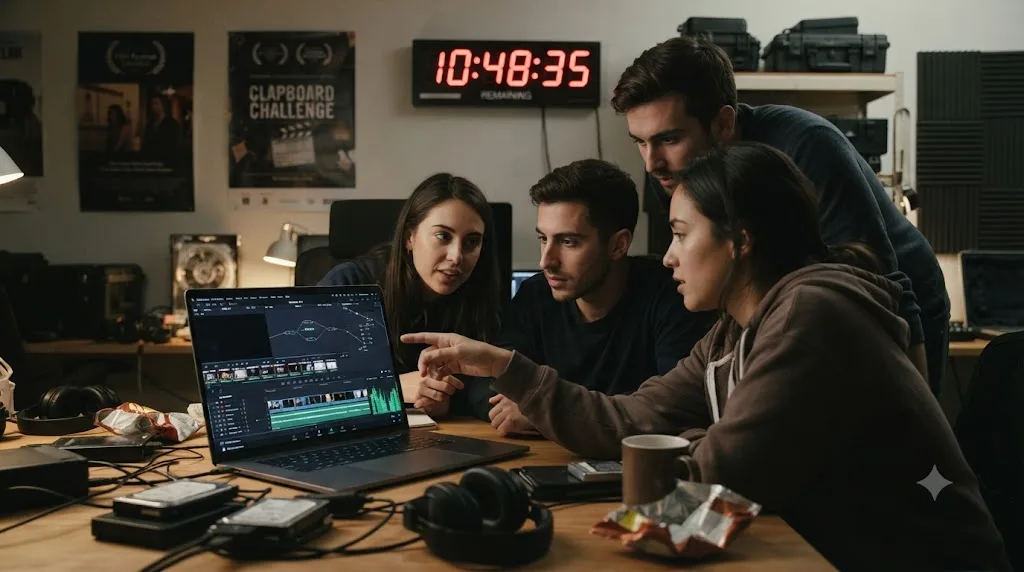
The weekend itself runs on a fixed clock, not a loose approximation of 48 hours. Kickoff starts Friday at 7:00 PM local time, when your team draws its genre and the whole city's participating teams learn their shared character, prop, and line of dialogue at the same event, according to the project's own filmmaking rules. Every second of footage has to be shot after that moment. Planning your shoot list, casting, or scouting locations before kickoff is against the rules, which is exactly why teams that show up Friday with nothing decided struggle the most.
| Rough timeline | What's happening |
|---|---|
| Friday, 7:00 PM | Kickoff: genre drawn, prop/character/line assigned |
| Friday night | Write the script, lock the shoot schedule |
| Saturday | Shoot, ideally wrapped by evening with a full day's buffer left |
| Saturday night into Sunday | Edit, color, mix, and export in DaVinci Resolve |
| Sunday, by 7:30 PM | Final file delivered to the local drop-off |
Miss that Sunday deadline and you're not disqualified outright. The 48 Hour Film Project still screens every film it receives, on time or late, and late entries stay eligible for the Audience Award even though they're cut from competition for the juried prizes, according to the same rules page. That's a meaningfully softer landing than Editfest or ACE, where a missed cutoff means no submission at all.
Are there student-only DaVinci Resolve editing competitions?
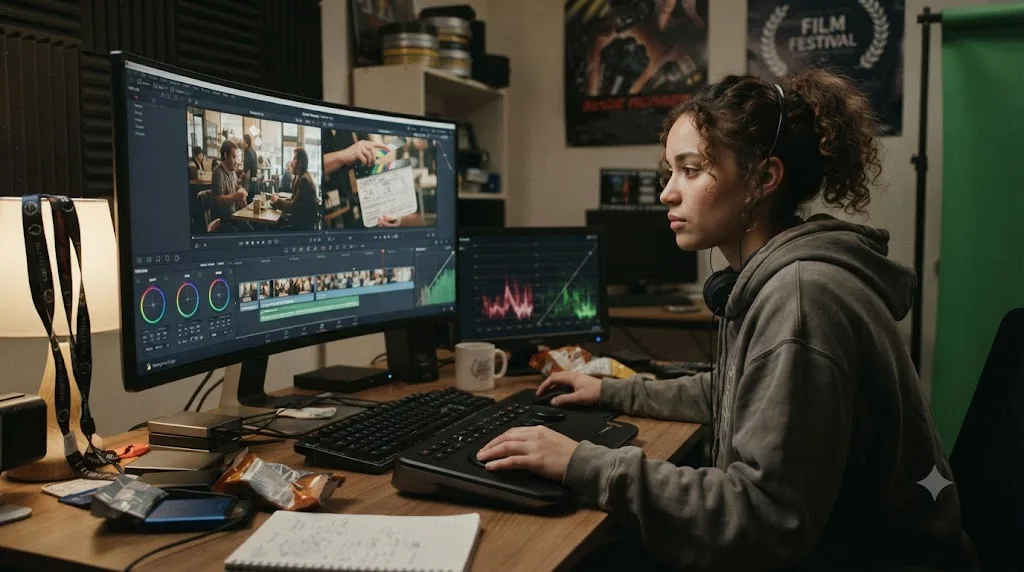
Yes, and the American Cinema Editors' Student Editing Competition is the best known. It's open once per year to enrolled film or editing students, who submit a $125 application fee along with their school name and a professor or instructor reference, according to ACE's own competition page. Entrants receive official dailies exclusively for the competition, which can't be reused for classroom projects, and cut them into their own version of the assigned scene.
The 2026 submission window ran November 18, 2025 through January 12, 2026 and is closed as of this writing, and it runs on that same rough annual schedule. Top three finalists are invited to attend the ACE Eddie Awards in person and get publicity in Hollywood trade papers, while the winner receives the Student Award outright. ACE doesn't publish a specific software restriction, and since the competition judges the cut, not the license, editing your submission in DaVinci Resolve carries no disadvantage against a classmate cutting the same dailies in Avid Media Composer or Premiere Pro.
One honest limit worth naming: entrants who don't place get no critique, no ranking, and no contact back from ACE, which is a real cost against the $125 entry fee. Weigh that against what you actually want out of entering. If the goal is a specific credential and a shot at trade press exposure, that's the trade. If the goal is corrected feedback on your own cut, a different resource, covered further down, does that job more reliably.
ACE isn't the only door built for students, and it isn't even the biggest one. The Academy of Motion Picture Arts and Sciences runs its own Student Academy Awards, free to enter, open to any student film completed for class credit and submitted within one year of the student's graduation date, according to the Academy's own program page. The 2026 cycle opened March 2 and closed April 26, with an awards ceremony set for September 14, 2026, according to the Academy's application page. Categories split by Animation, Documentary, Live Action Narrative, and Alternative/Experimental, and gold, silver, and bronze winners in each receive cash grants of $5,000, $3,000, and $2,000. Like ACE, the Academy doesn't dictate editing software: it judges the finished film your school already graded, whatever timeline it was cut on.
The two student competitions solve different problems, and it's worth being clear-eyed about which one fits your actual situation:
| ACE Student Editing Competition | Student Academy Awards | |
|---|---|---|
| Entry fee | $125 | Free |
| What you submit | Official dailies, cut into your own version of an assigned scene | Your own completed student film, already made for a class |
| Eligibility | Enrolled film/editing students | Any student, within one year of graduation |
| Prize | Eddie Awards invite for top 3, trade press | $5,000/$3,000/$2,000 grants by category, awards ceremony |
| Best fit | Editors who want to prove their cut against a shared, controlled starting point | Filmmakers whose finished project, not just the edit, is strong enough to stand on its own |
One rule is worth flagging before you assume you can enter with an older project: Student Academy Award submissions can't be altered after they're submitted, so whatever cut you lock in is final, no post-deadline polish allowed.
Is Campus Movie Fest open to editors who'd rather use DaVinci Resolve?
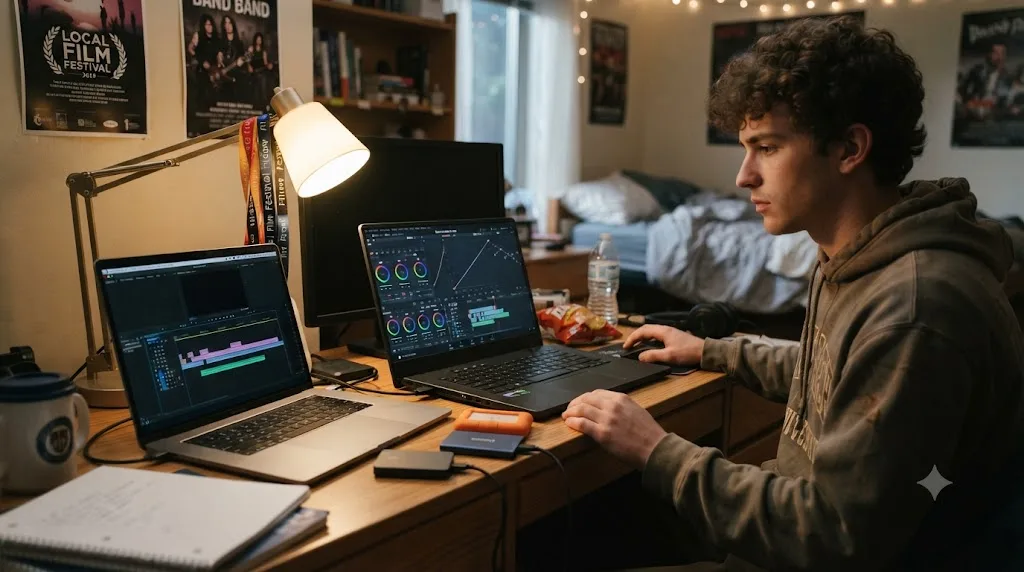
Worth naming honestly, because the answer isn't a clean yes. Campus Movie Fest, founded in 2000 at Emory University under the name iMovieFest, bills itself as the world's largest student film festival and gives participating students a full week and a loaned kit, Apple laptops, cameras, and sound gear, to write, shoot, and edit a five-minute film, according to the program's Wikipedia entry. The loaned laptops come with iMovie, Final Cut Pro, and Adobe Creative Cloud installed. DaVinci Resolve isn't part of the official kit.
That doesn't necessarily lock Resolve editors out. Nothing in the format requires you to use the loaned equipment at all, and a student who already owns a laptop that runs DaVinci Resolve smoothly has an obvious reason to skip the queue for a borrowed one. What the publicly available program materials don't spell out is whether a specific campus chapter allows or expects entrants to bring their own gear instead of the loaner kit. That's a genuinely different situation from Editfest or the 48 Hour Film Project, where the rules explicitly say any software is fine. Email your campus's CMF coordinator before you assume either way, and ask specifically whether final files need to come off the loaned laptops or can be exported and delivered from your own machine.
A competition that provides equipment for you is solving a different problem than a competition that only judges your skill. Campus Movie Fest exists partly to get students who don't already own gear into a finished film for the first time, and its default kit reflects that mission. If you already have a DaVinci Resolve workflow you trust, ACE, the Student Academy Awards, or Editfest judge your cut without asking what hardware or software touched it first.
Are there editing competitions built specifically for AMV editors using DaVinci Resolve?
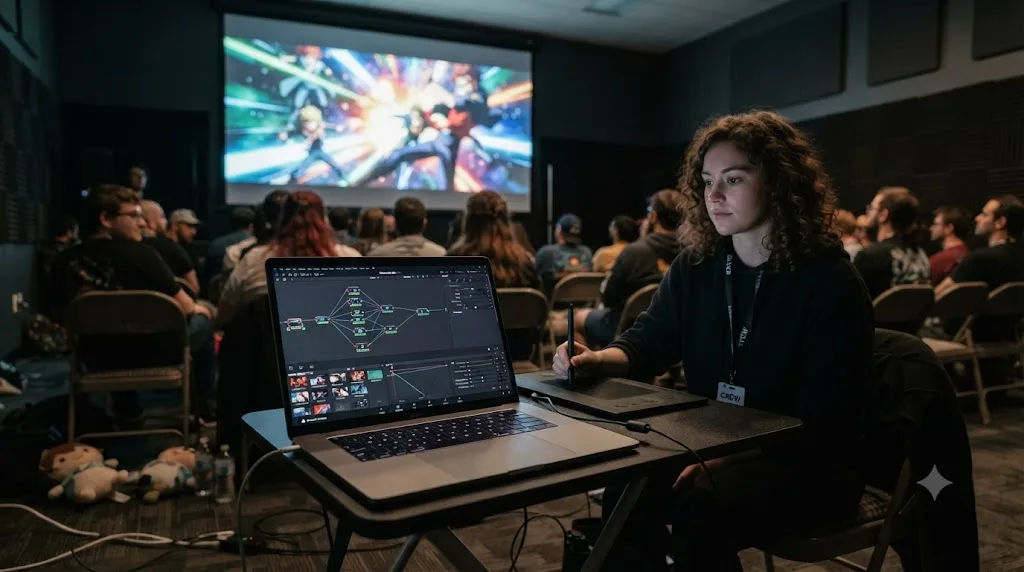
Yes, at anime conventions themselves, where dedicated AMV (anime music video) contests judge fan-made music videos cut against licensed anime footage, either live on-site or through early online submission. Anime Central runs an annual AMV contest with a 2026 submission deadline of March 30, and Anime NYC runs its seventh annual AMV contest in 2026 alongside similar programs at Animethon, Anime North, and several other conventions. These aren't software-specific, but a meaningful share of the AMV editing community works in DaVinci Resolve rather than Premiere Pro or Sony Vegas, historically the genre's default tools.
The scale of that specific community is worth stating in real numbers rather than a vague impression: Resolve AMVs, a Discord server built specifically for anime music video editors working in DaVinci Resolve, lists roughly 8,981 members according to its DISBOARD server listing. That's a genuinely large, active peer group trading tips ahead of convention deadlines, and it's a different community than the general Resolve subreddit or a general editing Discord, built around one specific editing genre and its specific technical demands: syncing to a beat, isolating anime footage cleanly, and building the kind of fast-cut, high-energy pacing the genre rewards.
An editing competition built around one specific genre teaches faster than a general one, because every judge in the room already knows exactly what a strong entry looks like. If you already edit AMVs, or want to, this is a far more targeted door than a general short film festival where your genre competes against documentaries and dramas judged on a different rubric entirely.
Where do you find film festivals and short film contests that accept any editing software?
FilmFreeway, a submission platform hosting more than 12,000 film festivals and screenplay contests worldwide, including 236 Academy Award and BAFTA accredited festivals, according to FilmFreeway's own site. You build one project profile, then browse and submit to whichever festivals fit your short, with each festival reviewing privately and notifying you if selected. Its curated short film list is the fastest way to filter down from thousands of listings to the ones actually built for a short-form submission.
None of the festivals listed there ask which software cut your entry. They watch the finished export, at whatever codec and resolution their submission page specifies, and judge story, craft, and technical quality against everything else in the same category. That's the entire appeal of this route compared to a named competition like Editfest or the ACE contest: volume and choice. A niche documentary short has options here that a 60-second spec ad or a 48-hour genre film doesn't, since most rolling-deadline short film festivals accept work in any completed genre.
The trade-off is that FilmFreeway itself doesn't run a single unified contest with one prize pool. It's a directory, and most individual festival entries carry their own submission fee, typically somewhere between $10 and $50 depending on the festival's prestige and deadline tier. Budget accordingly if you plan to submit the same finished short to several festivals at once, which is standard practice and not considered a conflict the way exclusive competitions like Editfest treat it.
One international example is worth knowing about if you want a contest with a hard theme and real broadcast-scale prizes: the Nikon Film Festival, now in its 16th year, caps entries at 2 minutes 20 seconds built around an annual theme (2026's was "Beauty") and requires either a French-language version or French subtitles to qualify for most awards, with a separate English-subtitled track for the Best International Film category, according to the festival's official rules. Its 2026 window closed January 15, so like Editfest, treat it as a template for the next cycle rather than something open right now. It's also a useful reminder that FilmFreeway's directory includes plenty of non-US festivals with their own language and format quirks, not just English-language, US-centric contests.
What premiere-status and rights rules catch first-time entrants off guard?
Every competition covered so far cares about one thing beyond the finished cut: whether you actually have the right to submit what you made, and whether you've already shown it anywhere else. Neither question gets asked loudly, and both can disqualify an otherwise strong entry.
Premiere status is the bigger surprise for first-timers. Most of FilmFreeway's directory doesn't care: roughly 93.8 percent of the more than 9,800 festivals surveyed place no restriction on where else your film has screened, according to an analysis by film industry researcher Stephen Follows. But the largest, most prestigious festivals, the ones a strong short might realistically be good enough for, almost always require World or International Premiere status, meaning the film has never been shown publicly, including posted online. Uploading your competition entry to YouTube the day after a deadline can quietly disqualify it from the exact festivals you'd most want to submit it to next. If you plan to chase festival runs after a contest like the 48 Hour Film Project or Editfest, hold the public upload until you know which festivals you're targeting and what their premiere rules require.
Music and footage rights are the second trap, and they hit differently depending on which competition you enter. Editfest sidesteps the problem by handing you licensed Filmsupply footage and Musicbed tracks for the duration of the contest. The 48 Hour Film Project sidesteps it by requiring every frame to be shot during the 48 hours, which usually means your own footage and your own or licensed music. AMV contests are the strange exception: at least 75 percent of an entry's footage must come from anime or Japanese-origin video games, and audio from English-dubbed releases is explicitly banned as a copyright issue, according to Anime Boston's own AMV contest rules. The song itself is almost never licensed by the editor, and the format survives on the same tacit tolerance that's let anime studios sponsor AMV contests for decades without suing the fans making them, a legal gray zone Anime News Network's Answerman column examines in more detail.
None of this means don't enter. It means read the specific rules page for rights and premiere language before you submit, not after a festival's programmer emails you asking why your "unreleased" short already has 40,000 views.
Are there free, low-stakes challenges to practice on before entering a real competition?
Yes, and this is where to start if a $125 entry fee or a judged public submission feels like too much pressure before you've tested yourself against any deadline at all. The Roughcut 60 Second Film Challenge, run by UK collective o-region, is completely free to enter: build a film no longer than 60 seconds around the year's theme, and winners split cash awards up to £750 for Best Film, according to the contest's own FilmFreeway listing. No Film School ran a similar one-off 60 Second Film Challenge in March 2020, using the hashtag #NFS60, but that specific challenge was a pandemic-era event and hasn't recurred since, according to the original announcement. Worth knowing before you go looking for it: that door is closed, not just this year, but for good, so treat it as a model for the format rather than something you can still enter.
A different, community-driven version of the same idea comes from creators rather than institutions. YouTuber Daniel Schiffer partnered with stock footage library Storyblocks on an "Edit My Video" challenge, where creators cut their own version of a cooking footage collection Schiffer filmed exclusively for the collaboration, according to Storyblocks' own recap. That specific run has closed, but it's a genuinely useful template: watch for a favorite editing YouTuber or stock library announcing a similar footage-and-deadline challenge, since the format recurs periodically across the creator space even when any single instance of it doesn't stay open indefinitely.
A different kind of low-stakes option doesn't run on a fixed deadline at all. GoPro Awards accepts photo and video submissions on a rolling basis with no closing date and no cap on how many times you enter, according to GoPro's own Awards page and its general FAQ. The catch is the source footage, not the edit: submissions have to be shot on a GoPro camera. Cut that footage in DaVinci Resolve, submit whenever a piece feels finished, and picks earn cash, gear, or a social media feature. It's a lower-pressure way to get reps in on real footage between the bigger deadlines above, since there's no application to fill out and no single day everything is due.
Winning isn't the only payoff a competition delivers; a hard deadline and a stranger's honest reaction both count on their own. A free 60-second challenge with no application fee gives you both of those things without the higher stakes of an ACE-level application or a 30-day Editfest cycle, which makes it the right first stop if you've never edited against anyone's clock but your own.
Which competition should you actually enter first?
Depends entirely on your situation, not on which contest pays the most. Match your starting point honestly against the table below rather than aiming straight for the biggest prize pool on the list.
| Your situation | Start here | Why |
|---|---|---|
| Never edited against a real deadline before | The Roughcut 60 Second Film Challenge, or a similar free footage-and-deadline challenge | Free entry, short runtime, low stakes, real feedback |
| Comfortable editing, want industry-level judging | Filmsupply's Editfest, once its next window opens | Named judges, prize-grade stock footage, a genuine 30-day sprint |
| Want the full production pipeline, not just editing | 48 Hour Film Project | Forces writing, shooting, and delivery, not just a cut, inside one weekend |
| Currently enrolled in a film or editing program | ACE Student Editing Competition | Official dailies, an Eddie Awards invite for finalists |
| Enrolled student without $125 to spend | Student Academy Awards | Free entry, real cash grants, no fee gatekeeping who gets to compete |
| High schooler with a small crew and a mentor | Blackmagic Design Pitch Competition, via AAHSFF | Camera and Resolve Studio prize, built for exactly this age group |
| Already editing anime music videos | A convention AMV contest (ACen, Anime NYC, and others) | Judged by people who already know the genre's specific craft |
| Want festival recognition more than a cash prize | FilmFreeway's curated short film list | Thousands of options, one submission profile, rolling deadlines |
| Want reps between deadlines, no application at all | GoPro Awards | Rolling submissions, no closing date, shoot on a GoPro and cut it whenever |
Guided practice with a real stranger's feedback beats waiting indefinitely for the perfect competition to feel ready for. The order in that table isn't a ranking of prestige. It's a match between what you can handle right now and what each format actually demands from you.
How much should you actually budget for one of these, beyond the entry fee?
The entry fee is rarely the real cost. Filmsupply's Editfest and GoPro Awards are free to enter, and the 48 Hour Film Project, ACE, and Student Academy Awards all publish a single, known number, $0 to $125 depending on which one. What the entry fee doesn't cover is everything around it:
| Cost beyond the entry fee | Applies to | Rough range |
|---|---|---|
| Per-festival submission fees on FilmFreeway | Any festival route | Typically $10 to $50 per festival, per submission |
| Crew meals, props, and location costs | 48 Hour Film Project | Team-dependent; some city chapters run almost entirely on volunteer favors |
| Travel to an awards ceremony | ACE (Eddie Awards), Student Academy Awards, AAHSFF | Flight and hotel if you place and want to attend in person |
| Music licensing for a non-scored entry | FilmFreeway festivals, some AMV contests | Free if you compose or use royalty-free tracks; a real cost if you license a known song |
| Time, measured in hours you're not paid for | Every competition on this list | The actual biggest cost, and the one nobody puts a number on |
That last row deserves more weight than the dollar rows above it. A 48-hour weekend is 48 hours you're not billing a client, and Editfest's 30-day window is a month of evenings you could spend on paid work instead. The real budget question isn't whether you can afford the entry fee, it's whether you can afford the time without a client on the other end of it. Most editors who enter regularly treat that time as a training cost, not a loss, the same way a musician treats an open mic night.
Is it against the rules to use an AI editing tool during a timed competition?
Check the specific contest's own rules before assuming either way, since most published rules were written before timeline-editing AI agents existed and don't address them by name yet. ACE's rules require the submitted cut to be the student's own work, which is the clearest existing language on this point across the competitions covered here, but none of Editfest's, the 48 Hour Film Project's, or FilmFreeway's individual festival rules explicitly mention AI tools one way or another as of this writing.
That's worth being precise about, because "AI tool" currently covers two genuinely different categories of software, and only one of them raises the question at all. CutAgent reads your active DaVinci Resolve timeline and transcripts and executes cuts from a plain-language instruction. Sottocut transcribes footage and scores story moments to speed up an assembly on Apple Silicon Macs. PremiereCopilot automates silence cuts and captions inside Adobe Premiere Pro. Eddie AI generates rough cuts and multicam edits from a chat interface with Resolve export support. Every one of those tools makes editing decisions on your timeline for you, which is exactly the gray area a rule requiring "your own work" was written to prevent, even if the rule's authors were thinking of a co-editor rather than software when they wrote it.
TryUncle is the on-screen assistant for DaVinci Resolve on macOS, you ask in plain words and Uncle points at the exact control on your screen, without ever touching your timeline or Fusion comp. That's a structurally different category from the four tools above, closer to a colleague pointing at a menu than a collaborator making the cut. If a specific competition's rules worry you, that distinction, does the tool execute an edit, or does it only point at a control you operate yourself, is the actual question worth asking the organizers directly rather than guessing.
| Tool | Executes edits on your timeline? | Likely fine under a "your own work" rule? |
|---|---|---|
| CutAgent | Yes | Worth asking the organizer first |
| Sottocut | Yes | Worth asking the organizer first |
| PremiereCopilot | Yes | Worth asking the organizer first |
| Eddie AI | Yes | Worth asking the organizer first |
| TryUncle | No, points only | Doesn't touch the work being judged |
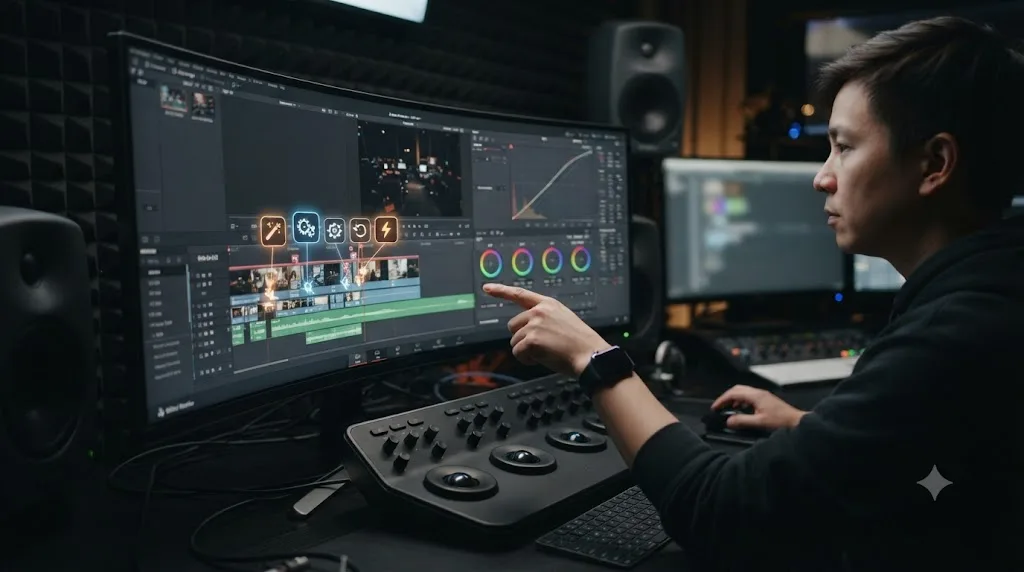
What export mistakes get an entry disqualified before a judge even watches it?
A judge can't reward a cut they can't open, and a meaningful share of festival and competition rejections never reach the creative judgment stage at all. Format incompatibility, missing package elements, and audio sync or channel-mapping errors are among the most common technical reasons submissions get bounced before anyone watches past the first ten seconds, according to a submission-package checklist from Indie Shorts Mag and a festival delivery guide from Fastio. None of that is a creative problem. It's a Deliver page problem, and it's entirely avoidable.
| What the rules usually specify | Where to set it in DaVinci Resolve's Deliver page | Common mistake |
|---|---|---|
| Container and codec (commonly H.264/MP4 or ProRes/MOV) | Format and Codec dropdowns | Rendering the editing page's temp codec instead of the festival's required delivery codec |
| Resolution (1080p or 4K, rarely lower) | Timeline resolution and render settings match | Exporting a vertical or mismatched-aspect timeline without reformatting first |
| Frame rate (often locked to 24fps, sometimes variable) | Timeline frame rate, checked before you even start cutting | Mixing 24fps and 30fps source clips without conforming the timeline |
| Audio configuration (stereo or 5.1, specific loudness target) | Fairlight page bus and loudness meter | Inconsistent levels between dialogue and music, or the wrong channel count entirely |
| Captions or subtitles, when required | Subtitle track export alongside the video file | Forgetting a required SRT file because the video "looks done" without it |
Test your export against the exact spec on day one of the contest, not the night before it's due. Render a 30-second test clip at the required settings, confirm it opens cleanly on a different machine, and only then build the rest of your workflow around settings you've already proven work. None of these settings are complicated once you know the target. What's expensive is discovering the wrong one after the deadline has already passed.
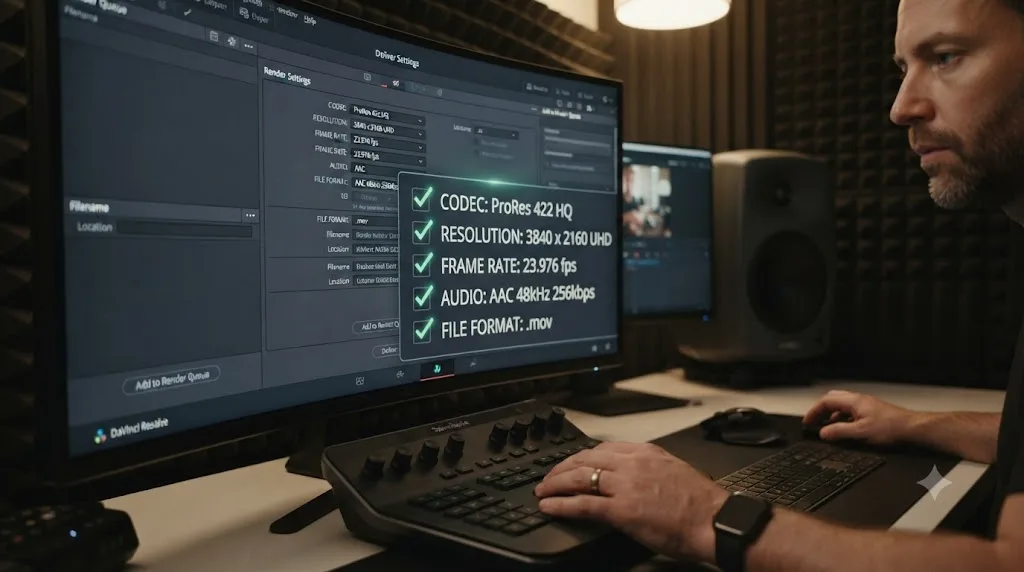
How do you actually prepare for a competition deadline without blowing it?
Treat the deadline as the hardest constraint in the project, not a suggestion, and build backward from it the same way the practice drills in our DaVinci Resolve practice exercises for beginners guide teach you to work inside a hard limit. Lock your footage or dailies first, cut a rough assembly fast and ugly, then spend your remaining time on the one or two decisions that actually separate a strong entry from an average one: the opening ten seconds, and whatever moment the judging criteria explicitly name, rhythm and emotion for Editfest, story and character for the 48 Hour Film Project.
Export early and often rather than only at the deadline. A render that fails an hour before an Editfest or ACE submission window closes is a genuinely common, entirely avoidable failure, and testing your export settings against the required specs on day one costs you ten minutes against a potential total loss of entry. If you're building toward a portfolio piece rather than just a contest entry, our DaVinci Resolve portfolio tips for freelance editors guide covers export bitrate and hosting choices that apply directly to a competition submission too, since most contests ask for the same clean, high-bitrate file a client-facing reel needs.
If your entry leans on Fusion motion graphics, our review of the Mograph Monday tutorial series covers specific typography and shape-morph techniques that show up in a lot of strong trailer and title sequence entries, and our broader comparison of AI tools to learn DaVinci Resolve breaks down which ones actually teach you something versus which ones just do the work.
The moment most competition entries actually stall isn't the big creative decision. It's a small, specific one at 11pm the night before a deadline: which control does this effect live under, why is this node not doing what the tutorial said it would. If that's where you're stuck at 11pm with your own entry open, Uncle can point at the exact control in your actual project while you finish the edit yourself.
So here's the honest shortlist. If you've never edited against anyone's deadline but your own, start free: the Roughcut 60 Second Film Challenge, GoPro Awards' rolling submissions, or a similar low-stakes footage challenge. If you're an enrolled student and $125 is real money, the Student Academy Awards cost nothing to enter and pay real cash to winners. If you want real industry judges and don't mind the wait for the next window, Editfest is the strongest solo option once it reopens. If you want the full production pipeline compressed into a weekend, the 48 Hour Film Project is running in a city near you more often than you'd expect. Pick the one that matches where you actually are, not the one with the biggest headline prize, and put a real date on your own calendar today, not someday.
Frequently asked questions
- Is there an official DaVinci Resolve editing competition?
- Not one run directly by Blackmagic Design under the DaVinci Resolve name, but Blackmagic sponsors a pitch competition through the All American High School Film Festival, awarding a camera package plus a DaVinci Resolve Studio license to student teams. Beyond that, Resolve editors compete in software-agnostic contests like Filmsupply's Editfest and the 48 Hour Film Project, where Resolve is simply one of the tools allowed, not a named category.
- Can you use DaVinci Resolve to enter Filmsupply's Editfest?
- Yes. Editfest's own prize packages include a DaVinci Resolve Studio license for every category winner, and none of Filmsupply's published rules restrict which editing software you cut your entry in. The 2026 window ran May 5 to June 5 and is closed for this cycle, but the contest has run annually since at least 2023, so watch for the 2027 announcement.
- Is the 48 Hour Film Project open to beginners?
- Yes, teams of any experience level can register, and many city chapters actively recruit first-timers to fill out crews. You will be assigned a genre, a character, a prop, and a line of dialogue, then have exactly 48 hours to write, shoot, edit, and deliver a finished short film, which is a genuinely different skill from editing at your own pace.
- Do editing competitions require DaVinci Resolve Studio, or does the free version work?
- Every competition covered here judges the finished video, not your license tier. Studio only matters if a specific effect you want, like Magic Mask or Neural Engine noise reduction, is Studio-exclusive. Nothing in Editfest's, the 48 Hour Film Project's, or ACE's published rules mentions software tier at all.
- Is it cheating to use an AI editing tool in a timed competition?
- Check the specific contest's rules before assuming, since most published rules (ACE's requirement that the work be the student's own, for instance) predate timeline-editing agents and don't address them explicitly yet. The honest distinction: a tool like CutAgent or Sottocut that executes cuts from a typed instruction did some of the editing for you, while an on-screen assistant like TryUncle that only points at a control never touches your timeline, so it doesn't create the same gray area.
- What's the fastest way to find a DaVinci Resolve competition happening right now?
- Check the 48 Hour Film Project's city list, since chapters run nearly every month somewhere in the world and entry is usually open until close to the shoot weekend. For a longer runway, FilmFreeway's curated short film list surfaces thousands of festivals with rolling deadlines, and most never ask which NLE cut the submission.
- Are there competitions specifically for anime music video (AMV) editors using DaVinci Resolve?
- Yes, at anime conventions themselves. Anime Central, Anime NYC, Animethon, Anime North, and several other conventions run AMV contests judged on-site or via early submission, and a meaningful share of that community edits in DaVinci Resolve rather than Premiere or Sony Vegas. The Resolve AMVs Discord server alone lists roughly 8,981 members trading tips ahead of convention season.
- Can TryUncle help you finish a competition entry faster?
- It can help with the moment you're stuck, not the deadline itself. TryUncle is the on-screen assistant for DaVinci Resolve on macOS, you ask in plain words and Uncle points at the exact control on your screen, live, on the Edit, Color, and Fusion pages. It never touches your timeline or makes the cut for you, which matters more, not less, when a contest's rules require the work to be your own.
Sources
- Editfest 2026 - 30 Day Editing Competition (Filmsupply)
- Editfest 2026: Announcing Filmsupply's 30-Day Short Film Competition
- Editfest 2026 Guide to the Filmsupply Short Film Editing Competition (podcastvideos.com)
- Filmsupply Editfest 2025: This Year's Winners (Filmsupply Blog)
- Win $75K in Cash and Prizes in the Filmsupply Editfest Editing Competition (No Film School)
- Student Editing Competition (American Cinema Editors, ACE)
- 2025 Blackmagic Design Pitch Competition Winners (All American High School Film Festival)
- 48 Hour Film Project - Los Angeles 2026
- 48 Hour Film Project (Wikipedia)
- No More Excuses: Make Your Movie With The 48 Hour Film Project (RVA Mag)
- College 48 Hour Film Project 2026
- 48 Hour Film Project Filmmaking Rules
- Film Festivals, Screenplay Contests, Submissions (FilmFreeway)
- Short Film festivals, curated (FilmFreeway)
- The Roughcut 60 Second Film Challenge (FilmFreeway)
- Stuck in Quarantine? Take the NFS 60 Second Film Challenge (No Film School)
- Anime Music Video Contest (Anime Central / ACen)
- AMV Contest (Anime NYC)
- Anime Music Video Contest Rules (Anime Boston)
- Are AMVs And Other Fan Works Really "Fair Use?" - Answerman (Anime News Network)
- Resolve AMVs Discord server listing (DISBOARD)
- What Happened When Daniel Schiffer Challenged Creators to Use His Footage? (Storyblocks)
- Student Academy Awards (Oscars.org)
- How To Apply - Student Academy Awards (Oscars.org)
- Campus MovieFest (Wikipedia)
- Do Most Film Festivals Require Premiere Status? (Stephen Follows)
- Nikon Film Festival - 16th Edition Official Rules (PDF)
- Checklist for Film Submission Packages (Indie Shorts Mag)
- Film Festival Submission Guide: File Specs & Delivery (Fastio)
- GoPro Awards
- GoPro Awards FAQ
- DaVinci Resolve Training (Blackmagic Design)
- DaVinci Resolve - What's New (Blackmagic Design, Resolve 21)
- DaVinci Resolve 21 Officially Released With New Photo Editing, AI Tools, and Much More (PetaPixel)
- CutAgent (product site)
- Sottocut (product site)
- PremiereCopilot pricing
- Eddie AI for DaVinci Resolve (native integration workflow page)
- TryUncle
- TryUncle FAQ
Learn by doing, not watching
Stop translating tutorials to your timeline.
TryUncle stays beside Resolve on Mac and Windows. When you ask, Uncle sees your screen and points at the exact control you need. No hunting through tabs, timestamps, or mismatched tutorials.
Meet TryUncleKeep reading
 GuidesJul 15, 202640 min read
10 DaVinci Resolve Practice Exercises for Beginners
Ten DaVinci Resolve practice exercises for beginners, each targeting one skill, with real sources and a 14-day plan to string them together.
 GuidesJul 19, 202638 min read
DaVinci Resolve Portfolio Tips for Freelance Editors
How freelance editors build a DaVinci Resolve portfolio that lands work: project count, reel length, niches, export settings, hosting, and rates.
 ReviewsJul 23, 202636 min read
Mograph Monday Review: Should You Learn Fusion From It?
An honest review of PeeJ's Mograph Monday DaVinci Resolve Fusion series: what it covers, best episodes to start with, and its real limits.