
Learn / Claude Code & AI Codingupdated for Claude Code and Claude Platform documentation (July 2026)
How to Prompt Claude for Better Code Output
Quick answer
Give Claude a way to verify its own work (tests, a build, a screenshot), state the file, scenario, and constraints up front, and separate planning from implementation. Anthropic's own research on Claude Code found expert prompts get roughly double the verified success rate of vague ones, and that gap tracks domain clarity, not coding skill.
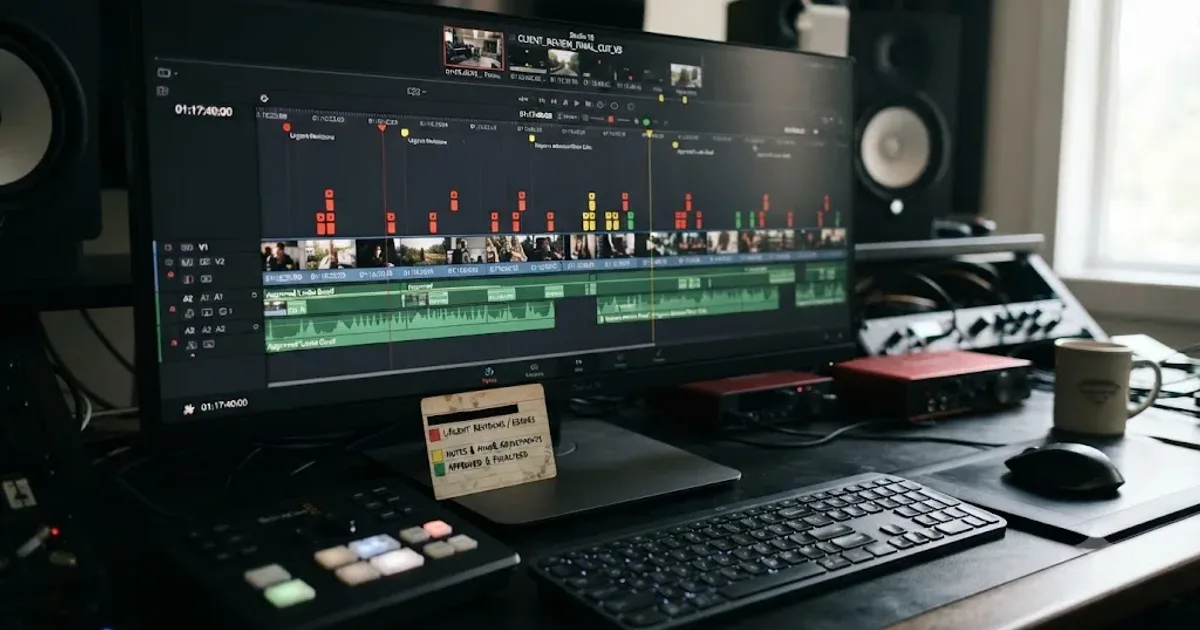
I've watched the same five minutes play out more times than I can count. Someone types "fix this bug" into Claude, gets back something that compiles, ships it, and finds out a week later it only worked for the one case they happened to be looking at. Then they blame the model.
The model isn't the problem. The prompt is.
Anthropic has published, in exhaustive detail, exactly what separates a prompt that gets you a plausible-looking function from one that gets you a correct one. Most of it isn't clever. None of it is a magic phrase. It's specificity, verification, and structure, applied consistently instead of improvised under deadline pressure. This post walks through what Anthropic's own documentation says, what its own research on real Claude Code sessions found, and how to actually put it into practice the next time you open a terminal or a chat window and ask Claude to write something.
What actually makes a prompt "better" for code, versus just longer?
Length isn't the variable that matters. A four-paragraph prompt with no way to check the result loses to a two-sentence prompt that includes a failing test case.
Three things move the needle, in order of how much they actually change the outcome: whether Claude can verify its own work, whether you've told it the specific file and scenario instead of a vague target, and whether you've separated "figure out the approach" from "write the code" when the task is genuinely uncertain. Everything else, tone, persona, phrasing tricks, matters far less than people assume, and Anthropic's own guidance says as much directly: the best prompt isn't the longest or most complex one, it's the one that achieves your goal reliably with the minimum necessary structure, according to Claude's prompting best practices.
That's a useful filter to run every prompt through before you send it. Not "is this detailed enough" but "does this give Claude a way to know if it got it right."
What's the single highest-leverage thing you can add to a coding prompt?
A check. Something that returns pass or fail, not a summary that reads "looks good to me."
Claude Code's own documentation states this as plainly as a piece of technical writing ever states anything: "Give Claude a check it can run: tests, a build, a screenshot to compare. It's the difference between a session you watch and one you walk away from," according to Claude Code's best practices guide. Without a check, "looks done" is the only signal available, which means you become the verification loop. Every mistake waits for you to notice it, read the diff, and catch what a test would have caught automatically.
Claude stops when the work looks done, and without a check it can run, "looks done" is the only signal it has. Give it something that produces a real pass or fail and the loop closes itself: Claude does the work, runs the check, reads the result, and keeps iterating until the check passes rather than until it feels finished.
Here's the exact before-and-after Anthropic's own documentation uses to make this concrete:
| Strategy | Weak prompt | Strong prompt |
|---|---|---|
| Provide verification criteria | "implement a function that validates email addresses" | "write a validateEmail function. example test cases: user@example.com is true, invalid is false, user@.com is false. run the tests after implementing" |
| Verify UI changes visually | "make the dashboard look better" | "[paste screenshot] implement this design. take a screenshot of the result and compare it to the original. list differences and fix them" |
| Address root causes, not symptoms | "the build is failing" | "the build fails with this error: [paste error]. fix it and verify the build succeeds. address the root cause, don't suppress the error" |
Notice what changes between the columns. It isn't tone. It's the presence of a concrete, checkable target: three example inputs and their expected outputs, a screenshot to diff against, an actual error message instead of a vague symptom. Each strong version gives Claude a way to know, on its own, whether the output is right.
Have Claude show you the evidence, too, not just a claim of success. Ask for the test output, the exact command it ran and what came back, or the screenshot itself. Reading evidence is faster than re-running the check yourself, and it's the only option for a session you weren't watching in real time.

How specific do you actually need to be?
More specific than feels natural, almost every time. Claude can infer intent reasonably well, but it can't read your mind about which file you mean, which edge case worries you, or what "fixed" looks like in your particular codebase.
Anthropic frames the test for this cleanly: think of Claude as a brilliant but new employee who lacks context on your norms and workflows. The more precisely you explain what you want, the better the result, and the golden rule the documentation gives is worth adopting as a habit: show your prompt to a colleague with minimal context on the task and ask them to follow it. If they'd be confused, Claude will be too, per Claude's prompting best practices.
Claude Code's own documentation lays out the same principle with a set of before-and-after pairs specific to coding tasks:
| Strategy | Vague version | Specific version |
|---|---|---|
| Scope the task | "add tests for foo.py" | "write a test for foo.py covering the edge case where the user is logged out. avoid mocks." |
| Point to sources | "why does ExecutionFactory have such a weird api?" | "look through ExecutionFactory's git history and summarize how its api came to be" |
| Reference existing patterns | "add a calendar widget" | "look at how existing widgets are implemented on the home page to understand the patterns. HotDogWidget.php is a good example. follow the pattern to implement a new calendar widget that lets the user select a month and paginate forwards/backwards to pick a year. build from scratch without libraries other than the ones already used in the codebase." |
| Describe the symptom | "fix the login bug" | "users report that login fails after session timeout. check the auth flow in src/auth/, especially token refresh. write a failing test that reproduces the issue, then fix it" |
Source: Claude Code's best practices guide.
Look at the pattern across all four rows. The weak version names a feature or a bug in the abstract. The strong version names a file, a scenario, a source to check, or a pattern to follow. None of those additions are clever phrasing. They're just information Claude didn't have before and genuinely needed.
There's an important exception worth knowing, because it stops people from over-correcting into rigidity: a vague prompt is sometimes exactly right. "What would you improve in this file?" can surface things you wouldn't have thought to ask about, and that's a legitimate use of an open-ended question when you can afford to course-correct on whatever comes back. Specificity is the default for anything you actually need done correctly the first time, not a rule that applies to every single message.

Do XML tags actually help Claude write better code?
Yes, specifically when your prompt mixes different kinds of content: instructions, background context, examples, and the actual thing you want changed. Without clear separation, Claude has to infer which part of your message is a rule, which part is an example to mimic, and which part is the input to act on. XML tags remove the guesswork.
Anthropic's documentation is direct about this: XML tags help Claude parse complex prompts unambiguously, and wrapping each type of content in its own tag, <instructions>, <context>, <example>, reduces misinterpretation, according to Claude's prompting best practices. Two practices matter here: keep your tag names consistent across a prompt and a project, so Claude learns the pattern once rather than reparsing a new scheme every time, and nest tags when your content actually has a hierarchy, documents inside a <documents> wrapper, each one inside its own <document index="n">, rather than flattening everything to one level.
This matters more as prompts grow. A one-line request like "rename this variable" doesn't need tags. A prompt that includes a failing test file, a description of the bug, a code snippet showing the pattern you want followed, and an explicit constraint about which libraries are off-limits genuinely benefits from separating those four things instead of running them together in one paragraph, because Claude otherwise has to guess where the constraint ends and the example begins.
A prompt that mixes instructions, examples, and context into one undifferentiated block asks Claude to do the parsing work you should have done yourself. Tags shift that work back to you, once, at write time, instead of leaving Claude to guess at read time on every single turn.

Should you give Claude a role before asking it to code?
A short one, yes. It costs a single sentence and it measurably focuses the tone and priorities of what comes back.
Anthropic's own example, straight from its API documentation, sets the system prompt to "You are a helpful coding assistant specializing in Python" before a question about sorting a list of dictionaries by key, per Claude's prompting best practices. That single sentence doesn't teach Claude anything it didn't already know. What it does is narrow the space of reasonable answers, biasing toward idiomatic, Pythonic patterns rather than a generic, language-agnostic explanation.
Where this matters more than a throwaway question is a persistent role for an entire project. If you're working in a codebase with strong conventions, a security-sensitive domain, or a specific architectural style, stating that once, in a system prompt or in the project's CLAUDE.md file if you're using Claude Code, saves you from restating the same framing in every single message. It's the cheapest form of context you can give, and it compounds every time you don't have to repeat it.
Don't overdo the role, though. A role is a lens, not a script. "You are a senior security engineer reviewing this diff for injection vulnerabilities and broken access control" earns its keep because it points attention somewhere specific. "You are a world-class 10x engineer with 20 years of experience" adds nothing checkable and, per the specificity section above, tends to substitute for information Claude actually needed instead of supplying it.
How many examples should you actually include?
Somewhere between one and five, and the exact number matters less than picking examples that are diverse, not just plentiful.
Examples, known as few-shot or multishot prompting, are one of the most reliable ways to steer Claude's output format, tone, and structure, and Anthropic's guidance is specific about the count: include three to five examples for best results, wrapped in <example> tags (or <examples> for a group), so Claude can distinguish them from the surrounding instructions, per Claude's prompting best practices. Anthropic's Applied AI team, writing separately about context engineering for agents, puts the underlying reason plainly: "For an LLM, examples are the 'pictures' worth a thousand words," according to Anthropic's engineering blog on effective context engineering (Prithvi Rajasekaran, Ethan Dixon, Carly Ryan, Jeremy Hadfield, September 2025).
The same team warns against the instinct to compensate for a weak instruction by piling on more examples: don't stuff "a laundry list of edge cases into a prompt," they write. A handful of canonical, genuinely different examples teaches the pattern better than a dozen similar ones, because similar examples risk teaching Claude an unintended coincidence instead of the actual rule you meant to convey. If your three test cases for a date-parsing function all happen to be weekdays, don't be surprised if the fix quietly assumes weekdays too.
For code specifically, this means: show one example of the input shape and expected output, one edge case that's easy to miss, and, if relevant, one deliberately malformed input and how it should be handled. That's more useful than five examples that are all variations on the happy path.

Does telling Claude to "think step by step" still help?
Less than it used to, and on some current models it can actively backfire. This is the single biggest change from the 2023-era prompting playbook, and it's worth understanding precisely, because the old advice is still floating around everywhere online.
Claude's newer models use what Anthropic calls adaptive thinking, where the model decides internally when and how much to reason based on the effort setting and the actual complexity of what you asked, rather than you telling it to think step by step. In Anthropic's own internal evaluations, adaptive thinking reliably drives better performance than the older, manually-budgeted extended thinking mode, according to Claude's adaptive thinking documentation. On easy queries that genuinely don't need it, the model just responds directly instead of padding its way through a forced reasoning ritual.
There's a specific, documented wrinkle worth knowing if you use Claude Opus 4.5 with extended thinking turned off: it's particularly sensitive to the word "think" and its variants, and Anthropic's own prompting documentation recommends substituting "consider," "evaluate," or "reason through" in those cases instead, per Claude's prompting best practices. That's a small, model-specific quirk, but it's exactly the kind of detail that makes copy-pasted 2023 prompt templates quietly misfire on a 2026 model.
What still helps, on essentially every model, isn't asking Claude to narrate its thinking. It's asking it to check its own answer. Anthropic's documentation is explicit: append something like "before you finish, verify your answer against [test criteria]." This catches errors reliably, especially for coding and math. That's a meaningfully different instruction from "think step by step." One asks for a performance of reasoning. The other asks for an actual check against a stated target, which is the same verification principle from earlier in this post, applied at the level of a single response instead of a whole session.
If you're managing thinking depth directly through the API, the effort parameter is now the lever, not a phrase in your prompt. Higher effort settings produce more thinking on complex tasks; lower ones keep things fast for straightforward requests. If Claude is thinking more than you want on a task that doesn't need it, dial the effort setting down rather than adding instructions telling it to think less, per the same adaptive thinking documentation.

What does the actual research say separates a good prompt from a bad one?
This is where the advice stops being folklore and starts being measured. Anthropic published a study in June 2026 analyzing real Claude Code sessions, comparing how novice, intermediate, and expert users prompt the same tool, and what happened as a result. It's titled "Agentic coding and persistent returns to expertise," and its authors, Zoe Hitzig, Maxim Massenkoff, Eva Lyubich, Shaoyi Zhang, Ryan Heller, and Peter McCrory, found a gap large enough to change how you should think about your own prompting habits.
The headline finding: "The ability to steer Claude toward success comes more from command of a domain than from the ability to write code," according to Anthropic's research on agentic coding and expertise. Coding background wasn't the strongest predictor of a good outcome. Understanding the actual problem was.
Here's what that gap looks like in numbers, straight from the study:
| Metric | Novice-rated sessions | Intermediate or expert sessions |
|---|---|---|
| Verified success rate | 15% | 28 to 33% |
| At least partial success | 77% | 91 to 92% |
| Recovery rate after hitting trouble | 4% verified success | 15% verified success |
| Session abandonment rate | 19% | 5 to 7% |
Source: Anthropic's research on agentic coding and expertise.
That recovery-rate row deserves a second look. It's not just that experts write better prompts up front. When something goes wrong mid-session, an expert-rated session is roughly three times as likely to recover into a verified success as a novice-rated one is. The difference isn't that experts avoid mistakes entirely. It's that they know what a correct fix actually looks like when Claude proposes one, so they can tell good output from plausible-looking output and steer accordingly.
The study also measured how much work Claude does per instruction, and the pattern reinforces everything in this post so far. "The more domain expertise a person brings to a session, the more work Claude does per instruction," the authors write. In typical novice sessions, each prompt sets off about five Claude actions and roughly 600 words of output. Expert sessions set off action chains more than twice as long, about 12 actions, carrying more than five times the output, around 3,200 words. That's not experts typing longer prompts. It's experts giving Claude enough specific, checkable direction that it can safely do far more before needing to check back in.
The practical takeaway isn't "go learn to code first." It's that the same disciplines this post has walked through, specificity about the actual problem, a way to verify the result, enough context to act on, are what the research is actually measuring when it measures "expertise." You don't need a computer science degree to close that gap. You need to know your own problem well enough to tell Claude exactly what "solved" looks like.

Should you plan before you let Claude write any code?
For anything uncertain, yes. For anything trivial, no, and knowing which situation you're in matters more than following a rigid rule either way.
Claude Code's documentation lays out a four-phase workflow explicitly built around this distinction: explore, then plan, then implement, then commit. In the explore phase, Claude reads files and answers questions without making any changes. In the plan phase, you ask it to produce a detailed implementation plan you can review, and edit directly if needed, before anything gets touched. Only in the implement phase does it actually write code, checked against the plan you already approved. The commit phase closes the loop with a descriptive commit message, per Claude Code's best practices guide.
The documentation is equally clear about when to skip all of that: planning adds real overhead, and for a task where the scope is clear and the fix is small, a typo, a log line, a renamed variable, ask Claude to do it directly. The rule of thumb given is simple and worth adopting as-is: if you could describe the diff in one sentence, skip the plan. Planning earns its cost specifically when you're uncertain about the approach, the change touches multiple files, or you're unfamiliar with the code being modified, not as a default step bolted onto every request regardless of size.
This connects directly to the research above. A big part of what separates a domain expert's prompting from a novice's is knowing, correctly, which category a given task falls into. Novices tend to either over-plan trivial fixes, burning time on ceremony a one-line change didn't need, or under-plan genuinely uncertain multi-file changes, letting Claude guess at an approach nobody actually reviewed before code started getting written.

What is context engineering, and why does it matter more than clever phrasing?
It's the discipline of deciding what information Claude actually sees before it acts, as opposed to hoping the right phrasing alone will compensate for missing information. Anthropic's Applied AI team frames the entire shift in one sentence worth memorizing: "Good context engineering means finding the smallest possible set of high-signal tokens that maximize the likelihood of some desired outcome," according to Anthropic's engineering blog on effective context engineering.
Note the word "smallest." This isn't an argument for dumping more information into a prompt. It's an argument for curating harder. The same team's guidance for system prompts and persistent instructions applies directly to any coding prompt too: you should be striving for the minimal set of information that fully outlines your expected behavior, specific enough to guide behavior effectively, yet flexible enough to give the model strong heuristics rather than a brittle if-else tree that breaks the moment reality doesn't match your list exactly.
For anyone using Claude Code specifically, this shows up concretely in how you manage a session's context window. A single large file read can cost more tokens than an entire multi-turn conversation about a small bug, which means the discipline isn't "avoid giving Claude context," it's "give it the right context and nothing else." We go deep on exactly what fills a context window, what survives compaction, and when to use /compact versus /clear versus a subagent in our piece on Claude Code running out of context mid-session, which is the natural next read if you're hitting context limits on top of everything covered here.
The practical version of context engineering for a coding prompt looks like this: point Claude to the specific file instead of describing where code lives, reference an existing pattern in your codebase instead of describing the pattern in prose, and let Claude pull additional context itself through a file read, a grep, or an MCP tool call rather than trying to paste everything relevant into your first message. Claude Code's documentation calls out several concrete ways to do this: reference files with @ instead of describing them, paste screenshots or images directly, give URLs for documentation Claude should consult, or pipe data straight in with something like cat error.log | claude, per Claude Code's best practices guide.

How do you stop Claude from over-engineering the code it writes?
Tell it explicitly, because left to its own defaults, Claude's more capable models have a documented tendency to add flexibility, files, and abstraction nobody asked for.
Anthropic's own prompting documentation names this tendency directly and provides prompt language to counter it, worth using close to verbatim in a system prompt or a project's persistent rules:
"Avoid over-engineering. Only make changes that are directly requested or clearly necessary. Keep solutions simple and focused: Don't add features, refactor code, or make 'improvements' beyond what was asked. A bug fix doesn't need surrounding code cleaned up. A simple feature doesn't need extra configurability. Don't add docstrings, comments, or type annotations to code you didn't change. Only add comments where the logic isn't self-evident. Don't add error handling, fallbacks, or validation for scenarios that can't happen. Trust internal code and framework guarantees. Only validate at system boundaries (user input, external APIs). Don't create helpers, utilities, or abstractions for one-time operations. Don't design for hypothetical future requirements. The right amount of complexity is the minimum needed for the current task."
Source: Claude's prompting best practices.
This matters because over-engineered code is a specific, recurring failure mode, not a rare edge case. A bug fix that quietly refactors three unrelated functions "while we're in here" is harder to review, harder to revert cleanly, and more likely to introduce a regression nobody was looking for. A prompt that only states the goal invites the model to fill in every gap with its own judgment, and sometimes that judgment adds scope you never wanted. Stating the boundary explicitly, don't refactor beyond this, don't add configurability nobody asked for, closes that gap the same way a test case closes the gap on correctness.
The same over-eagerness shows up as a tendency to hard-code around a problem instead of solving it generally. Anthropic's documentation has language for that too, worth keeping in your back pocket for exactly the situations where it applies:
"Please write a high-quality, general-purpose solution using the standard tools available. Do not create helper scripts or workarounds to accomplish the task more efficiently. Implement a solution that works correctly for all valid inputs, not just the test cases. Do not hard-code values or create solutions that only work for specific test inputs. Tests are there to verify correctness, not to define the solution."
If you've ever had Claude "fix" a failing test by special-casing the exact input the test used, this is the instruction that prevents it.

How do you keep Claude from hallucinating a function, API, or fact about your codebase?
Give it explicit permission and instruction to check before it claims anything, rather than assuming it already will.
Anthropic's documentation frames this as a specific, addressable instruction, not an unavoidable risk you just have to accept:
"Never speculate about code you have not opened. If the user references a specific file, you MUST read the file before answering. Make sure to investigate and read relevant files BEFORE answering questions about the codebase. Never make any claims about code before investigating unless you are certain of the correct answer, give grounded and hallucination-free answers."
Source: Claude's prompting best practices. Anthropic's own framing is that its latest models are already less prone to this than earlier ones and give more grounded answers based on the actual code, but the instruction above pushes that behavior further when accuracy matters most, like a security review or an unfamiliar part of a legacy codebase.
There's a second, related layer worth adding for anything genuinely uncertain: give Claude explicit permission to say "I don't know" or "I'm not sure" instead of guessing. A model told it's acceptable to express uncertainty produces fewer confident-sounding wrong answers than one implicitly pressured to always have a definite response, because the pressure to sound certain is exactly what produces a plausible-sounding hallucination in the first place.
This is also where checking Claude's output stops being optional. A hallucinated function call that references an API that doesn't exist usually fails loudly, a build error, an import that doesn't resolve. A hallucinated assumption about how existing code behaves is quieter and more dangerous, because it can produce code that runs fine and does the wrong thing. Our vibe coding security checklist covers the sharper end of this same problem: AI-generated code that looks finished but was never actually checked is the single most common source of the exposed secrets, missing access control, and other real vulnerabilities that make it all the way to production.

Should you tell Claude what to do, or what not to do?
What to do, whenever you have the choice. Anthropic's documentation is specific about this being a genuinely more effective way to steer output, not just a stylistic preference.
Instead of "do not use markdown in your response," the recommended phrasing is "your response should be composed of smoothly flowing prose paragraphs." The first tells Claude what to avoid and leaves it to guess what to replace it with. The second states the actual target directly, per Claude's prompting best practices.
The same logic applies to getting Claude to actually take action instead of just suggesting it. "Can you suggest some changes to improve this function?" often produces exactly that, suggestions, when what you wanted was the change made. "Change this function to improve its performance" gets the edit done directly, because Claude's current models are trained for precise instruction following and will read "suggest" literally rather than assume you meant "implement."
This distinction compounds at the level of a whole project, too. If you find yourself repeatedly telling Claude not to do the same thing, add unnecessary abstraction, skip tests, refactor unrelated code, the fix isn't a longer list of prohibitions. It's a positive statement of the standard you actually want followed, written once into a persistent rule (a system prompt for the API, a CLAUDE.md file for Claude Code) instead of restated as a correction every time it slips.
A worked example: turning a bad coding prompt into a good one
All of this stays abstract until you see it applied to one real request, from the vague version through each fix this post has covered.
Say the actual task is: a rate limiter on an API is letting through more requests than it should under concurrent load.
The bad prompt leans entirely on describing the symptom in the vaguest possible terms:
"The rate limiter isn't working right, can you take a look and fix it?"
Notice what's missing. No file. No description of what "not working right" means concretely. No test case showing expected versus actual behavior. No mention of concurrency, which is almost certainly the actual bug given the symptom. Claude has to guess at all of it, and a guess that's even slightly off produces a fix for the wrong problem.
The better prompt applies specificity, verification, and structure together:
"Look at src/middleware/rateLimiter.ts. Under concurrent load, we're seeing more requests get through per window than the configured limit allows, example: a 10-requests-per-second limit is letting through 13 to 15 under load testing. I suspect a race condition in how the counter increments. Write a test that simulates concurrent requests and reproduces the overshoot, then fix the underlying issue. Don't add configuration options or refactor the surrounding middleware, just fix the race condition. Run the test suite after and show me the output."
The second version names the file, states the actual observed numbers instead of "isn't working right," proposes a specific hypothesis Claude can confirm or rule out instead of investigate blind, asks for a reproducing test before a fix (so the fix is provably addressing the real bug), sets an explicit scope boundary against unrelated refactoring, and ends with a verification step instead of trusting the result on sight.
Neither version is long. The difference is that one gives Claude a target it can hit and check, and the other gives it a feeling to interpret. That's the entire distance between a prompt that reliably produces correct code and one that produces something that merely runs.

Does prompting change when you're using Claude Code instead of Claude.ai or the API?
The core techniques transfer directly. What changes is the surrounding scaffolding, because Claude Code is an agentic environment that reads files, runs commands, and works across an entire session, not a single question-and-answer exchange.
Claude Code's own documentation frames the shift plainly: instead of writing code yourself and asking Claude to review it, you describe what you want and Claude figures out how to build it, exploring, planning, and implementing across multiple tool calls, per how Claude Code works. That autonomy means a few things matter in Claude Code that don't come up in a single chat message:
| Concern | Single chat turn (Claude.ai or API) | Claude Code session |
|---|---|---|
| Verification | You read the answer and judge it yourself | Give Claude a test, build, or script it can run and read the result from |
| Persistent rules | Restate them in the system prompt each time | Write once into CLAUDE.md, reloaded automatically every session |
| Planning | Usually unnecessary for a single question | Use plan mode to separate research from implementation on uncertain, multi-file changes |
| Context management | Rarely an issue in one exchange | Manage actively with /clear between unrelated tasks and subagents for large investigations |
| Course correction | Send a follow-up message | Use Esc to interrupt mid-action, or /rewind to restore an earlier checkpoint |
The way you communicate with Claude Code specifically affects the quality of results more than people expect going in. Ask it the kind of questions you'd ask a senior engineer onboarding to a new codebase, how does logging work here, what edge cases does this function handle, why does this call one thing instead of another, and it answers the same way a colleague would, per Claude Code's best practices guide. That conversational, exploratory mode of prompting works well specifically because Claude Code can actually go read the answer instead of guessing from training data alone.
If you're new to managing a Claude Code session's context specifically, particularly on a long debugging task that spans many file reads and tool calls, that's a distinct enough topic that we've covered it in full elsewhere: Claude Code running out of context mid-session walks through what fills the window, what survives a compaction, and when to reach for /compact, /clear, or a subagent instead of just letting a session degrade.

What are the most common mistakes people make once they think they've "learned" this?
Knowing the individual techniques doesn't automatically stop you from misapplying them. Four mistakes show up constantly even among people who've read guidance exactly like this.
Mistake 1: treating verification as optional for "simple" changes. The instinct to skip a check because a fix looks obviously correct is exactly backwards. Anthropic's own failure-pattern list calls this out directly: a trust-then-verify gap, where Claude produces a plausible-looking implementation that doesn't handle an edge case you didn't think to mention, is one of the most common documented failure modes, per Claude Code's best practices guide. The fix is unconditional: always provide verification, and if you can't verify it, don't ship it.
Mistake 2: correcting the same mistake more than twice in one session. By the third correction, the context isn't helping anymore, it's actively polluted with failed approaches Claude keeps partially incorporating. Anthropic's documented fix is specific: after two failed corrections, clear the session and write a better initial prompt that bakes in what you just learned, rather than continuing to patch a conversation that's already gone wrong.
Mistake 3: an over-specified CLAUDE.md or system prompt. More rules don't mean better adherence. If a persistent instructions file gets too long, Claude starts ignoring parts of it because important rules get lost in the noise, per Claude Code's documented failure patterns. The fix is ruthless pruning: for every line, ask whether removing it would actually cause a mistake. If not, cut it.
Mistake 4: unscoped "investigate this" requests. Asking Claude to investigate something without a specific target can send it reading hundreds of files before it's even started the actual task, filling context with material that was never relevant. Scope investigations narrowly, or hand them to a subagent so the exploration happens in a separate context window entirely and only the summary comes back to you.
| Mistake | Why it backfires | Fix |
|---|---|---|
| Skipping verification on a "simple" fix | Plausible-looking code can still miss an edge case you didn't state | Always give Claude a test, build, or screenshot to check against |
| Correcting the same issue three-plus times | Context fills with failed attempts Claude keeps partially reusing | Clear the session after two failed corrections and rewrite the prompt |
| An overloaded CLAUDE.md or system prompt | Important rules get lost once the file is too long to hold attention | Prune ruthlessly, keep only what actually prevents a mistake |
| An unscoped "investigate X" request | Claude reads far more than needed, burning context before the real task starts | Scope narrowly or delegate to a subagent |
What should you actually do differently starting today?
Pick one habit from this post and apply it to your very next prompt, rather than trying to overhaul how you write every request at once.
If you only change one thing, make it this: before you send a coding prompt, add one sentence stating how Claude can check its own work. A test case, an expected output, a screenshot to compare, a command to run. That single addition does more for the correctness of what comes back than any amount of extra phrasing, tone, or persona-setting would.
Then add a second habit on top of it, the next time it's relevant: for anything genuinely uncertain, multiple files, an unfamiliar part of the codebase, an approach you're not sure about, ask Claude to explore and propose a plan before it writes anything. Skip that step entirely for anything you could describe in one sentence. Reserve the ceremony for the tasks that actually need it.
A prompt that states the file, the scenario, and a way to check the result beats a longer prompt that states none of those things, every time. That's not a trick. It's the same discipline the research covered above measured directly: the gap between a 15% and a 33% verified success rate wasn't luck. It was people who knew their problem well enough to tell Claude exactly what solving it would look like.
Does any of this change if you're using Claude to script things in DaVinci Resolve, not general software?
Barely, and it's worth knowing why before you assume video-editing scripts are somehow a different category. If you're the kind of editor who also asks Claude to write a Fusion macro, batch-rename a folder of exports, or automate something against Resolve's Python scripting API, the exact same mechanics apply. State the file or script, describe the actual symptom instead of a vague complaint, and give Claude a way to verify the result, run the script against a test project, check the rendered output, compare a before-and-after frame.
There's a real, community-maintained bridge worth knowing about if you script against Resolve directly: Model Context Protocol servers like samuelgursky/davinci-resolve-mcp connect Claude to Resolve's official scripting API, letting Claude Code run Python commands against your actual project instead of reasoning about it in the abstract. We cover this bridge, its Studio-only requirement, and where it breaks down, in our roundup of AI tools for learning DaVinci Resolve.
But there's an honest distinction worth drawing here too, because not everyone who edits video wants to become someone who writes prompts at all. TryUncle is the on-screen assistant for DaVinci Resolve on macOS — ask in plain words and Uncle points at the exact control on your screen. That's a different problem than the one this post has been solving. Everything above is about getting better code out of Claude, which assumes you're the one writing the prompt and reading the output. TryUncle's tutor, Uncle, sidesteps the prompting question for the specific job of learning and using Resolve itself: it watches your actual project on the Edit, Color, and Fusion pages, so there's no prompt to write, no file to reference, no test to run. You ask a question in plain words and it points at the literal button or panel you need, live, in the app you're already in.
It's fair to compare TryUncle honestly against the other AI tools editors reach for in this space, since the category has real alternatives and pretending otherwise would be dishonest. Tools like Sottocut, PremiereCopilot, heyeddie.ai, and cutagent.ai each take a different angle: some automate parts of the edit itself, cutting, rough assembly, others answer questions in a chat window separate from your project. Uncle's approach is narrower and more literal: it watches your screen and teaches you live inside Resolve, rather than editing for you or making you describe your project to a chatbot before it can help. If you want a tool to make cuts for you, that's a different job than the one Uncle does. If you want to actually get faster and more confident inside Resolve yourself, an in-app tutor that already has the context, your timeline, your current page, without you typing a prompt at all, is a genuinely different kind of help than a general-purpose chat assistant.
The TryUncle app is a paid macOS subscription at $34.99 a month, cancel anytime. Check TryUncle for the current rate, and note it's macOS only for now, so it's not the answer if you're editing on Windows.

The verdict
Better code out of Claude isn't a matter of finding the right incantation. It's specificity about the actual file and scenario, a way for Claude to verify its own work instead of stopping at "looks done," structure when a prompt mixes several kinds of content, and knowing when a task is uncertain enough to warrant a plan before any code gets written. Anthropic's own research backs this up with real numbers, not just documentation advice: sessions that reach verified success at more than double the rate of vague ones aren't lucky, they're specific.
None of the techniques in this post are secret. They're published, in detail, in Anthropic's own documentation, free to read right now. The gap between a mediocre prompt and a great one isn't access to hidden knowledge. It's whether you actually apply what's already public the next time you open a chat window or a terminal and ask Claude to write something that has to be correct, not just plausible.
Frequently asked questions
- How do I write a good prompt for Claude when I want better code, not just working code?
- State the specific file, the scenario or edge case, and your testing preferences before anything else, then give Claude a way to check its own work: a test suite, a build, or a screenshot to compare. Anthropic's own Claude Code documentation frames this as the single biggest lever, since a model that can verify its own output keeps iterating instead of stopping at merely plausible-looking code.
- What's the single most effective thing I can add to a coding prompt to Claude?
- A pass or fail check Claude can run itself. Anthropic's Claude Code documentation states it directly: give Claude a check it can run, tests, a build, a screenshot to compare, because it's the difference between a session you watch line by line and one you can walk away from while it iterates on its own.
- Do XML tags actually improve Claude's code output, or is that just for the API?
- They help in both places. Claude's prompting documentation recommends wrapping instructions, context, and examples in tags like <instructions> and <example> whenever a prompt mixes several kinds of content, since unambiguous structure reduces the chance Claude reads an example as an instruction or a constraint as background color. It matters more in longer, multi-part prompts than in a quick one-line request.
- Does telling Claude to "think step by step" still help when it's writing code?
- Less than it used to, and on some models it actively hurts. Claude's adaptive thinking models decide internally how much reasoning a problem needs, and Anthropic's own documentation notes that Claude Opus 4.5 is particularly sensitive to the word "think" and its variants when extended thinking is off, recommending alternatives like "consider" or "reason through" instead. What still helps on any model is asking Claude to verify its own answer against explicit test criteria before it finishes.
- Is Claude Code prompted differently than Claude.ai or the API?
- The core techniques, specificity, examples, verification, transfer directly, but Claude Code adds agentic-loop concerns that a single chat turn doesn't have: managing context across a long session, using plan mode to separate research from implementation, and writing persistent rules into a CLAUDE.md file instead of repeating them in every prompt.
- What does Anthropic's own research say separates good prompts from bad ones?
- Anthropic's 2026 study of real Claude Code sessions found that domain expertise, not coding background, predicts success. Novice-rated sessions reached verified success 15% of the time versus 28 to 33% for intermediate and expert sessions, and when a session hit trouble, experts recovered at roughly triple the rate of novices.
- Should I write one long, detailed prompt or break the task into smaller steps?
- Break it up when the change touches multiple files, the approach is genuinely uncertain, or you don't know the codebase well. Anthropic's Claude Code documentation recommends an explore, then plan, then implement workflow for exactly those cases, and says to skip planning entirely for a small, clearly scoped fix, like a typo or a renamed variable, where the overhead outweighs the benefit.
- Does any of this apply if I'm using Claude to write scripts for DaVinci Resolve, not general software?
- Yes, the mechanics are identical. Whether you're asking Claude to fix a login bug or write a Fusion script against Resolve's scripting API, the same levers apply: state the file and the symptom, give it a way to verify the result, and don't expect a magic phrase to substitute for missing information. If you'd rather not write prompts at all while editing, an in-app assistant like TryUncle skips the prompting step entirely by watching your project directly.
Sources
- Best practices for Claude Code - Claude Code Docs
- Prompting best practices - Claude Platform Docs
- How Claude Code works - Claude Code Docs
- Context windows - Claude Platform Docs
- Adaptive thinking - Claude Platform Docs
- Anthropic: Agentic coding and persistent returns to expertise (Zoe Hitzig, Maxim Massenkoff, Eva Lyubich, Shaoyi Zhang, Ryan Heller, Peter McCrory)
- Anthropic Engineering: Effective context engineering for AI agents (Prithvi Rajasekaran, Ethan Dixon, Carly Ryan, Jeremy Hadfield)
- DeepLearning.AI, The Batch: Four AI Agent Strategies That Improve GPT-4 and GPT-3.5 Performance (Andrew Ng)
- GitHub - samuelgursky/davinci-resolve-mcp
- TryUncle
Learn by doing, not watching
Stop translating tutorials to your timeline.
TryUncle stays beside Resolve on Mac and Windows. When you ask, Uncle sees your screen and points at the exact control you need. No hunting through tabs, timestamps, or mismatched tutorials.
Meet TryUncleKeep reading
 GuidesJul 11, 202617 min read
Claude Code Running Out of Context Mid-Session? Here's the Fix
Why Claude Code's context window fills up and cuts off progress mid-task, what auto-compaction actually saves, and the exact commands to stop losing work.
 GuidesJul 11, 202639 min read
Vibe Coding Security Vulnerabilities: The Full Checklist
The real vibe coding security checklist: exposed secrets, broken access control, hallucinated packages, and what changes for DaVinci Resolve scripts.
 GuidesJul 12, 202632 min read
Is Prompt Engineering Still Worth Learning in 2026?
IEEE Spectrum, Forbes, and dev.to disagree on prompt engineering in 2026. Here's what the research, job data, and quotes actually show, and the verdict.