
Learn / Claude Code & AI Codingupdated for Claude Code MCP documentation (July 2026)
Claude Code MCP Server Setup: The Complete Tutorial
Quick answer
Run `claude mcp add --transport http <name> <url>` for a hosted server, or `claude mcp add <name> -- <command>` for a local one, then check status with `claude mcp list` or `/mcp` inside a session. Servers register at local scope by default; add `--scope user` to load them in every project, or `--scope project` to share via `.mcp.json`.
Claude Code can only work with what's in front of it: your files, your shell, and whatever you paste into the chat. An MCP server changes that. It's the difference between pasting a Jira ticket into the conversation by hand and just saying "read ENG-4521 and implement it." This tutorial is the whole path from zero to a working, verified connection, plus the scope decisions, the auth flows, and the failure modes you'll actually hit, at whatever depth you need, whether you're adding your first hosted server today or wiring a team's shared config into version control next month.
What is an MCP server, and why connect one to Claude Code?
The Model Context Protocol is an open standard that lets an AI application, Claude Code among them, discover and call tools exposed by an external program. Anthropic open-sourced it on November 25, 2024, and described the goal plainly in the announcement: an open standard for "secure, two-way connections between their data sources and AI-powered tools." Block's CTO, Dhanji R. Prasanna, put the bigger stakes this way in that same announcement: "Open technologies like the Model Context Protocol are the bridges that connect AI to real-world applications, ensuring innovation is accessible, transparent, and rooted in collaboration."
Claude Code's own documentation frames the practical trigger for connecting one: "Connect a server when you find yourself copying data into chat from another tool, like an issue tracker or a monitoring dashboard." Once connected, Claude reads and acts on that system directly instead of working from whatever you managed to paste.
An MCP server is what turns "let me copy this error log into the chat" into "go check Sentry yourself." That's the entire value proposition in one sentence, and it's worth holding onto, because most of the setup questions people get stuck on come down to picking the right shape of server for the tool they're actually trying to reach.
There are, broadly, three shapes:
- Hosted HTTP servers. A service like Notion, Sentry, or GitHub runs the server for you at a URL. Claude Code just connects.
- Local stdio servers. A program runs as a subprocess on your own machine, usually launched through
npxor a local binary, for tools that need direct access to your filesystem, a browser, or a local socket. - Everything else. SSE (deprecated, use HTTP instead where available) and WebSocket, for the narrower case of a server that needs to push events to you unprompted rather than only respond when asked.
You don't need to memorize the protocol internals to use this. You need one command, a name you make up, and either a URL or a command to run.
Once you have a few servers connected, the practical difference shows up fast. Claude Code's own documentation lists the range: implementing a feature straight from an issue tracker, cross-referencing a monitoring dashboard against a database, pulling design files posted in a chat tool, drafting follow-up emails, and reacting to messages that arrive while you're away. None of that is a single tool doing everything. It's several small, boring integrations stacked so a normal request stops needing eight browser tabs open at once.
What do you need before you start?
Almost nothing, which is part of the appeal. You need:
- Claude Code installed and authenticated, on any current version. Version-gated behaviors called out later in this guide (timeouts, error message wording,
roots/listhandling) only matter if you hit that specific edge case. - A terminal open in a project directory. Claude Code's docs note that any directory works, including an empty one, for your first test.
- For any server that runs through
npx(which is most local servers you'll add early on), Node.js 18 or later. - Nothing else for a first hosted server. The example this guide's first walkthrough uses, Claude Code's own documentation server, needs no account and no API key.
Platform differences worth flagging up front rather than discovering mid-setup:
- Windows.
claude mcp addbehaves identically in PowerShell and Command Prompt. The one real gotcha iscurl: PowerShell aliases the barecurlcommand toInvoke-WebRequest, which formats output differently and can make a working endpoint look broken during troubleshooting. Usecurl.exeexplicitly when you're diagnosing a connection. Legacy consoles, notably the default Windows 10 console, don't render the Unicode status glyphs Claude Code uses and fall back to plain√and×instead of✔and✘, cosmetic only. - WSL. Treat it as Linux for every purpose in this guide except one: the Claude Desktop import feature (
claude mcp add-from-claude-desktop) explicitly supports both macOS and WSL, reading Claude Desktop's config from its standard location on those two platforms only. - macOS. A downloaded local server binary that isn't distributed through
npxor a package manager can trigger Gatekeeper's quarantine flag the first time you run it, showing a message about an unidentified developer rather than a Claude Code error at all. That's macOS blocking the binary before Claude Code ever gets a chance to launch it; approve it once through System Settings if you trust the source, or prefer a server distributed vianpx, which sidesteps the issue entirely since Node itself is already trusted. - Linux. No special-casing needed beyond having Node installed for
npx-based servers, same as any other platform.
If none of that applies to your setup, skip ahead. It's here so you don't lose ten minutes debugging a platform quirk that looks exactly like a broken MCP server but isn't one.
How do you add your first MCP server?
Run this in your terminal, not inside a claude session, since you're configuring the server before the conversation starts:
claude mcp add --transport http claude-code-docs https://code.claude.com/docs/mcp
Break that command into its parts, because every claude mcp add you'll ever run follows the same shape:
claude mcp add: the subcommand that registers a server.--transport http: this server lives at a URL, not a local process.claude-code-docs: a name you invent. Claude Code uses it to label the server's tools in output and to refer to it in commands likeclaude mcp remove. Calling itdocsinstead would work identically.https://code.claude.com/docs/mcp: the endpoint Claude Code connects to.
You'll see a confirmation like Added HTTP MCP server claude-code-docs with URL: https://code.claude.com/docs/mcp to local config, followed by a line naming the exact configuration file that got written. "Local config" here means the server is private to you and only active in this project. That's the default, called local scope, and the next section covers when you'd want something broader.
Now confirm the connection:
claude mcp list
| Status | Meaning |
|---|---|
Connected | Ready to use |
Connected · tools fetch failed | Server connected but couldn't list its tools; run claude mcp get <name> for the error |
Needs authentication | Reachable but needs a browser sign-in or a token; see the auth section below |
Failed to connect | Server didn't respond; see the troubleshooting section |
Connection error | The connection attempt threw an error |
Pending approval (run claude to approve) | A project-scoped server from .mcp.json you haven't approved yet |
Once it shows Connected, start a session and reference the server by name:
claude
Use the claude-code-docs server to look up what MCP_TIMEOUT does
You don't normally need to name a server; Claude picks relevant tools on its own. Naming it here just guarantees the demonstration actually goes through the new server instead of, say, Claude's built-in web fetch answering the same question from a different source. The first time Claude calls the server, it asks permission. Approve it, and the tool call in the output gets labeled with the server's name, which is your confirmation the answer actually came from there.
When you're done experimenting:
claude mcp remove claude-code-docs
Every connected server costs some of your context window, because its tool names and instructions load into every session whether you use them that turn or not. Removing servers you've stopped using keeps that space free, something worth remembering if you've ever run into Claude Code running out of context mid-session and gone looking for what was eating the window. We come back to exactly how much space MCP servers actually cost later in this guide.
Local stdio vs remote HTTP vs SSE vs WebSocket: which one do you actually need?
Most decisions here make themselves once you know what the tool needs to touch.
| Transport | Use it when | Add flag | Auth |
|---|---|---|---|
| HTTP | The tool is a cloud service (Notion, Sentry, Stripe, GitHub) | --transport http | OAuth browser sign-in, or a static --header token |
| stdio | The tool needs your filesystem, a local browser, or a database socket | (default, no flag needed) | Environment variables via --env, or none |
| SSE | An older remote server that hasn't migrated to HTTP yet | --transport sse | Same as HTTP, deprecated in favor of it |
| WebSocket | A remote server that pushes events at you unprompted | Configure via .mcp.json or claude mcp add-json, no --transport flag exists for it | Header-only, static token or headersHelper |
HTTP is the right default for anything that already runs as a hosted service, and stdio is the right default for anything that needs to touch your machine. If you're not sure which a given server needs, check its own documentation first; the server's author already made that decision when they built it, and the install instructions will say --transport http or give you a local command to run with --.
A local stdio server example, using the Playwright MCP server, which hands Claude a real browser it can navigate, click, and read:
claude mcp add playwright -- npx -y @playwright/mcp@latest
Notice what's different from the hosted example: no --transport flag, because stdio is the default. Everything after the bare -- is the exact command Claude Code runs to start the server. -y tells npx to install without an interactive prompt.
That -- separator is the single most common mistake in this whole workflow. It separates Claude's own flags (--transport, --env, --scope) from the server's own command and arguments. Skip it, and Claude Code tries to parse the server's flags as if they were its own:
# Wrong: Claude Code tries to read --port as its own flag
claude mcp add --transport stdio myserver python server.py --port 8080

# Right: everything after -- is passed to the server untouched
claude mcp add --transport stdio myserver -- python server.py --port 8080
The first check after adding a stdio server can legitimately show Failed to connect while npx is still downloading the package in the background. Wait a few seconds and run claude mcp list again before assuming something's broken.
WebSocket is the one shape you can't reach with claude mcp add --transport; the CLI flag doesn't accept ws. Configure it with claude mcp add-json instead:
claude mcp add-json events-server '{"type":"ws","url":"wss://mcp.example.com/socket","headers":{"Authorization":"Bearer YOUR_TOKEN"}}'
Use WebSocket only when the server genuinely needs to push events at you between requests. If it only ever responds to something you asked, HTTP supports OAuth and the simpler --transport flag; WebSocket supports neither.
What do local, project, and user scope mean, and which should you pick?
A server's scope is fixed at the moment you add it. Changing it later means removing the entry and re-adding it at the new scope, there's no in-place rescope command.
| Scope | Loads in | Shared with team | Stored in |
|---|---|---|---|
| Local (default) | Current project only | No | ~/.claude.json, under this project's path |
| Project | Current project only | Yes, via .mcp.json in version control | .mcp.json in project root |
| User | Every project on your machine | No | ~/.claude.json, top-level mcpServers key |
Local scope is right for personal credentials and one-off experiments, and it's the one you'll use without thinking about it most of the time, because it's the default. If you add a server without a --scope flag, that's what you get.
Switch to user scope when you'll reach for the same tool across every repo you touch, like a personal utility server or a service you're always signed into:
claude mcp remove claude-code-docs --scope local
claude mcp add --scope user --transport http claude-code-docs https://code.claude.com/docs/mcp
Switch to project scope when a team needs the same server every time they clone the repo:
claude mcp add --scope project --transport http paypal https://mcp.paypal.com/mcp
That writes .mcp.json at the project root. Commit it. Teammates who clone the repository and start Claude Code see a one-time approval prompt (this is a deliberate security gate, covered later), then it connects for them too, without anyone re-typing the setup command.
Version note worth knowing if you're on an older release: as of Claude Code v2.1.196, .mcp.json approvals are only read from settings files not checked into the repo, until you explicitly trust the workspace. A freshly cloned repository can't silently self-approve its own servers by shipping enableAllProjectMcpServers in a committed .claude/settings.json; the server sits at "pending approval" until a human runs claude and accepts the trust dialog. That's intentional, not a bug: it stops a malicious repo from launching processes on your machine the moment you git clone it.
If the same server name exists at more than one scope, Claude Code doesn't merge the two definitions. It connects once, using whichever source has the highest precedence, in this order: local scope, then project scope, then user scope, then plugin-provided servers, then claude.ai connectors. The entire entry from the winning source is used; fields aren't merged across scopes.
If you ever lose track of where a server actually lives, claude mcp get <name> tells you the exact scope and file.
How do you connect a server that needs a sign-in or an API key?
Two different auth shapes cover almost everything you'll connect: OAuth browser sign-in, and a static token in a header.
OAuth, for services like Sentry, Linear, and Notion that run their MCP servers behind a login. Add the server exactly like the hosted-HTTP example above:
claude mcp add --transport http sentry https://mcp.sentry.dev/mcp
claude mcp list now shows Needs authentication, which is expected, not an error. Start a session, run /mcp, select sentry, press enter, and choose Authenticate. Your browser opens to Sentry's own sign-in page. Approve there, and the status flips to connected back in Claude Code.
You can also run the whole flow from your shell without opening a session, since Claude Code v2.1.186:
claude mcp login sentry
If you're in an SSH session or on a headless Linux box with no display server, the command detects that and prints the authorization URL instead of trying (and failing) to open a browser. Open it on a machine that has one, then paste the redirect URL back into the waiting prompt. Force that behavior explicitly with --no-browser if you want it even when a local browser is technically available. Clear stored credentials later with claude mcp logout <name>.
Static tokens, for services that authenticate with a fixed key instead of a login flow, like GitHub's remote MCP server. Generate a token first (a fine-grained personal access token with access to the repos you want Claude to touch, from GitHub's token settings page), then pass it at add time:
claude mcp add --transport http github https://api.githubcopilot.com/mcp/ \
  --header "Authorization: Bearer YOUR_GITHUB_PAT"
If a server takes a variable header name instead, like X-API-Key, the same --header flag works for that shape too. And if --header doesn't fit, either because the server needs a rotating credential, a Kerberos ticket, or something generated by an internal script, use headersHelper in .mcp.json instead, which runs a command at connection time and merges its JSON output into the request headers:
{
  "mcpServers": {
    "internal-api": {
      "type": "http",
      "url": "https://mcp.internal.example.com",
      "headersHelper": "/opt/bin/get-mcp-auth-headers.sh"
    }
  }
}
That script runs fresh on every connection with a 10-second timeout, so it's the right tool for a token that expires and needs regenerating, not a one-time secret. It's worth flagging: headersHelper executes arbitrary shell commands, and Claude Code only runs it after you've accepted the workspace trust dialog when it's defined at project or local scope.
A handful of servers don't support the automatic OAuth flow at all and need you to pre-register an app first, surfaced as the error "Incompatible auth server: does not support dynamic client registration." That path exists (--client-id, --client-secret, --callback-port) but it's rare enough that you'll only need it if a specific server's documentation tells you to.
Worked example: connect GitHub for code review
Here's the whole thing end to end, since GitHub is the single most common first "real" server people add after the docs demo.
- Get a token. Open your GitHub personal access token settings, generate a fine-grained token scoped to the repositories you actually want Claude touching, and copy it.
- Add the server.
claude mcp add --transport http github https://api.githubcopilot.com/mcp/ \ --header "Authorization: Bearer YOUR_GITHUB_PAT" - Verify.
You should seeclaude mcp listgithubasConnected. If it showsFailed to connectinstead, the most common cause at this step is a token that's expired or scoped to the wrong repos, not a Claude Code problem. - Use it.
Review PR #456 and suggest improvementsShow me all open PRs assigned to meCreate a new issue for the bug we just found
Every one of those becomes a real API call through GitHub's server rather than Claude guessing at your repository's state from whatever's on disk locally. That's the entire pitch of MCP in miniature: the same conversation, but grounded in a system Claude can actually query instead of one it can only reason about.
Worked example: give Claude a browser it can drive
Covered above as the stdio example, worth a second pass here for the actual usage pattern once it's connected:
Use playwright to open https://example.com and tell me the page title
A real browser window opens so you can watch it work. Tool calls in the output get labeled with the playwright server name and the specific action, like browser_navigate or browser_click. Two uses that pay for themselves fast: pointing it at your own local dev server to confirm a page still renders correctly after a change, and having it walk through a bug report step by step instead of you doing it by hand and describing what happened.
By default it drives whichever Chrome is already on your machine. Append --browser firefox (or another browser name) after @playwright/mcp@latest in the add command if you need a different one.
Worked example: query a read-only database
claude mcp add --transport stdio db -- npx -y @bytebase/dbhub \
  --dsn "postgresql://readonly:pass@prod.db.com:5432/analytics"
Note the credential shape in that DSN: a readonly user, not your admin account. That's not incidental. If you're pointing Claude at a production database through MCP, the tool only enforces whatever access the connection string it was given actually has. Claude Code doesn't add a permission layer on top of the database's own grants, so the discipline of least-privilege database users applies here exactly as much as it would for any other application you connect to production data. Once it's up:
What's our total revenue this month?
Find customers who haven't made a purchase in 90 days
Show me the schema for the orders table
Can you chain several MCP servers together in one request?
Yes, and this is where connecting more than one server starts compounding rather than just adding up. Claude Code's own documentation gives a chained example worth walking through, because it mirrors a real cross-tool workflow rather than a toy demo: "Add the feature described in JIRA issue ENG-4521 and create a PR on GitHub," followed later in the same thread by "Check Sentry and Statsig to check the usage of the feature described in ENG-4521," then "Find emails of 10 random users who used feature ENG-4521, based on our PostgreSQL database," and finally "Create Gmail drafts inviting these 10 users to a feedback session about the new feature."
That's four MCP servers, Jira (or a similar issue tracker), GitHub, Sentry and Statsig, PostgreSQL, and Gmail, chained across a single workstream without you ever leaving the conversation to check a dashboard, run a query, or open your email client. Nothing about the setup for any one of them changes because the others exist. Each is added the same way, with the same claude mcp add command, at whatever scope makes sense for that specific tool, and Claude decides which server's tools to reach for based on what the request actually needs.
The practical lesson: don't over-plan your MCP setup up front. Add the one server that solves today's specific friction, verify it connects, and add the next one the next time you notice yourself copying data into chat by hand. The chaining takes care of itself once the servers exist.
Can you connect Claude Code to DaVinci Resolve?
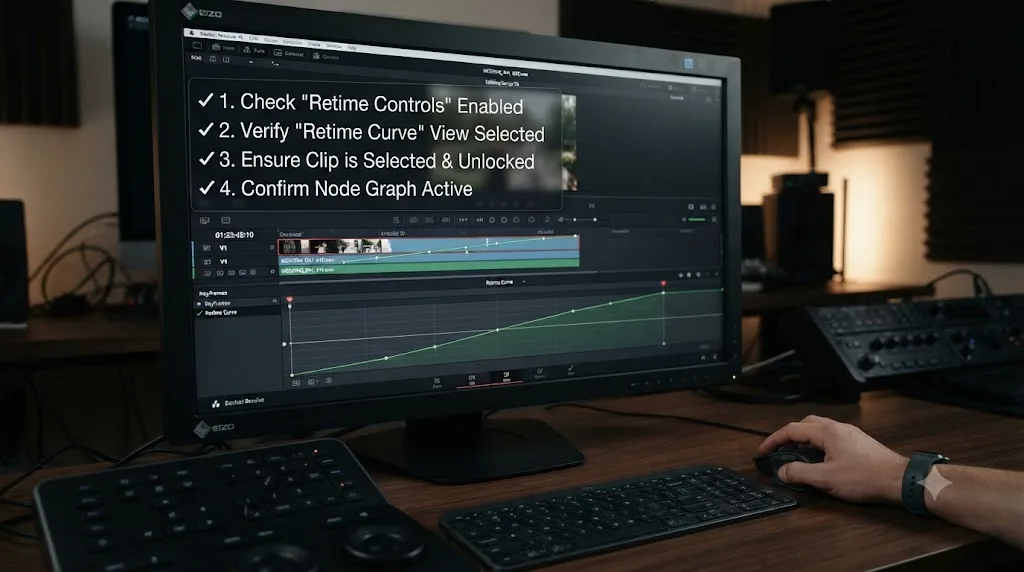
Yes, and this is the intersection worth knowing about if your Claude Code sessions are mixed in with actual video editing work. DaVinci Resolve ships an official scripting API, and community-maintained MCP servers bridge Claude to it. samuelgursky/davinci-resolve-mcp is the most actively maintained one at the time of writing: it exposes tools covering timeline management, media pool organization, color grading, Fusion composition, and project lifecycle operations, so Claude Code can run Python commands against your actual project instead of only reasoning about code in the abstract.
Two real constraints apply. First, it requires DaVinci Resolve Studio, since the free edition doesn't support external scripting at all, no MCP server changes that. Second, it's a scripting bridge for automating repetitive tasks, batch-renaming exports, scaffolding a Fusion macro, wiring up a render queue, not a general answer to "how do I get better at editing." It's genuinely useful for exactly what it's built for: getting Claude Code to write and run scripts against your project.
A scripting bridge and an in-app tutor solve two different problems, and conflating them is the single most common mistake people make when they first hear "AI for DaVinci Resolve." A scripting bridge automates a task you already know how to describe in code. It has no opinion on where the Delta Lut node goes in your node graph or why your Power Window keeps drifting off the subject's face; it just runs the Python you or Claude wrote. TryUncle is the on-screen assistant for DaVinci Resolve on macOS. Ask in plain words and Uncle points at the exact control on your screen, live, on the Edit, Color, and Fusion pages, while you're actually working in the app, no terminal and no script required.
If you're the kind of person who edits in Resolve and also asks Claude Code to automate parts of that workflow, the discipline from earlier sections of this guide, scope your credentials narrowly, read what a stdio server's startup command actually does before approving it, matters exactly as much here as it does for a database connection. A DaVinci Resolve MCP server runs with your own file system permissions the moment Resolve launches it, with no sandbox between the script and your project files.
We cover the broader landscape of AI tools people reach for while learning Resolve, including this scripting bridge, in our roundup of AI tools to learn DaVinci Resolve. TryUncle is a paid macOS app at $34.99/month with cancel-anytime billing, so check TryUncle for the current rate rather than trusting a number that might drift by the time you read this.
How do you edit .mcp.json directly, and when should you?
Every scope's configuration file uses the same JSON entry format. .mcp.json, the project-scope file, is the one most worth writing by hand, since it's checked into the repository and effectively becomes configuration-as-code for your team.
Create .mcp.json at your project root:
{
  "mcpServers": {
    "claude-code-docs": {
      "type": "http",
      "url": "https://code.claude.com/docs/mcp"
    },
    "playwright": {
      "type": "stdio",
      "command": "npx",
      "args": ["-y", "@playwright/mcp@latest"]
    }
  }
}
The fields differ by server type: HTTP servers need url; stdio servers need command and args. Save the file, start a new session in the project (Claude Code reads .mcp.json at startup, not mid-session), and approve the one-time trust prompt for a project-scoped server you haven't seen before.
A type field that's missing but should be present is the single most common typo here. A JSON entry with a url but no type gets read as a stdio server by default and silently skipped, with Claude Code reporting MCP server "<name>" has a "url" but no "type"; add "type": "http" (or "sse" / "ws") to this entry. If you're on an older Claude Code build, that same misconfiguration shows up as the much less clear command: expected string, received undefined, which is worth knowing if you're debugging against an outdated version's error text.
Environment variable expansion lets a team share .mcp.json while keeping machine-specific paths and secrets out of it:
{
  "mcpServers": {
    "api-server": {
      "type": "http",
      "url": "${API_BASE_URL:-https://api.example.com}/mcp",
      "headers": {
        "Authorization": "Bearer ${API_KEY}"
      }
    }
  }
}
${VAR} expands to the environment variable's value; ${VAR:-default} falls back to default if it's unset. If a referenced variable is missing entirely with no fallback, the config still loads, Claude Code just reports a missing-variable warning in claude mcp list and passes the literal, unexpanded text through, which usually surfaces as a confusing auth failure rather than an obvious "you forgot to set this" message. Set the variable or add a :-default before you assume the server itself is broken.
If your changes to .mcp.json don't seem to take effect, the most likely cause is that Claude Code only reads the file at session start; exit and restart. The second most likely cause is a parse error in the JSON itself, which /mcp surfaces as a warning naming the offending field, rather than silently failing.
How do you use an MCP server's resources and prompts, not just its tools?
Tools are the part everyone reaches for first, but a connected server can expose two other things worth knowing about, because they solve problems tools don't.
Resources work like files you can reference with @, except they come from the server instead of your disk. Type @ in a prompt and available resources from every connected server show up in the autocomplete alongside your actual files. The format is @server:protocol://resource/path:
Can you analyze @github:issue://123 and suggest a fix?
Compare @postgres:schema://users with @docs:file://database/user-model
You can reference several in one prompt. Claude Code fetches and attaches them automatically; you're not manually copying a Jira ticket's body into the chat anymore, you're pointing at it.
Prompts become slash commands, discoverable the same way your own custom commands are. Type / and MCP-provided prompts appear formatted as /mcp__servername__promptname:
/mcp__github__pr_review 456
/mcp__jira__create_issue "Bug in login flow" high
Arguments after the command name get parsed according to whatever parameters the prompt defines, and the result gets injected directly into the conversation. This matters most for a workflow you run often enough that typing out a full natural-language request every time feels like friction: a server-provided prompt turns a recurring, precisely-worded request into a one-line command.
Neither of these needs separate setup from the tools you already connected. If a server's author built resources or prompts into it, they're there the moment the server shows Connected.
Do more MCP servers mean a smaller context window?
Some, and it's worth understanding the mechanism rather than guessing. Every connected server's tool names and instructions load into your session, and that's genuinely unavoidable overhead, the same overhead covered in more depth in our piece on Claude Code running out of context mid-session.
Two features soften that cost meaningfully. Tool search, on by default, defers full tool definitions until Claude actually needs them, loading only tool names and server instructions at session start and searching for the rest on demand. In practice this means adding a fifth or sixth MCP server has a much smaller context cost than it would if every tool's full schema loaded upfront on every turn, and Claude Code doesn't impose a hard cap on how many servers you can connect; the real limit is your context budget, softened considerably by this deferral. If a server's tools should always be visible regardless, set alwaysLoad: true on that server's config entry, which trades a small persistent context cost for guaranteed availability without a search step, appropriate for a small number of tools Claude genuinely needs on every turn.
Output limits matter separately from tool-definition cost. Claude Code warns when any single MCP tool call's output exceeds 10,000 tokens and caps it at 25,000 by default, adjustable with the MAX_MCP_OUTPUT_TOKENS environment variable. This exists because an MCP tool that returns, say, an entire database schema or a full file tree in one call can otherwise flood your window in a single response, the exact large-single-artifact problem that causes the "autocompact is thrashing" error covered in the context-window piece linked above. If you're regularly hitting that warning against a server you don't control, raising the environment variable is the blunt fix; asking the server's author to paginate responses or add a maxResultSizeChars annotation is the precise one.
The honest summary: a handful of well-chosen MCP servers costs you comparatively little context with tool search doing its job quietly in the background. A dozen rarely-used ones you never got around to removing is the pattern actually worth avoiding, not the raw count of servers connected.
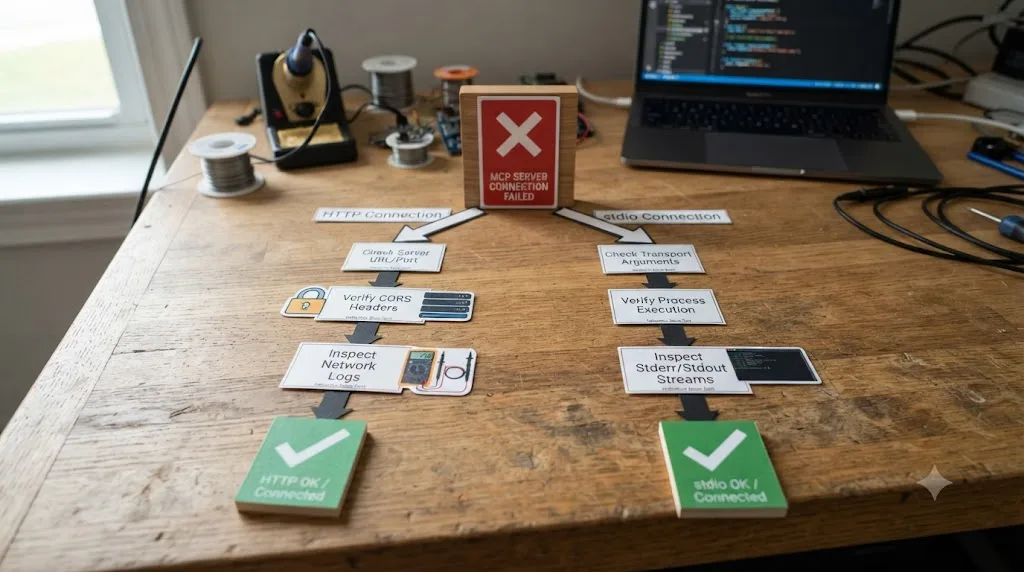
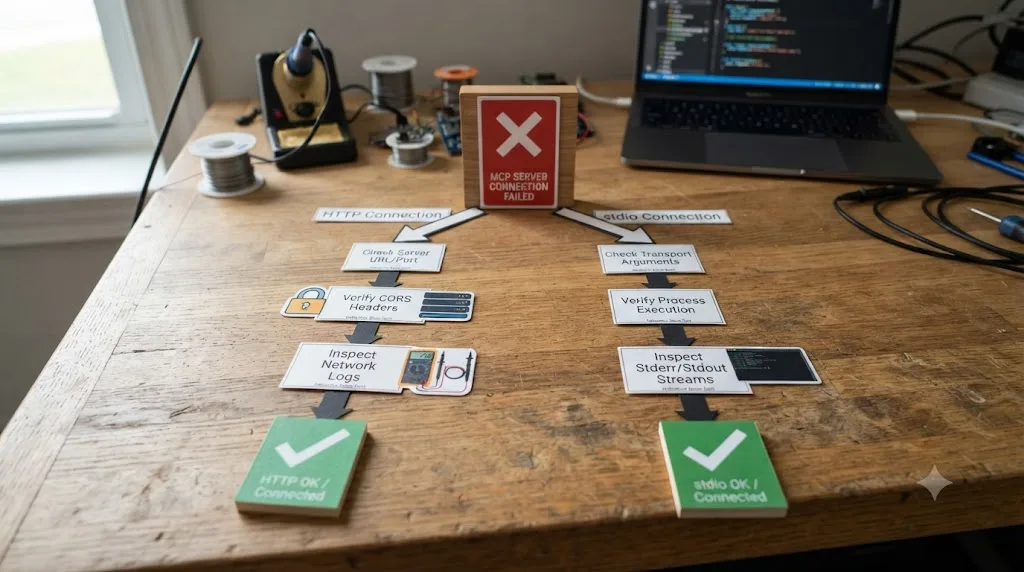
Why isn't my MCP server connecting?
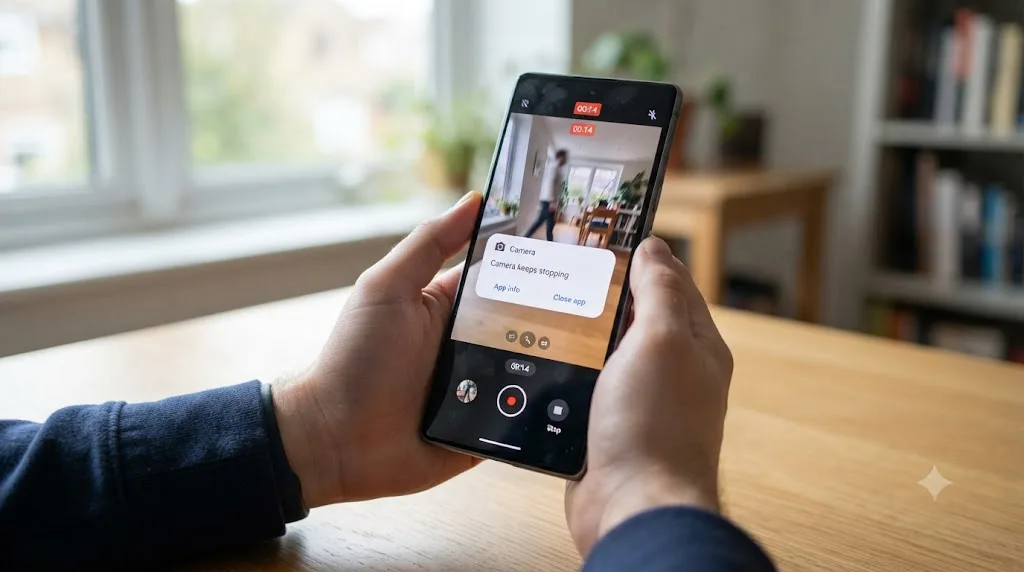
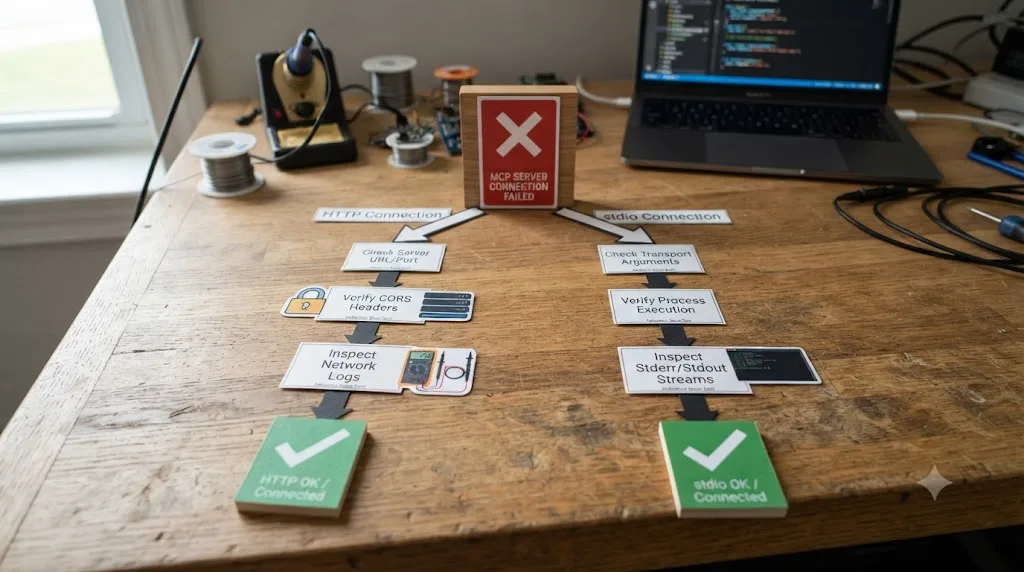
Run /mcp inside a session, or claude mcp list from your shell, and match the symptom.
| Symptom | Likely cause | Fix |
|---|---|---|
/mcp shows "No MCP servers configured" | You're in a different project than the one you ran claude mcp add from | Re-add from the current project, or use --scope user so it isn't tied to one |
| Edited a config file but nothing changed | Wrong path | Only ~/.claude.json and <project>/.mcp.json are read. ~/.claude/mcp.json and similar paths are not |
Failed to connect or Connection error on an HTTP server | Server unreachable, or expects a token | Run curl -I <url>; a 404/405 means it's up (many endpoints only answer POST), a 401/403 means you need to authenticate, no response means check the URL and network |
Failed to connect on a stdio server | The underlying command errors or hangs | Run the exact command from claude mcp get <name> directly in your terminal to see the real error |
| "Server already exists" | A server with that name is already registered at the same scope | claude mcp remove <name>, or add --scope to target a specific copy if it exists at more than one |
| Connects but shows no tools | Missing a required environment variable, often an API key | Pass it with --env KEY=value on claude mcp add, or in the env field of the .mcp.json entry |
| Connection timed out at startup | The default 30-second startup timeout was too short, usually while npx downloads a package for the first time | Raise it: MCP_TIMEOUT=60000 claude |
| OAuth sign-in fails or the browser doesn't open | Browser didn't launch, or the redirect failed | Run /mcp, select the server, choose Authenticate again; copy the URL manually if needed |
Changes to .mcp.json don't apply | You edited it mid-session, or you previously rejected the server | Restart the session; run claude mcp reset-project-choices if you rejected it before |
| macOS blocks a downloaded binary with an "unidentified developer" warning | Gatekeeper quarantine, not a Claude Code error | Approve the binary once in System Settings, or prefer a server distributed via npx |
| Server worked yesterday, fails today with no config changes | An HTTP or SSE server disconnected and exhausted its automatic reconnect attempts | Claude Code retries up to five times with exponential backoff; after that, retry manually from /mcp |
For that curl check on Windows, use curl.exe explicitly in PowerShell, since the bare curl alias points at Invoke-WebRequest, which behaves differently and will confuse the diagnosis.
The single most useful troubleshooting habit for a stdio server is running its exact startup command yourself, outside of Claude Code entirely. claude mcp get <name> shows you exactly what Claude Code is trying to run. Paste that into your own terminal. If it starts and waits for input, the server itself is fine and the problem is something in how Claude Code invoked it, usually the missing -- separator. If it errors immediately, the error message names what's actually missing, a missing Node install, a missing browser, an unset environment variable, far more precisely than Claude Code's own generic "failed to connect" ever will.
Are MCP servers safe to install?
This is the question people skip until it's too late, and it's worth taking seriously before you connect anything you didn't write yourself.
A malicious MCP server has already caused real damage in the wild, not as a hypothetical. In September 2025, an npm package called postmark-mcp, impersonating Postmark's real email-sending MCP server, built up trust across 15 clean versions and then, in version 1.0.16, added a one-line backdoor: every email an agent sent through it got secretly BCC'd to an attacker-controlled address. Postmark's own security team confirmed the company had nothing to do with the package. The Hacker News reported it as the first confirmed malicious MCP server found on npm, and the fix, once discovered, was simple: the package got pulled. The damage before that point wasn't.
Claude Code's own documentation states the underlying rule plainly, in a warning attached right where you'd add a Directory server: "Verify you trust each server before connecting it. Servers that fetch external content can expose you to prompt injection risk." The Model Context Protocol's own security best practices documentation is more specific still about where the actual attack surface lives, describing local servers specifically: "Without proper sandboxing and consent requirements in place," a malicious startup command embedded in a client configuration can run arbitrary code with your own privileges, including patterns as blunt as exfiltrating your SSH key or running rm -rf disguised behind a plausible-looking install script.
Security researchers at Wiz put a number on how exposed this actually is in practice: in their early-2026 scan of live environments, 80 percent of cloud environments they observed contained an MCP server somewhere, and 38 percent of the 500-plus servers they scanned had no authentication at all. That's not a niche risk profile; it's the current baseline.
Treat a third-party MCP server as third-party code with a network connection, not as trusted infrastructure, is the honest one-sentence version of everything above. A few concrete habits follow from that:
- Read the exact startup command before you approve a local stdio server.
claude mcp get <name>shows it in full. A command chaining something unrelated after the real one (npx some-package && curl ...) is the pattern to watch for. - Scope credentials narrowly. The database example earlier in this guide used a read-only user on purpose. Apply the same instinct to any API token you hand an MCP server: the least access that still does the job.
- Prefer official, actively maintained servers over an unfamiliar npm package with a plausible name, especially for anything that touches email, payments, or credentials. The Postmark incident worked specifically because the fake package's name matched a trusted brand.
- Approve project-scoped servers deliberately. Claude Code's own trust-dialog gate exists precisely so a cloned repository can't silently launch a process on your machine the moment you open it; don't reflexively click through it.
- Watch for the "confused deputy" pattern if you're building, not just using, a proxy-style MCP server. The protocol's own security documentation describes a specific, documented OAuth exploit chain where a proxy server's static client ID combined with a browser consent cookie lets an attacker steal an authorization code without the user ever seeing a consent screen. If you're only connecting to servers others built, this one's someone else's problem to have solved correctly; if you're building one, read the mitigation section of that documentation before you ship it.
- Rotate any token you passed with
--headerif you ever remove a server because something about it looked wrong. A static token doesn't automatically become invalid just because you deleted the config entry that used it.
If any of this sounds familiar from a different context, it should. The same underlying failure mode, code that runs with your privileges because you trusted the name on the package rather than reading what it does, is exactly what we cover in more general terms in our vibe coding security vulnerabilities checklist. An MCP server is, functionally, one more piece of vibe-coded-adjacent trust you're extending every time you approve one.
How do you manage MCP servers across a team or organization?
Everything above covers a single developer's setup. Three additional pieces matter once more than one person is involved.
Project scope is the team mechanism you already have. A .mcp.json committed to the repo means every teammate who clones it and runs claude gets prompted to approve the same server set you configured, with no separate onboarding doc needed. That's the whole point of writing it by hand instead of only ever using claude mcp add.
Managed configuration is the organization-level mechanism, for when an admin needs to guarantee which servers an entire org can or can't connect to, regardless of what any individual developer tries to add locally. It's deployed via a managed-mcp.json file and allowedMcpServers / deniedMcpServers settings, and it overrides local choices, which is the entire reason it exists: a security team that's approved five specific MCP servers for company-wide use doesn't want an engineer casually connecting a sixth, unreviewed one to a repo that touches production credentials.
claude.ai connectors are a third path, separate from anything configured through the CLI. If you're signed into Claude Code with a claude.ai account, servers your organization has added at claude.ai's connector settings show up automatically, with per-tool controls your org can set to ask (always prompts, even in permission modes that would otherwise skip prompts) or blocked (filtered out before Claude ever sees the tool exists). On Team and Enterprise plans, only admins can add these, which keeps the connector list itself under central control even though individual developers still choose whether to authenticate each one.
For a solo developer or a small team without a formal security review process, project scope plus the habits from the previous section, reading startup commands, scoping credentials narrowly, is proportionate. Managed configuration and connector-level controls are the tools you reach for once the number of people connecting servers to production-adjacent systems outgrows "everyone reads the docs carefully."
MCP server, skill, or subagent: which one actually solves your problem?
People new to Claude Code's extension mechanisms often reach for an MCP server when a skill or a subagent would have been simpler, mostly because MCP is the one that gets talked about most. A quick decision table:
| You need to... | Reach for... | Why |
|---|---|---|
| Give Claude a way to call a live external system (an API, a database, a running browser) | An MCP server | It's the only mechanism of the three built around a running program with its own state and its own tools |
| Give Claude a reusable, written procedure or house style for a recurring task | A skill | A skill is a markdown file with instructions, no server process, no network connection, no auth flow |
| Have Claude research something in a separate context window without spending your main session's tokens | A subagent | It runs in its own context, its file reads and tool calls don't touch your conversation, only its summary comes back |
| Automate a large batch job across hundreds of files with a tightly scoped, repeatable prompt | claude -p in a script, not an interactive MCP setup | Each headless invocation gets a fresh, small context window sized to one item, sidestepping the mid-session context problem entirely |
If what you're trying to do is "let Claude read and act on this external system," you want an MCP server, and everything in this guide applies. If what you actually wanted was "make sure Claude always follows this convention" or "let Claude investigate this without filling my window," you probably wanted a skill or a subagent instead, and reaching for MCP would have meant setting up auth and a running process for a problem that didn't need either.
Can Claude Code itself act as an MCP server for other applications?
Yes, and it's a less commonly known direction than the rest of this guide, worth a brief mention since it uses the exact same protocol in reverse. Run:
claude mcp serve
and Claude Code starts as a stdio MCP server that another application, Claude Desktop among them, can connect to. In Claude Desktop's own configuration file:
{
  "mcpServers": {
    "claude-code": {
      "type": "stdio",
      "command": "claude",
      "args": ["mcp", "serve"],
      "env": {}
    }
  }
}
This exposes Claude Code's own tools, file viewing, editing, running shell commands, to whatever client connects. If claude isn't on your system PATH, the command field needs to be the full path to the executable (which claude finds it), or you'll hit a spawn claude ENOENT error, which is a PATH problem, not a protocol one. Because this server only exposes Claude Code's tools without adding its own consent layer, whatever client connects to it is responsible for asking you before it lets Claude Code edit or run something. Worth knowing about, rarely the first thing you'll need when getting started.
What's changed in MCP since it launched, and does that affect setup?
Worth knowing before you assume the ecosystem is small or unstable: it isn't, anymore. MCP grew, in the protocol's own words from its one-year retrospective, from "just a few experimental ones to thousands" of active servers, with its public registry passing roughly two thousand entries by November 2025, a 407 percent jump from its initial onboarding batch that September. The retrospective's own framing captures how fast that happened: "It's hard to imagine that a little open-source experiment, a protocol to provide context to models, became the de-facto standard for this scenario in less than twelve months."
That adoption wasn't limited to Anthropic's own tools. By April 2025, OpenAI had adopted MCP across its Agents SDK, Responses API, and ChatGPT desktop app, and Google DeepMind confirmed support in upcoming Gemini models the same month, reported by Axios as the protocol becoming "an open source standard supported by OpenAI, Microsoft, Google." Microsoft and GitHub joined MCP's steering committee at Microsoft's Build 2025 conference that May. In December 2025, Anthropic donated the protocol itself to a new Linux Foundation-governed body, the Agentic AI Foundation, with Anthropic, Block, and OpenAI as co-founders and Google, Microsoft, AWS, Cloudflare, and Bloomberg as supporting members, explicitly to keep the standard "neutral, open, and community-driven" rather than controlled by any single vendor.
None of that changes the claude mcp add syntax this guide covers. What it does mean practically: the server you need almost certainly already exists and is actively maintained, cross-vendor adoption this broad means an abandoned, unmaintained MCP server is increasingly the exception rather than the rule for anything mainstream, and the setup skills in this guide transfer directly if you ever connect the same servers from a different MCP-compatible client.
The verdict
Setting up an MCP server in Claude Code is one command for the common case: claude mcp add --transport http <name> <url> for anything hosted, claude mcp add <name> -- <command> for anything that needs to run locally. Everything past that command is a small, fixed set of decisions you'll make the same way every time: which scope fits how many people need it, whether the server needs OAuth or a static token, and, if something doesn't connect, whether the URL is unreachable or the local command actually errors when you run it yourself.
The part that deserves more attention than the syntax is the trust question. MCP's own growth, from a handful of experimental servers to an ecosystem backed by every major AI lab in a little over a year, is also exactly why a fake package convincingly impersonating a real vendor made it onto npm and stayed there long enough to exfiltrate real email traffic. Add the servers you need. Read what the local ones actually run before you approve them. And if your Claude Code sessions increasingly overlap with a DaVinci Resolve project, know that a scripting bridge and an in-app tutor solve different problems, and you may well want both.
Frequently asked questions
- What is an MCP server in Claude Code?
- It's a program, local or hosted, that speaks the Model Context Protocol and gives Claude Code tools beyond its built-in set, like querying a database, controlling a browser, or reading an issue tracker. Claude Code connects to it, discovers what tools it offers, and calls those tools during a session the same way it calls its own file-editing tools.
- How do I add an MCP server to Claude Code?
- Run claude mcp add --transport http <name> <url> for a server hosted at a URL, or claude mcp add <name> -- <command> for a local one Claude Code runs as a subprocess. Check claude mcp list afterward to confirm it shows Connected, then reference the server by name in a session.
- What's the difference between local, project, and user scope for an MCP server?
- Local scope, the default, registers the server only for you in the current project. Project scope writes to .mcp.json in the project root so anyone who clones the repo gets the same server after approving it. User scope registers the server for you across every project on your machine.
- How do I connect an MCP server that requires a sign-in or an API key?
- Add the server first, then check claude mcp list for a Needs authentication status. Run /mcp inside a session, select the server, and choose Authenticate to complete an OAuth browser sign-in. For servers that take a static token instead, pass it at add time with --header "Authorization: Bearer <token>".
- Why does my MCP server show Failed to connect?
- For an HTTP server, run curl -I against its URL to see whether it's reachable, whether it needs auth (401/403), or whether the path is wrong (404). For a local stdio server, run the exact command Claude Code shows in claude mcp get <name> directly in your terminal to see the real error, since Claude Code's error message alone often just says the process didn't start.
- Are MCP servers safe to install?
- Only as safe as the code behind them. A malicious npm package impersonating Postmark's official MCP server was caught in September 2025 secretly BCCing every email an agent sent to an attacker's address. Treat a third-party MCP server as third-party code with a network connection, not as trusted infrastructure, and read what a local stdio server's startup command actually runs before you approve it.
- Can I connect Claude Code to DaVinci Resolve with an MCP server?
- Yes, through community-built servers like samuelgursky/davinci-resolve-mcp, which bridge Claude to Resolve's official scripting API so it can run Python commands against your project. That needs DaVinci Resolve Studio, since the free edition doesn't support external scripting, and it's a scripting bridge for automation, not a substitute for an in-app tutor that watches your actual edit.
Sources
- Connect to MCP servers - Claude Code Docs
- Connect Claude Code to tools via MCP - Claude Code Docs
- Model Context Protocol: Introduction
- Security Best Practices - Model Context Protocol
- Introducing the Model Context Protocol - Anthropic (quote: Dhanji R. Prasanna, CTO, Block)
- Donating the Model Context Protocol and establishing the Agentic AI Foundation - Anthropic
- One Year of MCP: November 2025 Spec Release - Model Context Protocol Blog
- Model Context Protocol is an open source standard supported by OpenAI, Microsoft, Google - Axios
- Understanding Model Context Protocol Security (MCP) in 2026 - Wiz
- First Malicious MCP Server Found Stealing Emails in Rogue Postmark-MCP Package - The Hacker News
- Security Alert: Malicious 'postmark-mcp' npm Package Impersonating Postmark - Postmark
- GitHub - samuelgursky/davinci-resolve-mcp
- GitHub - microsoft/playwright-mcp
- TryUncle
Learn by doing, not watching
Stop translating tutorials to your timeline.
TryUncle stays beside Resolve on Mac and Windows. When you ask, Uncle sees your screen and points at the exact control you need. No hunting through tabs, timestamps, or mismatched tutorials.
Meet TryUncleKeep reading
 GuidesJul 11, 202617 min read
Claude Code Running Out of Context Mid-Session? Here's the Fix
Why Claude Code's context window fills up and cuts off progress mid-task, what auto-compaction actually saves, and the exact commands to stop losing work.
 GuidesJul 11, 202639 min read
Vibe Coding Security Vulnerabilities: The Full Checklist
The real vibe coding security checklist: exposed secrets, broken access control, hallucinated packages, and what changes for DaVinci Resolve scripts.
 ComparisonsJul 11, 202626 min read
The Best AI Tools to Learn DaVinci Resolve in 2026
ChatGPT, Claude, Blackmagic's free training, Recut, and Resolve's Neural Engine compared for learning DaVinci Resolve, and the gap none of them close.