TryUncle DaVinci 21 Kit · for DaVinci Resolve 21 · Mac and Windows
Edits that look expensive. Without keyframing a thing.
151 drag-and-drop templates for DaVinci Resolve 21: YouTube cards, cut-out letters, neon, marker, film titles and transitions. Find one in a second, drop it on your timeline, type your words.
$100 $9.99 once 90% off
Offer ends in--:--:--
Requires DaVinci Resolve 21 (free or Studio), installed separately.

The kit’s templates, recreated in the browser over stock footage. In Resolve they’re the real thing.
From search to your edit in seconds
Find a template, drop it on your timeline and make the words your own, all without leaving Resolve.

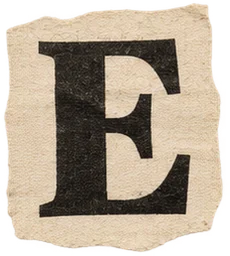

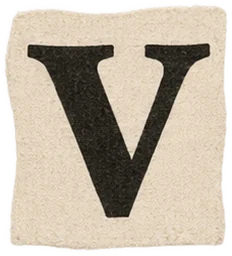
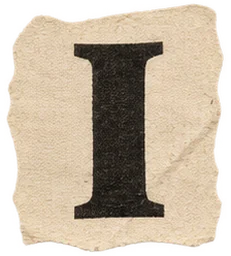
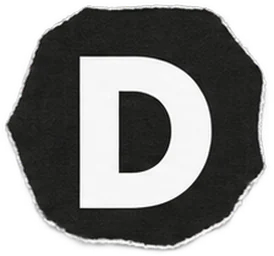


5 · The letters rebuild as you type
An illustration of DaVinci 21 Kit and Resolve.
Browse the kit
Pick a category. Previews are recreated in the browser; the templates run in Resolve.
A few from every category. Point at a template to play it; transitions play on their own.
- Shown at ½ speedCollage Newspaper SpinCollage · Transition

THE DAILY CUT
BREAKING NEWS
PICTURED: WHAT HAPPENED NEXT
- Collage Ransom LettersCollage · Title





- Neon CrownNeon · Title
- Shown at ½ speedCollage Paper TearCollage · Transition
- Collage PolaroidCollage · Effect
summer ’26
- Neon WingsNeon · Title
- Shown at ½ speedCollage Photo DropCollage · Transition
- Camera CamcorderCamera · Title
RECSP
60min
JUN 14 2026
8:42 PM - Neon HeartNeon · Title
- Collage Ransom WordsCollage · TitleSTOPSCROLLINGRIGHTNOW
- Shown at ½ speedCollage Strips DropCollage · Transition
- Neon Devil HornsNeon · Title
How it works
- 1Buy and download. Pay once and the download starts: the DaVinci 21 Kit app on Mac, the templates (.drfx) on Windows.
- 2Install the templates. On Mac, open the app and press Install; on Windows, double-click the .drfx. All 151 go into Resolve’s Effects library. If Resolve was open, quit and reopen it.
- 3Find one. On Mac, tap ⇧⌥, press ⌃⇧Space or click the edge tab; point at a template to preview it and click to copy its name. On Windows, browse the TryUncle Kit folder in Effects.
- 4Paste it into Resolve. In Effects, click the magnifier, choose All Folders, paste (⌘V, or Ctrl+V on Windows) and drag the template into your edit.




An illustration of the app and Resolve’s Effects panel.
TryUncle DaVinci 21 Kit
90% off$100 $9.99 once
Offer ends in--:--:--
One payment, no subscription. That’s about 7¢ a template.
Get all 151 for $9.99Requires DaVinci Resolve 21 (free or Studio), installed separately.
All sales are final: no refunds. It’s a digital download you get instantly, so watch the previews above before you buy. Refund policy
Independent product. Not affiliated with or endorsed by Blackmagic Design. DaVinci Resolve is a trademark of Blackmagic Design Pty. Ltd.
- 151 templates: YouTube cards, cut-out letters, neon, marker, film titles, transitions, effects and backgrounds
- No keyframing: drop one on your timeline and change the words, colours and timing in the Inspector
- The DaVinci 21 Kit app for Mac: installs them, previews them, copies a name in a click
- On Windows: the same templates as a .drfx, installed with a double-click
- Works in the free version of DaVinci Resolve 21 (and Studio), Mac and Windows, no plugins
Questions
What do I get?
151 templates for DaVinci Resolve 21 (titles, transitions, effects and backgrounds) and the DaVinci 21 Kit app for Mac. The app installs the templates into Resolve’s Effects library, and its search panel lets you preview any of them and copy its name in a click. On Windows you get the same templates as a .drfx, Resolve’s own template package: double-click it and Resolve installs them.
How do I use a template?
Open the panel (tap ⇧⌥, press ⌃⇧Space or click the edge tab), point at a template to preview it and click to copy its name. In Resolve’s Effects panel, click the magnifier, set the menu beside it to All Folders, paste (⌘V) and drag the template into your edit. Each one has its own controls in the Inspector.
How do I get it after paying?
You pay once in the checkout on this page and the download unlocks straight away, with no licence key. You can download it again later from the download page.
Which Resolve, and Mac or Windows?
DaVinci Resolve 21, free and Studio, with no plugins, on Mac and Windows. On Mac you get the DaVinci 21 Kit app; on Windows, the same 151 templates as a .drfx you double-click to install, the usual way for Resolve templates.
Is it a subscription?
No. One payment, and you keep the app and the templates.
Is this made by Blackmagic Design?
No. TryUncle DaVinci 21 Kit is made by TryUncle, an independent maker, and works with DaVinci Resolve 21. DaVinci Resolve is a trademark of Blackmagic Design.
Do I need to know Fusion or keyframes?
No. Drop a template on your timeline and change it in the Inspector: the words, colours, sizes and timing are all controls. Fusion is there if you want to dig in, but you never have to.
Can I get a refund?
No. All sales are final: the kit is a digital download you get the moment you pay, so there are no refunds. That’s why every template is previewed on this page: watch them before you buy. If something won’t install, email me and I’ll help you get it working. Read the refund policy.